From SimplyBook.me
Marked this version for translation |
No edit summary |
||
| Line 27: | Line 27: | ||
;How to use | ;How to use | ||
:1. Enable Approve bookings custom feature in your Custom features section. | :1. Enable Approve bookings custom feature in your Custom features section. | ||
[[File:Approve bookings enable path | [[File:Approve bookings enable path redesigned.png|1200px| center|link=https://help.simplybook.me/images/b/b8/Approve_bookings_enable_path_redesigned.png]] | ||
<br><br> | <br><br> | ||
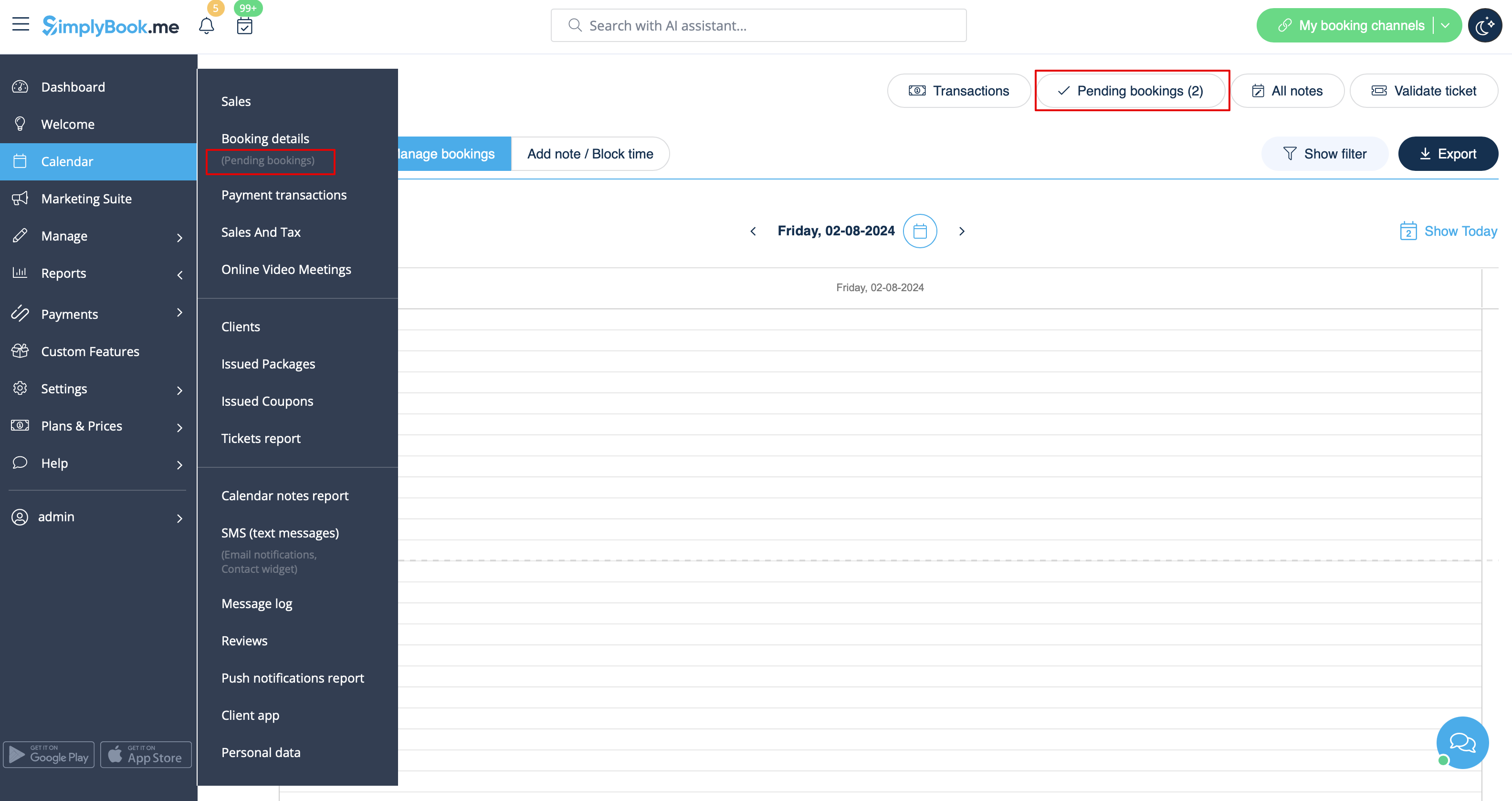
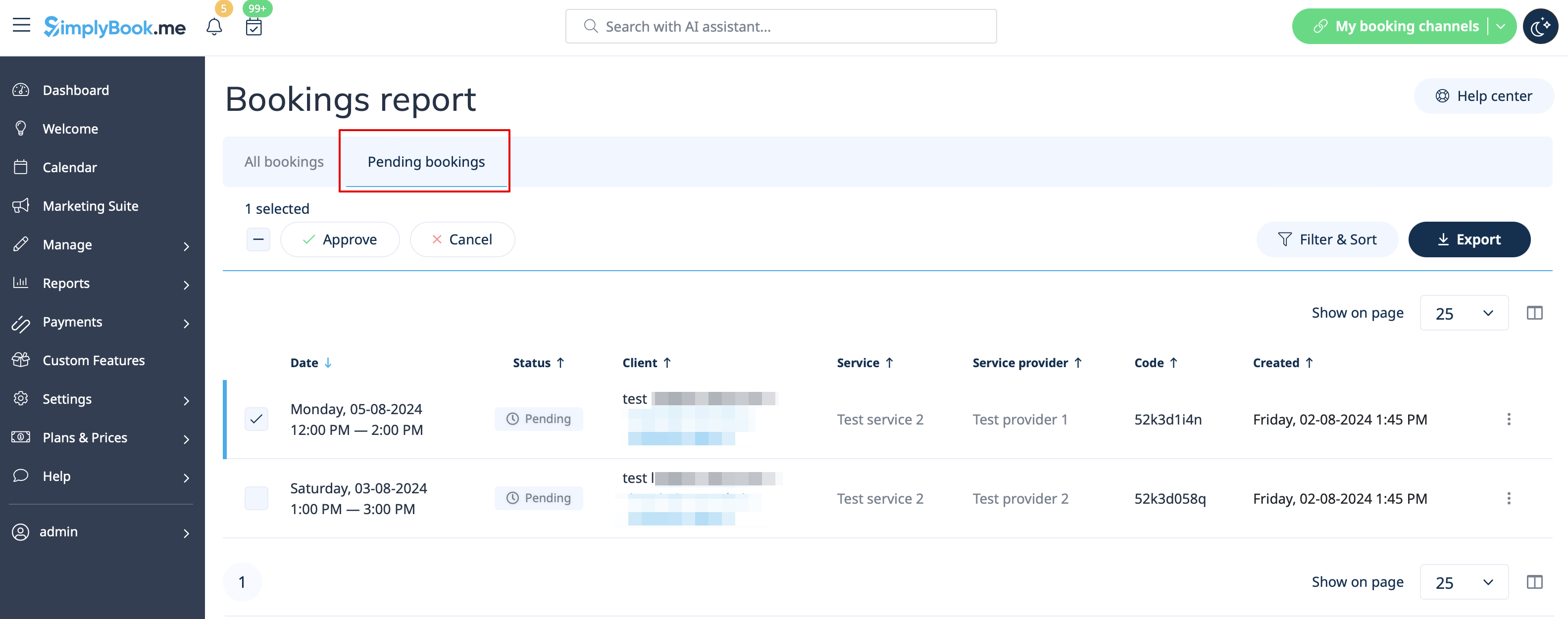
:2. Navigate to Calendar//Pending bookings to check the bookings waiting for approval and accept or decline them. | :2. Navigate to Calendar//Pending bookings to check the bookings waiting for approval and accept or decline them. | ||
:The client will receive the confirmation email only after your approval. | :The client will receive the confirmation email only after your approval. | ||
:If you decline the booking there will be no notification to the client. | :If you decline the booking there will be no notification to the client. | ||
[[File: | [[File:Pending bookings report path redesigned.png|1200px|center|link=https://help.simplybook.me/images/c/c7/Pending_bookings_report_path_redesigned.png]]<br><br> | ||
[[File:Pending | [[File:Pending bookimgs report overview redesigned.png|1200px | center|link=https://help.simplybook.me/images/9/97/Pending_bookimgs_report_overview_redesigned.png]] | ||
<br><br> | <br><br> | ||
</translate> | </translate> | ||
Revision as of 10:53, 2 August 2024

Approve Bookings Custom Feature is essential if you need to look at customers details before you can approve their booking. It allows you to check information given by clients before you accept their bookings. When your clients book an appointment, at the end they will see a notice that confirmation email will be sent when their booking is approved.
Please note!
- If you have Accept Payments custom feature enabled, paid bookings will be approved automatically, only free services and bookings with "Pay Later" option can be approved/rejected.
- If the client booked using Multiple bookings custom feature(or other batch bookings) all appointments from multiple bookings pack are approved if one session is approved. The way around is to edit reservations you want to reschedule and cancel reservations you want to decline first, and then approve the pack.
- How to use
- 1. Enable Approve bookings custom feature in your Custom features section.
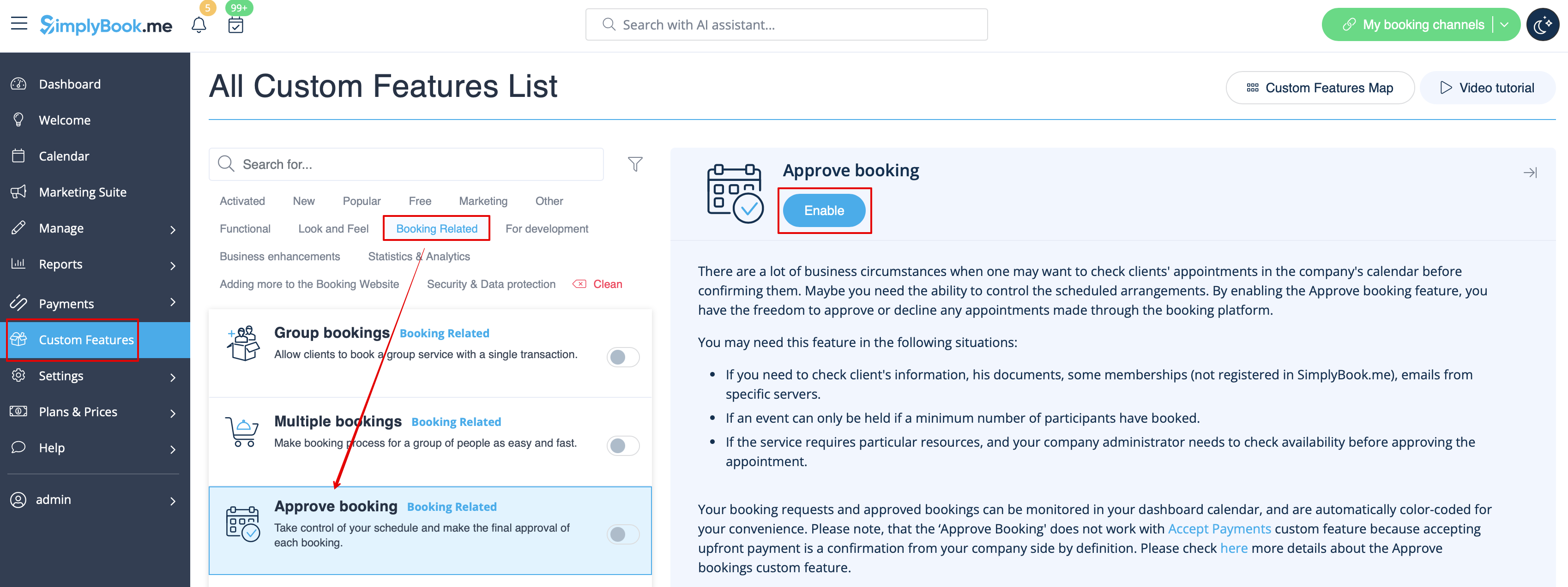
- 2. Navigate to Calendar//Pending bookings to check the bookings waiting for approval and accept or decline them.
- The client will receive the confirmation email only after your approval.
- If you decline the booking there will be no notification to the client.