From SimplyBook.me
Marked this version for translation |
No edit summary |
||
| Line 23: | Line 23: | ||
;How to use | ;How to use | ||
:1. Enable <span style="background-color:#d4f8e5; padding:5px; border-radius:5px;">Insights</span> on your <span style="background-color:#d4f8e5; padding:5px; border-radius:5px;">Custom features</span> page. | :1. Enable <span style="background-color:#d4f8e5; padding:5px; border-radius:5px;">Insights</span> on your <span style="background-color:#d4f8e5; padding:5px; border-radius:5px;">Custom features</span> page. | ||
[[File: | [[File:Insignts enable path redesigned.png|1200px | center|link=https://help.simplybook.me/images/5/5f/Insignts_enable_path_redesigned.png]] | ||
<br><br> | <br><br> | ||
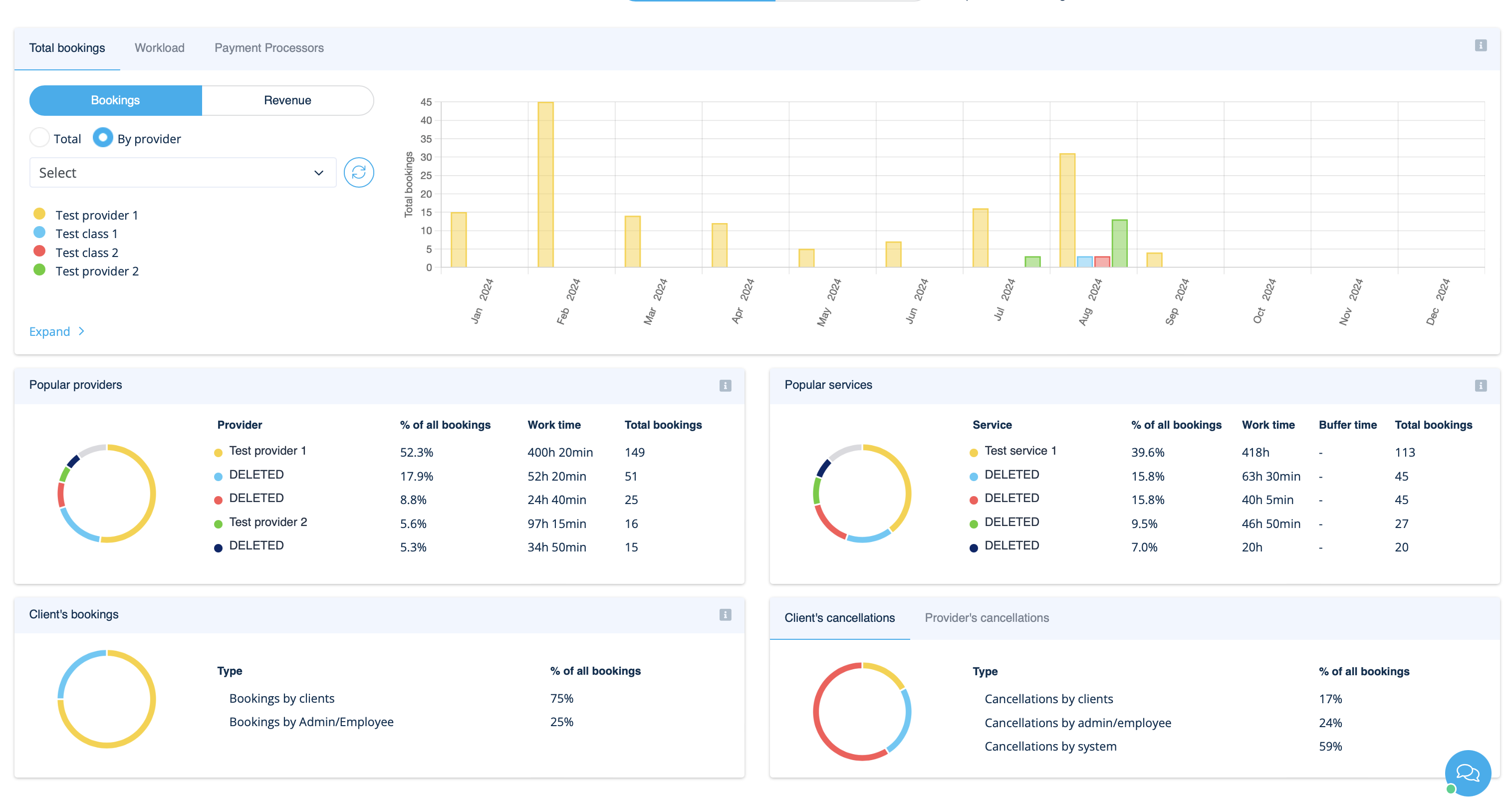
:2. Navigate to <span style="background-color:#d4f8e5; padding:5px; border-radius:5px;">Dashboard</span> to check the graphs and charts. | :2. Navigate to <span style="background-color:#d4f8e5; padding:5px; border-radius:5px;">Dashboard</span> to check the graphs and charts. | ||
[[File: | [[File:Insights on dashoboard overview redesigned.png|1200px | center|link=https://help.simplybook.me/images/b/b1/Insights_on_dashoboard_overview_redesigned.png]] | ||
<br><br> | <br><br> | ||
</translate> | </translate> | ||
Revision as of 13:43, 13 September 2024

This Custom Feature creates a variety of charts with key performance indicators in your new financial dashboard.
Providers availability, total bookings, payment per provider etc
- How to use
- 1. Enable Insights on your Custom features page.
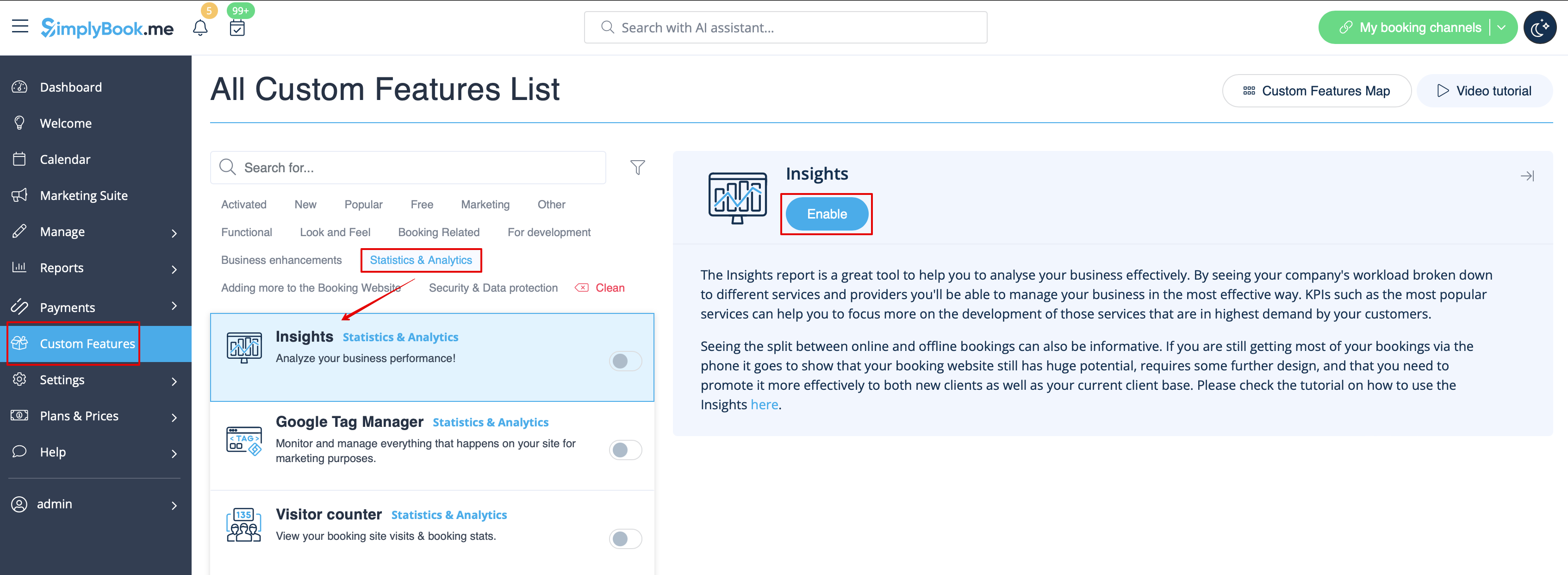
- 2. Navigate to Dashboard to check the graphs and charts.