From SimplyBook.me
No edit summary |
No edit summary |
||
| Line 17: | Line 17: | ||
;How to use | ;How to use | ||
:1. Enable Take Me Back Home in the Custom Features section//Look and Feel. | :1. Enable Take Me Back Home in the Custom Features section//Look and Feel. | ||
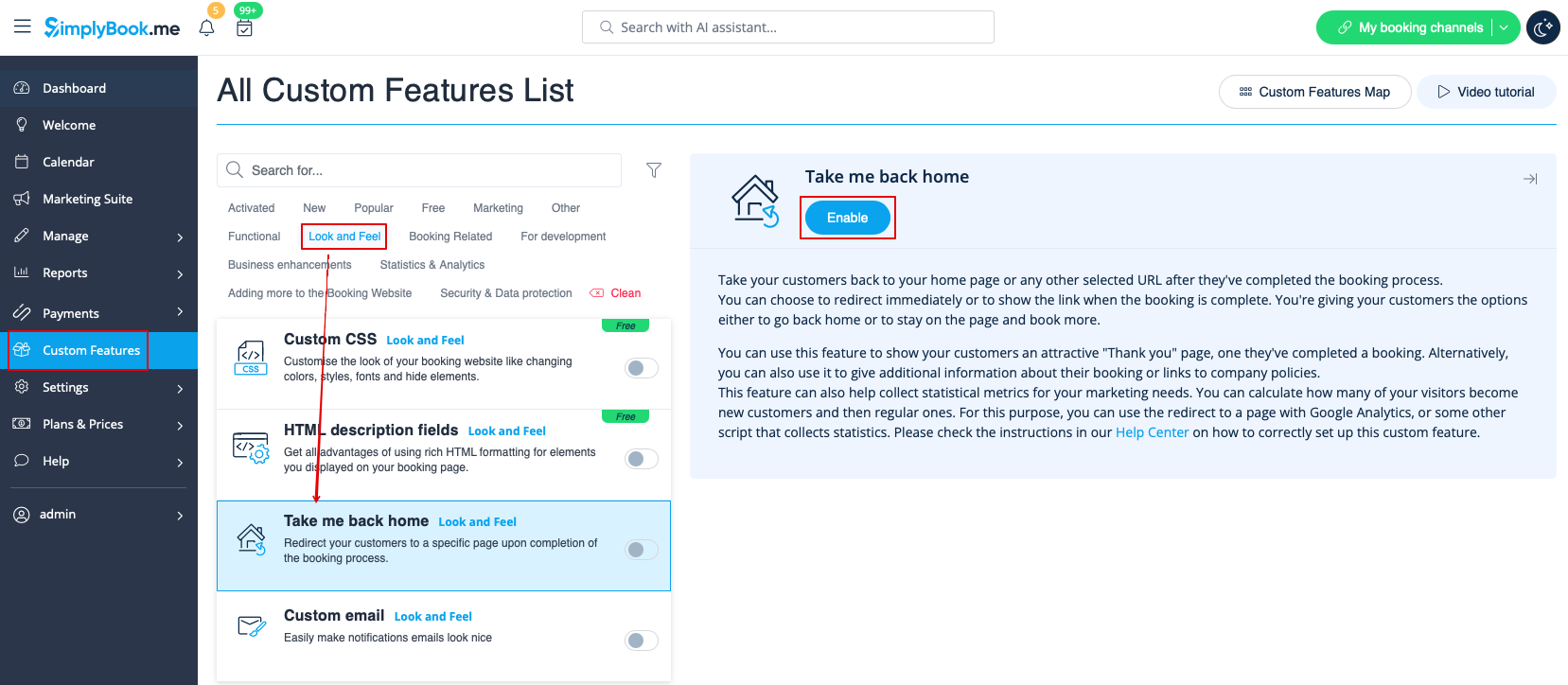
[[File:Take me back home enable path | [[File:Take me back home enable path redesigned.png|1200px|border | center|link=https://help.simplybook.me/images/c/cf/Take_me_back_home_enable_path_redesigned.png]] | ||
<br><br> | <br><br> | ||
:2. Go to its settings on the right. | :2. Go to its settings on the right. | ||
[[File:Take me back home settings | [[File:Take me back home settings redesigned.png|1200px|border | center|link=https://help.simplybook.me/images/f/f5/Take_me_back_home_settings_redesigned.png]] | ||
<br><br> | <br><br> | ||
:3. Insert the link where you want your clients to be redirected, write a text for this link.<br> | :3. Insert the link where you want your clients to be redirected, write a text for this link.<br> | ||
Revision as of 14:43, 30 October 2024

The Take Me Back Home Custom Feature, allows you to bring clients back to your home page or selected URL after a booking has been performed on the booking page. Clients can press a link or they will be brought back to your homepage after 10 seconds by a redirect script.
Please note! This feature is not compatible with Kiosk custom feature.

- How to use
- 1. Enable Take Me Back Home in the Custom Features section//Look and Feel.
- 2. Go to its settings on the right.
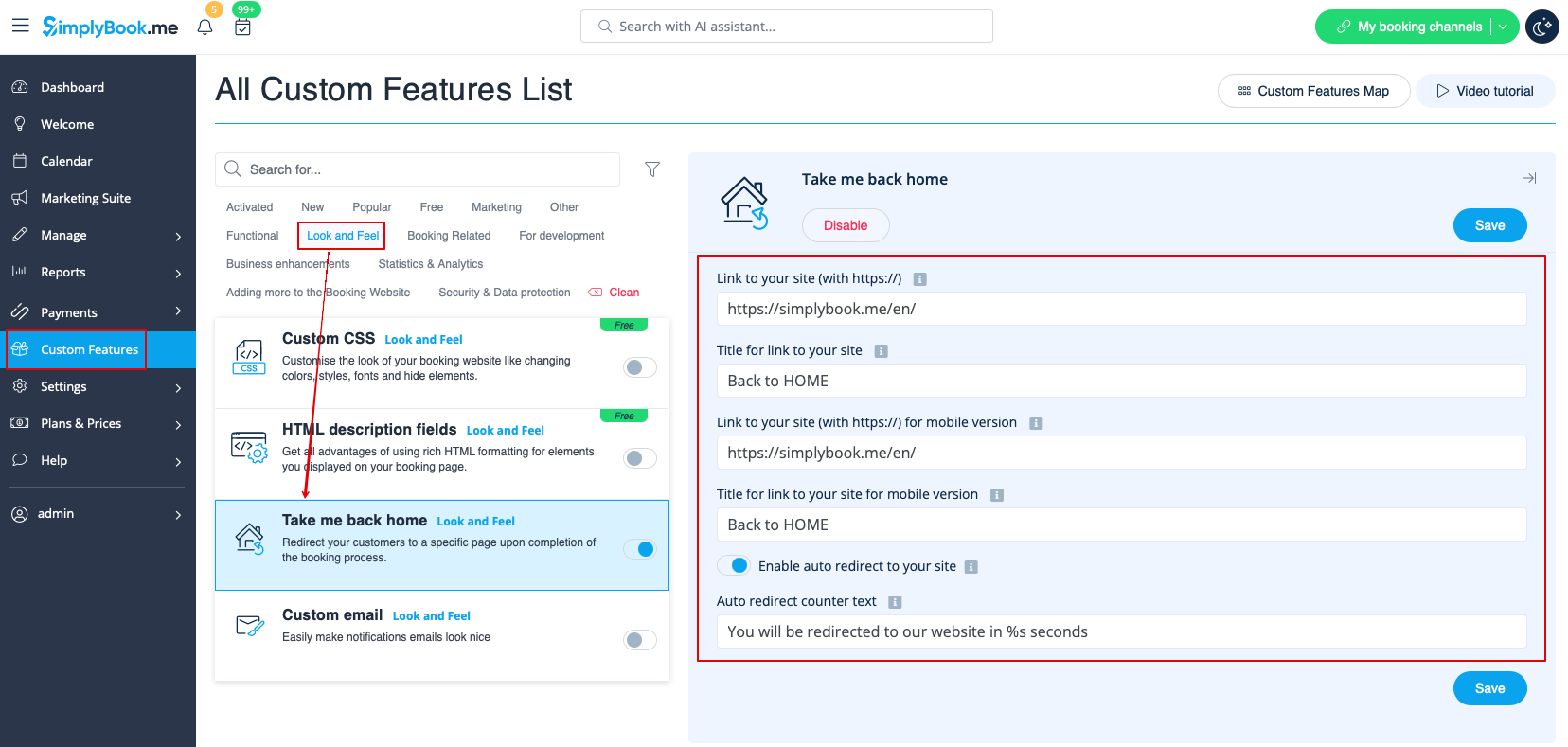
- 3. Insert the link where you want your clients to be redirected, write a text for this link.
- Also add the link where you want your clients to be redirected for mobile version and add its text.
- 4. Enable or leave disabled "Enable auto redirect to your site". If enabled, it will redirect your clients automatically to the page you indicated in the "link to your website" filed in 10 seconds.
- 5. Write auto redirect text that will be displayed in case the option "Enable auto redirect to your site" is enabled(please note! do not change "%s" part for correct timer work).
