No edit summary |
Updating to match new version of source page |
||
| Line 3: | Line 3: | ||
{{#seo: | {{#seo: | ||
|title=Anti-Fraud/Spam Protection Custom Feature - SimplyBook.me | |title=Anti-Fraud/Spam Protection Custom Feature - SimplyBook.me | ||
<div lang="en" dir="ltr" class="mw-content-ltr"> | |||
|description=Protect your bookings from fraud and spam. Enable this feature for added security. Click to activate it now! | |||
</div> | |||
|titlemode=append | |titlemode=append | ||
|keywords=faq, frequently asked questions, booking software, appointment system questions, appointments online, calendar software, booking system, booking calendar, scheduling software, online appointment scheduling, online scheduling, plugins, custom features, additional functionality, anti-spam, anti-fraud, booking limit | |keywords=faq, frequently asked questions, booking software, appointment system questions, appointments online, calendar software, booking system, booking calendar, scheduling software, online appointment scheduling, online scheduling, plugins, custom features, additional functionality, anti-spam, anti-fraud, booking limit | ||
| Line 18: | Line 21: | ||
<div class="mw-translate-fuzzy"> | |||
1. Aktivieren Sie den Betrugs-/Spamschutz auf Ihrer Seite Individuelle Funktionen -> Abschnitt Sicherheit & Datenschutz. | 1. Aktivieren Sie den Betrugs-/Spamschutz auf Ihrer Seite Individuelle Funktionen -> Abschnitt Sicherheit & Datenschutz. | ||
[[File:Antispam enable path redesigned.png|1200px|border|center|link=https://help.simplybook.me/images/d/d7/Antispam_enable_path_redesigned.png]] | [[File:Antispam enable path redesigned.png|1200px|border|center|link=https://help.simplybook.me/images/d/d7/Antispam_enable_path_redesigned.png]] | ||
| Line 32: | Line 36: | ||
<br><br> | <br><br> | ||
<br><br> | <br><br> | ||
</div> | |||
Revision as of 15:47, 8 January 2025

Dies ist eine Funktion zum Schutz vor Betrug/Spam. Sie ermöglicht es Administratoren, die Anzahl der Buchungen zu begrenzen, die von der gleichen E-Mail-, Telefon- und IP-Adresse aus vorgenommen werden können. Die Funktion bietet verschiedene Optionen, z. B. die Festlegung der maximalen Anzahl von Buchungen, die Definition des Zeitraums, in dem diese Buchungen vorgenommen werden können, und die Möglichkeit, mutmaßliche betrügerische Aktivitäten zu blockieren oder zu kennzeichnen. Diese Funktion trägt dazu bei, betrügerische oder spammige Buchungen zu verhindern und die Integrität des Systems zu schützen, um ein reibungsloses und vertrauenswürdiges Buchungserlebnis für legitime Kunden zu gewährleisten.
- Wie man es benutzt
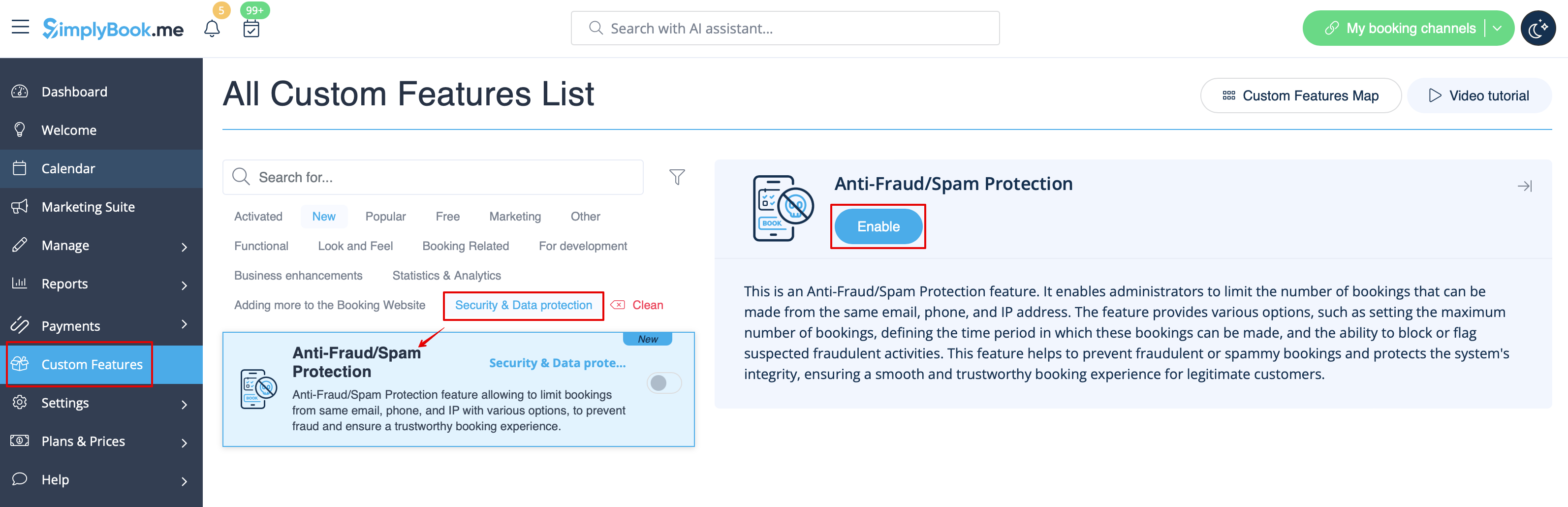
1. Aktivieren Sie den Betrugs-/Spamschutz auf Ihrer Seite Individuelle Funktionen -> Abschnitt Sicherheit & Datenschutz.
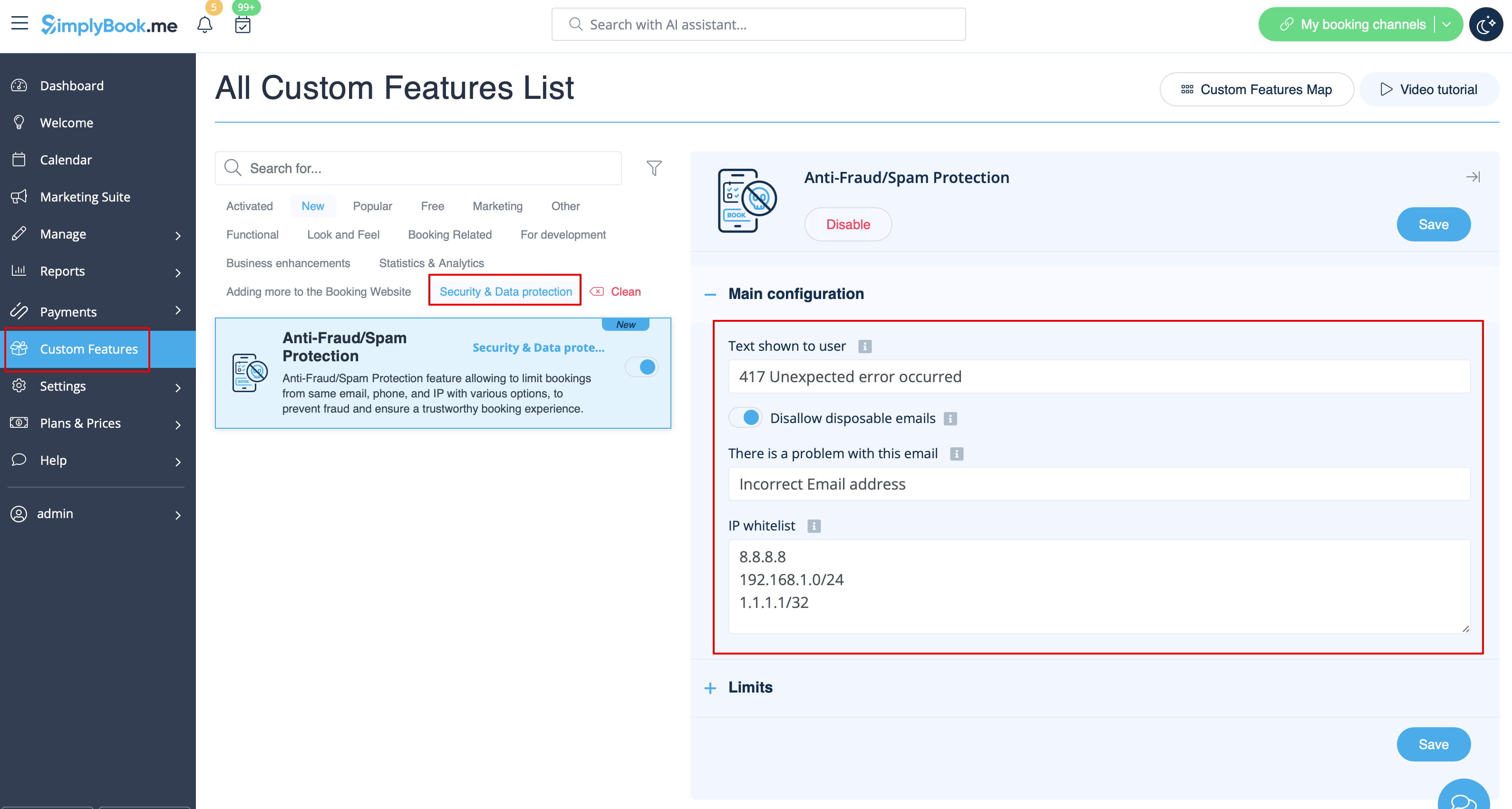
2. Im ersten Hauptkonfigurationsabschnitt können Sie über den Text der Fehlermeldung entscheiden, die auf der Client-Seite angezeigt wird, wenn das Limit erreicht ist. Aktivieren Sie die Option Wegwerf-E-Mails verbieten, wenn Sie die Verwendung solcher E-Mails verbieten möchten, und fügen Sie IP-Adressen hinzu, von denen aus Buchungen immer erlaubt sein sollen (falls Sie planen, Limits nach IP zu verwenden).
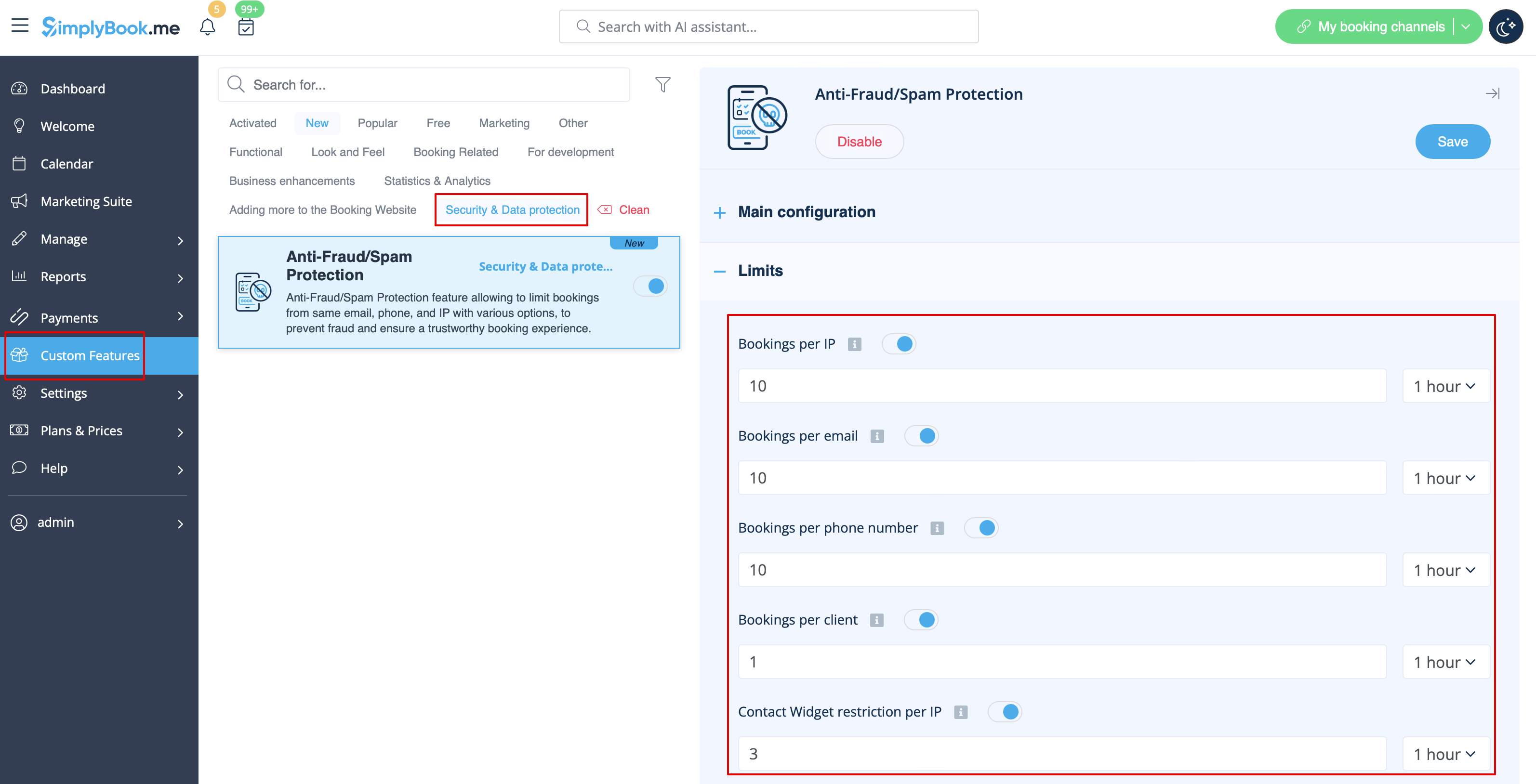
3. Im nächsten Abschnitt Limits können Sie die spezifischen Limits nach Client (nur verfügbar, wenn die individuelle Funktion Kunden-Login aktiviert ist), nach IP-Adresse, nach E-Mail-Adresse oder Telefonnummer festlegen. Sie können jede Option oder mehrere davon gleichzeitig verwenden.
Bitte beachten Sie! Wenn Sie einige IP-Adressen auf die Whitelist gesetzt haben, gelten die anderen Beschränkungen (nach E-Mail, Telefon oder Client, falls sie gesetzt sind) weiterhin für diesen Client.
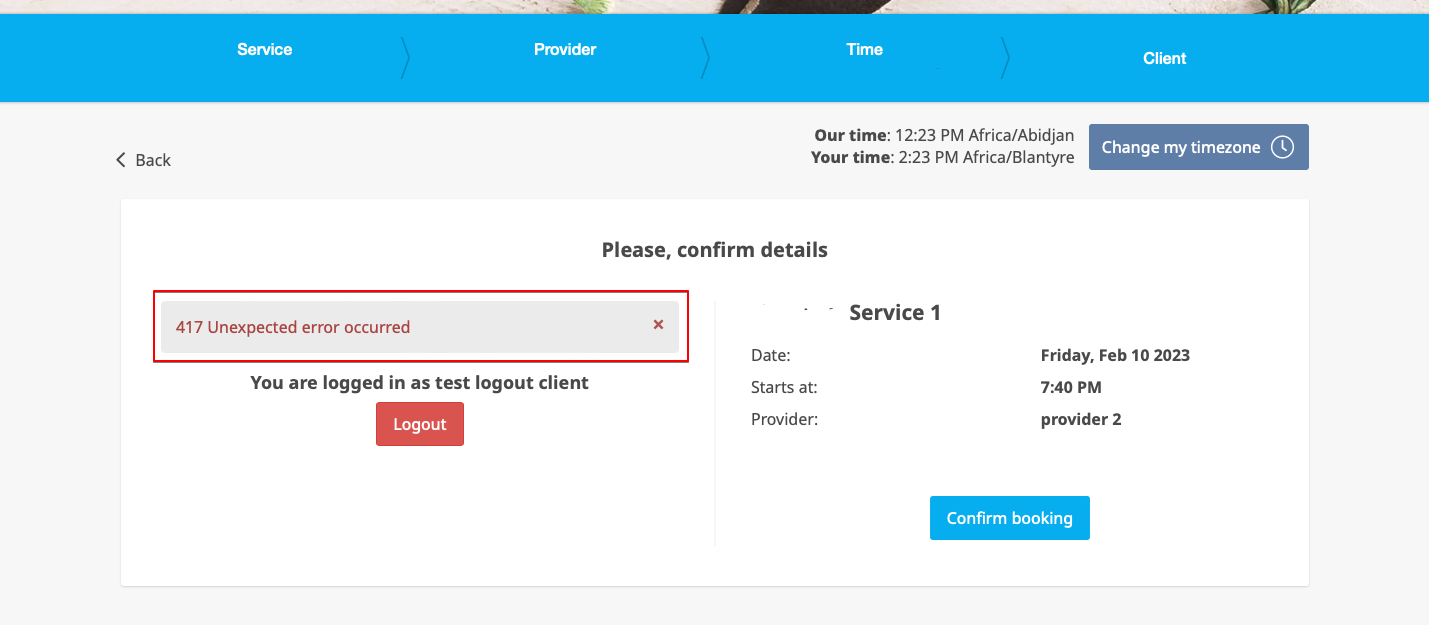
4. Wenn das Limit erreicht ist, wird eine Fehlermeldung auf der Kundenseite angezeigt. (Standardtext, der im folgenden Beispiel verwendet wird)