From SimplyBook.me
Importing a new version from external source |
Importing a new version from external source |
||
| Line 1: | Line 1: | ||
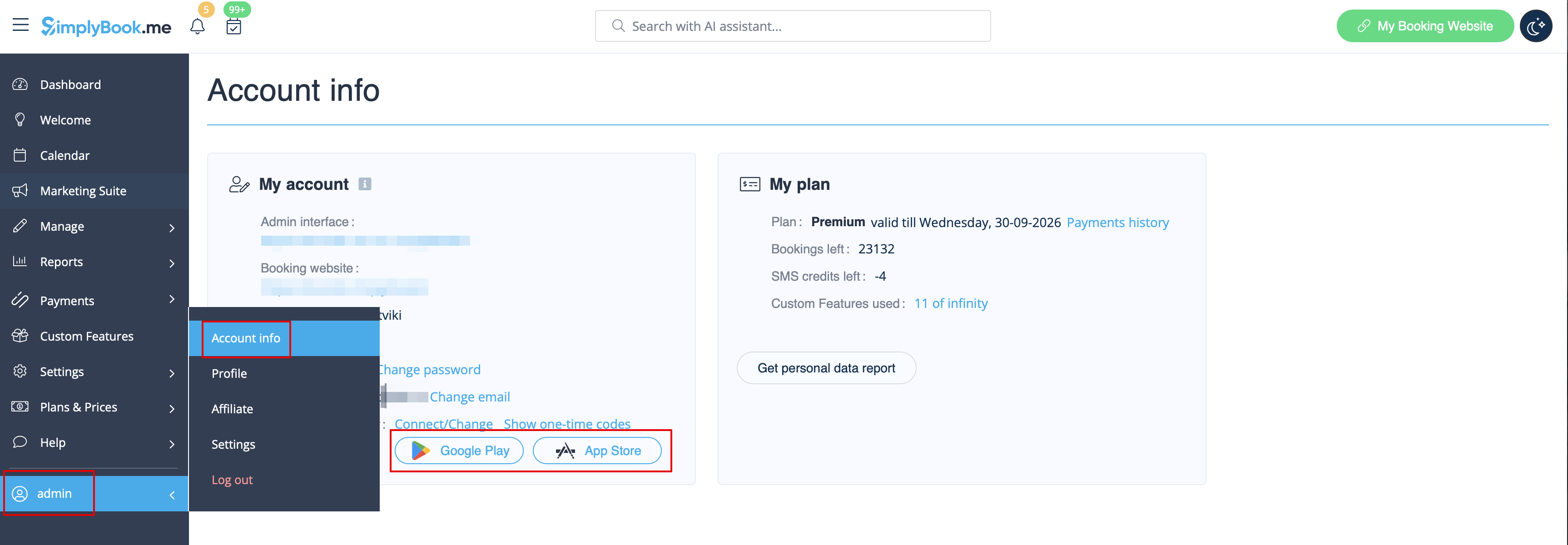
:2. Open | :2. Open “Account info” page by clicking on your username in the left-side menu and follow the links there to download the application if you have not done this before. | ||
[[File: | [[File:Account infor page download app2.png|1200px | center|link=https://help.simplybook.me/images/e/e4/Account_infor_page_download_app2.png]] | ||
<br><br> | <br><br> | ||
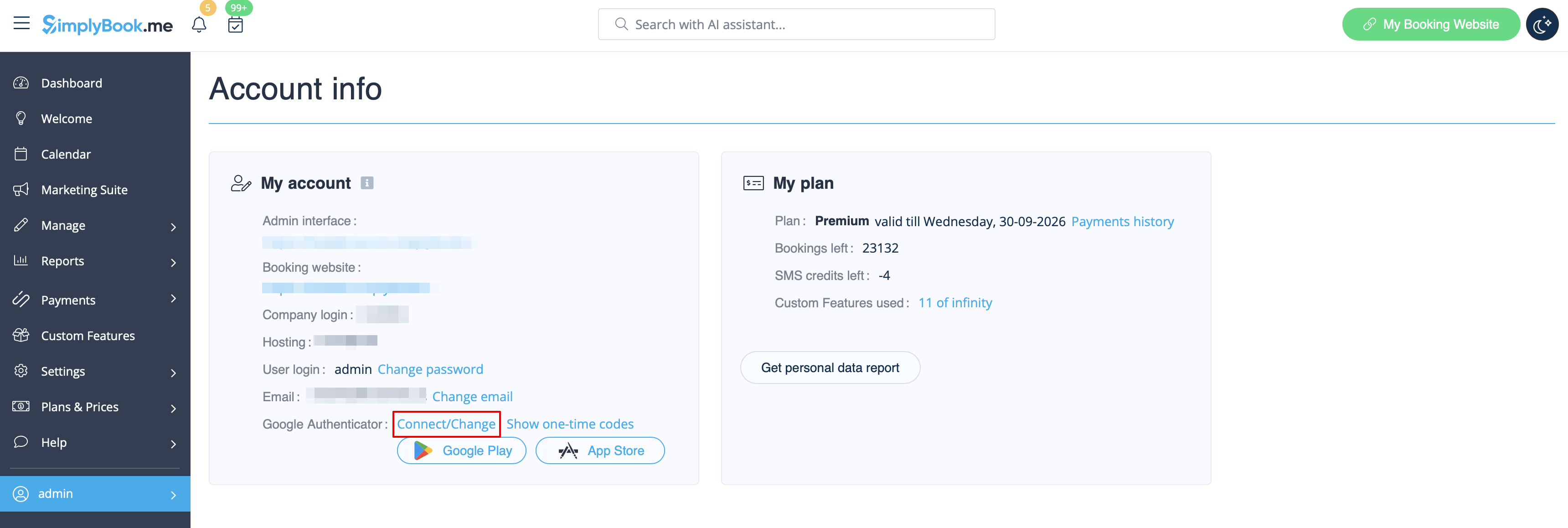
:3. Click on “Connect/Change” link, scan the code, enter the code you get and save settings. | :3. Click on “Connect/Change” link, scan the code, enter the code you get and save settings. | ||
[[File: | [[File:Account info page connect 2fa redesigned2.png|1200px| center|link=https://help.simplybook.me/images/5/53/Account_info_page_connect_2fa_redesigned2.png]] | ||
<br><br> | <br><br> | ||
:4. From now you will login in more secure way! | :4. From now you will login in more secure way! | ||
Latest revision as of 15:24, 15 January 2025
- 2. Open “Account info” page by clicking on your username in the left-side menu and follow the links there to download the application if you have not done this before.
- 3. Click on “Connect/Change” link, scan the code, enter the code you get and save settings.
- 4. From now you will login in more secure way!
- Login process will look like as follows:
- - open Simplybook.me site or direct link as https://companyname.simplybook.me
- - fill in all necessary details and password
- - enter 6-digits code from Google Authenticator feature
