From SimplyBook.me
No edit summary |
No edit summary |
||
| Line 1: | Line 1: | ||
= Contacts | = Contacts de l'entreprise = | ||
<br><br> | <br><br> | ||
Vous pouvez les modifier dans | Vous pouvez les modifier dans <span style="background-color:#d4f8e5; padding:5px; border-radius:5px;">Paramètres</span> -> <span style="background-color:#d4f8e5; padding:5px; border-radius:5px;">Informations sur l'entreprise</span><br> | ||
[[File:Company information path redesigned.png|1200px| center |link=https://help.simplybook.me/images/d/da/Company_information_path_redesigned.png]] | |||
<br><br> | <br><br> | ||
Les détails suivants peuvent être ajoutés/modifiés : | Les détails suivants peuvent être ajoutés/modifiés : | ||
| Line 11: | Line 11: | ||
* URL du profil Facebook | * URL du profil Facebook | ||
* Lien de la page X.com (Twitter) | * Lien de la page X.com (Twitter) | ||
* | * url de la page Instagram | ||
* | * page LinkedIn | ||
<br><br> | <br><br> | ||
Un exemple de l'aspect côté client. | Un exemple de l'aspect côté client. | ||
[[File:Contact us client side new.png|1200px|center|link=https://help.simplybook.me/images/4/44/Contact_us_client_side_new.png]] | |||
<br><br> | <br><br> | ||
Les clients pourront, par exemple, cliquer sur le numéro WhatsApp et être redirigés vers | Les clients pourront, par exemple, cliquer sur le numéro WhatsApp et être redirigés vers le messager WhatsApp pour vous contacter facilement. | ||
<br><br><br><br> | <br><br><br><br> | ||
Latest revision as of 07:29, 15 May 2025
Contacts de l'entreprise
Vous pouvez les modifier dans Paramètres -> Informations sur l'entreprise
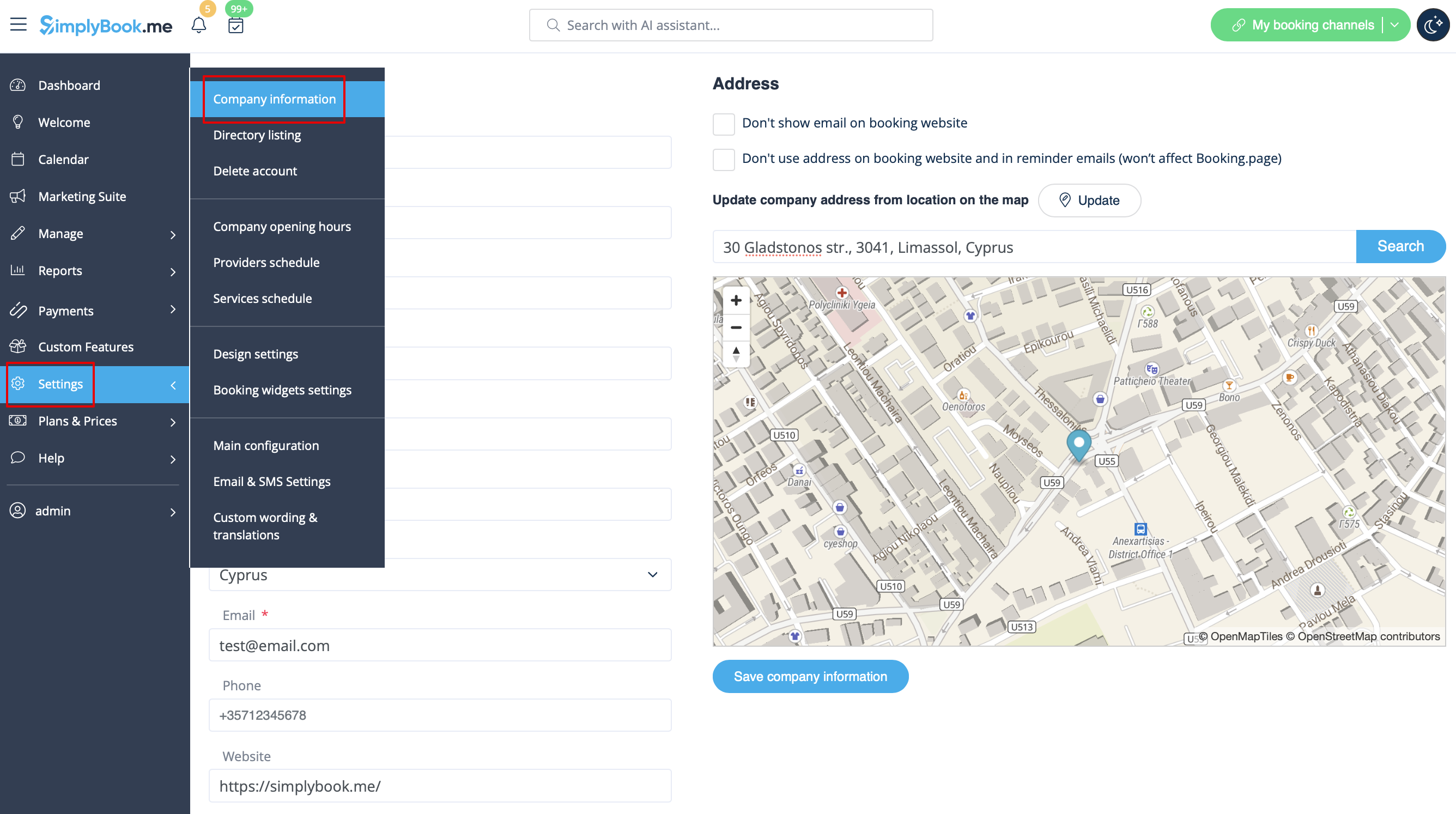
Les détails suivants peuvent être ajoutés/modifiés :
- Adresse électronique
- Numéro de téléphone
- Adresse du site web
- Téléphone WhatsApp
- URL du profil Facebook
- Lien de la page X.com (Twitter)
- url de la page Instagram
- page LinkedIn
Un exemple de l'aspect côté client.
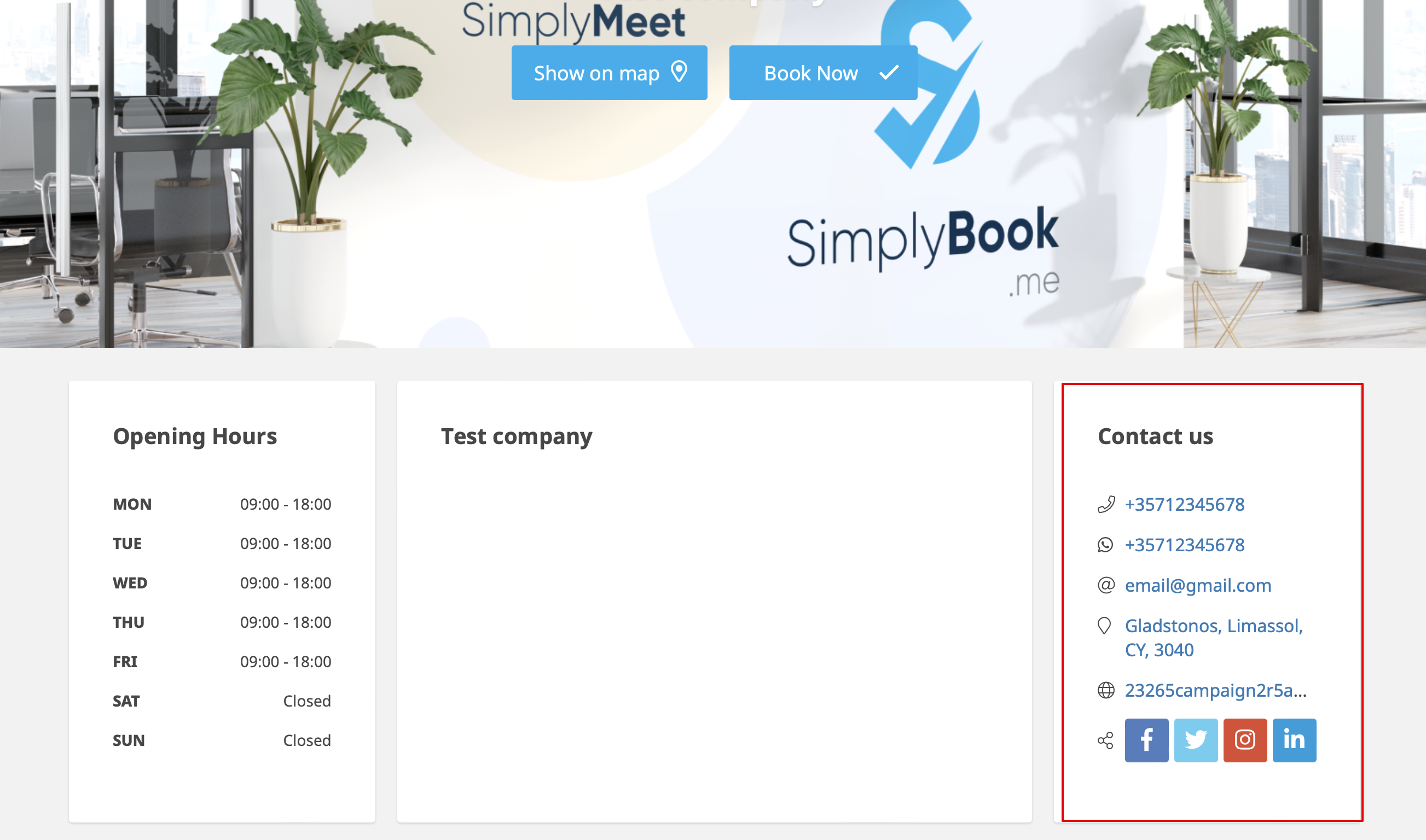
Les clients pourront, par exemple, cliquer sur le numéro WhatsApp et être redirigés vers le messager WhatsApp pour vous contacter facilement.
