Created page with "Lägg till element på bokningssidan" |
Created page with "= Galleri = <br><br> Gör din bokningssida mer attraktiv genom att visa bilderna på dina tjänster med den anpassade funktionen <span style="background-color:#cdeffc; padding:5px; border-radius:5px;"> Fotogalleri</span>. För att aktivera det, gå till <span style="background-color:#d4f8e5; padding:5px; border-radius:5px;">Anpassade funktioner</span> -> <span style="background-color:#d4f8e5; padding:5px; border-radius:5px;">Lägga ti..." |
||
| Line 77: | Line 77: | ||
= Nyheter = | |||
<br><br> | <br><br> | ||
Det här alternativet gör det möjligt att lägga till färska nyheter på din bokningswebbplats. | |||
För att aktivera det, gå till <span style="background-color:#d4f8e5; padding:5px; border-radius:5px;">Anpassade funktioner</span> -> <span style="background-color:#d4f8e5; padding:5px; border-radius:5px;">Lägga till mer på bokningswebbplatsen</span> -> <span style="background-color:#cdeffc; padding:5px; border-radius:5px;">[[Custom_Features#News| Nyheter ]]</span> -> <span style="background-color:#d4f8e5; padding:5px; border-radius:5px;">Aktivera</span> | |||
[[File:News enable path redesigned.png|1200px| border|center|link=https://help.simplybook.me/images/5/5c/News_enable_path_redesigned.png]] | [[File:News enable path redesigned.png|1200px| border|center|link=https://help.simplybook.me/images/5/5c/News_enable_path_redesigned.png]] | ||
<br><br> | <br><br> | ||
När den är aktiverad i <span style="background-color:#d4f8e5; padding:5px; border-radius:5px;">Anpassade funktioner</span> -> <span style="background-color:#d4f8e5; padding:5px; border-radius:5px;">Nyheter</span> -> <span style="background-color:#d4f8e5; padding:5px; border-radius:5px;">Inställningar</span> kan du skapa nyhetsinlägg och de kommer att visas på den separata fliken på din bokningswebbplats. | |||
[[File:Create new news post redesigned.png|1200px | border|center|link=https://help.simplybook.me/images/2/2c/Create_new_news_post_redesigned.png]] | [[File:Create new news post redesigned.png|1200px | border|center|link=https://help.simplybook.me/images/2/2c/Create_new_news_post_redesigned.png]].png | ||
<br><br> | <br><br> | ||
= Villkor och bestämmelser = | |||
<br><br> | <br><br> | ||
Behöver ditt företag vara skottsäkert? Du kan lägga till dina egna <span style="background-color:#cdeffc; padding:5px; border-radius:5px;">[[Custom_Features#Terms_and_Conditions| villkor]]</span> genom att aktivera motsvarande anpassade funktion i <span style="background-color:#d4f8e5; padding:5px; border-radius:5px;">Anpassade</span> funktioner -> <span style="background-color:#d4f8e5; padding:5px; border-radius:5px;">Säkerhet och dataskydd</span> och lägga till texten i dina villkor i dess inställningar. | |||
[[File:T & C enable path redesigned.png|1200px| border|center|link=https://help.simplybook.me/images/2/21/T_%26_C_enable_path_redesigned.png]] | T[[File:T & C enable path redesigned.png|1200px| border|center|link=https://help.simplybook.me/images/2/21/T_%26_C_enable_path_redesigned.png]] | ||
<br><br> | <br><br> | ||
Revision as of 10:16, 15 May 2025
Logotyp och bakgrund
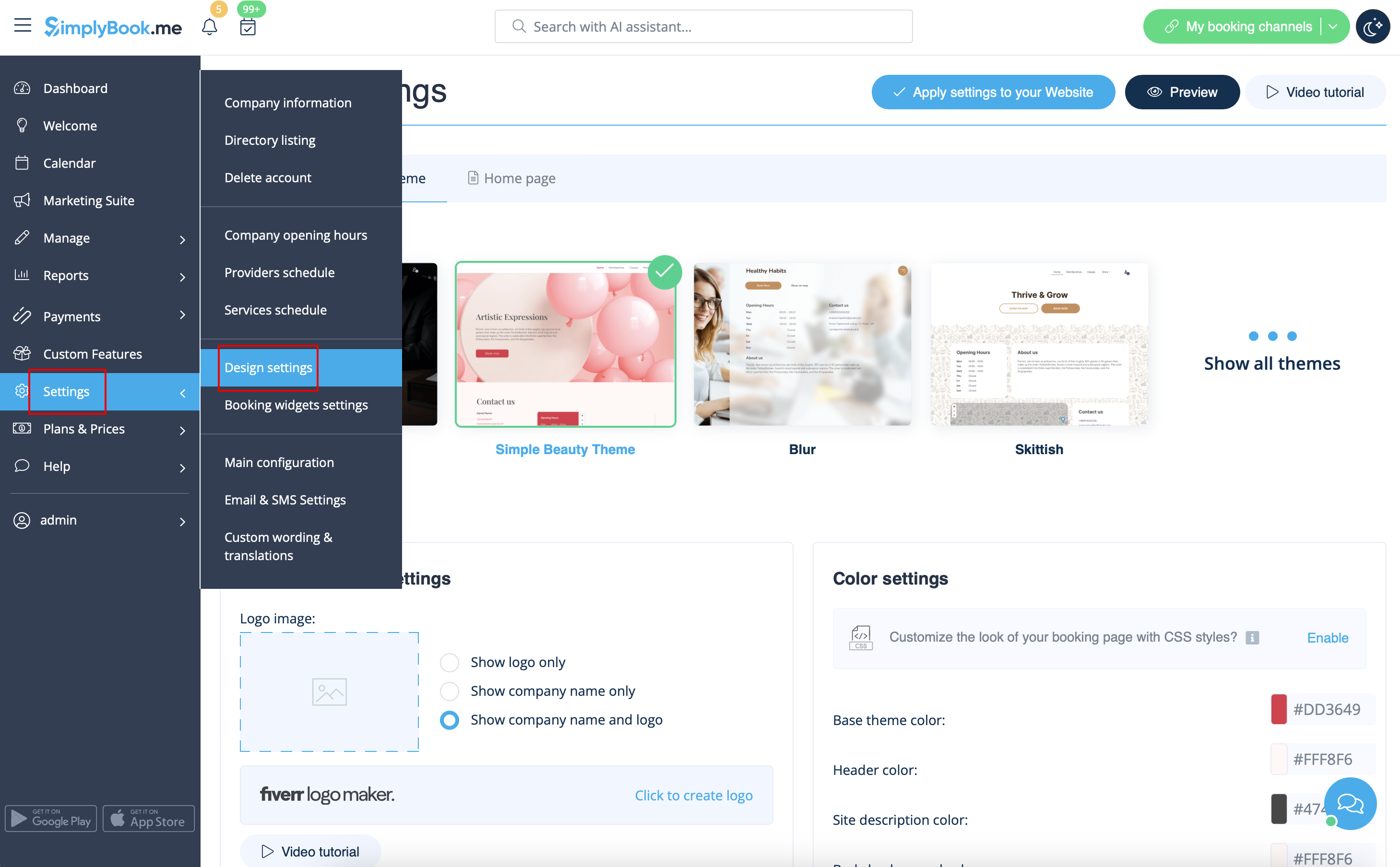
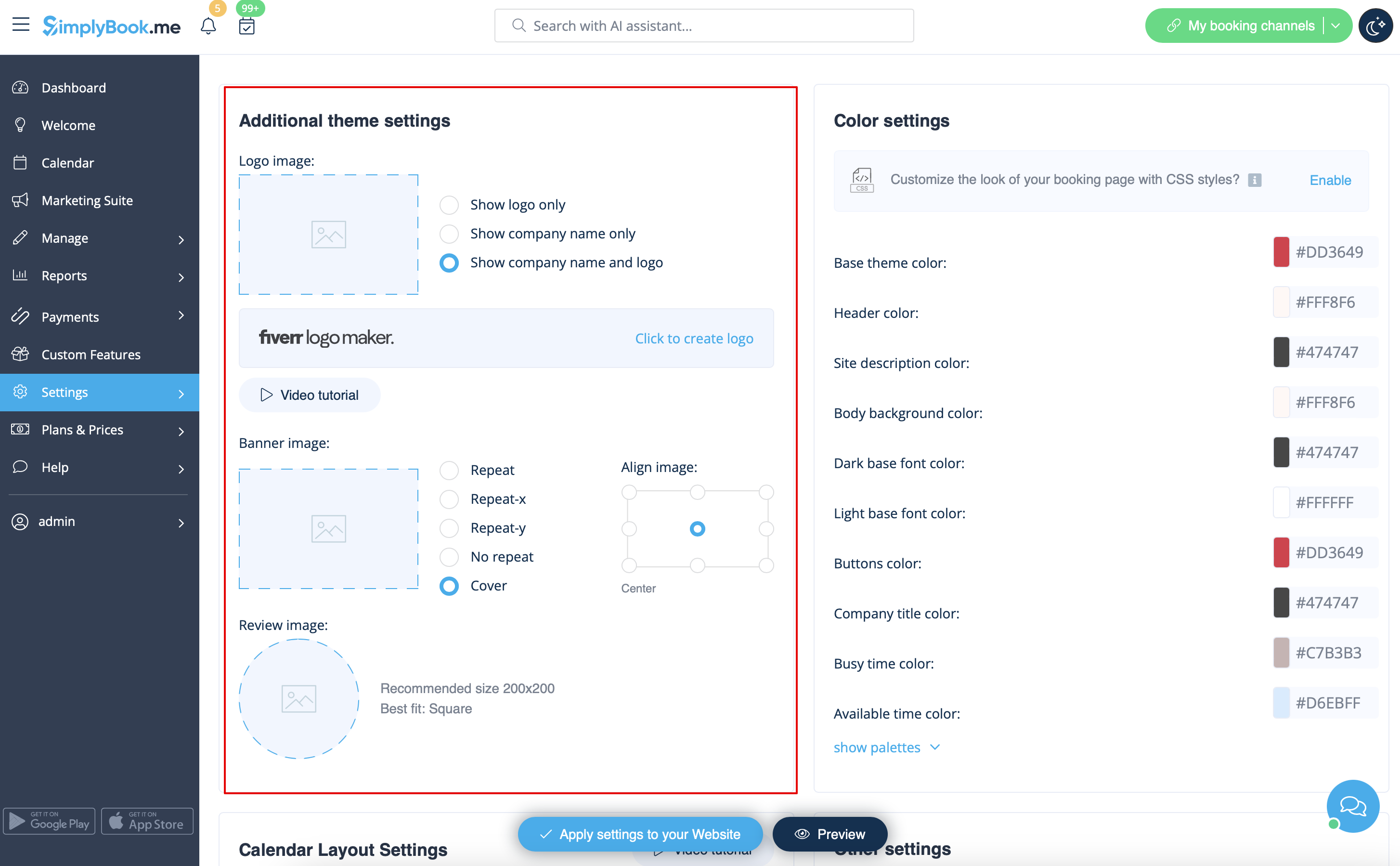
Du kan lägga till din företagslogotyp och en snygg banner, samt en separat logotyp för sidan "Recensioner" i
Inställningar
->
Designinställningar
->
Ytterligare temainställningar
designed
Bilder
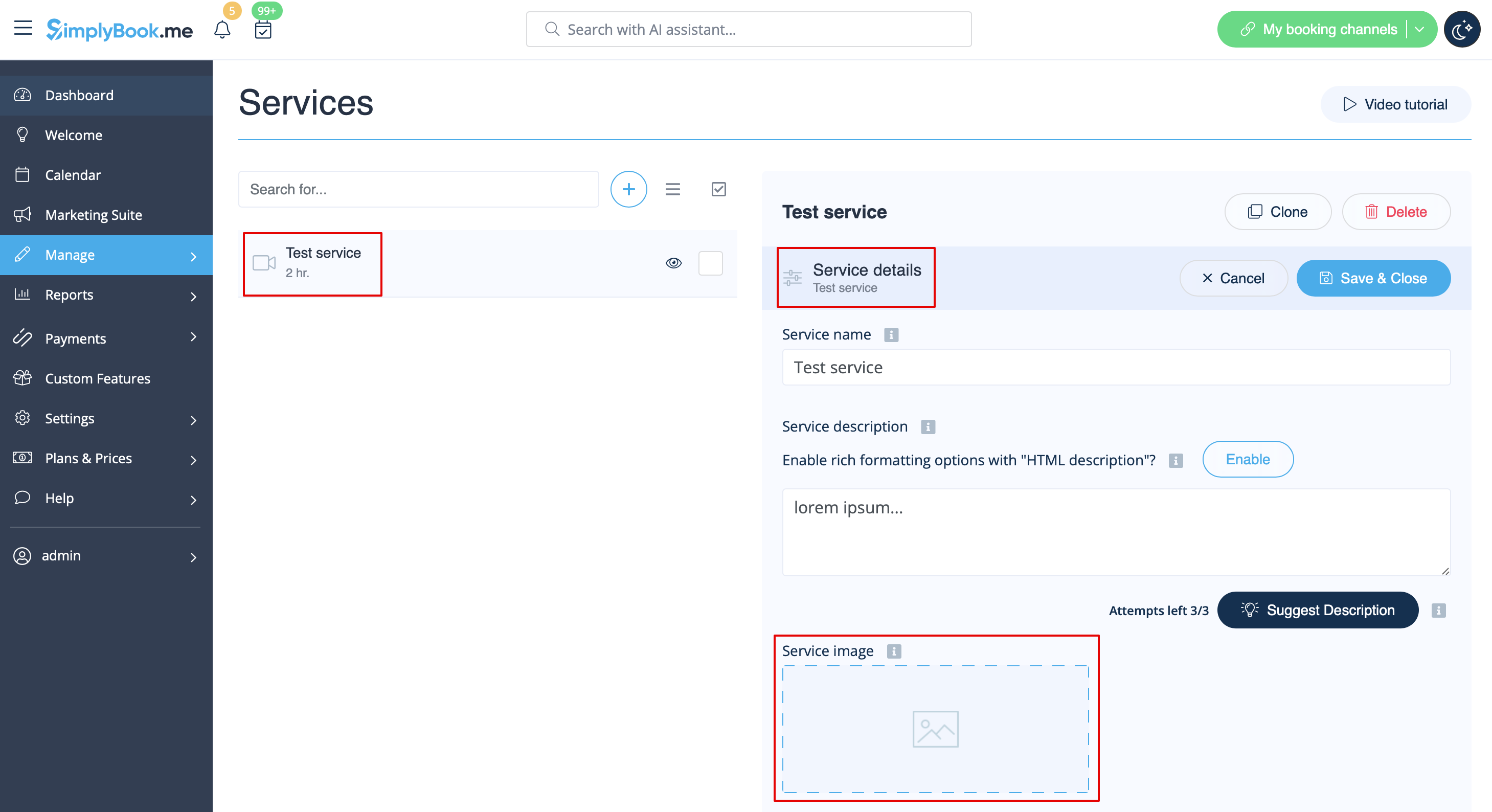
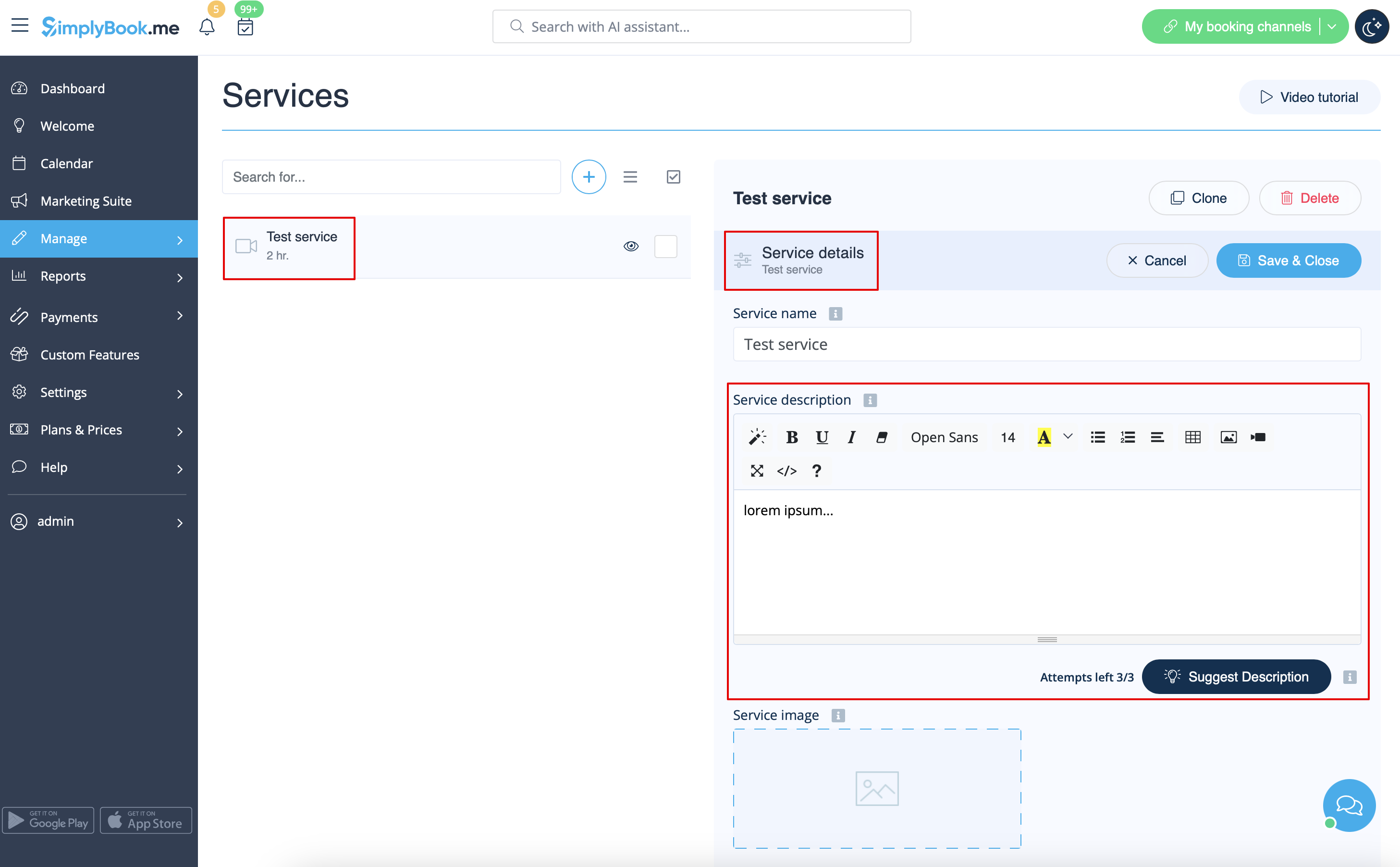
Du kan lägga till bilder till dina tjänster, leverantörer, kategorier och platser etc. i Hantera -> Tjänster/Tjänsteleverantörer -> Tjänsteinformation eller Tjänsteleverantörsinformation -> klicka på fotoikonen i rutan Tjänstebild eller Tjänsteleverantörsbild och bläddra bland bilderna.
Beskrivningar
Behöver du ge mer information om dina tjänster och/eller anställda?
Du kan ställa in detta i Hantera -> Tjänster/Tjänsteleverantörer -> Tjänsteinformation eller fliken Tjänsteleverantörsinformation -> Tjänstebeskrivning eller Tjänsteleverantörsbeskrivning
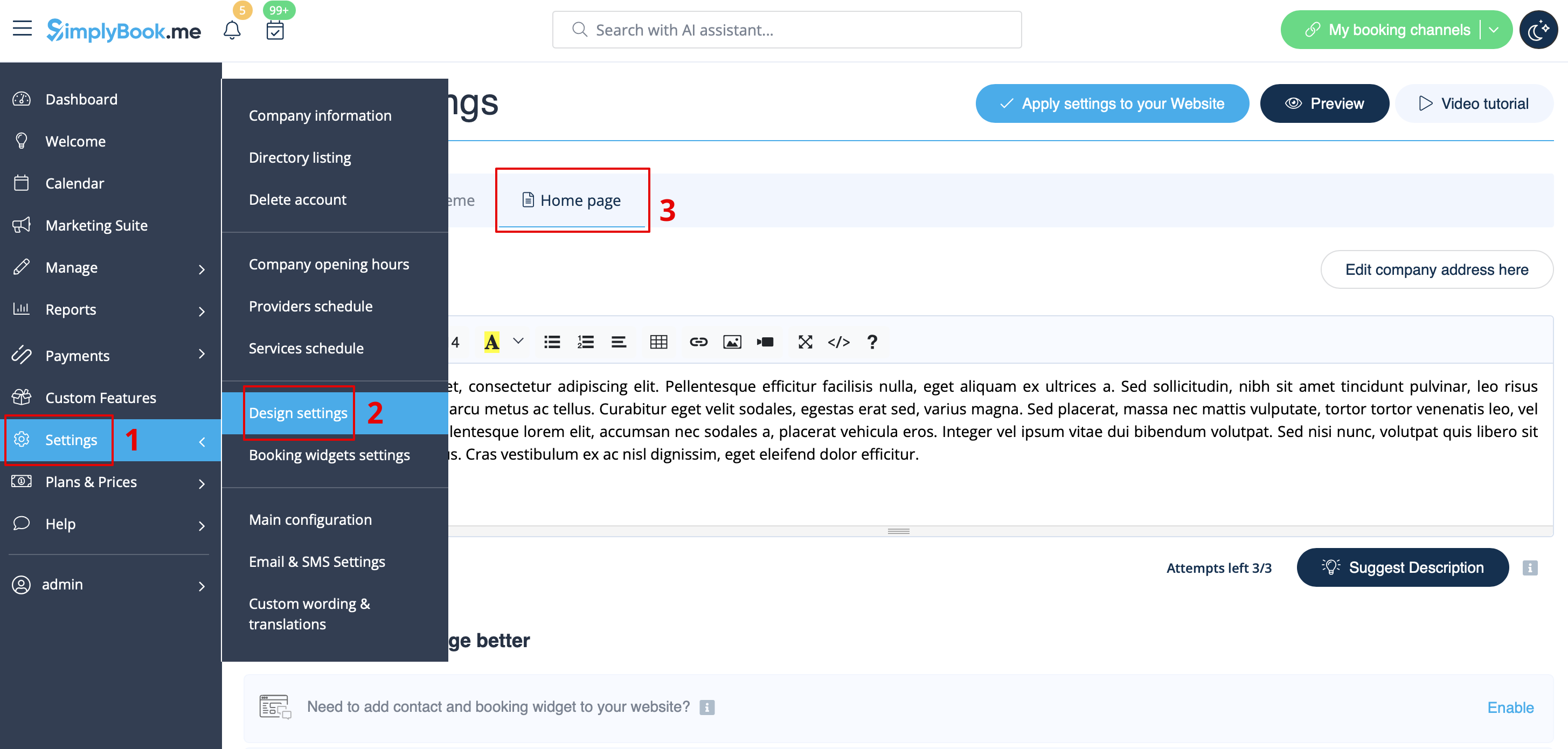
Avsnittet Om
I Inställningar -> Designinställningar -> Startsida kan du lägga till en företagsbeskrivning och annan viktig information som du vill ska visas på din hemsida.
Kontaktuppgifter
Behöver du visa dina kunder några kontaktuppgifter? Lägg till dem i Inställningar -> Företagsinformation
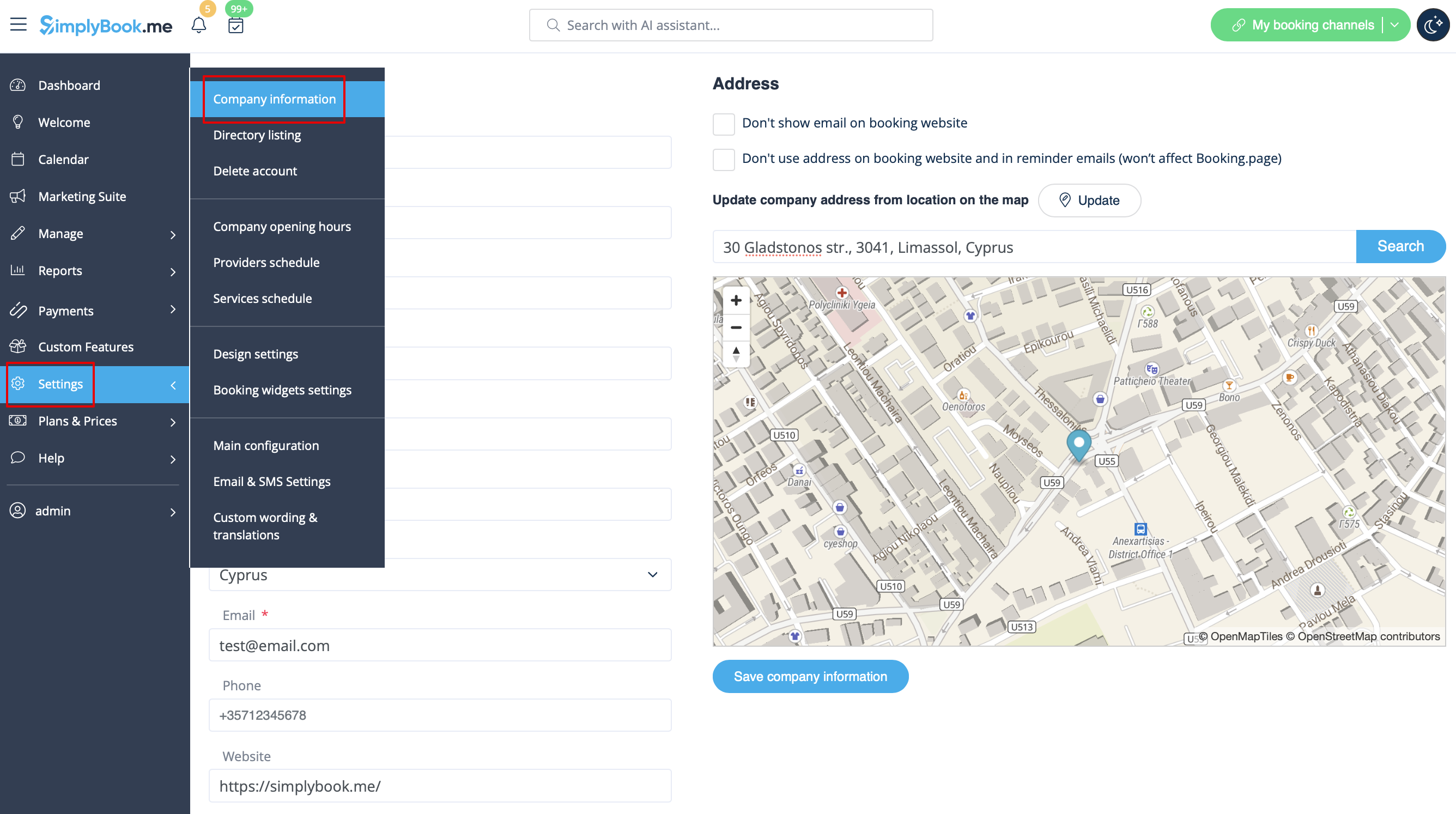
Du kan lägga till följande uppgifter där:
- E-postadress
- Telefonnummer
- Webbplatsadress
- WhatsApp-telefon
- Facebook-profil url
- X.com (Twitter) sidlänk
- Instagram-sida url
- LinkedIn-sida
Ett exempel på hur klientsidan ser ut.
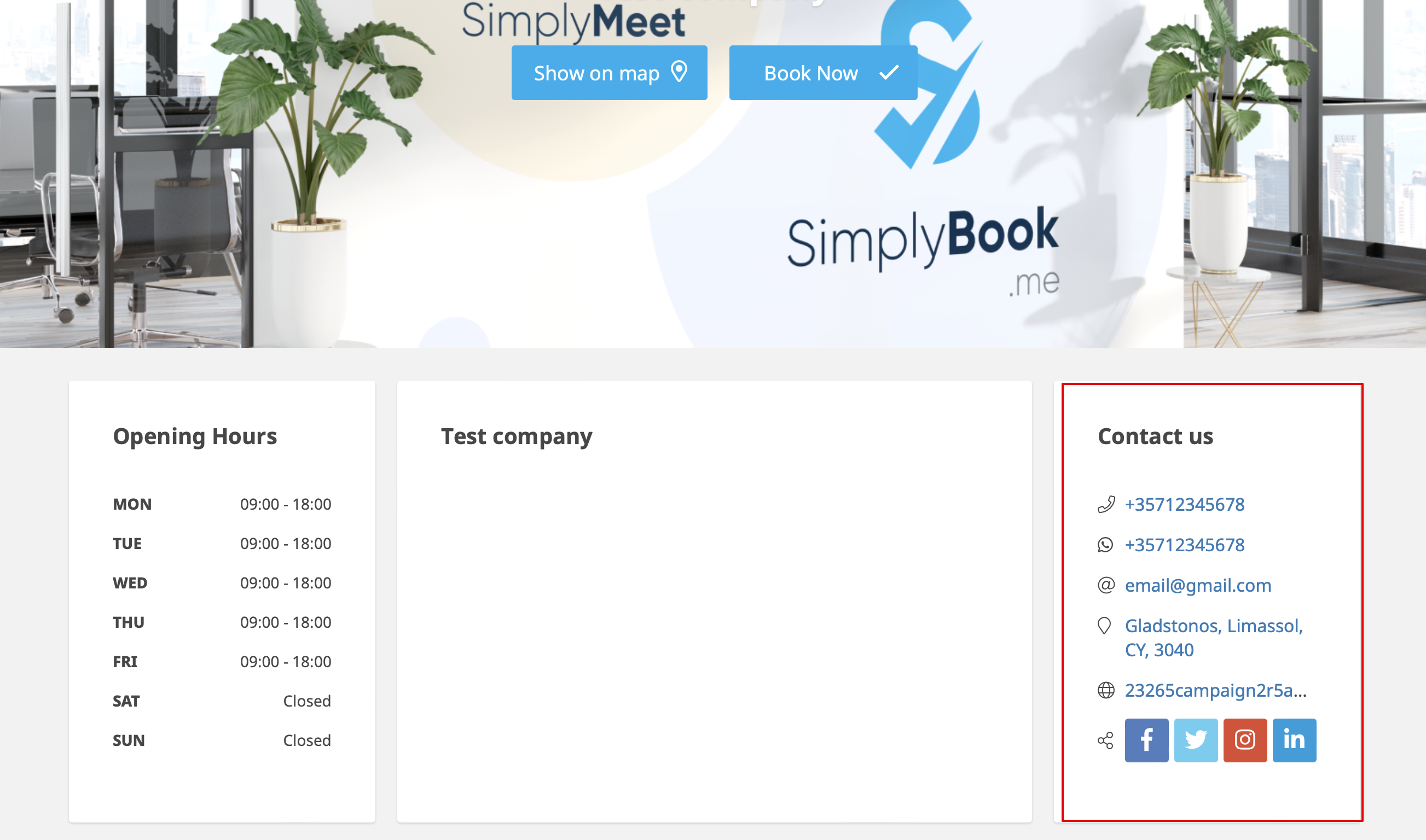
Kunderna kommer till exempel att kunna klicka på WhatsApp-nummer och omdirigeras till WhatsApp-messengern för att enkelt kontakta dig där.
Galleri
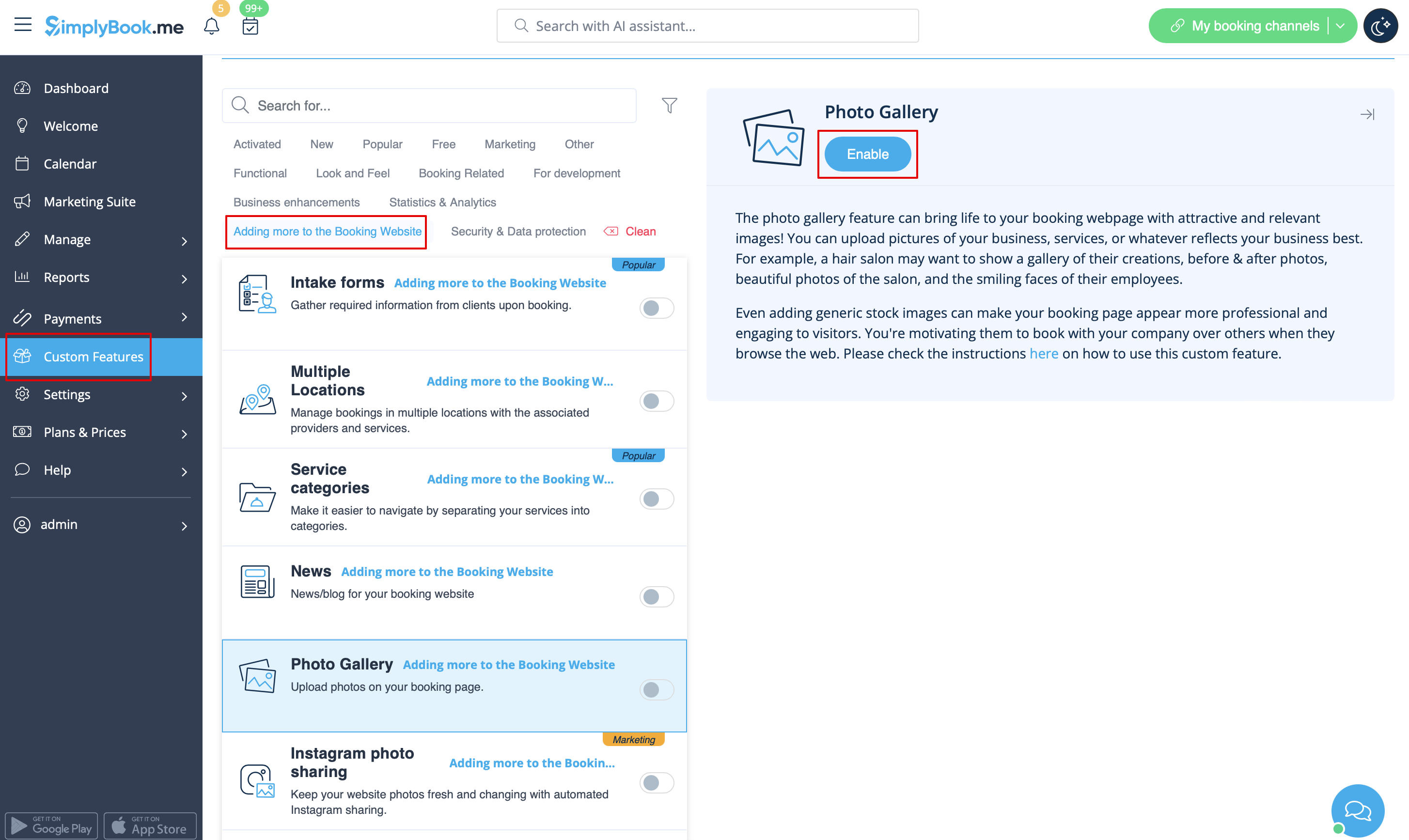
Gör din bokningssida mer attraktiv genom att visa bilderna på dina tjänster med den anpassade funktionen Fotogalleri.
För att aktivera det, gå till Anpassade funktioner -> Lägga till mer på bokningswebbplatsen -> Fotogalleri -> Aktivera
Nyheter
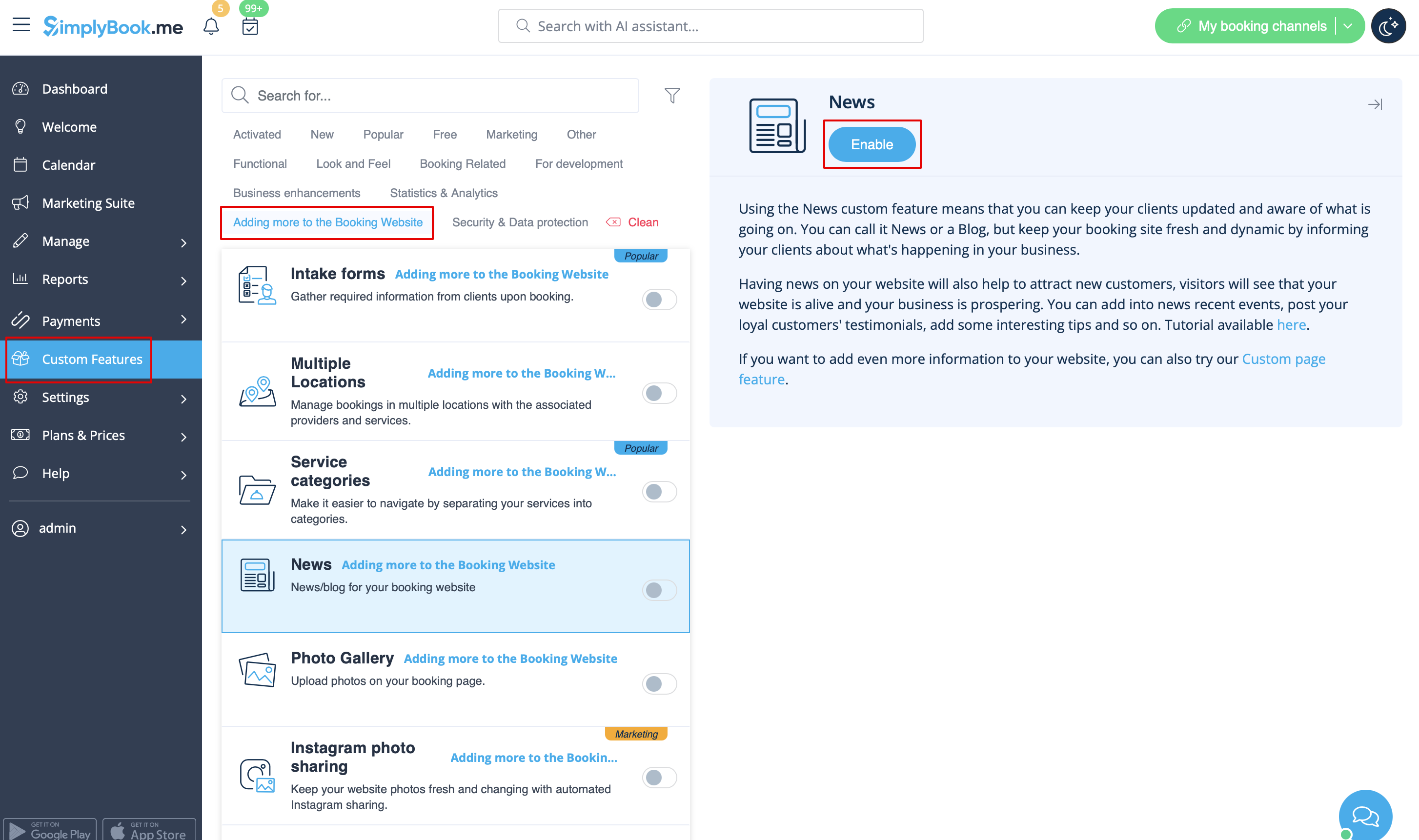
Det här alternativet gör det möjligt att lägga till färska nyheter på din bokningswebbplats.
För att aktivera det, gå till Anpassade funktioner -> Lägga till mer på bokningswebbplatsen -> Nyheter -> Aktivera
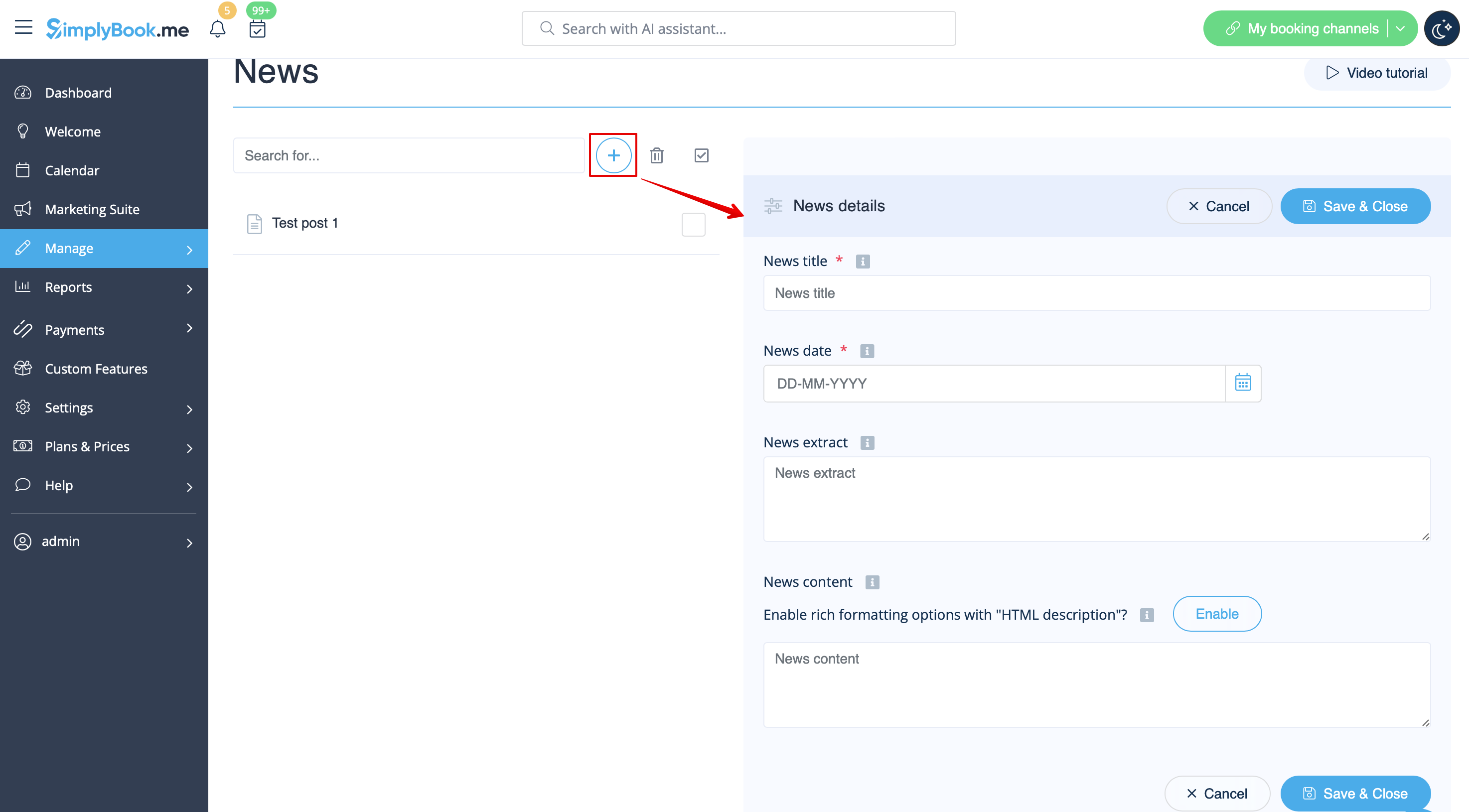
När den är aktiverad i Anpassade funktioner -> Nyheter -> Inställningar kan du skapa nyhetsinlägg och de kommer att visas på den separata fliken på din bokningswebbplats.
.png
Villkor och bestämmelser
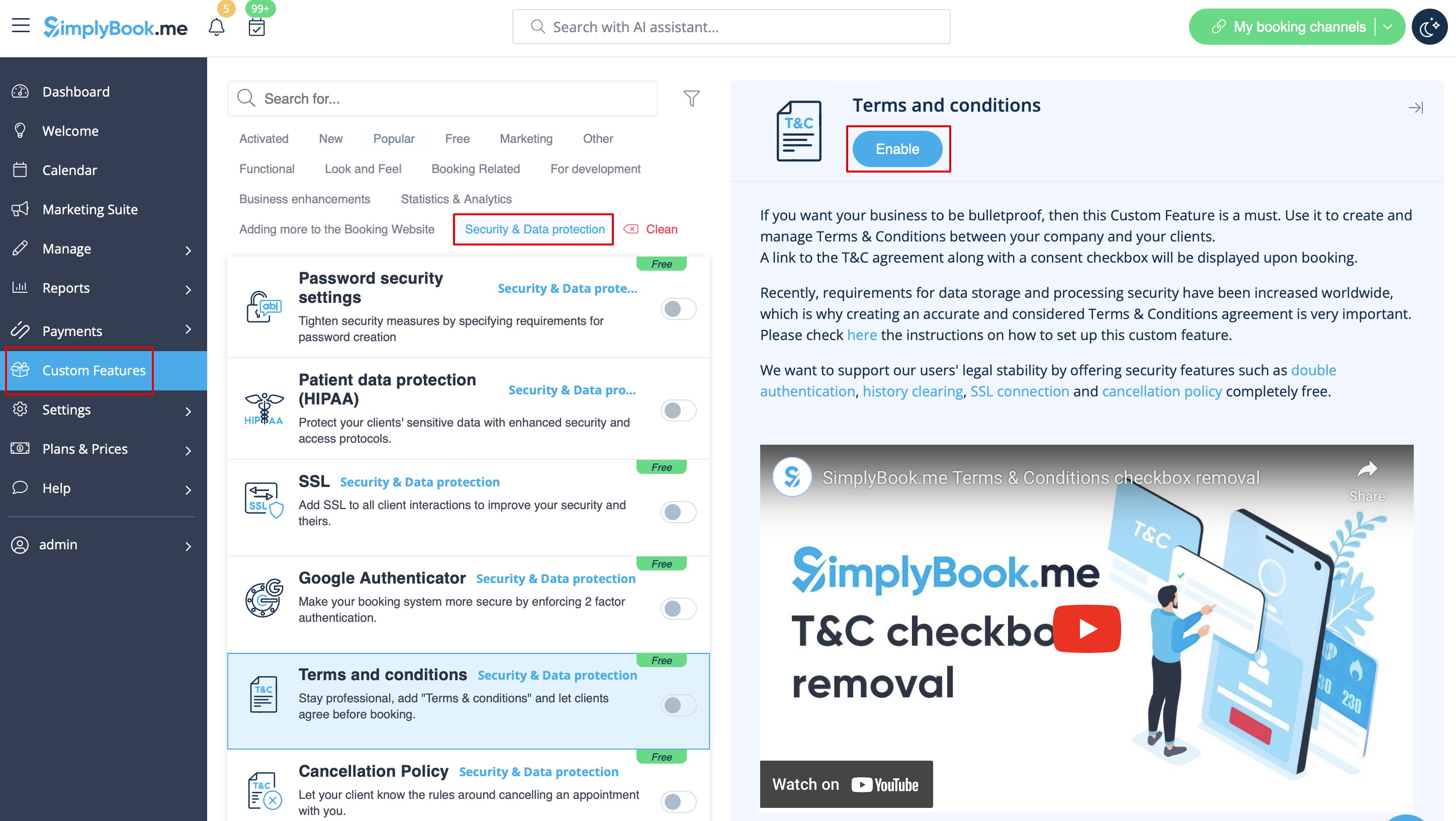
Behöver ditt företag vara skottsäkert? Du kan lägga till dina egna villkor genom att aktivera motsvarande anpassade funktion i Anpassade funktioner -> Säkerhet och dataskydd och lägga till texten i dina villkor i dess inställningar.
T
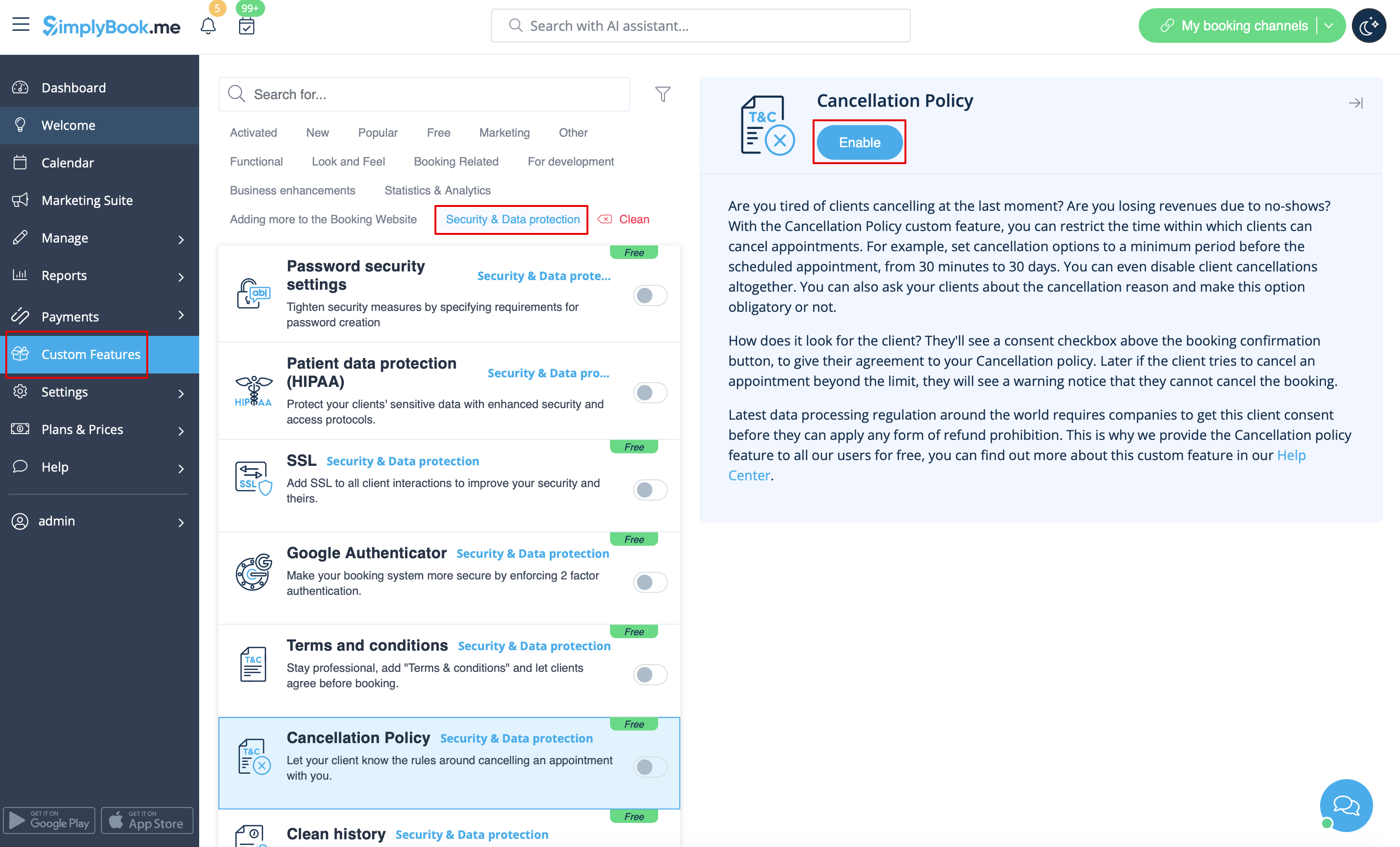
Cancellation Policy
Need to restrict the period when bookings can be canceled by clients? Please go to Custom Features -> Data protection -> Cancellation Policy -> Enable and set it to your needs.
Html formatting for description fields
This feature allows making descriptions more eye-catching with the use of HTML formatting.
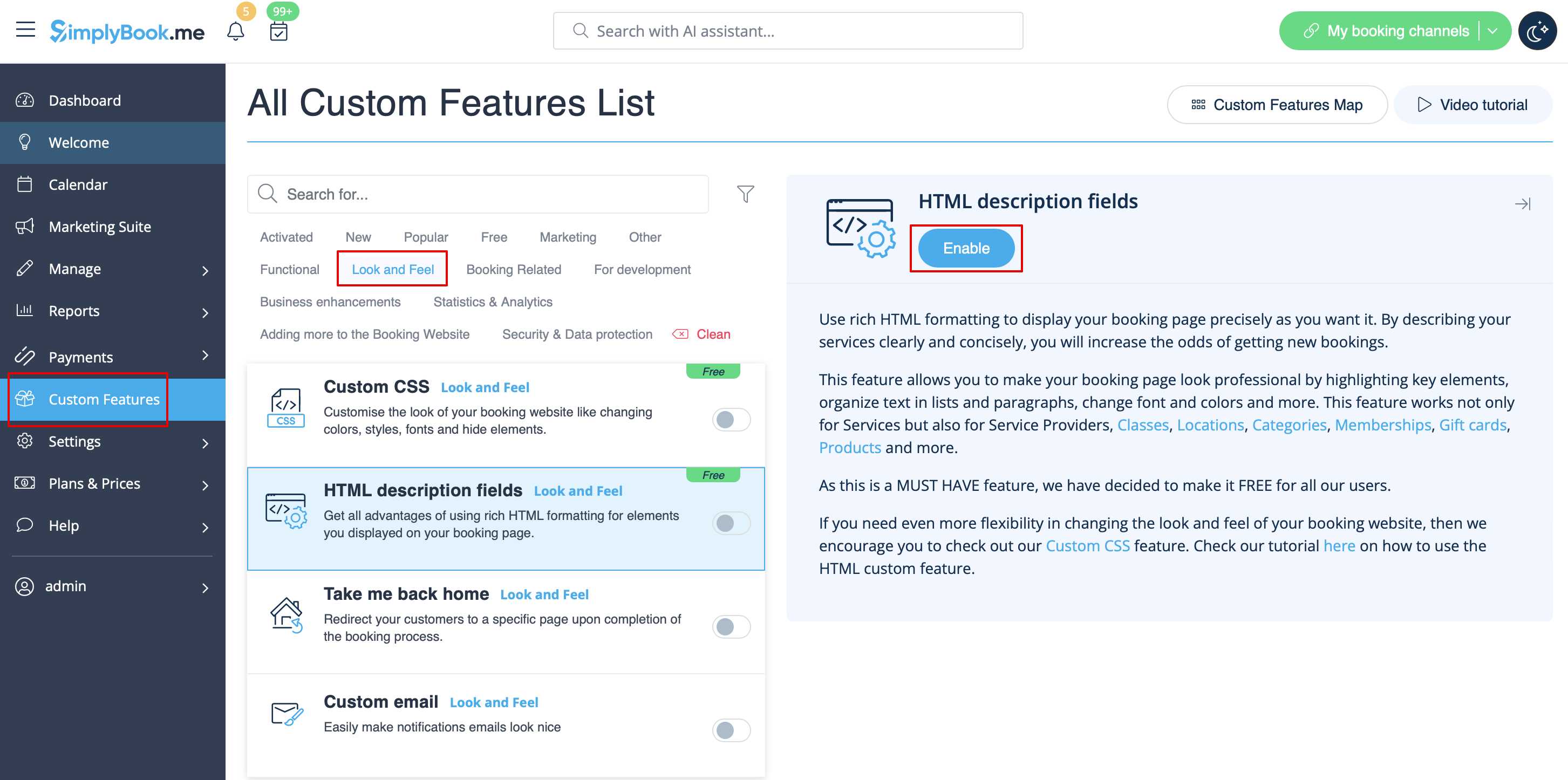
Please go to Custom Features -> Look and Feel -> HTML description fields -> Enable and edit descriptions for services, providers, locations and categories in the corresponding Manage section.