From SimplyBook.me
Created page with "Voor- en achternaam" Tags: Mobile edit Mobile web edit |
Created page with ":5. Selecteer de <span style="background-color:#d4f8e5; padding:5px; border-radius:5px;">positie</span> achter 'Voornaam' en sla op. :Als u het veld al hebt opgeslagen, gebruikt u <span style="background-color:#d4f8e5; padding:5px; border-radius:5px;">de pijltjes</span> om de volgorde te wijzigen. 1200px|border|center|link=https://help.simplybook.me/images/d/df/Reorder_client_fileds_redesigned.png <br><br>" Tags: Mobile edit Mobile web edit |
||
| Line 28: | Line 28: | ||
<br><br> | <br><br> | ||
:5. Selecteer de <span style="background-color:#d4f8e5; padding:5px; border-radius:5px;">positie</span> achter 'Voornaam' en sla op. | |||
:5. | :Als u het veld al hebt opgeslagen, gebruikt u <span style="background-color:#d4f8e5; padding:5px; border-radius:5px;">de pijltjes</span> om de volgorde te wijzigen. | ||
: | |||
[[File:Reorder client fileds redesigned.png|1200px|border|center|link=https://help.simplybook.me/images/d/df/Reorder_client_fileds_redesigned.png]] | [[File:Reorder client fileds redesigned.png|1200px|border|center|link=https://help.simplybook.me/images/d/df/Reorder_client_fileds_redesigned.png]] | ||
<br><br> | <br><br> | ||
:6. (optioneel) Voeg de gewenste variabelen toe aan de meldingssjablonen in <span style="background-color:#d4f8e5; padding:5px; border-radius:5px;">Instellingen</span> -> <span style="background-color:#d4f8e5; padding:5px; border-radius:5px;">E-mail- en sms-instellingen</span> (of <span style="background-color:#cdeffc; padding:5px; border-radius:5px;">[[Flexible_Notifications_custom_feature|Flexibele meldingen]]</span> als u deze per service/provider hebt aangepast). | |||
:6. ( | |||
::U kunt bijvoorbeeld boekingen persoonlijker maken door alleen de voornaam te gebruiken in de begroeting. | |||
:: | ::(hier gebruiken we <span style="background-color:#d4f8e5; padding:5px; border-radius:5px;">de standaardvariabele [client]</span>, omdat we het standaardveld in stap 3 hebben hernoemd) | ||
::( | |||
[[File:Client first name variable to email redesigned.png|1200px|border|center|link=https://help.simplybook.me/images/f/f5/Client_first_name_variable_to_email_redesigned.png]] | [[File:Client first name variable to email redesigned.png|1200px|border|center|link=https://help.simplybook.me/images/f/f5/Client_first_name_variable_to_email_redesigned.png]] | ||
<br><br> | <br><br> | ||
<div lang="en" dir="ltr" class="mw-content-ltr"> | <div lang="en" dir="ltr" class="mw-content-ltr"> | ||
Revision as of 12:12, 15 May 2025
- Het kan voorkomen dat u tijdens het registratieproces aparte velden nodig hebt voor de voor- en achternamen van klanten.
- Dit is nu mogelijk met onze functie Klantvelden en de nieuwe functie voor het herschikken van velden.
- Let op! Deze instelling is beschikbaar wanneer de functie Klantlogin is ingeschakeld.
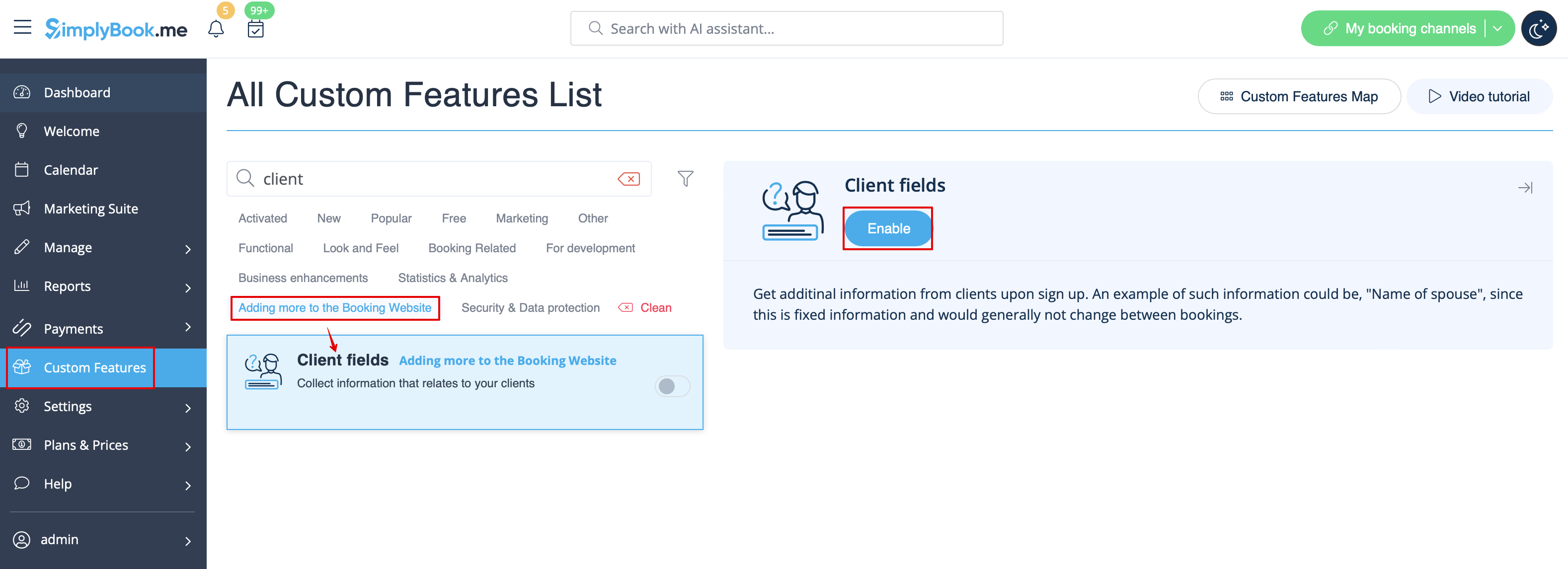
- gebruiken 1. Schakel de aangepaste functie Clientvelden in op de pagina Aangepaste functies.
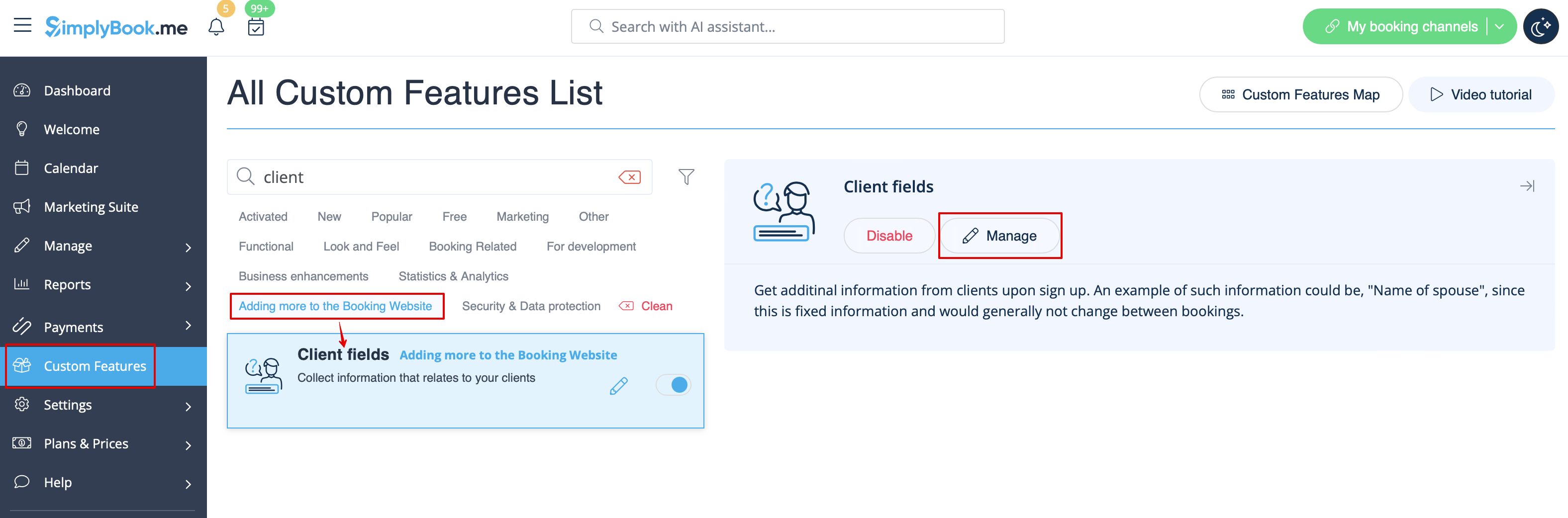
- 2. Ga naar de instellingen door op de link Beheren te klikken.
- Of ga naar Beheer -> Clientvelden in het menu aan de linkerkant.
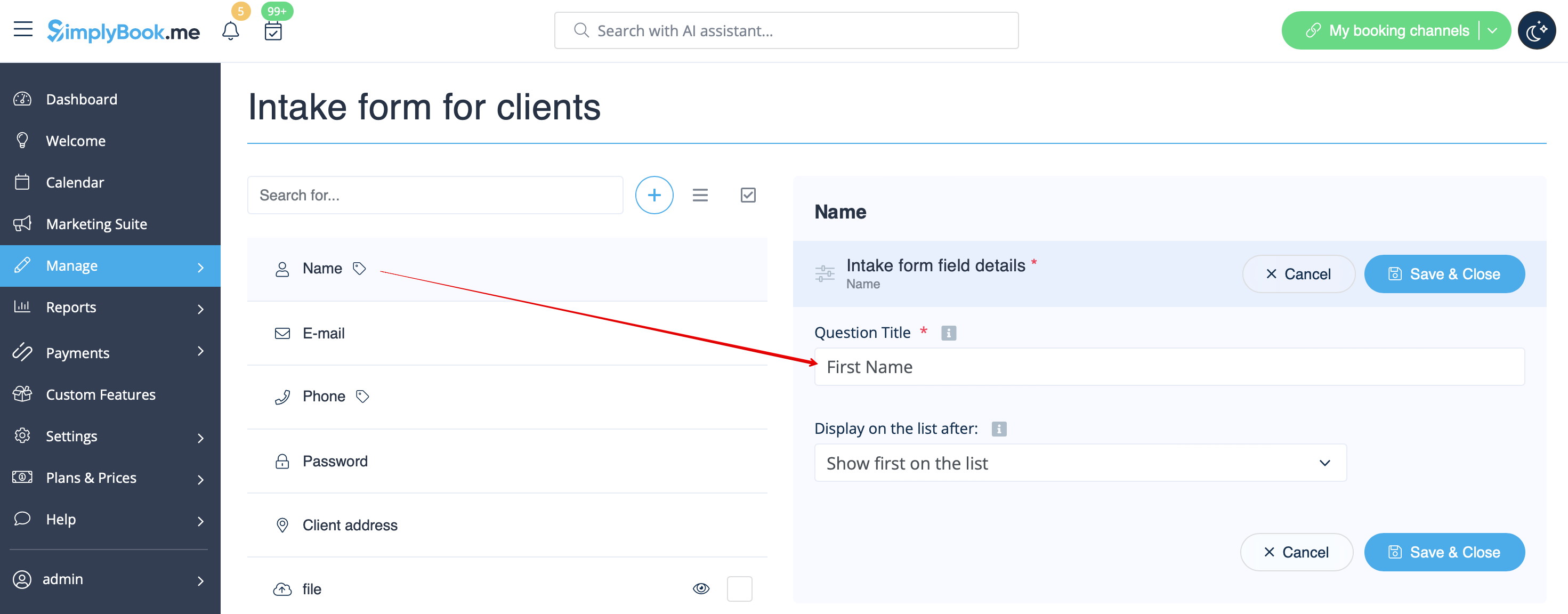
- 3. U ziet daar de standaard registratievelden. Selecteer het eerste veld met de naam Naam en hernoem dit naar Voornaam. Sla op.
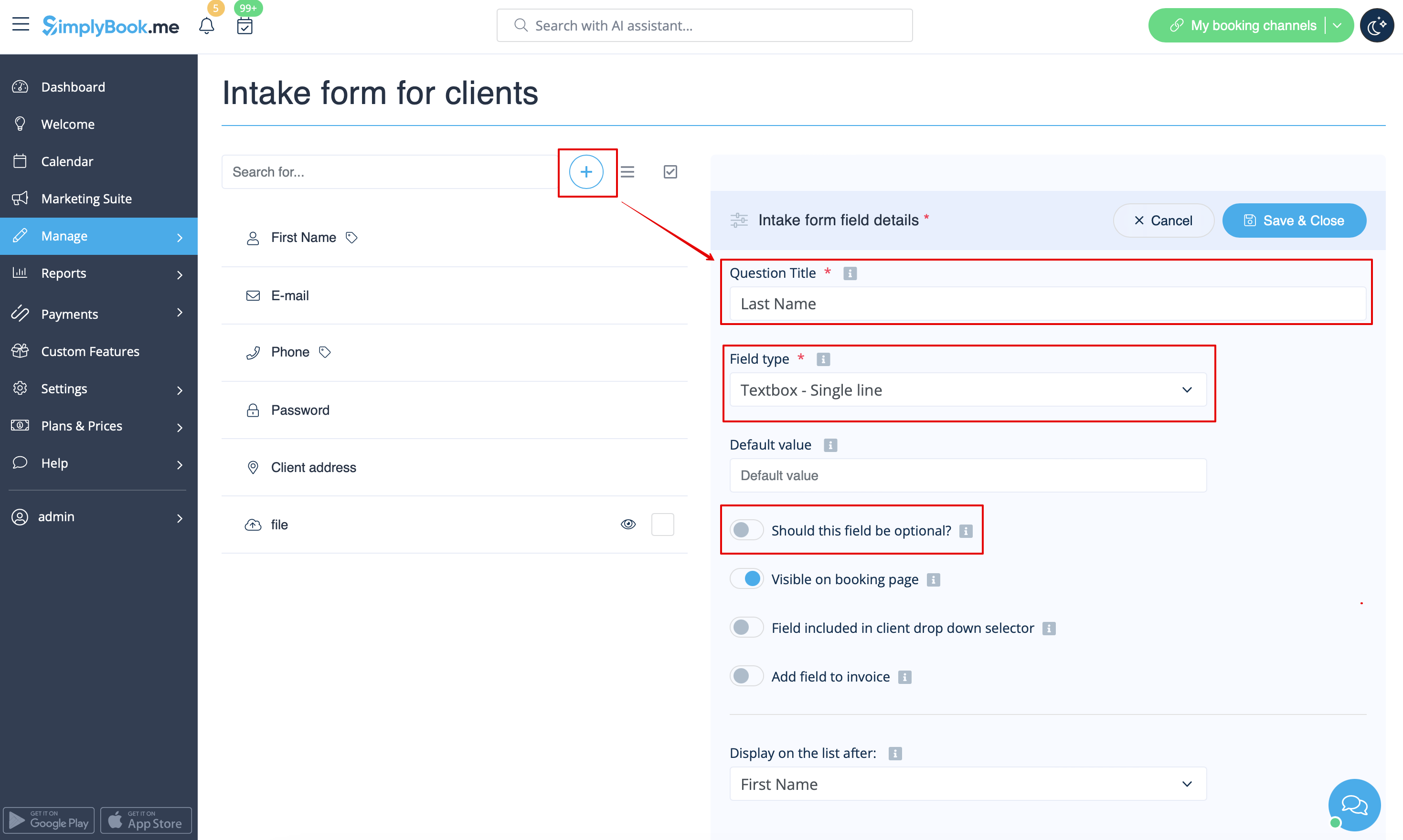
- 4. Klik bovenaan op + om een nieuw klantveld aan te maken, voeg Achternaam toe als vraag titel en selecteer Tekstvak - Enkele regel.
- Standaard is het veld verplicht in te vullen door klanten, maar als u het niet verplicht wilt maken, gebruik dan de bijbehorende schakelaar.
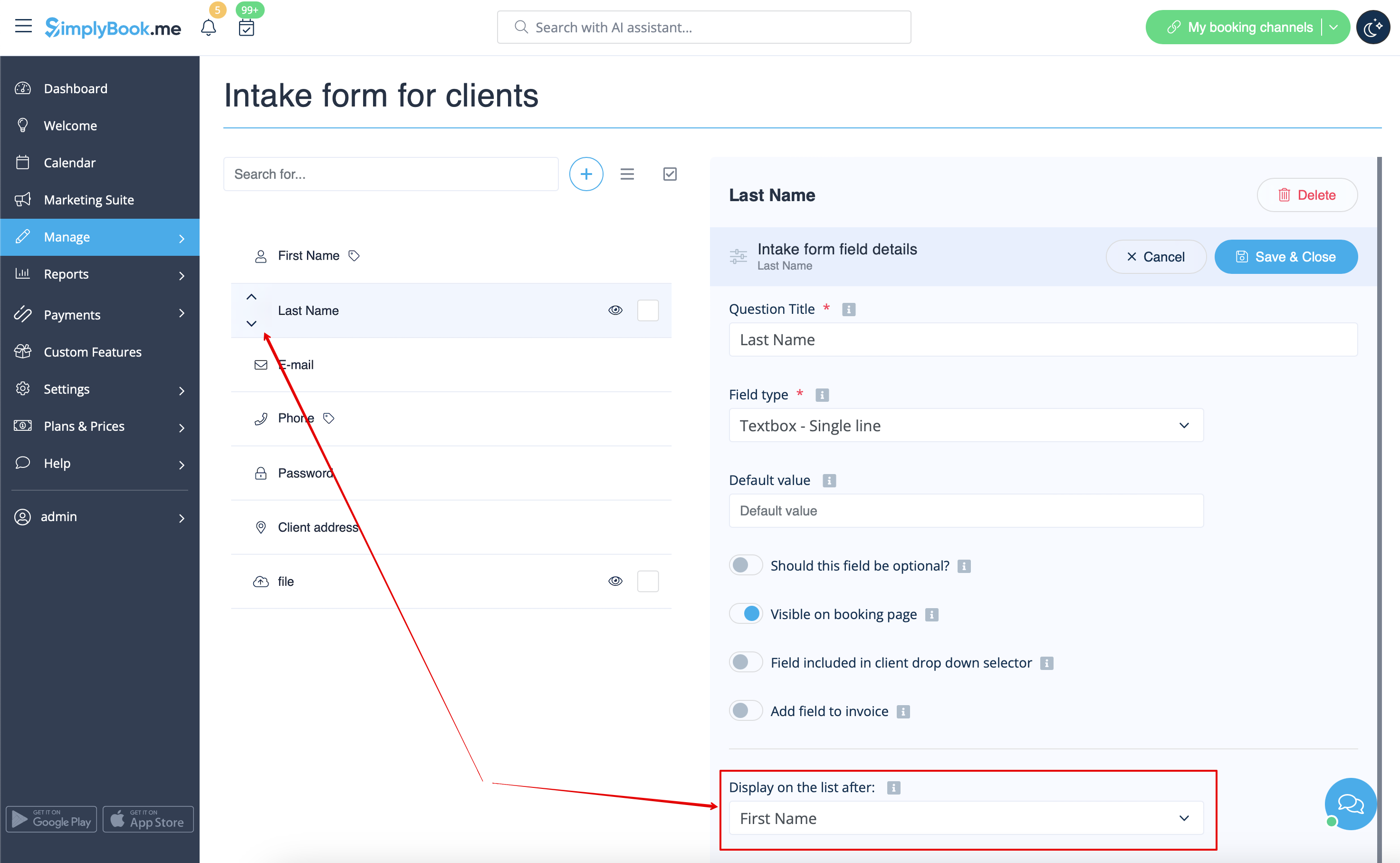
- 5. Selecteer de positie achter 'Voornaam' en sla op.
- Als u het veld al hebt opgeslagen, gebruikt u de pijltjes om de volgorde te wijzigen.
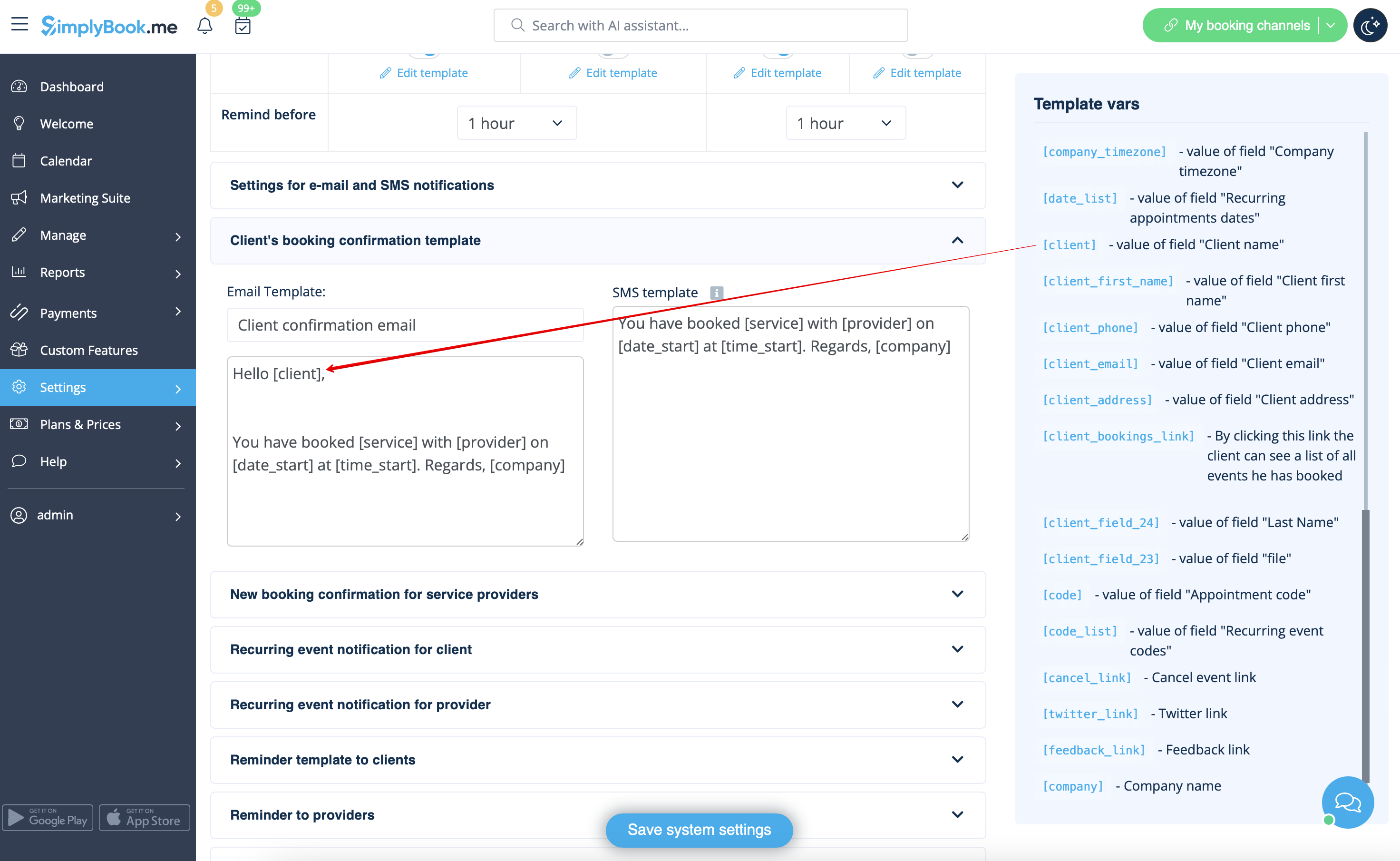
- 6. (optioneel) Voeg de gewenste variabelen toe aan de meldingssjablonen in Instellingen -> E-mail- en sms-instellingen (of Flexibele meldingen als u deze per service/provider hebt aangepast).
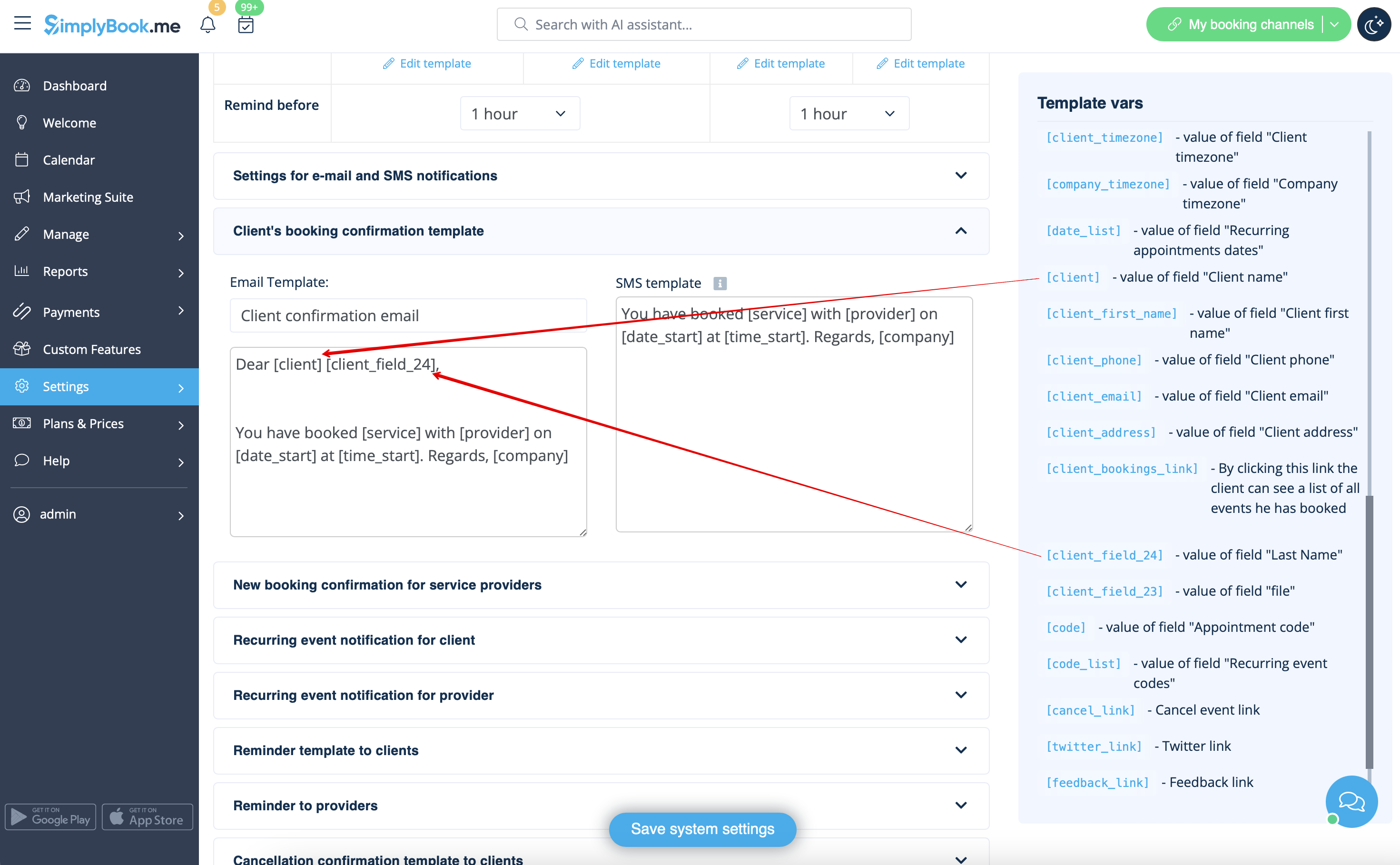
- U kunt bijvoorbeeld boekingen persoonlijker maken door alleen de voornaam te gebruiken in de begroeting.
- (hier gebruiken we de standaardvariabele [client], omdat we het standaardveld in stap 3 hebben hernoemd)
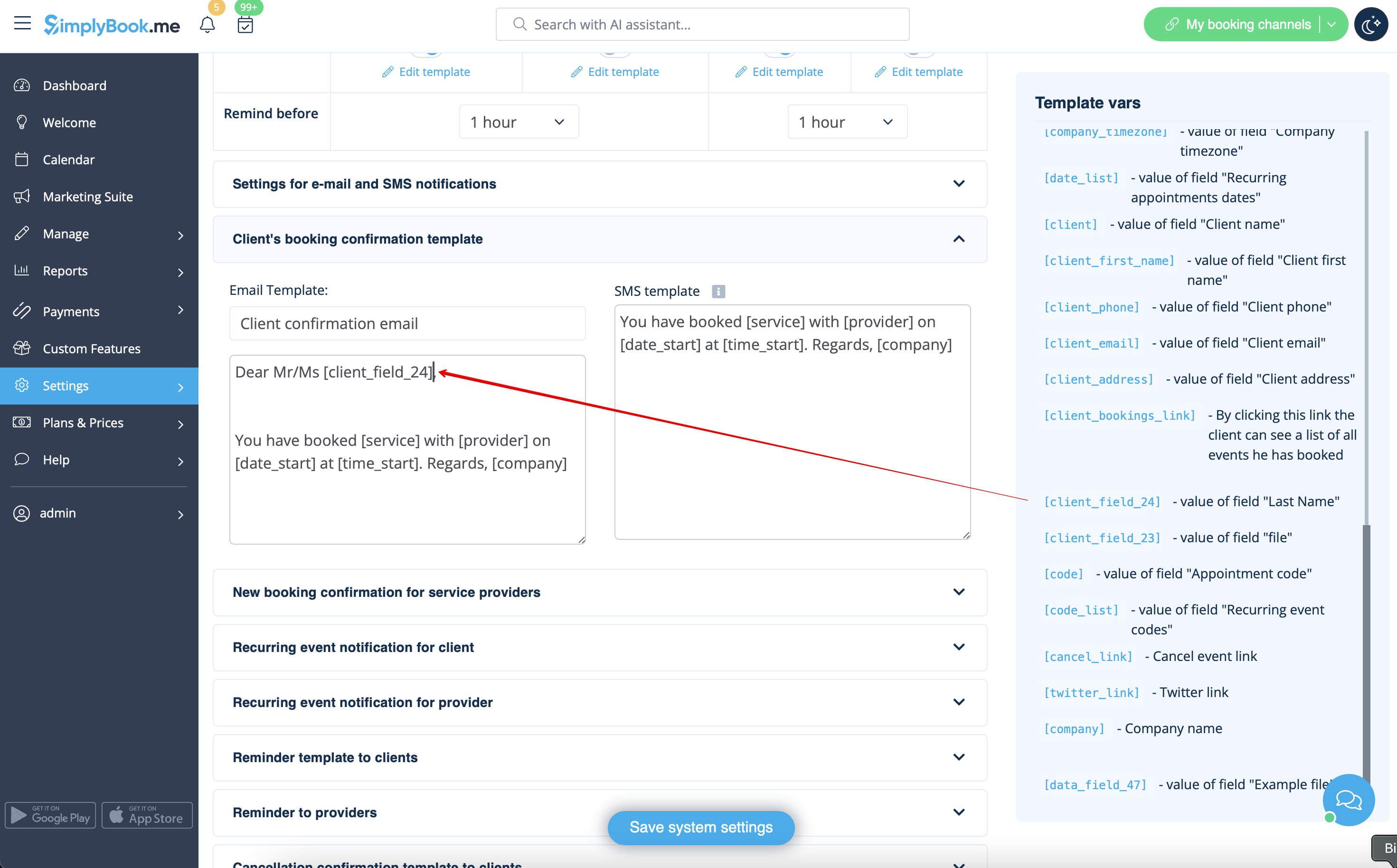
- Or sound more official with only last name use.
- (client field is used here, taken from step #4)
- Or even use both if you like.
- (default variable and client form combined)