Created page with "Of als u een klantformulier wilt toevoegen, ga dan naar <span style="background-color:#d4f8e5; padding:5px; border-radius:5px;">Beheer</span> -> <span style="background-color:#d4f8e5; padding:5px; border-radius:5px;">Klantvelden</span> -> klik op het gewenste veld om het te bewerken -> schakel <span style="background-color:#d4f8e5; padding:5px; border-radius:5px;">Veld toevoegen aan factuur</span> in <span style="background-color:#d4f8e5; padding:5px; border-rad..." |
|||
| Line 36: | Line 36: | ||
<br><br> | <br><br> | ||
< | Of als u een klantformulier wilt toevoegen, ga dan naar <span style="background-color:#d4f8e5; padding:5px; border-radius:5px;">Beheer</span> -> <span style="background-color:#d4f8e5; padding:5px; border-radius:5px;">Klantvelden</span> -> klik op het gewenste veld om het te bewerken -> schakel <span style="background-color:#d4f8e5; padding:5px; border-radius:5px;">Veld toevoegen aan factuur</span> in <span style="background-color:#d4f8e5; padding:5px; border-radius:5px;">,</span> sla op.<br> | ||
[[File:Add client form to invoice redesigned.png|1200px|border|center|link=https://help.simplybook.me/images/2/2f/Add_client_form_to_invoice_redesigned.png]] | [[File:Add client form to invoice redesigned.png|1200px|border|center|link=https://help.simplybook.me/images/2/2f/Add_client_form_to_invoice_redesigned.png]] | ||
<br><br> | <br><br> | ||
Het resultaat is dat zowel de titel van het formulier als het antwoord van de klant op de factuur worden weergegeven. | |||
[[File:Sbpay printed invoice example with client fields and intake forms.png|1200px|border|center|link=https://help.simplybook.me/images/8/88/Sbpay_printed_invoice_example_with_client_fields_and_intake_forms.png]] | [[File:Sbpay printed invoice example with client fields and intake forms.png|1200px|border|center|link=https://help.simplybook.me/images/8/88/Sbpay_printed_invoice_example_with_client_fields_and_intake_forms.png]] | ||
<div lang="en" dir="ltr" class="mw-content-ltr"> | <div lang="en" dir="ltr" class="mw-content-ltr"> | ||
Revision as of 15:01, 15 May 2025
Het kan nodig zijn om bepaalde gegevens weer te geven of te verbergen of het uiterlijk te wijzigen van de facturen die het systeem naar klanten stuurt nadat zij een aankoop hebben gedaan op uw boekingswebsite.
U kunt de volgende items aanpassen:
1. Bedrijfsadres.
Het bedrijfsadres dat is toegevoegd in Betalingen (SBPay.me) -> Betalingssystemen - > Instellingen -> Bedrijfsprofiel -> Adres wordt weergegeven op de facturen.
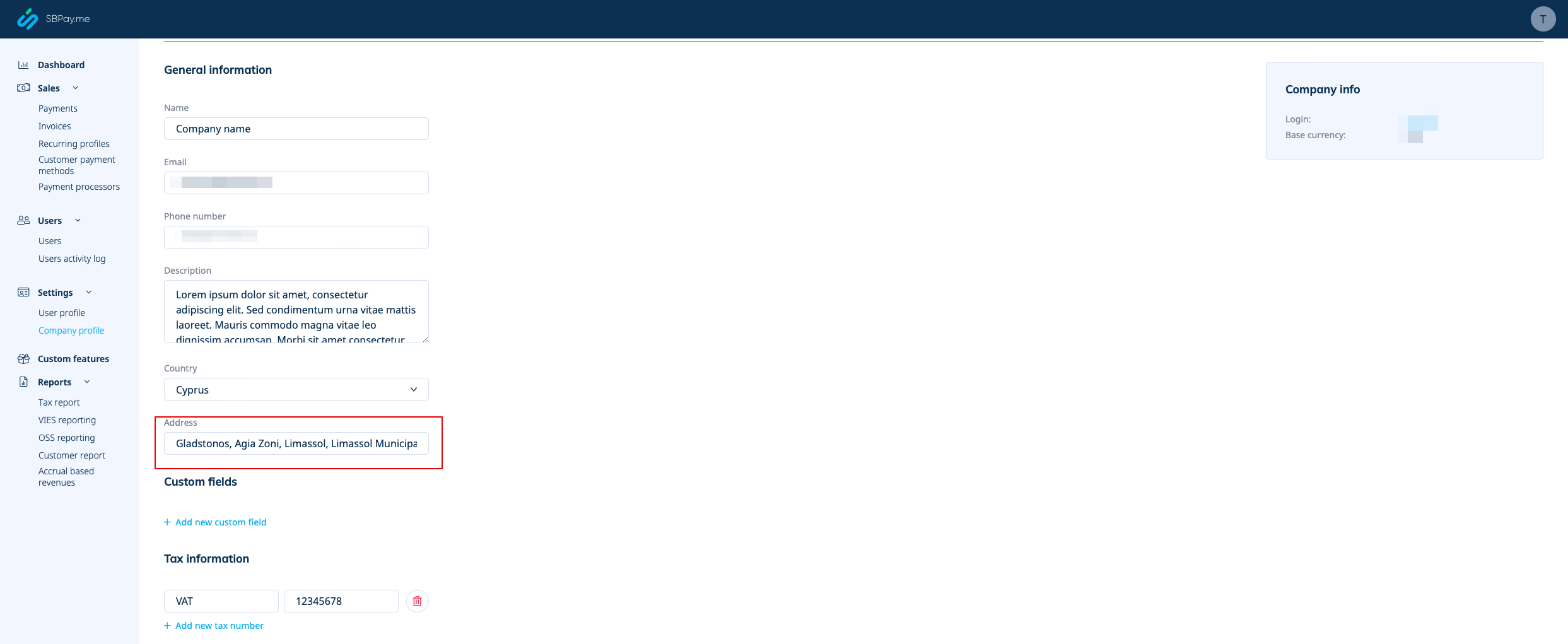
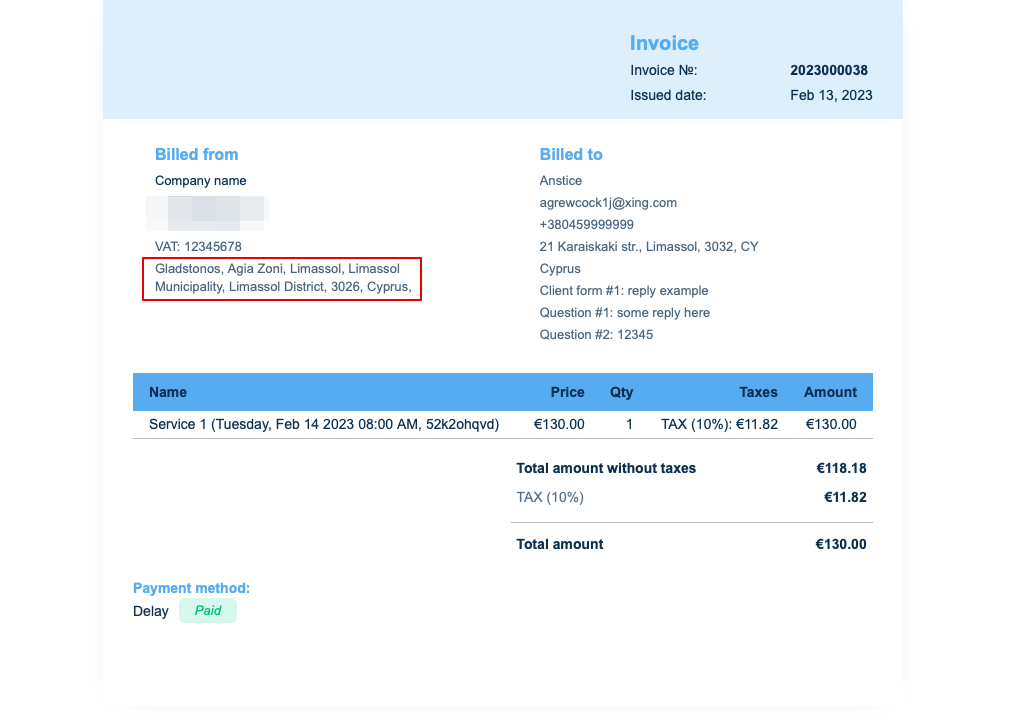
Als u dit wilt verbergen, verwijdert u gewoon het adres uit dat veld en slaat u de instellingen op.
2. BTW-nummer van het bedrijf.
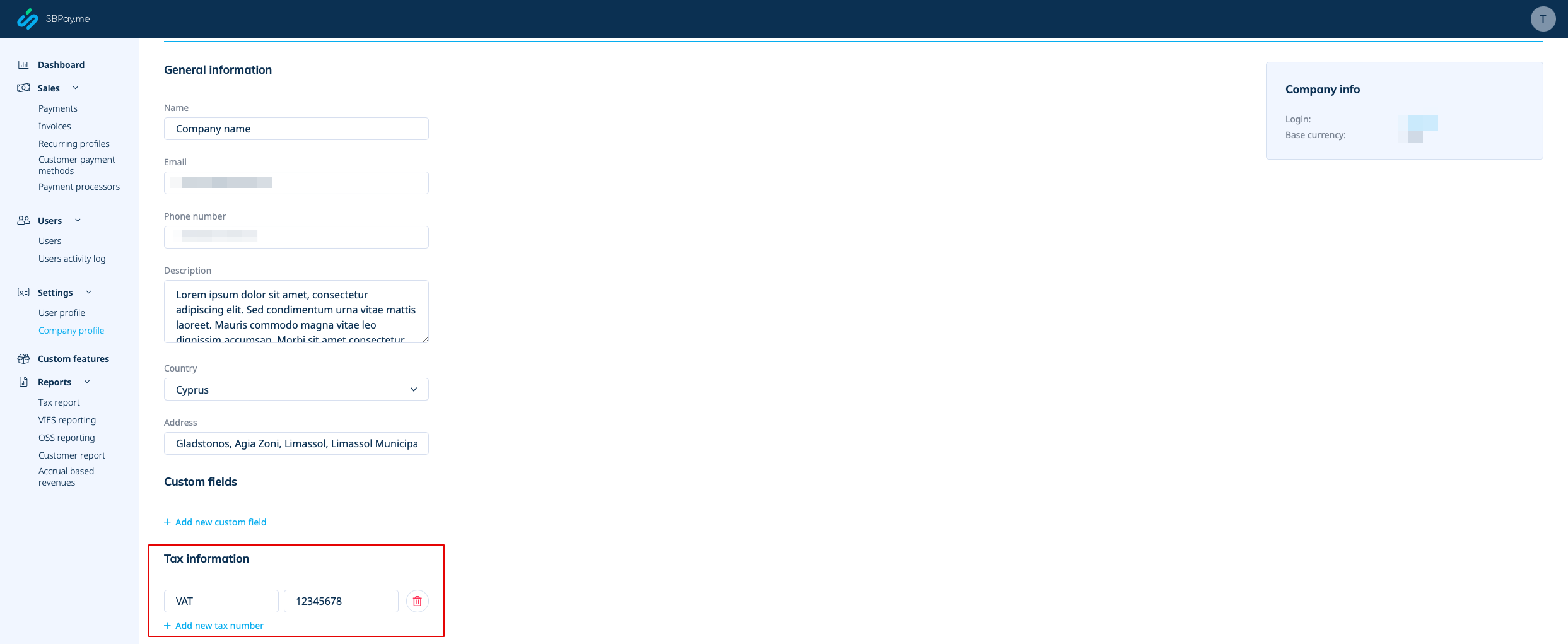
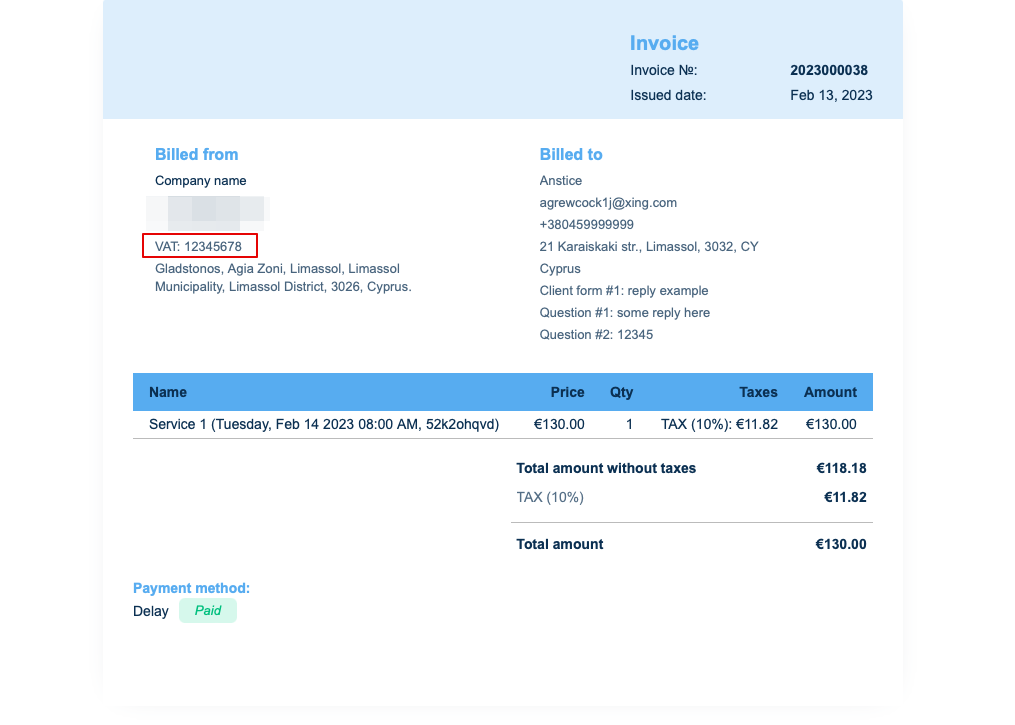
Als dit is toegevoegd in Betalingen (SBPay.me) -> Betalingssystemen - > Instellingen -> Bedrijfsprofiel -> Belastinggegevens, wordt het opgenomen in de koptekst van de factuur.
3. Adres van de klant.
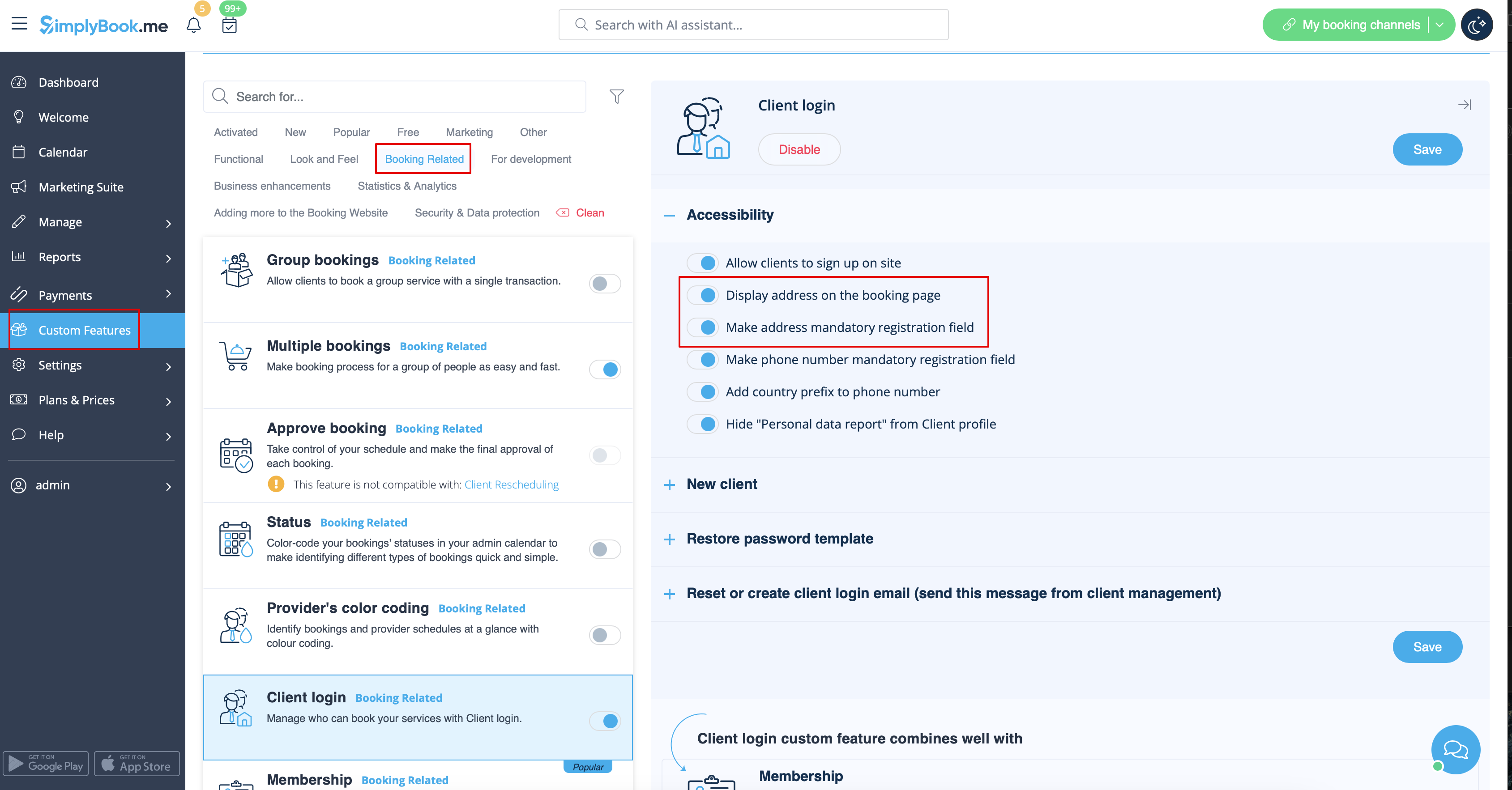
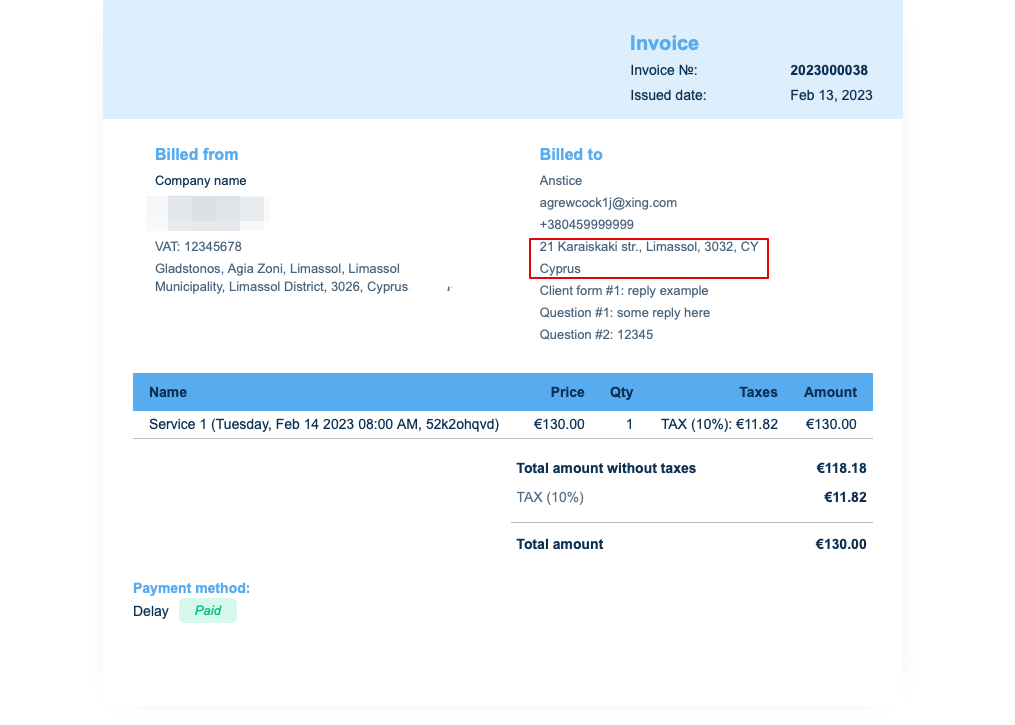
Om het adres van de klant weer te geven, schakelt u de aangepaste functie Klantlogin in en schakelt u zowel Adres weergeven op de boekingspagina als Adres verplicht registratieveld in in het gedeelte Toegankelijkheid. Sla de instellingen op.
4. Intakeformulieren en klantvelden
U kunt bepaalde formulieren toevoegen die in het klantinformatieblok worden weergegeven.
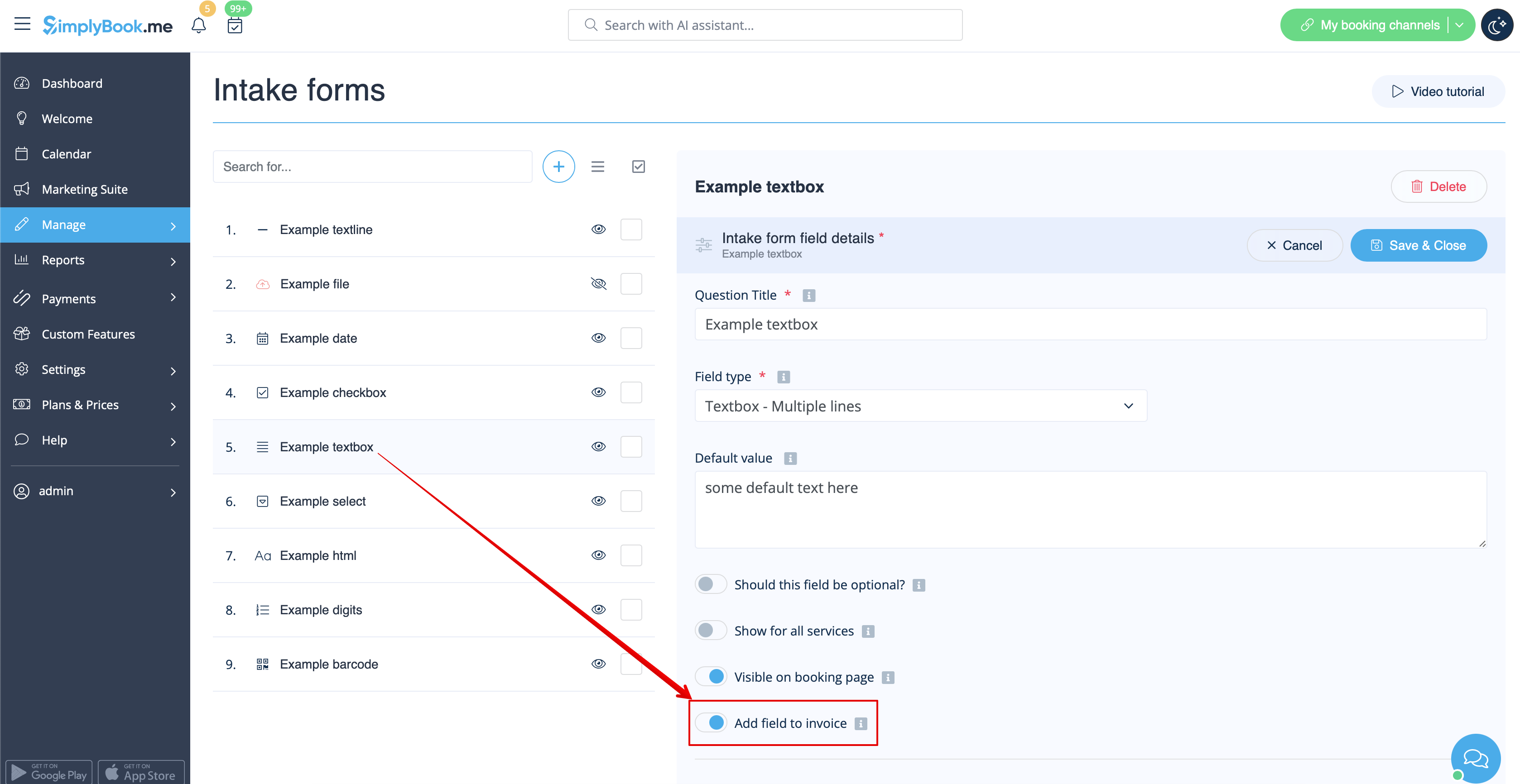
Als het een intakeformulier betreft, ga dan naar Beheer -> Intakeformulieren -> klik op het gewenste formulier om het te selecteren -> schakel Veld toevoegen aan factuur in , sla de instellingen op.
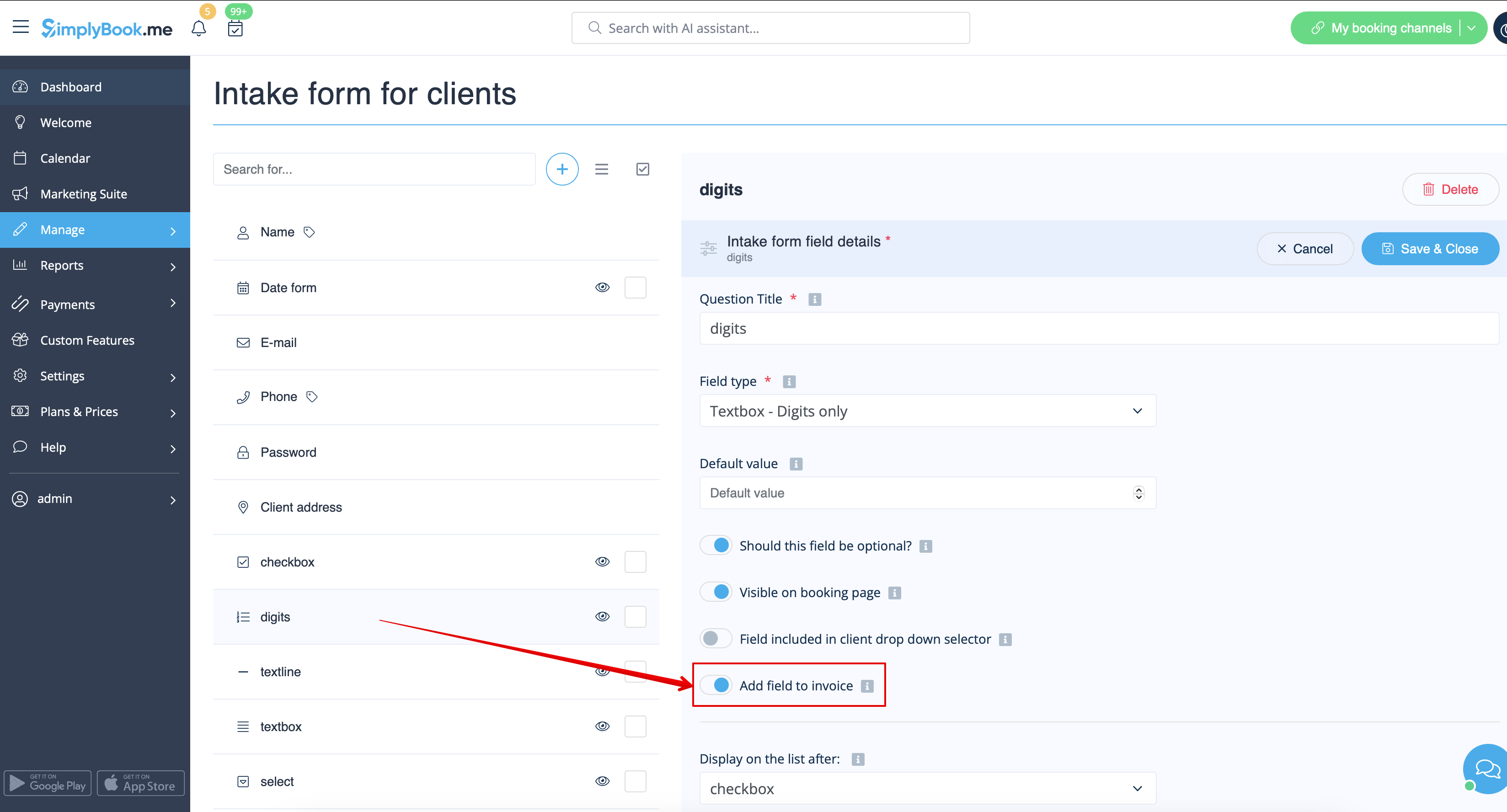
Of als u een klantformulier wilt toevoegen, ga dan naar Beheer -> Klantvelden -> klik op het gewenste veld om het te bewerken -> schakel Veld toevoegen aan factuur in , sla op.
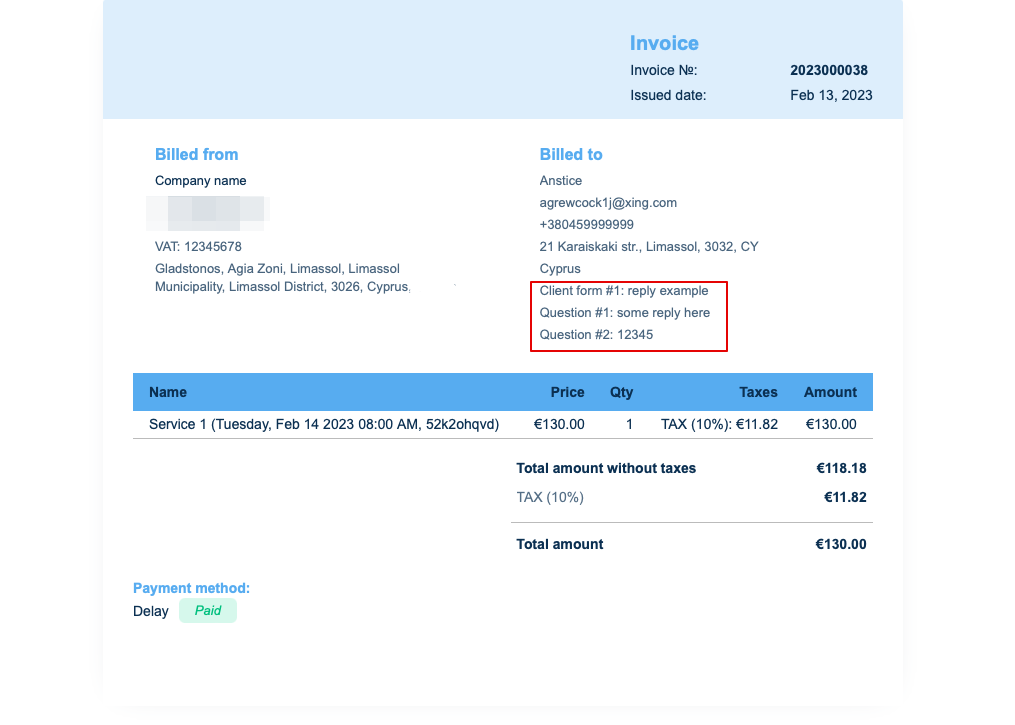
Het resultaat is dat zowel de titel van het formulier als het antwoord van de klant op de factuur worden weergegeven.
5. Invoice design.
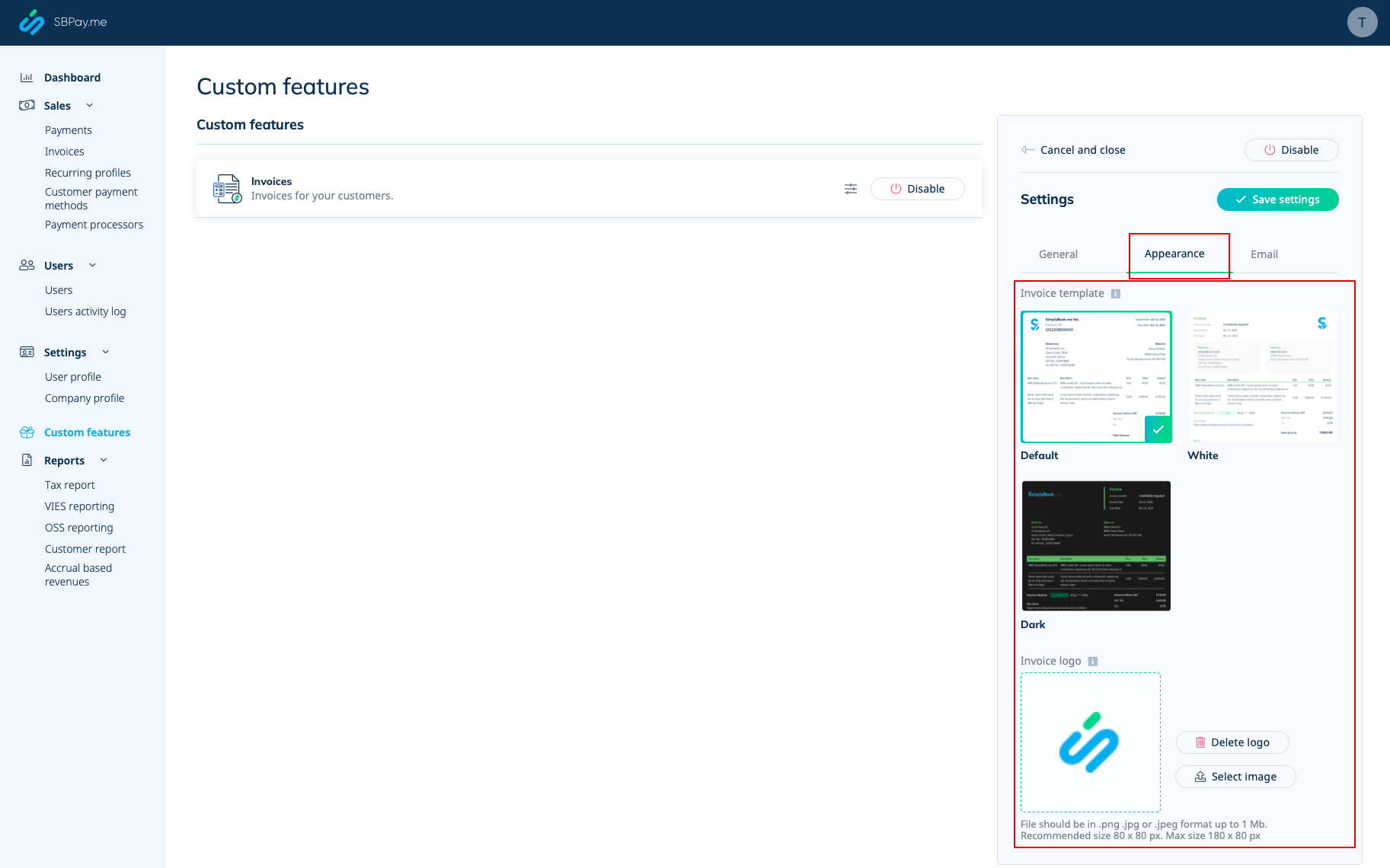
There are three templates to choose from in Payments(SBPay.me) -> Payment systems -> Custom features -> Invoices -> Settings -> Appearance.
Please cheese the one you like the most, add your comopany logo and save settings.
Please note! Importing invoices from external platforms directly into the system is not supported. However, SimplyBook.me offers integration options with various accounting software, including Xero, QuickBooks, and FreshBooks. You can efficiently manage your invoices within your preferred accounting system.

