Created page with "4. '''<span style="background-color:#cdeffc; padding:5px; border-radius:5px;">Formulaires d'admission</span> et <span style="background-color:#cdeffc; padding:5px; border-radius:5px;">champs client</span>'''<br> Vous pouvez ajouter certains formulaires à afficher dans le bloc d'informations client.<br> S'il s'agit d'un formulaire d'admission, allez dans <span style="background-color:#d4f8e5; padding:5px; b..." |
Created page with "1. '''Adresse de l'entreprise.'''<br> L'adresse de l'entreprise ajoutée dans <span style="background-color:#d4f8e5; padding:5px; border-radius:5px;">Paiements (SBPay.me)</span> -> <span style="background-color:#d4f8e5; padding:5px; border-radius:5px;">Systèmes de paiement - </span> > <span style="background-color:#d4f8e5; padding:5px; border-radius:5px;">Paramètres</span> -> <span style="background-color:#d4f8e5; padding:5px; border-radius:5px;">Profil de l'e..." |
||
| Line 36: | Line 36: | ||
<br><br> | <br><br> | ||
Si vous souhaitez ajouter un formulaire client, accédez à <span style="background-color:#d4f8e5; padding:5px; border-radius:5px;">Gérer</span> -> <span style="background-color:#d4f8e5; padding:5px; border-radius:5px;">Champs client</span> -> cliquez sur le champ souhaité pour le modifier -> activez <span style="background-color:#d4f8e5; padding:5px; border-radius:5px;">Ajouter un champ à la facture,</span> puis enregistrez.<br> | |||
[[File:Add client form to invoice redesigned.png|1200px|border|center|link=https://help.simplybook.me/images/2/2f/Add_client_form_to_invoice_redesigned.png]] | [[File:Add client form to invoice redesigned.png|1200px|border|center|link=https://help.simplybook.me/images/2/2f/Add_client_form_to_invoice_redesigned.png]] | ||
<br><br> | <br><br> | ||
<div lang="en" dir="ltr" class="mw-content-ltr"> | <div lang="en" dir="ltr" class="mw-content-ltr"> | ||
Revision as of 15:01, 15 May 2025
Il peut être nécessaire d'afficher ou de masquer certaines données ou de modifier l'apparence des factures que le système envoie aux clients après qu'ils ont effectué un achat sur votre site web de réservation.
Vous pouvez modifier les éléments suivants :
1. Adresse de l'entreprise.
L'adresse de l'entreprise ajoutée dans Paiements (SBPay.me) -> Systèmes de paiement - > Paramètres -> Profil de l'entreprise -> Adresse sera indiquée sur les factures.
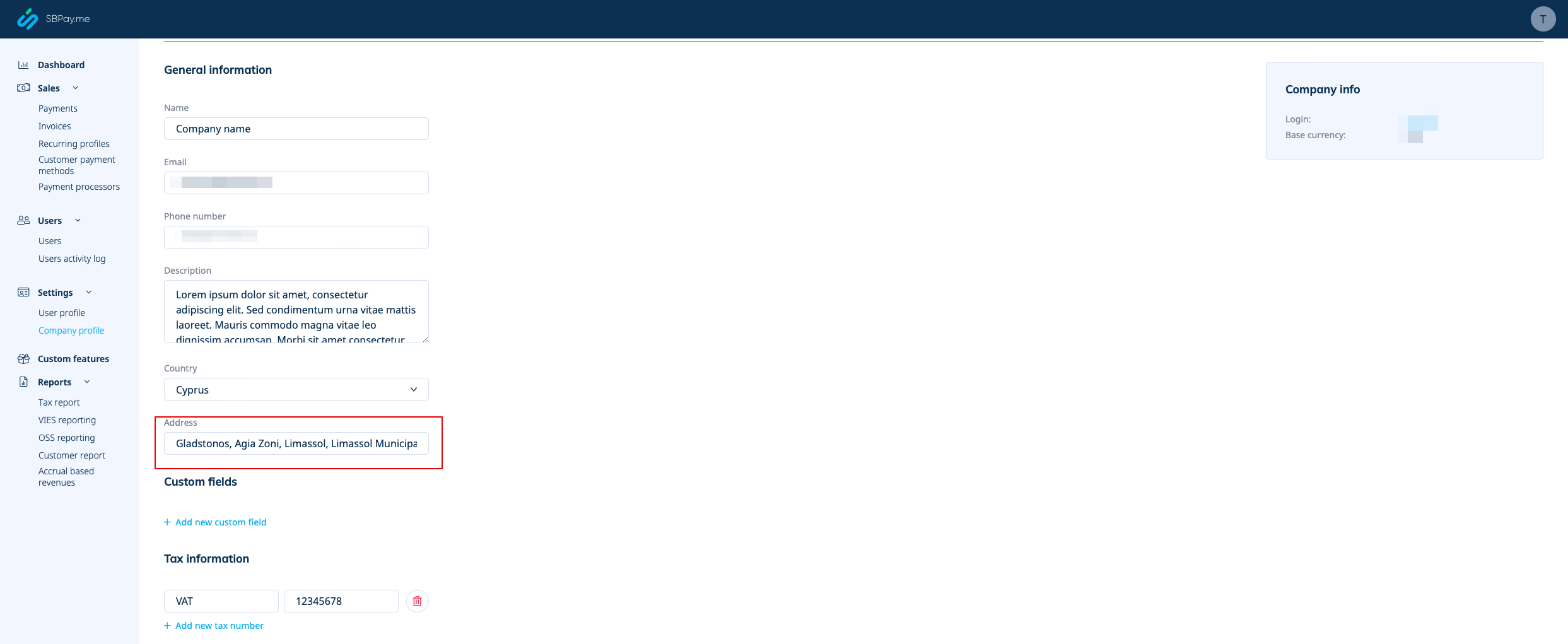
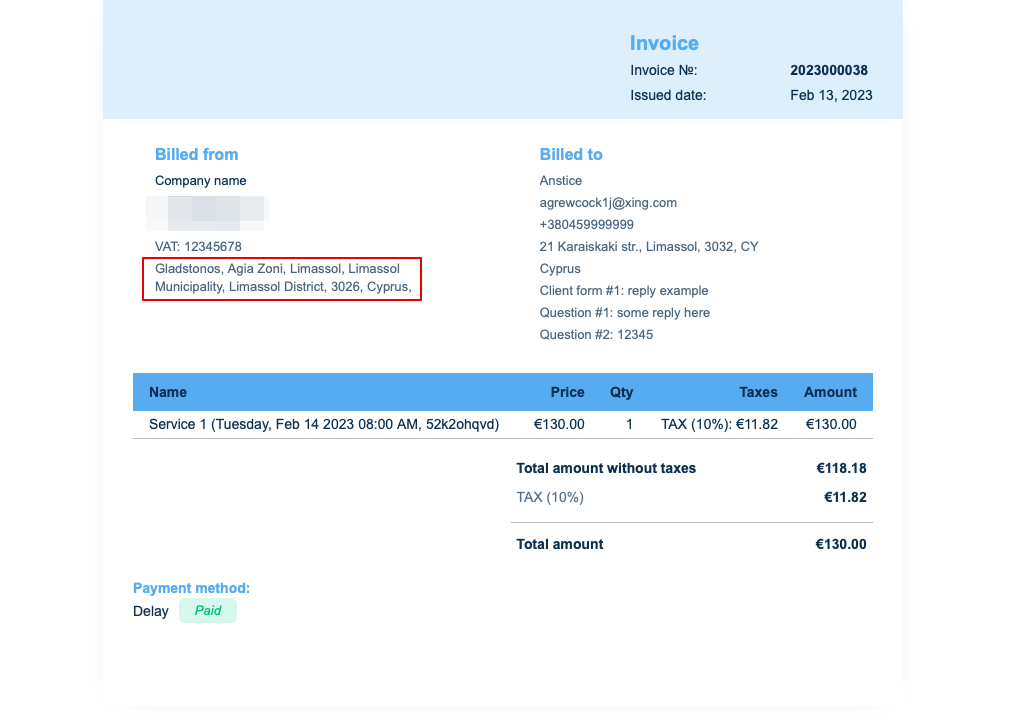
Si vous souhaitez le masquer, supprimez simplement l'adresse de ce champ et enregistrez les paramètres.
2. Numéro de TVA de l'entreprise.
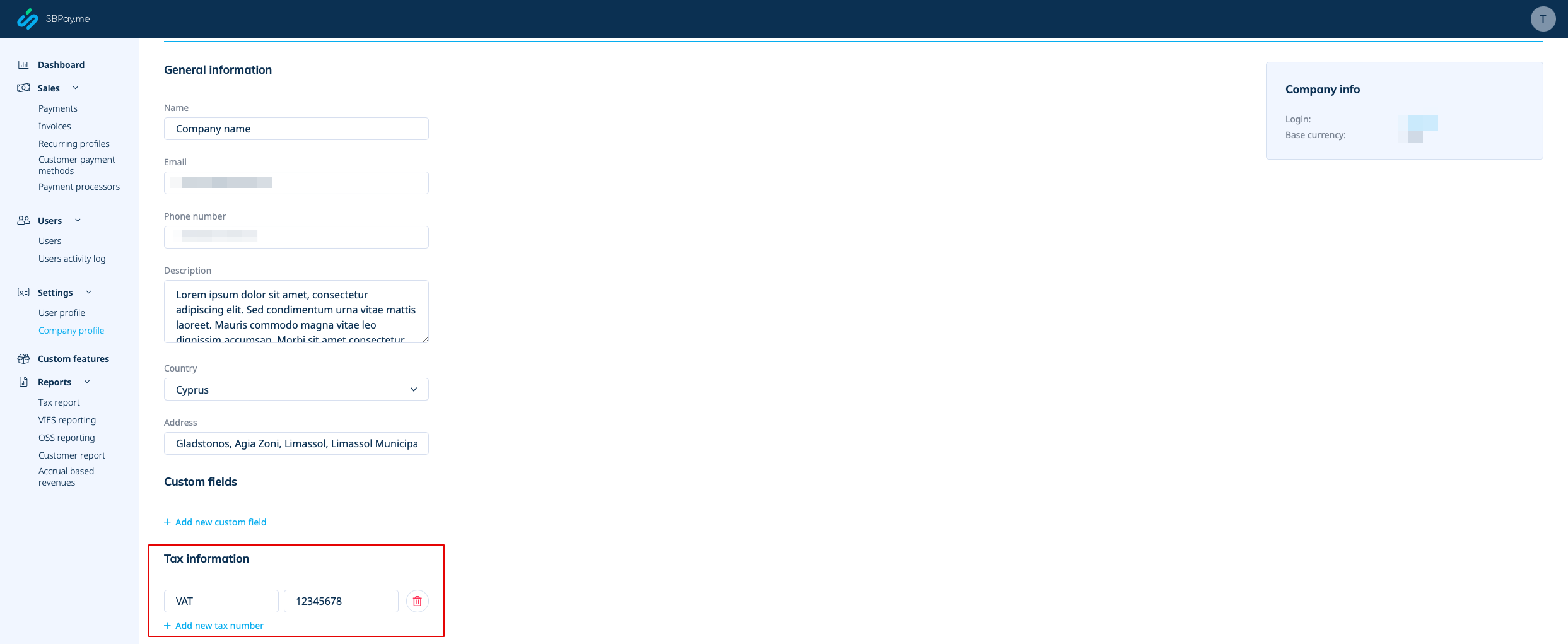
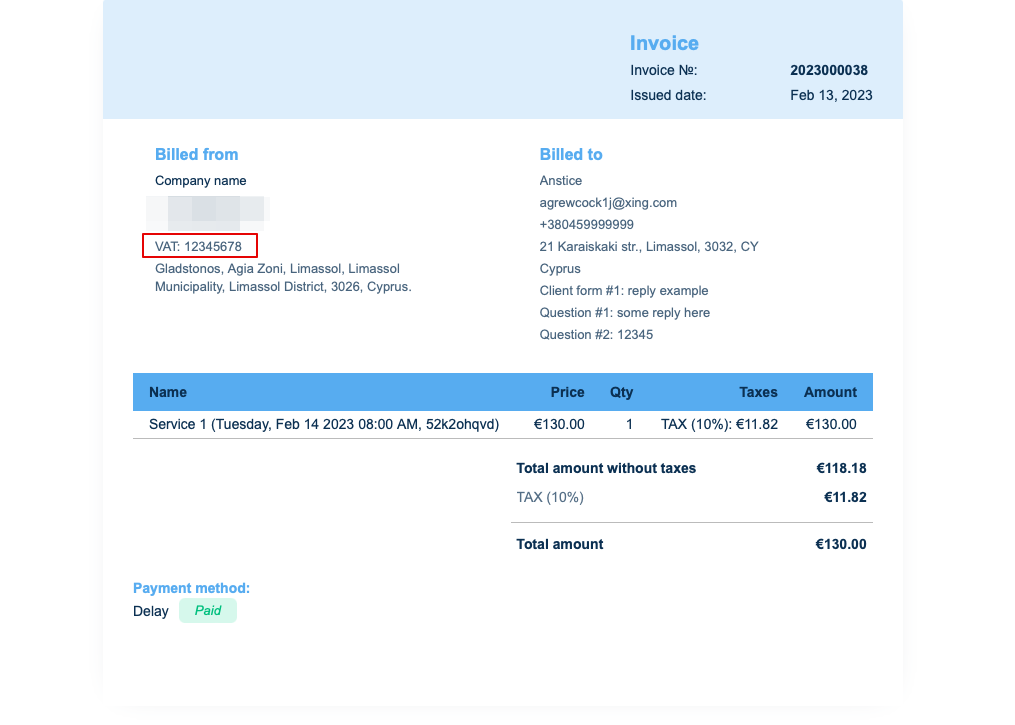
Si elle est ajoutée dans Paiements (SBPay.me) -> Systèmes de paiement - > Paramètres -> Profil de l'entreprise -> Informations fiscales, elle sera incluse dans l'en-tête de la facture.
3. Adresse du client.
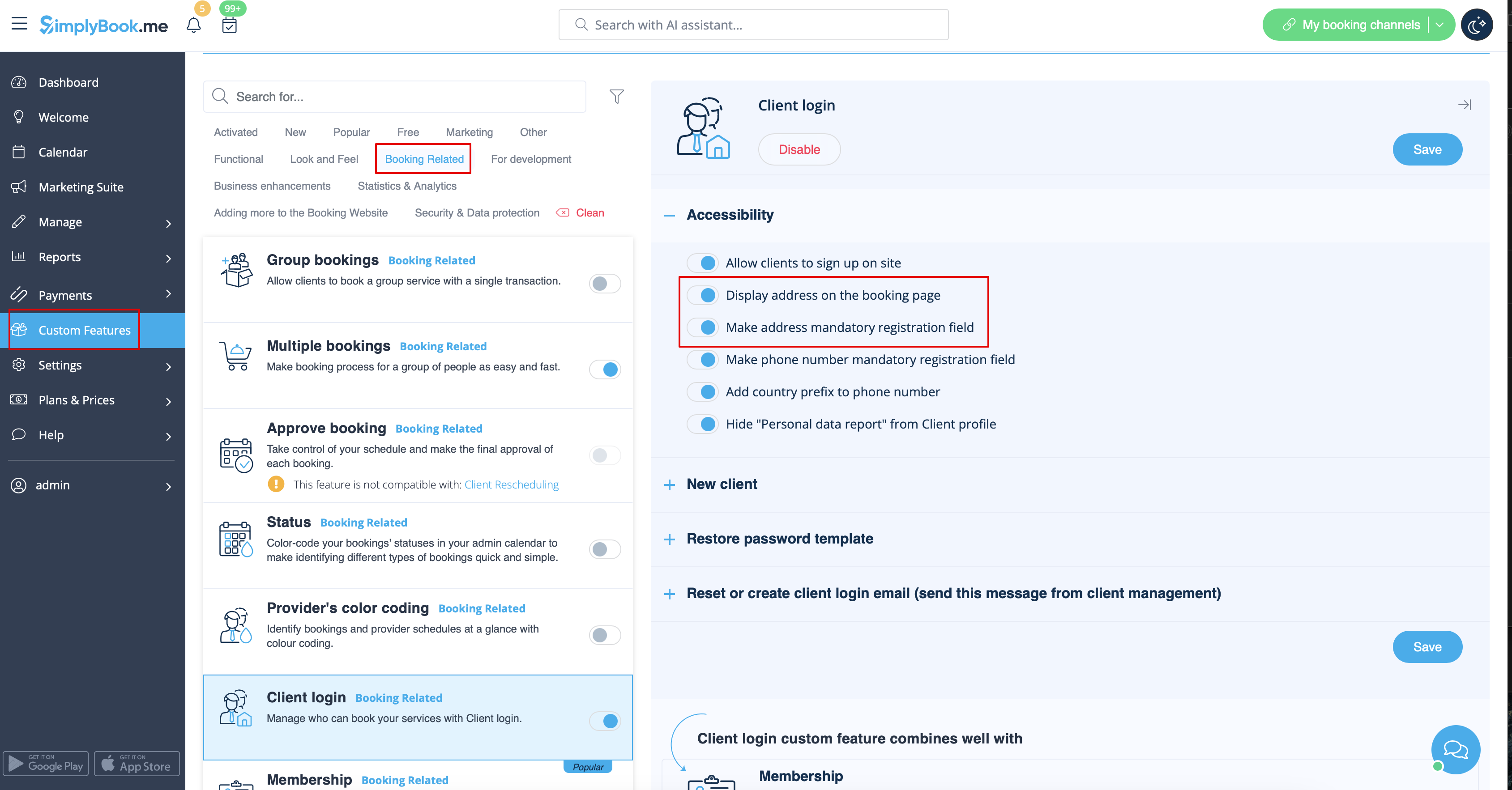
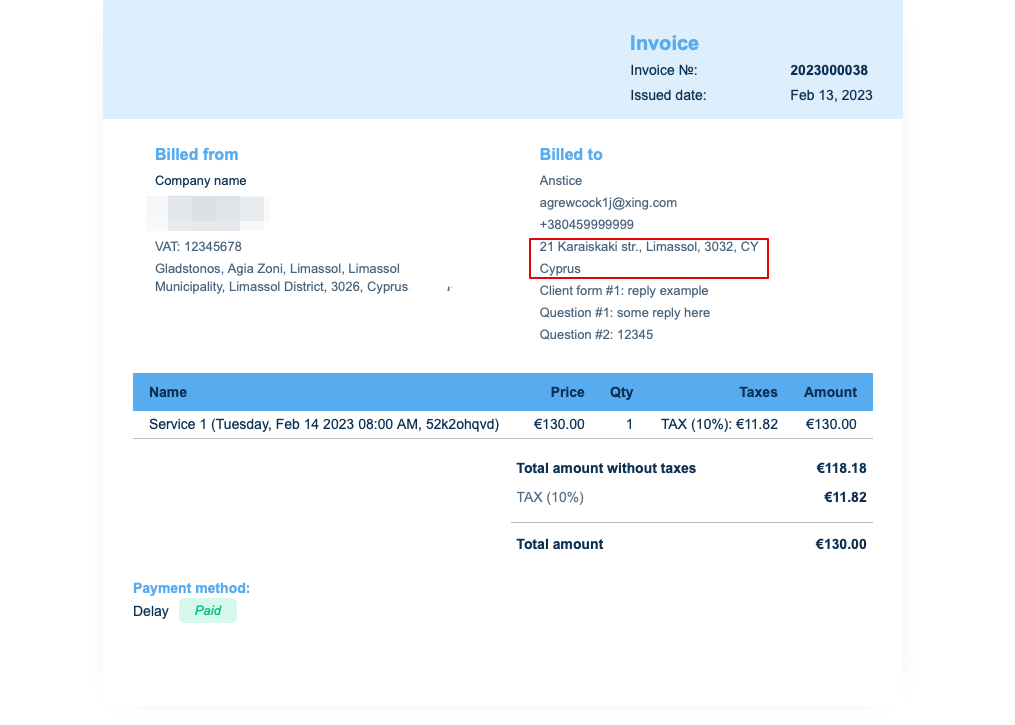
Pour que l'adresse du client s'affiche, veuillez activer la fonctionnalité personnalisée Connexion client, puis cocher les cases Afficher l'adresse sur la page de réservation et Rendre l'adresse obligatoire dans la section Accessibilité. Enregistrez les paramètres.
4. Formulaires d'admission et champs client
Vous pouvez ajouter certains formulaires à afficher dans le bloc d'informations client.
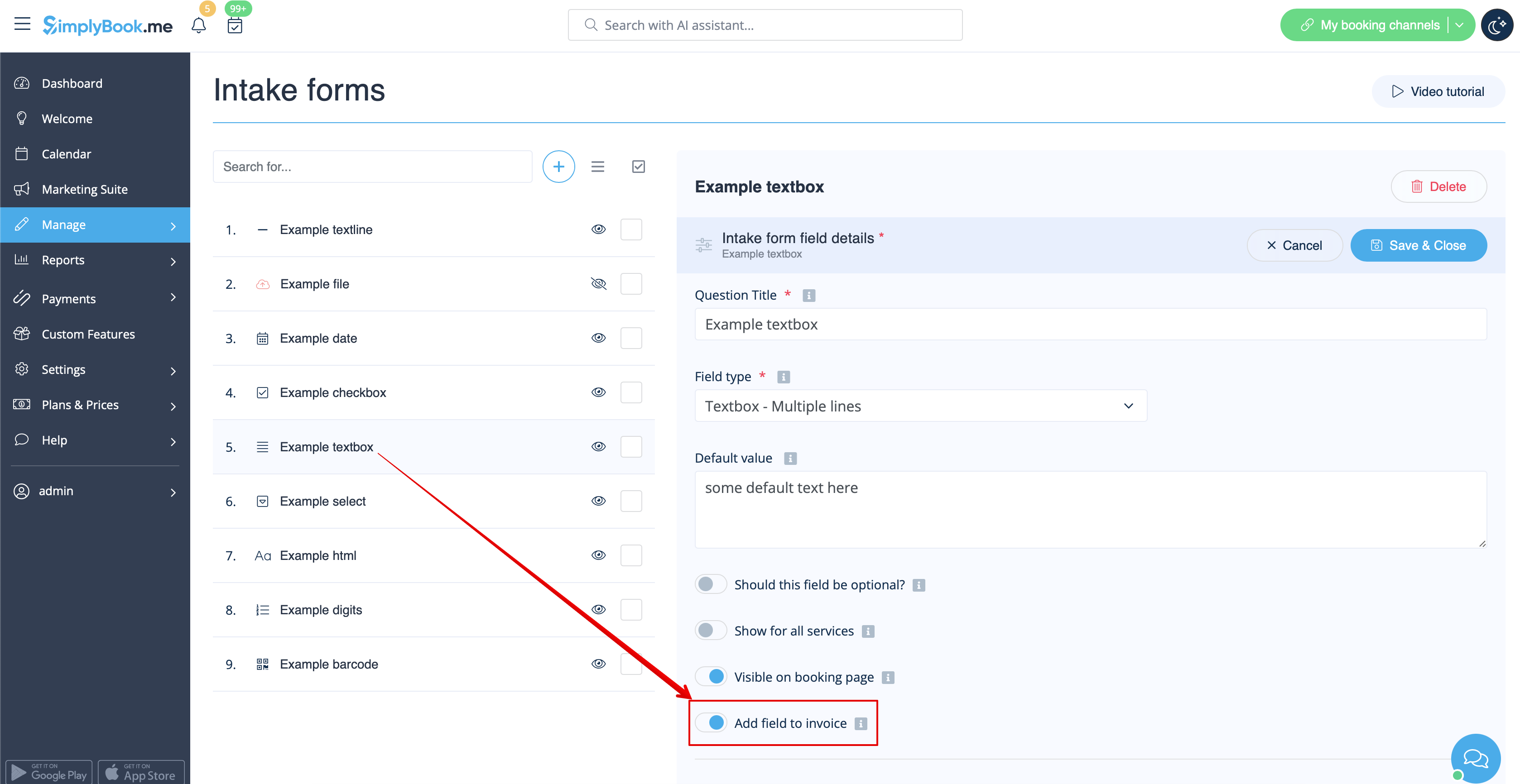
S'il s'agit d'un formulaire d'admission, allez dans Gérer -> Formulaires d'admission -> cliquez sur le formulaire souhaité pour le sélectionner -> activez Ajouter un champ à la facture, puis enregistrez les paramètres.
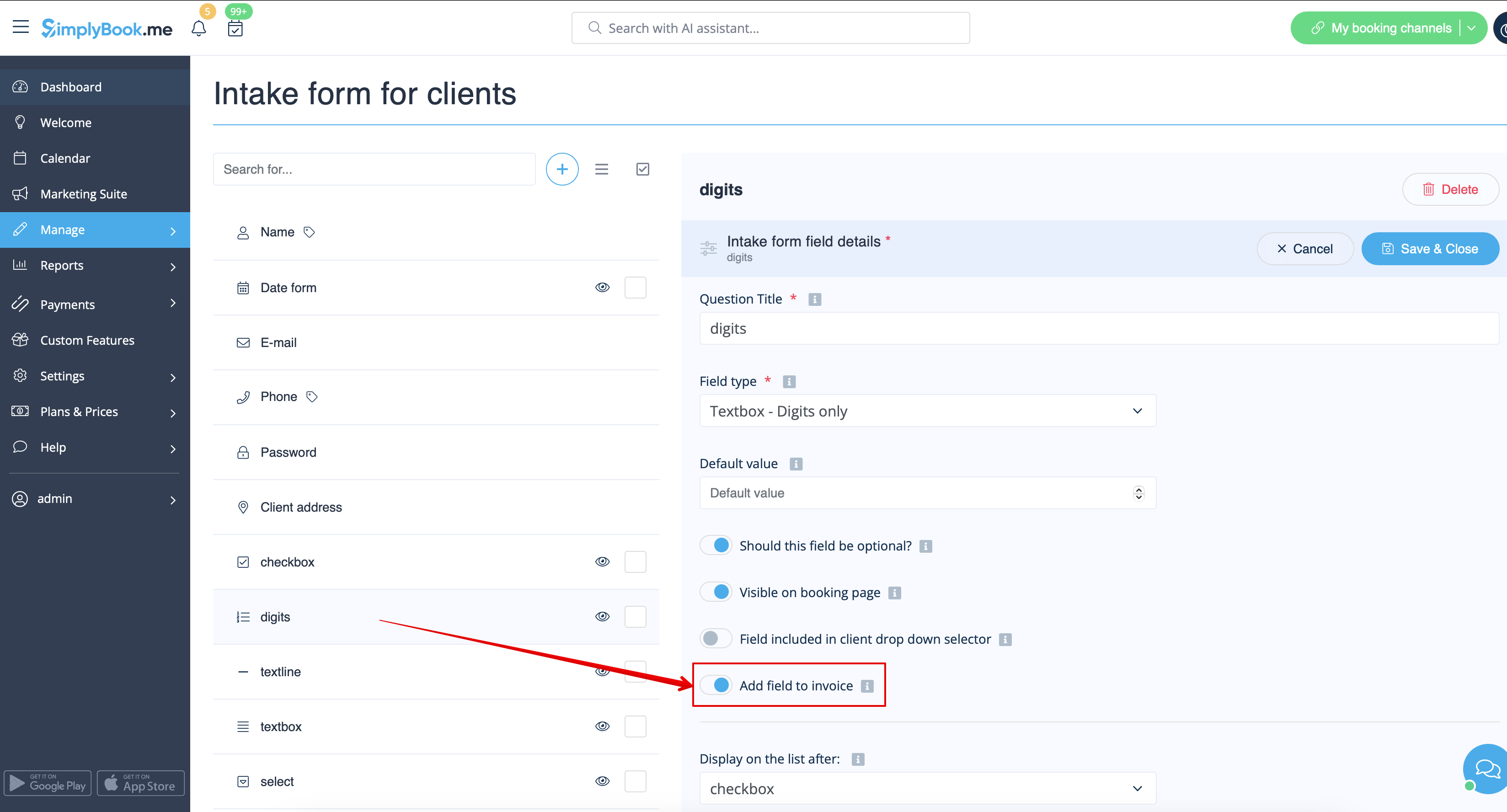
Si vous souhaitez ajouter un formulaire client, accédez à Gérer -> Champs client -> cliquez sur le champ souhaité pour le modifier -> activez Ajouter un champ à la facture, puis enregistrez.
As the result both the form title and the client response will be reflected in the invoice.
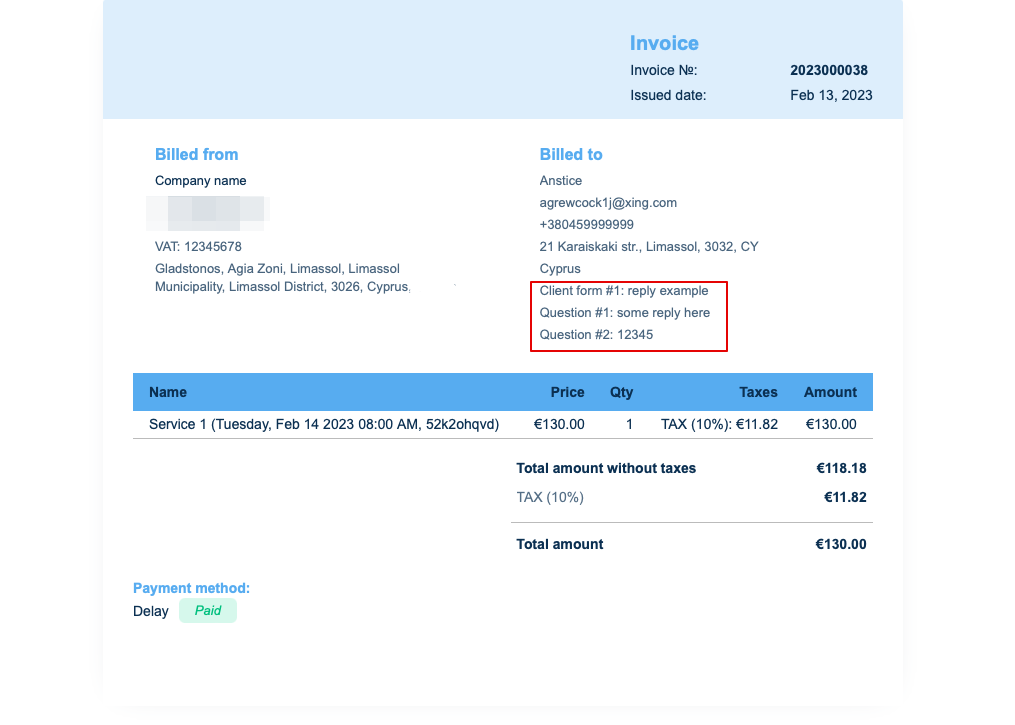
5. Invoice design.
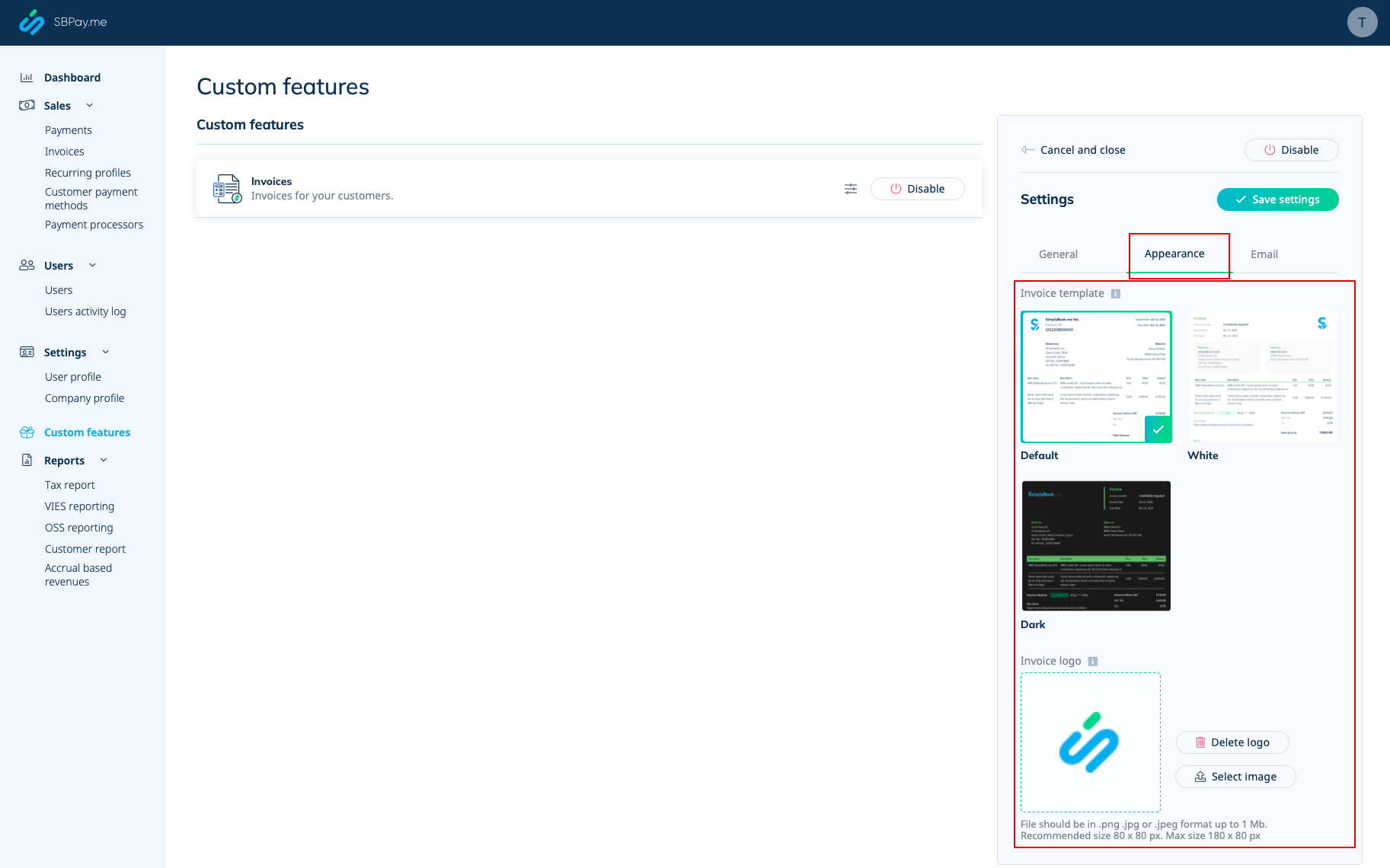
There are three templates to choose from in Payments(SBPay.me) -> Payment systems -> Custom features -> Invoices -> Settings -> Appearance.
Please cheese the one you like the most, add your comopany logo and save settings.
Please note! Importing invoices from external platforms directly into the system is not supported. However, SimplyBook.me offers integration options with various accounting software, including Xero, QuickBooks, and FreshBooks. You can efficiently manage your invoices within your preferred accounting system.
