Created page with "Video-vejledning link=https://www.youtube.com/watch?v=Cr-OPRJFviw" |
Created page with ";Sådan indstilles og bruges" |
||
| Line 37: | Line 37: | ||
[[File:Freshbooks invoice notes and terms.png|1200px|center|link=https://help.simplybook.me/images/a/ac/Freshbooks_invoice_notes_and_terms.png]] | [[File:Freshbooks invoice notes and terms.png|1200px|center|link=https://help.simplybook.me/images/a/ac/Freshbooks_invoice_notes_and_terms.png]] | ||
8. I afsnittet <span style="background-color:#d4f8e5; padding:5px; border-radius:5px;">E-mail</span> kan du deaktivere eller lade indstillingen <span style="background-color:#d4f8e5; padding:5px; border-radius:5px;">Send faktura</span> <span style="background-color:#d4f8e5; padding:5px; border-radius:5px;">være aktiveret</span>. Hvis den er aktiveret, kan du angive <span style="background-color:#d4f8e5; padding:5px; border-radius:5px;">emnet for faktura-e-mailen</span> samt <span style="background-color:#d4f8e5; padding:5px; border-radius:5px;">faktura-e-mailens brødtekst.</span> Det er muligt at tilføje de understøttede variabler til e-mailens brødtekst, som vil blive erstattet med de faktiske oplysninger, når e-mailen sendes til kunderne. Hvis emnet eller brødteksten for e-mailen ikke er angivet, vil standardskabelonen fra FreshBooks blive brugt. | |||
8. | |||
[[File:Freshbooks invoice template.png|1200px|center|link=https://help.simplybook.me/images/3/30/Freshbooks_invoice_template.png]] | [[File:Freshbooks invoice template.png|1200px|center|link=https://help.simplybook.me/images/3/30/Freshbooks_invoice_template.png]] | ||
<div lang="en" dir="ltr" class="mw-content-ltr"> | <div lang="en" dir="ltr" class="mw-content-ltr"> | ||
Revision as of 17:39, 15 May 2025

Integrationen mellem SBPay.me og FreshBooks strømliner din faktureringsproces ved automatisk at generere fakturaer eller andre indbetalinger i FreshBooks for hver afsluttet ordre. Det hjælper dig med at optimere dine økonomiske arbejdsgange og sikre nøjagtig registrering af dine ordrer.
Video-vejledning 
Bemærk!
- Fakturaer oprettet via FreshBooks-integration viser kun det samlede beløb uden detaljer om skatter og rabatter. SBpay.me-fakturaer indeholder derimod omfattende oplysninger, såsom varepriser, eventuelle skatter eller rabatter og det samlede beløb.
- Det er ikke muligt automatisk at oprette en refusionskvittering i FreshBooks, når en refusion behandles på SBPay.me-siden.
- Sådan indstilles og bruges
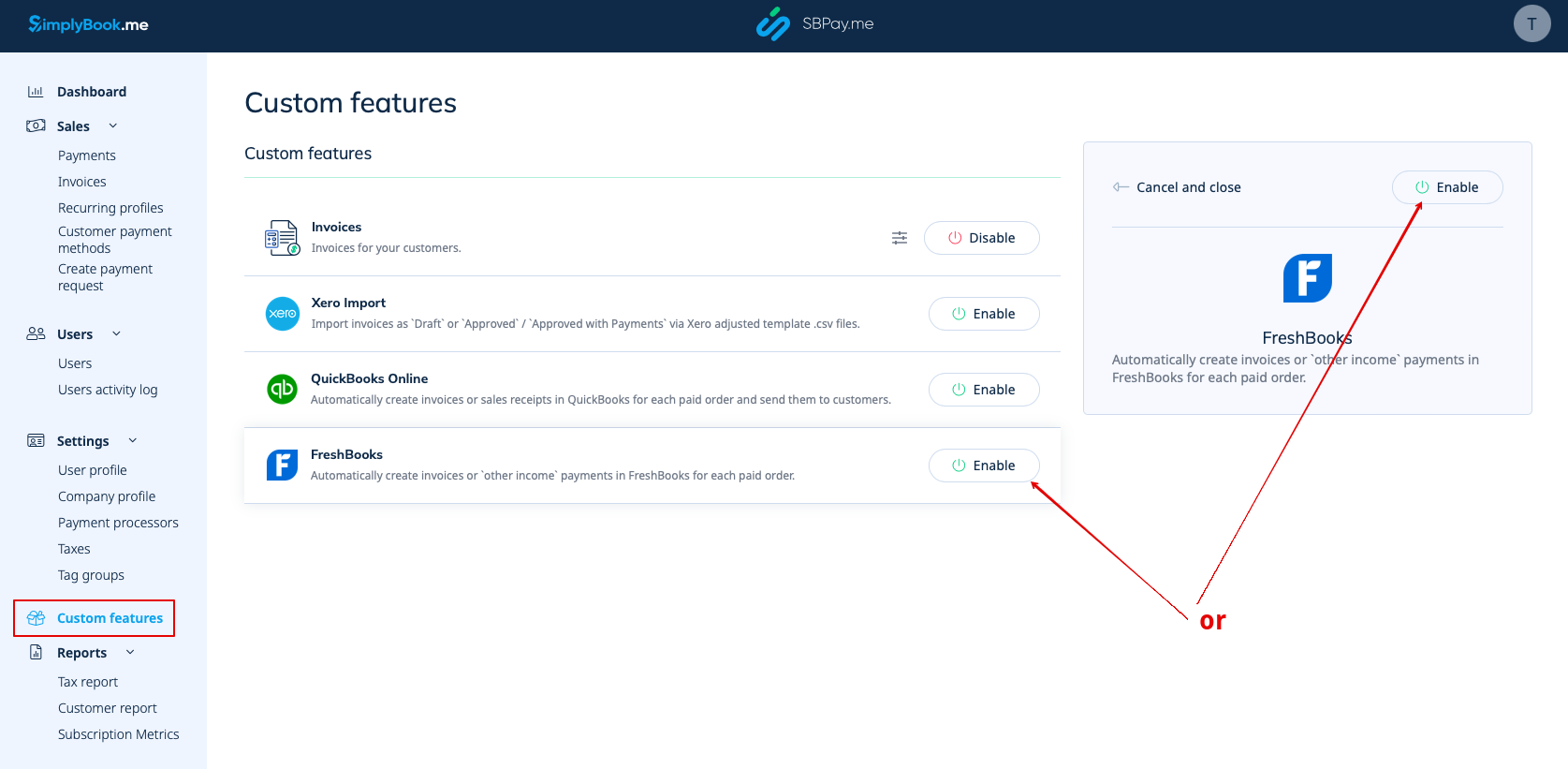
1. Gå til siden Custom Features (Tilpassede funktioner) i din SBPay.me-grænseflade, og klik på knappen Enable (Aktiver ) ud for Freshbooks.
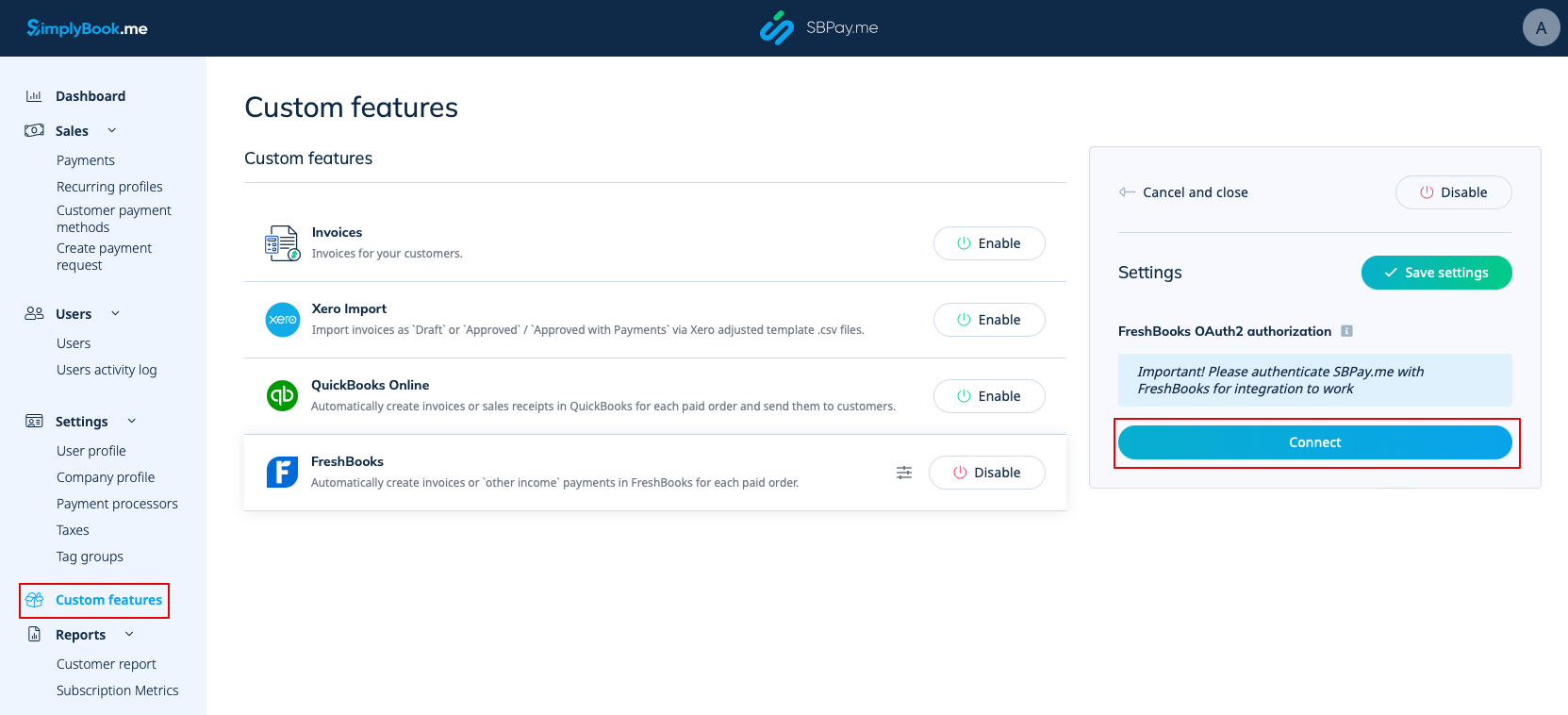
2. Når funktionen er aktiveret, skal du klikke på knappen Connect for at fortsætte med opsætningen.
3. Du bliver bedt om at logge ind på din FreshBooks-konto for at oprette forbindelsen. Hvis du allerede er logget ind på FreshBooks i samme browser, oprettes forbindelsen automatisk, når du klikker på knappen Tillad.
Hvis det er nødvendigt, finder du SBPay.me i FreshBooks Apps -> Connected Apps.
4. Når systemerne er forbundet, får du adgang til integrationsindstillingerne i SBPay.me-grænsefladen.
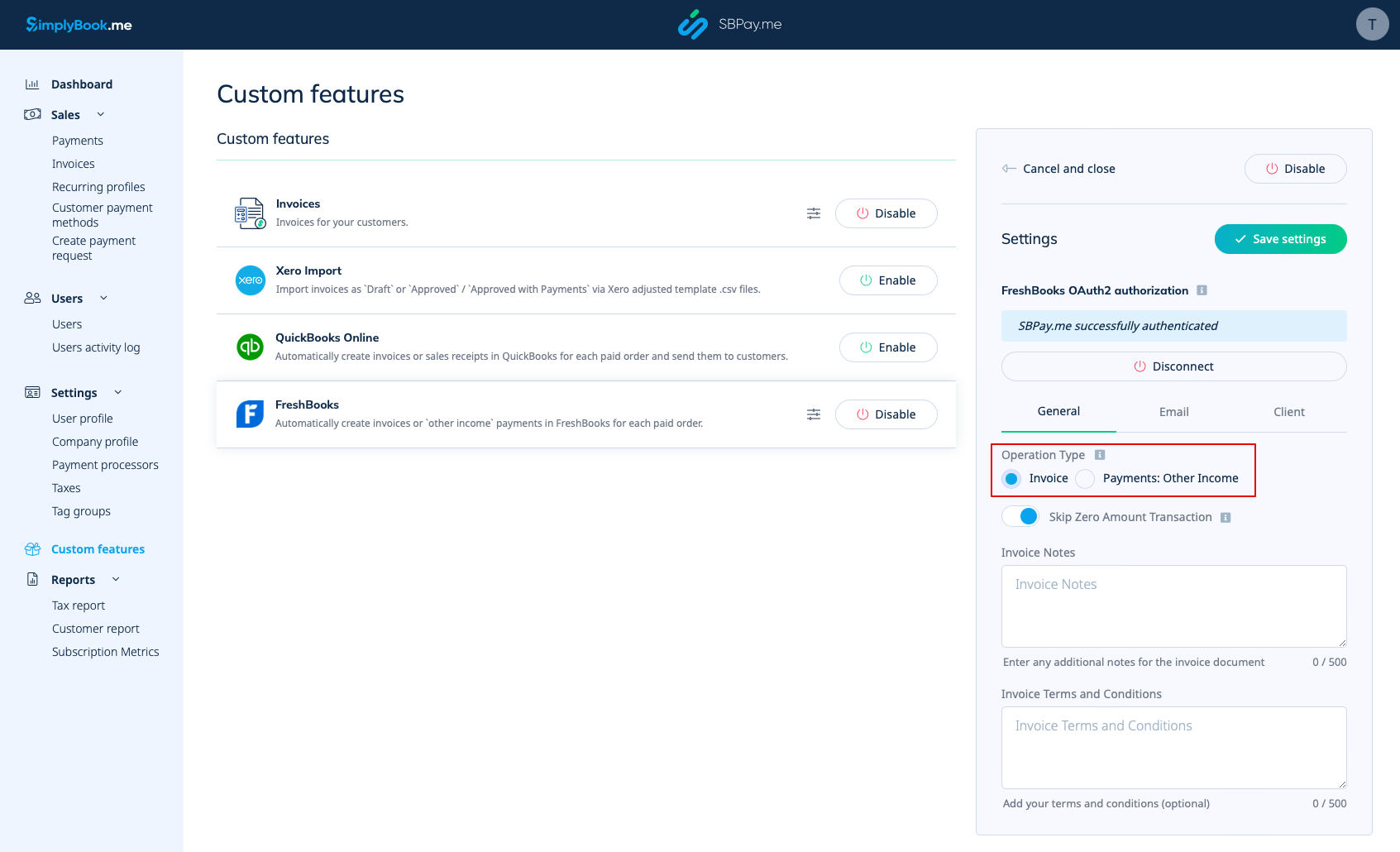
5. Vælg operationstypen. Der er to muligheder: Faktura og betalinger: Anden indtægt.
Hvis du vælger Faktura, genereres der både en faktura og den tilhørende betaling i FreshBooks for hver betalt ordre. Hvis du vælger "Betalinger: Anden indtægt", oprettes der kun en post under "Anden indtægt" i FreshBooks, når ordren er betalt.
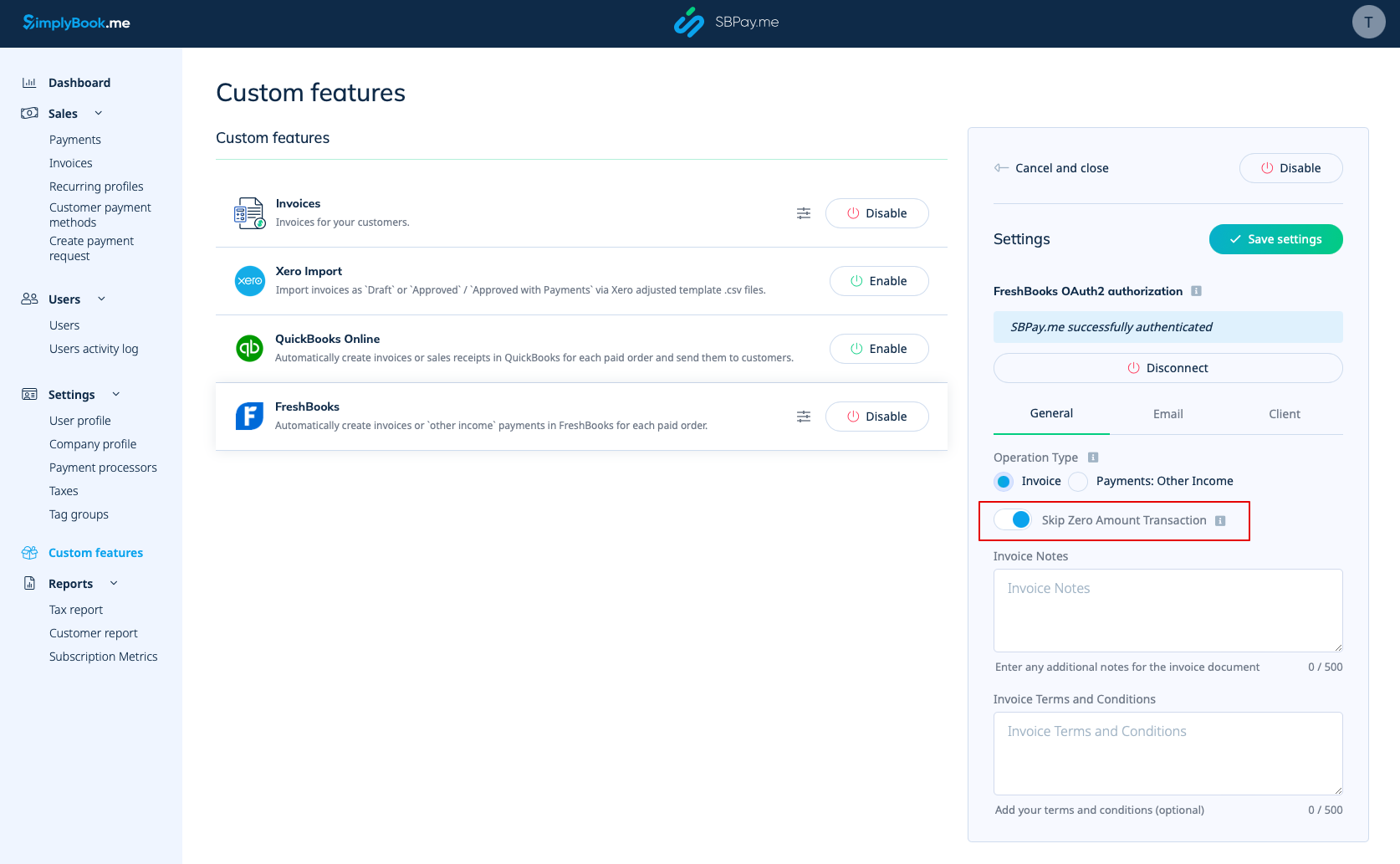
6. Som standard er systemet indstillet til at springe transaktioner med nul beløb over, så de ikke sendes til FreshBooks. For eksempel transaktioner, hvor der er givet rabat, og det samlede beløb derfor er 0. Du kan beholde denne indstilling, hvis du ikke har brug for disse poster i FreshBooks. Hvis det imidlertid er afgørende for din bogføring, kan du deaktivere denne funktion for at inkludere sådanne transaktioner.
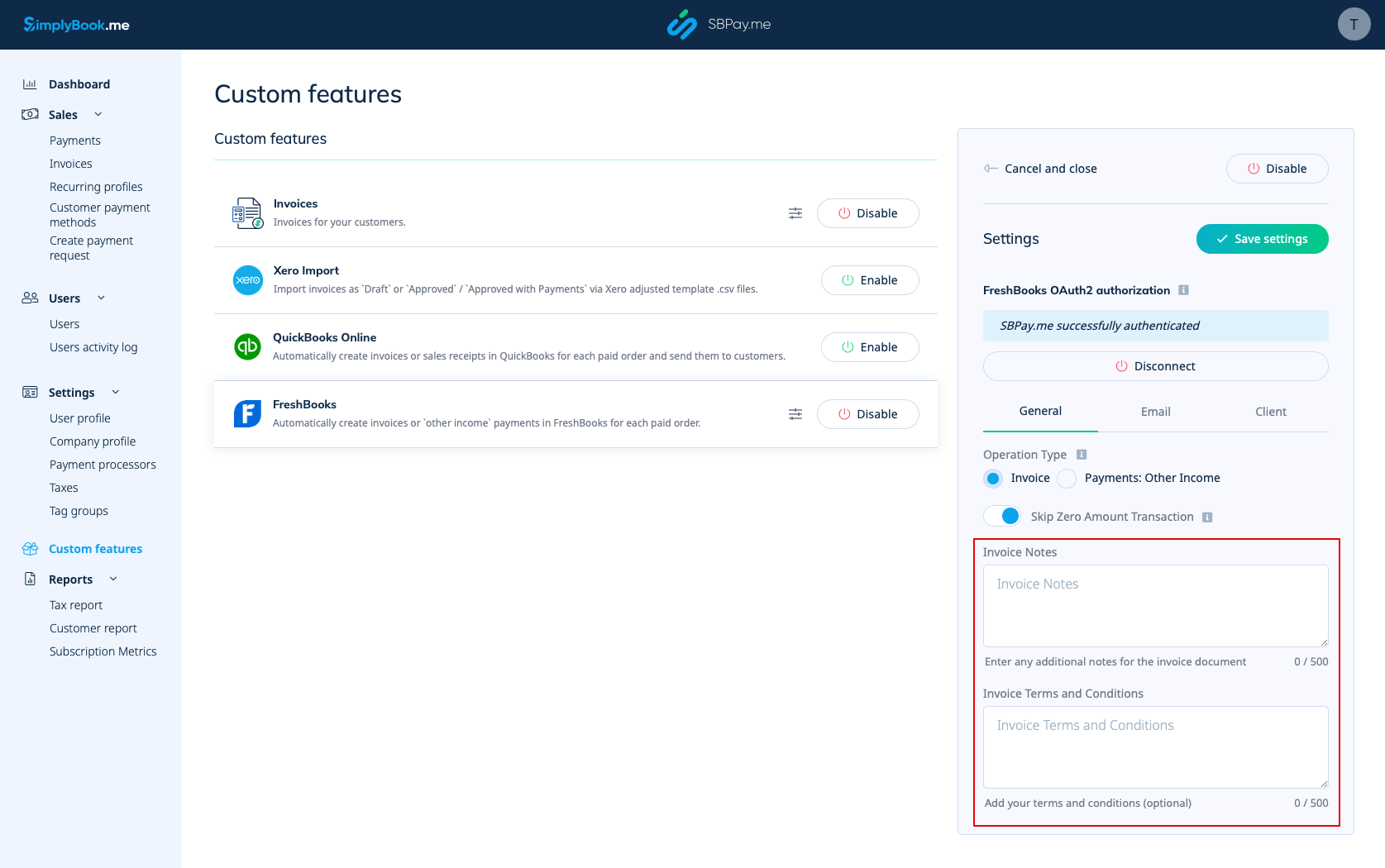
7. Du kan også medtage fakturabemærkninger og fakturavilkår i fakturadokumentet.
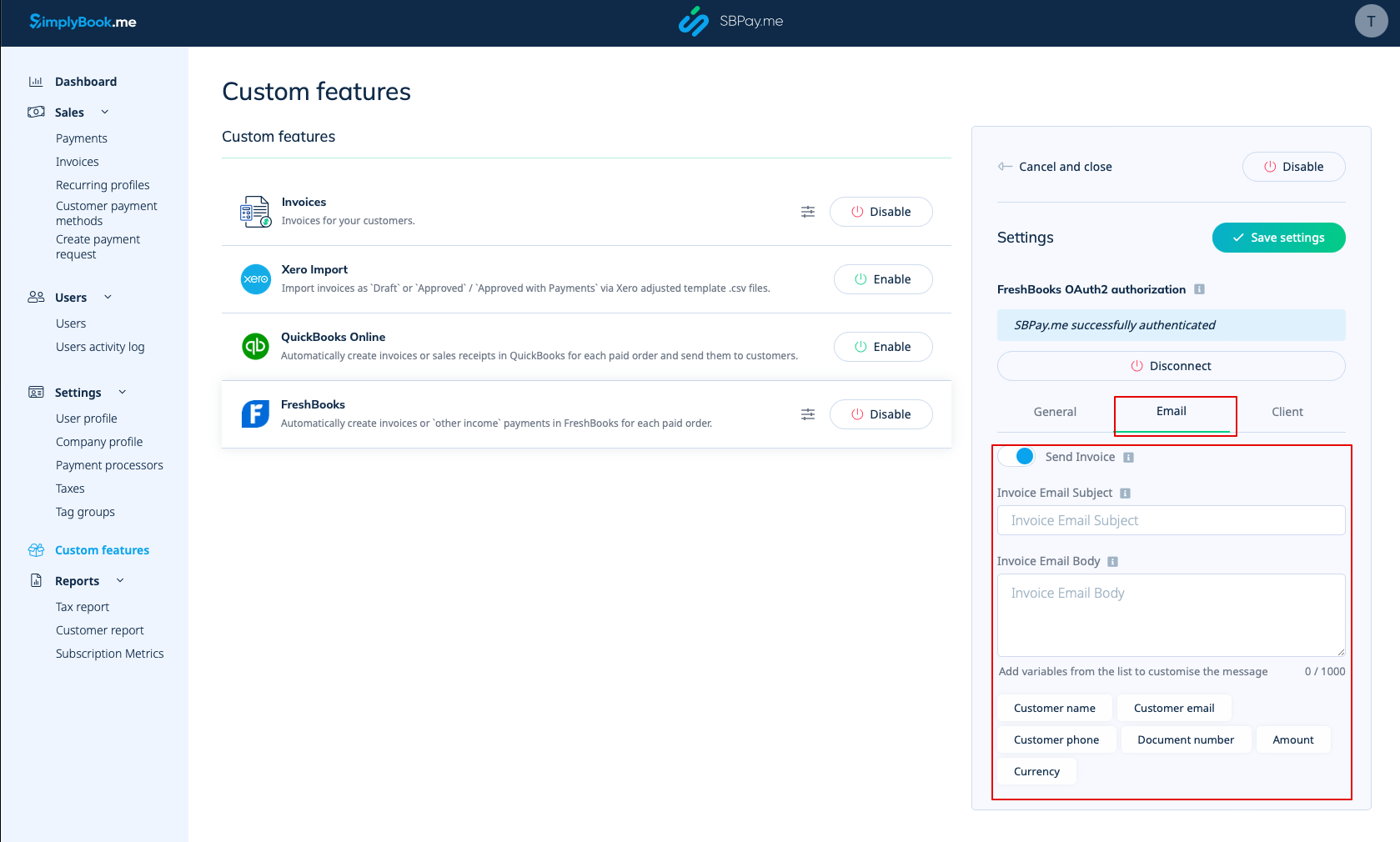
8. I afsnittet E-mail kan du deaktivere eller lade indstillingen Send faktura være aktiveret. Hvis den er aktiveret, kan du angive emnet for faktura-e-mailen samt faktura-e-mailens brødtekst. Det er muligt at tilføje de understøttede variabler til e-mailens brødtekst, som vil blive erstattet med de faktiske oplysninger, når e-mailen sendes til kunderne. Hvis emnet eller brødteksten for e-mailen ikke er angivet, vil standardskabelonen fra FreshBooks blive brugt.
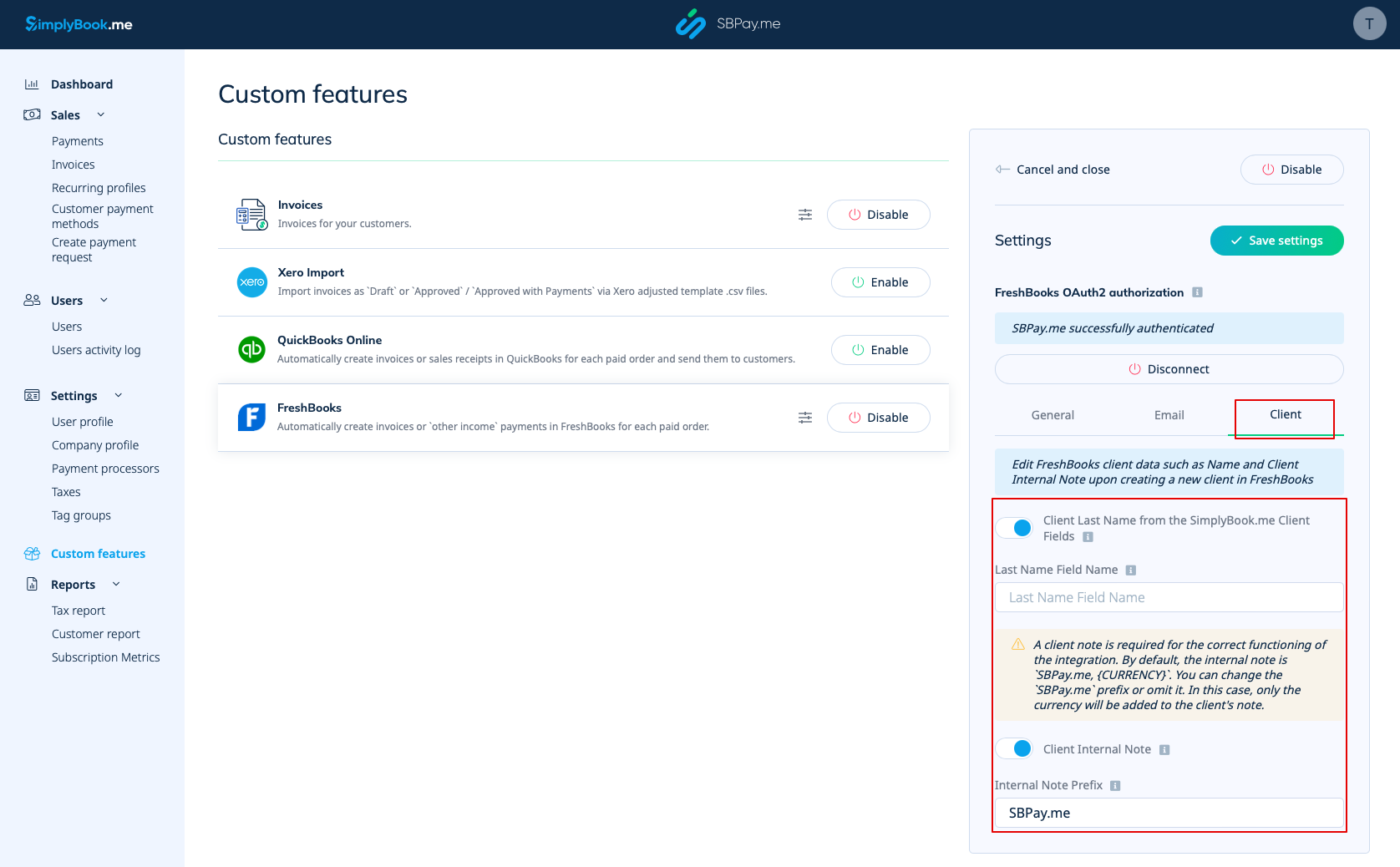
9. In the Client section you can adjust client information such as Last Name and Client Internal Note upon the creation of a new client entry in FreshBooks.
- - You have the option to activate the Client Last Name from SimplyBook.me Client Fields. This feature is useful if you have the corresponding custom feature enabled in the SimplyBook.me's account and set it for obtaining the last name of your clients.
- Ensure that you input the precise field name matching the one used in SimplyBook.me's Client Fields Custom Feature for the last name.
- - Client Internal Note option allows the addition of a personalized prefix to a client's internal note in FreshBooks. It's important to note that modifying the prefix won't affect existing FreshBooks clients. Only the new clients will be created in FreshBooks with the updated note. A client note is essential for the integration to work correctly. By default, the internal note includes SBPay.me, {CURRENCY}.
- You have the flexibility to change the SBPay.me prefix or exclude it. If omitted, only the currency will be appended to the client's note.