Created page with ":4. SMTP-anpassningsfunktionen är inte korrekt inställd." |
Created page with "center <br><br> :3. När formuläret <span style="background-color:#d4f8e5; padding:5px; border-radius:5px;">Lägg till kontakt</span> visas klickar du på <span style="background-color:#d4f8e5; padding:5px; border-radius:5px;">Spara.</span>" |
||
| Line 402: | Line 402: | ||
[[File:Step 3 - add a rule for SimplyBook.me mails.jpg|center]] | [[File:Step 3 - add a rule for SimplyBook.me mails.jpg|center]] | ||
:4. Välj <span style="background-color:#d4f8e5; padding:5px; border-radius:5px;">Flytta meddelande</span> och <span style="background-color:#d4f8e5; padding:5px; border-radius:5px;">Inkorg</span> i rullgardinsmenyerna och klicka sedan på <span style="background-color:#d4f8e5; padding:5px; border-radius:5px;">OK</span> för att spara regeln. | |||
:4. | |||
<br><br> | <br><br> | ||
<div lang="en" dir="ltr" class="mw-content-ltr"> | <div lang="en" dir="ltr" class="mw-content-ltr"> | ||
==Using Outlook== | ==Using Outlook== | ||
Revision as of 10:00, 16 May 2025
Så här aktiverar/inaktiverar du bokningsaviseringar och justerar dina mallar
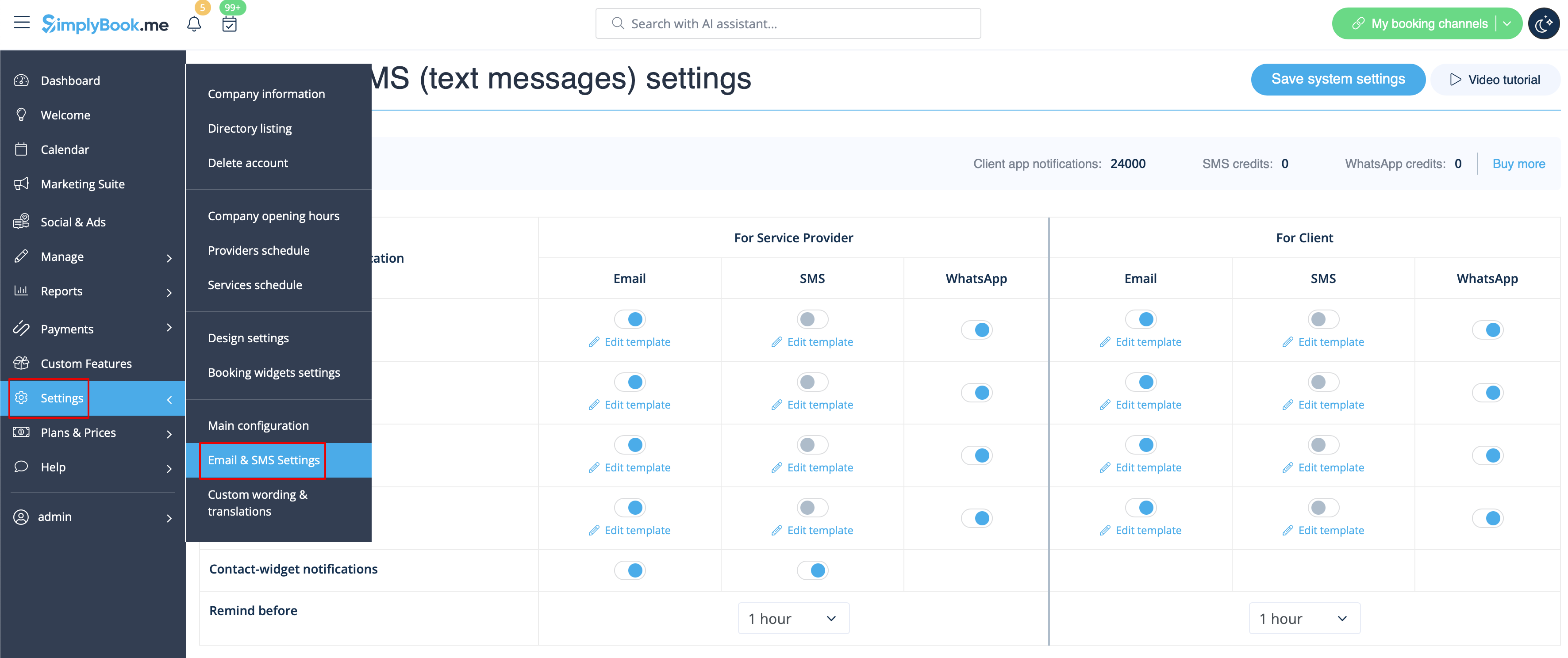
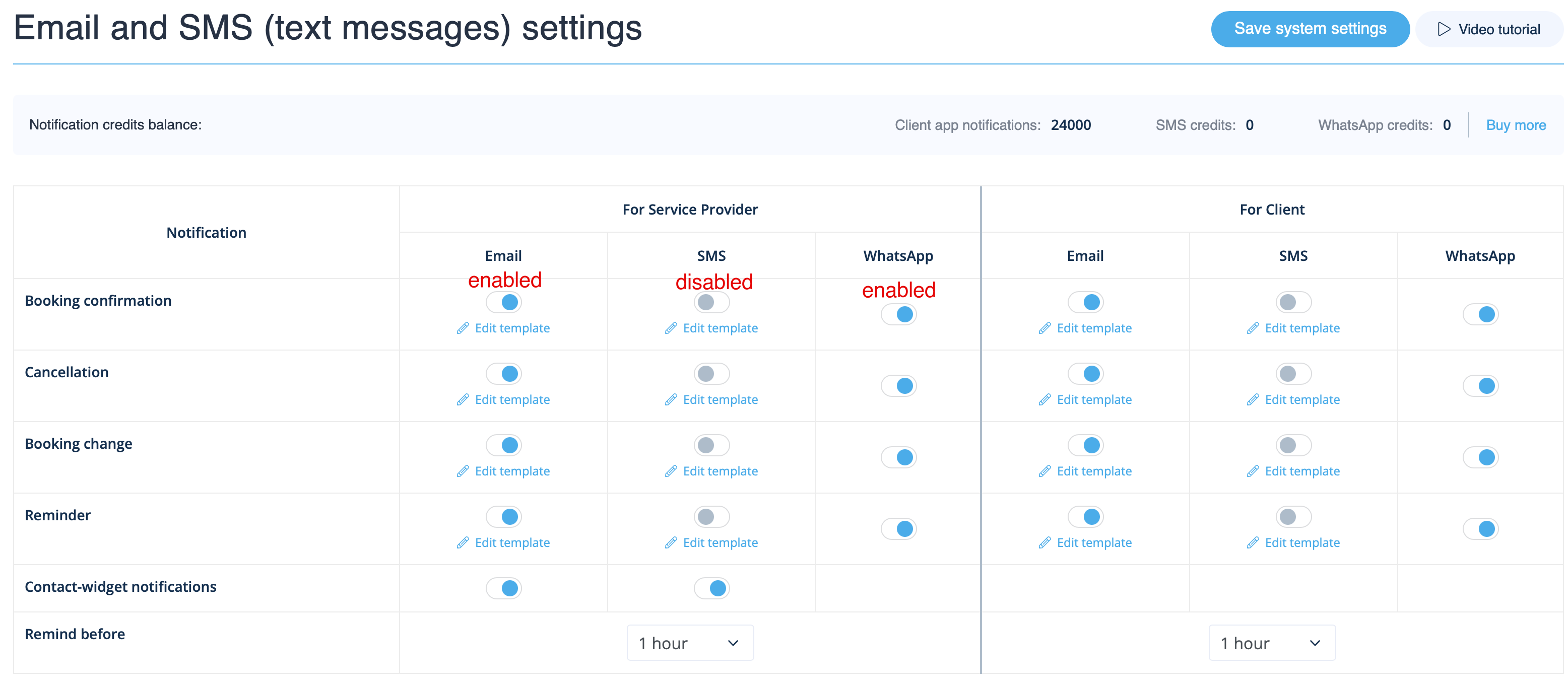
Gå till Inställningar -> E-post- och SMS-inställningar och markera/avmarkera motsvarande rutor för att skicka/inte skicka aviseringar. Du kan ändra texterna i aviseringarna så att de passar dina behov bättre genom att klicka på redigera mall, göra ändringar och spara systeminställningarna.
WhatsApp-meddelanden
Om du och dina kunder aktivt använder WhatsApp Messenger kan ni få bokningsrelaterade meddelanden där.
- Hur man använder
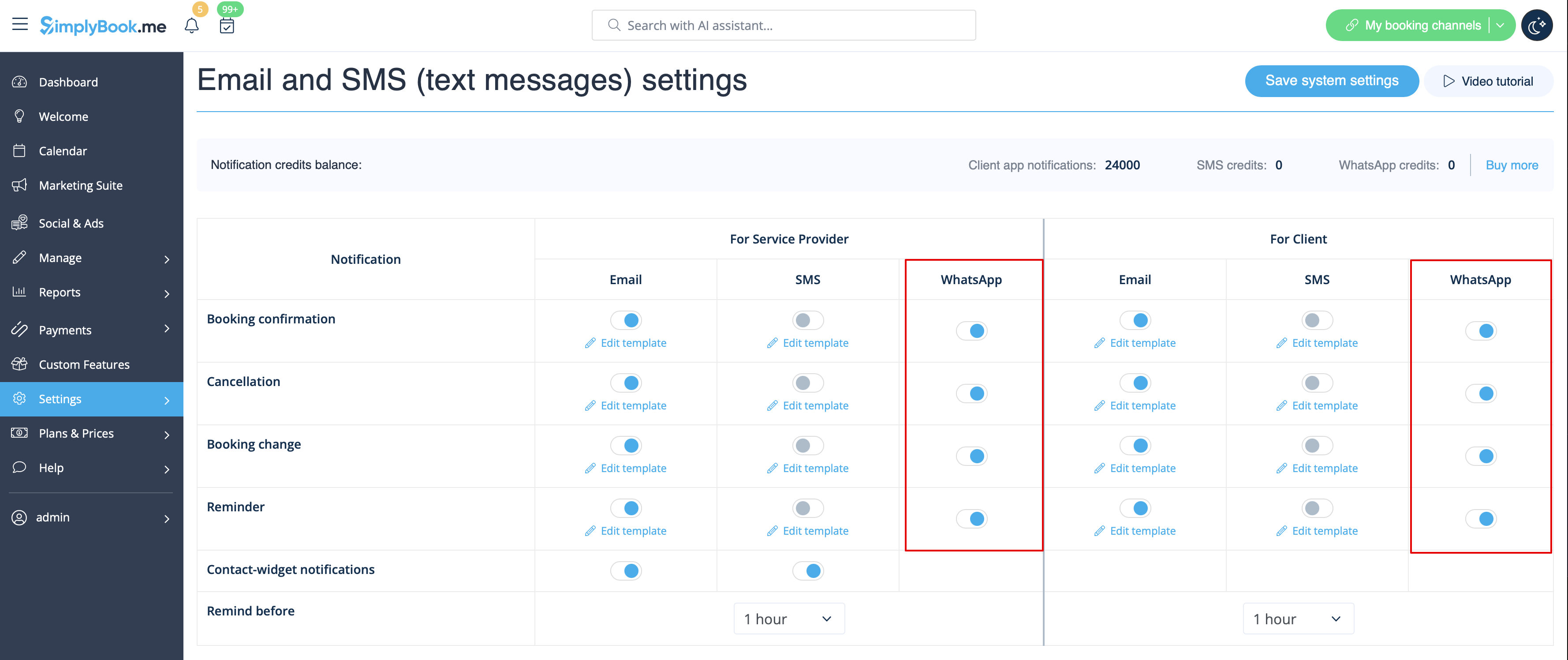
1. Aktivera önskade typer av WhatsApp-meddelanden i Inställningar -> E-post- och SMS-inställningar
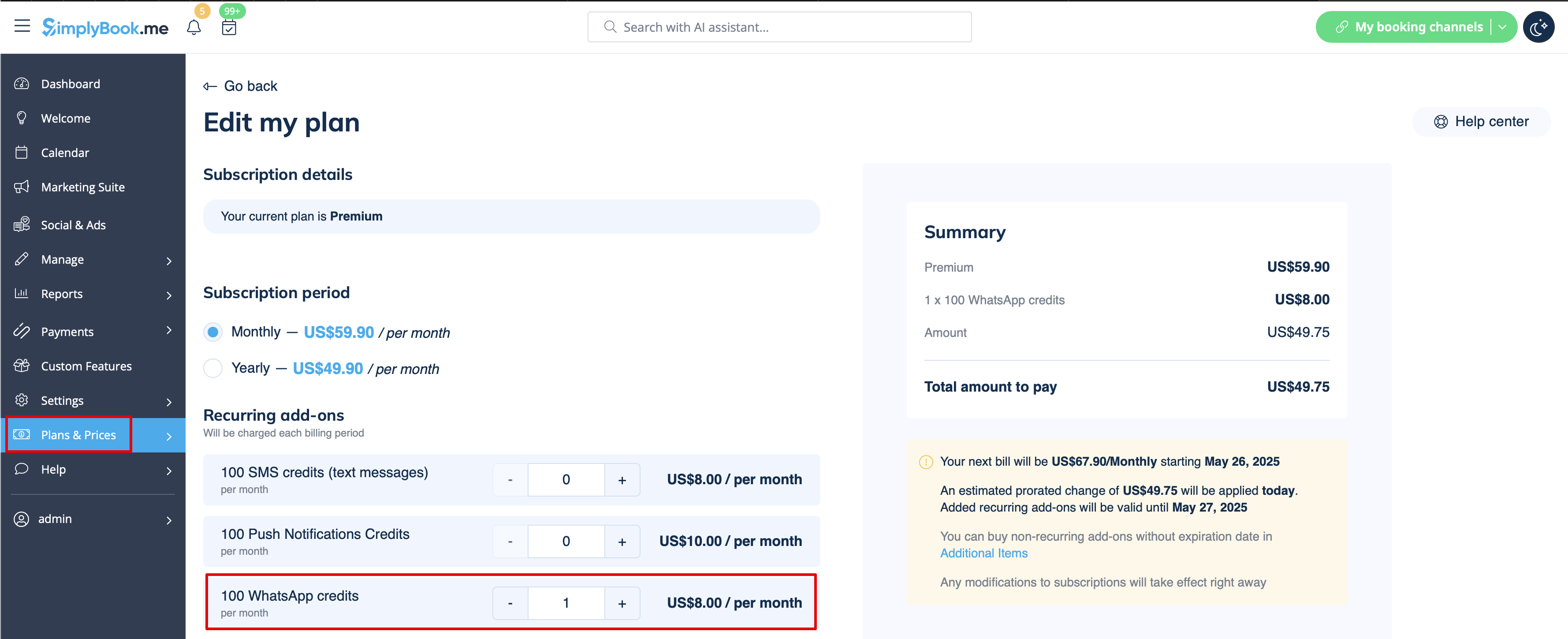
2. Köp WhatsApp-krediter i Planer och priser -> Abonnemang eller Tillägg beroende på om du vill att krediterna ska förnyas automatiskt med ditt abonnemang eller om du föredrar engångsköp.
(Du kan också se de meddelanden som har skickats från systemet samt antalet krediter som har använts i Rapporter -> SMS (txt-meddelanden) -> WhatsApp-aviseringar)
Observera! För att följa WhatsApps policy använder meddelanden förhandsgodkända mallar och kan inte anpassas. Dessa mallar täcker viktig information på ett tydligt och professionellt sätt.
Mobilapp för administratörer
Om du använder mobilappen för administratörer kan du få bokningsrelaterade meddelanden, såsom bokningsbekräftelser, påminnelser, bokningsändringar och avbokningar.
För att aktivera/inaktivera dessa meddelanden, gå till fliken Inställningar -> Hantera meddelanden i mobilappen för administratörer.
Hur man inaktiverar feedback
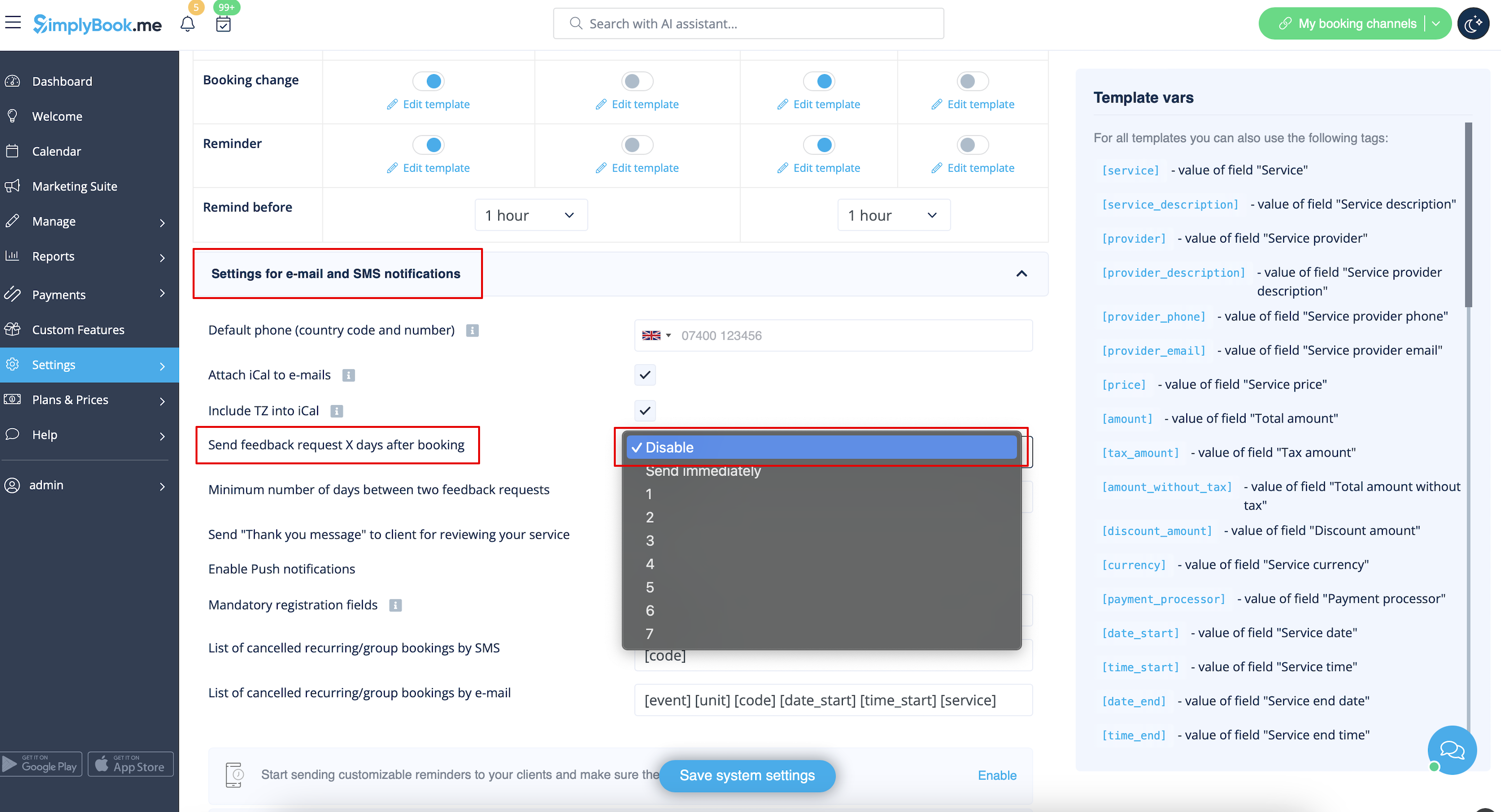
Du kan visa alla dina recensioner i fliken Rapporter -> Recensioner i menyn till vänster, radera eller svara på dem. Om du vill ta bort möjligheten att lämna en recension och inte skicka en begäran om feedback i Inställningar -> E-post- och SMS-inställningar -> Inställningar för e-post- och SMS-aviseringar -> ställ in Antal dagar tills begäran om feedback skickas till kunden på Inaktivera.
Anpassade funktioner relaterade till aviseringar
Följande anpassade funktioner har antingen egna meddelandetyper eller kan påverka de meddelanden som skickas av systemet:
Acceptera betalningar
Gör det möjligt att skicka:
- Fakturor till kunder (e-postmall)
- Meddelanden om misslyckade betalningar till kunder (e-postmall)
- Meddelanden om misslyckade betalningar till företaget (e-postmall)
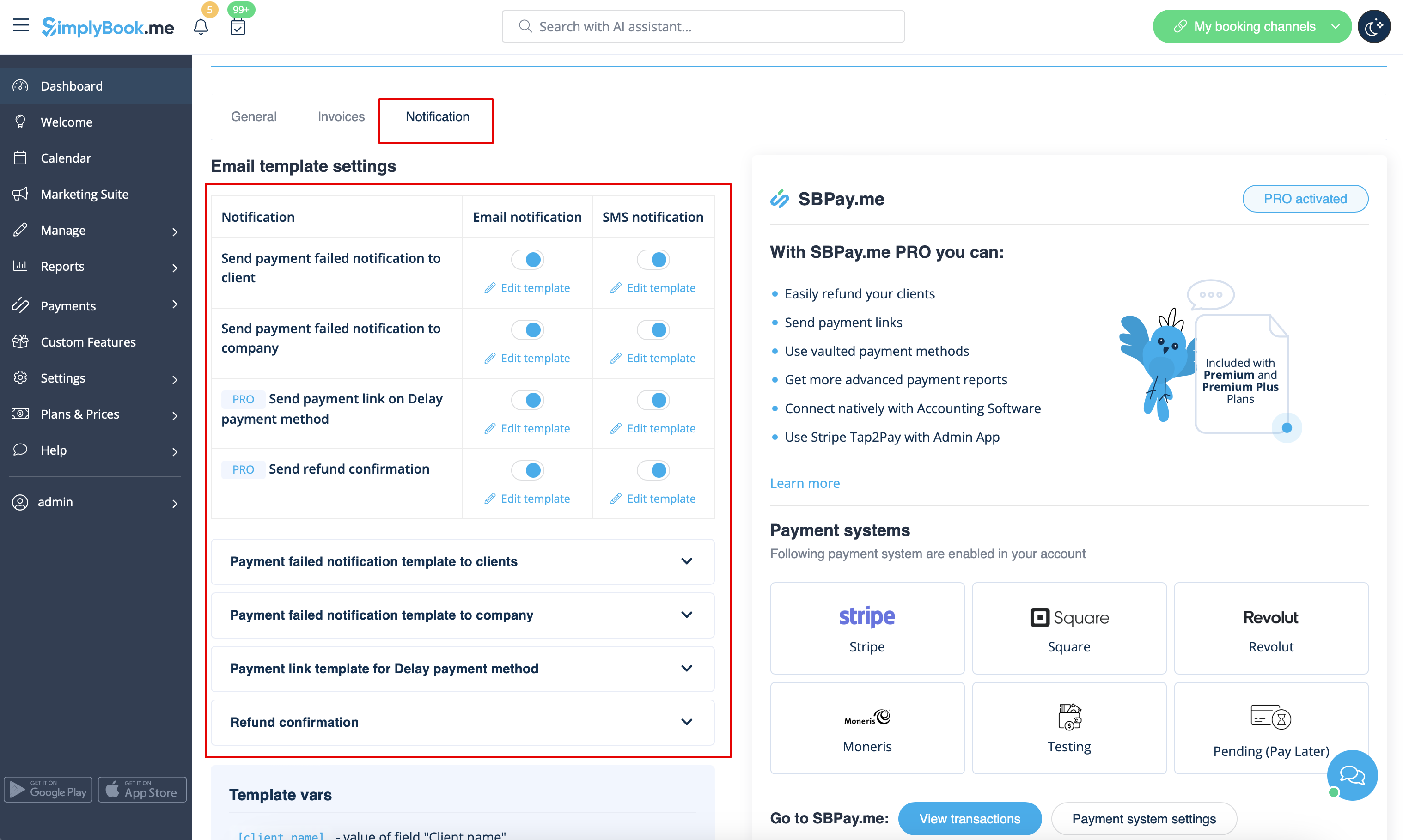
Alla dessa mallar kan redigeras i Anpassade funktioner -> Acceptera betalningar -> Inställningar -> E-postmallinställningar.
- Läs mer om hur denna anpassade funktion används.
Flera bokningar
Har egna mallar för:
- Bokningsbekräftelse till kund (mallar för e-post och SMS)
- Påminnelse om bokning till kund (mallar för e-post och SMS)
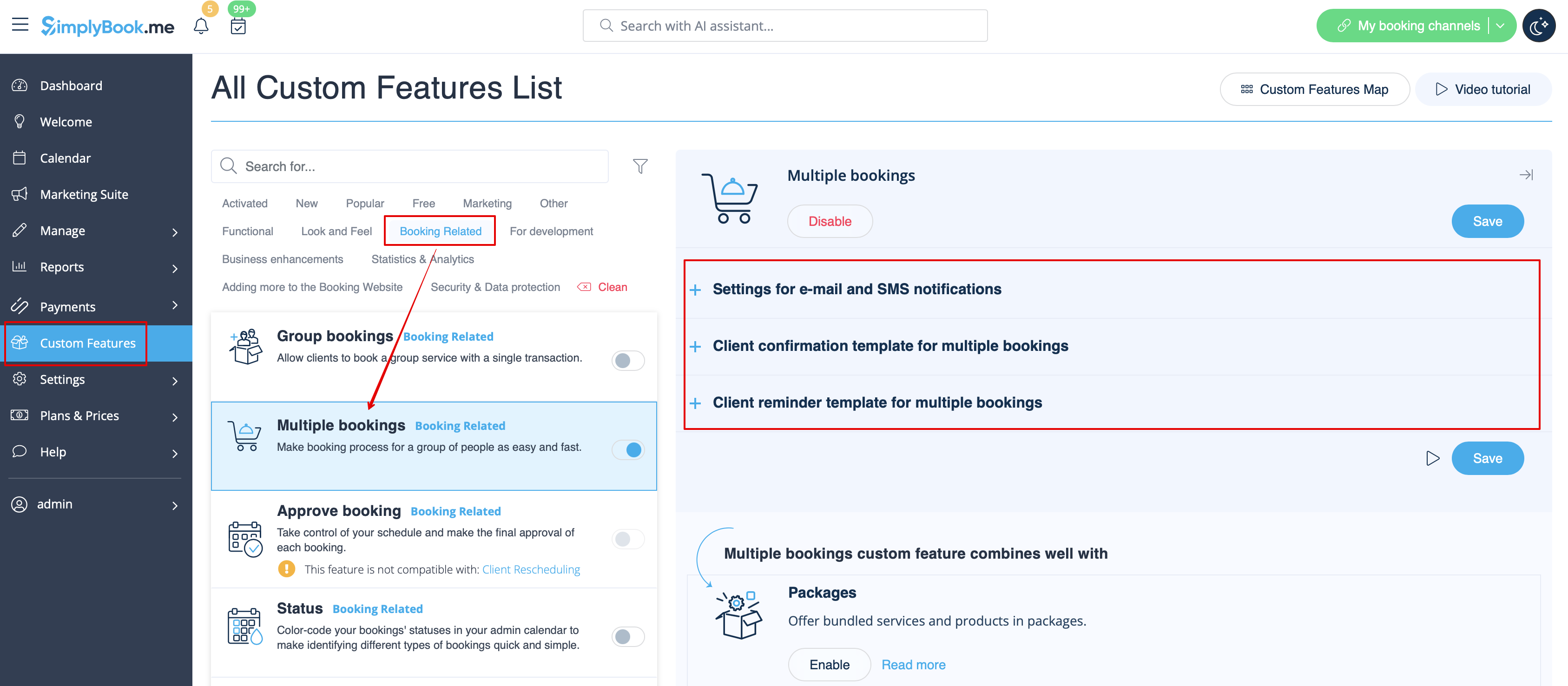
Båda typerna tillämpas automatiskt när denna anpassade funktion är aktiverad och kunderna gör flera bokningar samtidigt med knappen Lägg till ytterligare en tjänst i kassan. Malltexterna kan justeras i Anpassade funktioner -> Flera bokningar -> på höger sida av sidan.
- Läs mer om hur denna anpassade funktion används.
Gruppbokningar
Har särskilda mallar för följande typer:
- Bokningsbekräftelse till kund (mallar för e-post och SMS)
- Påminnelse om bokning till kund (mallar för e-post och SMS)
- Bokningsbekräftelse till leverantör (mallar för e-post och SMS)
- Påminnelse om bokning till leverantör (mallar för e-post och SMS)
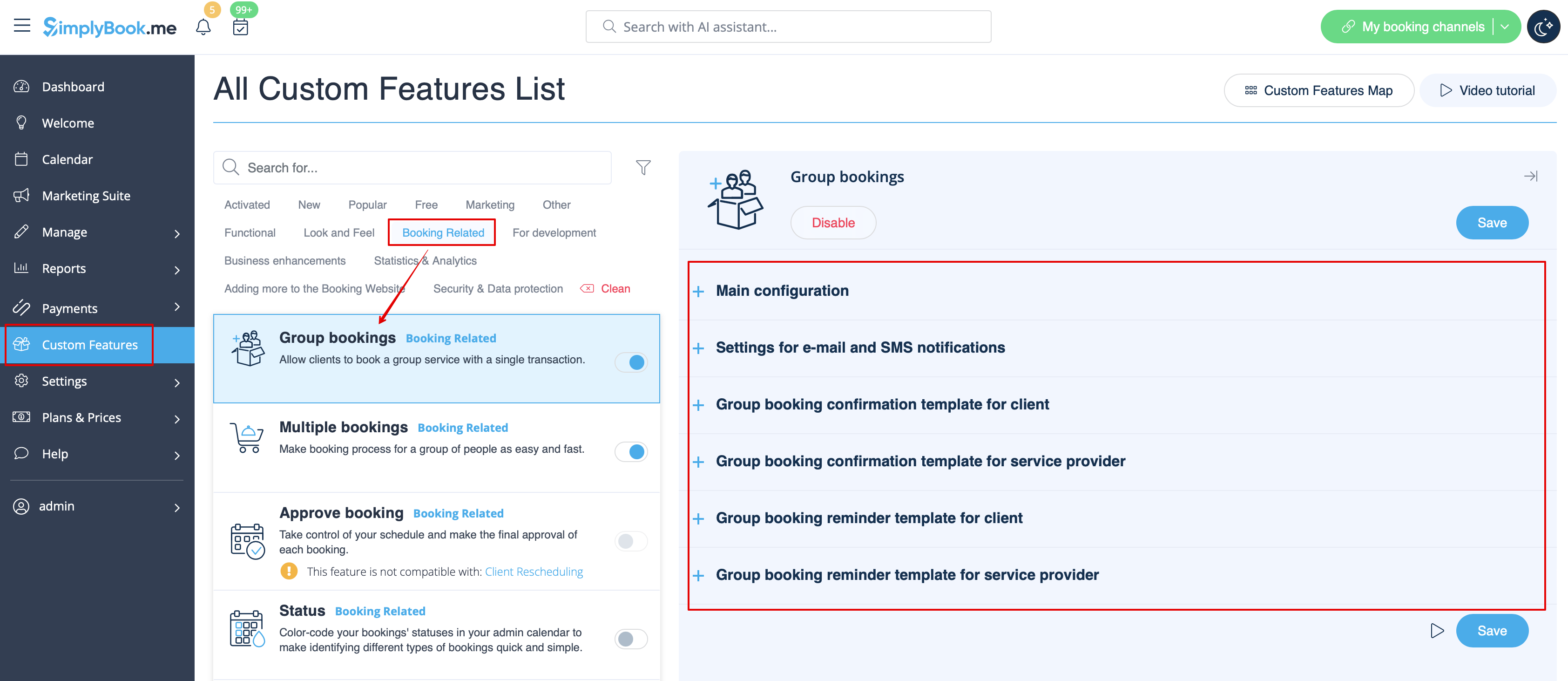
De tillämpas automatiskt när denna anpassade funktion är aktiverad och kunden bokar en tid genom att välja flera deltagare i tjänstesteget i bokningsprocessen. Alla mallar kan justeras i Anpassade funktioner -> Gruppbokningar -> på höger sida av sidan.
- Läs mer om hur denna anpassade funktion används.
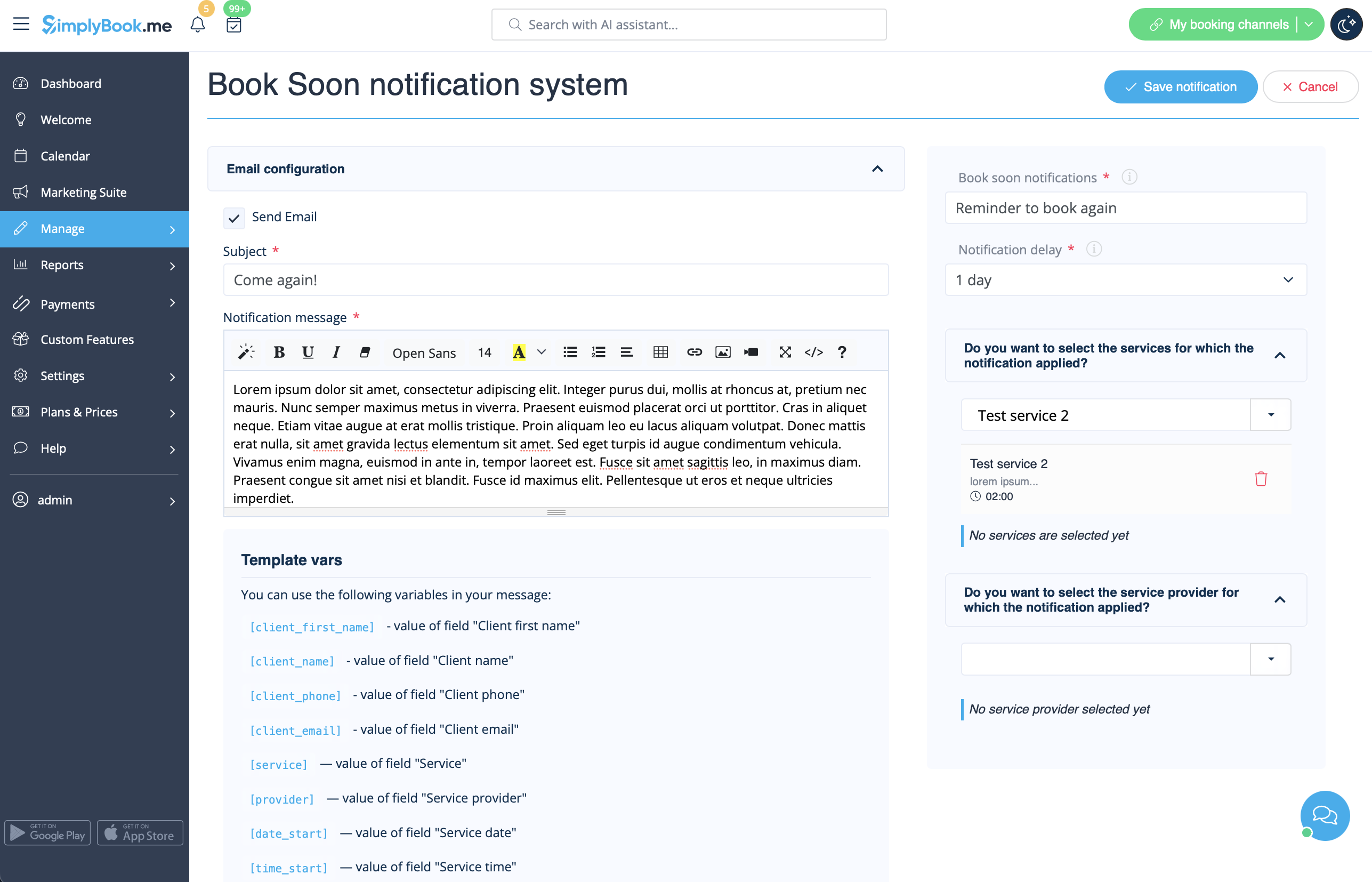
Meddelandesystem för snabb bokning
Gör det möjligt att skicka påminnelser om att komma tillbaka till kunder som har bokat tidigare.
Mallarna kan ställas in i Anpassade funktioner -> Book Soon-aviseringssystem -> Inställningar -> Lägg till ny för att skapa en ny mall (e-post och SMS).
Du kan skapa flera specifika mallar för vissa tjänster/leverantörer och de skickas när den angivna tiden har gått från kundens bokning.
- Läs mer om hur denna anpassade funktion används.
Kuponger och presentkort
Du kan skicka specifika meddelanden i följande fall när du använder denna anpassade funktion:
- Kunden köper ett presentkort på bokningswebbplatsen (e-post- och SMS-mallar)
Denna meddelandemall kan aktiveras/inaktiveras och redigeras i Anpassade funktioner -> Kuponger och presentkort -> på höger sida av sidan.
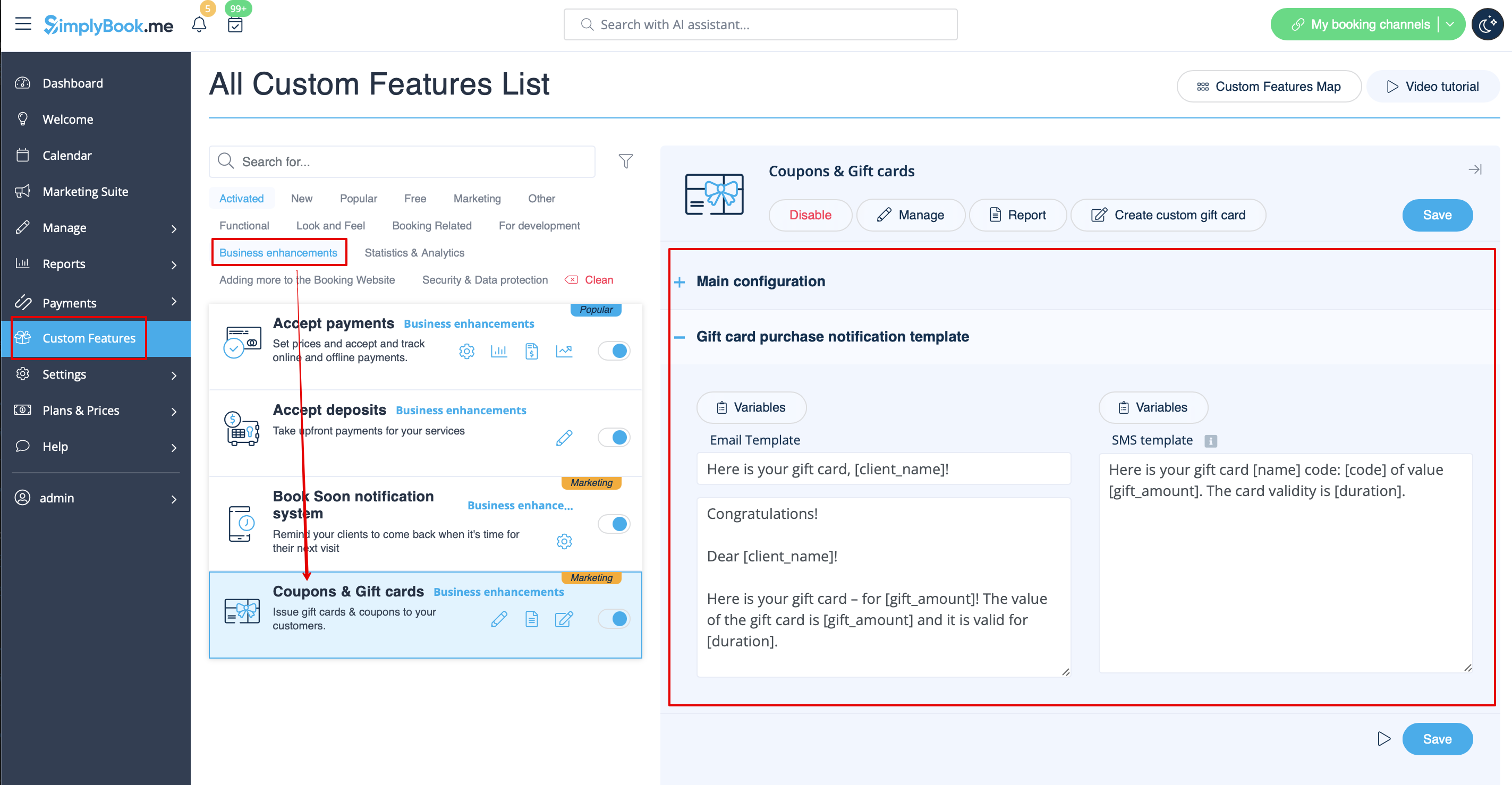
Om du manuellt utfärdar presentkort eller kuponger till dina kunder kan du också komma åt mallen som används i detta fall under Hantera -> Kuponger och presentkort -> Utfärda presentkort/skicka kupongmeddelande för önskat presentkort/kupong -> Skicka e-post/skicka SMS.
- Läs mer om hur du använder denna anpassade funktion.
Mobilapp för kunder
Om den här funktionen är aktiverad och kunden har tillåtit aviseringar kommer mobilappen att skicka push-aviseringar relaterade till bokningar.
Det finns ingen plats att redigera mallen, men du kan visa rapporten över aviseringar i Rapporter -> Rapport över push-aviseringar.
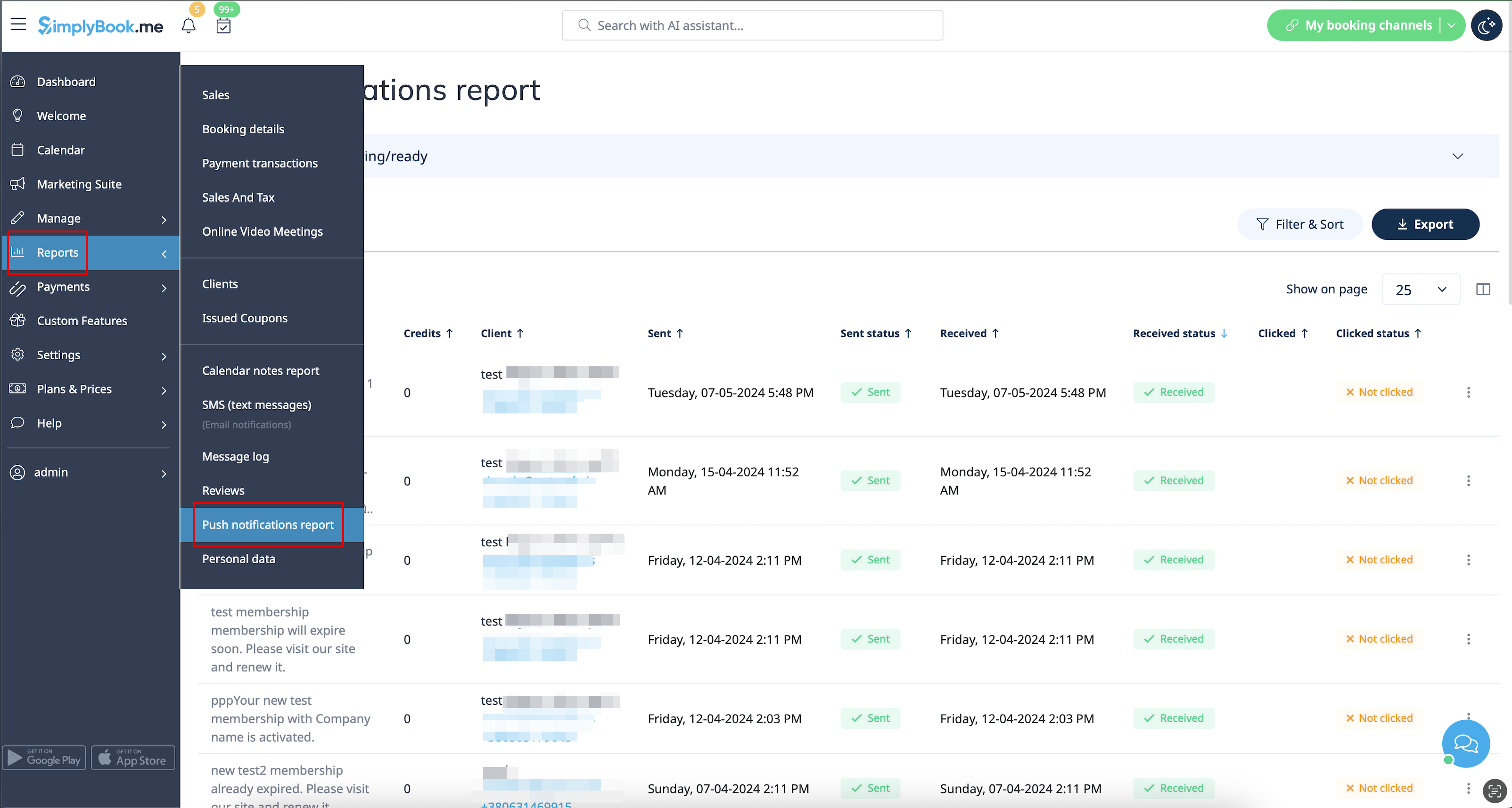
Observera! Du måste ha tillräckligt med push-meddelandekrediter för att kunna skicka sådana meddelanden till kunder
- Läs mer om hur du använder denna anpassade funktion.
Kundinloggning
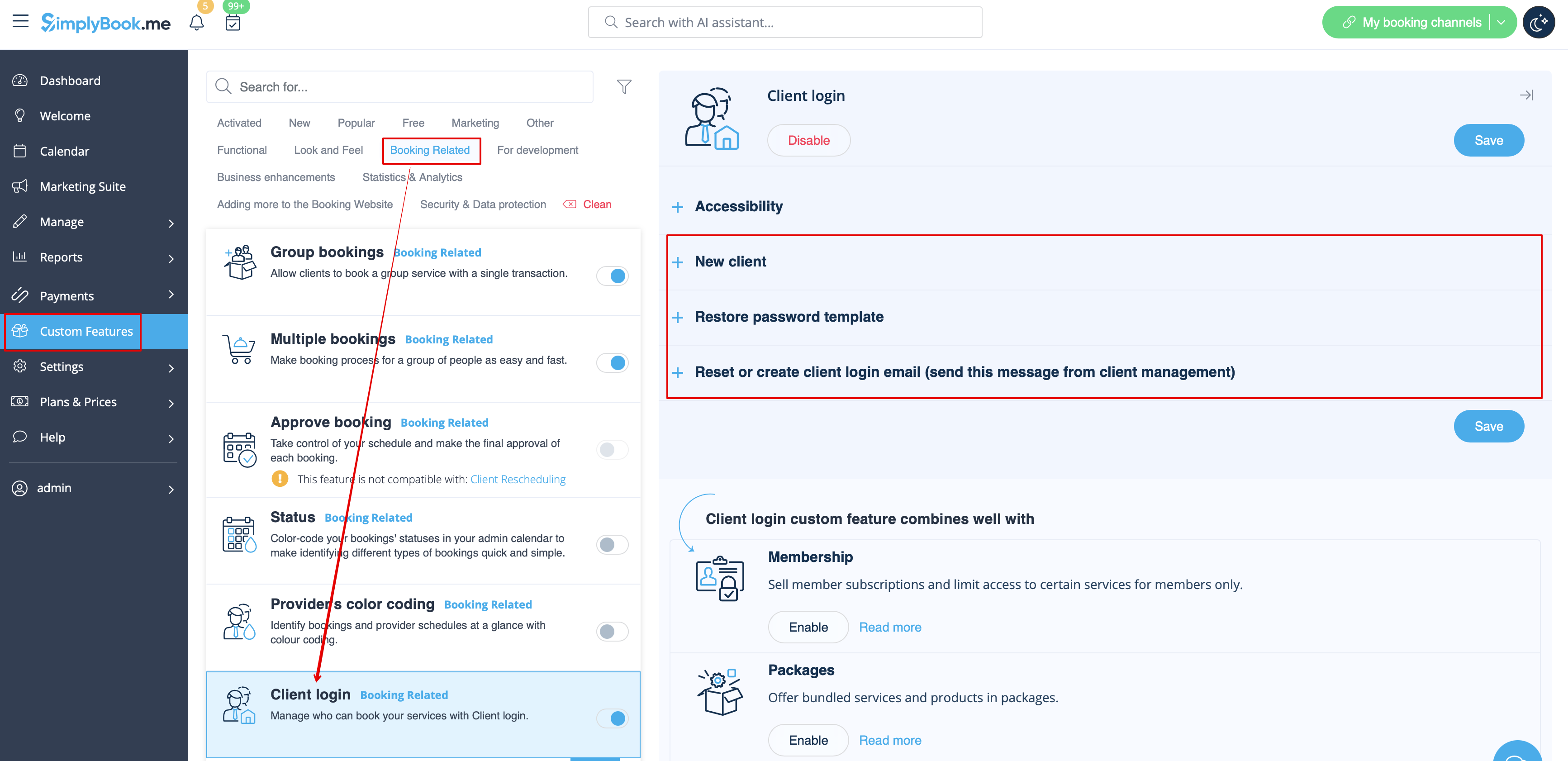
Om du vill att kunderna ska logga in/registrera sig för att kunna boka tid eller göra köp på din bokningswebbplats och har funktionen för anpassad kundinloggning aktiverad,
finns det tre typer av meddelanden som kan skickas till dina kunder (de kan inte inaktiveras):
- registrering av ny kund (e-post)
- återställ lösenord (e-post)
- återställ lösenord eller skapa kund från administratörsgränssnittet (e-post)
Du kan redigera mallarna i Anpassade funktioner -> Kundinloggning -> på höger sida av sidan.
- Läs mer om hur du använder denna anpassade funktion.
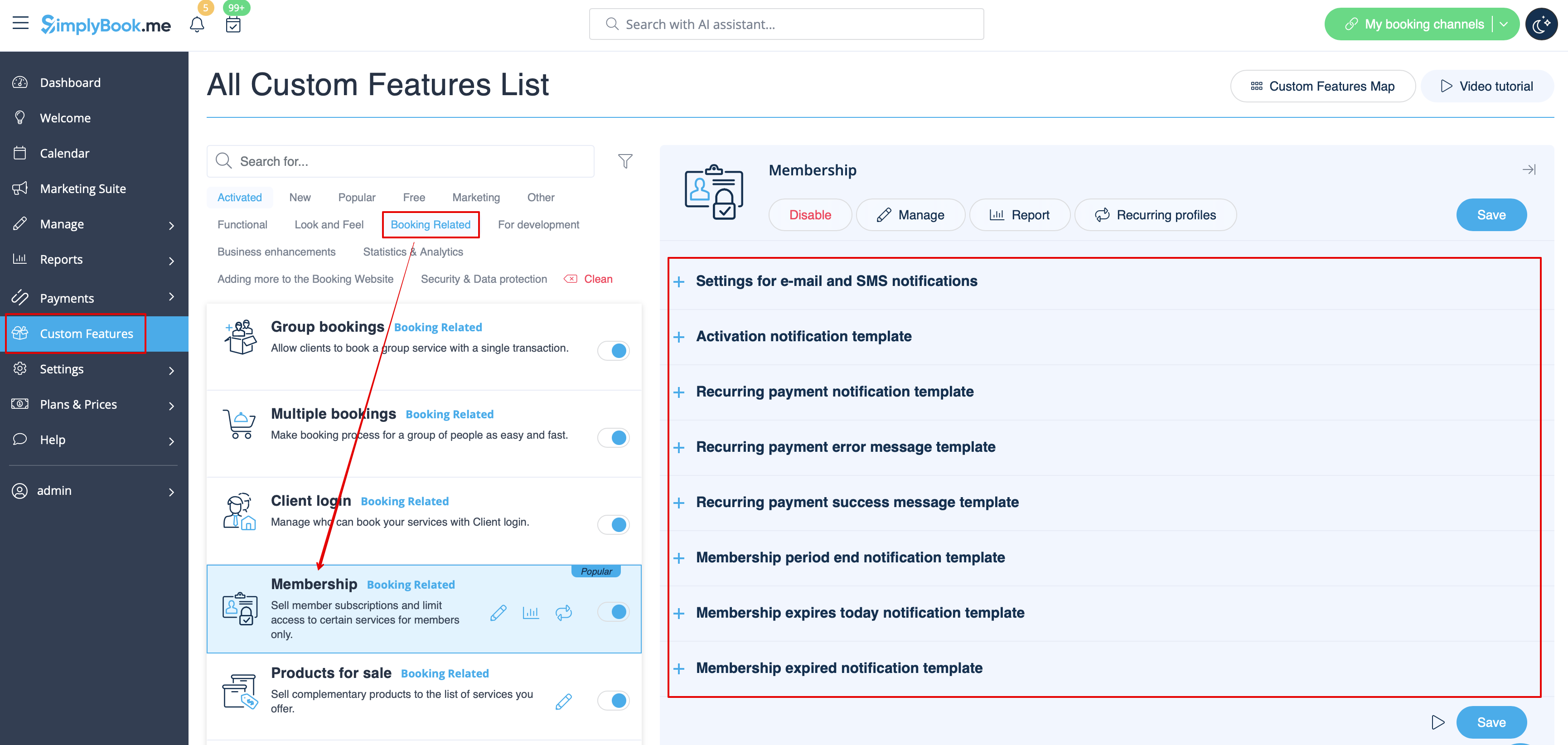
Medlemskap
När du säljer medlemskap på bokningswebbplatsen kan du också behöva informera dina kunder om olika punkter.
Denna anpassade funktion gör det möjligt att skicka:
- meddelande om aktivering av medlemskap (e-post- och SMS-mallar)
- meddelande om återkommande betalning (e-post- och SMS-mallar)
- felmeddelande om återkommande betalning (e-post- och SMS-mallar)
- meddelande om återkommande betalning har genomförts (e-post- och SMS-mallar)
- meddelande om att medlemskapsperioden har löpt ut (e-post- och SMS-mallar)
- meddelande om att medlemskapet löper ut idag (e-post- och SMS-mallar)
- meddelande om att medlemskapet har löpt ut (e-post- och SMS-mallar)
Du kan redigera mallarna samt aktivera/inaktivera vissa typer av meddelanden i Anpassade funktioner -> Medlemskap -> på höger sida av sidan.
- Läs mer om hur du använder denna anpassade funktion.
Flexibla aviseringar
Denna anpassningsbara funktion gör det möjligt att anpassa bokningsrelaterade meddelanden för en viss tjänst, leverantör eller båda.
Följande typer kan användas:
- bokningsbekräftelse till kund (e-post- och SMS-mallar)
- bokningsbekräftelse till leverantör (e-post- och SMS-mallar)
- påminnelse till kund (e-post- och SMS-mallar)
- påminnelse till leverantör (e-post- och SMS-mallar)
- avbokningsmeddelande till kund (e-post- och SMS-mallar)
- avbokningsmeddelande till leverantör (e-post- och SMS-mallar)
- meddelande om bokningsändring till kund (e-post- och SMS-mallar)
- meddelande om bokningsändring till leverantör (e-post- och SMS-mallar)
- bekräftelse av återkommande händelse till kund (e-post- och SMS-mallar)
- bekräftelse av återkommande händelse till leverantör (e-post- och SMS-mallar)
- meddelande om gruppbokningsavbokning till kund (e-post- och SMS-mallar)
- meddelande om gruppbokningsavbokning till leverantör (e-post- och SMS-mallar)
- bekräftelseav gruppbokning med flera bokningar till kund (e-post- och SMS-mallar)
- påminnelse om händelsemed flera bokningar till kund (e-post- och SMS-mallar)
- bekräftelseav gruppbokning med flera bokningar till kund (e-post- och SMS-mallar)
- bekräftelseav gruppbokning med flera bokningar till leverantör (e-post- och SMS-mallar)
- på minnelseom gruppbokning till kund (e-post- och SMS-mallar)
- gruppbokningar påminnelse till leverantör (e-post- och SMS-mallar)
Du kan skapa alla önskade mallar i Anpassade funktioner -> Flexibla aviseringar -> Hantera.
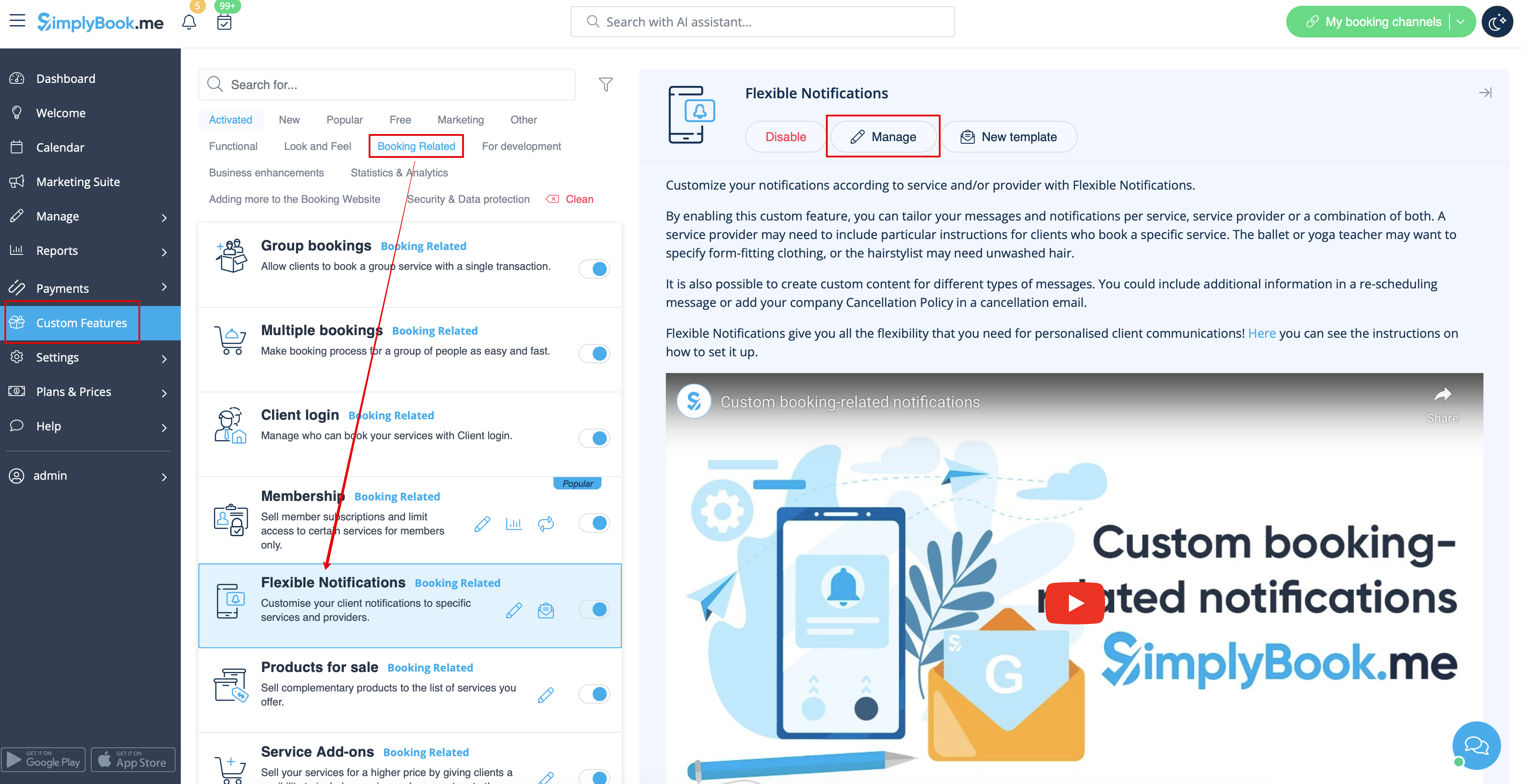
Om du behöver aktivera/inaktivera några av dessa aviseringstyper, gå till Inställningar -> E-post- och SMS-inställningar -> och använd tabellen högst upp på sidan.
Observera! Detta är allmänna inställningar för bokningsaviseringar, så om du inaktiverar några av dem kommer det också att påverka liknande typer relaterade till andra funktioner (dvs. om du inaktiverar bokningsbekräftelser till leverantörer där kommer vanliga bekräftelser, samt grupp- och återkommande batchbekräftelser att inaktiveras).
- Läs mer om hur du använder denna anpassade funktion.
Paket
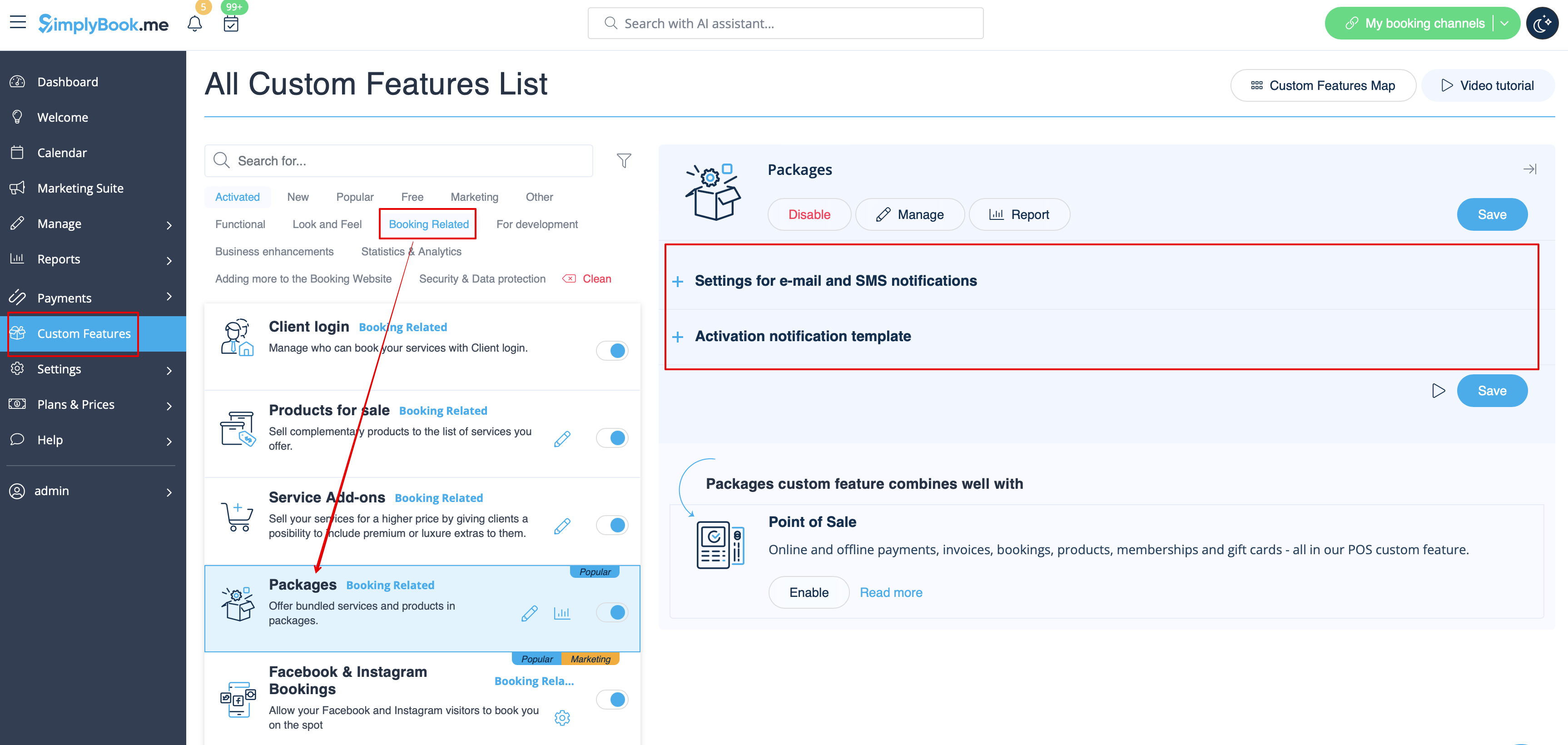
När du säljer paket med tjänster/klasser/produkter/tjänsttillägg eller utfärdar paket från administratörssidan är det också möjligt att automatiskt skicka kunderna ett meddelande om aktivering av paketet (e-post och/eller SMS).
För att redigera malltexten eller aktivera/inaktivera meddelandena, gå till Anpassade funktioner -> Paket -> höger sida av sidan.
- Läs mer om hur du använder denna anpassade funktion.
Biljetter
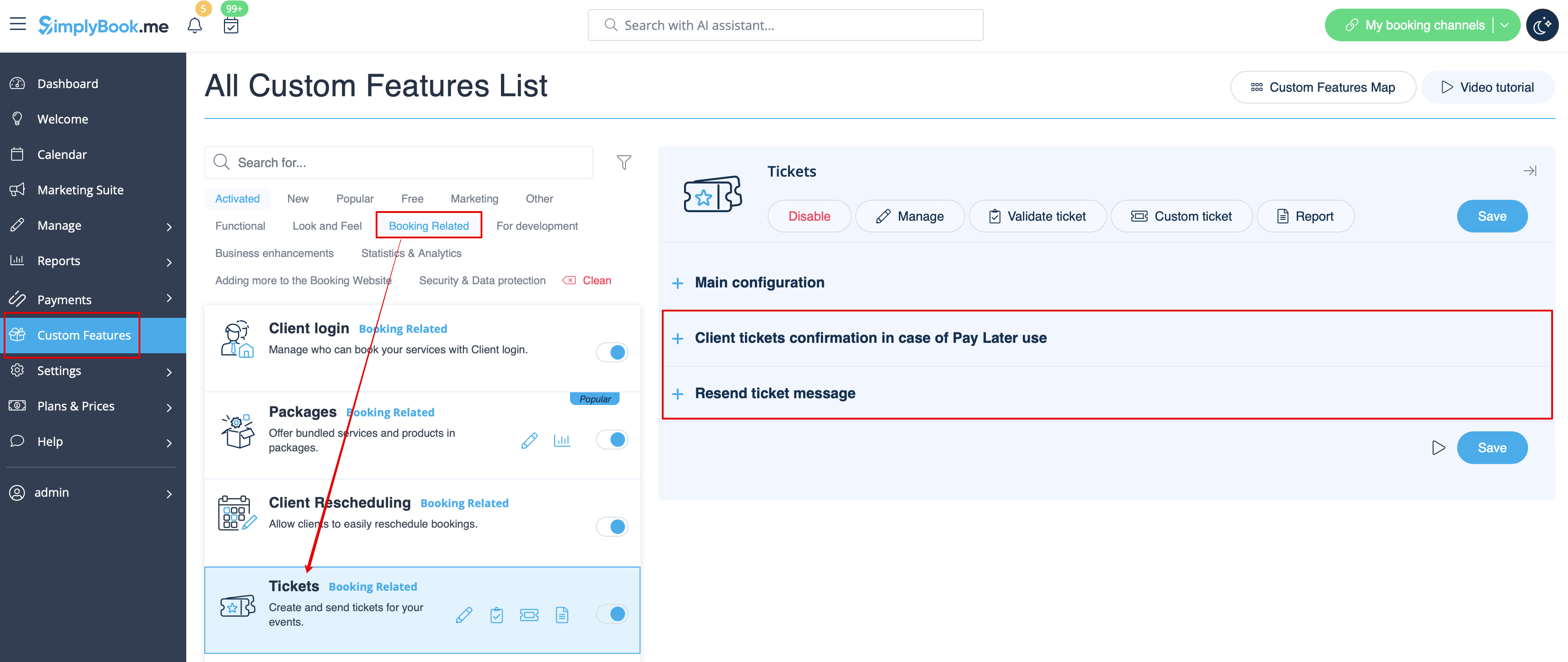
Som standard skickas biljetten automatiskt till kundens e-postadress tillsammans med motsvarande bekräftelsemejl för tjänsten.
Men om du använder onlinebetalningar och tillåter att kunden väljer alternativet "betala senare " på bokningswebbplatsen och kunden väljer det,
skickas biljetten i detta fall med ett separat e-postmeddelande.
Du kan också skicka biljetten till kunden igen i vissa fall (detta är möjligt i Rapporter -> Biljettrapport).
Båda meddelandemallarna kan redigeras i Anpassade funktioner -> Biljetter -> på höger sida av sidan. Endast e-posttyper är tillgängliga.
- Läs mer om hur du använder denna anpassade funktion.
Anpassad e-post
Gör det möjligt att anpassa utseendet på e-postmeddelanden så att de matchar ditt varumärke och din smak.
För att skapa dina egna designer, gå till Anpassade funktioner -> Anpassad e-post -> Skapa mall.
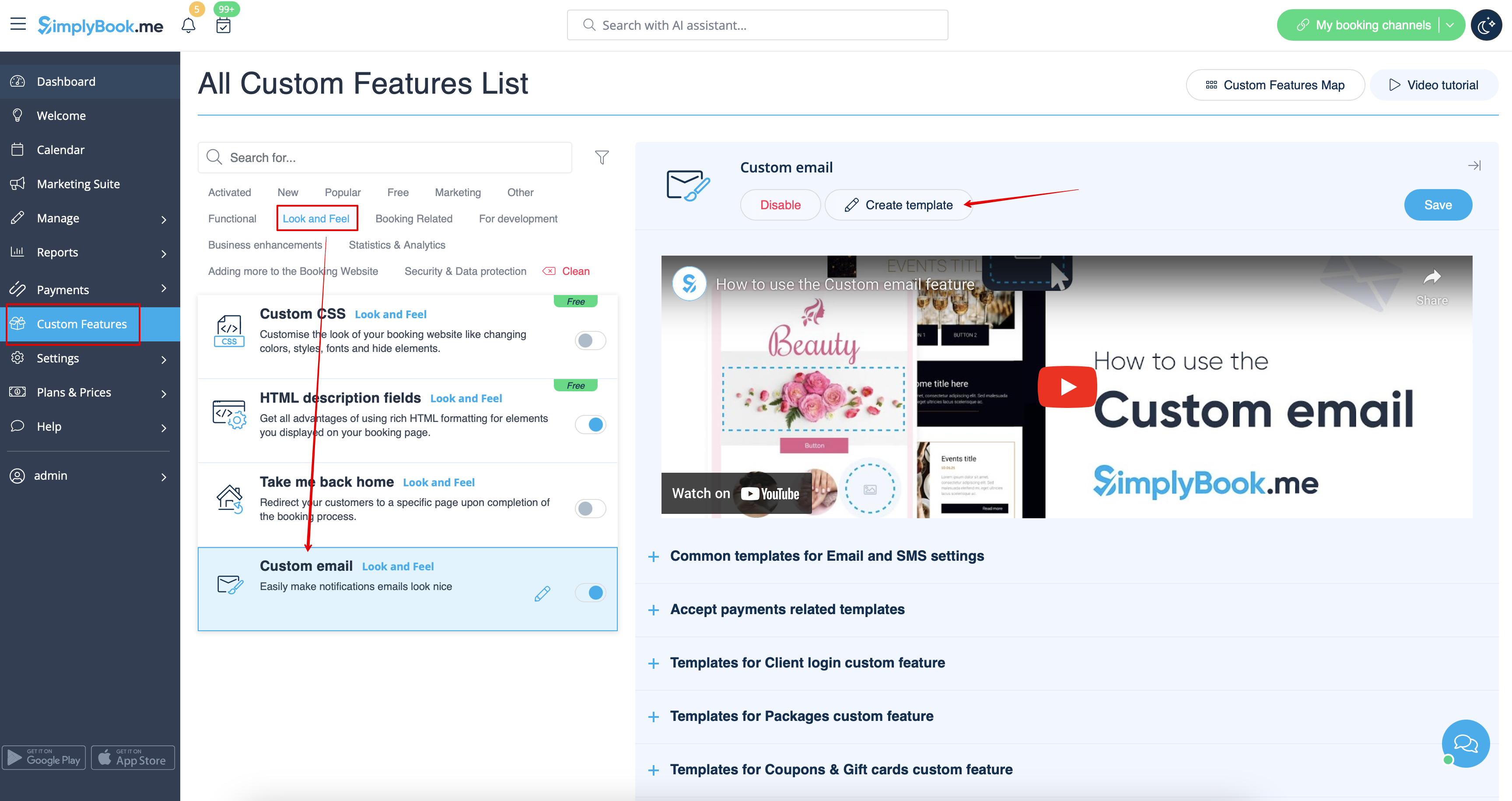
Med hjälp av denna anpassningsfunktion kan du påverka utseendet på följande typer av meddelanden:
- vanliga bokningsrelaterade meddelanden från Inställningar -> E-post- och SMS-inställningar;
- faktura-e-postmeddelanden från anpassad funktion för godkännande av betalningar;
- anpassademeddelanden för gruppbokningar;
- anpassade meddelandenför flera bokningar;
- anpassade meddelandenför kundinloggning;
- anpassade meddelandenför medlemskap;
- anpassade meddelandenför paket;
- anpassademeddelanden för biljetter;
- anpassade meddelandenför kuponger och presentkort;
- anpassademeddelanden för medicinska tester;
- anpassademeddelanden för systemet för snabb bokning.
Denna funktion gör det möjligt att testa varje typ av meddelande med den fördefinierade designen.
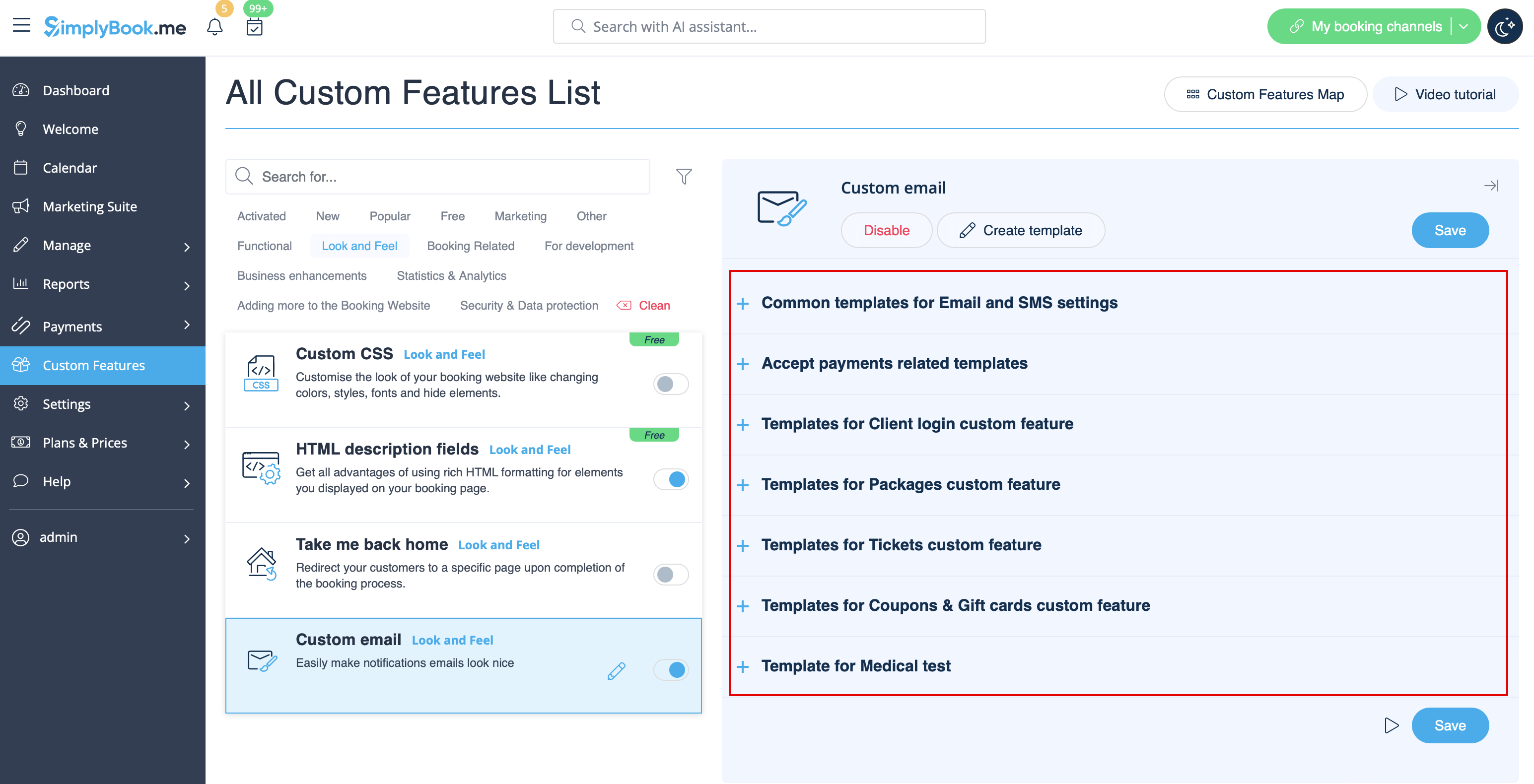
Taggen {{content}} som innehåller boknings-/köpinformationen kan redigeras i motsvarande funktionsinställningar.
- Läs mer om hur denna anpassade funktion används.
SMTP
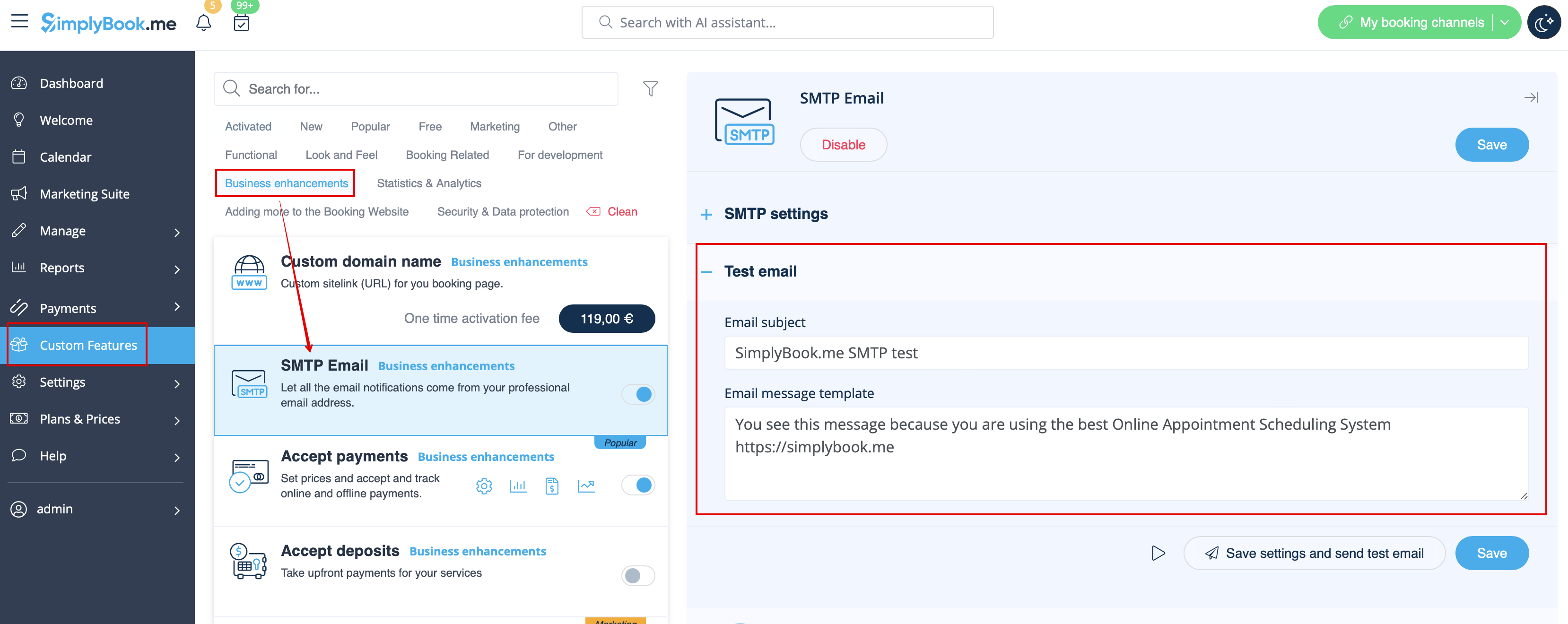
Denna funktion gör det möjligt att använda din egen SMTP-server för att skicka e-postmeddelanden.
Det finns endast en mall för att testa funktionen efter att du har angett inställningarna.
Du kan redigera och använda test-e-postmallen i Anpassade funktioner -> SMTP -> på höger sida av sidan.
- Läs mer om hur du använder denna anpassade funktion.
Daglig rapport
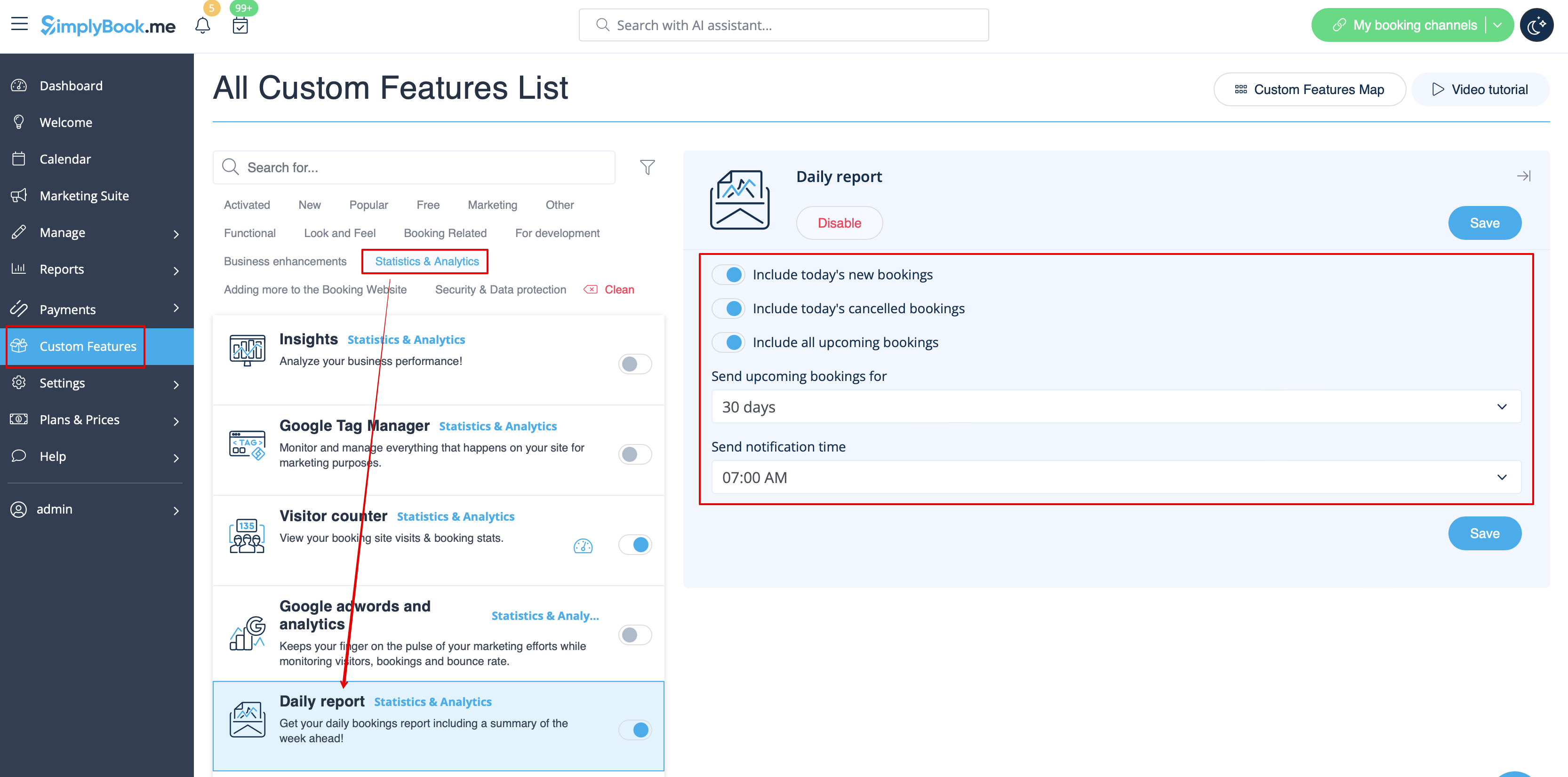
När du aktiverar och ställer in den här anpassade funktionen skickas automatiskt en e-postrapport om nya, kommande och avbokade möten till ditt företags e-postadress.
Det finns ingen mall att redigera som sådan, men du kan justera de poster som ingår i Anpassade funktioner -> Daglig rapport -> på höger sida av sidan.
- Läs mer om hur du använder denna anpassade funktion.
HIPAA
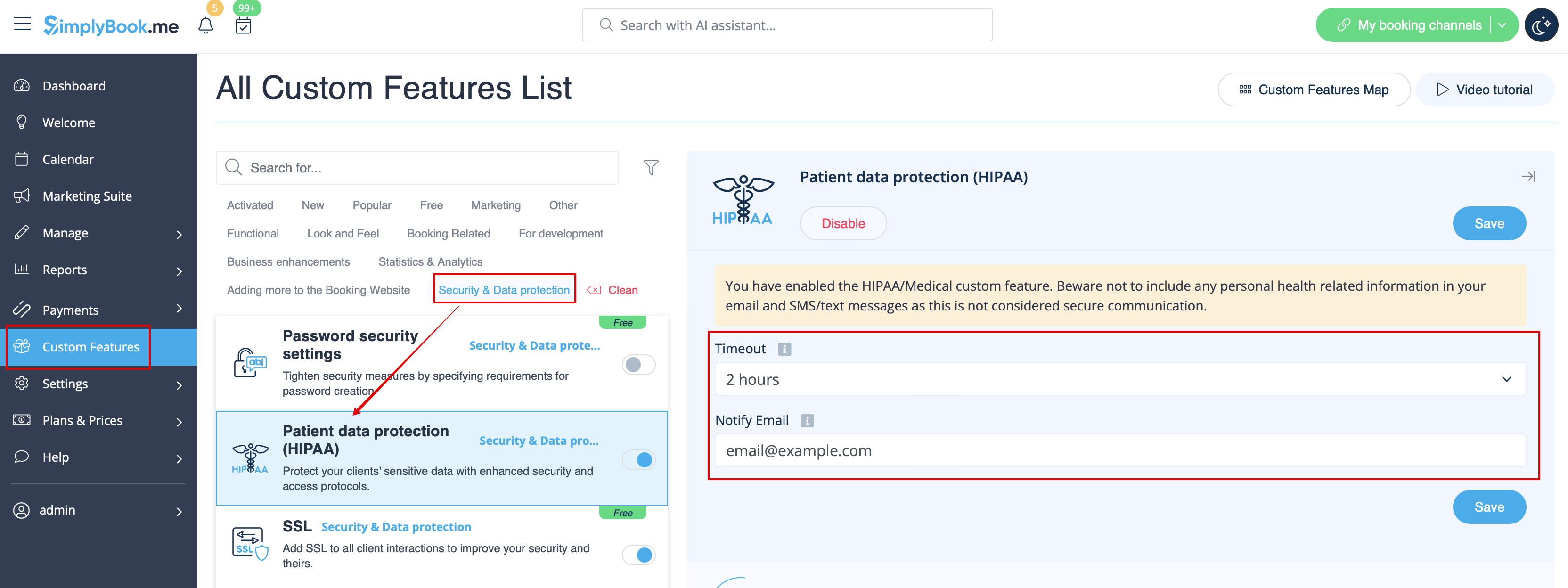
Detta är en säkerhetsrelaterad anpassad funktion som gör det möjligt att skicka e-postmeddelanden när någon loggar in på ditt system.
Den innehåller inga e-postmallar som kan redigeras och kan aktiveras/inaktiveras genom att lägga till/ta bort e-postadressen i Anpassade funktioner -> HIPAA -> höger sida av sidan -> Meddela e-post.
- Läs mer om hur denna anpassade funktion används.
Kontaktwidget
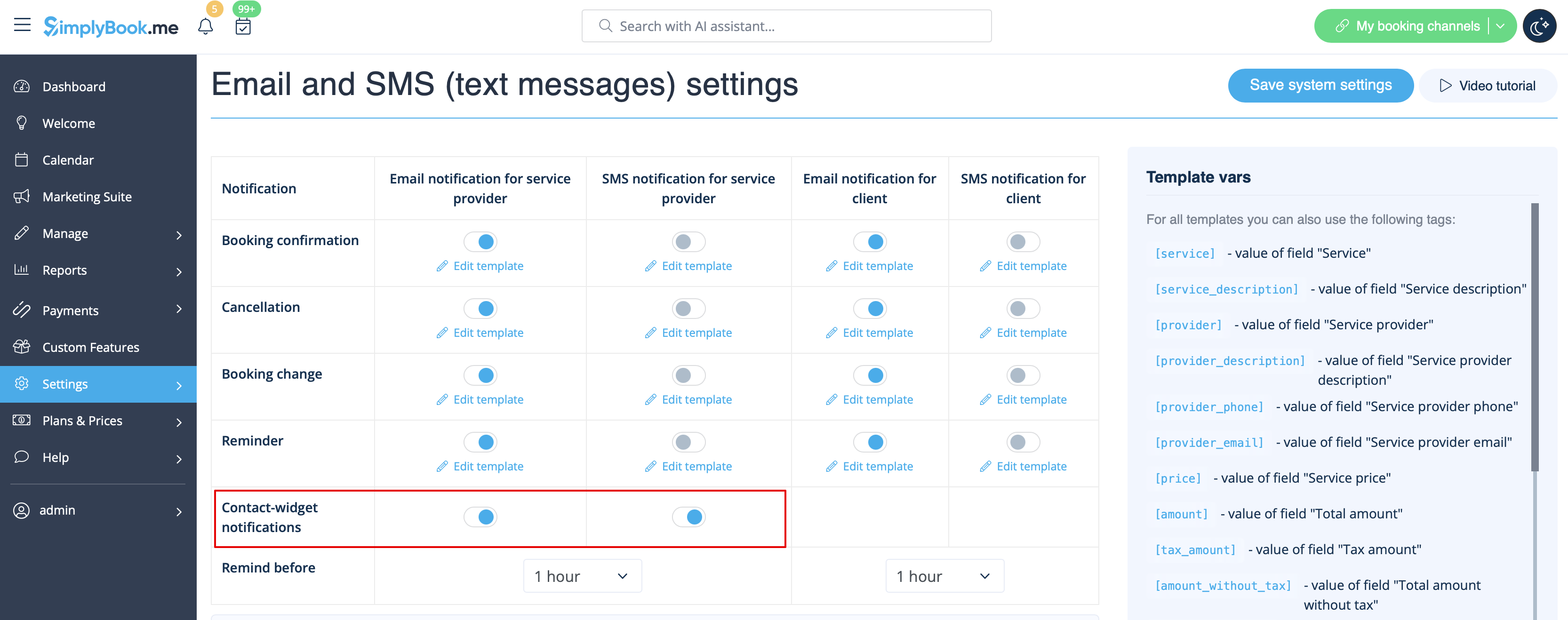
Eftersom denna anpassade funktion gör det möjligt att lägga till ett kontaktformulär på din bokningswebbplats eller skapa en kontaktknapp-widget, finns det också en e-post-/SMS-avisering till företaget som skickas när någon lämnar ett meddelande på bokningssidan eller i widgeten, så att du kan svara direkt. Det finns ingen mall att redigera, men du kan inaktivera sådana aviseringar i Inställningar -> E-post- och SMS-inställningar -> Kontaktwidget-aviseringar.
- Läs mer om hur du använder denna anpassade funktion.
Medicinsk test
När du använder den här anpassade funktionen måste du skicka testresultaten till patienternas e-postadresser.
I Anpassade funktioner -> Medicinsk test -> på höger sida av sidan kan du aktivera/inaktivera eller redigera följande mallar:
- positiva resultat (e-post- och SMS-mallar);
- negativa resultat (e-post- och SMS-mallar);
- oklara resultat (e-post- och SMS-mallar).
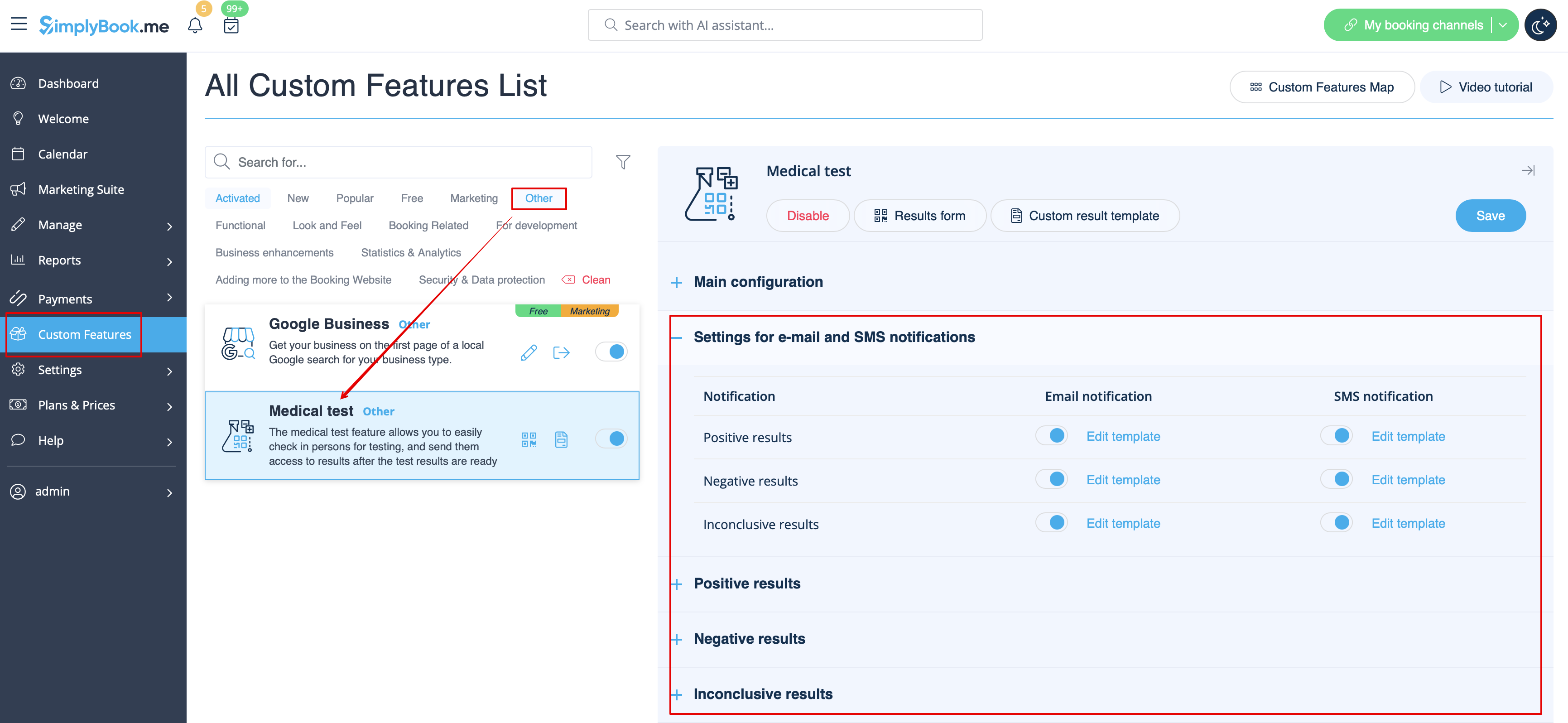
Om du behöver justera mallen för testresultat använder du alternativet Anpassad resultatmall ovanför mallarna.
- Läs mer om hur du använder denna anpassade funktion.
Vad är variabler?
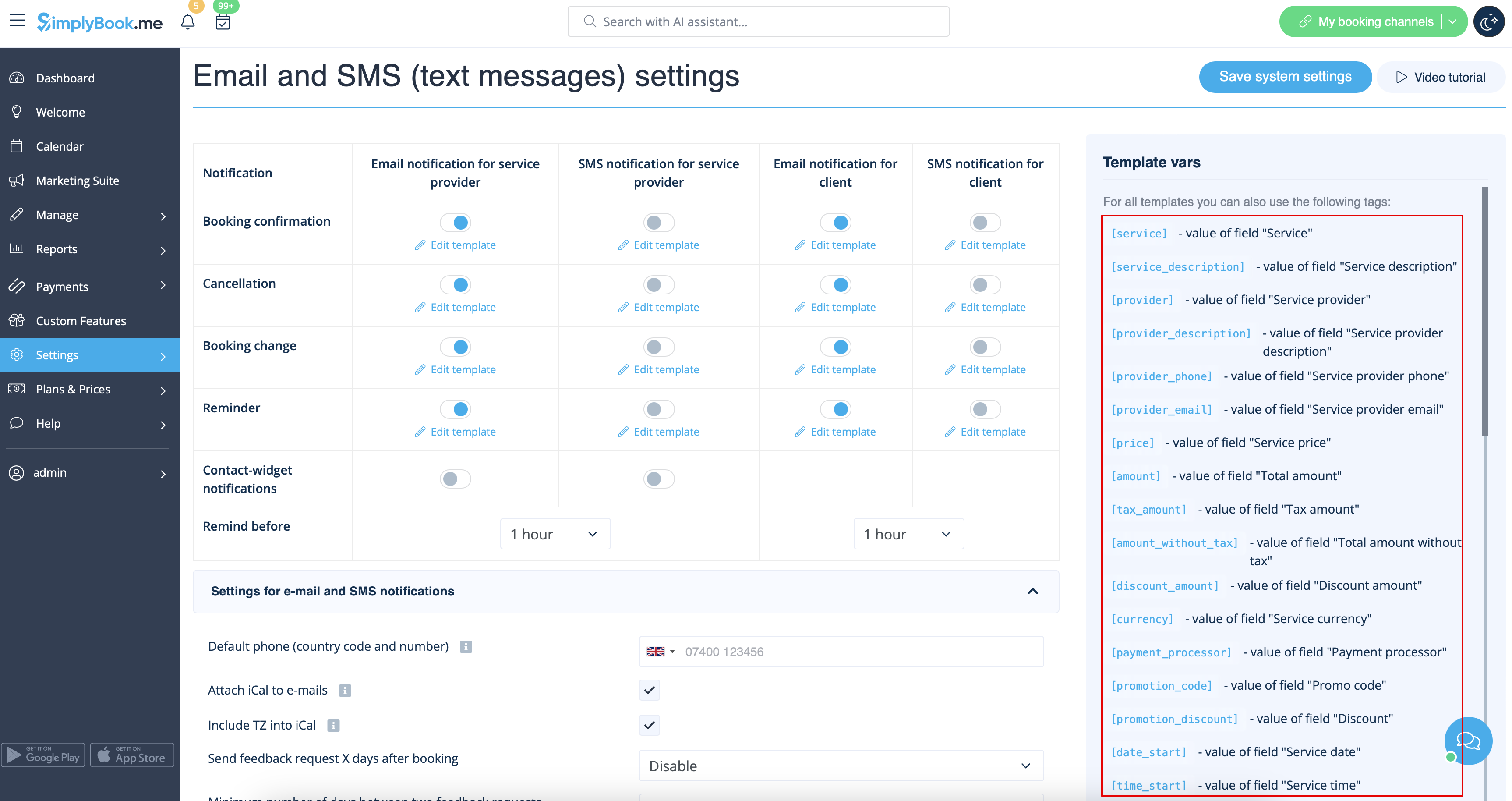
Variabler är element som kan infogas i e-post- och sms-mallar (Inställningar -> E-post- och SMS-inställningar). Dessa variabler anger det valda objektet efter att bokningen har gjorts. Du har till exempel två leverantörer: Mary och John. I e-postmallen infogar du texten "Du har bokat en tjänst med [leverantör]". Om kunden valde leverantören Mary på bokningssidan skulle de få följande text: "Du har bokat en tjänst med Mary". Om de valde John skulle de få texten "Du har bokat en tjänst med John"
Du kan alltid hitta de variabler som kan användas med en viss typ av meddelande nära mallen, antingen på höger sida av sidan eller i popup-fönstret som du kommer åt genom att klicka på knappen "Variabler".
iCals och hur man använder dem
I Inställningar -> E-post- och SMS-inställningar kan du markera rutan Bifoga iCal till e-postmeddelanden så kommer e-postmeddelanden att innehålla en fil i .isc-format. När du klickar på den filen öppnas den i en av dina kalendrar (Google Kalender, iCalendar etc.)
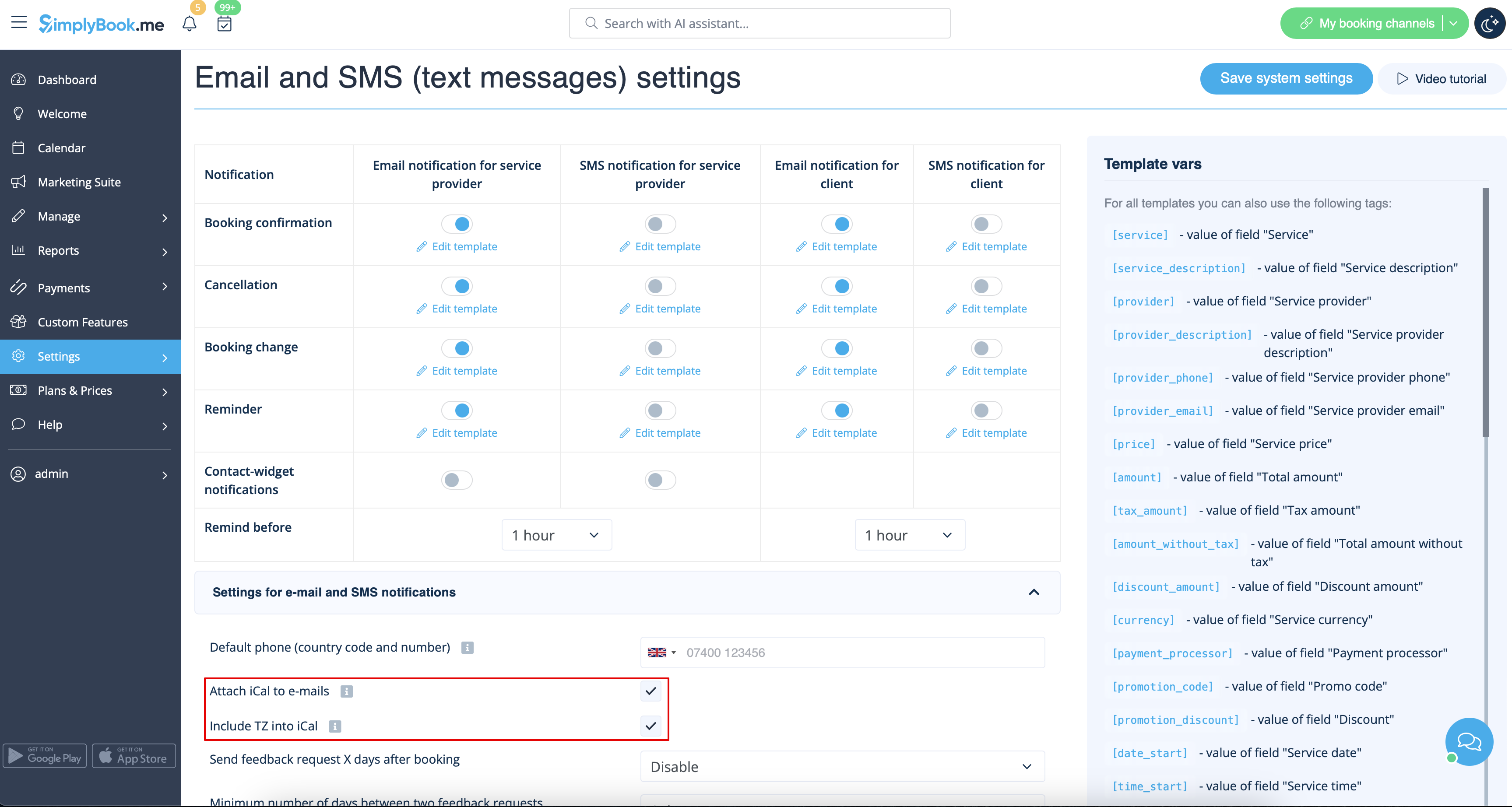
- Observera att iCal-filer inte har någon inställd tidszon, så tiden i den filen visas enligt IP-adressen/enhetens inställningar.
Kunder/leverantörer får inga aviseringar
- Möjliga orsaker
- 1. Motsvarande rutor i Inställningar -> E-post- och SMS-inställningar är inte markerade.
- 2. Kunden/leverantören har angett fel e-postadress eller telefonnummer.
- 3. E-postmeddelandet hamnade i skräpposten (spam) eller på fliken Sociala. Se instruktionerna för vitlista här.
- 4. SMTP-anpassningsfunktionen är inte korrekt inställd.
- 5. Om sms inte kommer, kontrollera ditt sms-saldo i Planer och priser -> Abonnemang längst ner på sidan.
Kunder/leverantörer får felaktiga meddelanden
- 1. Kontrollera om du har aktiverat anpassade funktioner för Flera bokningar eller Gruppbokningar. Dessa anpassade funktioner har egna mallar.
- Mall för flera bokningar (Anpassade funktioner -> Flera bokningar -> på höger sida av sidan)
- Mall för gruppbokningar (Anpassade funktioner -> Gruppbokningar -> på höger sida av sidan)
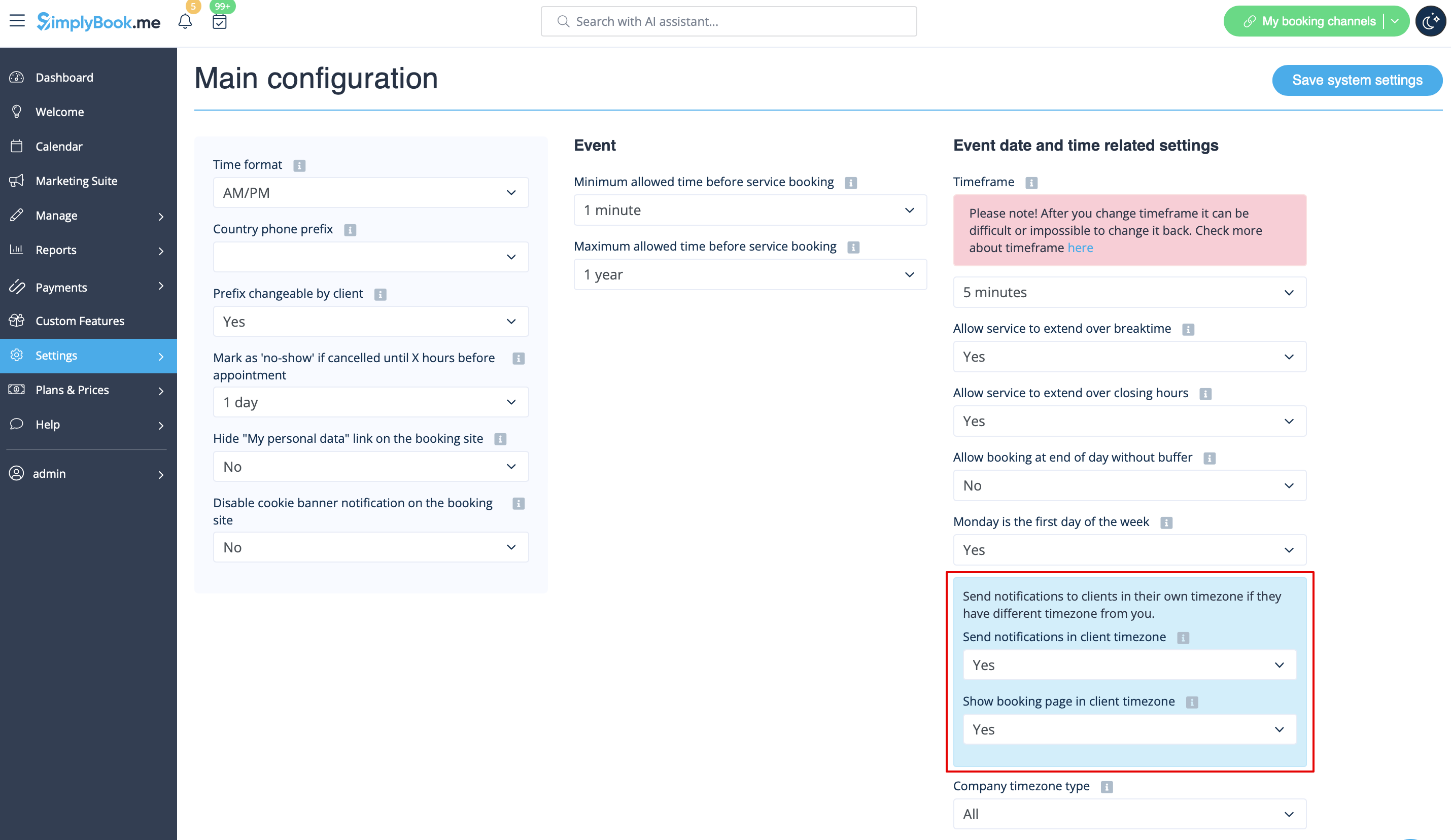
- 2. Kontrollera om du har tidszonsinställningar aktiverade i Inställningar -> Huvudkonfiguration. I så fall kan kunden ha valt fel tidszon och fått meddelanden i fel tidszon.
Instruktioner för vitlista för e-post
Här är några saker du kan göra för att säkerställa att du får alla viktiga e-postmeddelanden från teamet här på SimplyBook.me.
Du kan förvänta dig systemmeddelanden, till exempel när din prenumeration ska förnyas, meddelanden om bokningar och användbar information om olika saker, till exempel hur du får ut mesta möjliga av din SimplyBook.me-tjänst.
Trots att tekniken är fantastisk är den inte perfekt, och ibland misstar e-postsystem och internetleverantörer legitima e-postmeddelanden för skräppost. För att säkerställa att du inte missar viktig information från oss, vänligen vidta följande åtgärder:
Vänligen lägg till alla e-postmeddelanden som kommer från domänen @simplybook.me i din vitlista.
Varför? För att det talar om för din e-posttjänst eller ditt program att du faktiskt vill ha e-postmeddelanden från den här domänen, så att de kan se till att du får dem.
Hur? Det varierar mellan olika e-posttjänster och program, men nedan hittar du information om några av de vanligaste. Om du inte använder någon av dessa, vänligen se hjälpsidan för din tjänst för mer information.
Använda Gmail eller Gsuite
Filtrera meddelanden från @simplybook.me och ange att systemet aldrig ska skicka dem till skräpposten:
- 1. Gå till Inställningar (klicka på kugghjulsikonen längst upp till höger)

- 2. Välj fliken Filter och blockerade adresser

- 3. Längst ned på fliken klickar du på länken Skapa ett nytt filter

- 4. I fältet Från skriver du @simplybook.me
- 5. Klicka på Skapa filter med denna sökning längst ned till höger i fönstret

- 6. Markera rutan bredvid Skicka aldrig till skräppost
- 7. Klicka på den blå knappen som säger Skapa filter

Bra! Nu missar du ingenting från oss!
Och för att säkerställa att våra e-postmeddelanden inte hamnar i fliken Uppdateringar eller Kampanjer:
- 1. Leta efter ett e-postmeddelande från SimplyBook.me i din inkorg
- 2. Klicka och dra den till fliken Primär i din inkorg

- 3. Du kommer att få frågan om du vill göra detta för framtida e-postmeddelanden, så svara ja

Använda Yahoo! Mail
- 1. När du öppnar ett e-postmeddelande, håll muspekaren över avsändarens namn.
- 2. Klicka på de tre punkterna i avsändarens informationsfönster som visas och klicka på Lägg till i kontakter.

- 3. När formuläret Lägg till kontakt visas klickar du på Spara.

Använda Mac Mail
- 1. Välj Mail -> Inställningar i toppmenyn

- 2. Välj sedan ikonen Regler, klicka på Lägg till regel och skriv ett namn för regeln i beskrivningsfältet. Använd följande inställningar:

- 3. "Om något av följande villkor är uppfyllt: Från innehåller". I textfältet bredvid Innehåller skriver du @simplybook.me

- 4. Välj Flytta meddelande och Inkorg i rullgardinsmenyerna och klicka sedan på OK för att spara regeln.
Using Outlook
- 1. Right-click on the message in your inbox.
- 2. Select Junk E-mail from the menu.
- 3. Click Never Block Sender or Never Block Sender's Domain (@example.com).

Great, you’re all set! We look forward to being in touch and seeing your business blossom!
