Created page with "<br><br> -------------" |
Created page with "= Звіт про продажі = Доступний у розділі «Звіти» // «Звіт про продажі». Він містить різні графіки, таблиці та діаграми статистики продажів.<br> Цей звіт допоможе вам проаналізувати: *популярні джерела доходу; *платіжні системи, які найчастіше використовують ваші..." |
||
| Line 345: | Line 345: | ||
[[File:New gift cards report.png|1200px | center|link=https://help.simplybook.me/images/1/1e/New_gift_cards_report.png]] | [[File:New gift cards report.png|1200px | center|link=https://help.simplybook.me/images/1/1e/New_gift_cards_report.png]] | ||
<br><br> | <br><br> | ||
------------- | ------------- | ||
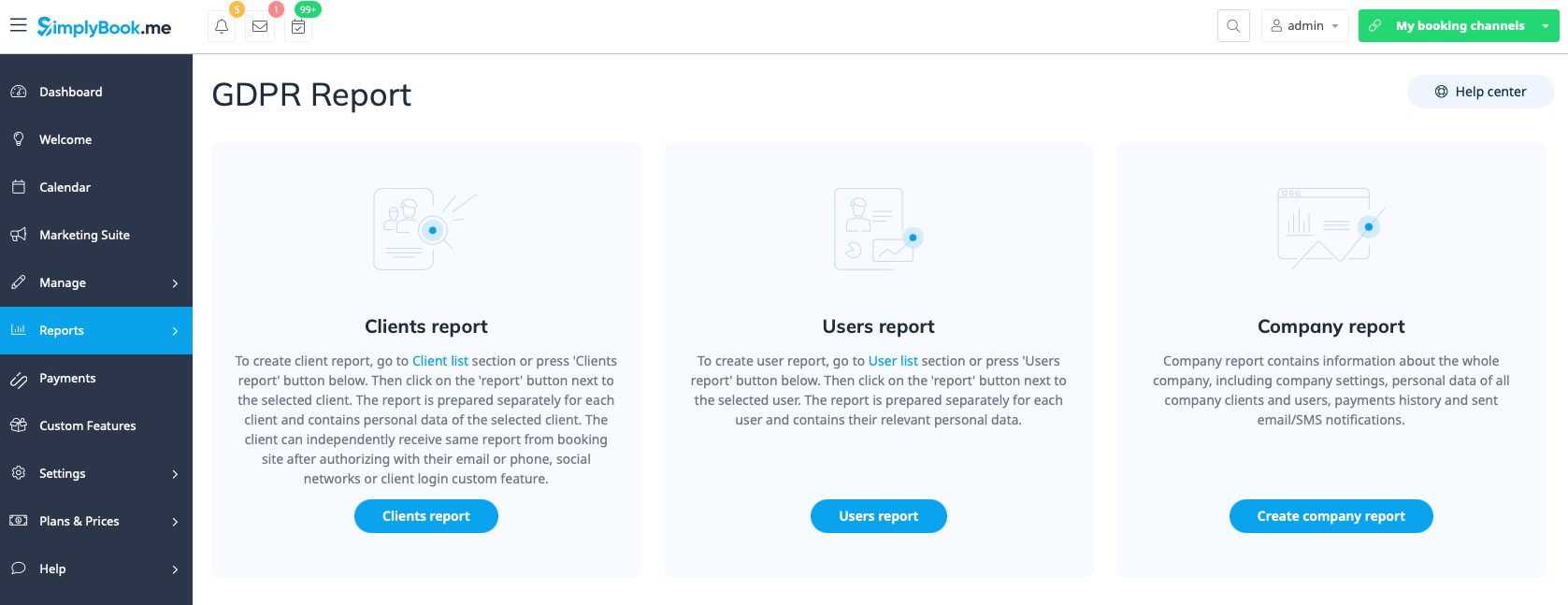
= Звіти про особисті дані = | |||
Доступні в розділі «Звіти» // «Звіти про персональні дані» після повторного введення пароля.<br> | |||
Вони поділені на три розділи: « | |||
*» (Звіт про клієнтів); « | |||
*» (Звіт про користувачів); « | |||
* | *» (Звіт про компанію). | ||
* | У кожному розділі ви можете отримати детальну інформацію про дані, що зберігаються в системі про відповідний об'єкт.<br> | ||
* | Наприклад, ви можете створити звіт про клієнта або співробітника, який запросив інформацію, а потім надати йому/їй ці деталі.<br><br> | ||
[[File:New gdpr report.png|1200px| center|link=https://help.simplybook.me/images/f/fa/New_gdpr_report.png]] | [[File:New gdpr report.png|1200px| center|link=https://help.simplybook.me/images/f/fa/New_gdpr_report.png]] | ||
<br><br> | <br><br> | ||
Revision as of 09:19, 19 May 2025
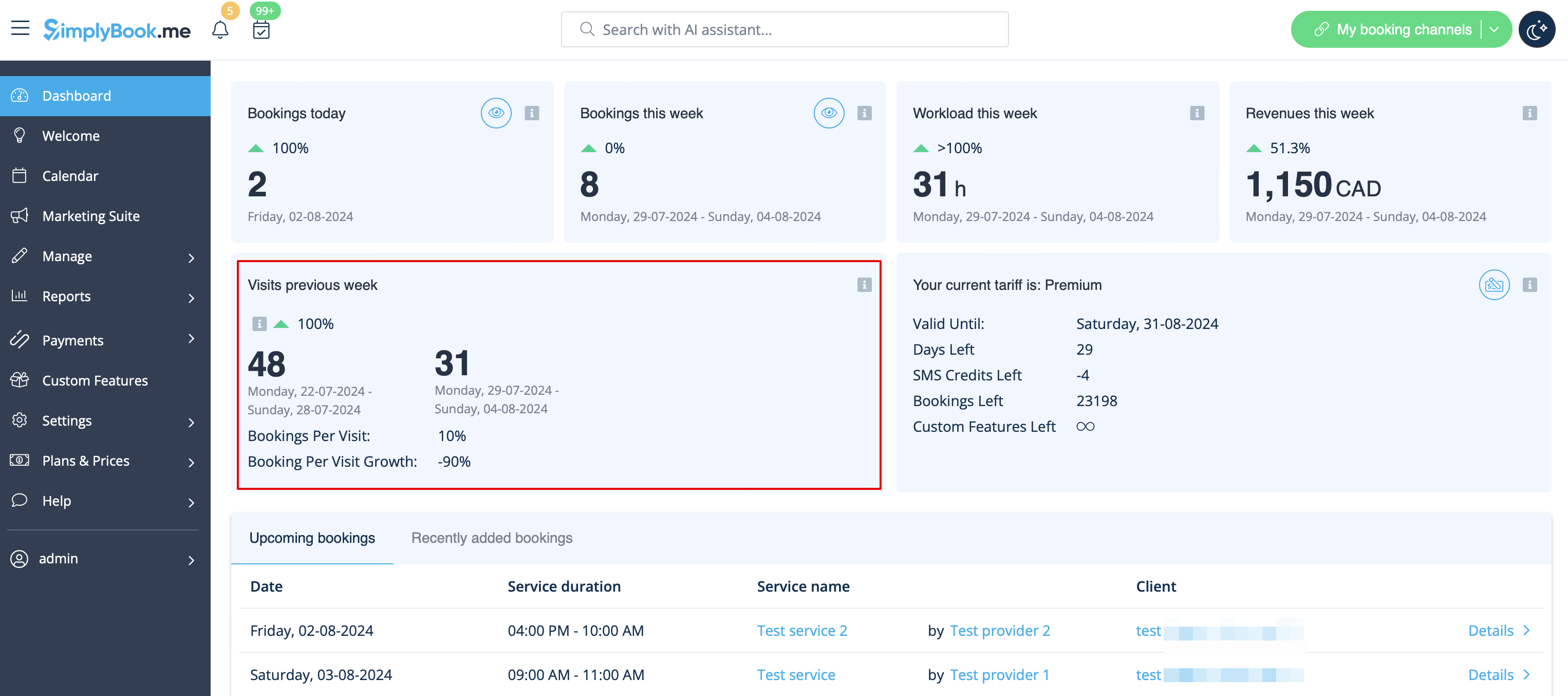
Лічильник відвідувачів
Результати відображаються на сторінці «Дашборд» в адміністративному інтерфейсі, якщо відповідна налаштована функція увімкнена.
Це дає можливість відстежувати відвідування вашого сайту бронювання.
Щоденний звіт
дозволяє щодня отримувати список замовлень на електронну адресу вашої компанії.
Щоб отримувати таку інформацію, необхідно увімкнути функцію налаштування щоденного звіту.
Ви можете налаштувати її надсилання, наприклад, вранці, щоб підготуватися до робочого дня.
Також можна вибрати отримання інформації про:
- нові бронювання;
- скасовані бронювання;
- майбутні бронювання.

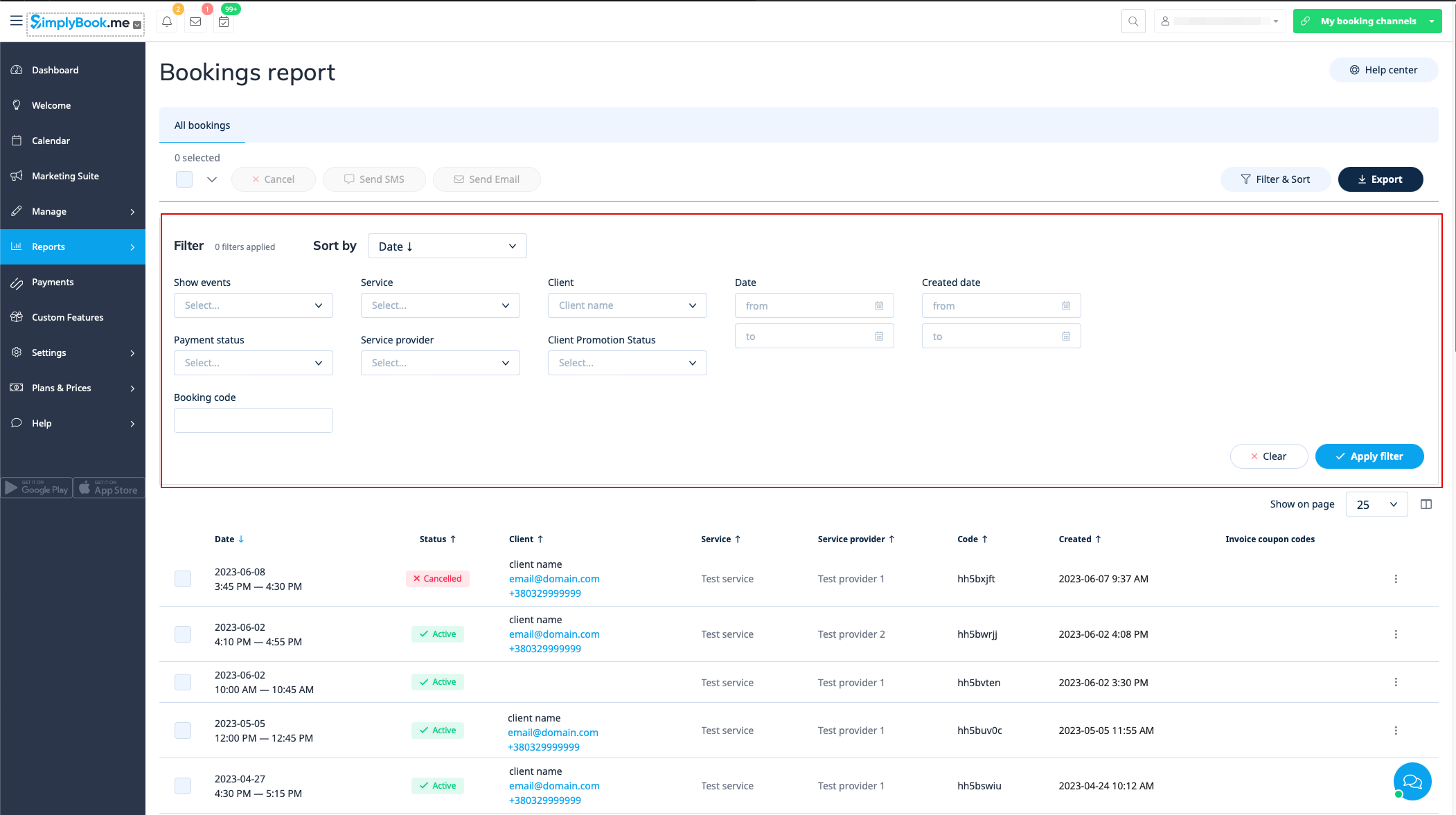
Деталі бронювання
Відеоурок 
Ви можете знайти список усіх своїх бронювань у розділі «Звіти» // «Деталі бронювання».
У цьому звіті ви можете:
- натиснути «переглянути бронювання» в меню дій для кожного рядка, щоб переглянути деталі конкретного бронювання;
- надіслати електронний лист/SMS-повідомлення своїм клієнтам (ви навіть можете використовувати деякі змінні, зазначені там);
- перейти до звіту конкретного клієнта, вибравши опцію «Переглянути звіт клієнта» в кожному рядку;
- фільтрувати бронювання за:
- дату бронювання;
- дату, коли було зроблено бронювання;
- послуги;
- постачальника послуг;
- клієнта;
- унікальний код бронювання;
- статус (всі бронювання, скасовані бронювання, не скасовані бронювання);
- статус оплати (якщо функція прийому платежів увімкнена);
- статус промо-акції клієнта (щоб бачити тільки тих, хто підписався або відписався).
- експорт бронювань в Excel або .csv (використовуйте фільтри, щоб експортувати тільки бронювання за певний період або пов'язані з певним постачальником, виберіть стовпці для експорту тощо, якщо необхідно).
Звіт клієнта
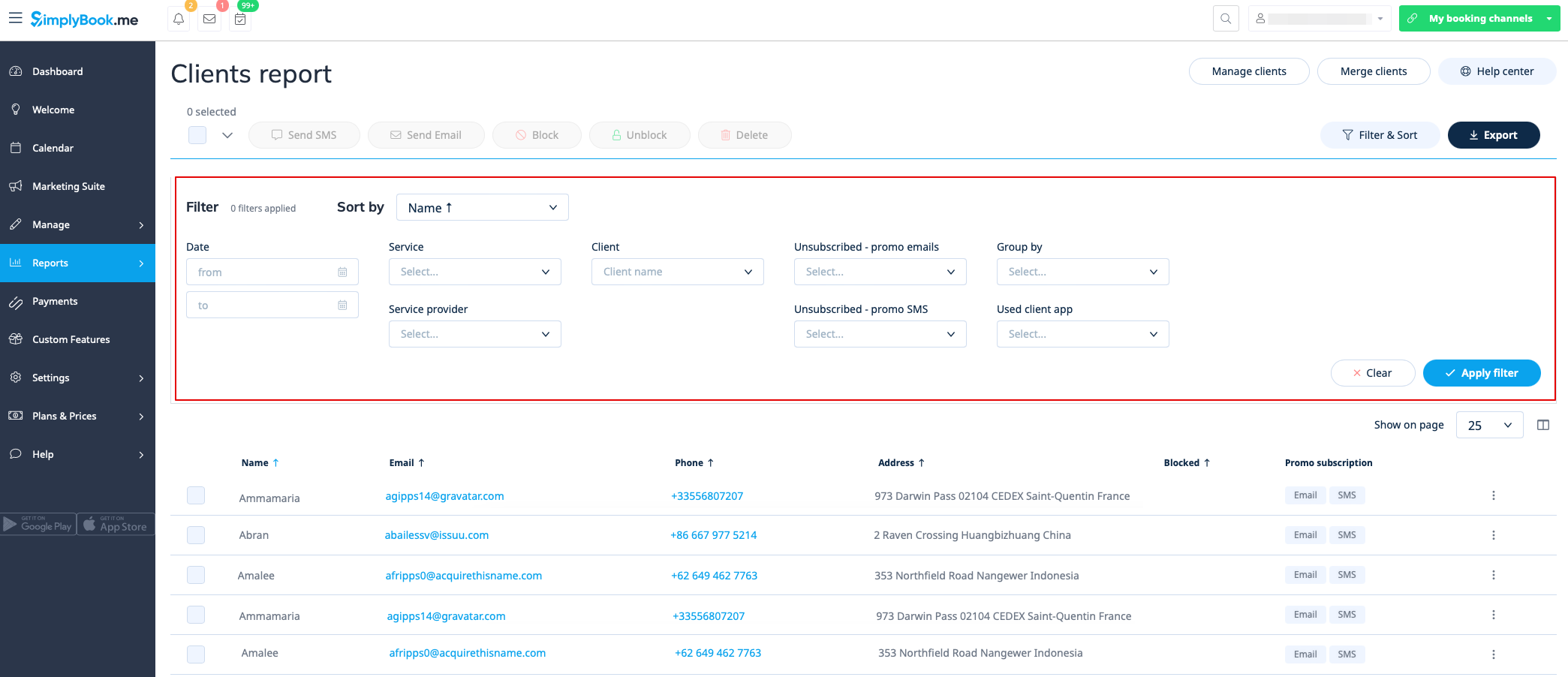
Ви можете знайти список усіх своїх клієнтів та зроблених ними замовлень у розділі «Звіти» // «Звіт про клієнтів».
У цьому звіті ви можете:
- натиснути «Переглянути деталі» для кожного рядка,
- щ
- об переглянут
- и
- деталі конкре
- т
- ного клієнта;
- н�
- �тиснути «Переглянути історію», щоб отримати список бронювань, зроблених конкретним клієнтом (з можливістю експорту в Exce
- l)
- ;
- надіслати еле�
- �тронний лист/SMS своїм клієнтам;
- заблокувати, розблокувати або видалити деяких клієнтів, якщо це необхідно;
- перейти на сторінку об'єднання записів клієнтів (якщо увімкнено функцію входу клієнта)
- фільтрувати бронювання за:
- Client mobile app; ;
- ;
- ;
- ;
- ; ; ; ; ; ; ; ; ; ; ; ; ; ; ; ; ; ; ; ; ; ; ; ; ; ; ; ; ; ;
- експортувати бронювання в Excel або .csv (використовуйте фільтри для експорту бронювань за певний період або для певного постачальника, виберіть, які стовпці експортувати).
Ви також можете вирішити, як групувати клієнтів (щоб уникнути дублювання клієнтів) за електронною поштою, телефоном або електронною поштою та телефоном.
Звіт за конкретним клієнтом
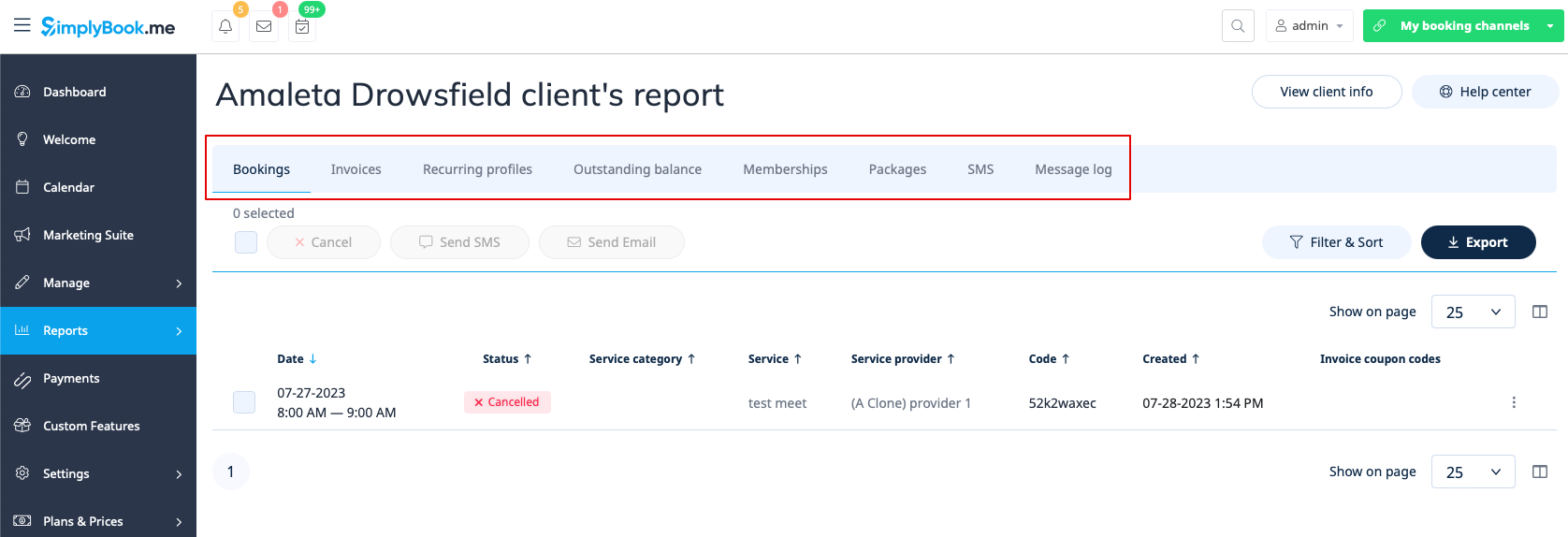
Цей звіт дозволяє переглядати різні звіти, що існують у системі, але відфільтровані за одним конкретним клієнтом в одному зручному місці.
Доступні такі звіти:
- Деталі бронювання
- Платіжні операції
- Повторювані профілі
- Несплачений залишок
- Членство
- Пакети
- SMS
- Журнал повідомлень
- Квитки
- Бонусні бали
Ви можете застосовувати різні фільтри для кожної вкладки, переглядати деталі або експортувати дані у формати xls/csv.
Звіт про повідомлення
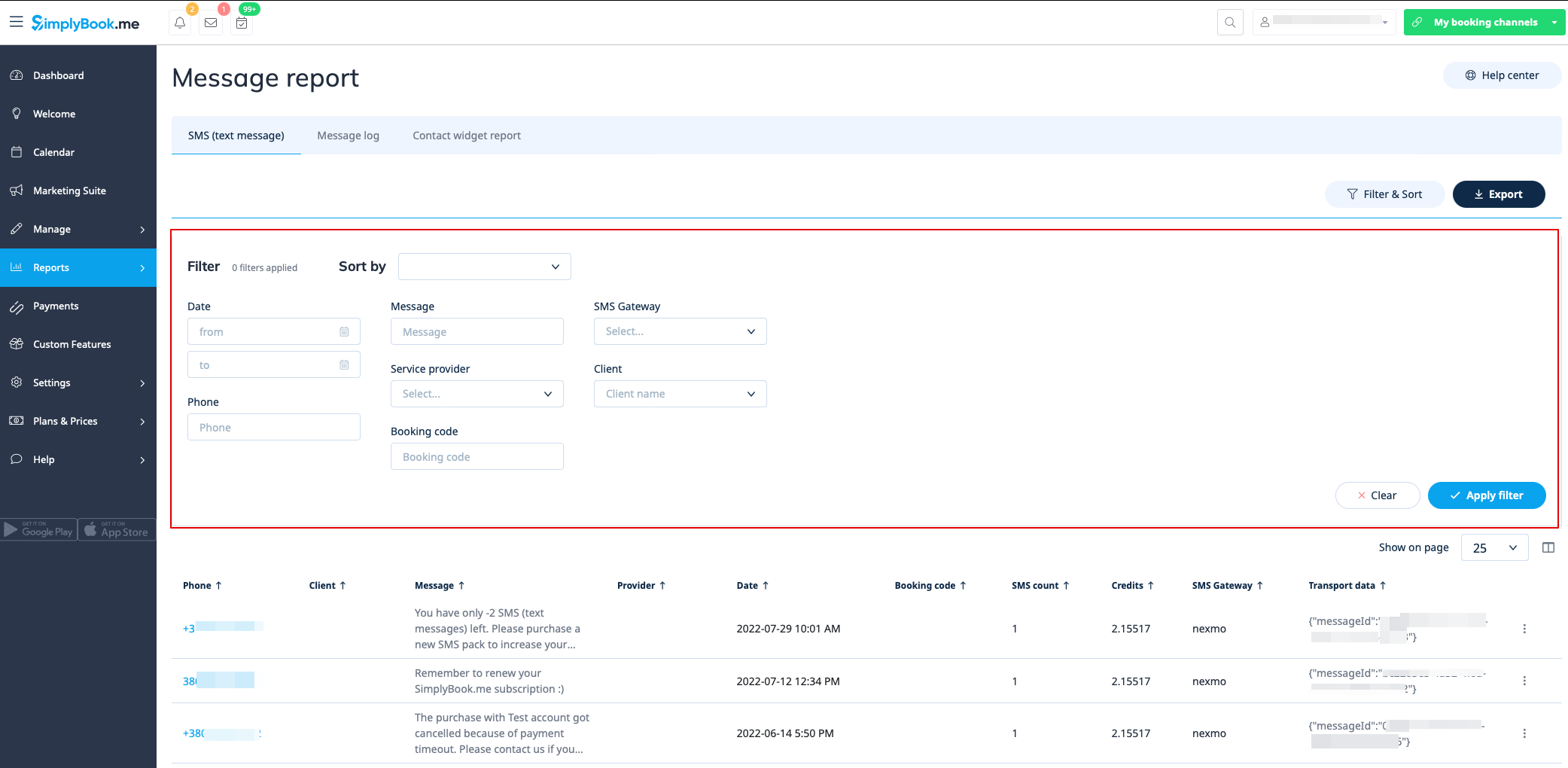
Ви можете знайти список усіх SMS-повідомлень, надісланих із системи, у звіті «Звіти//SMS (текстові повідомлення)» на першій вкладці.
У цьому звіті ви можете:
- фільтрувати повідомлення за:
- дату відправлення повідомлення;
- номер телефону;
- ім'я клієнта;
- назву провайдера;
- коду бронювання;
- SMS-шлюз;
- текст повідомлення.
- експорт повідомлень в Excel або .csv (за необхідності використовуйте фільтри та виберіть стовпці для експорту);
- перегляд кількості кредитів, використаних для надсилання конкретного повідомлення;
- перегляд кількості SMS, використаних для надсилання повідомлення (якщо використовувалися спеціальні символи та/або довгі тексти).
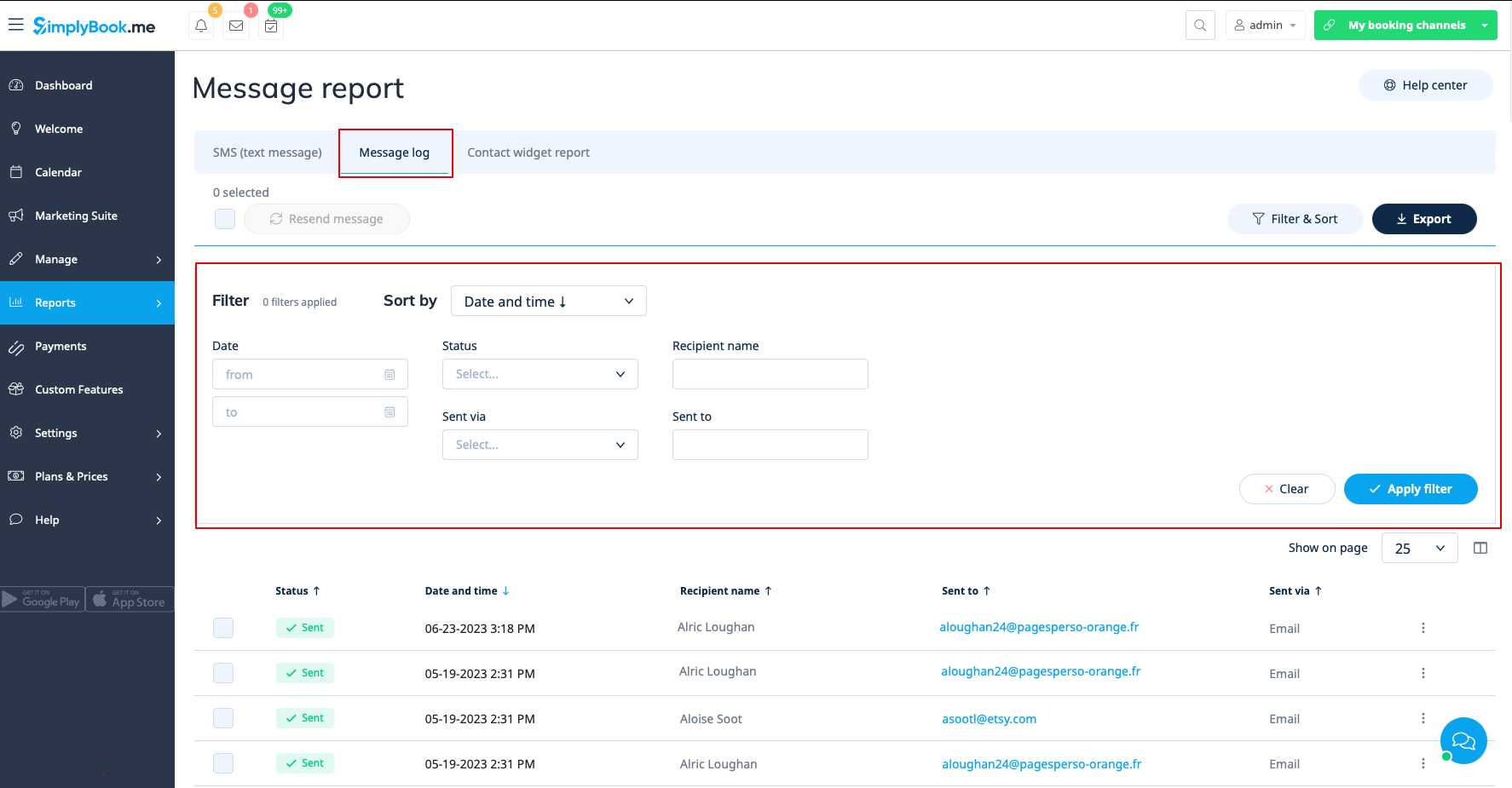
На другій вкладці, «Журнал повідомлень», ви можете:
- переглянути журнал рекламних повідомлень та статуси повідомлень (відправлено, повторити, нове, відправляється, помилка);
- фільтрувати повідомлення за:
- - діапазону дат;
- статусу;
- імені одержувача;
- відправлення електронною поштою або SMS;
- адресу електронної пошти або номер телефону залежно від шлюзу.
- повторна спроба відправлення повідомлень клієнтам;
- експорт даних в Excel або .csv (за необхідності з використанням фільтрів).
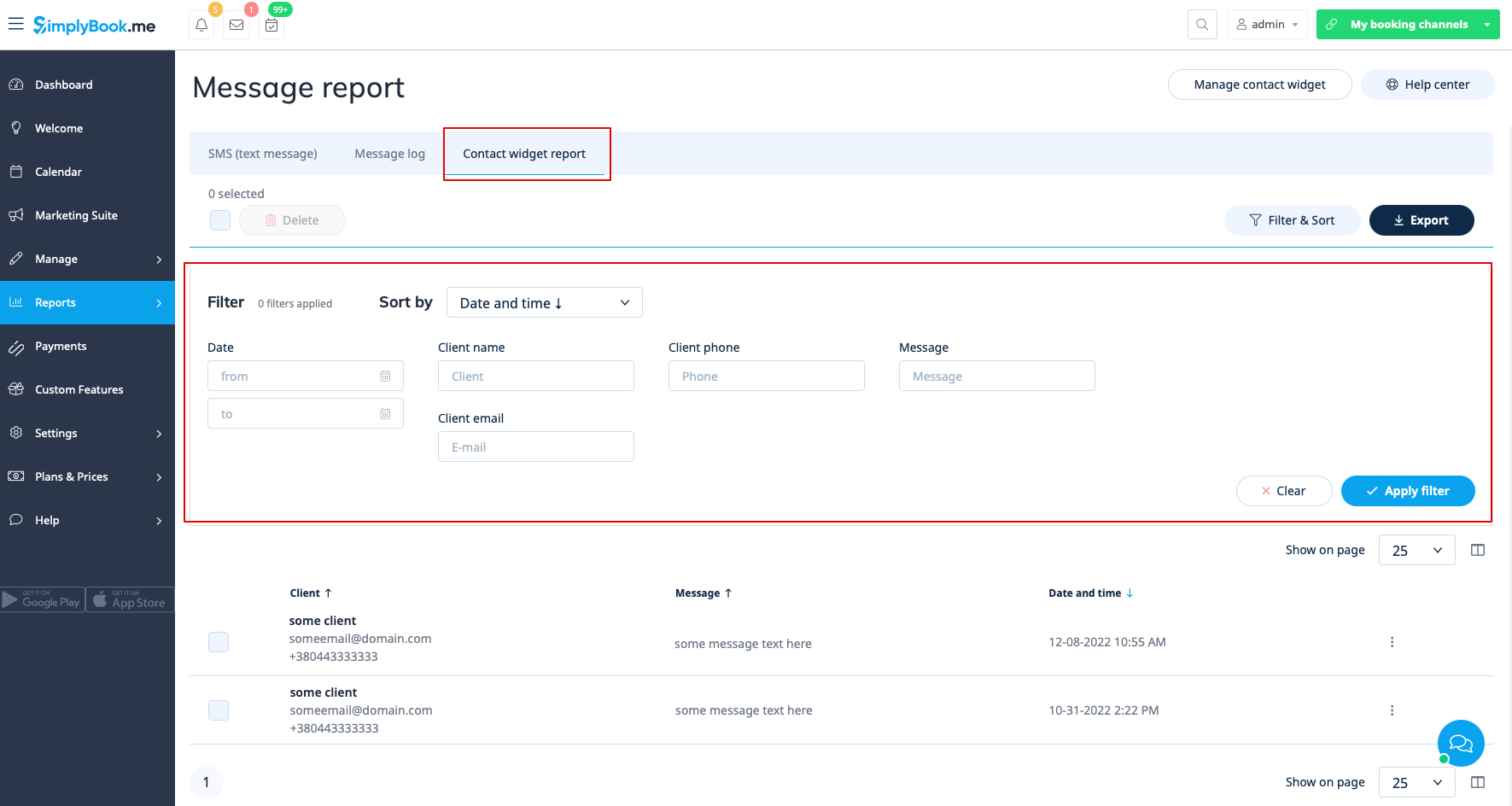
Третя вкладка, Звіт про віджет контактів, може використовуватися, коли увімкнено спеціальну функцію віджета контактів, і дозволяє:
- переглянути список повідомлень, залишених клієнтами або потенційними клієнтами на веб-сайті бронювання, та відповісти на них;
- фільтрувати повідомлення за:
- діапазону дат;
- імені клієнта;
- телефону клієнта;
- електронною адресою клієнта;
- тексту повідомлення.
- експорт даних в Excel або .csv (за необхідності використовуючи фільтри).
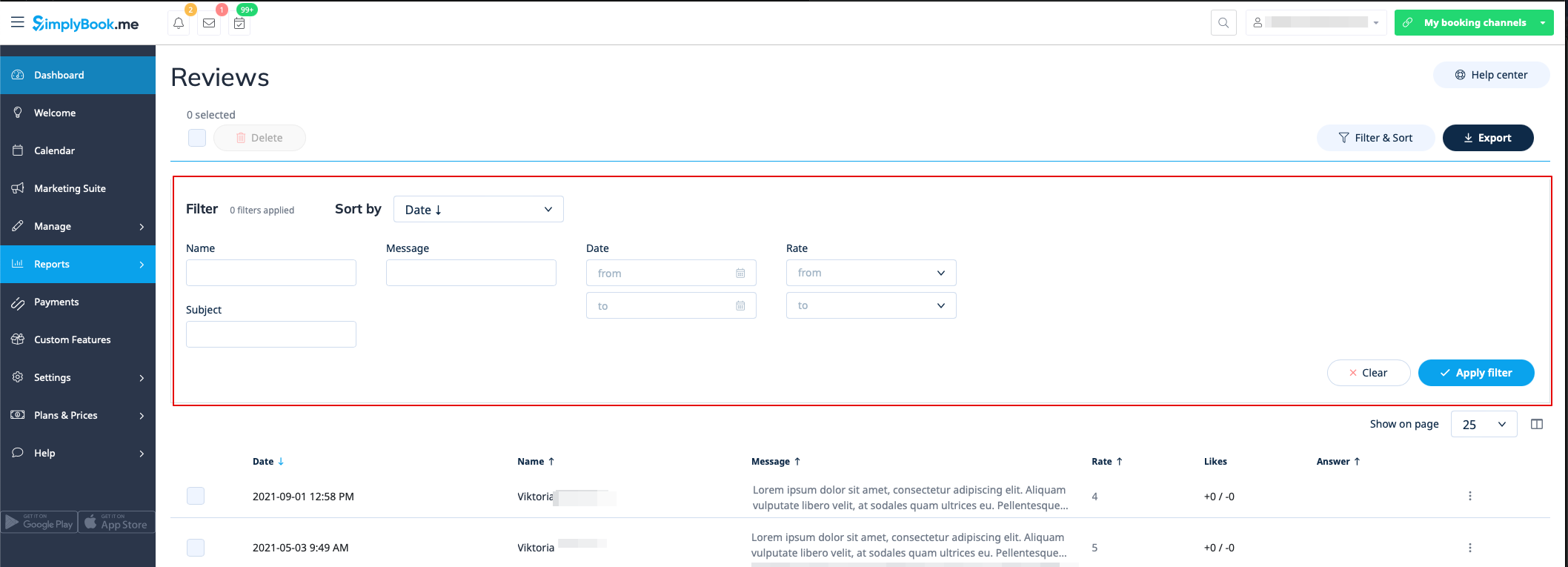
Список відгуків
Ви можете знайти список усіх відгуків, залишених вашими клієнтами, у розділі «Звіти//Відгуки».
У цьому звіті ви можете:
- фільтрувати відгуки за:
- ім'я клієнта;
- темою;
- повідомлення;
- діапазон дат, коли було додано відгук;
- рейтингу.
- експортувати відгуки в Excel або .csv (за необхідності скористайтеся фільтрами та виберіть стовпці для експорту);
- відповісти на відгуки клієнтів (відповіді будуть видимі для клієнтів);
- видалити відгуки за необхідності.
Звіт про платіжні операції
Ви можете отримати доступ до нього в розділі «Звіти» // «Платіжні операції». Він дозволяє переглянути всю інформацію про платежі в вашій системі.
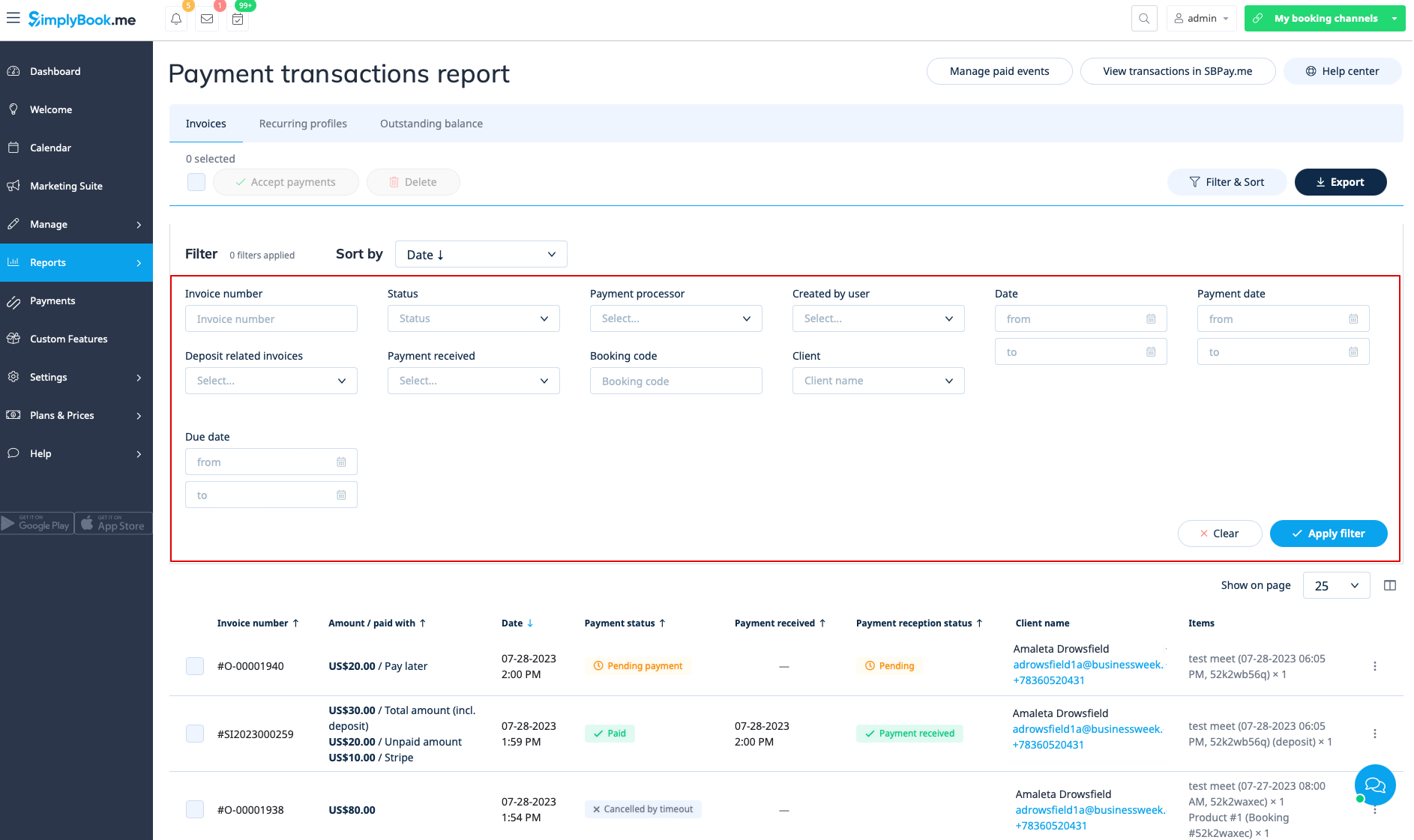
У цьому звіті ви можете використовувати три вкладки: «Рахунки», «Повторювані профілі», «Несплачений залишок».
На першій вкладці «Рахунки» ви можете:
- переглянути всі рахунки, створені під час бронювання клієнтами послуг або придбання пакетів, членських квитків, товарів для продажу та/або подарункових карток;
- застосувати купони або подарункові картки до незавершених замовлень (якщо ви використовуєте спеціальну функцію «Купони та подарункові картки»);
- затвердити незавершені платежі (наприклад, якщо клієнти вибрали «Оплатити пізніше» на сайті бронювання) за допомогою стандартних способів оплати або за допомогою SBPay.інтеграція me Pro, використання збережених карток, надсилання посилань для оплати або відображення QR-коду для оплати;
- перегляд використовуваного платіжного процесора;
- обробка повернень (якщо інтегрована SBPay.me Pro);
- перегляд деталей рахунків-фактур на сайті SBPay.me (якщо інтегрована SBPay.me);
- друк рахунків-фактур;
- видалення рахунків-фактур;
- фільтрування рахунків-фактур за:
- діапазону дати створення рахунку/замовлення;
- номер рахунку-фактури;
- діапазону дати оплати;
- діапазону терміну оплати;
- ім'я клієнта;
- унікальний код бронювання;
- статус (новий, очікує, оплачений, скасований, помилка);
- платіжний процесор;
- користувач, який створив запис;
- платіж отримано чи ні.
- експорт інформації про оплату в Excel або .csv (за необхідності використовуючи фільтри).
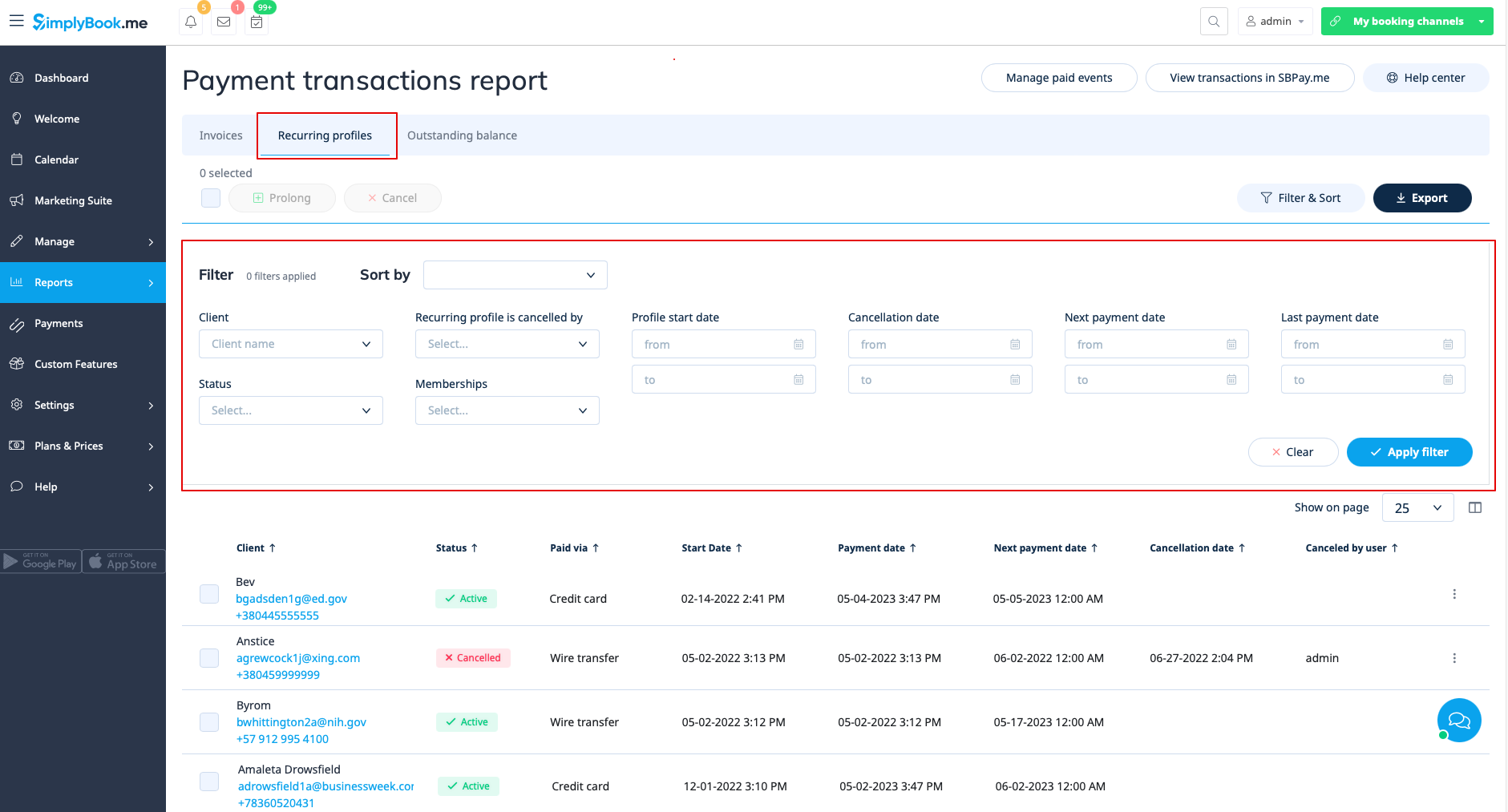
Вкладка «Повторювані профілі» дозволяє:
- переглянути/скасувати повторювані профілі членства;
- продовжити повторювані профілі, створені адміністратором;
- фільтрувати профілі членства за:
- назви членства;
- діапазону дати початку;
- діапазону дати скасування;
- діапазону дати наступного платежу;
- дату останнього платежу;
- запис клієнта;
- статус (активний, очікує, скасований, призупинений, помилка);
- користувач, який скасував профіль.
- експорт даних профілів членства в Excel або .csv (за необхідності використовуючи фільтри).
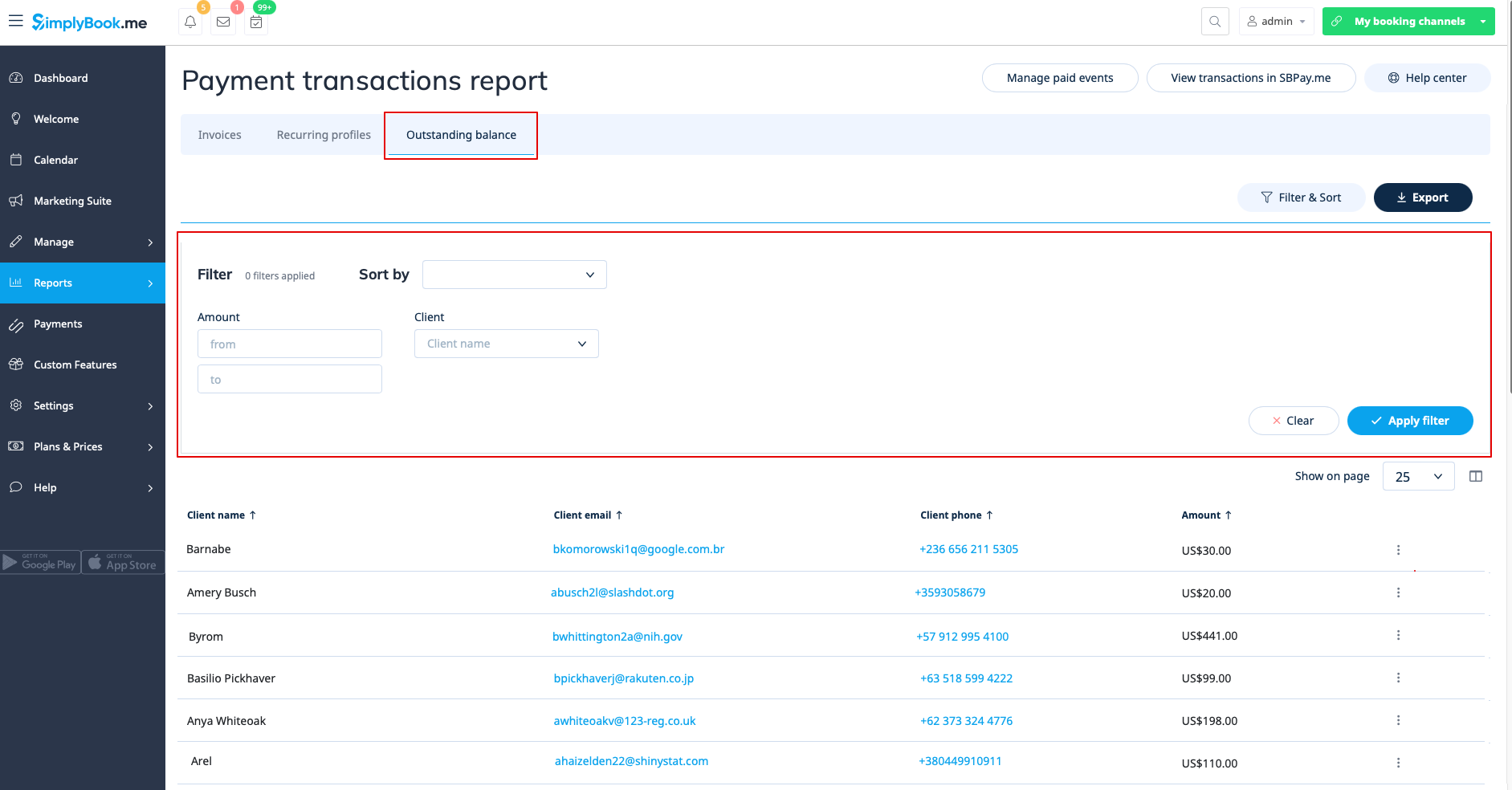
Третя вкладка, «Неоплачений залишок», дозволяє:
- переглянути неоплачений залишок за клієнтом;
- відфільтрувати неоплачений залишок за сумою та/або клієнтом;
- експортувати дані про неоплачений залишок в Excel або .csv (за необхідності використовуючи фільтри).
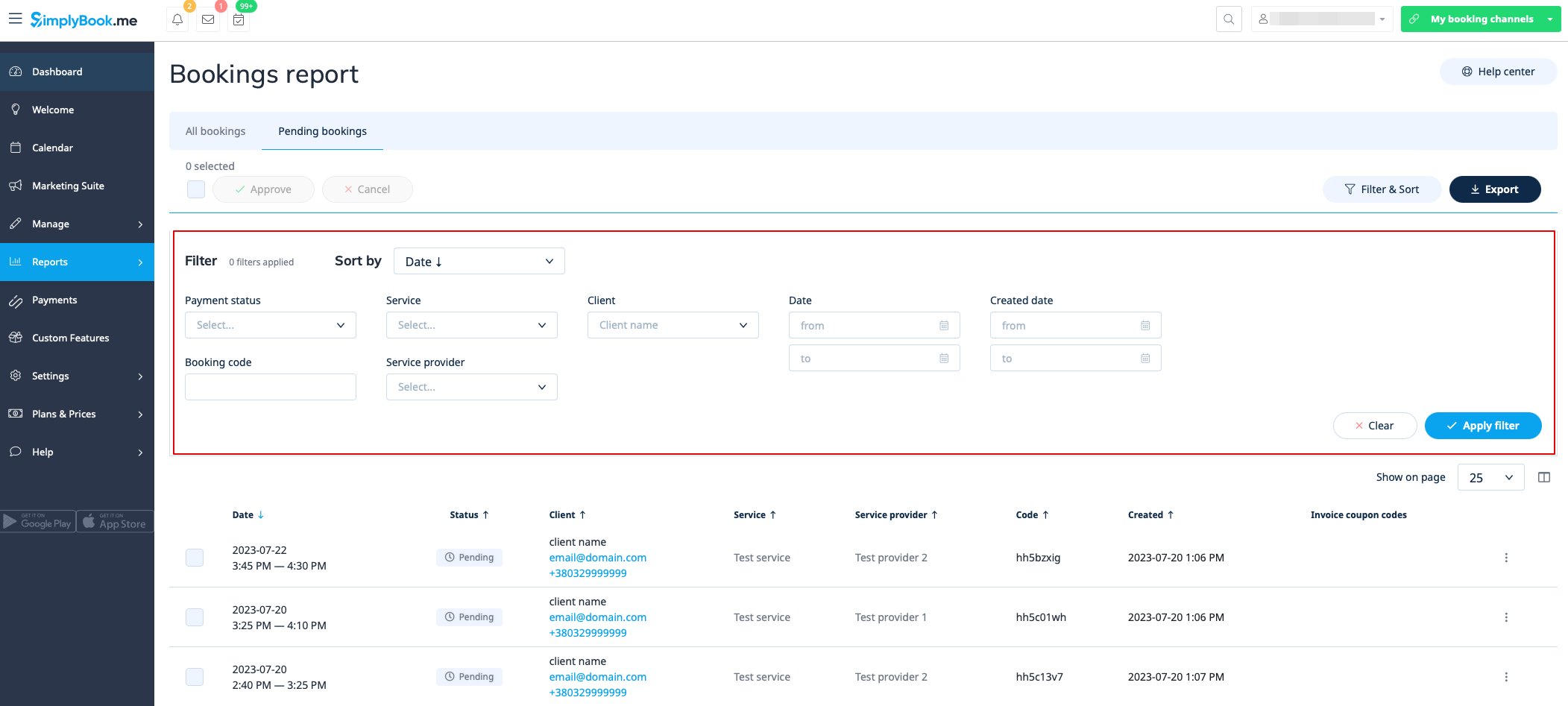
Список очікуючих бронювань
Ви можете отримати доступ до нього на сторінці календаря, якщо увімкнено спеціальну функцію «Затверджувати бронювання ».
У цьому звіті ви можете:
- переглянути/затвердити/відхилити очікувані бронювання;
- відфільтрувати їх за:
- дату бронювання;
- імені клієнта;
- іменем постачальника;
- назву послуги;
- унікальний код бронювання.
- експорт даних в Excel (за необхідності використовуючи фільтри).
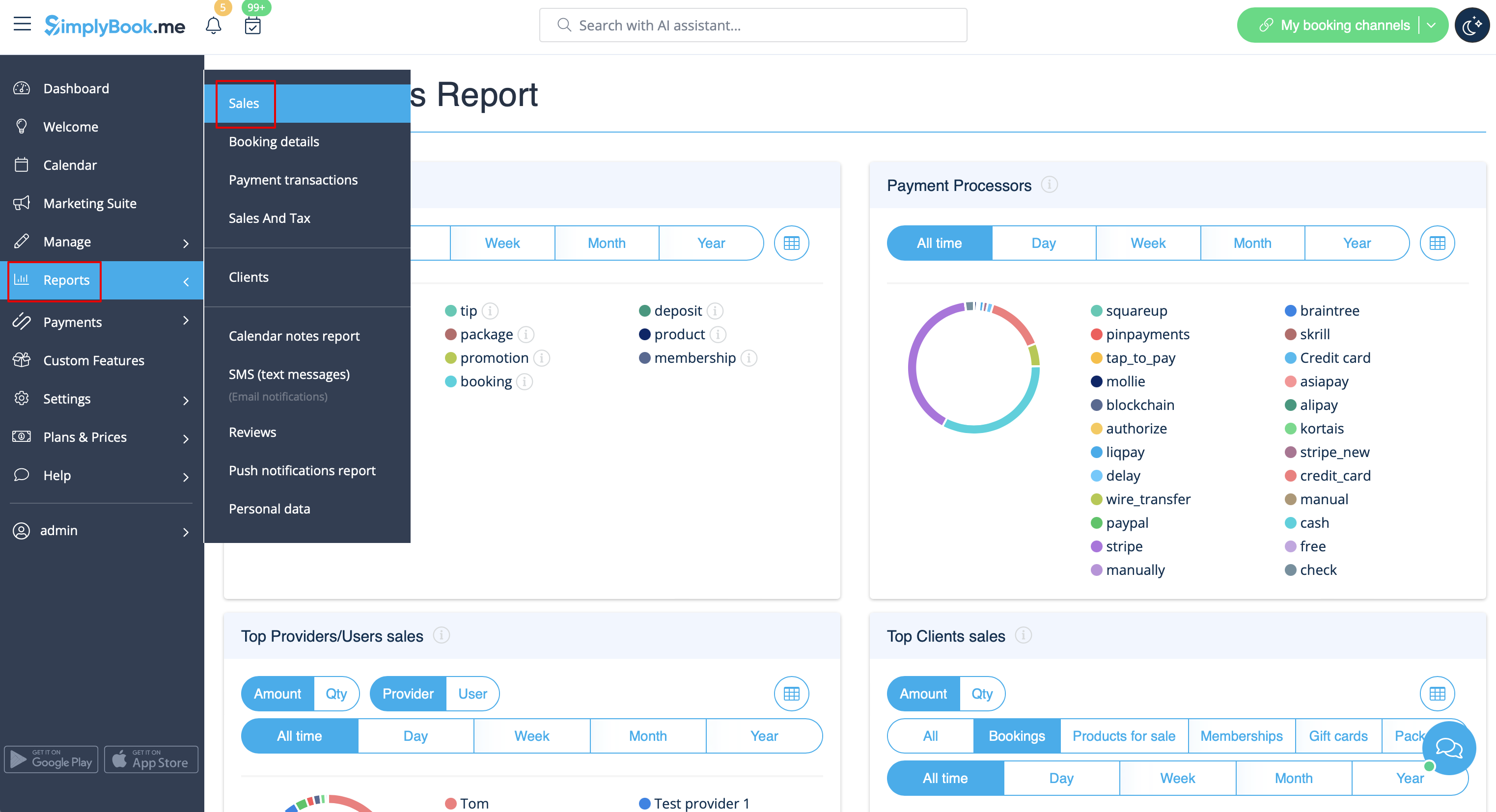
Звіт про продажі
Доступний у розділі «Звіти» // «Звіт про продажі». Він містить різні графіки, таблиці та діаграми статистики продажів.
Цей звіт допоможе вам проаналізувати:
- популярні джерела доходу;
- платіжні системи, які найчастіше використовують ваші клієнти (якщо у вас їх декілька);
- найкращих постачальників;
- клієнтів, які заплатили найбільше;
- суму доходу.
Ви можете фільтрувати результати за:
- час (день, тиждень, місяць, рік, весь час);
- позиції (бронювання, пакети, додаткові послуги, товари, членство, подарункові картки);
- сума/кількість.
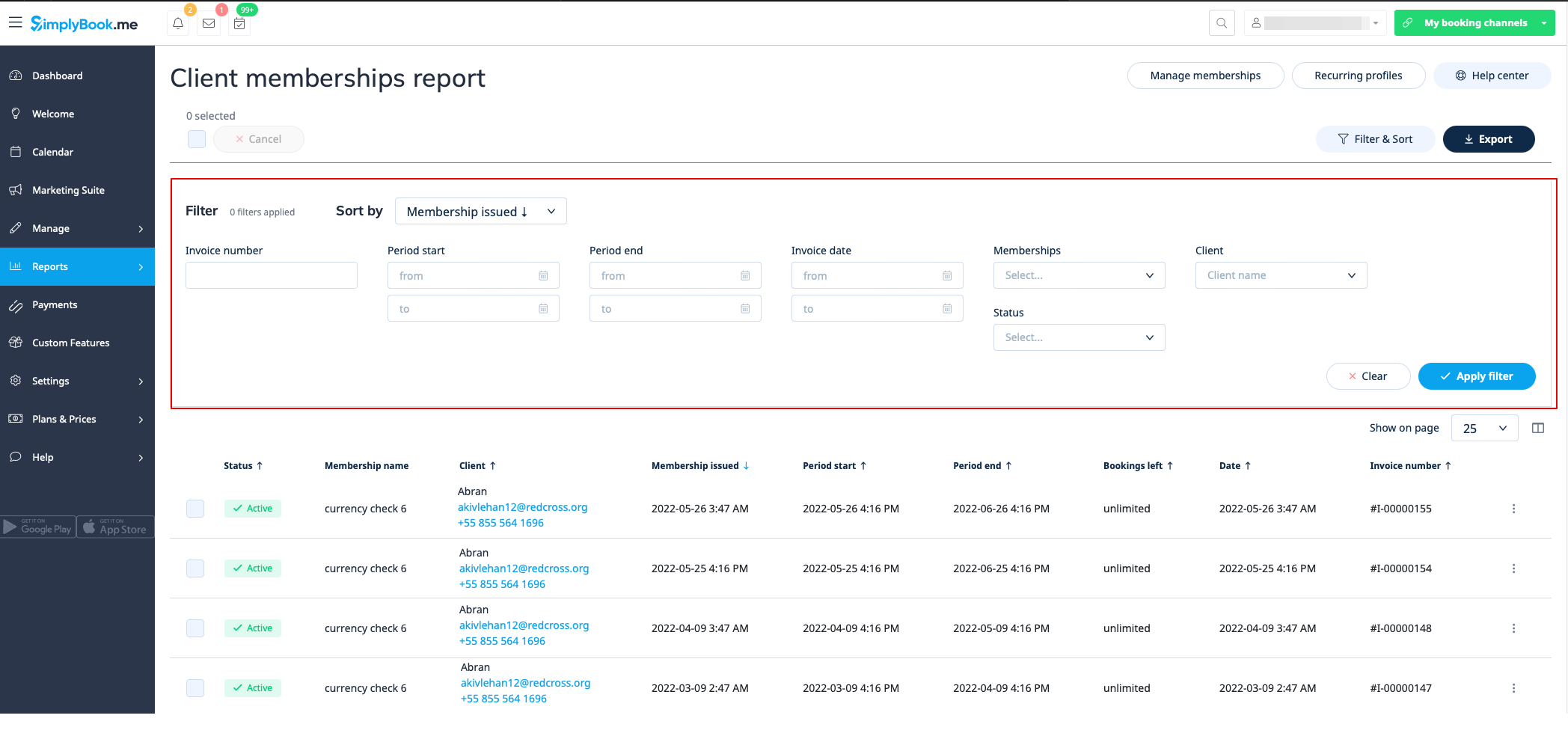
Оплата членства
Ви можете переглянути їх у розділі «Звіти//Членські внески». Доступний, якщо увімкнено функцію «Налаштування членства ».
Цей звіт дозволяє:
- переглянути членства, придбані вашими клієнтами;
- скасувати членства;
- затвердити членства, що очікують на затвердження;
- переглянути пов'язані рахунки;
- фільтрувати членства за:
- дату початку;
- діапазону кінцевої дати;
- діапазону дати рахунку-фактури;
- номер рахунку-фактури;
- назва членства;
- ім'я клієнта;
- статус (активний, скасований, помилка).
- експорт даних в Excel (за необхідності використовуючи фільтри).
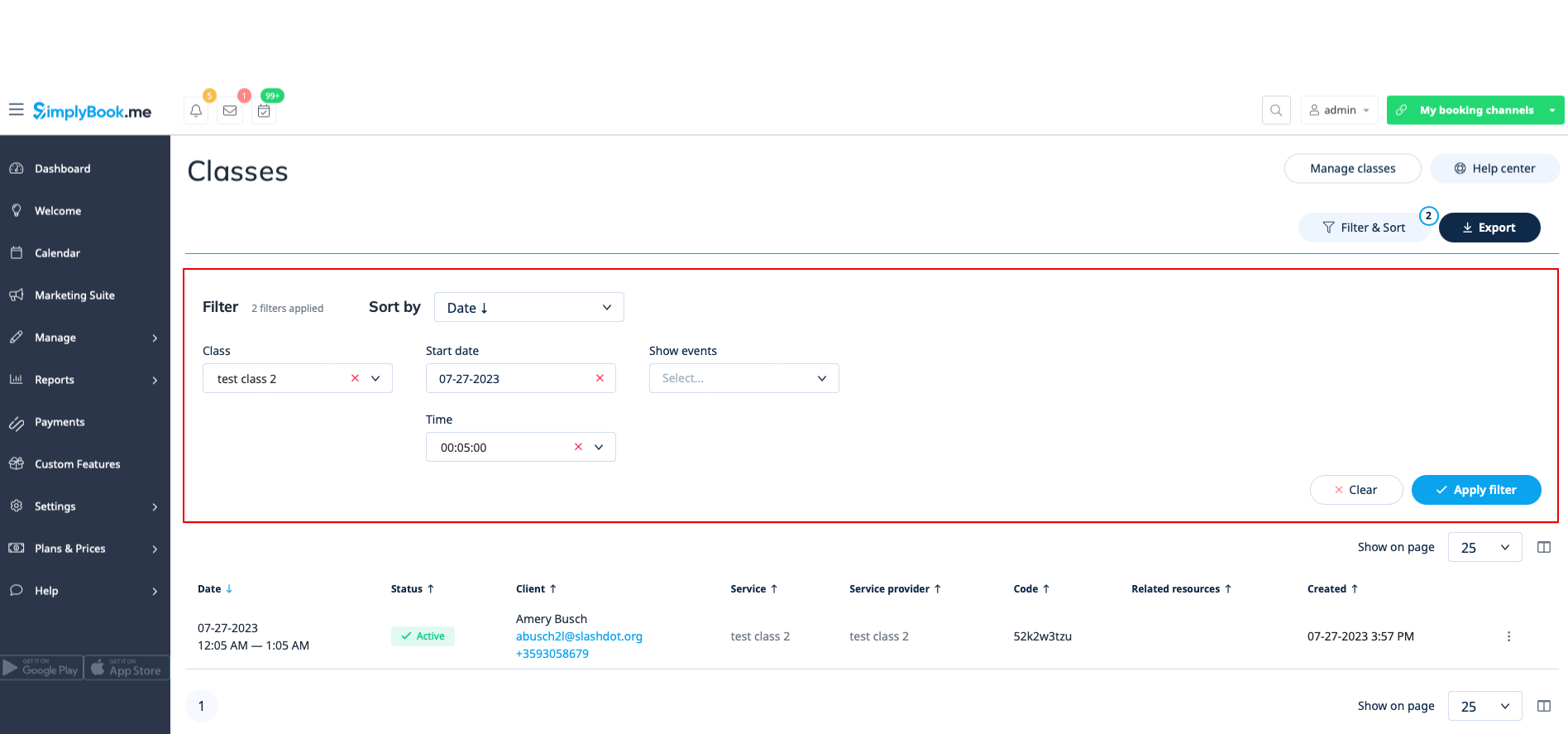
Звіт про класи
Доступний у розділі «Звіти» > «Звіт про класи», якщо ви використовуєте спеціальну функцію «Класи ».
Цей звіт містить інформацію про всіх учасників класу.
Відфільтруйте звіт за: «
- » (назва класу); «
- » (дата класу); «
- » (час початку класу); «
- » (скасовані/нескасовані бронювання). «
» (доступні класи) Ви зможете побачити, хто подався на участь у конкретному класі, їхні імена, електронні адреси, номери телефонів, а також хто створив для них бронювання (сам клієнт або це було додано деяким користувачем системи) і чи бронював клієнт ваші послуги/класи раніше.
Випущені пакети
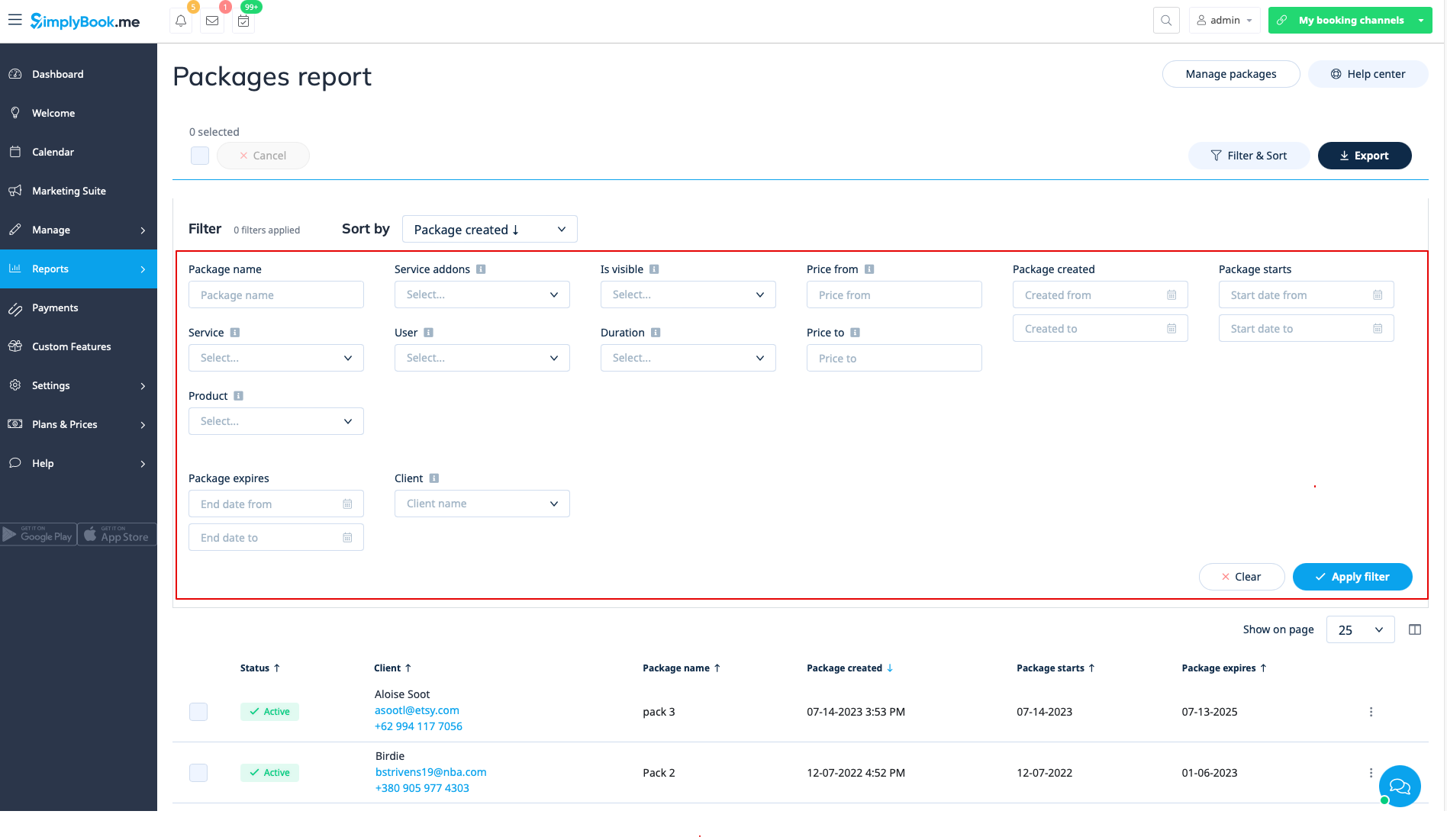
Ви можете переглянути їх у розділі «Звіти//Видані пакети», якщо ви використовуєте налаштовану функцію «Пакет».
У цьому звіті ви можете:
- переглянути, які пакети були придбані/видані;
- переглянути статус пакетів;
- відфільтрувати пакети за:
- ім'я клієнта;
- іменем користувача, який видав пакет;
- послугою/продуктом/додатковою послугою, включеною в пакет;
- тривалість пакета;
- ціновий діапазон;
- чи пакет відображається на сайті бронювання;
- статус (активний, скасований, помилка).
- експорт даних в Excel (за необхідності використовуючи фільтри).
Видані купони
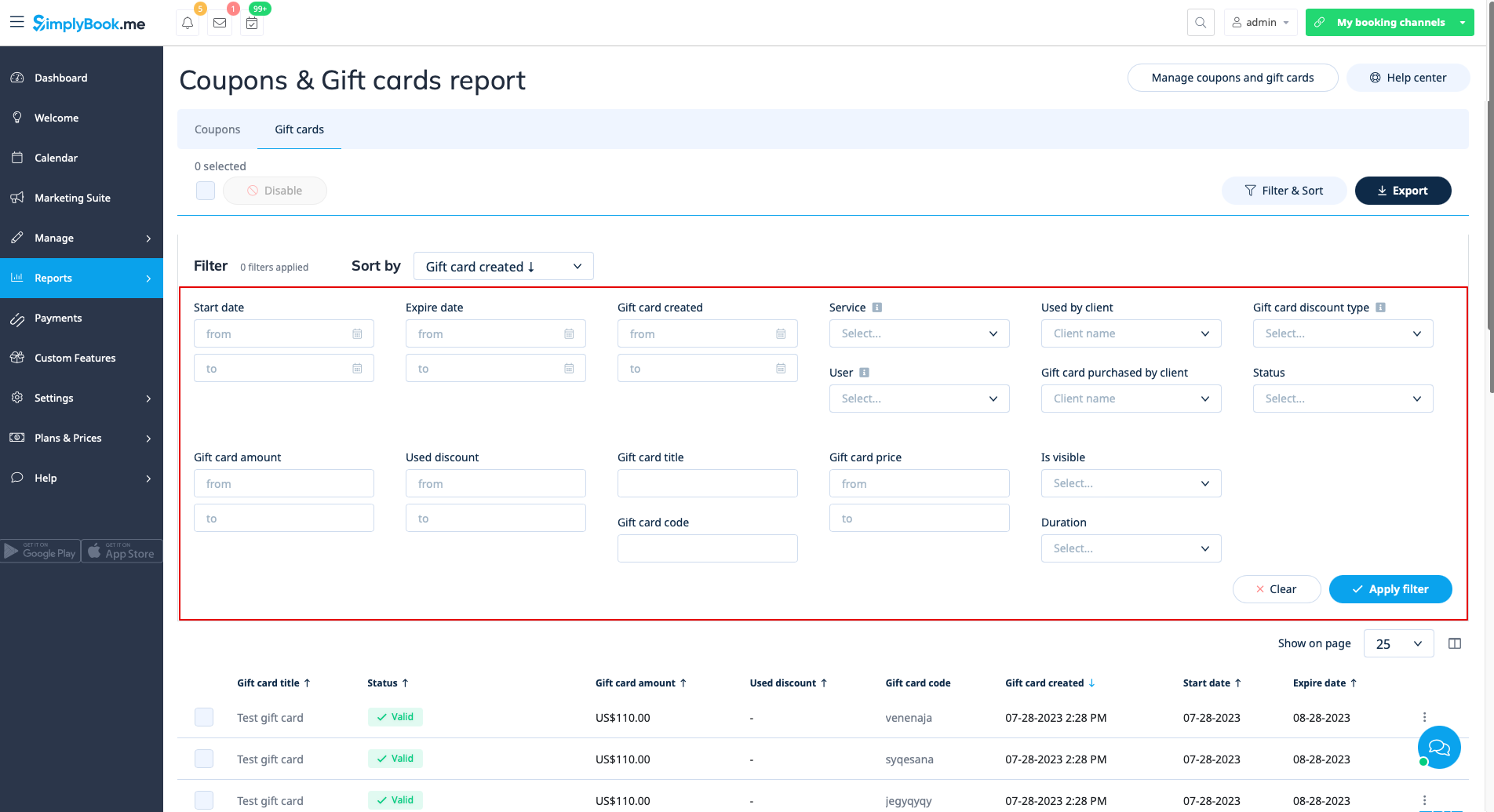
Доступні, якщо ви використовуєте спеціальну функцію «Купони та подарункові картки ».
У цьому звіті ви можете:
- переглянути, які купони були видані;
- переглянути статус купонів (дійсний чи недійсний, використаний, прострочений);
- відфільтрувати купони за:
- імені клієнта;
- користувача, який видав купон;
- типу знижки;
- купон видно на сайті бронювання чи ні;
- послуги, до яких відноситься купон.
- переглянути видані подарункові картки;
- відфільтрувати результати за:
- ім'я клієнта, який використав картку;
- ім'я клієнта, який придбав картку;
- тип знижки за подарунковою карткою;
- користувача, який випустив картку;
- послугу, до якої відноситься подарункова картка;
- ціновий діапазон;
- термін дії подарункової картки;
- відсутність або наявність подарункової картки на сайті бронювання;
- статус подарункової картки (дійсна, прострочена, використана).
Звіти про особисті дані
Доступні в розділі «Звіти» // «Звіти про персональні дані» після повторного введення пароля.
Вони поділені на три розділи: «
- » (Звіт про клієнтів); «
- » (Звіт про користувачів); «
- » (Звіт про компанію).
У кожному розділі ви можете отримати детальну інформацію про дані, що зберігаються в системі про відповідний об'єкт.
Наприклад, ви можете створити звіт про клієнта або співробітника, який запросив інформацію, а потім надати йому/їй ці деталі.