From SimplyBook.me
Created page with "Будь-яка спеціальна функція Employee Selector" Tags: Mobile edit Mobile web edit |
Created page with "|description=Дозвольте клієнтам вибирати будь-якого доступного співробітника для бронювання. Запропонуйте гнучкість і заощаджуйте час. Увімкніть цю функцію вже сьогодні!" |
||
| Line 2: | Line 2: | ||
{{#seo: | {{#seo: | ||
|title=Any Employee Selector Custom Feature - SimplyBook.me | |title=Any Employee Selector Custom Feature - SimplyBook.me | ||
|description=Дозвольте клієнтам вибирати будь-якого доступного співробітника для бронювання. Запропонуйте гнучкість і заощаджуйте час. Увімкніть цю функцію вже сьогодні! | |||
|description= | |||
|titlemode=append | |titlemode=append | ||
|keywords=faq, frequently asked questions, booking software, appointment system questions, appointments online, calendar software, booking system, booking calendar, scheduling software, online appointment scheduling, online scheduling, setup, setup help, support, help content, any employee, any employee selector, hide providers, hide provider step, any provider, any performer | |keywords=faq, frequently asked questions, booking software, appointment system questions, appointments online, calendar software, booking system, booking calendar, scheduling software, online appointment scheduling, online scheduling, setup, setup help, support, help content, any employee, any employee selector, hide providers, hide provider step, any provider, any performer | ||
Revision as of 14:23, 19 May 2025

You can use this Custom Feature to add a service provider called "Any provider" to the booking page, and if the client chooses this provider, all times of available providers will show.

You can also use this Custom Feature to:
- Hide employee step on the booking page.
- Auto allocate any available provider for selected service randomly.
This way the client only chooses the service and the time so it simplifies the booking process.
- How to use
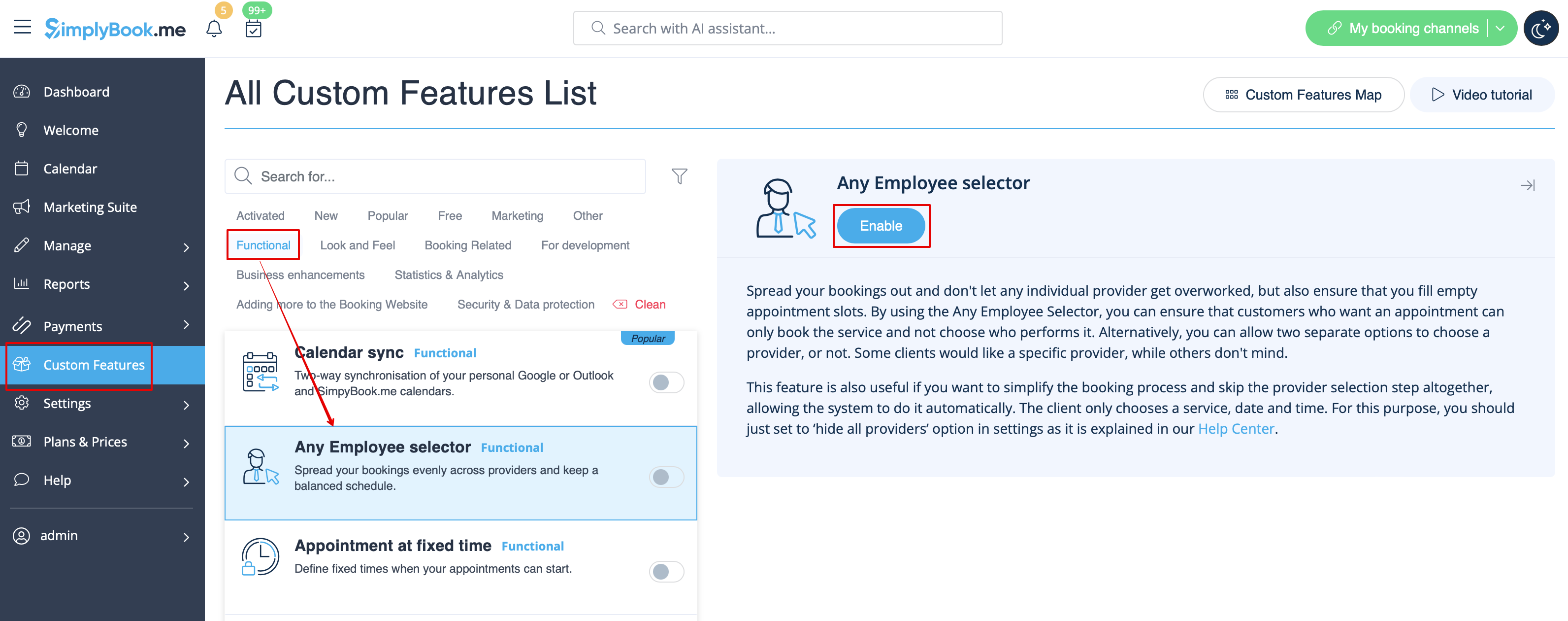
- 1. Enable "Any Employee selector" custom feature in Custom features section.
- 2. Go to the settings on the right to adjust "Any employee" option title and description to your needs.
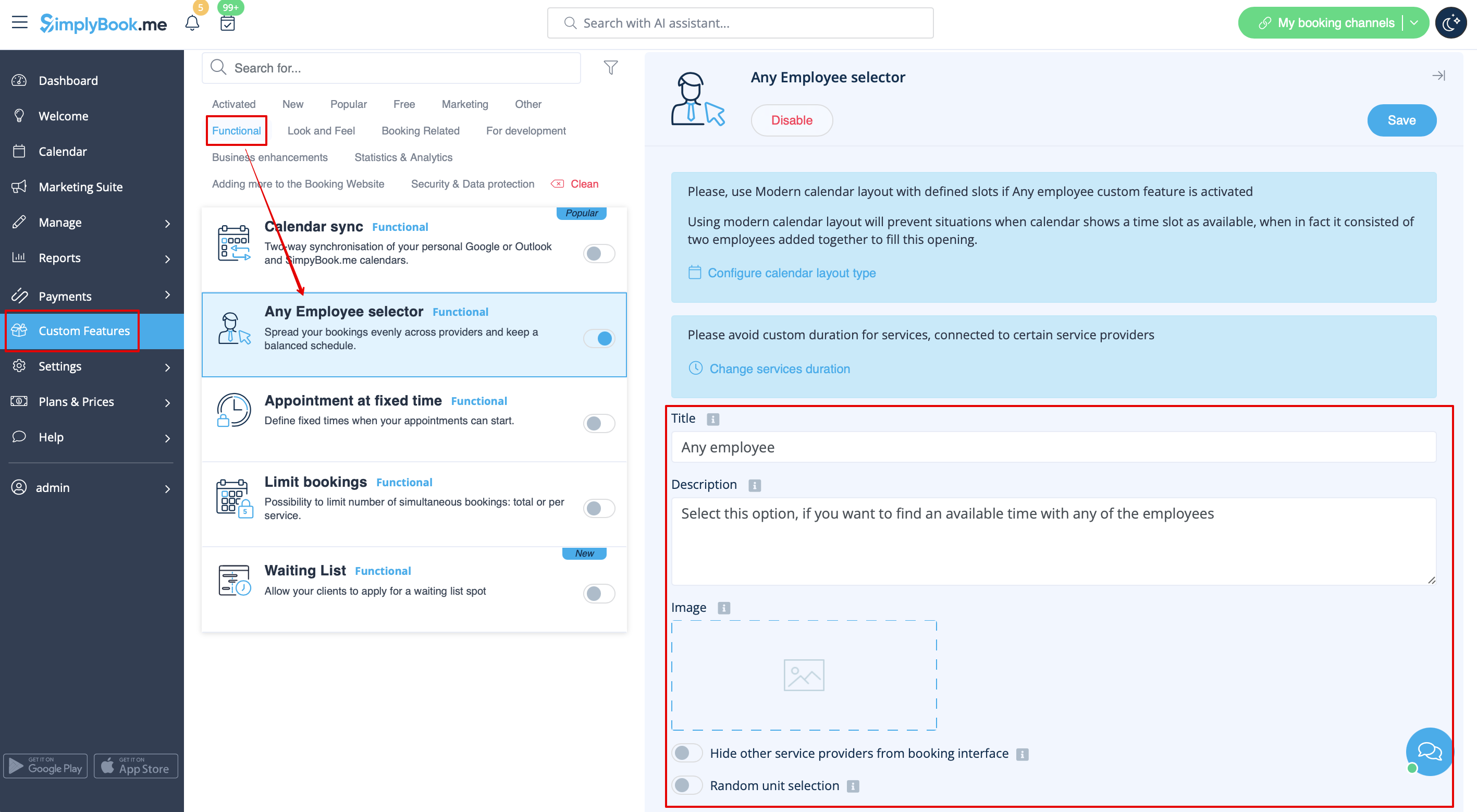
- 3. If you need to hide providers from the booking site and/or assign them randomly please check the corresponding boxes there.
