From SimplyBook.me
No edit summary |
Marked this version for translation |
||
| Line 1: | Line 1: | ||
<languages/> | <languages/> | ||
<translate> | <translate> | ||
<!--T:1--> | |||
{{#seo: | {{#seo: | ||
|title=News custom feature - SimplyBook.me | |title=News custom feature - SimplyBook.me | ||
| Line 11: | Line 12: | ||
<!--T:2--> | |||
<br> | <br> | ||
[[File:News new icon.png |left]] | [[File:News new icon.png |left]] | ||
<!--T:3--> | |||
Give your website a fresh life by managing news on your main page in our booking system. | Give your website a fresh life by managing news on your main page in our booking system. | ||
You can publish news or blog on your booking website to keep your customers up to date with what’s happening in the business. | You can publish news or blog on your booking website to keep your customers up to date with what’s happening in the business. | ||
<br><br><br> | <br><br><br> | ||
<!--T:4--> | |||
:<span style="background-color:#ffe9e9; padding:5px; border-radius:5px;">'''Please note! ''' This functionality is currently not present in [[Client mobile app]]</span> | :<span style="background-color:#ffe9e9; padding:5px; border-radius:5px;">'''Please note! ''' This functionality is currently not present in [[Client mobile app]]</span> | ||
| Line 23: | Line 27: | ||
<translate> | <translate> | ||
<!--T:5--> | |||
;How to use | ;How to use | ||
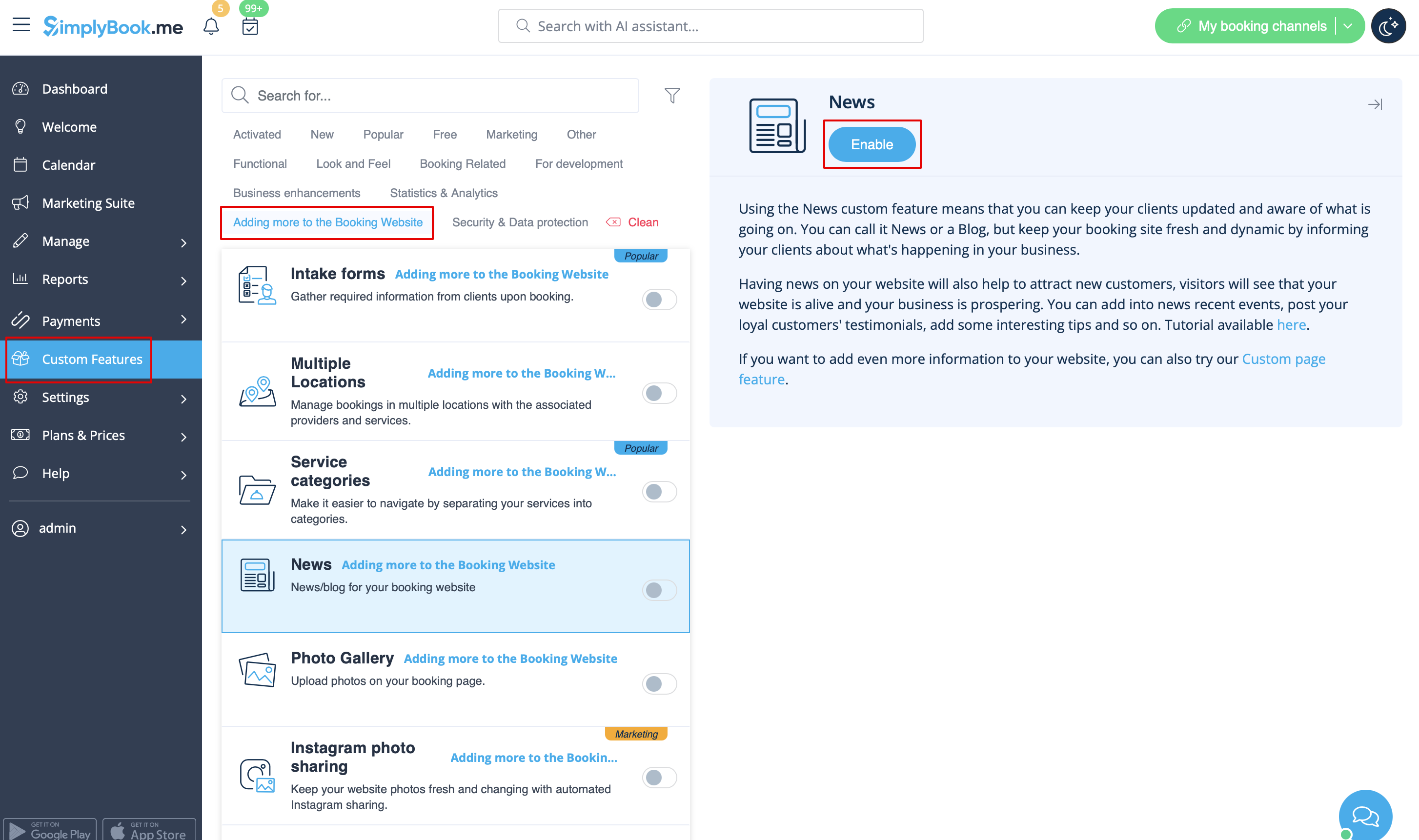
:1. Enable this custom feature on your Custom Features page, Adding more to the Booking Website section. | :1. Enable this custom feature on your Custom Features page, Adding more to the Booking Website section. | ||
Revision as of 15:21, 19 May 2025

Give your website a fresh life by managing news on your main page in our booking system.
You can publish news or blog on your booking website to keep your customers up to date with what’s happening in the business.
- Please note! This functionality is currently not present in Client mobile app
- How to use
- 1. Enable this custom feature on your Custom Features page, Adding more to the Booking Website section.
- 2. Click on "Manage" near this option.
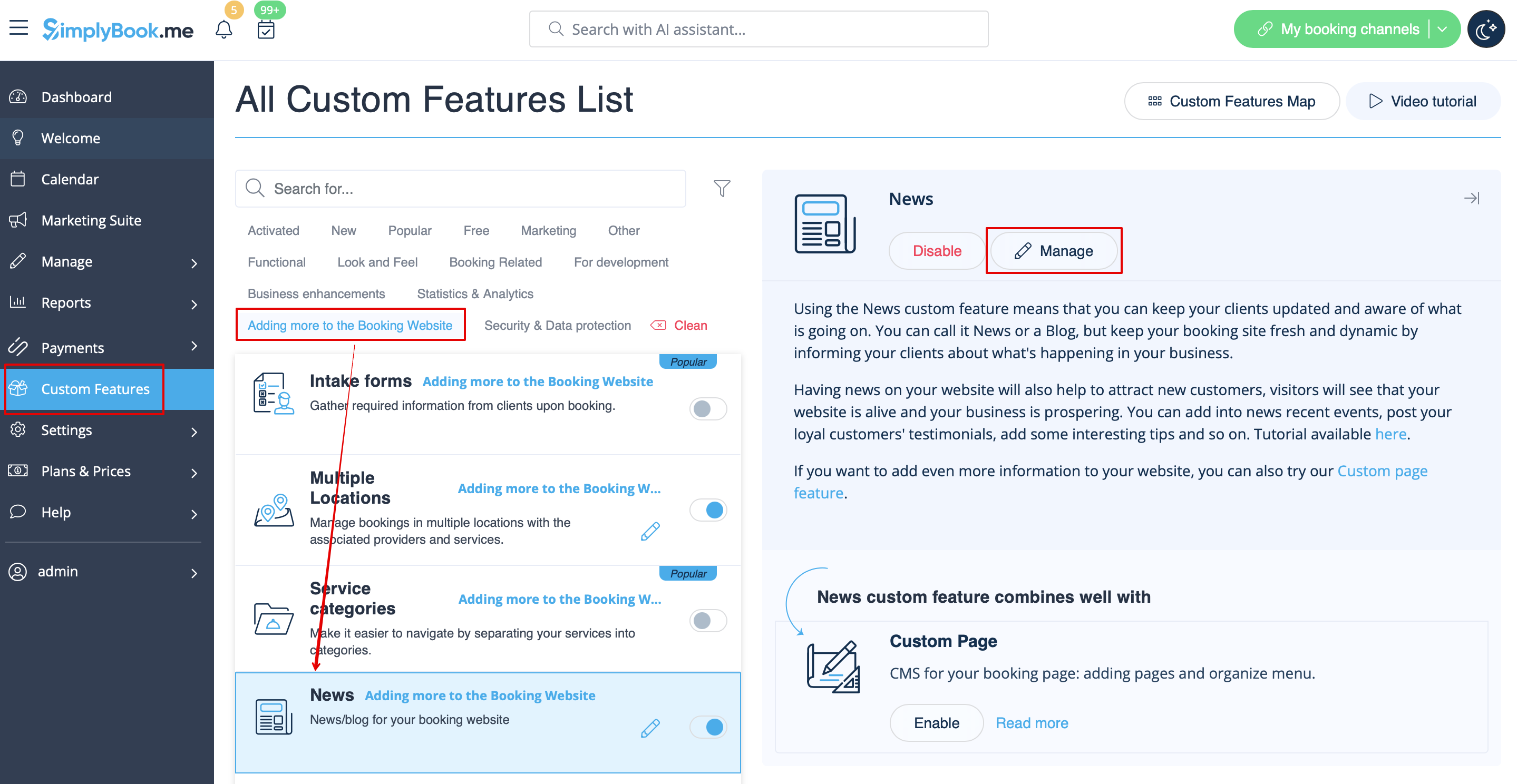
- 3. Create the posts on the page you see by clicking on "+" button.