From SimplyBook.me
Created page with "{{#seo: |title=Zeitfenster sind nicht buchbar – SimplyBook.me |description=Beheben Sie nicht buchbare Zeitfenster auf Ihrer Buchungsseite. Befolgen Sie unsere Anleitung, um das Problem schnell zu beheben! |titlemode=anhängen |keywords=fAQ, häufig gestellte Fragen, Buchungssoftware, Fragen zum Terminsystem, Online-Termine, Kalender-Software, Buchungssystem, Buchungskalender, Terminplanungs-Software, Online-Terminplanung, Online-Terminplanung, Einrichtung, Hilfe zur Ei..." |
Created page with "Unter bestimmten Umständen kann es vorkommen, dass ein Zeitfenster auf der Verwaltungsseite Ihres Unternehmens als verfügbar angezeigt wird, diese Zeitfenster jedoch nicht auf der Buchungswebsite angezeigt werden und daher nicht gebucht werden können. Dies ist eine Besonderheit des Systems und kann derzeit nicht geändert werden. <br><br>" |
||
| Line 3: | Line 3: | ||
Unter bestimmten Umständen kann es vorkommen, dass ein Zeitfenster auf der Verwaltungsseite Ihres Unternehmens als verfügbar angezeigt wird, diese Zeitfenster jedoch nicht auf der Buchungswebsite angezeigt werden und daher nicht gebucht werden können. | |||
Dies ist eine Besonderheit des Systems und kann derzeit nicht geändert werden. | |||
<br><br> | <br><br> | ||
<div lang="en" dir="ltr" class="mw-content-ltr"> | <div lang="en" dir="ltr" class="mw-content-ltr"> | ||
;Preconditions: | ;Preconditions: | ||
Revision as of 09:00, 18 June 2025
Unter bestimmten Umständen kann es vorkommen, dass ein Zeitfenster auf der Verwaltungsseite Ihres Unternehmens als verfügbar angezeigt wird, diese Zeitfenster jedoch nicht auf der Buchungswebsite angezeigt werden und daher nicht gebucht werden können.
Dies ist eine Besonderheit des Systems und kann derzeit nicht geändert werden.
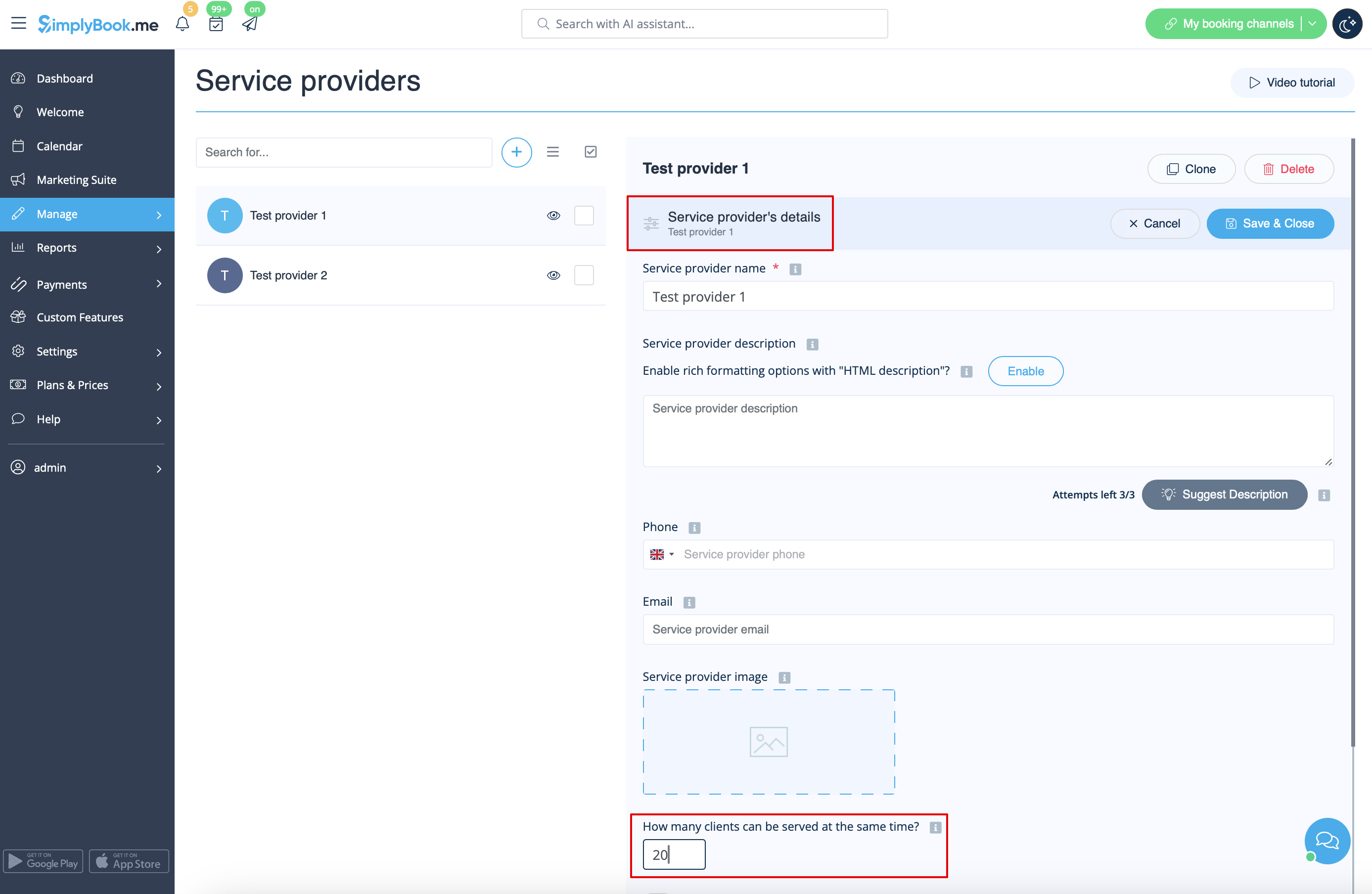
- 2. Timeframe period selected in the system is less than service duration.
- For example, you have selected 10mins timeframe and set 30mins service duration.
- (If these two periods are equal this case cannot happen).
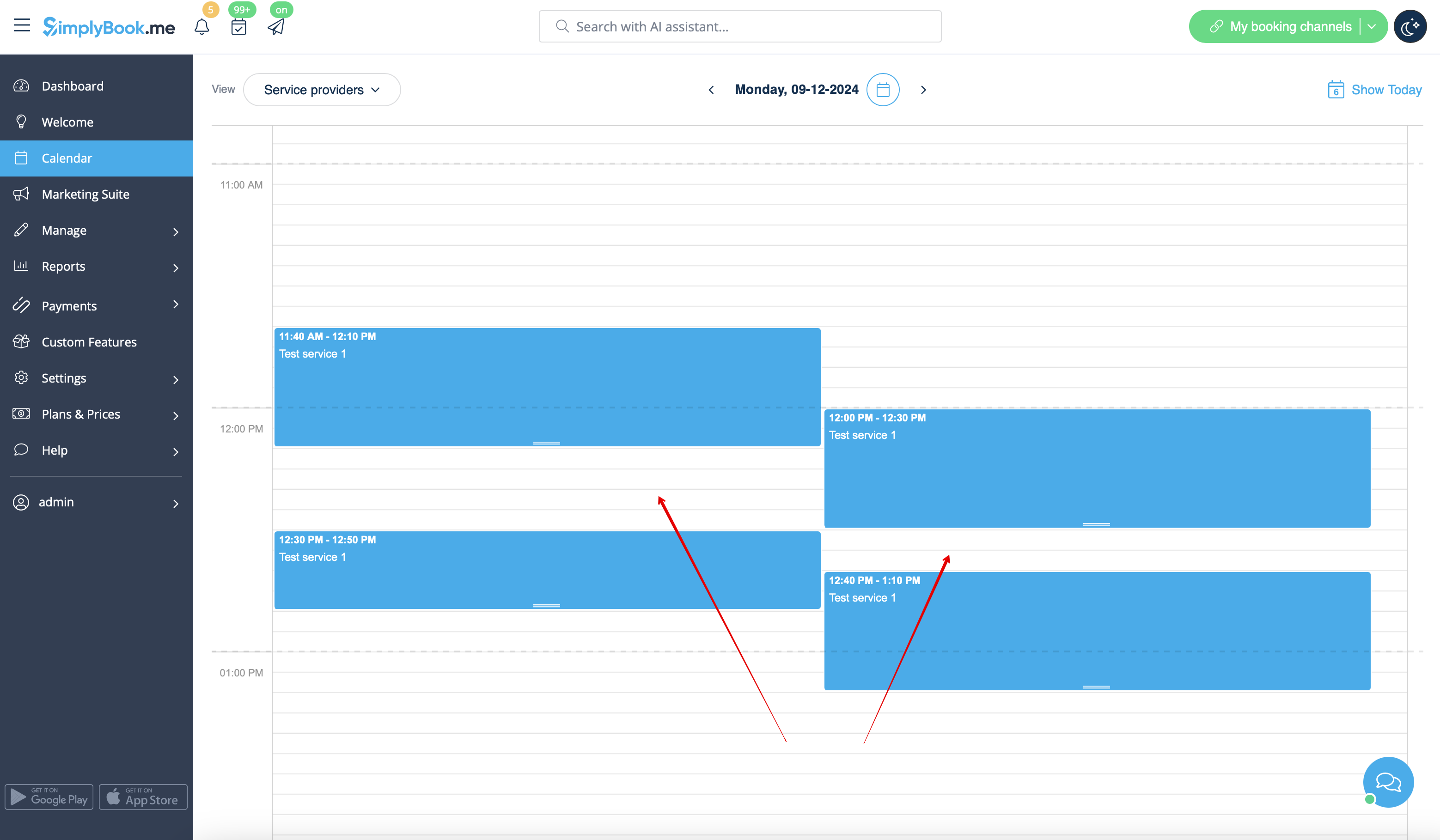
- Case example
- Slots are booked at 12:00-12:30 and 12:40-13:10
- Slots are booked at 11:40-12:10 and 12:30-12:50
- So it may seem that the period 12:10 - 12:40 is free, but in reality it is represented by two independent timeslots: 12:10-12:30 and 12:30-12:40 so 30mins service cannot be booked there.
- How to avoid the risk of such cases
- 1. Try to have service duration equal to timeframe if possible
- 2. Use modern calendar layout for the booking website and Appointment at fixed time custom feature to restrict the timeslots shifting and avoid possible gaps in-between.
