From SimplyBook.me
Created page with "Часові слоти не можна забронювати" Tags: Mobile edit Mobile web edit |
Created page with "{{#seo: |title=Часові слоти не можна забронювати — SimplyBook.me |description=Виправте часові слоти, які не можна забронювати, на вашій сторінці бронювання. Дотримуйтесь нашого посібника, щоб швидко вирішити проблему! |titlemode=додати |keywords=fAQ, поширені запитання, програмне забезпе..." |
||
| Line 1: | Line 1: | ||
<languages/> | <languages/> | ||
{{#seo: |title=Часові слоти не можна забронювати — SimplyBook.me |description=Виправте часові слоти, які не можна забронювати, на вашій сторінці бронювання. Дотримуйтесь нашого посібника, щоб швидко вирішити проблему! |titlemode=додати |keywords=fAQ, поширені запитання, програмне забезпечення для бронювання, запитання щодо системи запису на прийом, онлайн-запис на прийом, програмне забезпечення для календаря, система бронювання, календар бронювання, програмне забезпечення для планування, онлайн-планування запису на прийом, онлайн-планування, налаштування, допомога з налаштуванням, підтримка, довідкова інформація }} | |||
{{#seo: | |||
|title= | |||
|description= | |||
|titlemode= | |||
|keywords= | |||
}} | |||
За певних умов може статися так, що певний проміжок часу виглядає як доступний на адміністративній сторінці вашої компанії, але ці часові слоти не відображаються на веб-сайті бронювання і, отже, не можуть бути заброньовані. | |||
Це особливість системи, і наразі немає можливості змінити її роботу. | |||
<br><br> | <br><br> | ||
<div lang="en" dir="ltr" class="mw-content-ltr"> | <div lang="en" dir="ltr" class="mw-content-ltr"> | ||
;Preconditions: | ;Preconditions: | ||
Revision as of 09:03, 18 June 2025
За певних умов може статися так, що певний проміжок часу виглядає як доступний на адміністративній сторінці вашої компанії, але ці часові слоти не відображаються на веб-сайті бронювання і, отже, не можуть бути заброньовані.
Це особливість системи, і наразі немає можливості змінити її роботу.
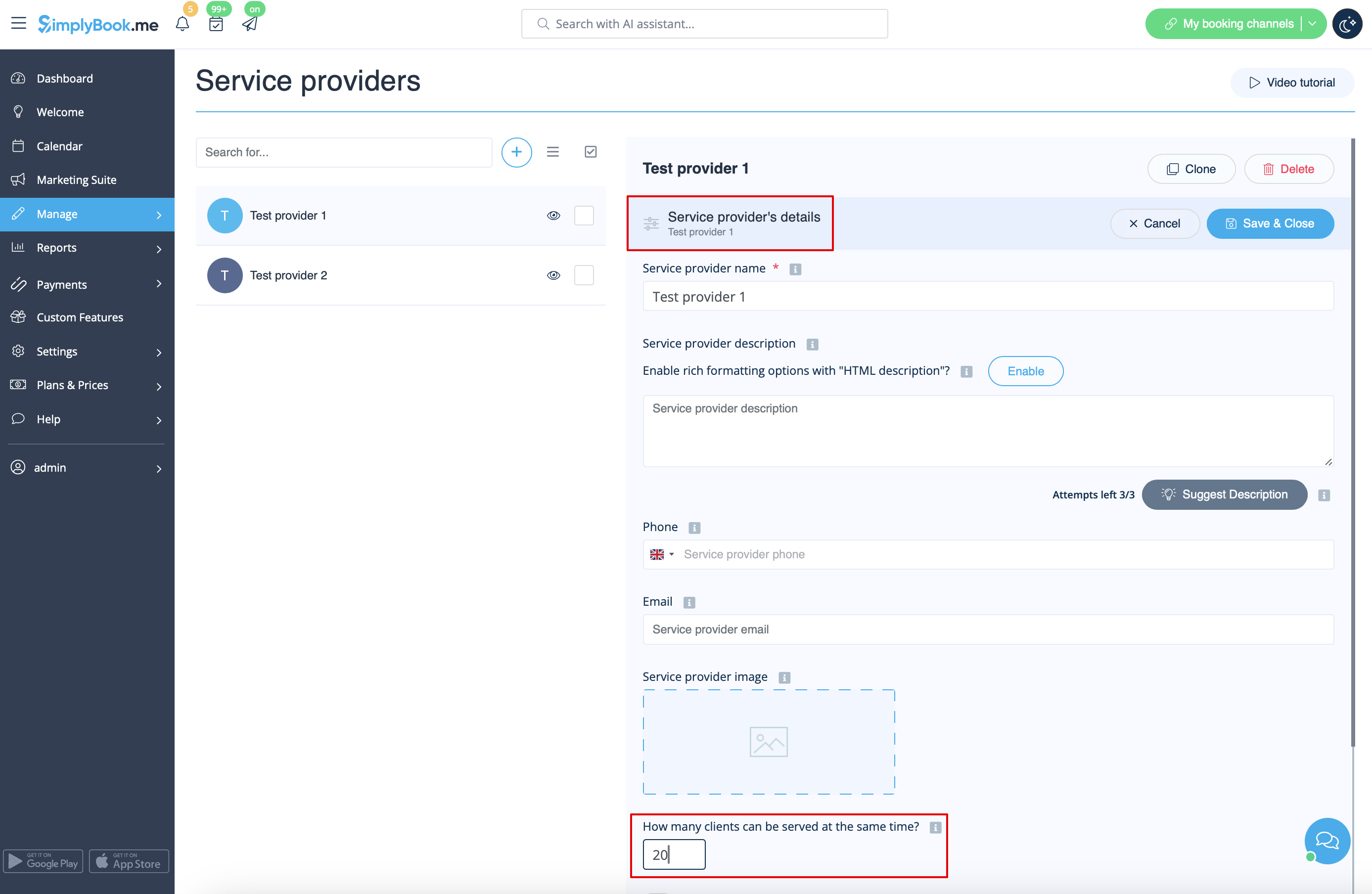
- 2. Timeframe period selected in the system is less than service duration.
- For example, you have selected 10mins timeframe and set 30mins service duration.
- (If these two periods are equal this case cannot happen).
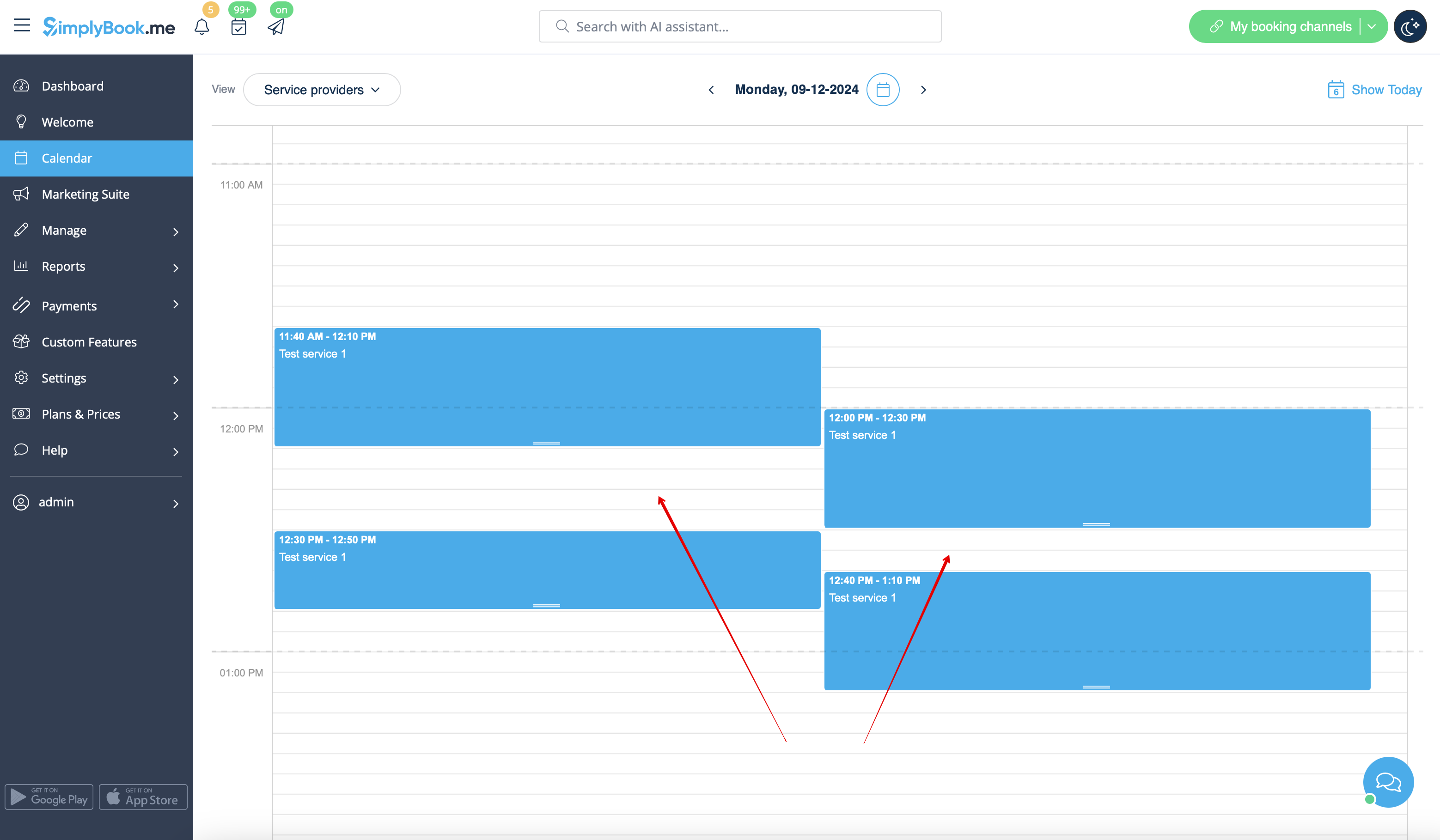
- Case example
- Slots are booked at 12:00-12:30 and 12:40-13:10
- Slots are booked at 11:40-12:10 and 12:30-12:50
- So it may seem that the period 12:10 - 12:40 is free, but in reality it is represented by two independent timeslots: 12:10-12:30 and 12:30-12:40 so 30mins service cannot be booked there.
- How to avoid the risk of such cases
- 1. Try to have service duration equal to timeframe if possible
- 2. Use modern calendar layout for the booking website and Appointment at fixed time custom feature to restrict the timeslots shifting and avoid possible gaps in-between.
