From SimplyBook.me
Created page with "<br><br> Vous pouvez créer un utilisateur distinct pour la personne qui doit accéder à votre page d'administration dans <span style="background-color:#d4f8e5; padding:5px; border-radius:5px;">Gérer</span> -> <span style="background-color:#d4f8e5; padding:5px; border-radius:5px;">Utilisateurs</span> et lui attribuer les droits correspondants. <br>Consultez la liste des rôles utilisateur disponibles <span style="background-color:#cdeffc; padding:5px; border-radius:..." |
|||
| Line 5: | Line 5: | ||
Vous pouvez créer un utilisateur distinct pour la personne qui doit accéder à votre page d'administration dans <span style="background-color:#d4f8e5; padding:5px; border-radius:5px;">Gérer</span> -> <span style="background-color:#d4f8e5; padding:5px; border-radius:5px;">Utilisateurs</span> et lui attribuer les droits correspondants. <br>Consultez la liste des rôles utilisateur disponibles <span style="background-color:#cdeffc; padding:5px; border-radius:5px;">[[Adding_other_users_to_the_system#User_Roles| ici]].</span> | Vous pouvez créer un utilisateur distinct pour la personne qui doit accéder à votre page d'administration dans <span style="background-color:#d4f8e5; padding:5px; border-radius:5px;">Gérer</span> -> <span style="background-color:#d4f8e5; padding:5px; border-radius:5px;">Utilisateurs</span> et lui attribuer les droits correspondants. <br>Consultez la liste des rôles utilisateur disponibles <span style="background-color:#cdeffc; padding:5px; border-radius:5px;">[[Adding_other_users_to_the_system#User_Roles| ici]].</span> | ||
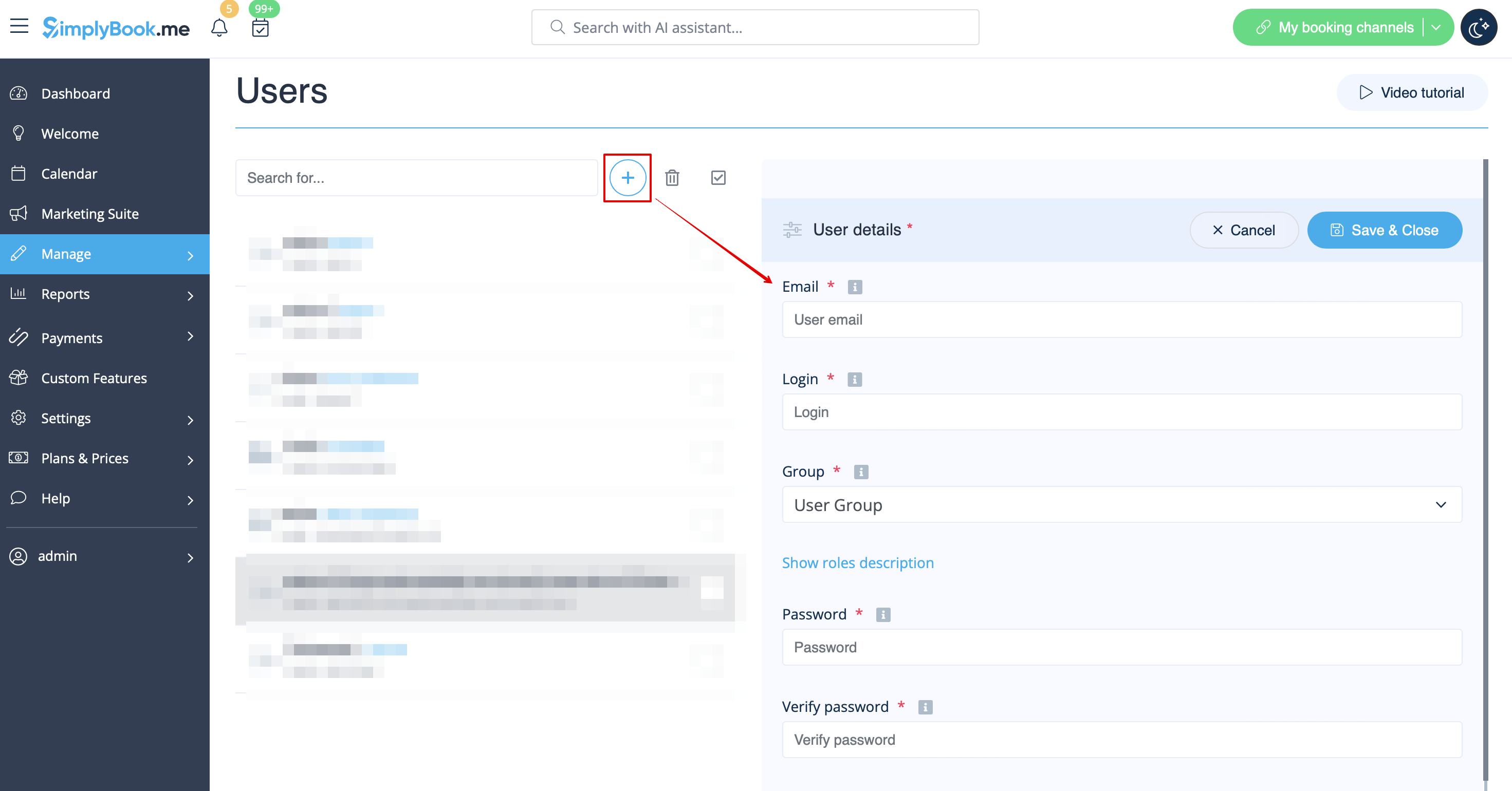
[[File:Create new user path redesigned.png|1200px | center|link=https://help.simplybook.me/images/f/f0/Create_new_user_path_redesigned.png]] | [[File:Create new user path redesigned.png|1200px | center|link=https://help.simplybook.me/images/f/f0/Create_new_user_path_redesigned.png]] | ||
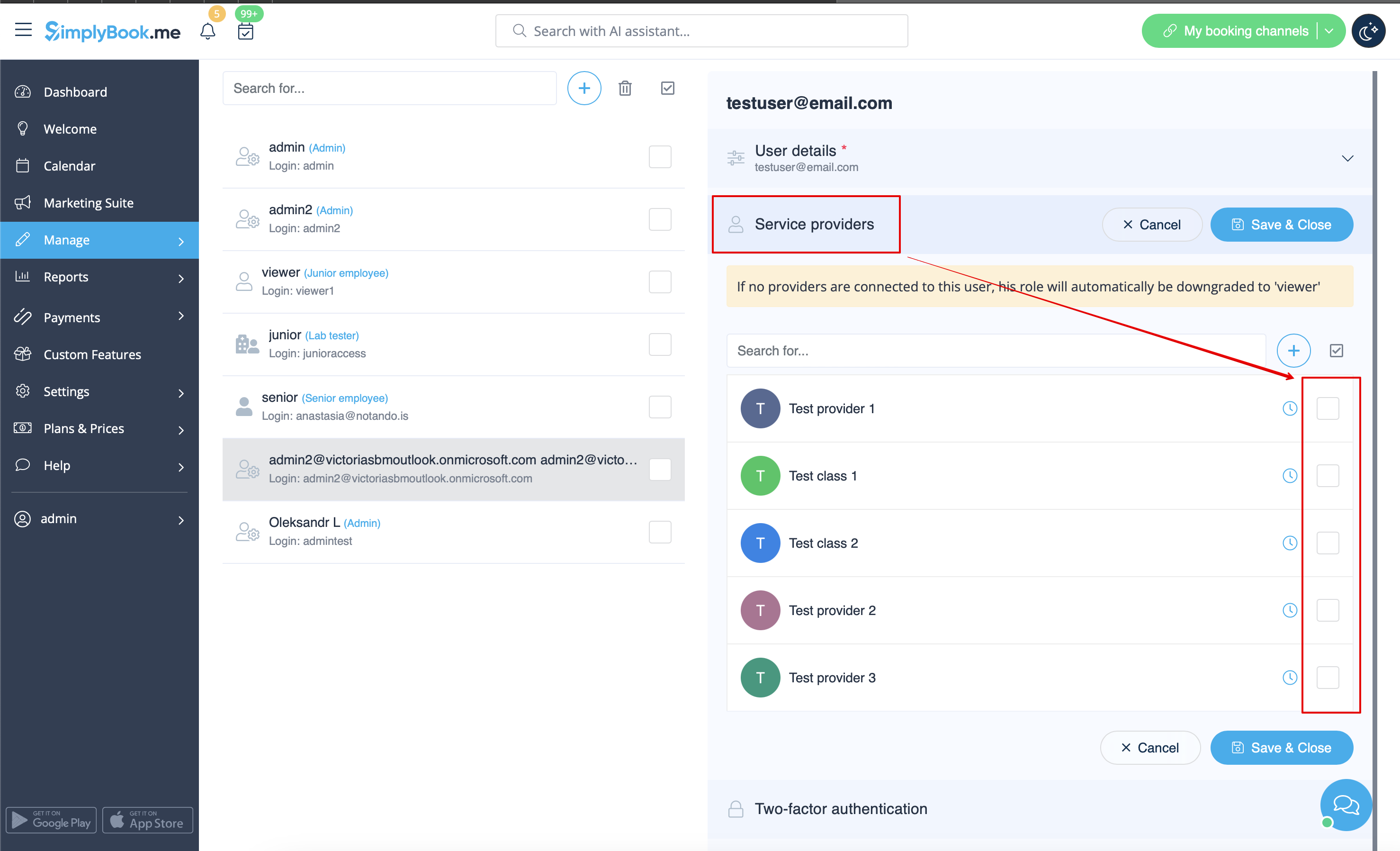
[[File:Relate user with provider redesined.png|1200px | center|link=https://help.simplybook.me/images/4/4b/Relate_user_with_provider_redesined.png]] | [[File:Relate user with provider redesined.png|1200px | center|link=https://help.simplybook.me/images/4/4b/Relate_user_with_provider_redesined.png]] | ||
<div lang="en" dir="ltr" class="mw-content-ltr"> | <div lang="en" dir="ltr" class="mw-content-ltr"> | ||
Revision as of 08:08, 1 July 2025
Vous pouvez créer un utilisateur distinct pour la personne qui doit accéder à votre page d'administration dans Gérer -> Utilisateurs et lui attribuer les droits correspondants.
Consultez la liste des rôles utilisateur disponibles ici.
When adding new user details just enable the switch Send login information to user and save the user record.
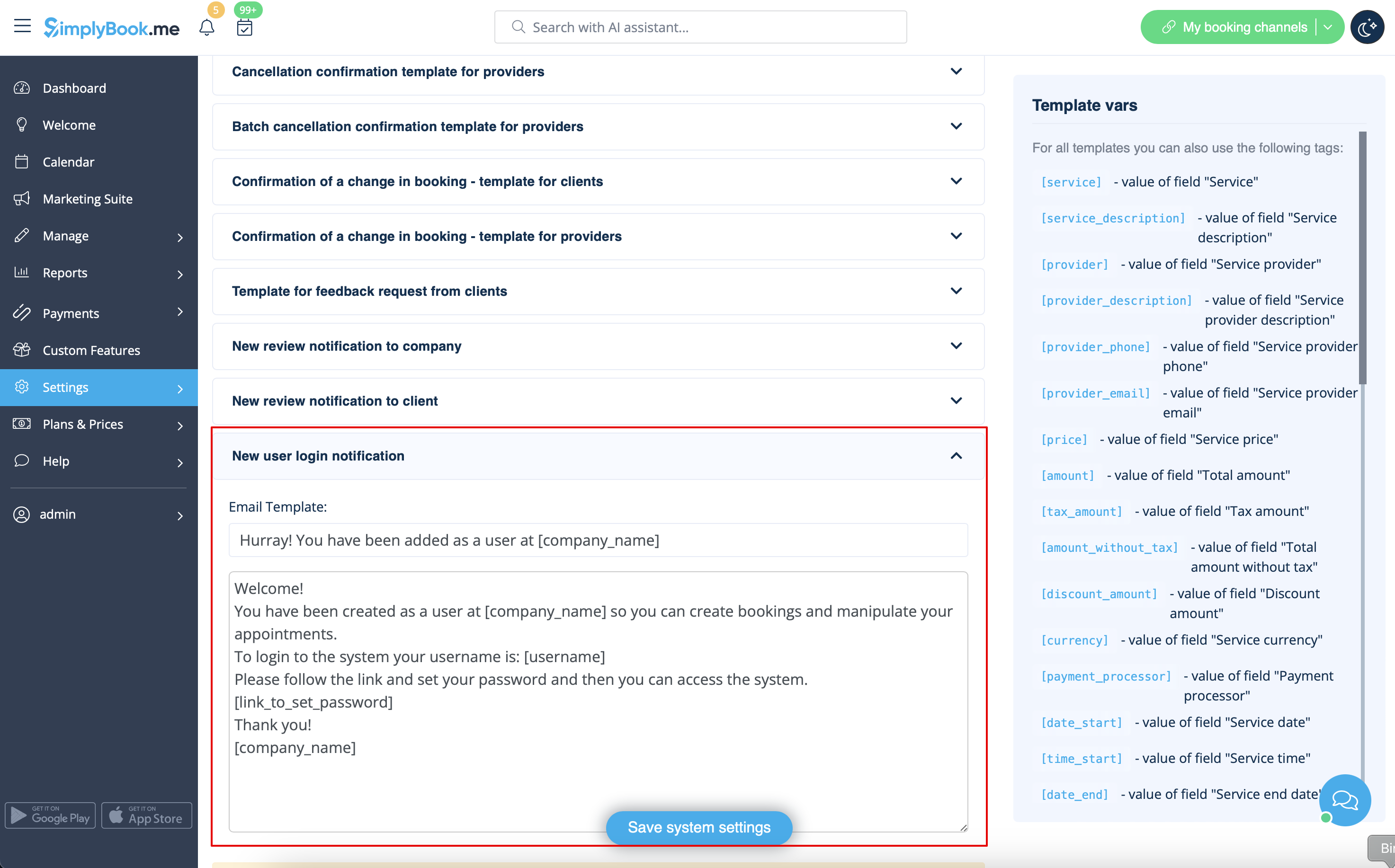
The system will automatically send the email with the login credentials according to the template you have set in Settings -> Email and SMS Settings -> New user login notification.
Or you can manually send login and password to your users along with the link to your admin page after saving the user.

