Updating to match new version of source page |
Created page with "<div style="background-color:#ffe9e9; padding:5px; border-radius:5px;"> '''Увага!''' * Доступні дані залежать від <span style="background-color:#cdeffc; padding:5px; border-radius:5px;"> активованих функцій</span>; * Не працює, якщо увімкнена двоетапна автентифікація (<span style="background-color:#cdeffc; padding:5px; border-radius:5px;">Custom_Features#HIPAA..." Tags: Mobile edit Mobile web edit |
||
| Line 8: | Line 8: | ||
<div style="background-color:#ffe9e9; padding:5px; border-radius:5px;"> | <div style="background-color:#ffe9e9; padding:5px; border-radius:5px;"> | ||
''' | '''Увага!''' | ||
* | * Доступні дані залежать від <span style="background-color:#cdeffc; padding:5px; border-radius:5px;">[[Custom_Features | активованих функцій]]</span>; | ||
* | * Не працює, якщо увімкнена двоетапна автентифікація (<span style="background-color:#cdeffc; padding:5px; border-radius:5px;">[[Custom_Features#HIPAA |HIPAA]]</span> або <span style="background-color:#cdeffc; padding:5px; border-radius:5px;">[[Custom_Features#Google_Authenticator | Google Authenticator]]</span>); | ||
* | * Тригер "Новий клієнт" не працює з функцією <span style="background-color:#cdeffc; padding:5px; border-radius:5px;">[[Custom_Features#Import_Clients |Імпорт клієнтів]]</span>, але працює, якщо клієнта додано вручну через адмін-панель; | ||
* | * Дані про <span style="background-color:#cdeffc; padding:5px; border-radius:5px;">[[Custom_Features#Membership |абонементи]]</span>, <span style="background-color:#cdeffc; padding:5px; border-radius:5px;">[[Custom_Features#Coupons_.26_Gift_Cards |промоакції]]</span>, <span style="background-color:#cdeffc; padding:5px; border-radius:5px;">[[Custom_Features#Packages |пакети]]</span> та <span style="background-color:#cdeffc; padding:5px; border-radius:5px;">[[Custom_Features#Products_for_Sale |товари]]</span> не надсилаються, оскільки вони стосуються рахунку, а не бронювання; | ||
* | * Зміна коментаря не запускає тригер; | ||
* | * Щоб використовувати тригери зміни/скасування бронювання для оновлення записів у додатку дій, потрібен платний акаунт Zapier (перевірте їхню поточну ціну та підтримку багатокрокових zaps), оскільки необхідний крок пошуку; | ||
* | * Якщо після створення zap ви додаєте нові елементи в адмін-панелі, натисніть "Get more samples" в Zapier на кроці тригера → "Test this step", щоб завантажити нові поля (потрібно оновити шаблон zap); | ||
* | * Дані рахунку можна передавати з тригером "Новий рахунок"; | ||
* <span style="background-color:#cdeffc; padding:5px; border-radius:5px;">[[SOAP_with_Encryption_custom_feature |SOAP]]</span> | * Дані <span style="background-color:#cdeffc; padding:5px; border-radius:5px;">[[SOAP_with_Encryption_custom_feature |SOAP]]</span> не надсилаються; | ||
* <span style="background-color:#cdeffc; padding:5px; border-radius:5px;">[[Custom_Features#Accept_Payments | | * Податки <span style="background-color:#cdeffc; padding:5px; border-radius:5px;">[[Custom_Features#Accept_Payments |Accept Payments]]</span> не передаються, ціна послуги надсилається без урахування податків; | ||
* | * Не працює, якщо увімкнені <span style="background-color:#cdeffc; padding:5px; border-radius:5px;">[[Custom_Features#Accept_Payments |Прийом платежів]]</span> і <span style="background-color:#cdeffc; padding:5px; border-radius:5px;">[[Custom_Features#Approve_Bookings |Підтвердження бронювань]]</span>, а групове бронювання частково підтверджене. | ||
</div> | </div> | ||
Revision as of 11:24, 5 August 2025

Підключіть SimplyBook.me до сотень інших рішень за допомогою цієї функції. Вона містить різноманітні тригери, які можна використовувати для надсилання інформації до інших рішень, просто використовуючи один із доступних zap або створивши новий zap. Zapier дозволяє інтегрувати 2 або більше веб-додатків через їх API за допомогою «тригерів» і «дій». SimplyBook.me доступний в Zapier як додаток-тригер, це означає, що тільки інформація з SimplyBook.me надсилається до Zapier (одностороння інтеграція) і через Zapier до будь-якого додатка, який має дії.
Увага!
- Доступні дані залежать від активованих функцій;
- Не працює, якщо увімкнена двоетапна автентифікація (HIPAA або Google Authenticator);
- Тригер "Новий клієнт" не працює з функцією Імпорт клієнтів, але працює, якщо клієнта додано вручну через адмін-панель;
- Дані про абонементи, промоакції, пакети та товари не надсилаються, оскільки вони стосуються рахунку, а не бронювання;
- Зміна коментаря не запускає тригер;
- Щоб використовувати тригери зміни/скасування бронювання для оновлення записів у додатку дій, потрібен платний акаунт Zapier (перевірте їхню поточну ціну та підтримку багатокрокових zaps), оскільки необхідний крок пошуку;
- Якщо після створення zap ви додаєте нові елементи в адмін-панелі, натисніть "Get more samples" в Zapier на кроці тригера → "Test this step", щоб завантажити нові поля (потрібно оновити шаблон zap);
- Дані рахунку можна передавати з тригером "Новий рахунок";
- Дані SOAP не надсилаються;
- Податки Accept Payments не передаються, ціна послуги надсилається без урахування податків;
- Не працює, якщо увімкнені Прийом платежів і Підтвердження бронювань, а групове бронювання частково підтверджене.
6 triggers are now available:
• New booking - launches when new booking is created in SimplyBook.me account;
• Booking change - launches when booking is changed (change of date/time/service/provider/status/intake forms answers);
• Booking cancellation - launches upon booking cancellation;
• New client - launches when new client is added, either upon a new booking, or when admin manually adds client in SimplyBook.me admin interface.
• New Offer - launches when any new offer is created on SimplyBook.me side (can be used when Accept payments custom feature is enabled).
• New Invoice - launches when new invoice is created and paid on SimplyBook.me side (can be used when Accept payments custom feature is enabled).
- Available data:
For booking-related triggers(New booking, Booking change, Booking cancellation):
Basic functionality (no custom features enabled):
- Company (login, name, email, phone),
- Service (name, description, duration, buffer time),
- Provider (name, description, email, phone),
- Client information (name, email, phone, address, timezone),
- Booking code (if booking is confirmed, start/end date/time).
Custom features related data:
- Accept payments (service price, currency);
- Status (name, description, color);
- Approve bookings (approval status: approved, canceled);
- Multiple Locations (location name, location address (with coordinates), location phone, location description);
- Service Categories (category name, category description);
- Service Add-ons (add-on name, add-on price);
- Intake Forms (answers).
For New client trigger:
- Client ID;
- Client name;
- Client email;
- Client phone;
- Client address;
- If client is blocked to login (if Client login custom feature is enabled);
- Client registration date.
For New Offer/Invoice triggers:
- Order ID;
- Client name / email / phone;
- Offer/Invoice description (list of items ordered, information about discount: gift card/coupon/package used);
- Order amount and currency;
- Discount amount;
- Order date and time;
- Offer/Invoice number in SimplyBook.me system (O-XXXXXX or I-XXXXXX);
- Payment processor (delay, cash, credit card, wire transfer);
- Payment status (paid, pending) and if payment is received.
- How to use
- 1. Enable Zapier connector custom feature on your Custom features page on SimplyBook.me side.

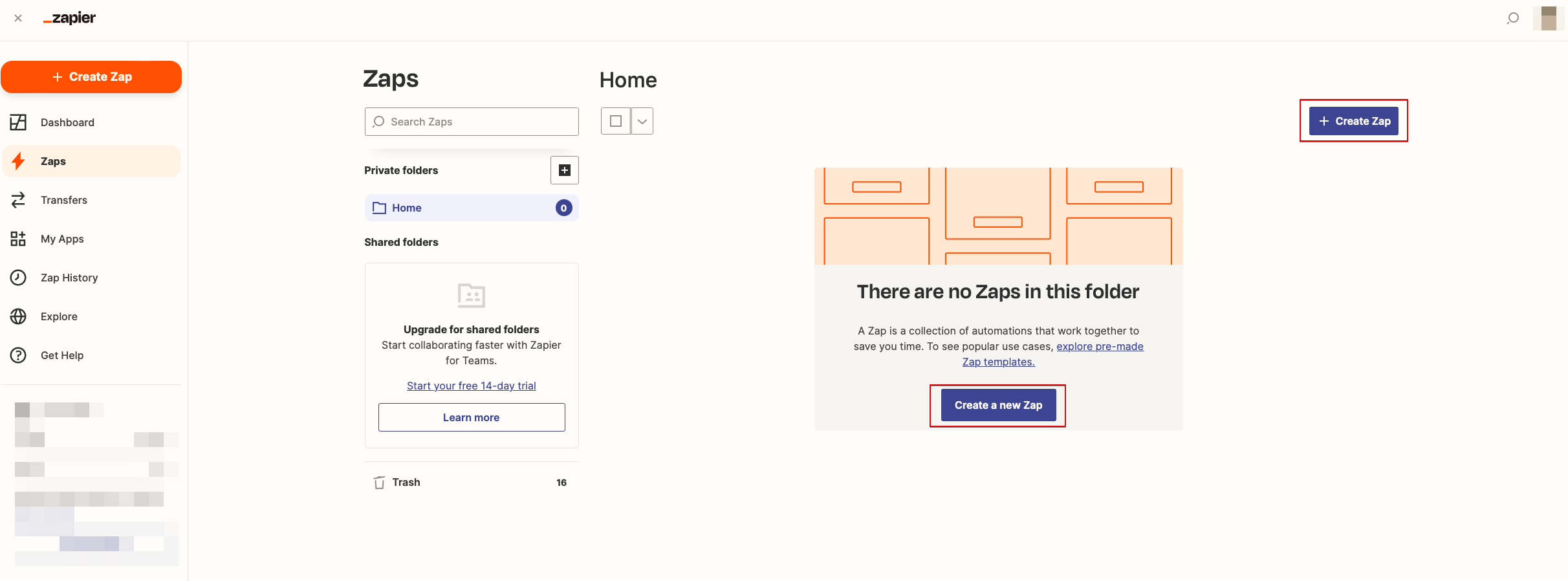
- 2. Create new Zap by clicking on Make a Zap button in Zapier interface.
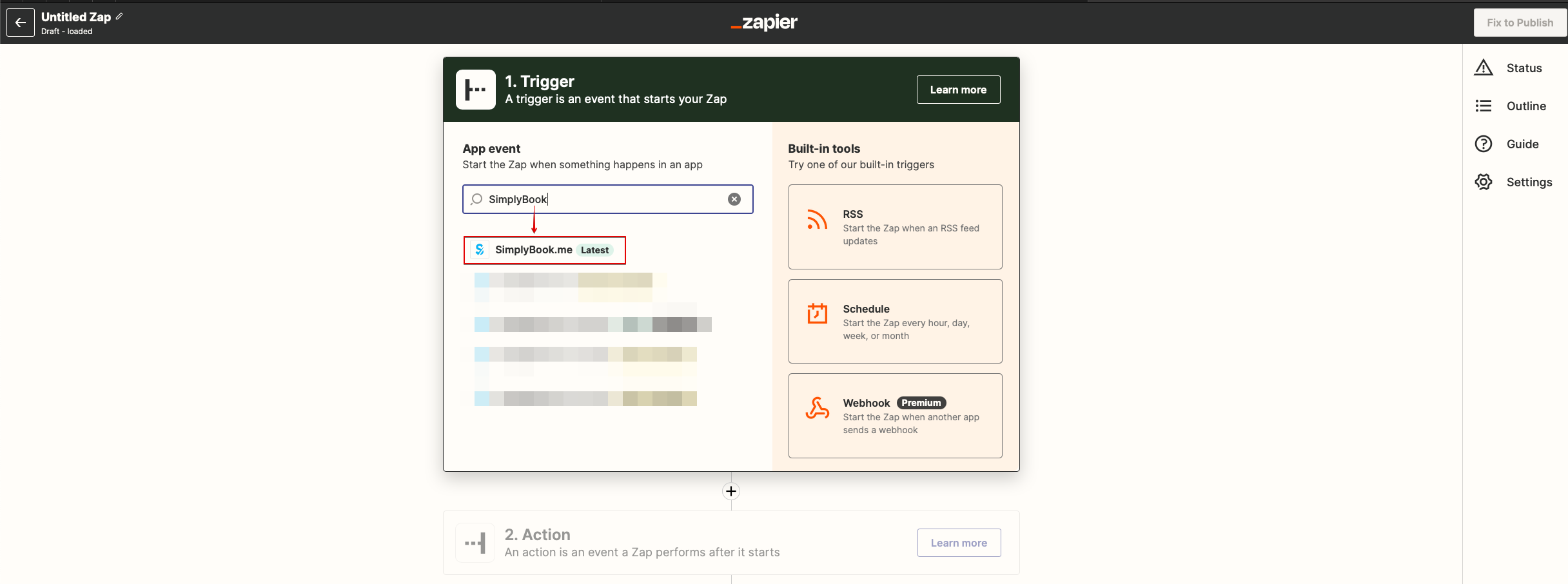
- 3. Look for Simplybook in Trigger step.
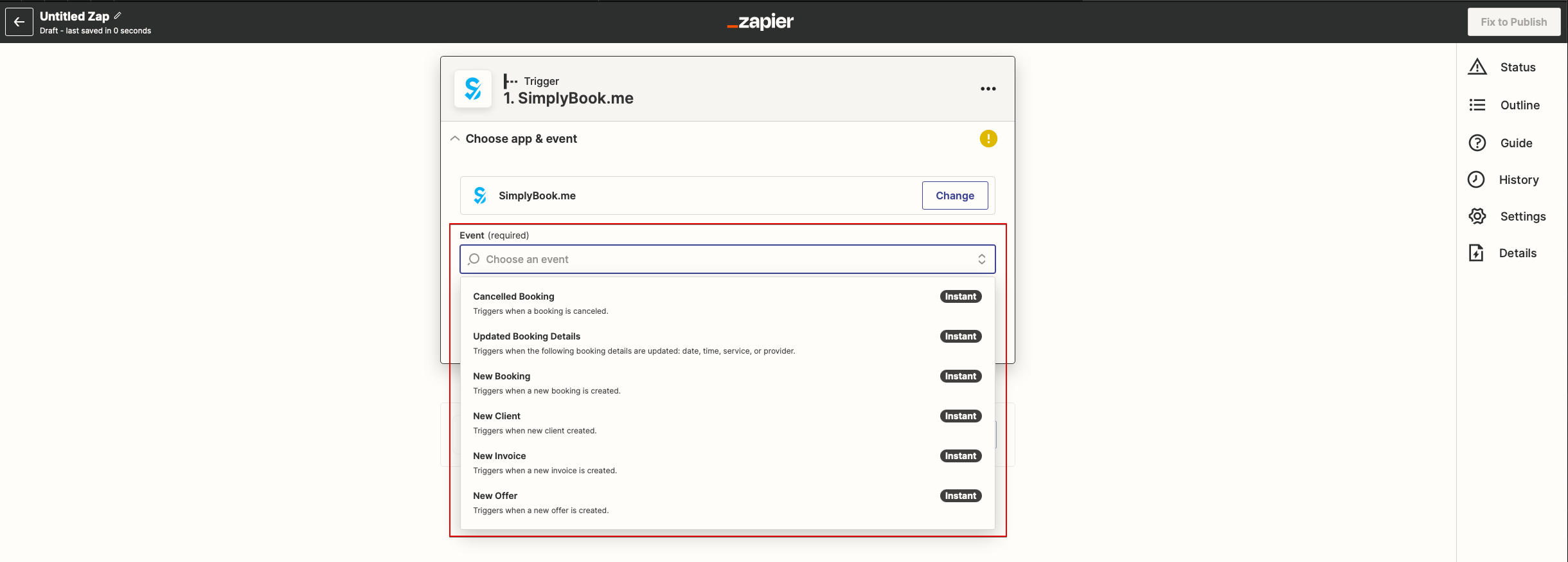
- 4. Select the desirable trigger.
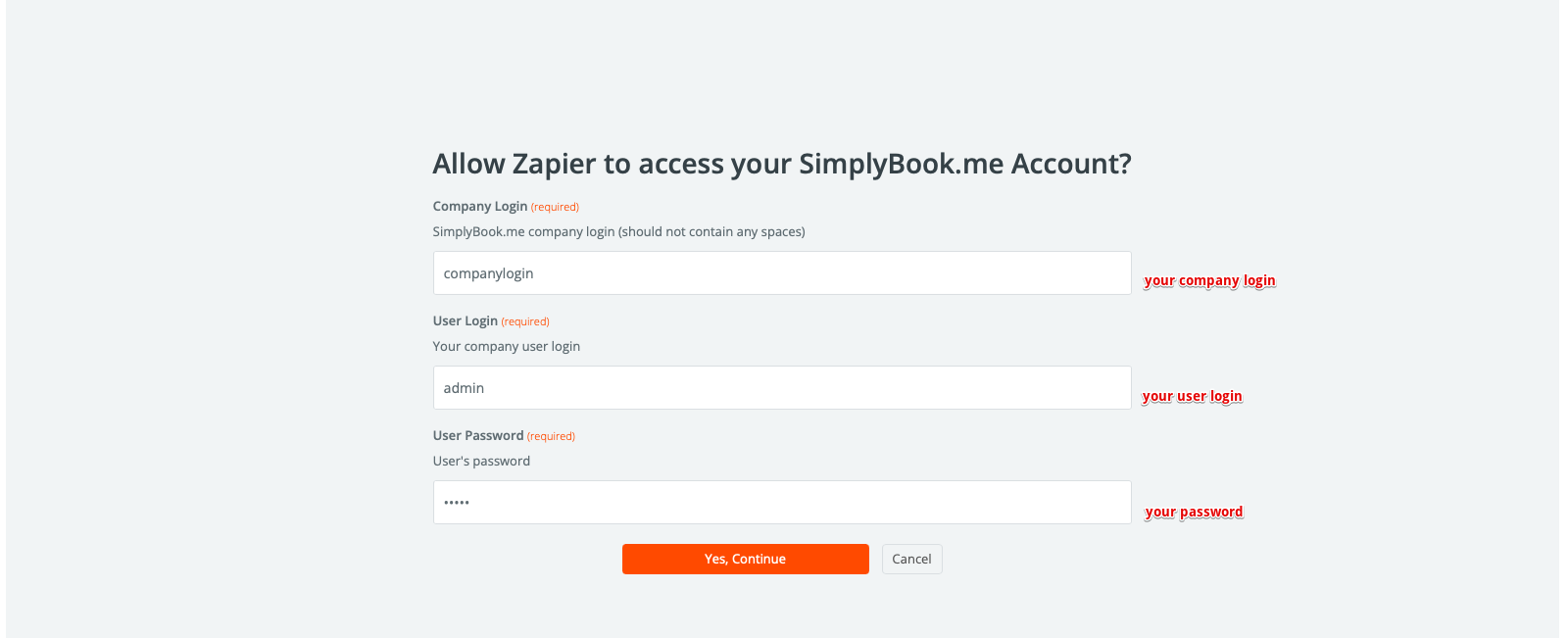
- 5. Connect SimplyBook.me account.
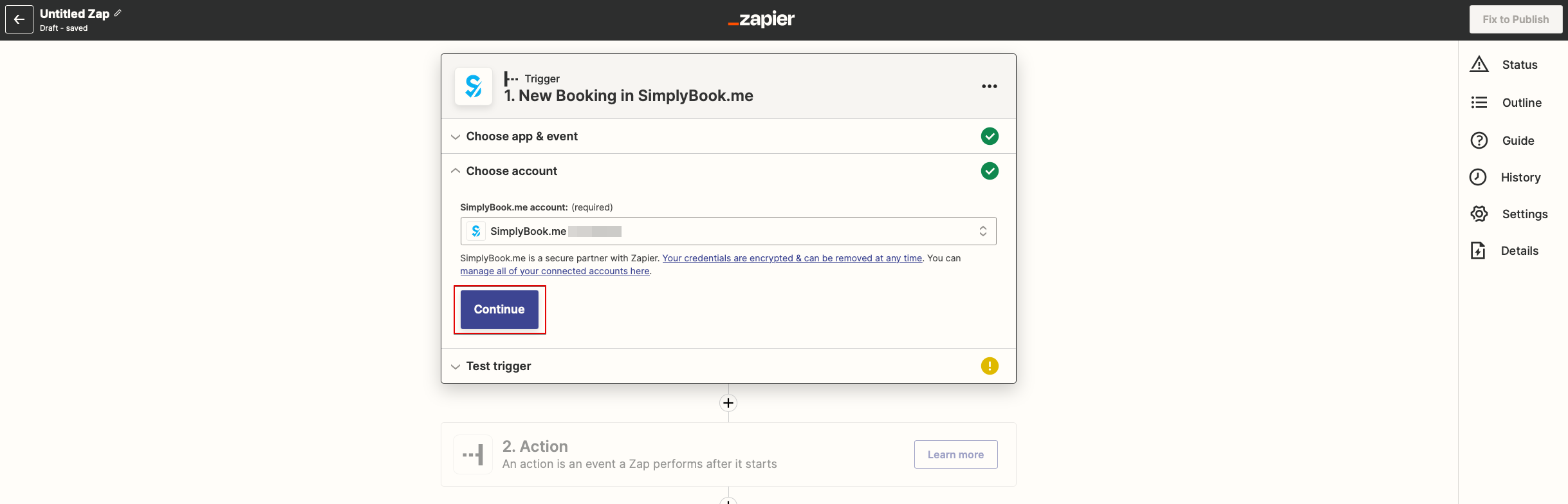
- 6. Click Continue to test this step.
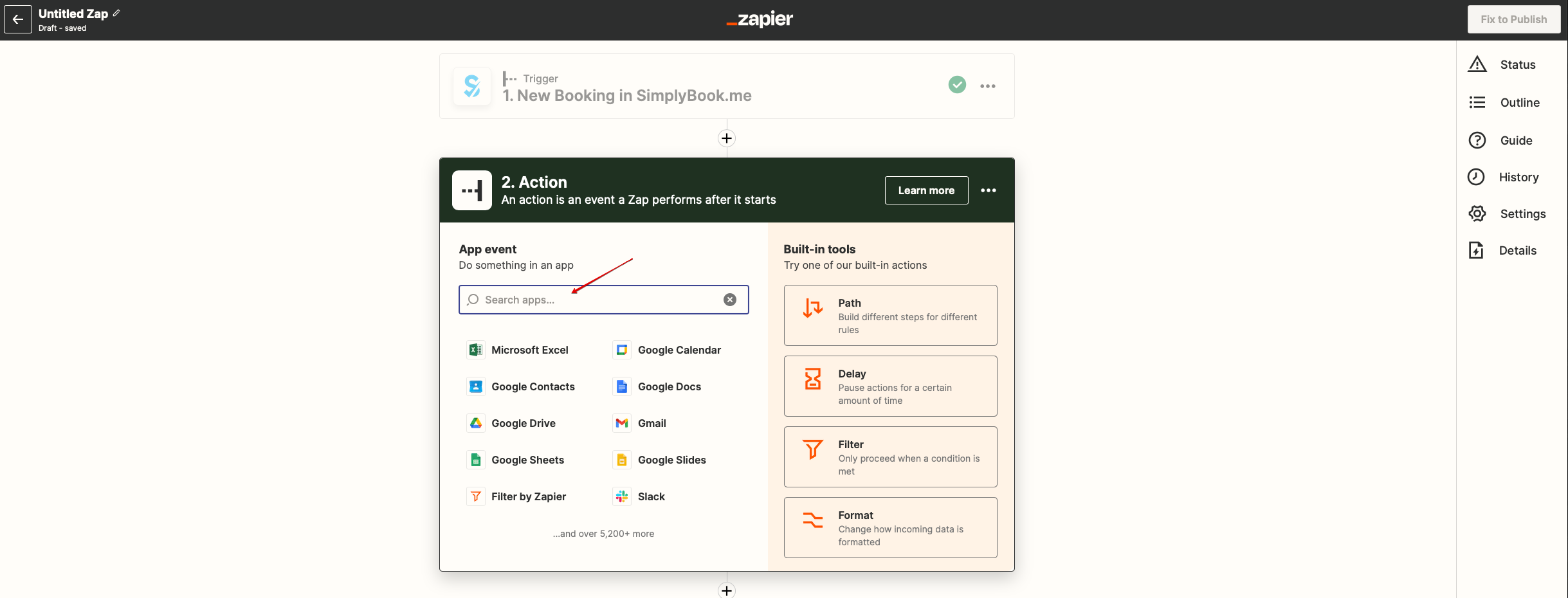
- 7. Proceed to adding the Action step and search for the app you wish to connect SimplyBook.me to.
- 8. Connect this application account and setup the template using the available data mentioned above.
- 9. You can test this step operation as well if necessary or skip it.
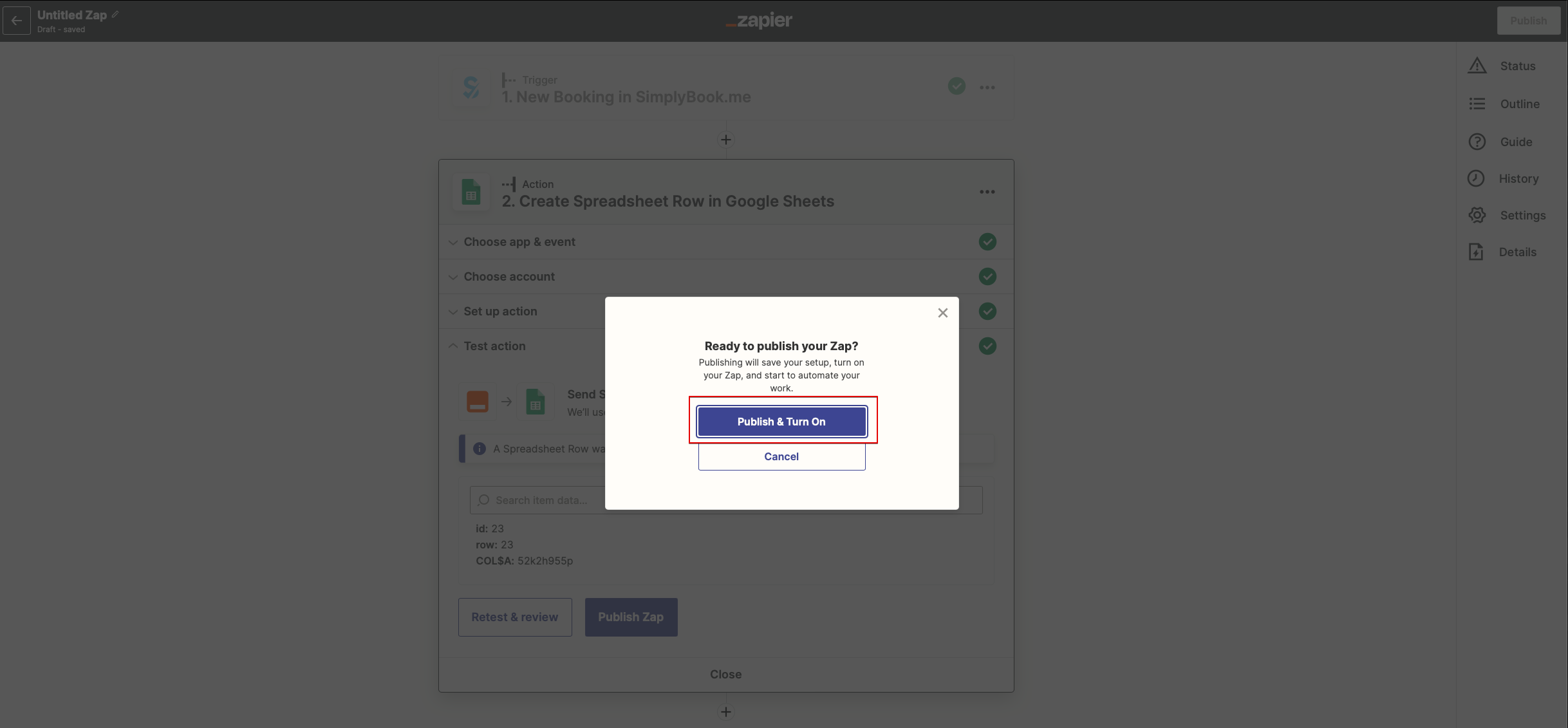
- 10. Finish the setup, add Zap name and turn it on.