Created page with "<span style="background-color:#ffe9e9; padding:5px; border-radius:5px;">'''Observera!''' Det går inte att importera fakturor från externa plattformar direkt till systemet. SimplyBook.me erbjuder dock integrationsalternativ med olika bokföringsprogram, inklusive Xero, QuickBooks och FreshBooks. Du kan hantera dina fakturor effektivt i ditt bokföringssystem.</span> <br><br>" |
Updating to match new version of source page Tags: Mobile edit Mobile web edit |
||
| Line 22: | Line 22: | ||
<br><br> | <br><br> | ||
<div class="mw-translate-fuzzy"> | |||
3. '''Kundadress.'''<br> | 3. '''Kundadress.'''<br> | ||
För att klientadressen ska visas måste du aktivera den anpassade funktionen [[Client_Login_custom_feature|Klientinloggning]] och aktivera både <span style="background-color:#d4f8e5; padding:5px; border-radius:5px;">Visa adress på bokningssidan</span> och <span style="background-color:#d4f8e5; padding:5px; border-radius:5px;">Gör adress till obligatoriskt registreringsfält</span> i avsnittet <span style="background-color:#d4f8e5; padding:5px; border-radius:5px;">Tillgänglighet</span>. Spara inställningarna. | För att klientadressen ska visas måste du aktivera den anpassade funktionen [[Client_Login_custom_feature|Klientinloggning]] och aktivera både <span style="background-color:#d4f8e5; padding:5px; border-radius:5px;">Visa adress på bokningssidan</span> och <span style="background-color:#d4f8e5; padding:5px; border-radius:5px;">Gör adress till obligatoriskt registreringsfält</span> i avsnittet <span style="background-color:#d4f8e5; padding:5px; border-radius:5px;">Tillgänglighet</span>. Spara inställningarna. | ||
[[File:Make address mandatory redesigned.png|1200px|border|center|link=https://help.simplybook.me/images/6/68/Make_address_mandatory_redesigned.png]] | [[File:Make address mandatory redesigned.png|1200px|border|center|link=https://help.simplybook.me/images/6/68/Make_address_mandatory_redesigned.png]] | ||
<br><br> | <br><br> | ||
</div> | |||
[[File:Sbpay printed invoice example with client address.png|1200px|border|center|link=https://help.simplybook.me/images/4/4d/Sbpay_printed_invoice_example_with_client_address.png]] | [[File:Sbpay printed invoice example with client address.png|1200px|border|center|link=https://help.simplybook.me/images/4/4d/Sbpay_printed_invoice_example_with_client_address.png]] | ||
| Line 49: | Line 51: | ||
<br><br> | <br><br> | ||
<div class="mw-translate-fuzzy"> | |||
<span style="background-color:#ffe9e9; padding:5px; border-radius:5px;">'''Observera!''' Det går inte att importera fakturor från externa plattformar direkt till systemet. SimplyBook.me erbjuder dock integrationsalternativ med olika bokföringsprogram, inklusive [[Xero_integration| Xero]], [[QuickBooks_integration| QuickBooks]] och [[FreshBooks_integration| FreshBooks]]. Du kan hantera dina fakturor effektivt i ditt bokföringssystem.</span> | <span style="background-color:#ffe9e9; padding:5px; border-radius:5px;">'''Observera!''' Det går inte att importera fakturor från externa plattformar direkt till systemet. SimplyBook.me erbjuder dock integrationsalternativ med olika bokföringsprogram, inklusive [[Xero_integration| Xero]], [[QuickBooks_integration| QuickBooks]] och [[FreshBooks_integration| FreshBooks]]. Du kan hantera dina fakturor effektivt i ditt bokföringssystem.</span> | ||
<br><br> | <br><br> | ||
</div> | |||
Revision as of 11:22, 11 August 2025
Det kan vara nödvändigt att visa eller dölja vissa uppgifter eller ändra utseendet på de fakturor som systemet skickar till kunderna efter att de har gjort ett köp på din bokningswebbplats.
Du kan justera följande:
1. Företagets adress.
Företagets adress som läggs till i Betalningar (SBPay.me) -> Betalningssystem - > Inställningar -> Företagsprofil -> Adress kommer att visas på fakturorna.
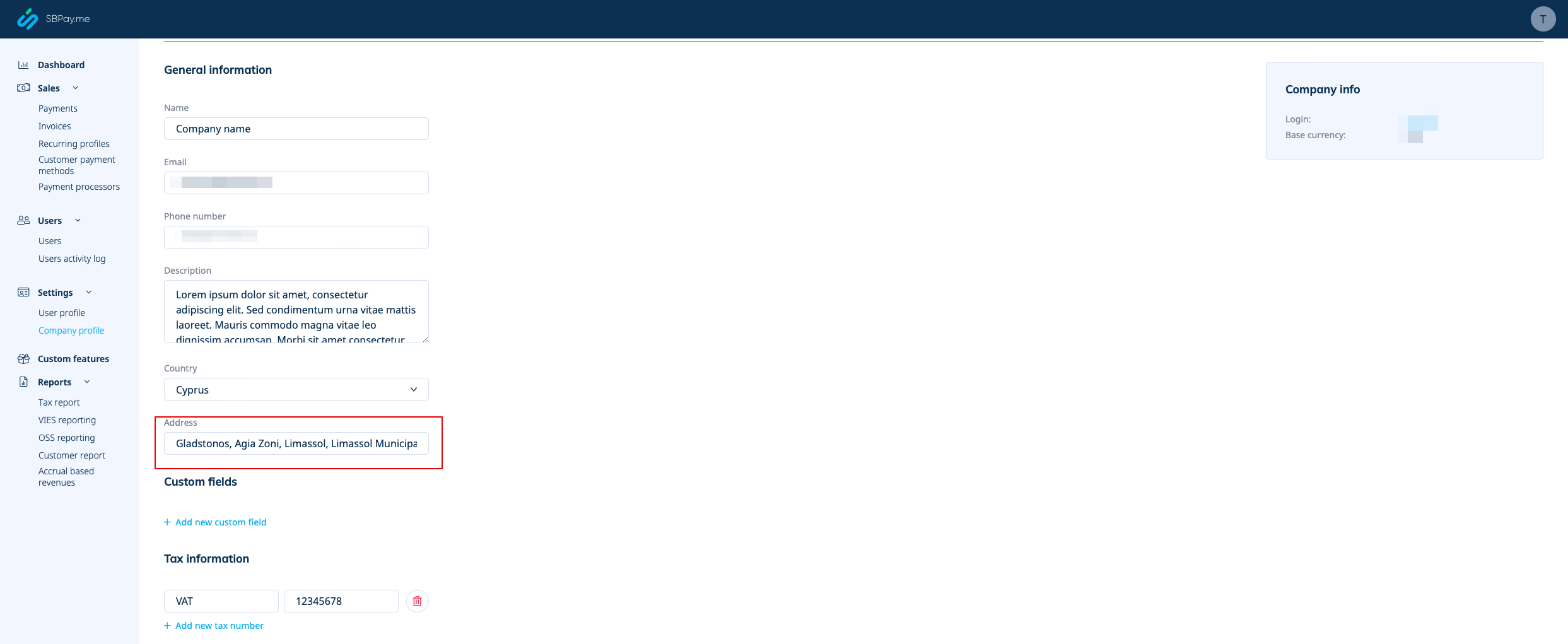
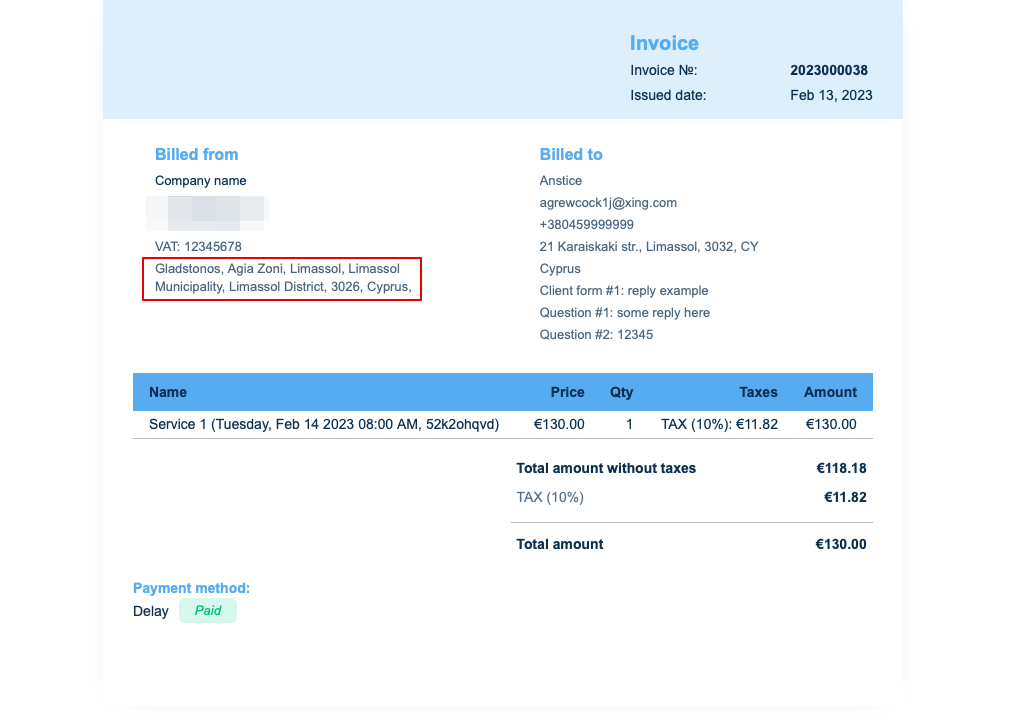
Om du behöver dölja den tar du bara bort adressen från det fältet och sparar inställningarna.
2. Företagets momsregistreringsnummer.
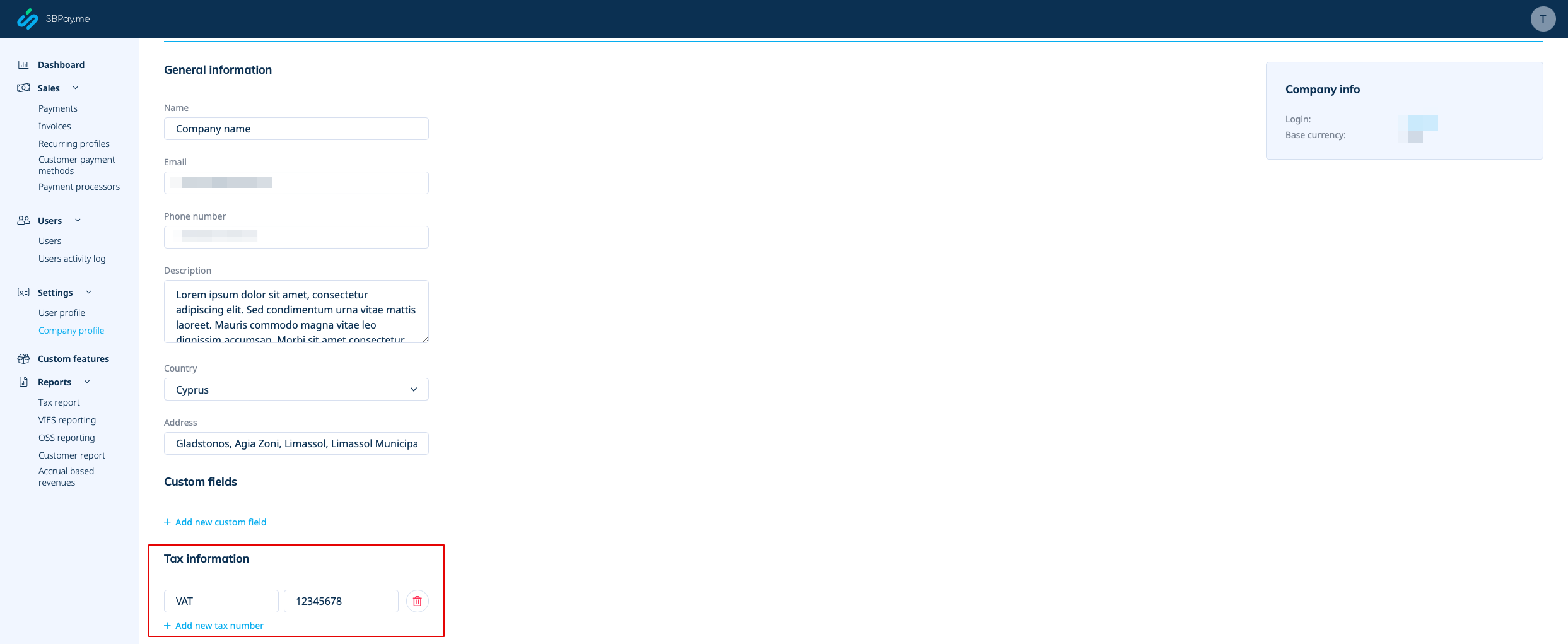
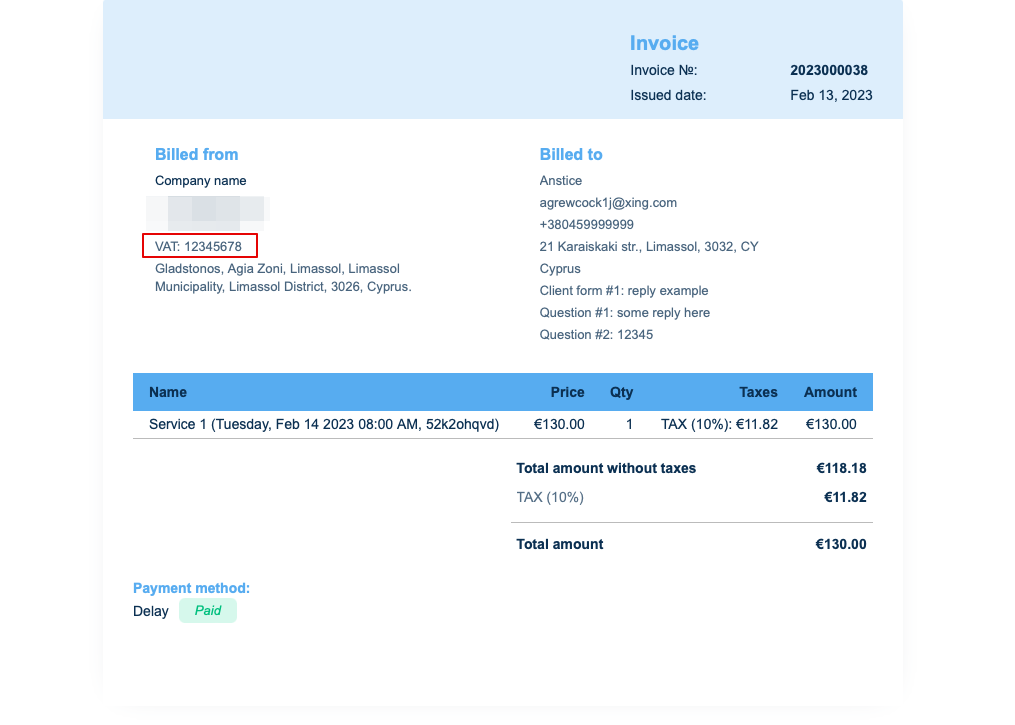
Om det läggs till i Betalningar (SBPay.me) -> Betalningssystem - > Inställningar -> Företagsprofil -> Skatteinformation kommer det att inkluderas i fakturahuvudet.
3. Kundadress.
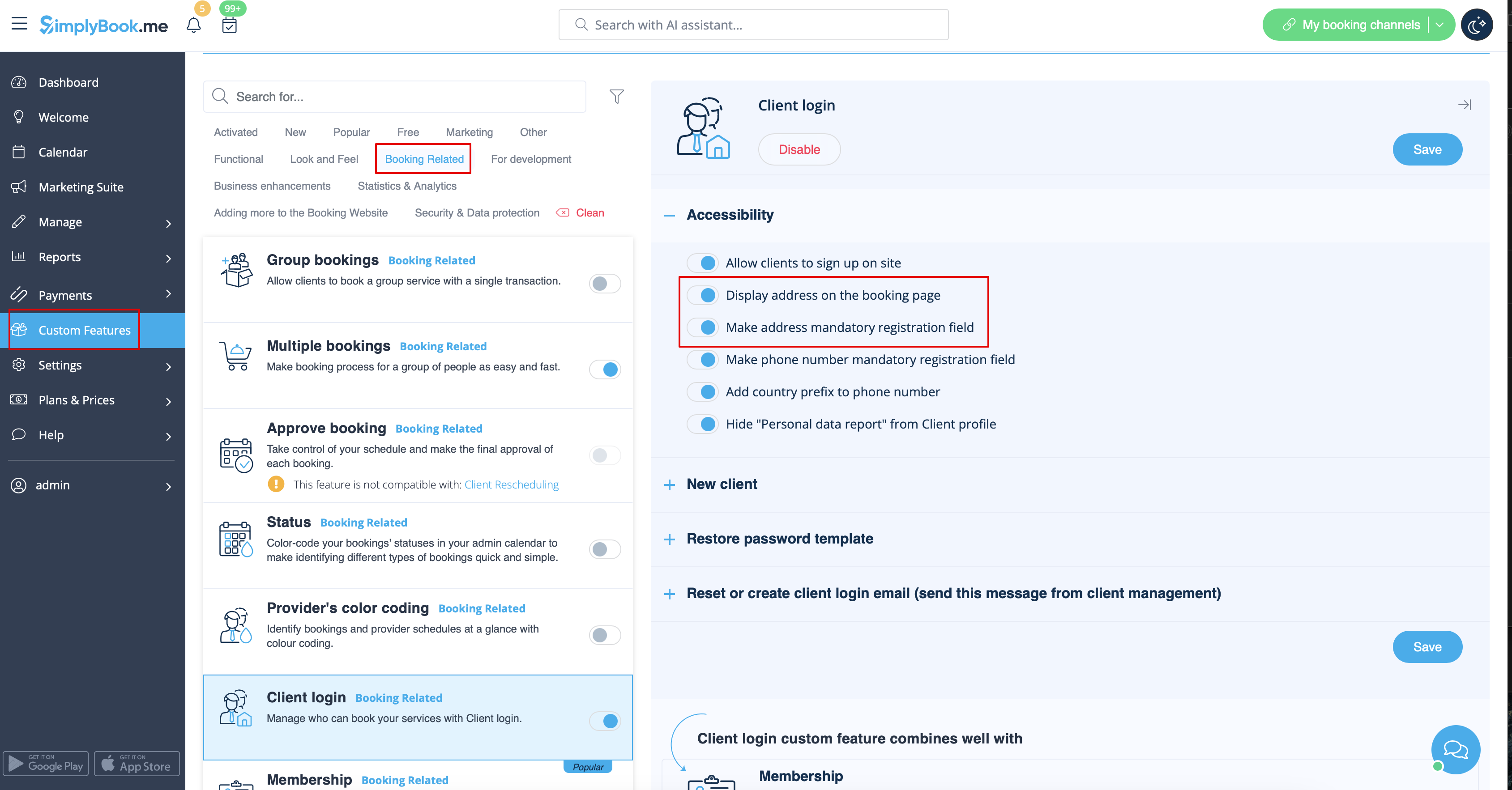
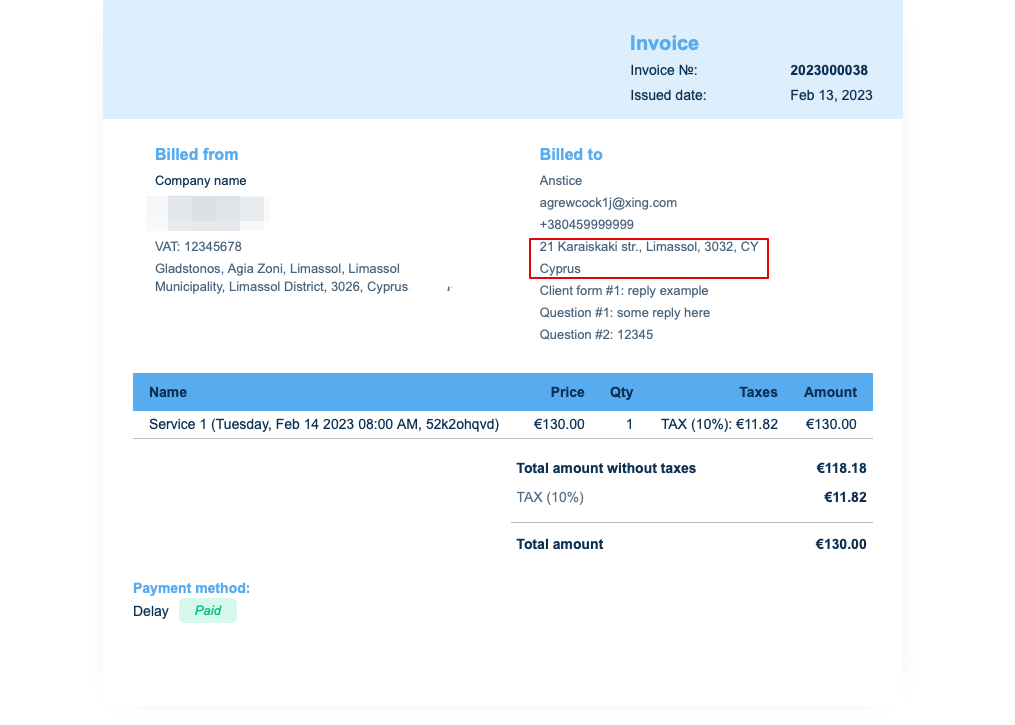
För att klientadressen ska visas måste du aktivera den anpassade funktionen Klientinloggning och aktivera både Visa adress på bokningssidan och Gör adress till obligatoriskt registreringsfält i avsnittet Tillgänglighet. Spara inställningarna.
4. Intagsformulär och klientfält
Du kan lägga till vissa formulär som ska visas i klientinformationsblocket.
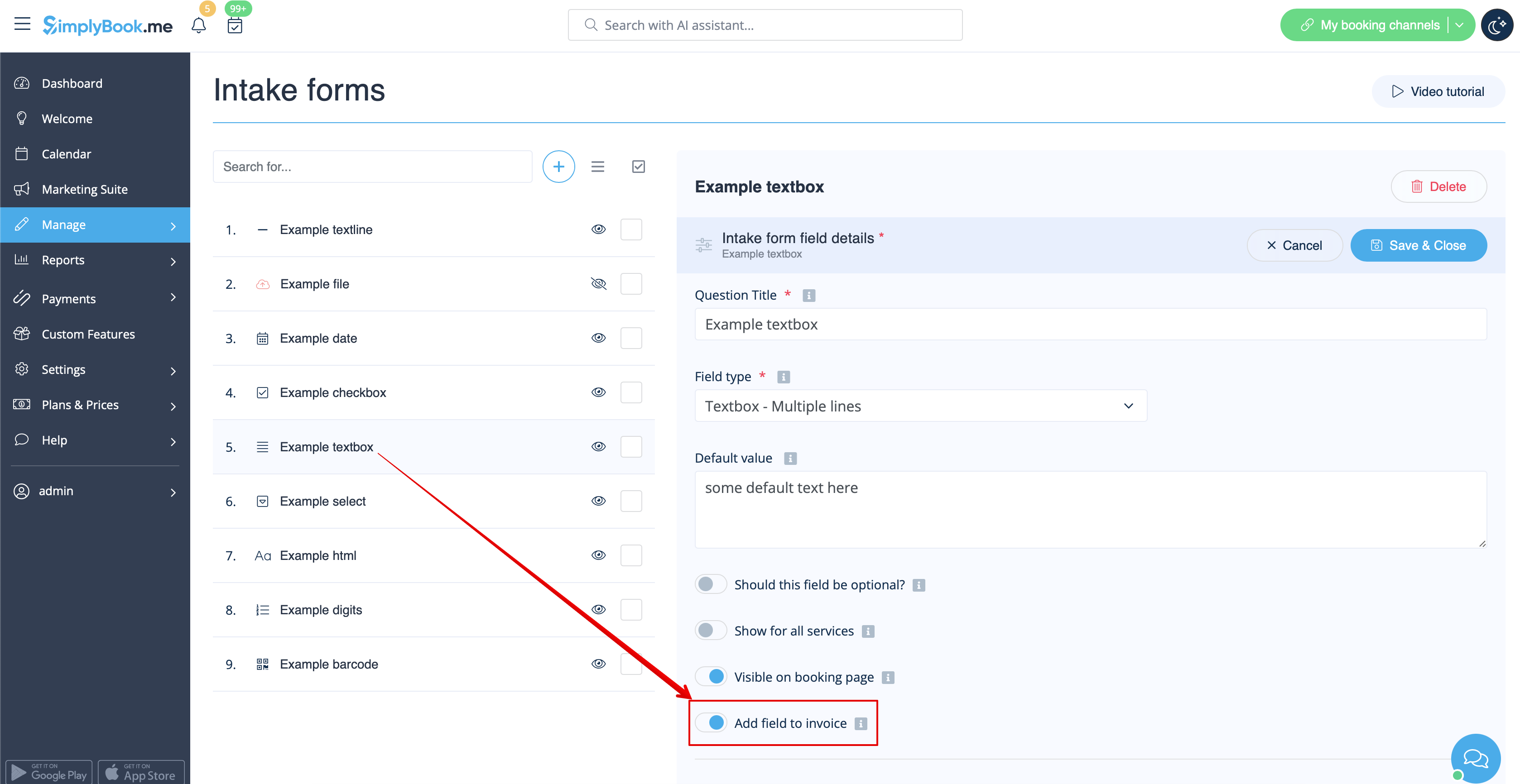
Om det är ett intagsformulär, gå till Hantera -> Intagsformulär -> klicka på det formulär du vill välja -> aktivera Lägg till fält i faktura, spara inställningarna.
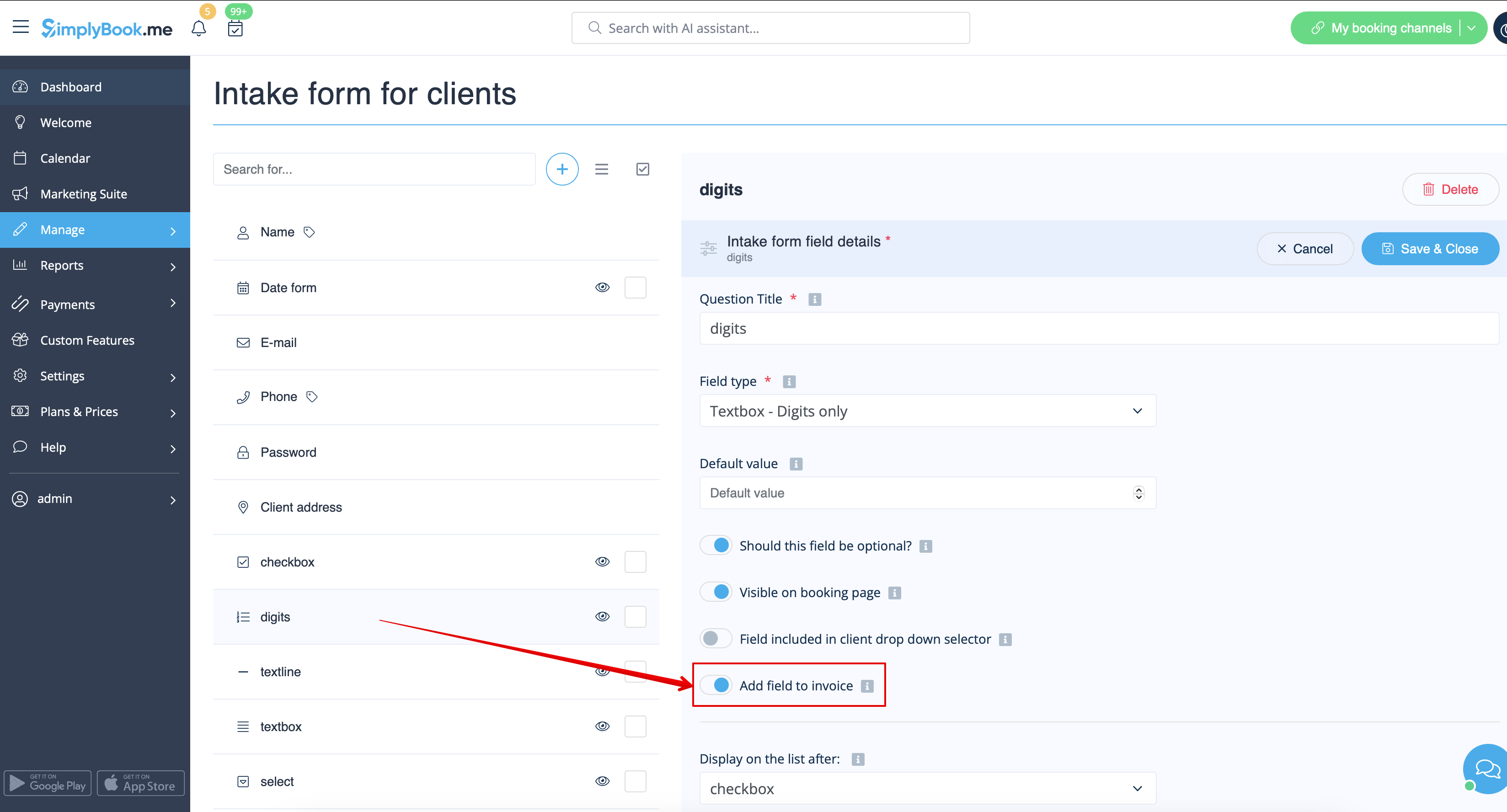
Om du vill lägga till ett kundformulär navigerar du till Hantera -> Kundfält -> klickar på det fält du vill redigera -> aktiverar Lägg till fält i faktura och sparar.
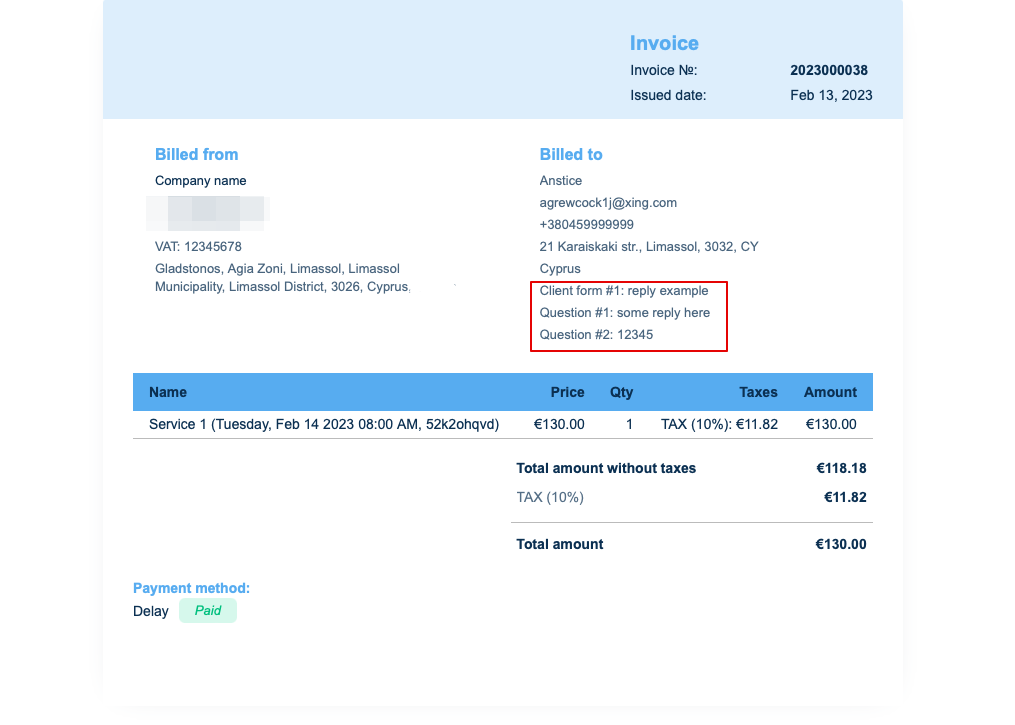
Som resultat kommer både formulärens titel och kundens svar att återspeglas i fakturan.
5. Fakturadesign.
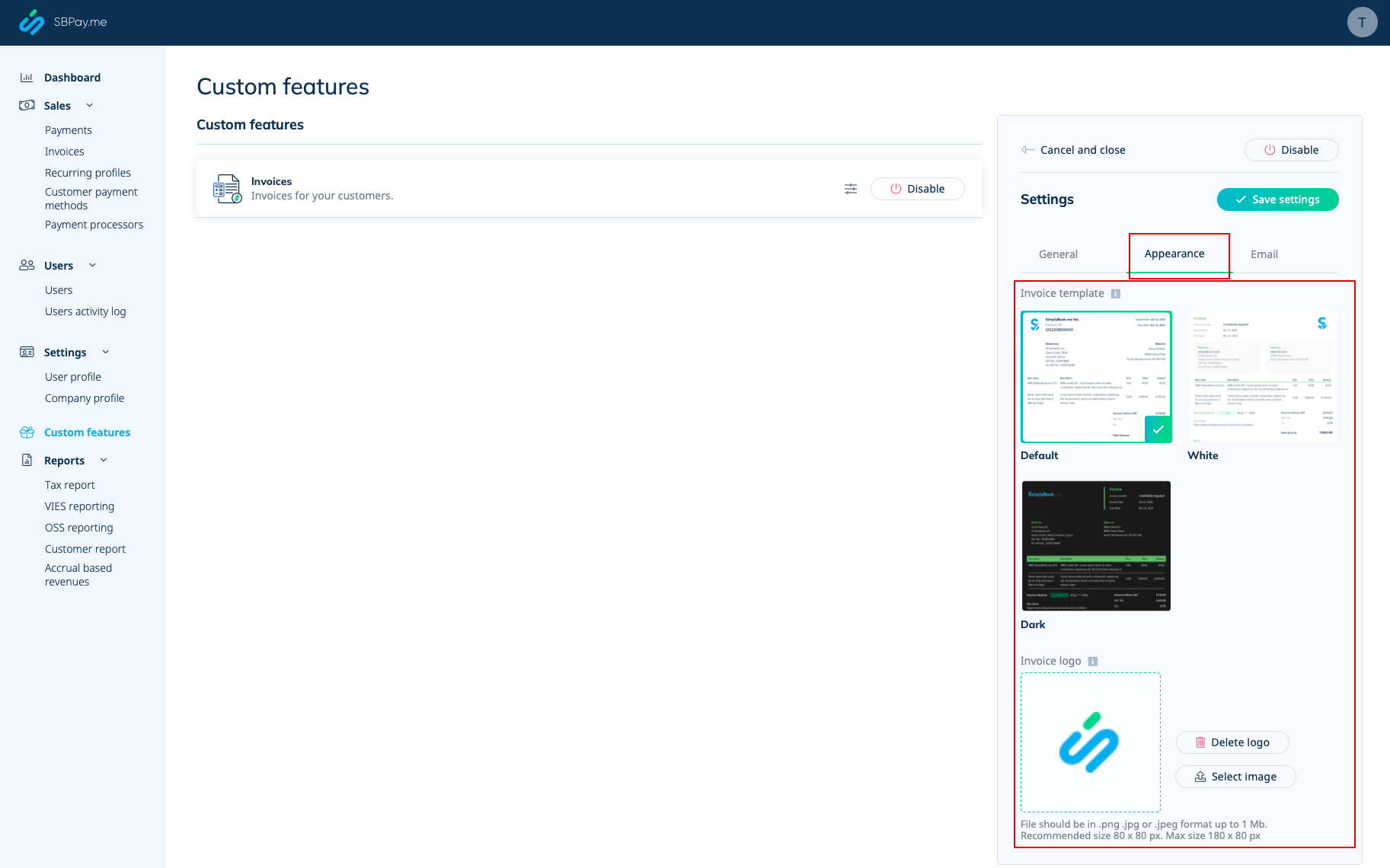
Det finns tre mallar att välja mellan i Betalningar (SBPay.me) -> Betalningssystem - > Anpassade funktioner -> Fakturor -> Inställningar -> Utseende.
Välj den du gillar bäst, lägg till ditt företagslogotyp och spara inställningarna.
Observera! Det går inte att importera fakturor från externa plattformar direkt till systemet. SimplyBook.me erbjuder dock integrationsalternativ med olika bokföringsprogram, inklusive Xero, QuickBooks och FreshBooks. Du kan hantera dina fakturor effektivt i ditt bokföringssystem.
