Translations:Booking reports/30/en: Difference between revisions

From SimplyBook.me
FuzzyBot (talk | contribs)
Importing a new version from external source
 
FuzzyBot (talk | contribs)
Importing a new version from external source
 
Line 1: Line 1:
=Issued coupons=
=Issued coupons=
Can be accessed if you are using [[Custom_Features#Coupons_.26_Gift_Cards | Coupons & Gift cards]] custom feature.<br>
Can be accessed if you are using [[Special:MyLanguage/Coupons_and_Gift_Cards_custom_feature | Coupons & Gift cards]] custom feature.<br>
In this report you can:
*see which coupons were issued;

Latest revision as of 12:02, 13 August 2025

Information about message (contribute)
This message has no documentation. If you know where or how this message is used, you can help other translators by adding documentation to this message.
Message definition (Booking reports)
=Issued coupons=
Can be accessed if you are using [[Special:MyLanguage/Coupons_and_Gift_Cards_custom_feature | Coupons & Gift cards]] custom feature.<br>
In this report you can:
*see which coupons were issued;
*see coupons statuses(Valid or not valid, used, outdated);
*filter the coupons by:
<ol style="list-style-type: circle;">
<li>client name;</li>
<li>user who has issued the coupon;</li>
<li>discount type;</li>
<li>coupon visible on the booking site or not ;</li>
<li>service the coupon is related to.</li></ol>
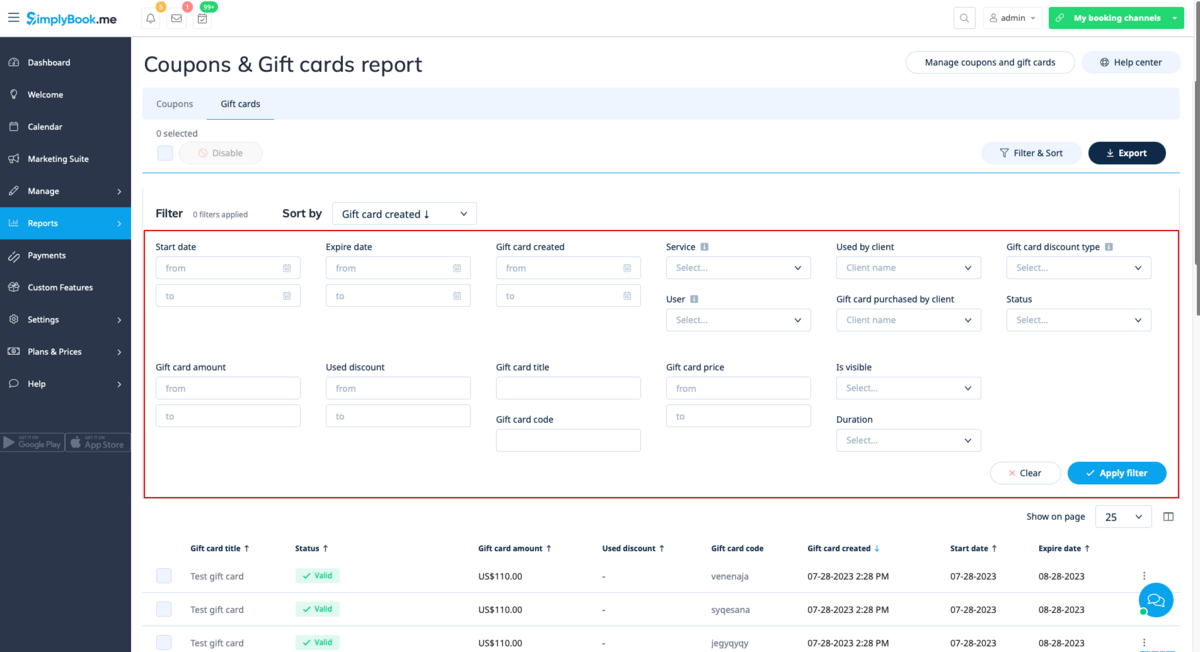
*see gift cards issued;
*filter the results by:
<ol style="list-style-type: circle;">
<li>client name who used the card;</li>
<li>client name who purchased the card;</li>
<li>gift card discount type;</li>
<li>user who issued the card;</li>
<li>service the gift card is related to;</li>
<li>price range;</li>
<li>gift card duration;</li>
<li>gift card visible on the booking site or not;</li>
<li>gift card status(valid, outdated, used).</li></ol>
[[File:New gift cards report.png|1200px | center|link=https://help.simplybook.me/images/1/1e/New_gift_cards_report.png]]

Issued coupons

Can be accessed if you are using Coupons & Gift cards custom feature.
In this report you can:

  • see which coupons were issued;
  • see coupons statuses(Valid or not valid, used, outdated);
  • filter the coupons by:
  1. client name;
  2. user who has issued the coupon;
  3. discount type;
  4. coupon visible on the booking site or not ;
  5. service the coupon is related to.
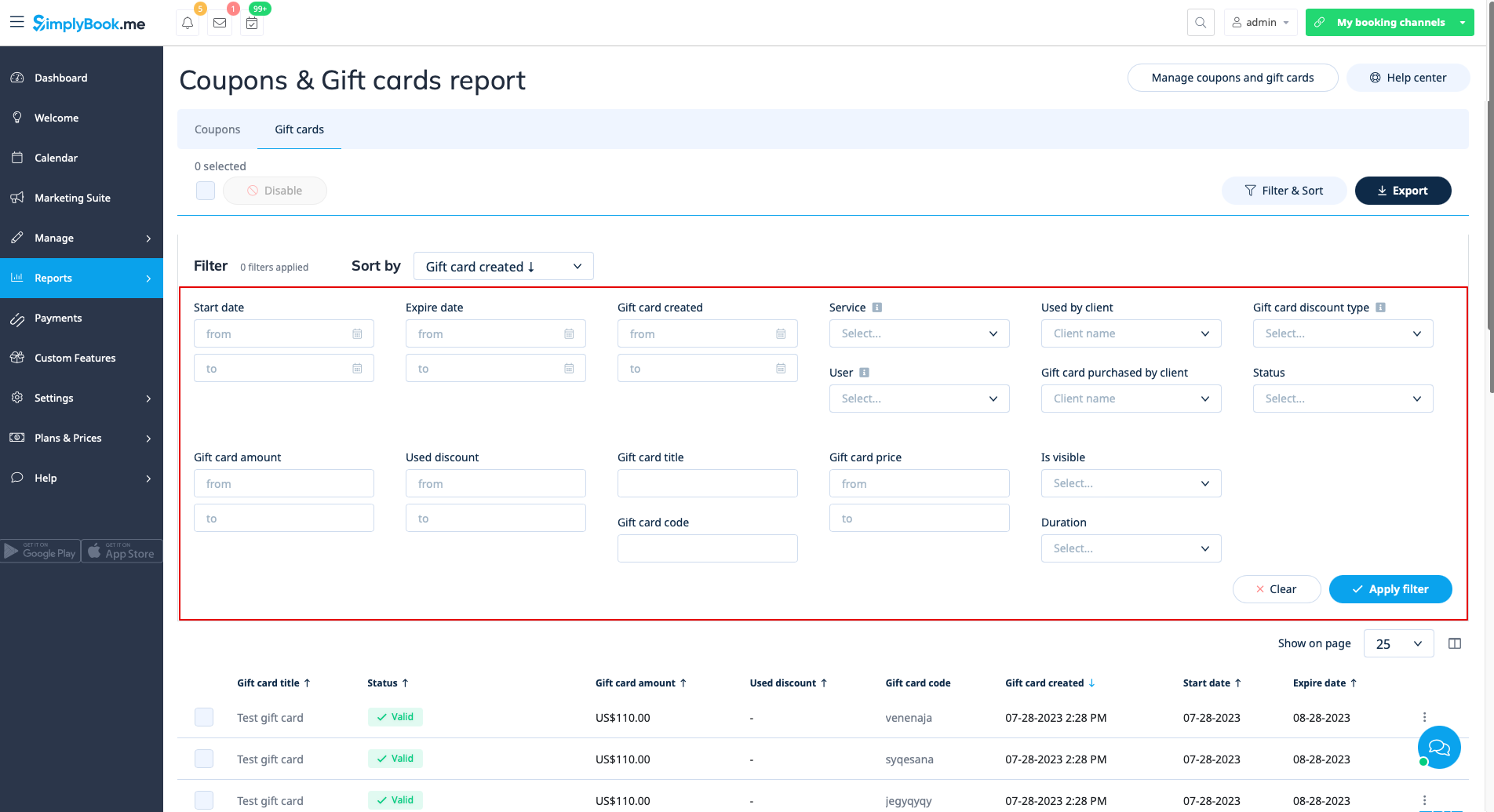
  • see gift cards issued;
  • filter the results by:
  1. client name who used the card;
  2. client name who purchased the card;
  3. gift card discount type;
  4. user who issued the card;
  5. service the gift card is related to;
  6. price range;
  7. gift card duration;
  8. gift card visible on the booking site or not;
  9. gift card status(valid, outdated, used).