From SimplyBook.me
Importing a new version from external source Tags: Mobile edit Mobile web edit |
Importing a new version from external source |
||
| Line 1: | Line 1: | ||
==[[ | ==[[Special:MyLanguage/Medical test custom feature|Medical test]]== | ||
When you are using this custom feature you definitely need to send the test results to patients' emails.<br> | When you are using this custom feature you definitely need to send the test results to patients' emails.<br> | ||
In <span style="background-color:#d4f8e5; padding:5px; border-radius:5px;">Custom features</span> -> <span style="background-color:#d4f8e5; padding:5px; border-radius:5px;">Medical test</span> -> on the <span style="background-color:#d4f8e5; padding:5px; border-radius:5px;">right side</span> of the page you can enable/disable or edit the following templates: | In <span style="background-color:#d4f8e5; padding:5px; border-radius:5px;">Custom features</span> -> <span style="background-color:#d4f8e5; padding:5px; border-radius:5px;">Medical test</span> -> on the <span style="background-color:#d4f8e5; padding:5px; border-radius:5px;">right side</span> of the page you can enable/disable or edit the following templates: | ||
| Line 8: | Line 8: | ||
In case you need to adjust the test result template please use <span style="background-color:#d4f8e5; padding:5px; border-radius:5px;">Custom result template</span> option above the templates. | In case you need to adjust the test result template please use <span style="background-color:#d4f8e5; padding:5px; border-radius:5px;">Custom result template</span> option above the templates. | ||
<br><br> | <br><br> | ||
:''[[ | :''[[Special:MyLanguage/Medical test custom feature|Read more]] about his custom feature use.'' | ||
-------- | -------- | ||
Latest revision as of 13:08, 13 August 2025
Medical test
When you are using this custom feature you definitely need to send the test results to patients' emails.
In Custom features -> Medical test -> on the right side of the page you can enable/disable or edit the following templates:
- positive results(Email and SMS templates);
- negative results(Email and SMS templates);
- inconclusive results(Email and SMS templates).
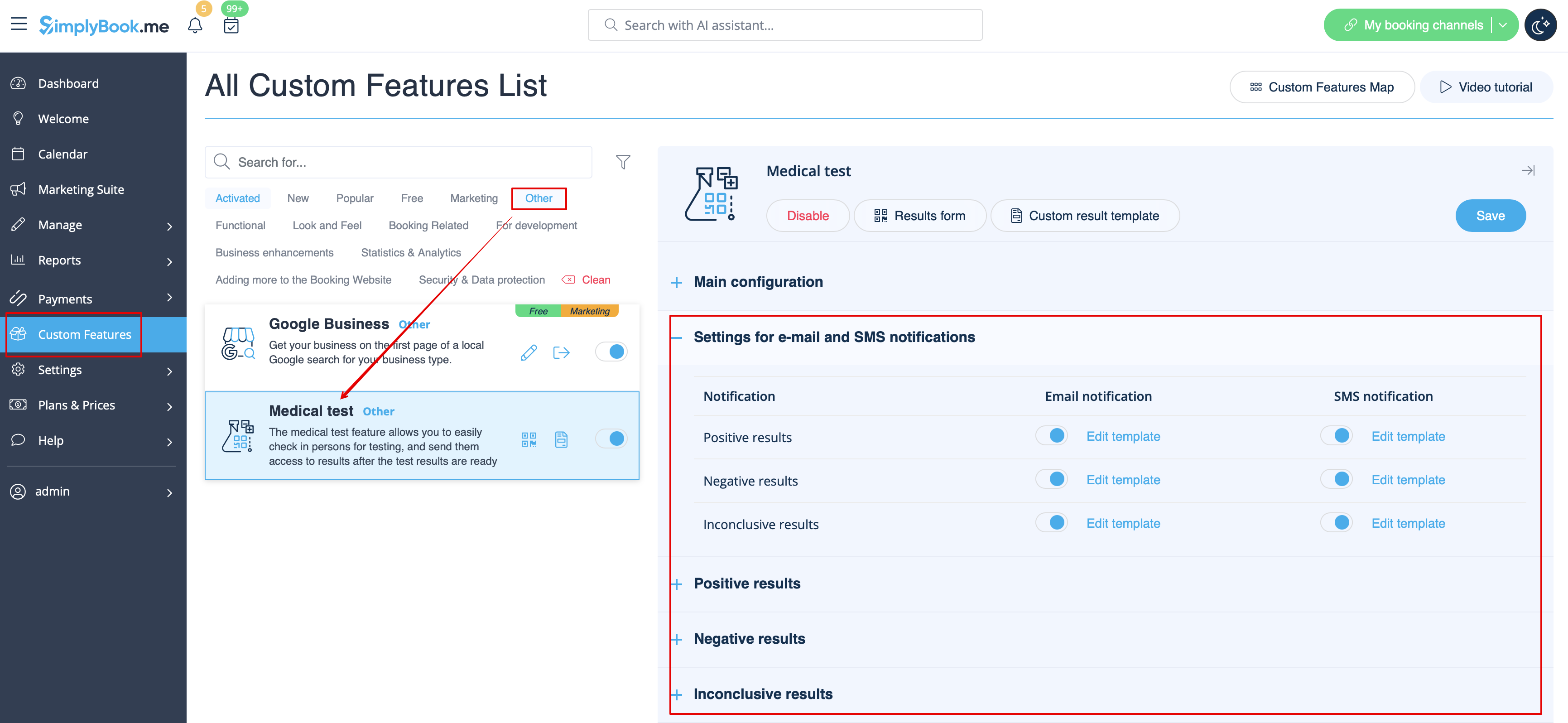
In case you need to adjust the test result template please use Custom result template option above the templates.
- Read more about his custom feature use.
