From SimplyBook.me
Updating to match new version of source page |
Updating to match new version of source page |
||
| Line 9: | Line 9: | ||
<br><br> | <br><br> | ||
:'''Video tutorial on events and special days available ''' | :'''Video tutorial on events and special days available ''' <p><youtube>m0A540MpJew</youtube></p> | ||
<br><br> | <br><br> | ||
__FORCETOC__ | __FORCETOC__ | ||
| Line 32: | Line 32: | ||
:4. Connect service to necessary provider in "Service providers" tab. | :4. Connect service to necessary provider in "Service providers" tab. | ||
==Option 2 (as Event with the help of [[ | ==Option 2 (as Event with the help of [[Special:MyLanguage/Classes_custom_feature| Classes]] custom feature)== | ||
<br> | <br> | ||
:1. Enable Classes custom feature on your Custom features page. | :1. Enable Classes custom feature on your Custom features page. | ||
| Line 47: | Line 47: | ||
;How events(classes) work | ;How events(classes) work | ||
<br> | <br> | ||
The general logic of event(class) is creating Service + Provider related to it with dates selected in the settings of the event(class) as special days. When you use [[ | The general logic of event(class) is creating Service + Provider related to it with dates selected in the settings of the event(class) as special days. When you use [[Special:MyLanguage/Classes_custom_feature | Classes]] custom feature the event creates service+provider related to it with identical name. In order to preserve proper functioning of the event on the dates needed, you should not delete provider with identical name related to event (but you can easily change his/her name) and should not disconnect provider from the event. <br/> | ||
[[File:Event client side booking.png|1200px|border | center]] | [[File:Event client side booking.png|1200px|border | center]] | ||
<br><br> | <br><br> | ||
| Line 53: | Line 53: | ||
==Events only== | ==Events only== | ||
<br><br> | <br><br> | ||
Video available | Video available <p><youtube>Edh3_PJ1ua8</youtube></p> | ||
<br> | <br> | ||
| Line 59: | Line 59: | ||
:1. Close all company opening hours in Settings // Company opening hours - use switcher to set it to off position<br> | :1. Close all company opening hours in Settings // Company opening hours - use switcher to set it to off position<br> | ||
[[File:Disable company weekly schedule redesigned.png|1200px | center|link=https://help.simplybook.me/images/1/12/Disable_company_weekly_schedule_redesigned.png ]]<br><br> | [[File:Disable company weekly schedule redesigned.png|1200px | center|link=https://help.simplybook.me/images/1/12/Disable_company_weekly_schedule_redesigned.png ]]<br><br> | ||
:2. Create events you need in Manage // Services // "+". See detailed tutorial about services [[Adding_services,_providers_and_availability(new_interface)#How_to_set_service_as_one-time_event| here]]. | :2. Create events you need in Manage // Services // "+". See detailed tutorial about services [[Special:MyLanguage/Adding_services,_providers_and_availability(new_interface)#How_to_set_service_as_one-time_event| here]]. | ||
<br><br> | <br><br> | ||
Revision as of 11:53, 22 September 2025
- Video tutorial on events and special days available
Option 1 (as Service with its own schedule)
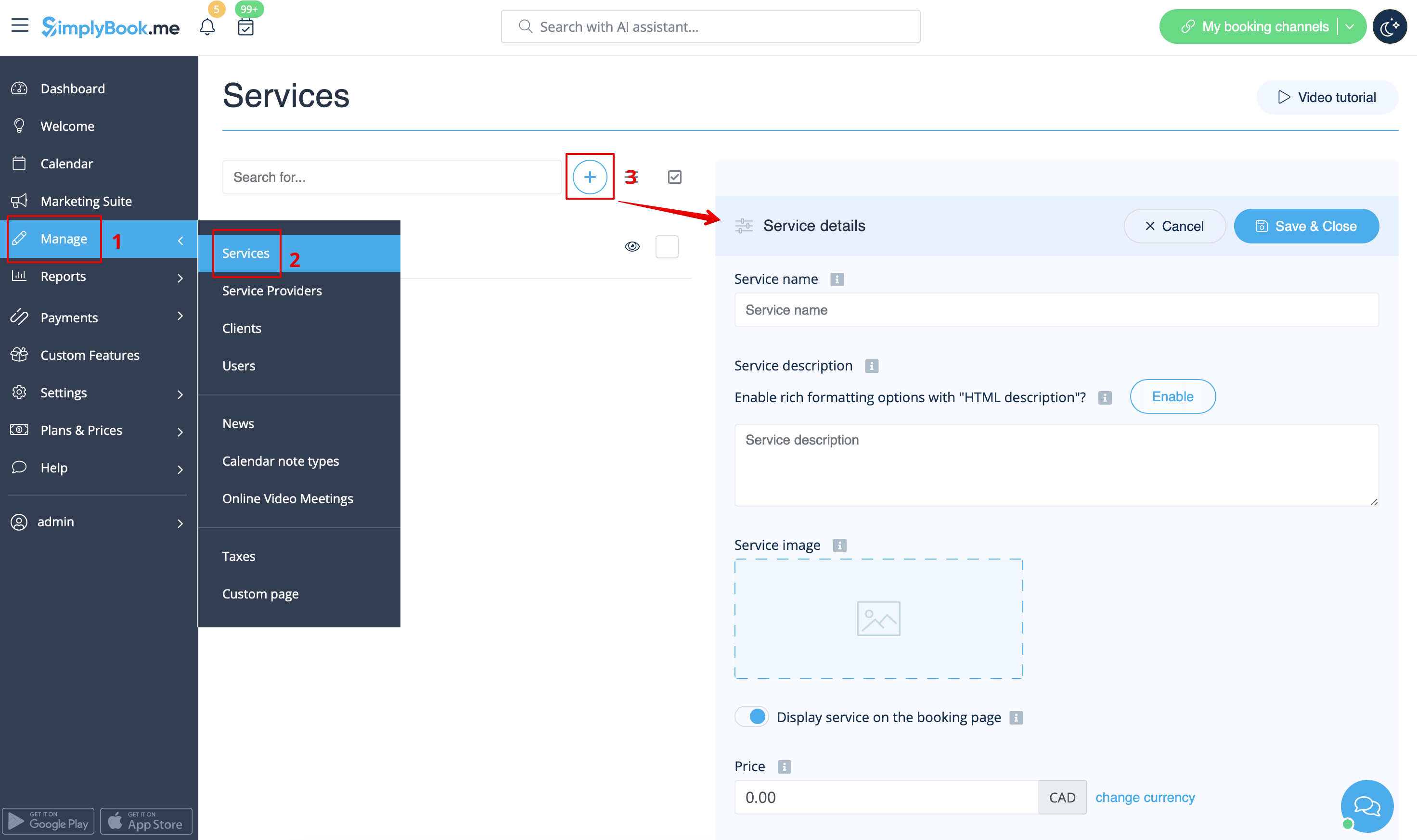
- 1. In Manage//Services click on "+" icon to create new service.
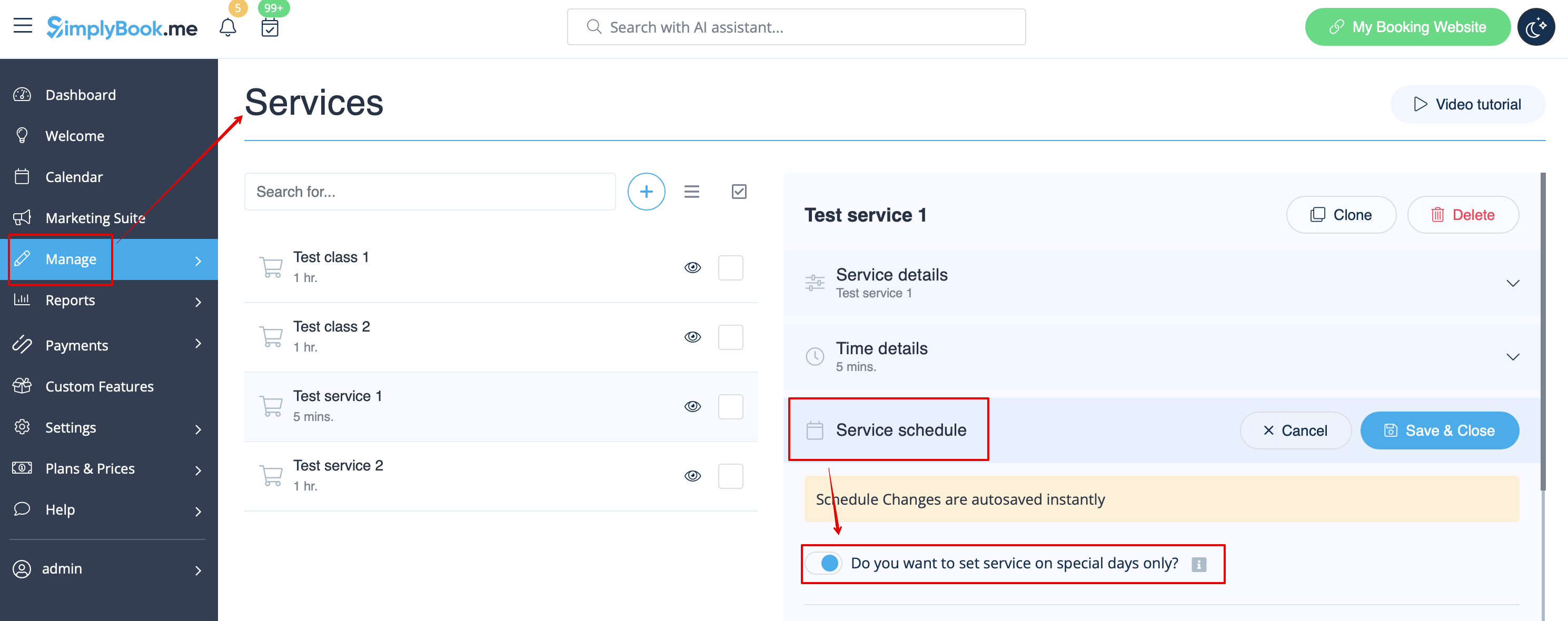
- 2. In Manage//Services choose "Service schedule" tab on the newly created service switch on the option "Do you want to set service on special days only?".
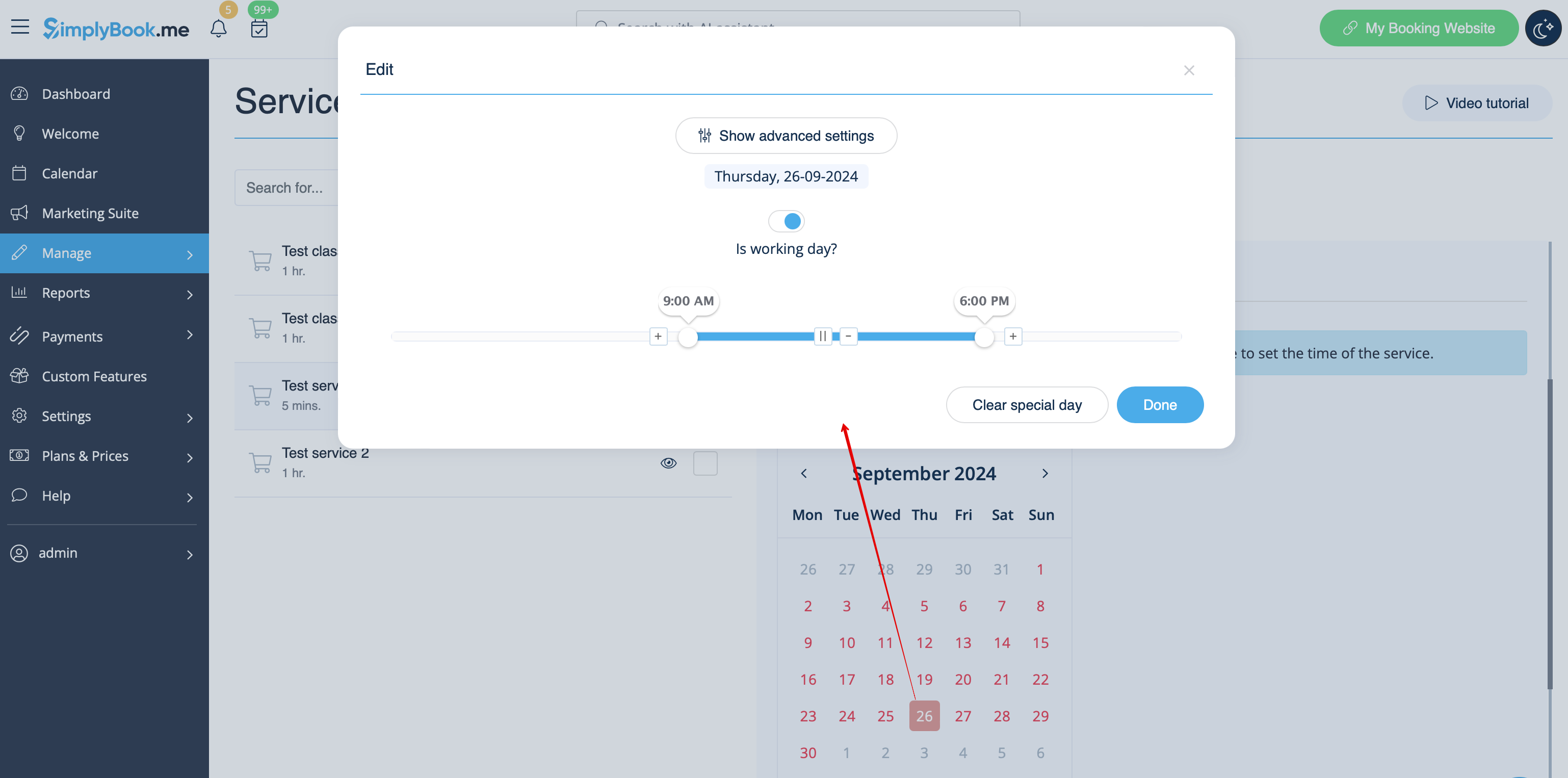
- 3. Then use the calendar, click on the dates that you want to open and set the schedule for these dates by moving the sliders(bright blue zone is open time).
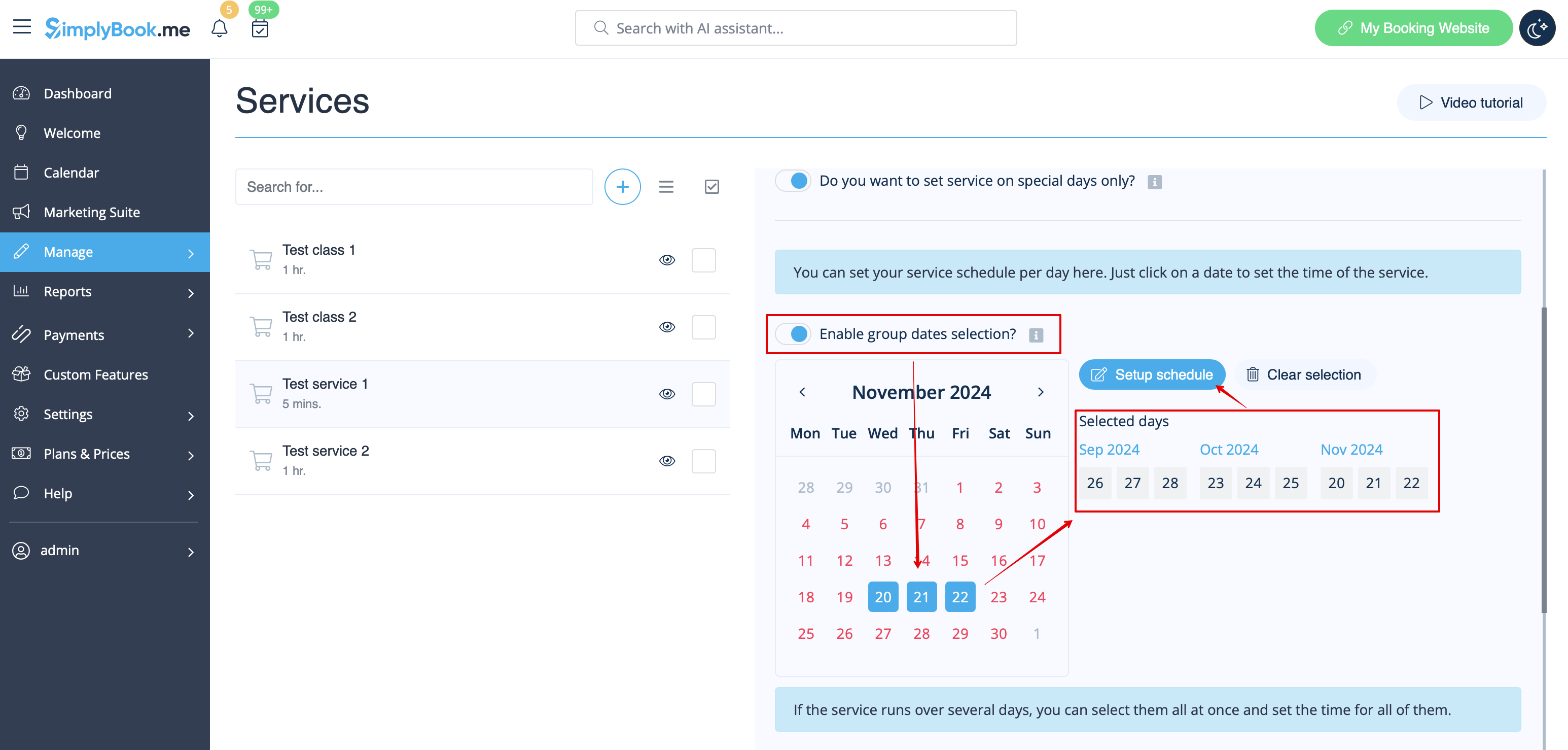
- If you need to select several dates at once please switch on "Enable group dates selection?", choose the dates to edit and click on "Setup schedule" to set the times.
- 4. Connect service to necessary provider in "Service providers" tab.
Option 2 (as Event with the help of Classes custom feature)
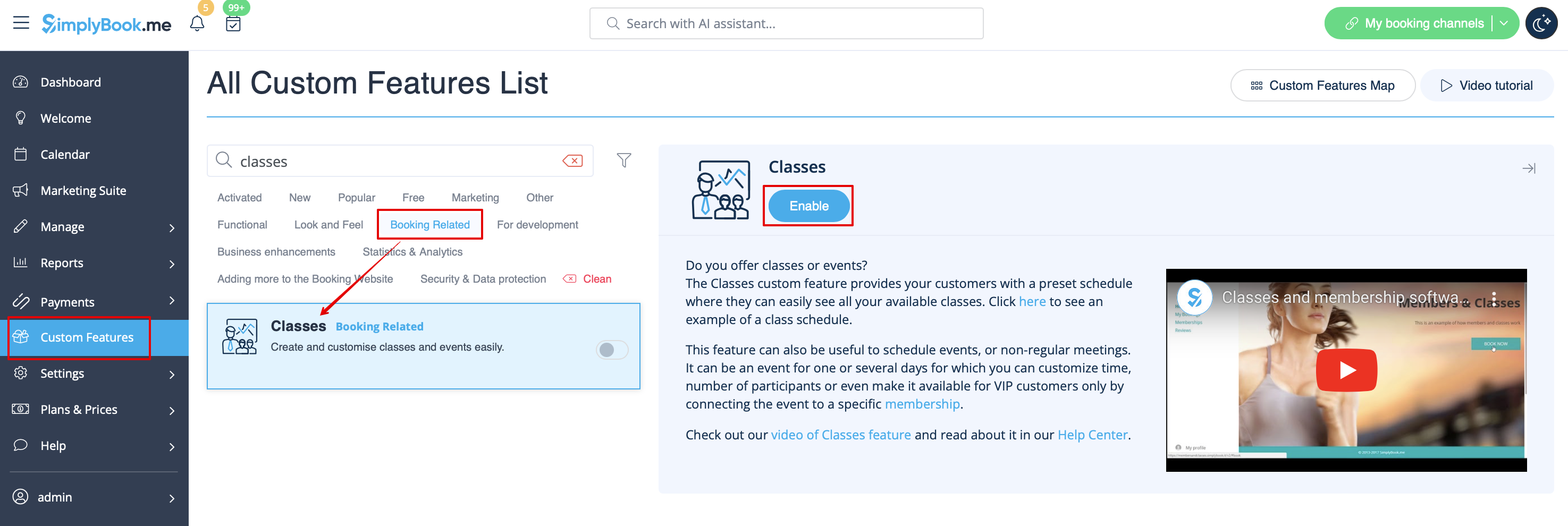
- 1. Enable Classes custom feature on your Custom features page.
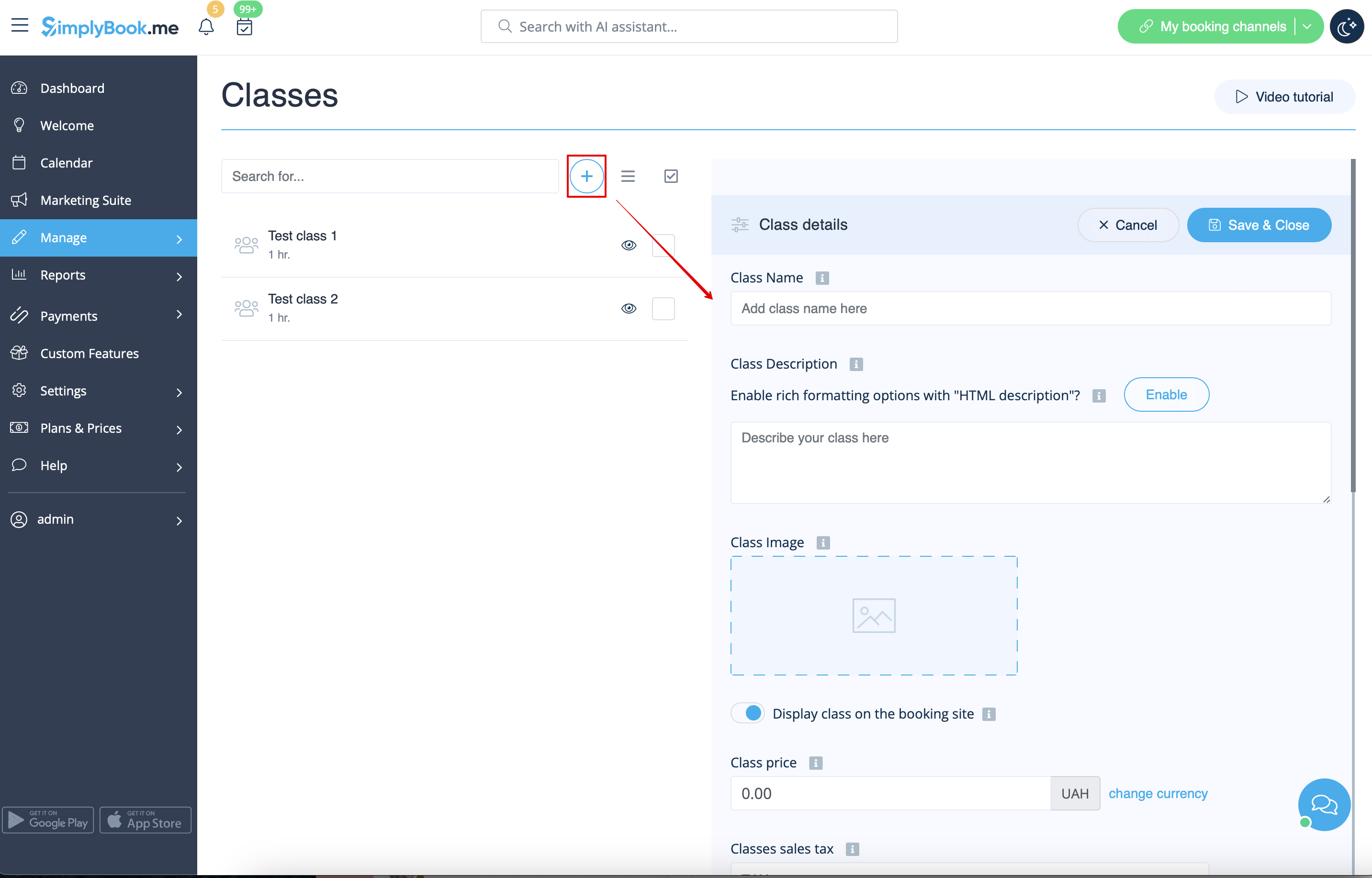
- 2. Navigate to Manage//Classes page and create a new class.
- 3. Choose "Class schedule" tab on the newly created class and switch on the option "Do you want to set service on special days only?"
- 4. Then use the calendar, click on the dates that you want to open and set the schedule for these dates by moving the sliders(bright blue zone is open time).
- How events(classes) work
The general logic of event(class) is creating Service + Provider related to it with dates selected in the settings of the event(class) as special days. When you use Classes custom feature the event creates service+provider related to it with identical name. In order to preserve proper functioning of the event on the dates needed, you should not delete provider with identical name related to event (but you can easily change his/her name) and should not disconnect provider from the event.

Events only
Video available
If you plan to have 1 event or several events without regular services you should do the following:
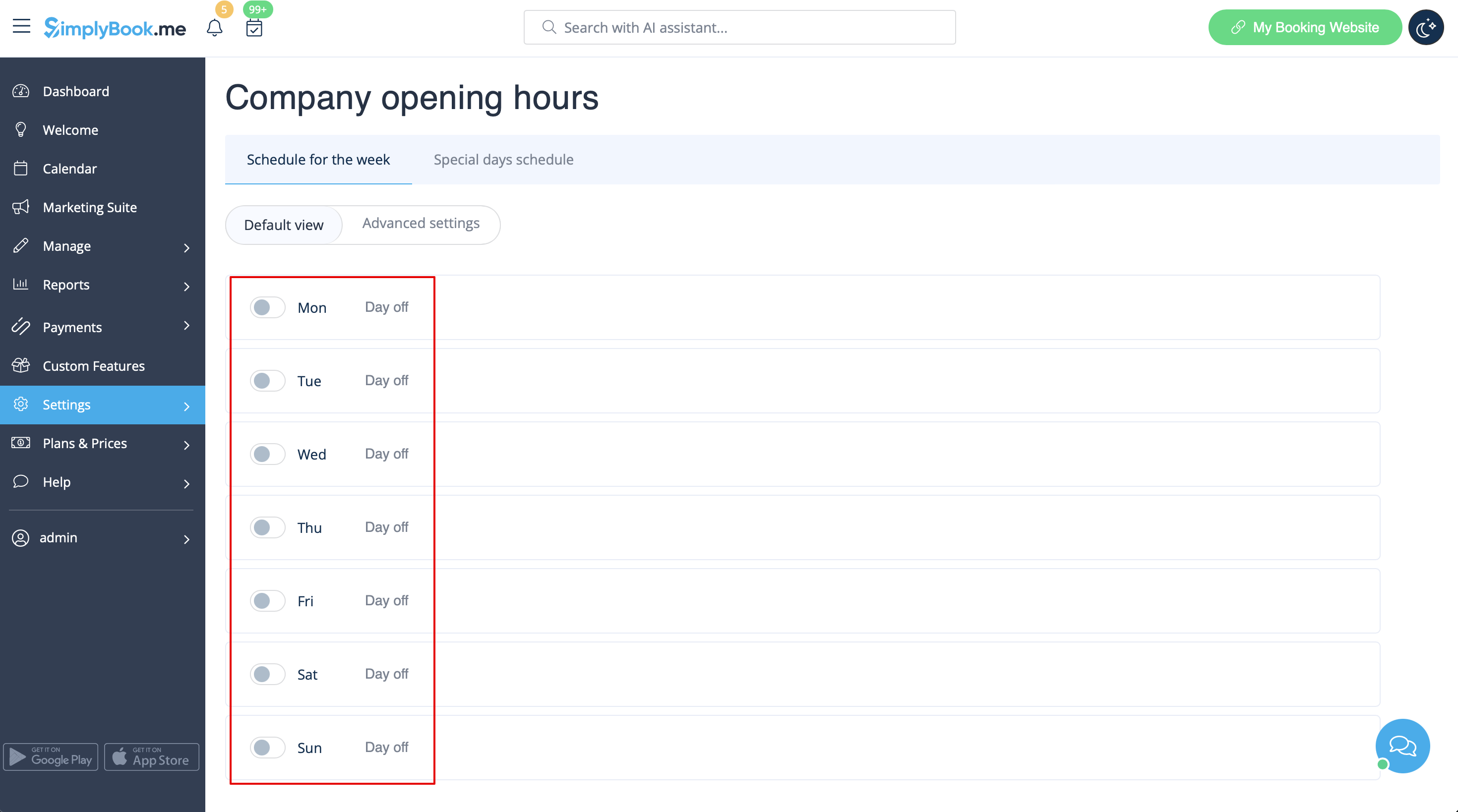
- 1. Close all company opening hours in Settings // Company opening hours - use switcher to set it to off position
- 2. Create events you need in Manage // Services // "+". See detailed tutorial about services here.
