Updating to match new version of source page Tags: Reverted Mobile edit Mobile web edit |
No edit summary Tags: Reverted Mobile edit Mobile web edit |
||
| Line 4: | Line 4: | ||
__FORCETOC__ | __FORCETOC__ | ||
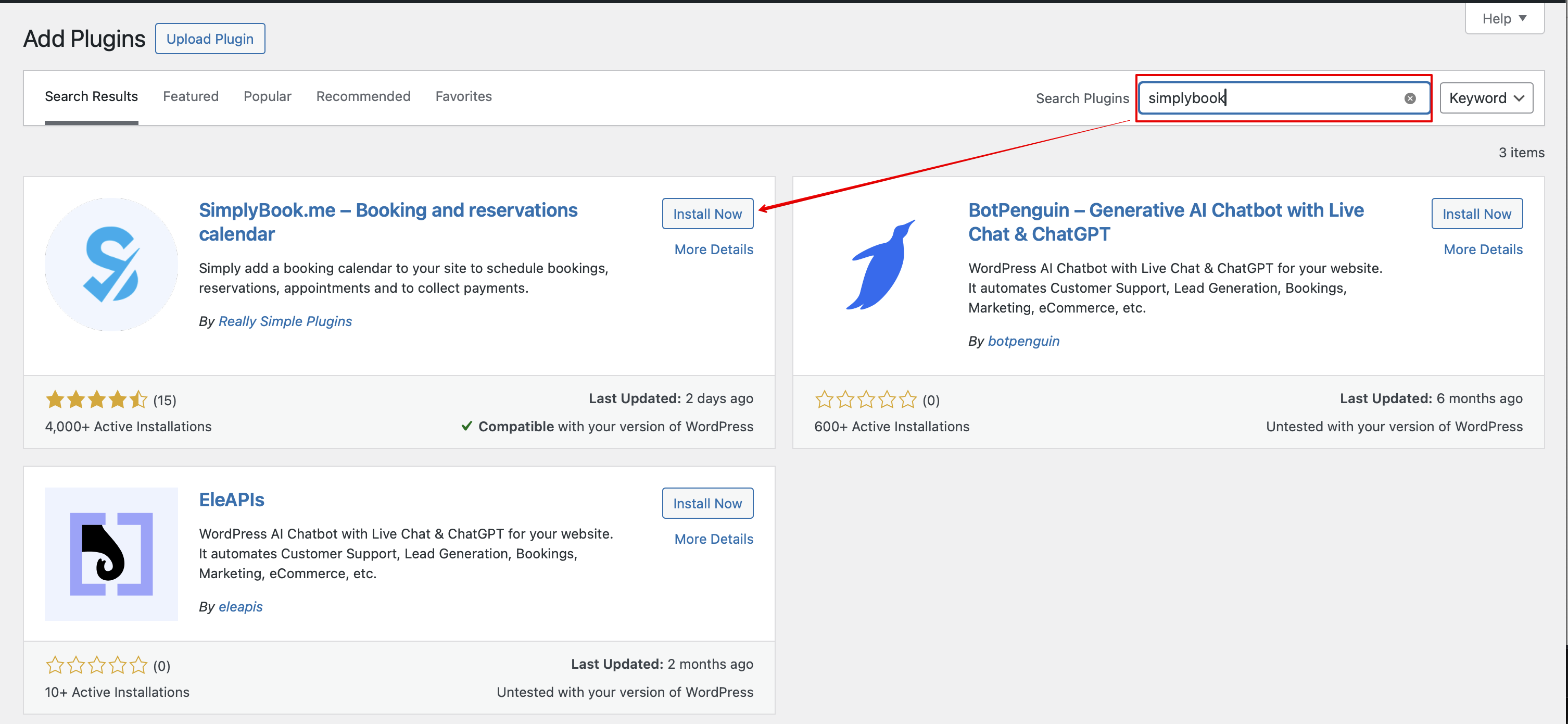
1. Ga in je WordPress-beheerinterface naar <span style="background-color:#d4f8e5; padding:5px; border-radius:5px;">Plugins</span> -> <span style="background-color:#d4f8e5; padding:5px; border-radius:5px;">Nieuwe plugin toevoegen</span> en zoek naar '''Simplybook'''.<br> | 1. Ga in je WordPress-beheerinterface naar <span style="background-color:#d4f8e5; padding:5px; border-radius:5px;">Plugins</span> -> <span style="background-color:#d4f8e5; padding:5px; border-radius:5px;">Nieuwe plugin toevoegen</span> en zoek naar '''Simplybook'''.<br> | ||
Installeer en activeer het. | Installeer en activeer het. | ||
| Line 13: | Line 12: | ||
2. Ga naar de <span style="background-color:#d4f8e5; padding:5px; border-radius:5px;">Instellingen</span> van de plugin. | 2. Ga naar de <span style="background-color:#d4f8e5; padding:5px; border-radius:5px;">Instellingen</span> van de plugin. | ||
<br><br> | <br><br> | ||
<div class="mw-translate-fuzzy"> | <div class="mw-translate-fuzzy"> | ||
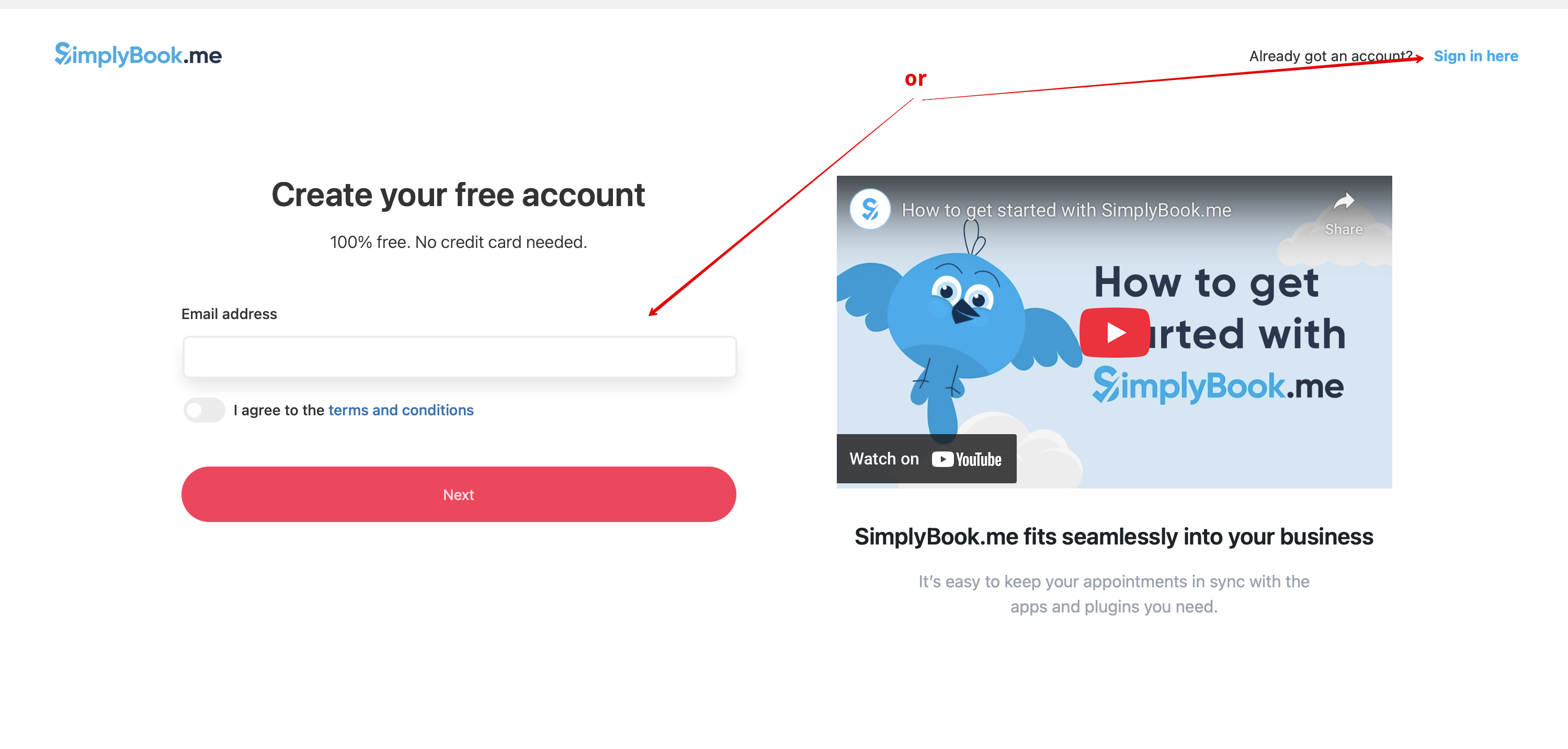
3. Als je al een account hebt bij SimplyBook.me, kies dan voor de optie <span style="background-color:#d4f8e5; padding:5px; border-radius:5px;">Hier inloggen</span> daar.<br> | 3. Als je al een account hebt bij SimplyBook.me, kies dan voor de optie <span style="background-color:#d4f8e5; padding:5px; border-radius:5px;">Hier inloggen</span> daar.<br> | ||
Revision as of 12:55, 17 October 2025
1. Ga in je WordPress-beheerinterface naar Plugins -> Nieuwe plugin toevoegen en zoek naar Simplybook.
Installeer en activeer het.
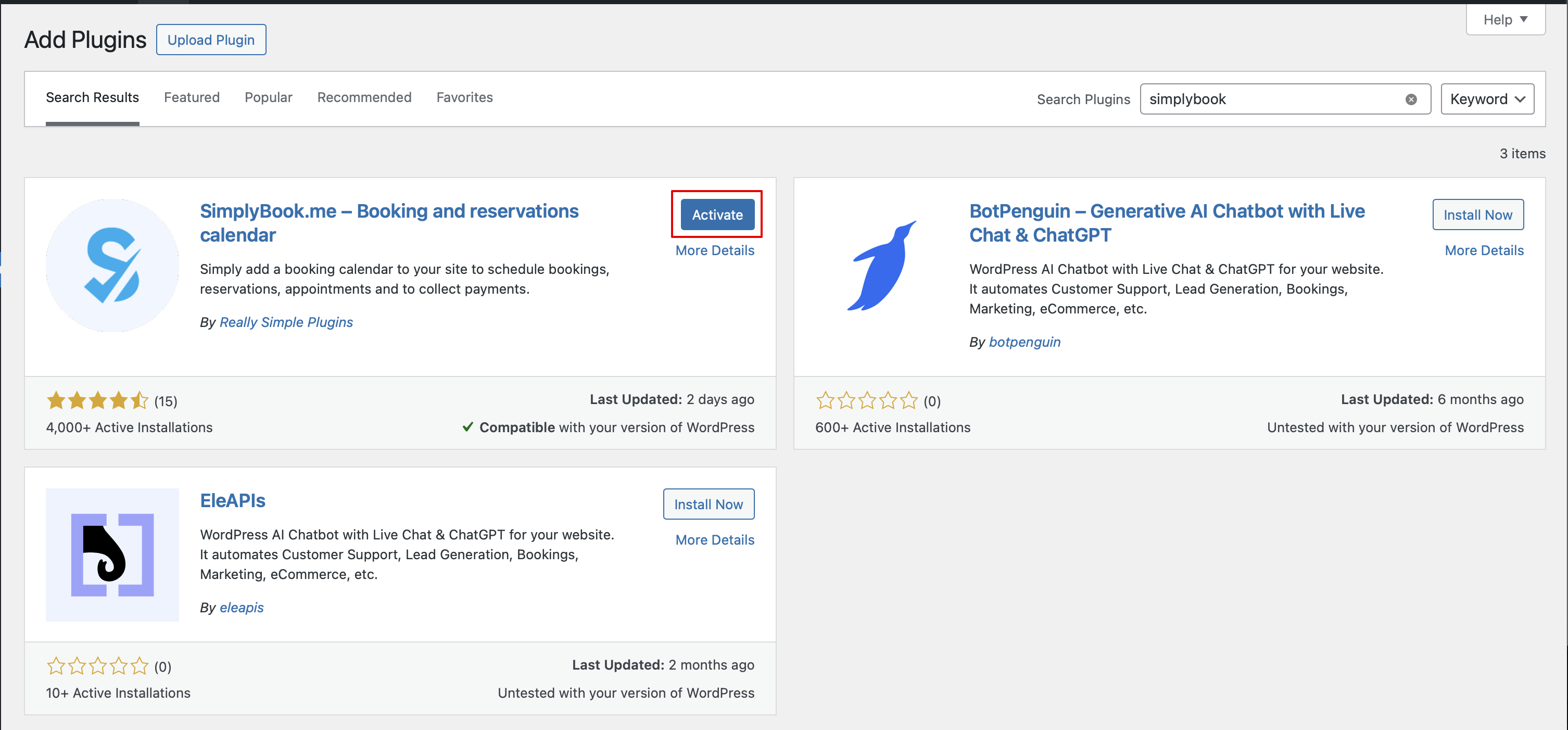
2. Ga naar de Instellingen van de plugin.
3. Als je al een account hebt bij SimplyBook.me, kies dan voor de optie Hier inloggen daar.
4. Na een korte registratie-/inlogprocedure kom je bij het overzicht van je Dashboard.
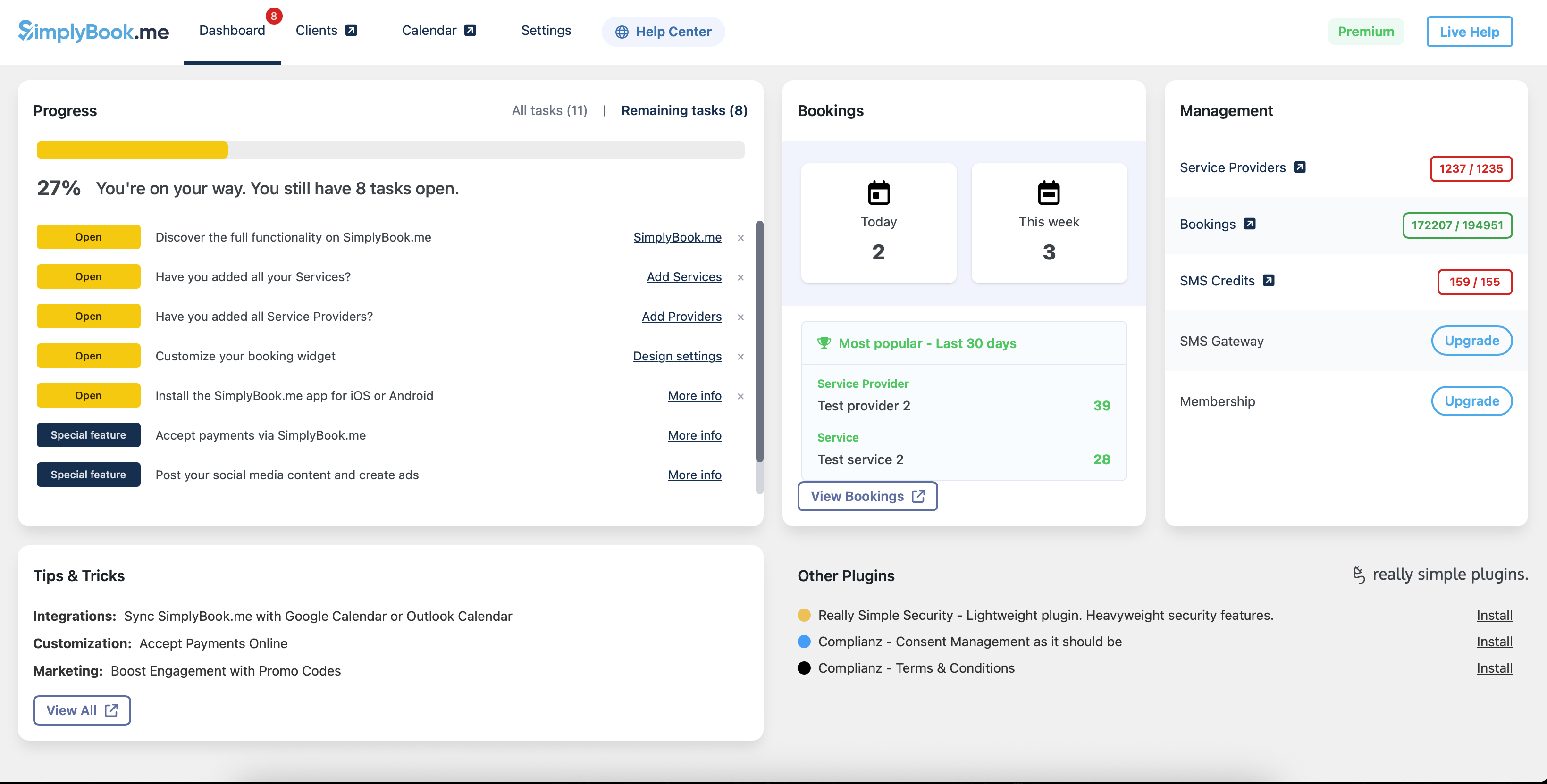
5. Navigeer naar het tabblad Instellingen en kies het tabblad "Diensten" of "Aanbieders" om de lijst met bestaande items in je account te bekijken en ze eenvoudig te beheren of nieuwe toe te voegen.
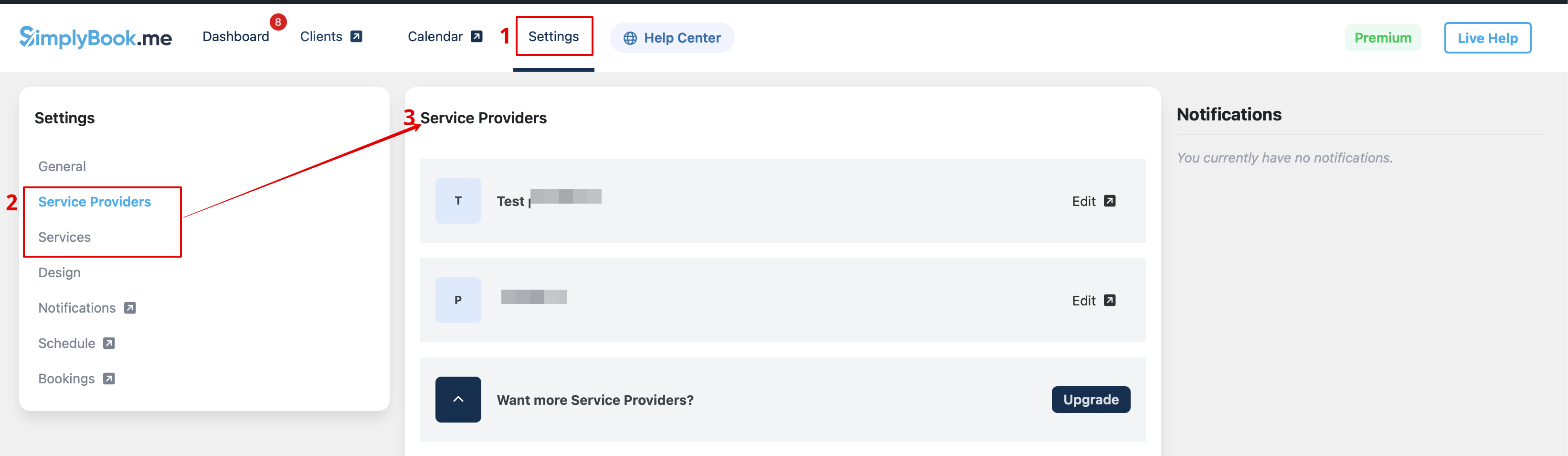
6. Schakel over naar het tabblad Ontwerp.
Pas het uiterlijk van je widget aan.
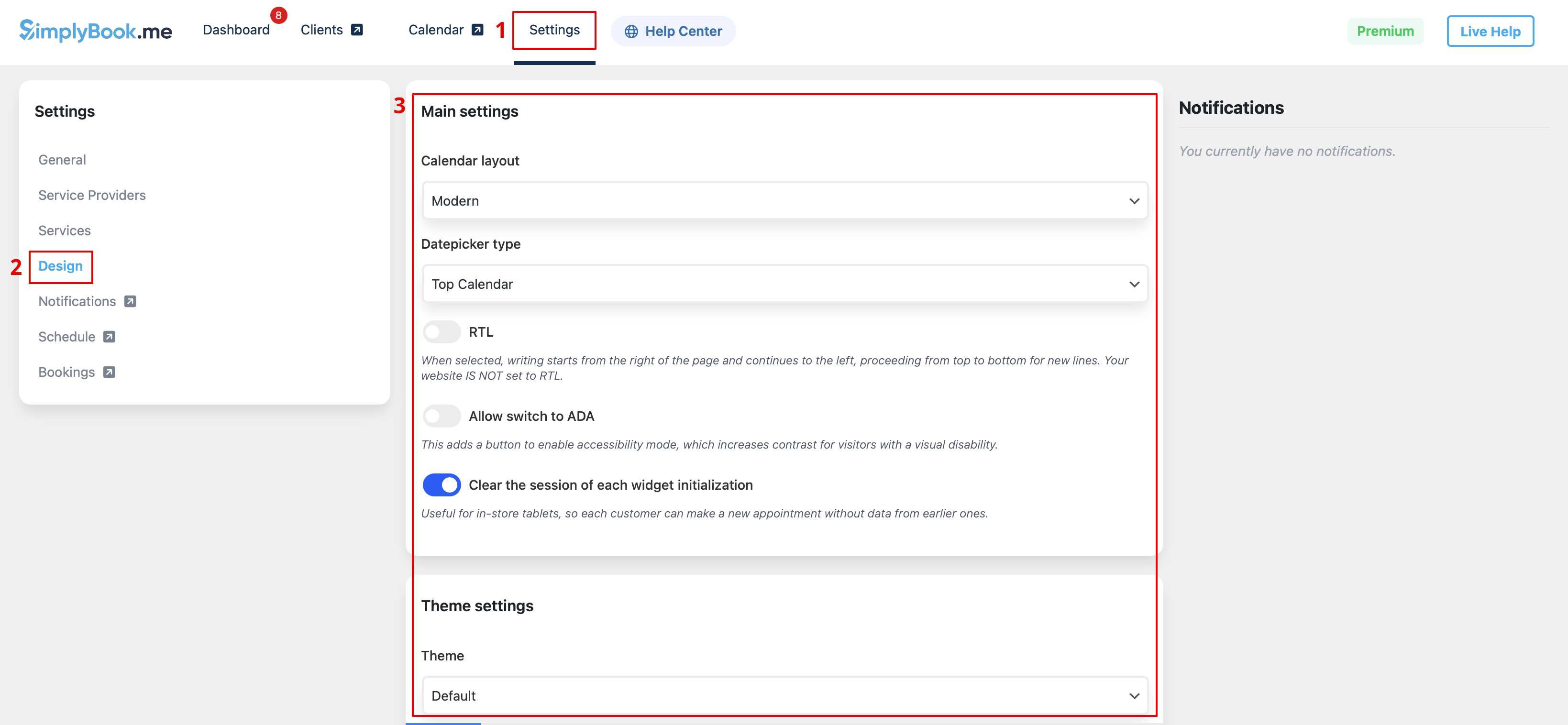
7. Sla je instellingen op en navigeer naar het tabblad Pagina's in de WordPress-interface.
Open de pagina waarop je de boekingsfunctionaliteit wilt toevoegen of maak een nieuwe aan.
Klik daar op de "+"-knop en zoek naar de optie Simplybook. Klik erop om het toe te voegen aan de pagina. Sla de pagina op.

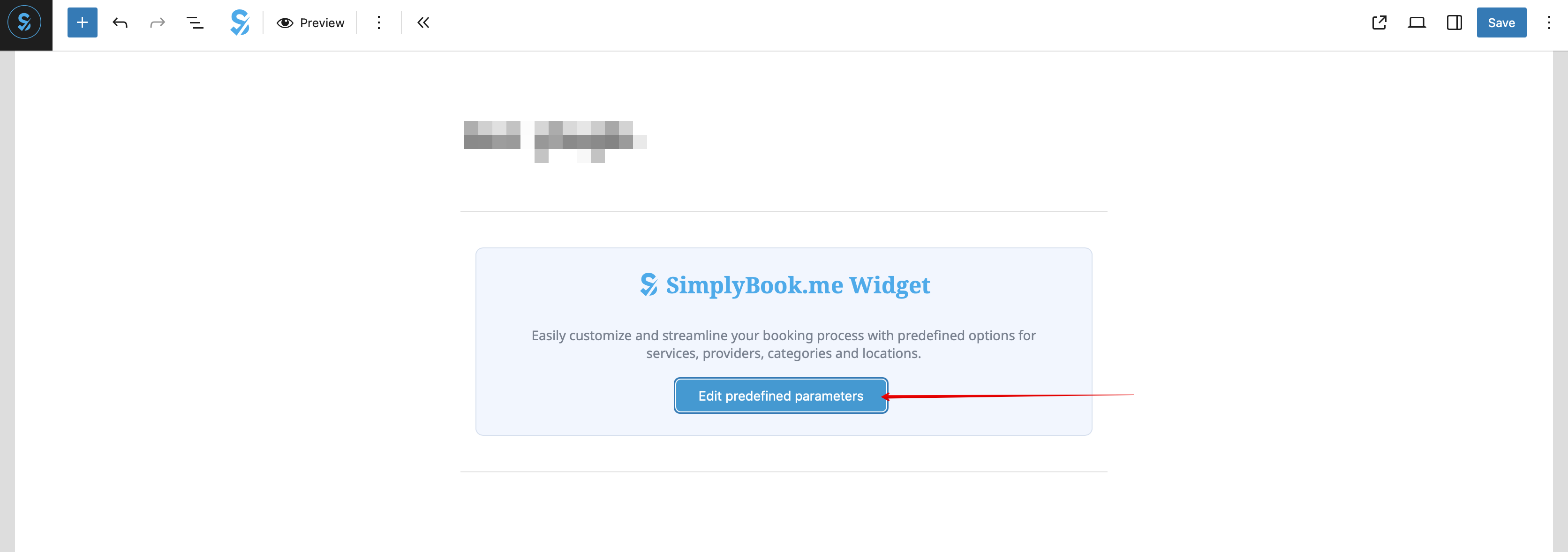
En selecteer de benodigde optie(s) in het pop-upvenster dat verschijnt.
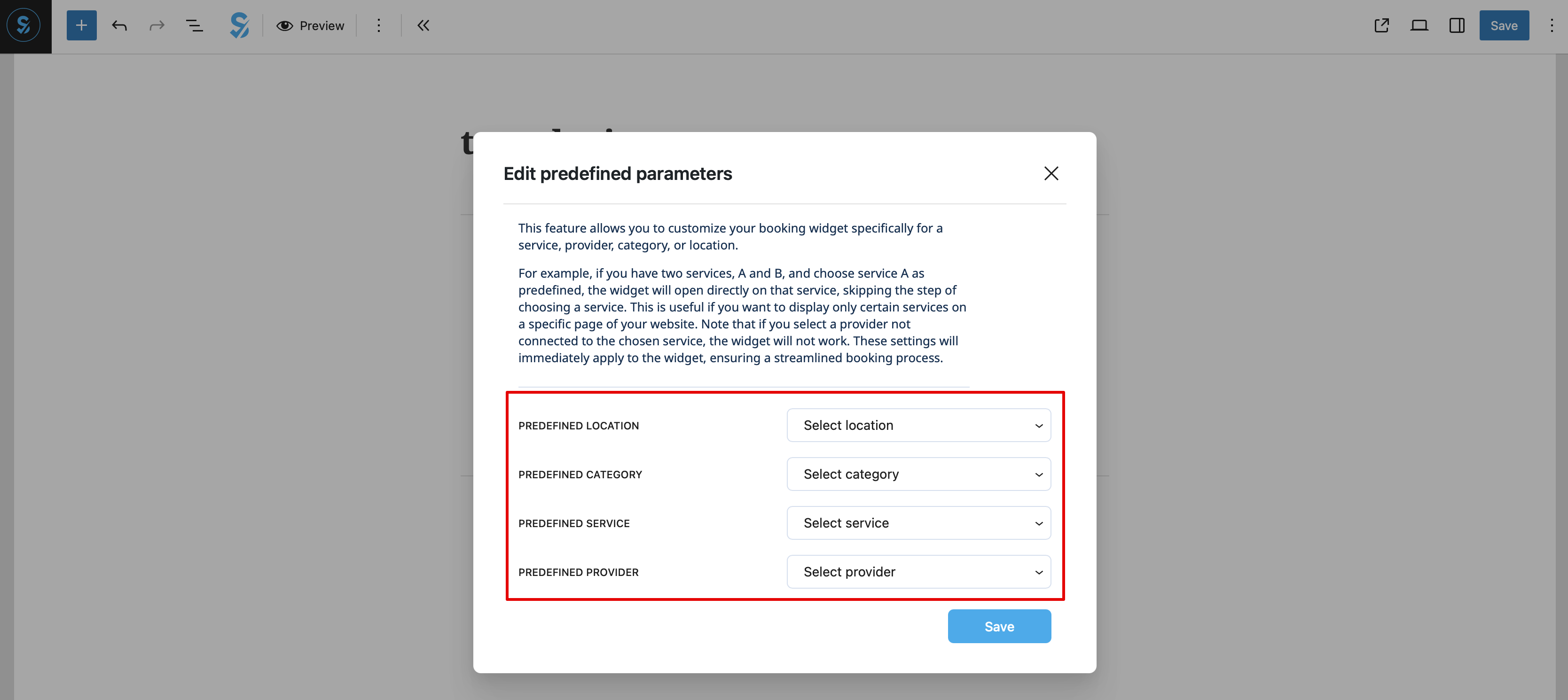
9. Als alternatief kun je de functionaliteit aan de pagina toevoegen met behulp van de shortcode.
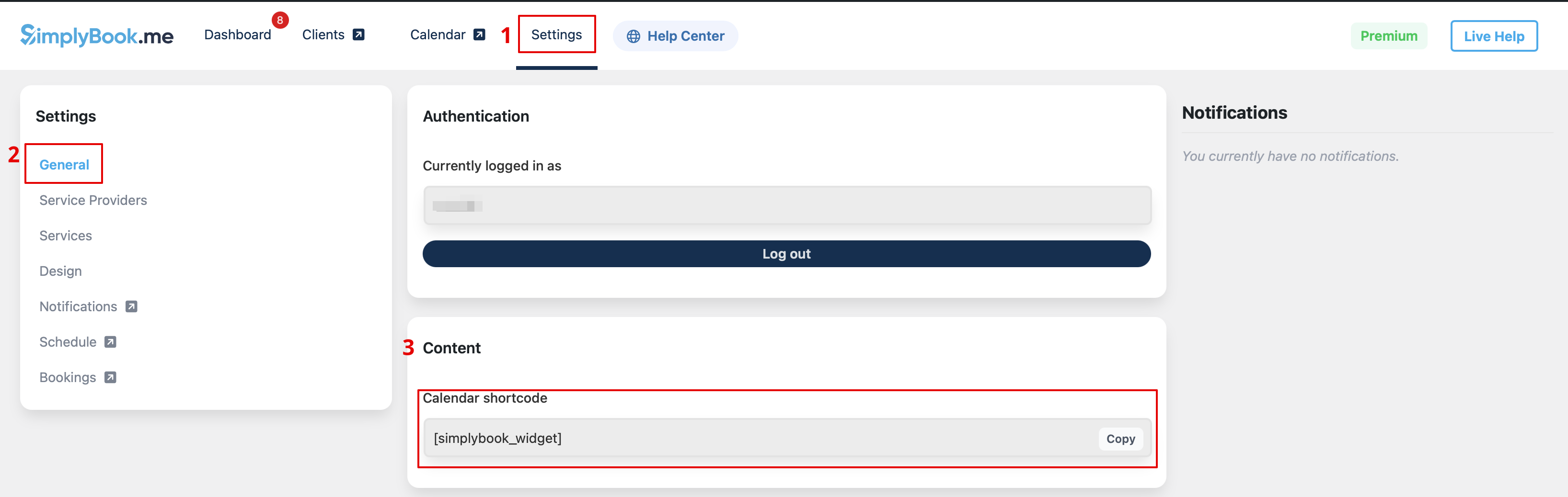
En plak deze eenvoudig in het HTML-gedeelte van de gewenste pagina
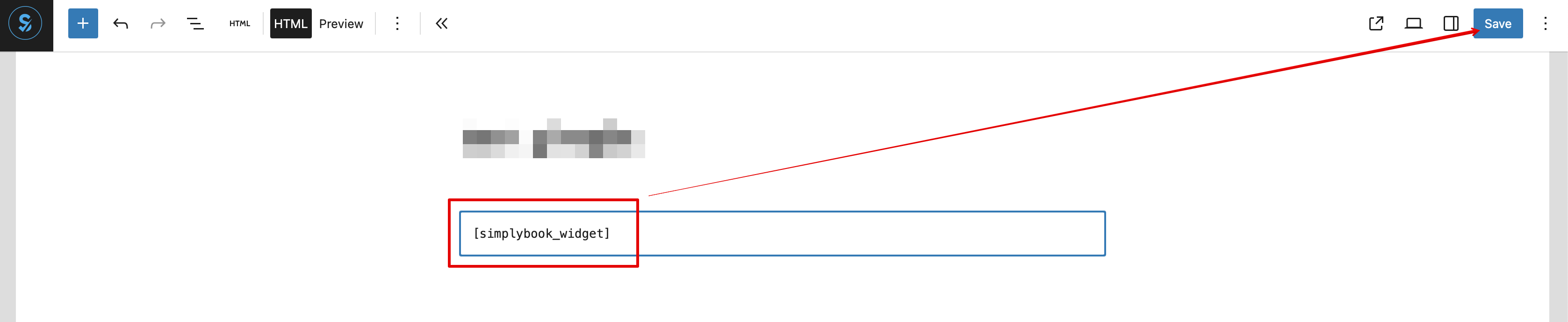
Als widget
- 1. Kopieer de code uit Instellingen -> Instellingen boekingswidgets -> iFrame-widget -> Widgetcode ophalen.

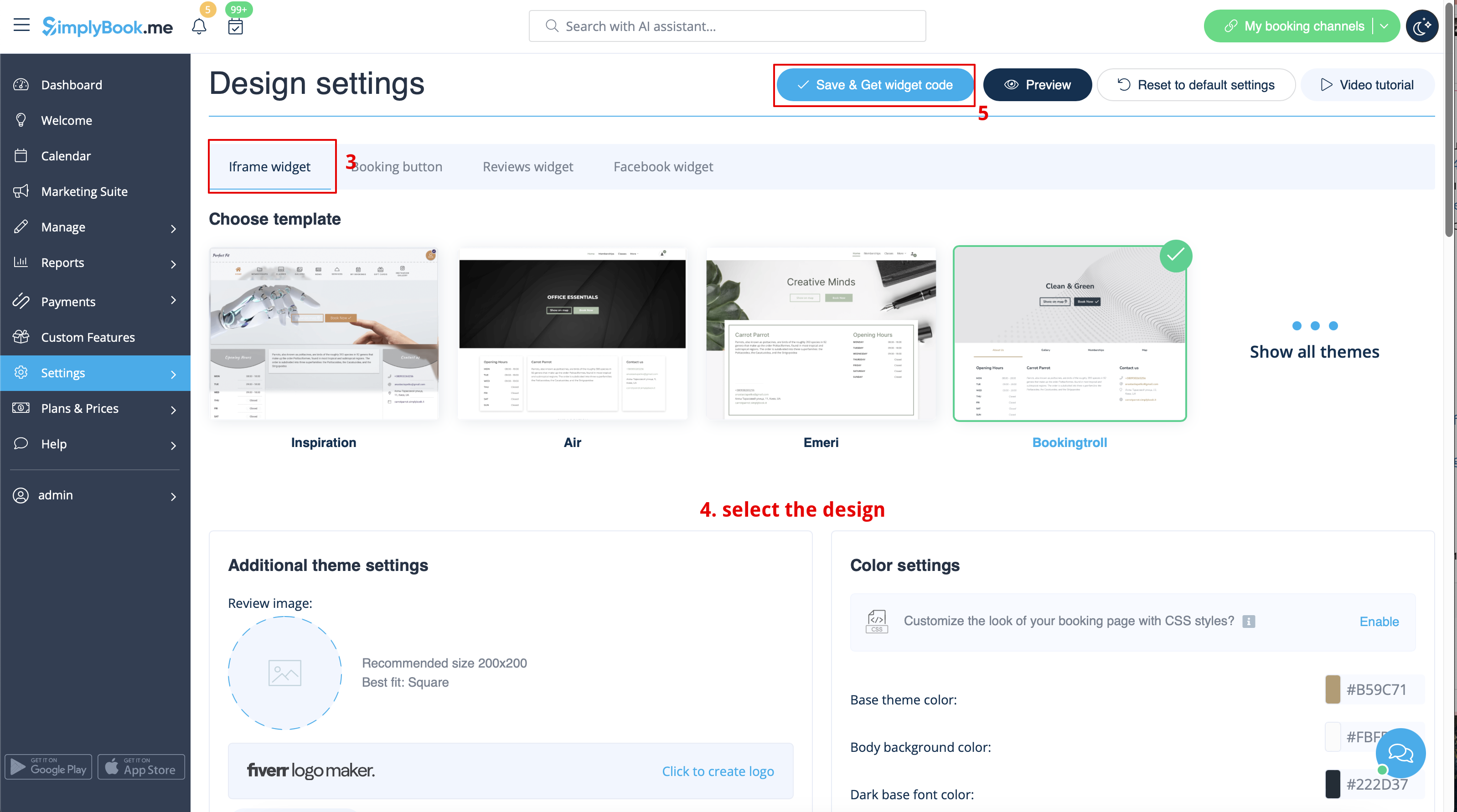

- 2. Ga naar uw WordPress-beheerderspagina en maak een nieuwe pagina aan of ga naar een reeds aangemaakte pagina waar u de widget wilt toevoegen. Klik op het + -pictogram.

- 3. Zoek naar de HTML- optie.

- 4. Plak de eerder gekopieerde code.

- 5. Publiceer uw wijzigingen.
- Voorbeeld (kan er anders uitzien, afhankelijk van uw WP-thema en SimplyBook.me-thema en instellingen).

