Translations:WordPress integration/4/nl: Difference between revisions

From SimplyBook.me
No edit summary
Marked translation unit as no longer outdated with no changes
 
(No difference)

Latest revision as of 12:55, 17 October 2025

Information about message (contribute)
This message has no documentation. If you know where or how this message is used, you can help other translators by adding documentation to this message.
Message definition (WordPress integration)
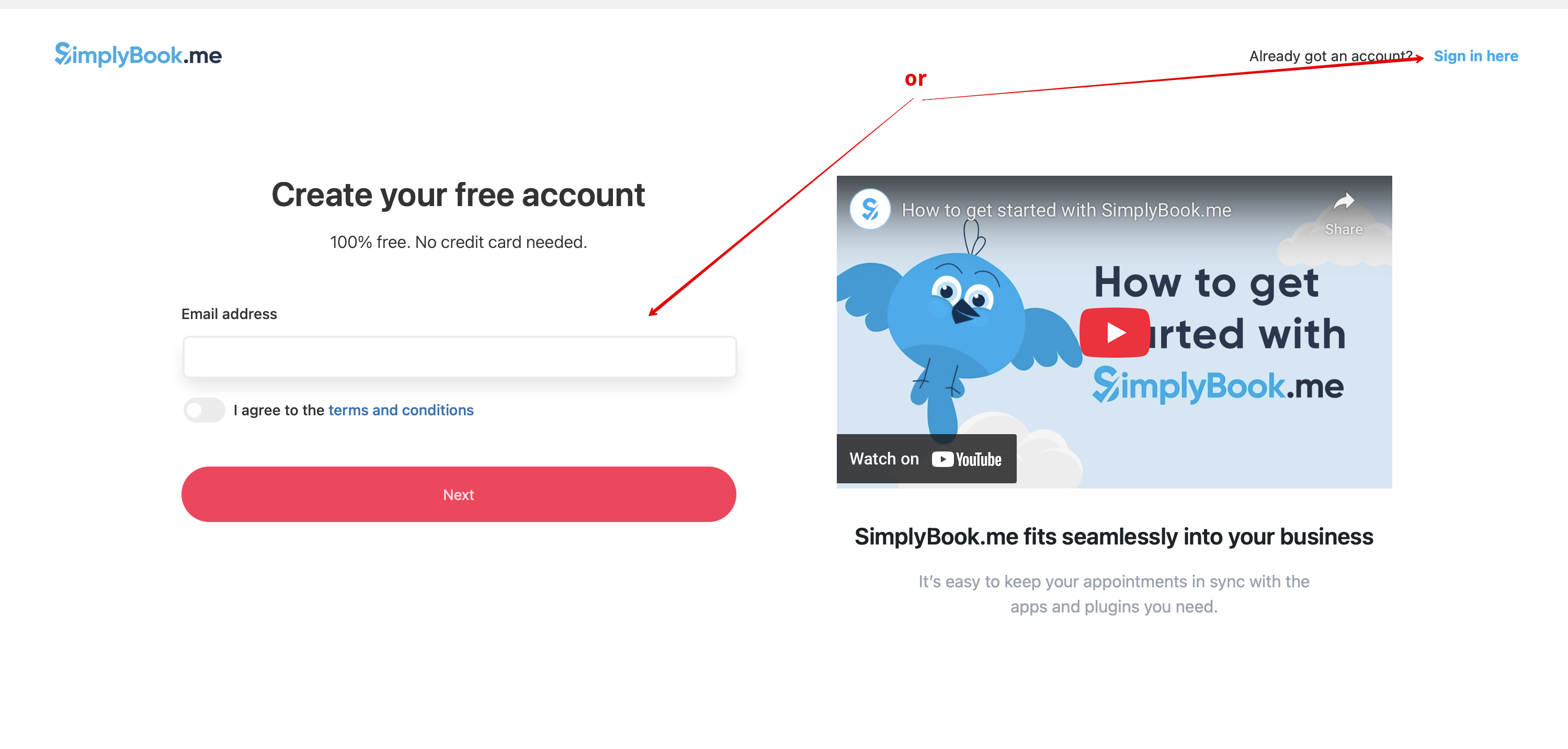
:3. If you already have an account with SimplyBook.me please choose the <span style="background-color:#d4f8e5; padding:5px; border-radius:5px;">Sign in here</span> option there.<br>
:If you have not created it yet, simply follow the <span style="background-color:#d4f8e5; padding:5px; border-radius:5px;">Create free account</span> steps.
[[File:Create account or sign up in wp.png|1200px|center|link=https://help.simplybook.me/images/2/2f/Create_account_or_sign_up_in_wp.png]]
<br><br>
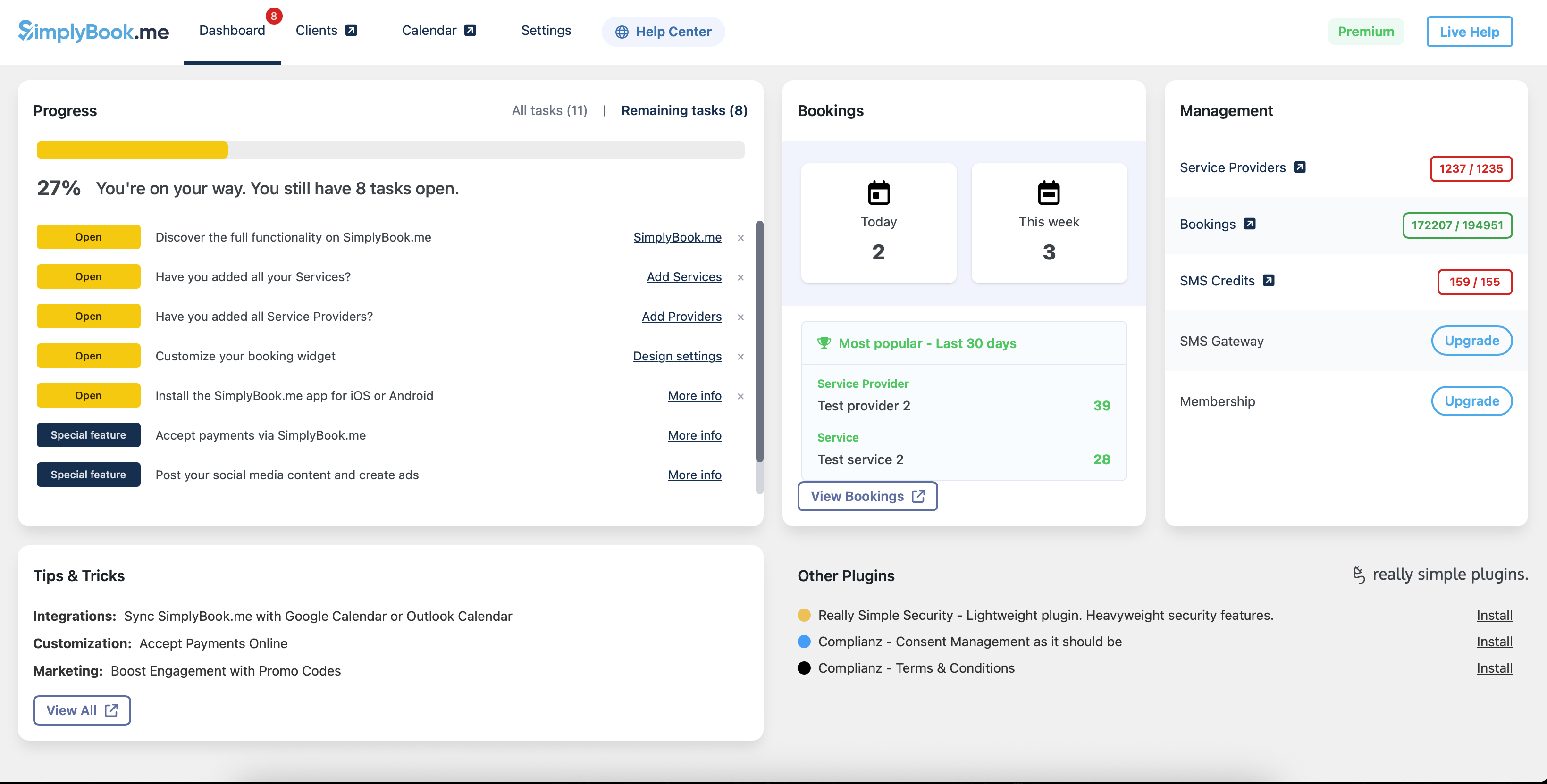
:4. After short registration/login process you will get to your <span style="background-color:#d4f8e5; padding:5px; border-radius:5px;">Dashboard</span> overview.
[[File:Wp new dashboard overview.png|1200px|center|link=https://help.simplybook.me/images/a/ab/Wp_new_dashboard_overview.png]]
<br><br>
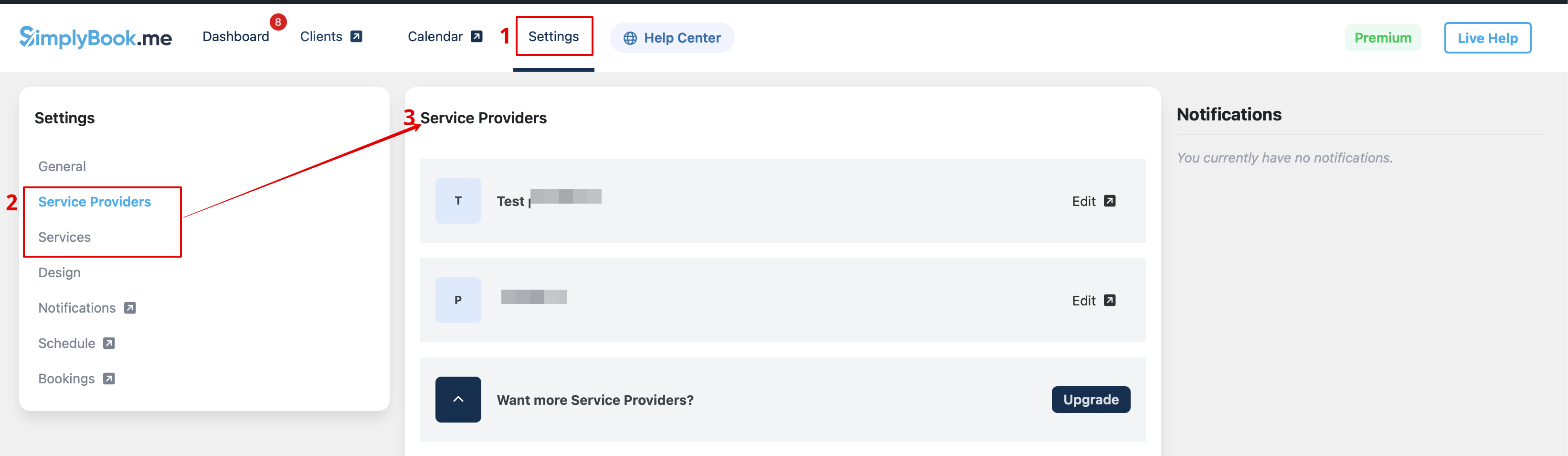
:5. Navigate to <span style="background-color:#d4f8e5; padding:5px; border-radius:5px;">Settings</span> tab and choose "Services" or "Providers" tab to see the list of existing ones in your account and easily navigate to manage them or add more.
[[File:Wp new see the list of services and providers.png|1200px|center|link=https://help.simplybook.me/images/9/97/Wp_new_see_the_list_of_services_and_providers.png]]

3. Als je al een account hebt bij SimplyBook.me, kies dan voor de optie Hier inloggen daar.

Als je er nog geen hebt aangemaakt, volg dan eenvoudigweg de stappen bij Gratis account aanmaken.


4. Na een korte registratie-/inlogprocedure kom je bij het overzicht van je Dashboard.


5. Navigeer naar het tabblad Instellingen en kies het tabblad "Diensten" of "Aanbieders" om de lijst met bestaande items in je account te bekijken en ze eenvoudig te beheren of nieuwe toe te voegen.