Translations:WordPress integration/3/sv: Difference between revisions

From SimplyBook.me
No edit summary
No edit summary
 
Line 7: Line 7:
<br><br>
<br><br>
:2. Gå till tilläggets <span style="background-color:#d4f8e5; padding:5px; border-radius:5px;">Inställningar</span>.
<br><br>
<br><br><span style="background-color:#d4f8e5; padding:5px; border-radius:5px;"></span>

Latest revision as of 13:01, 17 October 2025

Information about message (contribute)
This message has no documentation. If you know where or how this message is used, you can help other translators by adding documentation to this message.
Message definition (WordPress integration)
==With the help of WordPress plugin==
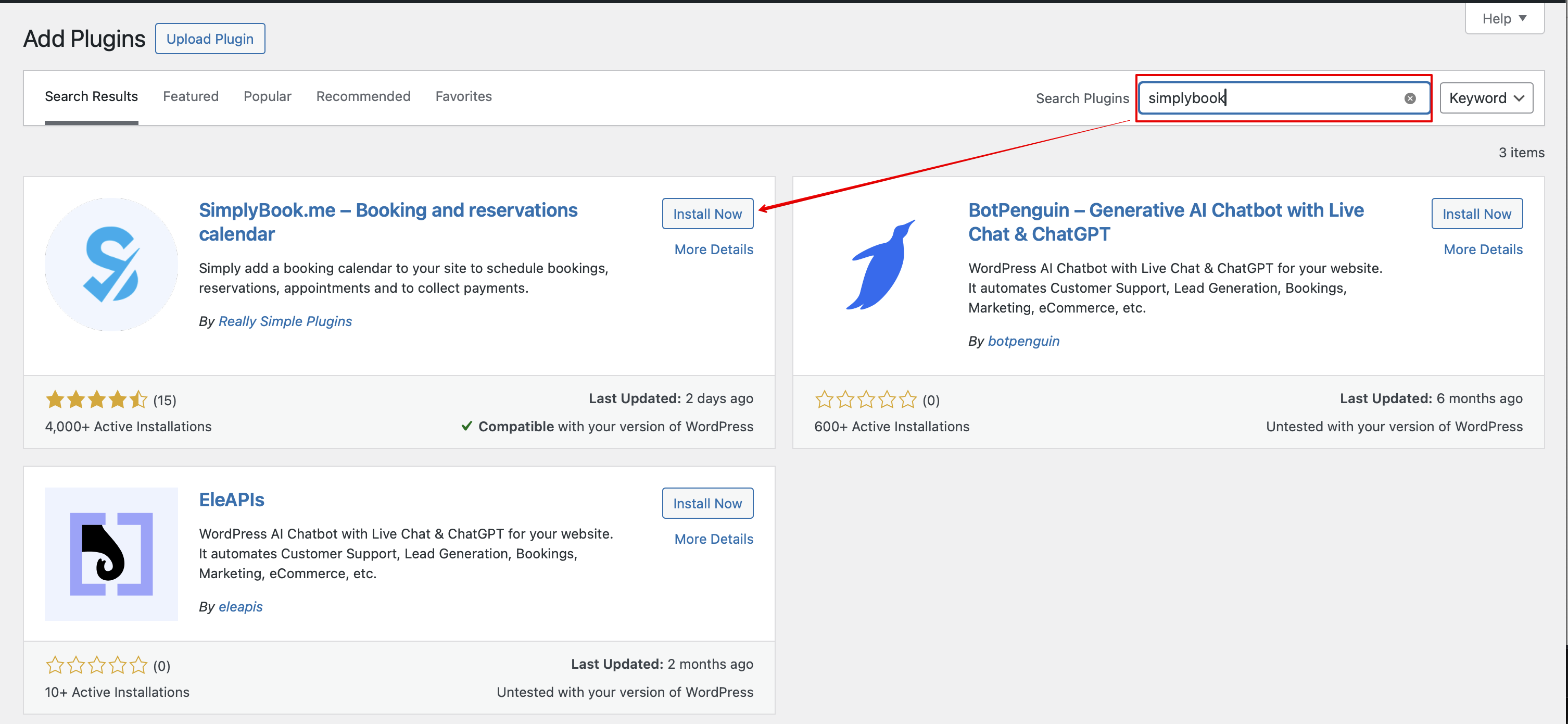
:1. In your WordPress admin interface navigate to <span style="background-color:#d4f8e5; padding:5px; border-radius:5px;">Plugins</span> -> <span style="background-color:#d4f8e5; padding:5px; border-radius:5px;">Add new Plugin</span> and search for '''Simplybook'''.<br>
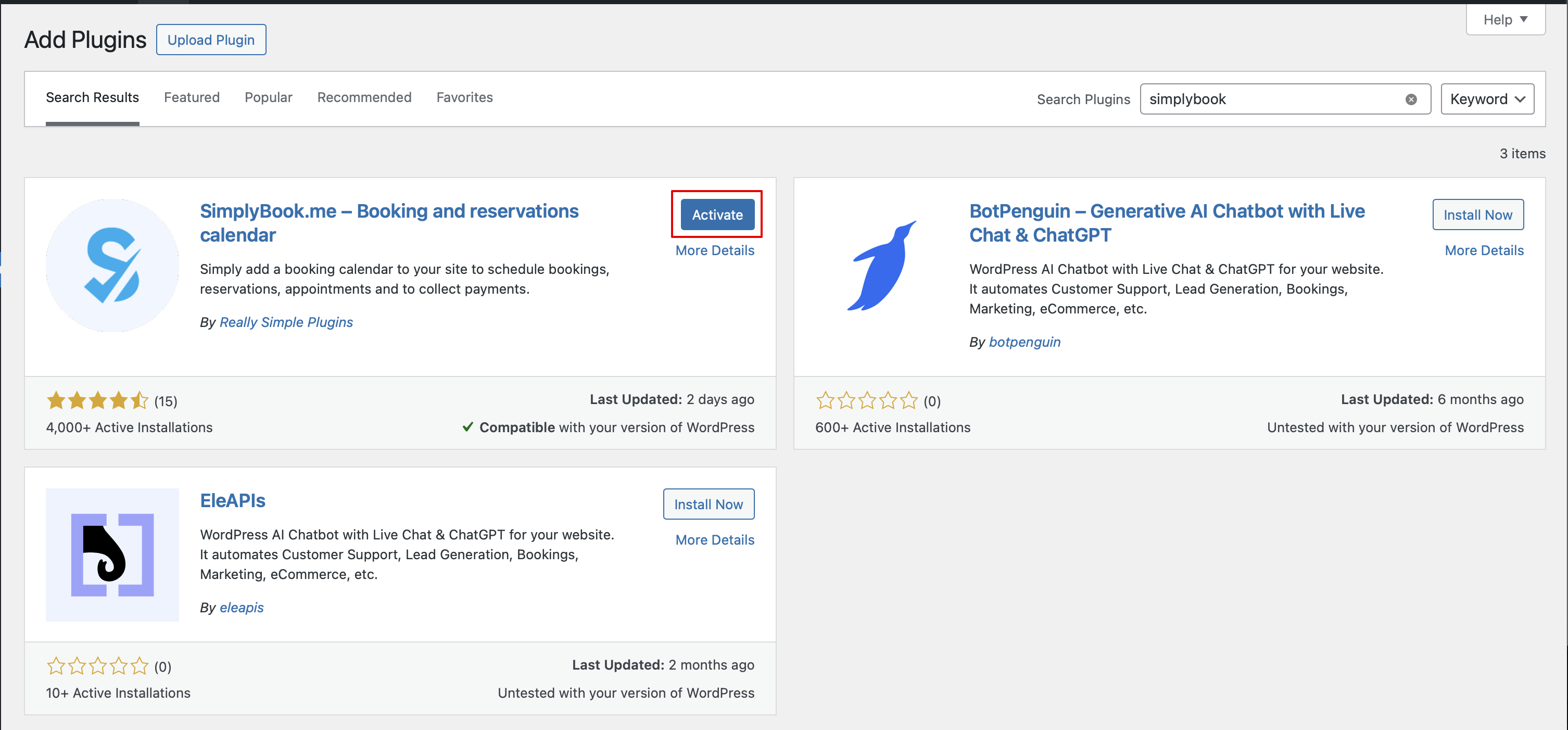
:Install it and Activate.
[[File:Add simplybook to wp new.png|1200px|center|link=https://help.simplybook.me/images/4/47/Add_simplybook_to_wp_new.png]]
<br><br>
[[File:Activate new wp plugin.png|1200px|center|link=https://help.simplybook.me/images/3/32/Activate_new_wp_plugin.png]]
<br><br>
:2. Navigate to plugin <span style="background-color:#d4f8e5; padding:5px; border-radius:5px;">Settings.</span>
<br><br>

Med hjälp av WordPress-plugin

1. I din WordPress-administrationspanel, gå till Tillägg -> Lägg till nytt tillägg och sök efter Simplybook.
Installera det och aktivera.


2. Gå till tilläggets Inställningar.