From SimplyBook.me
Created page with "<br><br> comment utiliser l' :1. Activez la fonctionnalité personnalisée « Approuver les réservations » dans votre section Fonctionnalités personnalisées. 1200px| center|link=https://help.simplybook.me/images/b/b8/Approve_bookings_enable_path_redesigned.png <br><br> :2. Accédez à Calendrier//Réservations en attente pour vérifier les réservations en attente d'approbation et les accepter ou les refuser. :Le c..." Tags: Mobile edit Mobile web edit |
Updating to match new version of source page |
||
| Line 2: | Line 2: | ||
{{#seo: | {{#seo: | ||
|title=Approve Bookings custom feature - SimplyBook.me | |title=Approve Bookings custom feature - SimplyBook.me | ||
<div class="mw-translate-fuzzy"> | |||
|description=Prenez le contrôle en approuvant les réservations avant confirmation. Consultez et gérez facilement vos rendez-vous. Activez cette fonctionnalité dès aujourd'hui ! | |description=Prenez le contrôle en approuvant les réservations avant confirmation. Consultez et gérez facilement vos rendez-vous. Activez cette fonctionnalité dès aujourd'hui ! | ||
</div> | |||
|titlemode=append | |titlemode=append | ||
|keywords=faq, frequently asked questions, booking software, appointment system questions, appointments online, calendar software, booking system, booking calendar, scheduling software, online appointment scheduling, online scheduling, plugins, custom features, approve bookings, decline bookings, check bookings first, check booking details first | |keywords=faq, frequently asked questions, booking software, appointment system questions, appointments online, calendar software, booking system, booking calendar, scheduling software, online appointment scheduling, online scheduling, plugins, custom features, approve bookings, decline bookings, check bookings first, check booking details first | ||
Revision as of 19:37, 2 February 2026

Approuver les réservations La fonctionnalité personnalisée est essentielle si vous devez consulter les détails des clients avant de pouvoir approuver leur réservation. Elle vous permet de vérifier les informations fournies par les clients avant d'accepter leurs réservations. Lorsque vos clients prennent rendez-vous, ils voient à la fin un avis indiquant qu'un e-mail de confirmation leur sera envoyé une fois leur réservation approuvée.
Remarque importante!
- Si vous avez activé la fonctionnalité personnalisée « Accepter les paiements », les réservations payantes seront automatiquement approuvées. Seuls les services gratuits et les réservations avec l'option « Payer plus tard » peuvent être approuvés/refusés.
' - Si le client a réservé en utilisant la fonctionnalité personnalisée « Réservations multiples » (ou d'autres réservations groupées), tous les rendez-vous du pack de réservations multiples sont approuvés si une session est approuvée. Pour contourner cela, modifiez d'abord les réservations que vous souhaitez reprogrammer et annulez celles que vous souhaitez refuser, puis approuvez le pack.
comment utiliser l'
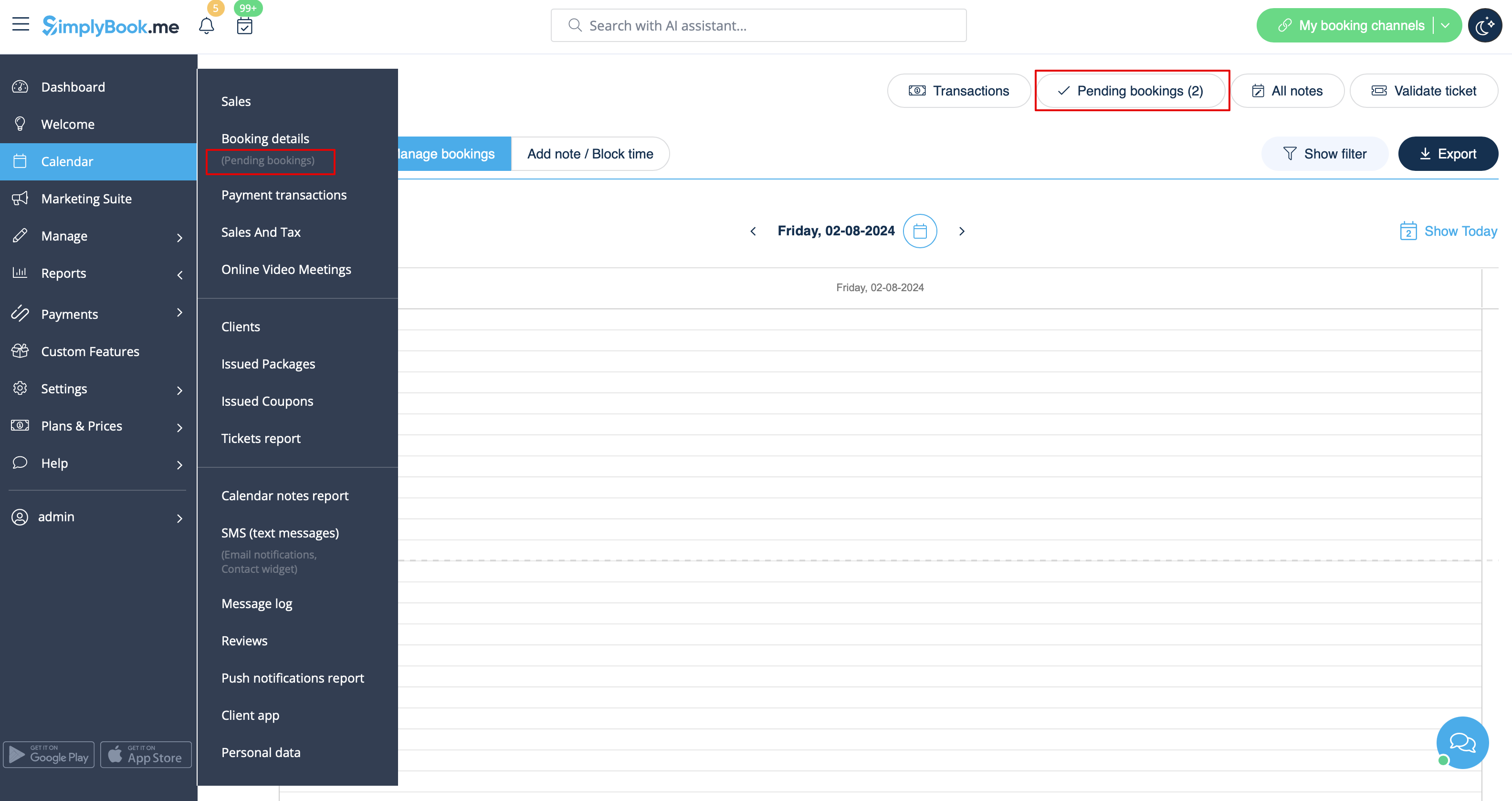
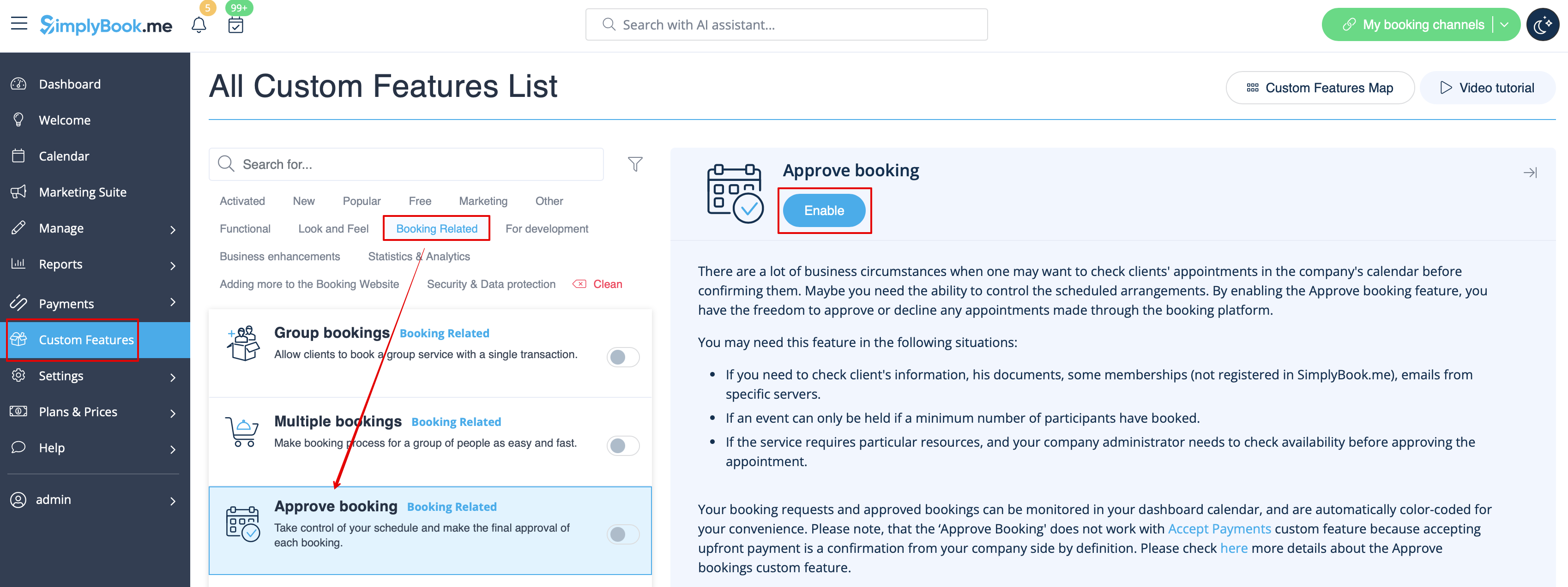
- 1. Activez la fonctionnalité personnalisée « Approuver les réservations » dans votre section Fonctionnalités personnalisées.
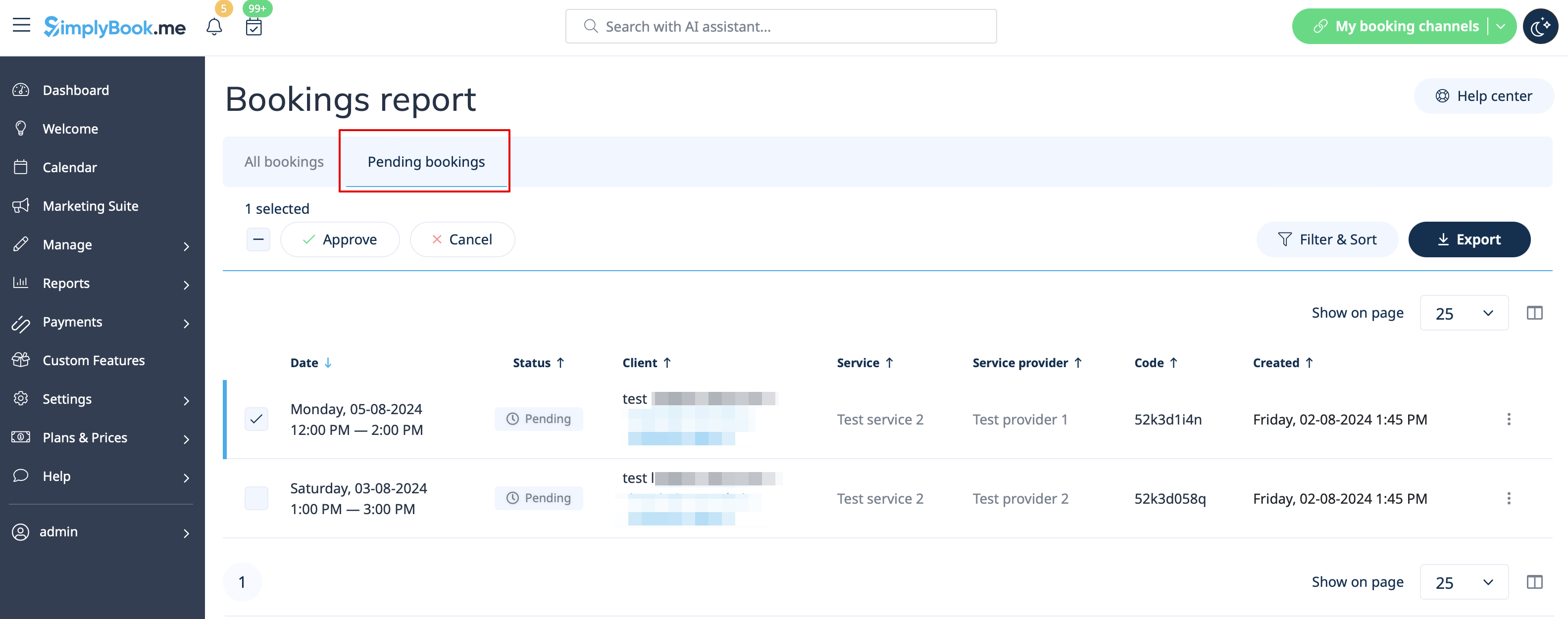
- 2. Accédez à Calendrier//Réservations en attente pour vérifier les réservations en attente d'approbation et les accepter ou les refuser.
- Le client ne recevra l'e-mail de confirmation qu'après votre approbation.
- Si vous refusez la réservation, le client ne recevra aucune notification.