From SimplyBook.me
Marked this version for translation |
No edit summary |
||
| Line 4: | Line 4: | ||
{{#seo: | {{#seo: | ||
|title=Visitor Counter custom feature - SimplyBook.me | |title=Visitor Counter custom feature - SimplyBook.me | ||
|description= | |description=Track booking website visits. View visitor statistics on Dashboard. Shows data for previous week. Helps evaluate marketing effectiveness and conversion rates. | ||
|titlemode=append | |titlemode=append | ||
|keywords=faq, frequently asked questions, booking software, appointment system questions, appointments online, calendar software, booking system, booking calendar, scheduling software, online appointment scheduling, online scheduling, plugins, custom features, additional functionality, statistics, visits, booking site visits, current week statistics | |keywords=faq, frequently asked questions, booking software, appointment system questions, appointments online, calendar software, booking system, booking calendar, scheduling software, online appointment scheduling, online scheduling, plugins, custom features, additional functionality, statistics, visits, booking site visits, current week statistics | ||
Latest revision as of 16:35, 12 February 2026

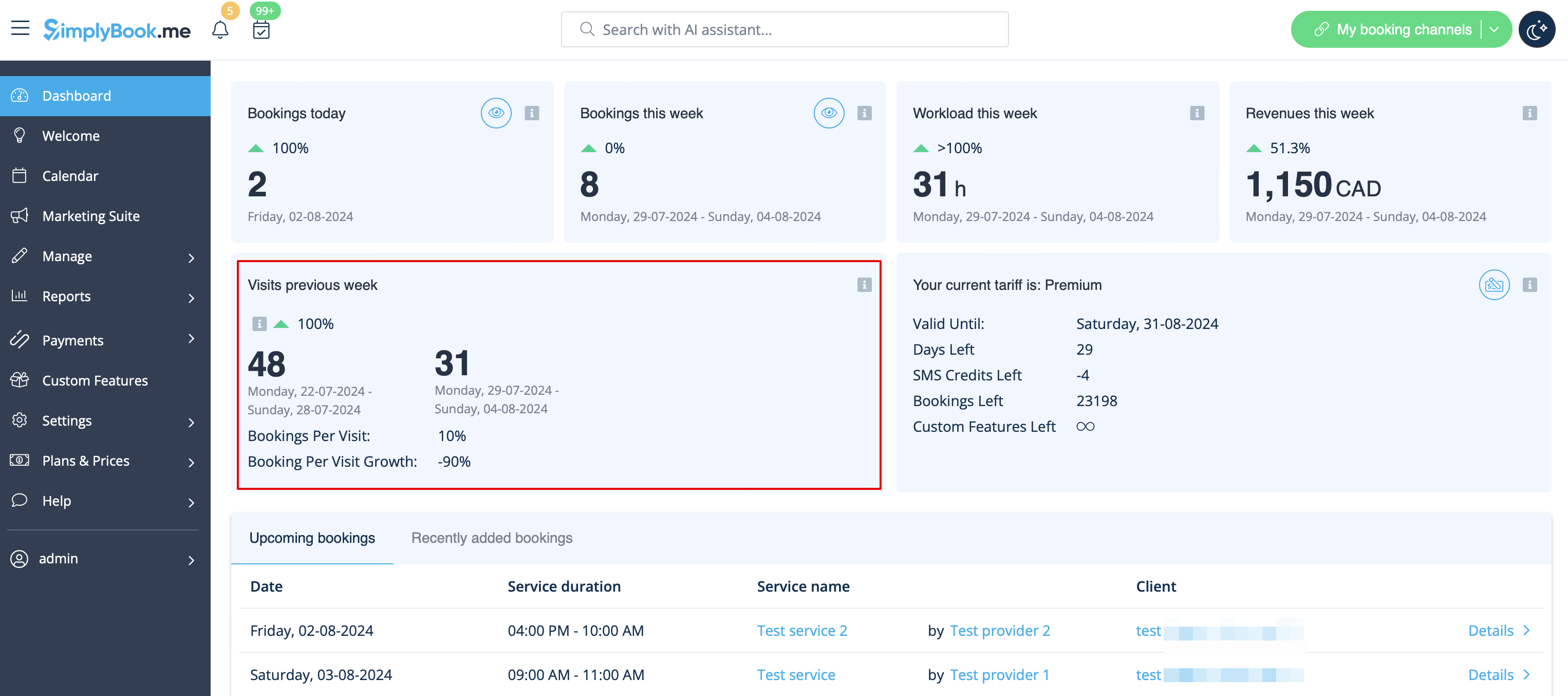
Use Visitor Counter Custom Feature to get up-to-date information about visits to your booking website or to the page with your booking widget. This Custom Feature will help you to evaluate the visits and bookings and can help you to decide if you should do promotions to get more visitors and potential clients. You will see all this information in the main Dashboard of the SImplyBook.me system. Shows data for the previous calendar week.
- How to use
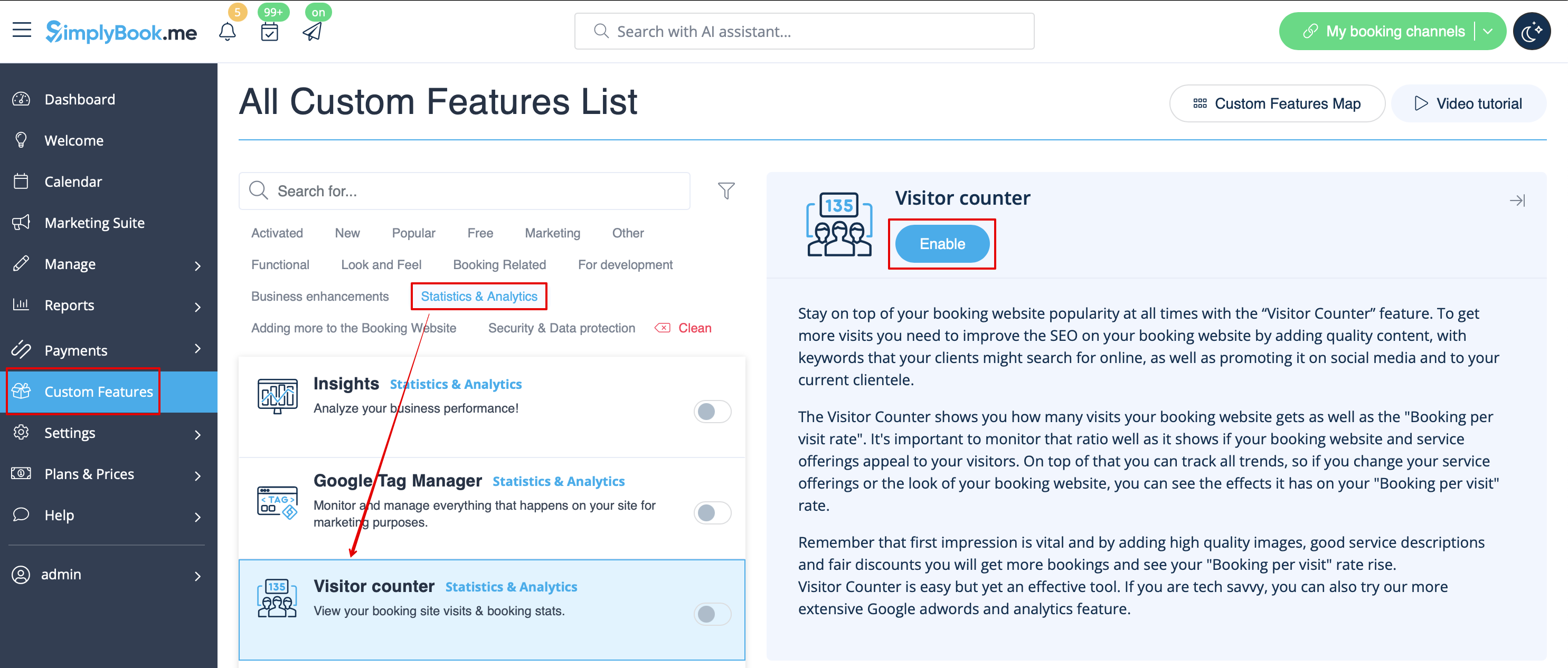
- 1. Enable this option on your custom Features page.
- 2. Check the chart on Dashboard page for updates.