From SimplyBook.me
Updating to match new version of source page |
No edit summary |
||
| Line 2: | Line 2: | ||
{{#seo: | {{#seo: | ||
|title=Insights custom feature - SimplyBook.me | |title=Insights custom feature - SimplyBook.me | ||
|description=Erweiterte Analysen und Geschäftseinblicke nutzen. Buchungstrends, Umsatz und beliebte Services verfolgen. Datenbasierte Entscheidungen treffen, um Ihr Geschäft auszubauen. | |||
|description= | |||
|titlemode=append | |titlemode=append | ||
|keywords=faq, frequently asked questions, booking software, appointment system questions, appointments online, calendar software, booking system, booking calendar, scheduling software, online appointment scheduling, online scheduling, plugins, custom features, additional functionality, report, statistics, booking statistics, company statistics, analyze the load | |keywords=faq, frequently asked questions, booking software, appointment system questions, appointments online, calendar software, booking system, booking calendar, scheduling software, online appointment scheduling, online scheduling, plugins, custom features, additional functionality, report, statistics, booking statistics, company statistics, analyze the load | ||
Revision as of 19:44, 16 February 2026

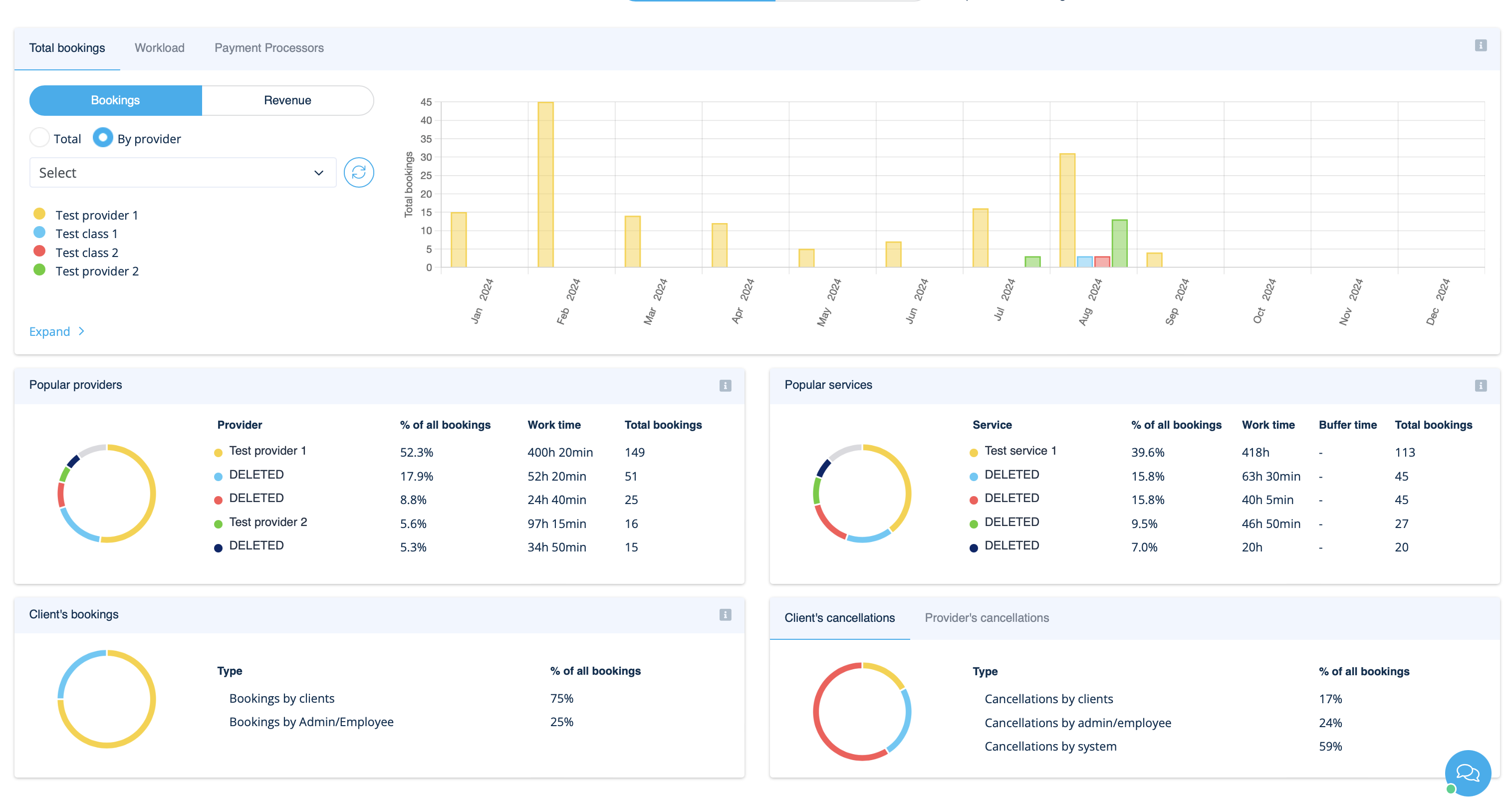
Diese individuelle Funktion erstellt eine Vielzahl von Diagrammen mit wichtigen Leistungsindikatoren in Ihrem neuen Finanz-Dashboard.
Verfügbarkeit von Anbietern, Gesamtbuchungen, Zahlungen pro Anbieter usw.
- Wie man es benutzt
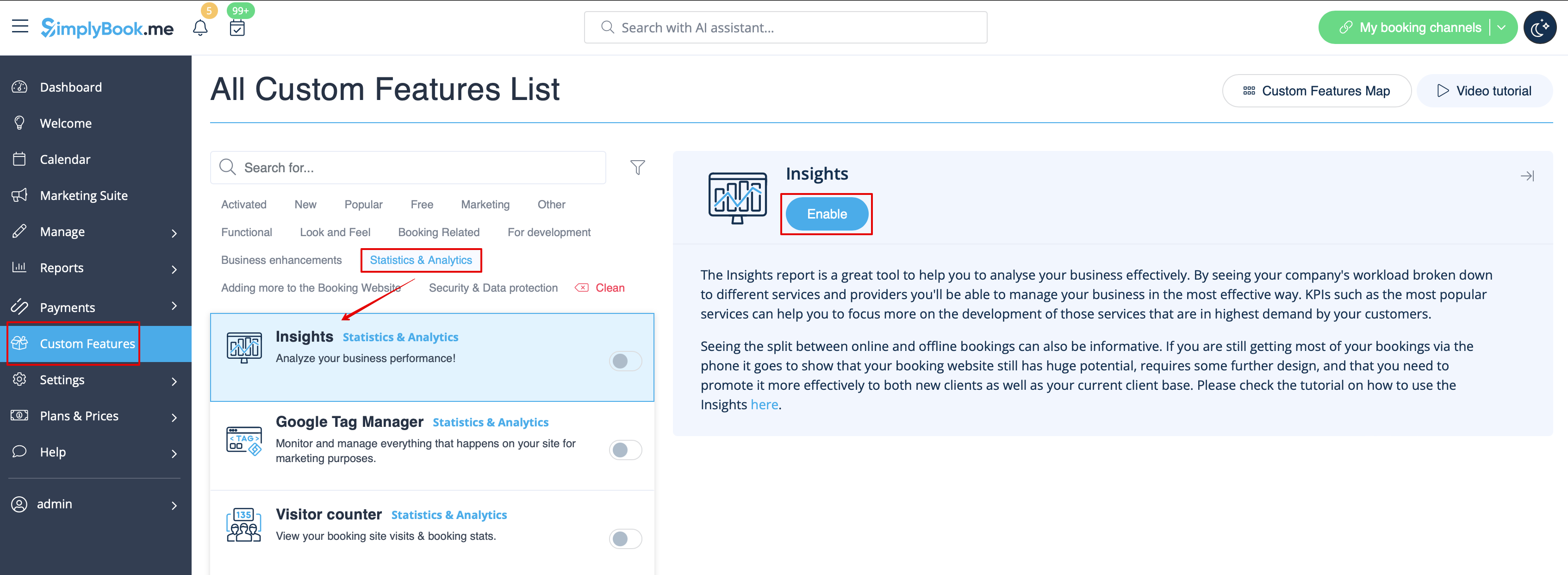
1. Aktivieren Sie Einblicke auf Ihrer Seite für individuelle Funktionen.
2. Navigieren Sie zum Dashboard, um die Grafiken und Diagramme zu prüfen.