No edit summary |
No edit summary |
||
| Line 31: | Line 31: | ||
;How to use | ;How to use | ||
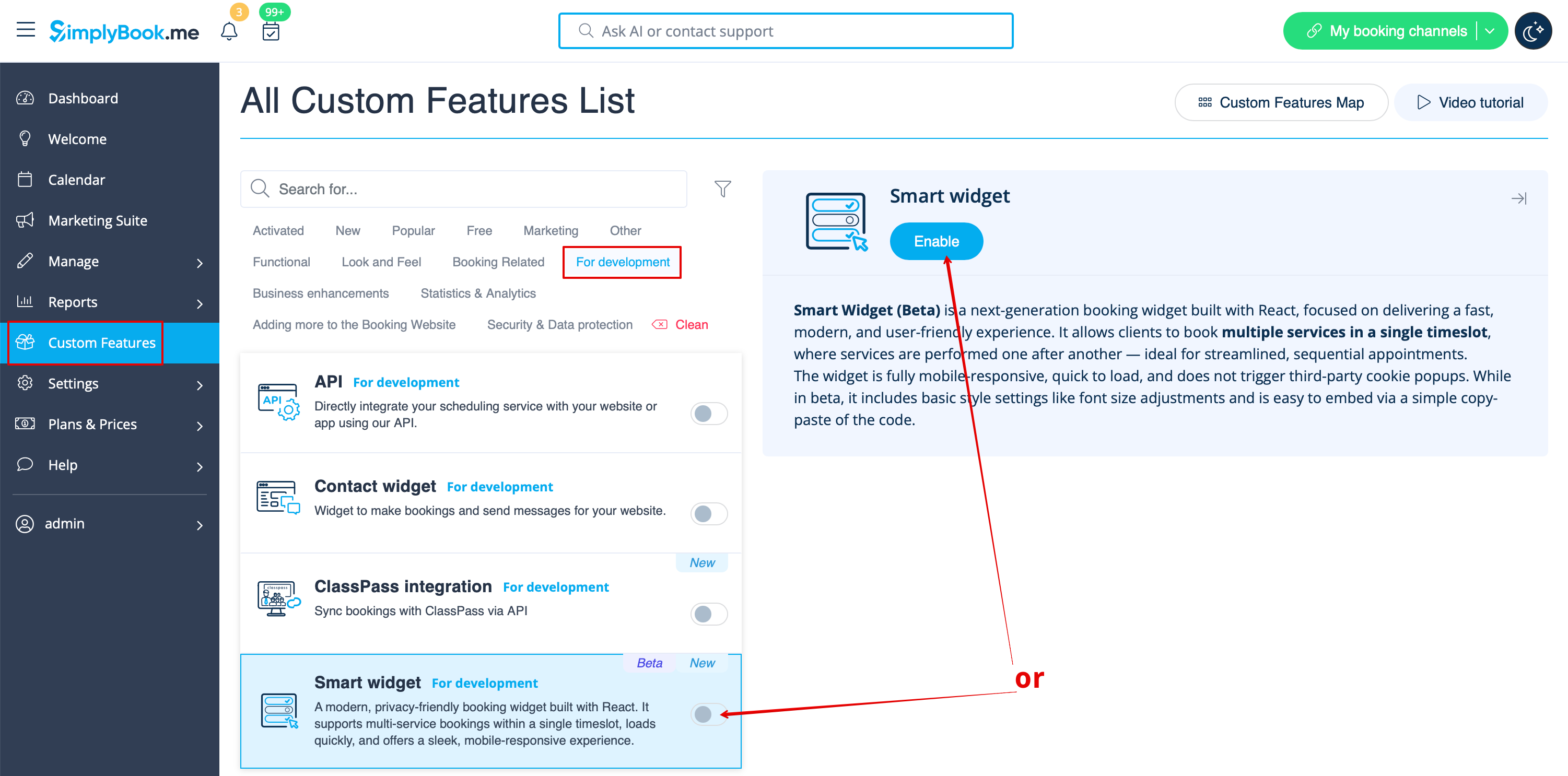
1. To enable this feature please navigate to '''Custom Features''' page, '''For development''' section and either move the switcher to the '''On''' position or hit '''Enable''' button on the right side of the page. | 1. To enable this feature please navigate to '''Custom Features''' page, '''For development''' section and either move the switcher to the '''On''' position or hit '''Enable''' button on the right side of the page. | ||
[[File:Smart widget enable path.png|1200px|center|link=https://help.simplybook.me/images/a/a9/Smart_widget_enable_path.png]] | |||
<br><br> | <br><br> | ||
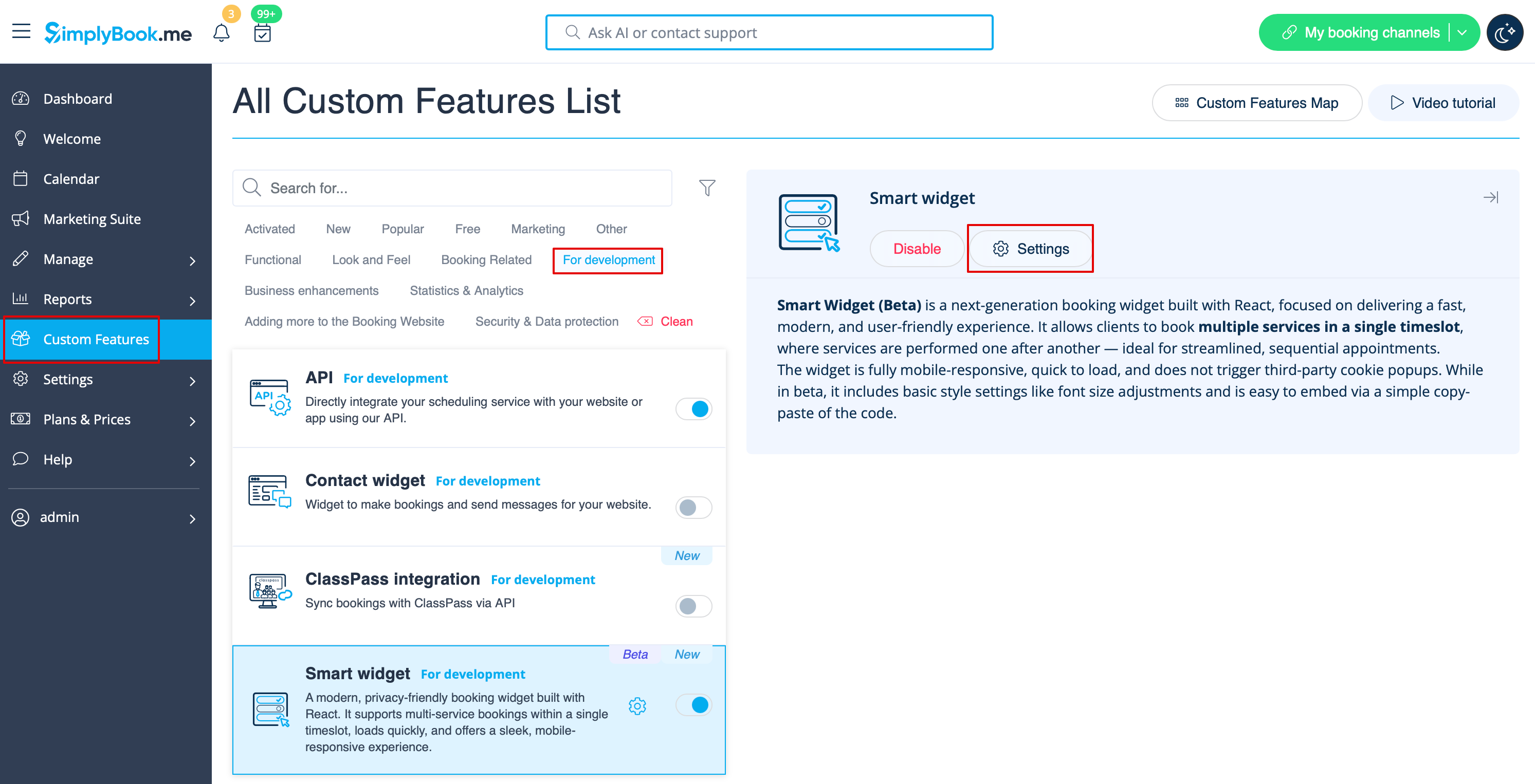
2. Click on '''Settings''' near the feature to navigate to the options page. | 2. Click on '''Settings''' near the feature to navigate to the options page. | ||
[[File:Smart widget settings path.png|1200px|center|link=https://help.simplybook.me/images/6/60/Smart_widget_settings_path.png]] | |||
<br><br> | <br><br> | ||
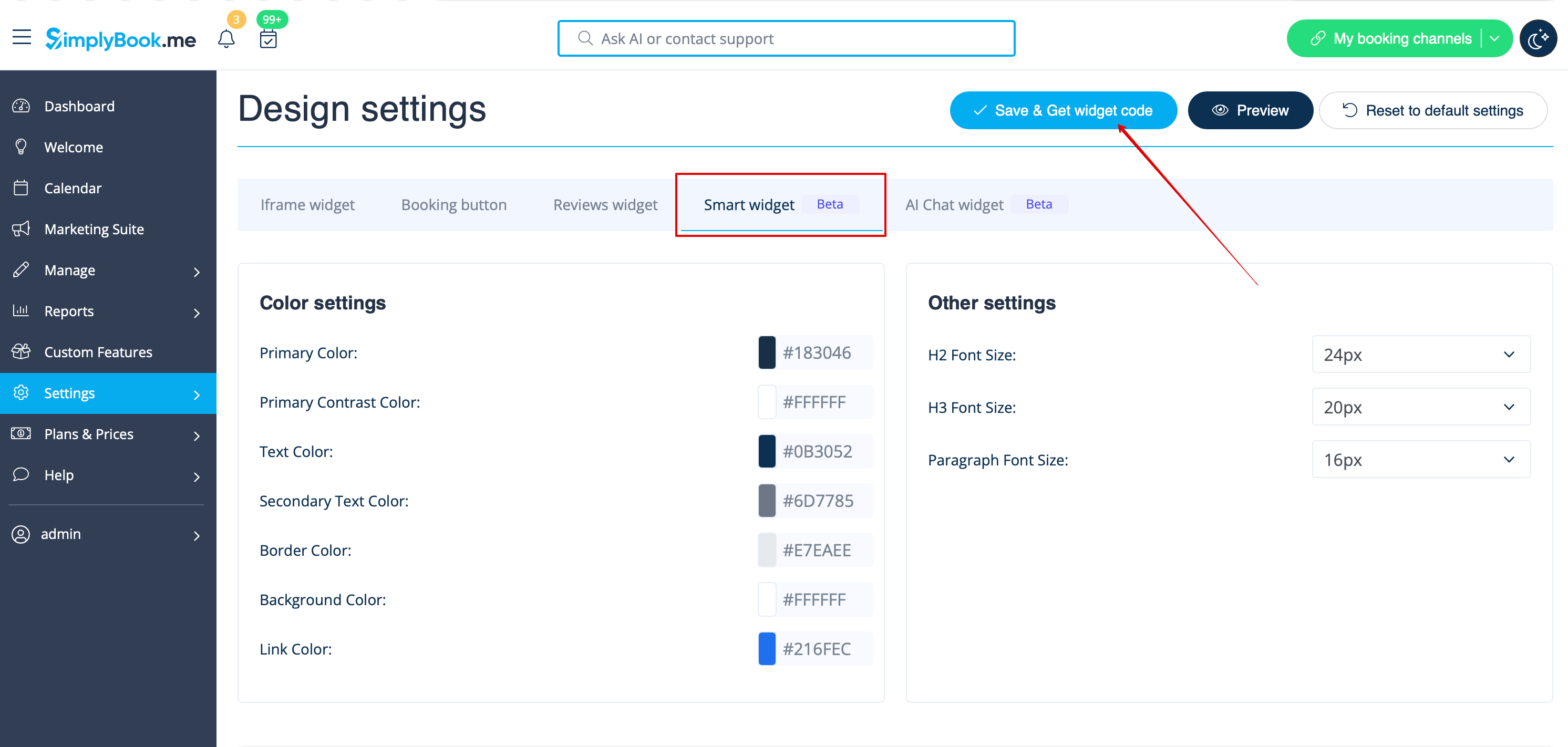
3. Adjust the parameters to your liking and click on '''Save & Get widget code'''. | 3. Adjust the parameters to your liking and click on '''Save & Get widget code'''. | ||
[[File:Smart widget code path.png|1200px|center|link=https://help.simplybook.me/images/6/6a/Smart_widget_code_path.png]] | |||
<br><br> | <br><br> | ||
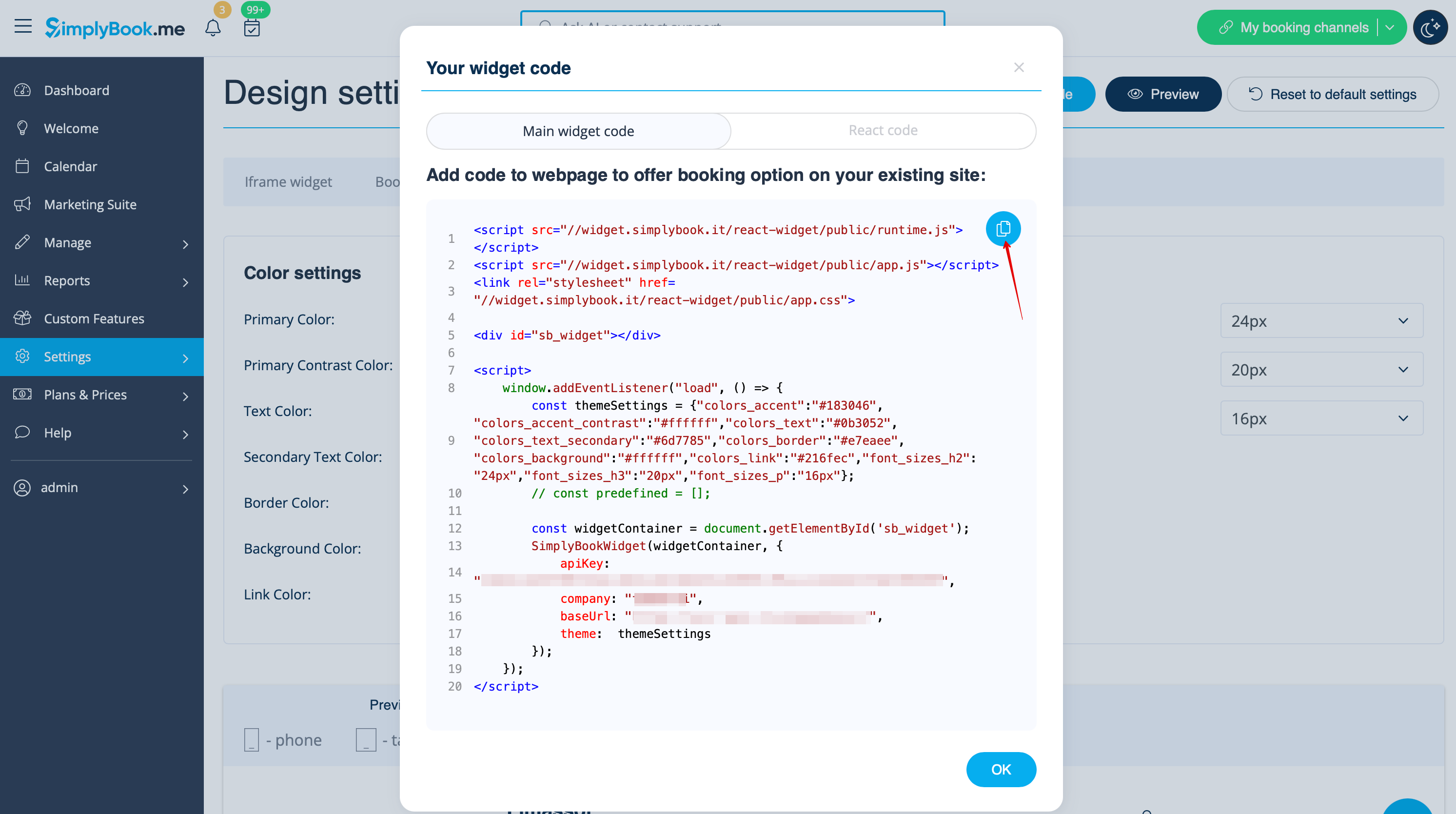
4. Copy the code and paste to your website HTML body. That's it! | 4. Copy the code and paste to your website HTML body. That's it! | ||
[[File:Smart widget copy code.png|1200px|center|link=https://help.simplybook.me/images/e/e5/Smart_widget_copy_code.png]] | |||
<br><br><br><br> | <br><br><br><br> | ||
Revision as of 12:33, 17 February 2026
Smart Widget (Beta) is a next-generation booking widget built with React, focused on delivering a fast, modern, and user-friendly experience. It allows clients to book multiple services in a single timeslot, where services are performed one after another — ideal for streamlined, sequential appointments.
The widget is fully mobile-responsive, quick to load, and does not trigger third-party cookie popups. While in beta, it includes basic style settings like font size adjustments and is easy to embed via a simple copy-paste of the code.
Please note!
- When you enable this feature API will be enabled as well.
Smart Widget does not yet support all existing functionality.
Some functionality may be unavailable:
- Client Rescheduling
- Coupons & Gift cards
- Custom CSS
- Display Remaining Spaces
- Membership
- Packages
- Products for sale
- Service Add-ons
- File Uploader - Google Drive
- Loyalty System
- Waiting List
- Online Video Meetings
- Custom wording & translations (the widget is automatically translated based on the metadata of page where it is placed)
- Themes & colors
- Client timezone
- How to use
1. To enable this feature please navigate to Custom Features page, For development section and either move the switcher to the On position or hit Enable button on the right side of the page.
2. Click on Settings near the feature to navigate to the options page.
3. Adjust the parameters to your liking and click on Save & Get widget code.
4. Copy the code and paste to your website HTML body. That's it!