From SimplyBook.me
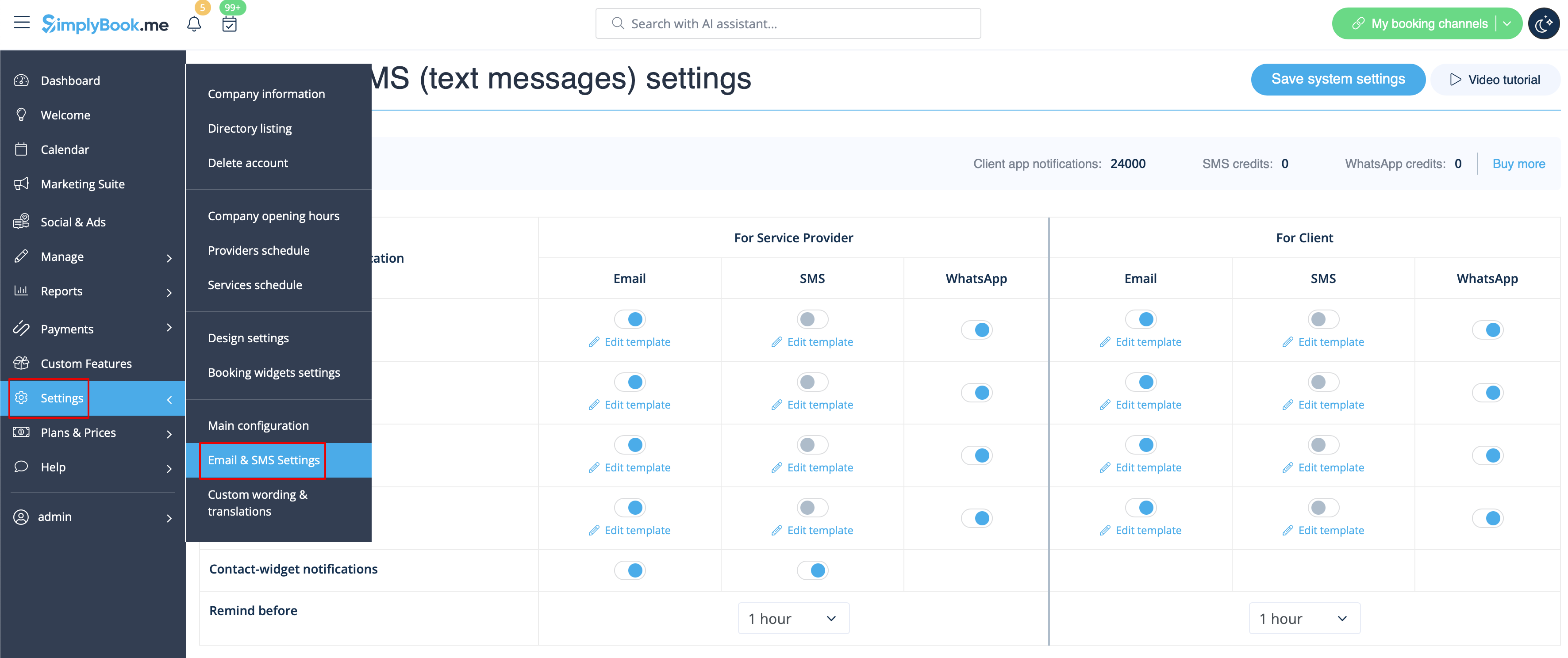
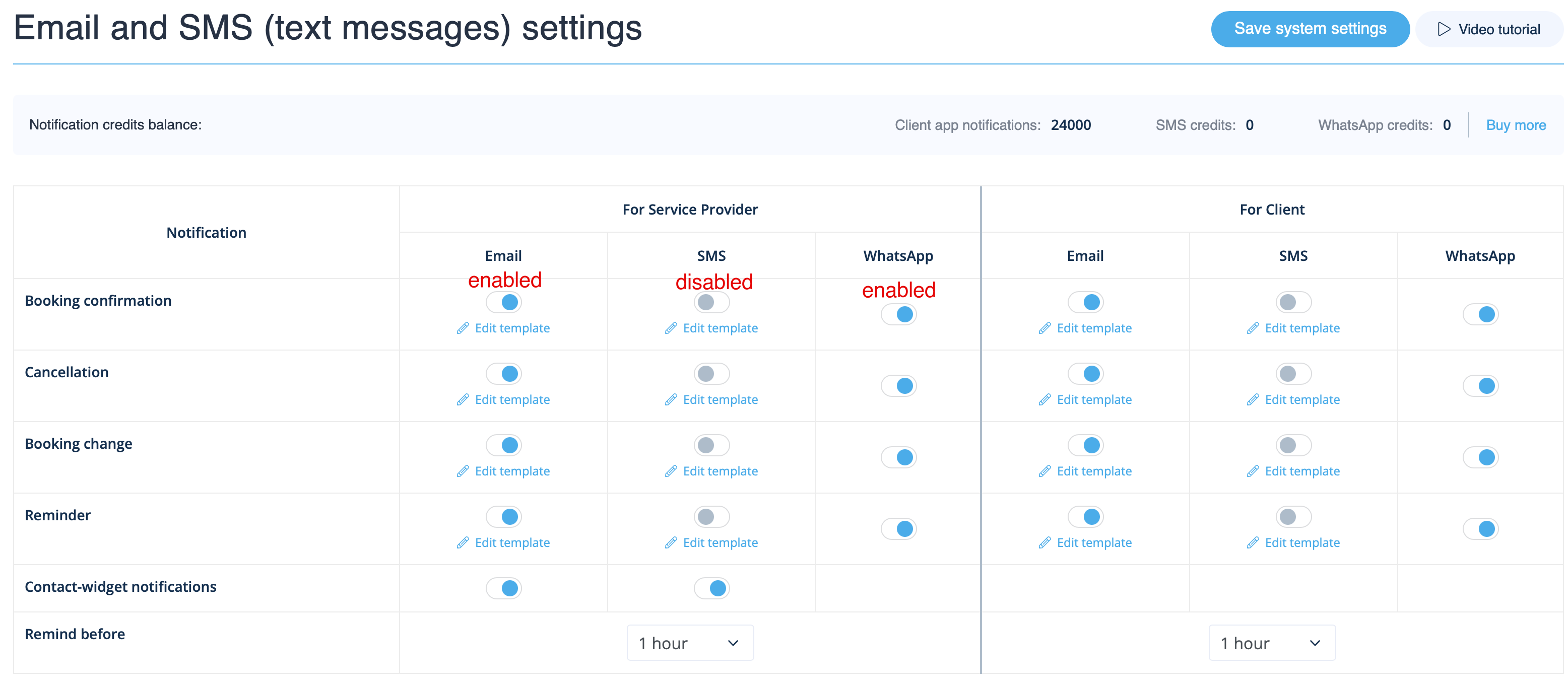
Created page with "Gå til <span style="background-color:#d4f8e5; padding:5px; border-radius:5px;">Indstillinger</span> -> <span style="background-color:#d4f8e5; padding:5px; border-radius:5px;">E-mail- og SMS-indstillinger</span> og <span style="background-color:#d4f8e5; padding:5px; border-radius:5px;">marker/fjern markeringen i</span> de relevante felter for at sende/ikke sende notifikationer. Du kan ændre teksten i notifikationerne, så de passer bedre til dine behov <span style="b..." |
No edit summary |
||
| Line 1: | Line 1: | ||
Gå til <span style="background-color:#d4f8e5; padding:5px; border-radius:5px;">Indstillinger</span> -> <span style="background-color:#d4f8e5; padding:5px; border-radius:5px;">E-mail- og SMS-indstillinger</span> og <span style="background-color:#d4f8e5; padding:5px; border-radius:5px;">marker | Gå til <span style="background-color:#d4f8e5; padding:5px; border-radius:5px;">Indstillinger</span> -> <span style="background-color:#d4f8e5; padding:5px; border-radius:5px;">E-mail- og SMS-indstillinger</span> og <span style="background-color:#d4f8e5; padding:5px; border-radius:5px;">marker</span> de relevante felter <span style="background-color:#d4f8e5; padding:5px; border-radius:5px;">til/fra</span> for at sende/ikke sende notifikationer. Du kan tilpasse teksten i notifikationerne efter dine behov ved at klikke på <span style="background-color:#d4f8e5; padding:5px; border-radius:5px;">Rediger skabelon</span> <span style="background-color:#d4f8e5; padding:5px; border-radius:5px;">,</span> foretage ændringer og gemme systemindstillingerne. | ||
[[File:Email and sms settings path redesigned upd.png|1200px|border| center|link=https://help.simplybook.me/images/a/a4/Email_and_sms_settings_path_redesigned_upd.png]] | [[File:Email and sms settings path redesigned upd.png|1200px|border| center|link=https://help.simplybook.me/images/a/a4/Email_and_sms_settings_path_redesigned_upd.png]] | ||
<br><br> | <br><br> | ||
[[File:Notifications statuses upd.png|1200px| center|link=https://help.simplybook.me/images/e/e2/Notifications_statuses_upd.png]] | [[File:Notifications statuses upd.png|1200px| center|link=https://help.simplybook.me/images/e/e2/Notifications_statuses_upd.png]] | ||
<br><br> | <br><br> | ||
Revision as of 13:02, 16 March 2026
Gå til Indstillinger -> E-mail- og SMS-indstillinger og marker de relevante felter til/fra for at sende/ikke sende notifikationer. Du kan tilpasse teksten i notifikationerne efter dine behov ved at klikke på Rediger skabelon , foretage ændringer og gemme systemindstillingerne.