From SimplyBook.me
Created page with "Перейдіть до <span style="background-color:#d4f8e5; padding:5px; border-radius:5px;">Налаштування</span> -> <span style="background-color:#d4f8e5; padding:5px; border-radius:5px;">Налаштування електронної пошти та SMS</span> і <span style="background-color:#d4f8e5; padding:5px; border-radius:5px;">встановіть/зніміть</span> відповідні прапорці, щоб надсилати/не над..." |
No edit summary |
||
| Line 1: | Line 1: | ||
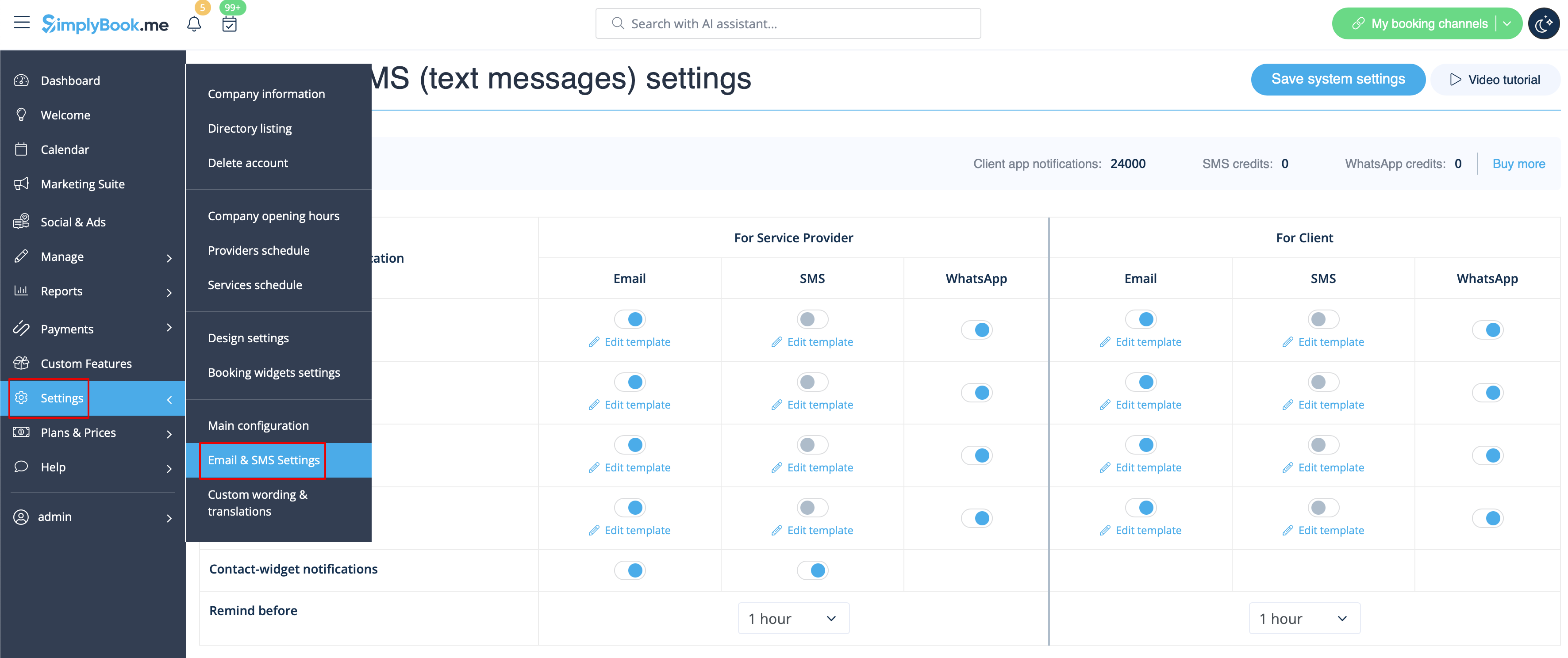
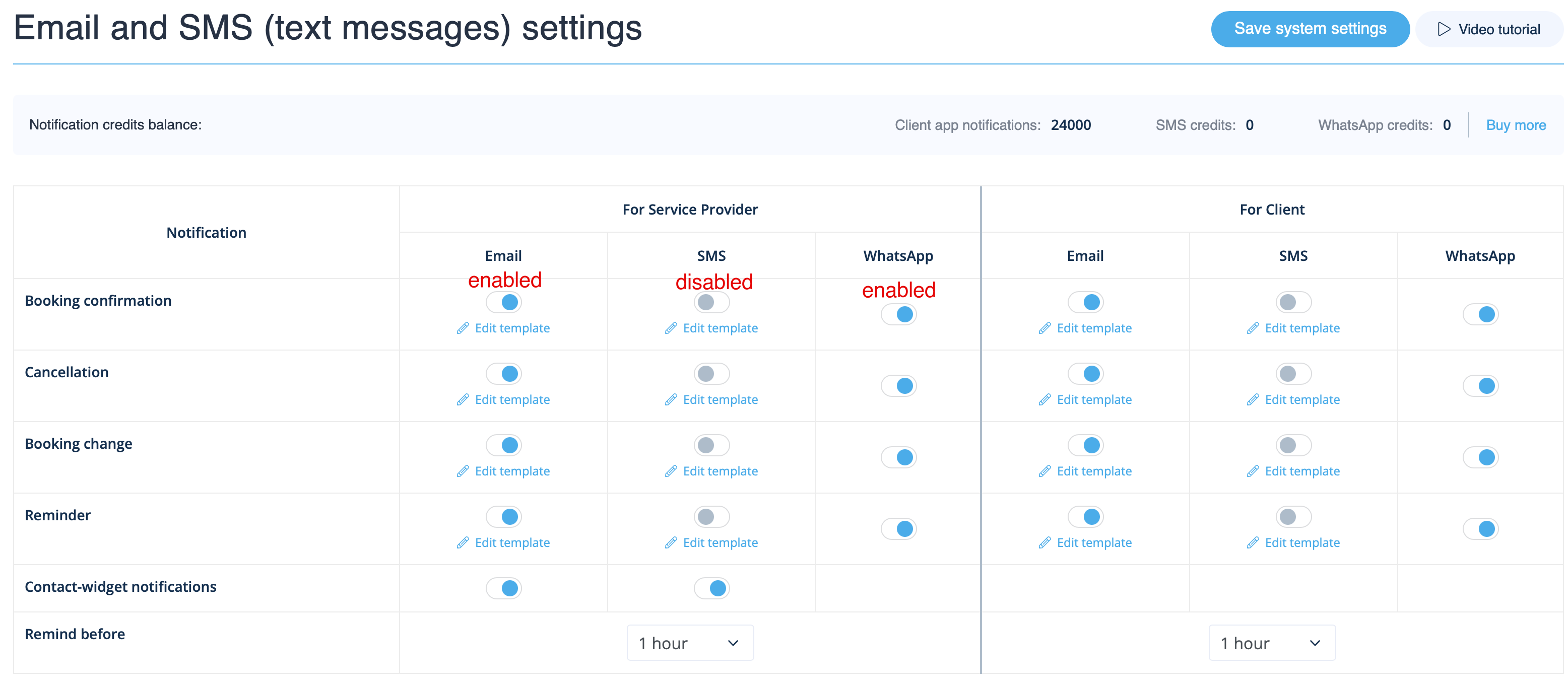
Перейдіть до <span style="background-color:#d4f8e5; padding:5px; border-radius:5px;">Налаштування</span> -> <span style="background-color:#d4f8e5; padding:5px; border-radius:5px;">Налаштування електронної пошти та SMS</span> і <span style="background-color:#d4f8e5; padding:5px; border-radius:5px;"> | Перейдіть до <span style="background-color:#d4f8e5; padding:5px; border-radius:5px;">Налаштування</span> -> <span style="background-color:#d4f8e5; padding:5px; border-radius:5px;">Налаштування електронної пошти та SMS</span> і <span style="background-color:#d4f8e5; padding:5px; border-radius:5px;">поставте</span> галочки у відповідних полях <span style="background-color:#d4f8e5; padding:5px; border-radius:5px;">увімк./вимк.</span> для надсилання/не надсилання сповіщень. Ви можете змінити текст сповіщень відповідно до ваших потреб, натиснувши <span style="background-color:#d4f8e5; padding:5px; border-radius:5px;">Редагувати шаблон</span> <span style="background-color:#d4f8e5; padding:5px; border-radius:5px;">,</span> внести зміни та зберегти налаштування системи. | ||
[[File:Email and sms settings path redesigned upd.png|1200px|border| center|link=https://help.simplybook.me/images/a/a4/Email_and_sms_settings_path_redesigned_upd.png]] | [[File:Email and sms settings path redesigned upd.png|1200px|border| center|link=https://help.simplybook.me/images/a/a4/Email_and_sms_settings_path_redesigned_upd.png]] | ||
<br><br> | <br><br> | ||
[[File:Notifications statuses upd.png|1200px| center|link=https://help.simplybook.me/images/e/e2/Notifications_statuses_upd.png]] | [[File:Notifications statuses upd.png|1200px| center|link=https://help.simplybook.me/images/e/e2/Notifications_statuses_upd.png]] | ||
<br><br> | <br><br> | ||
Revision as of 13:04, 16 March 2026
Перейдіть до Налаштування -> Налаштування електронної пошти та SMS і поставте галочки у відповідних полях увімк./вимк. для надсилання/не надсилання сповіщень. Ви можете змінити текст сповіщень відповідно до ваших потреб, натиснувши Редагувати шаблон , внести зміни та зберегти налаштування системи.