From SimplyBook.me
No edit summary |
Updating to match new version of source page Tags: Mobile edit Mobile web edit |
||
| Line 16: | Line 16: | ||
*<span style="background-color:#ffe9e9; padding:5px; border-radius:5px;">Den tilpassede funktion "<span style="background-color:#cdeffc; padding:5px; border-radius:5px;">[[Special:MyLanguage/Intake_Forms_custom_feature|Intake Forms]]</span> " vil blive aktiveret sammen med denne.</span> | *<span style="background-color:#ffe9e9; padding:5px; border-radius:5px;">Den tilpassede funktion "<span style="background-color:#cdeffc; padding:5px; border-radius:5px;">[[Special:MyLanguage/Intake_Forms_custom_feature|Intake Forms]]</span> " vil blive aktiveret sammen med denne.</span> | ||
<div lang="en" dir="ltr" class="mw-content-ltr"> | |||
<br><br> | |||
;How it works<br> | |||
When a client submits a booking, SimplyBook.me sends the booking details to your external URL as a JSON POST request. Your script inspects the data and returns a JSON response. If validation passes, the booking is saved. If it fails, the client sees an error message without the booking being confirmed. | |||
<br><br> | |||
</div> | |||
;Sådan bruges | ;Sådan bruges | ||
Revision as of 15:29, 5 April 2026

Du kan validere bookinger ved hjælp af et eksternt script. Scriptet kan kontrollere variabler fra bookingen, og kun hvis betingelserne er opfyldt, behandles bookingen. Derudover kan valideringsscriptet hente oplysninger, der kan indsættes i variabler i indtastningsformularen.
Bemærk!
- Der kræves udviklingsfærdigheder for at bruge denne funktion.
- Den tilpassede funktion "Intake Forms " vil blive aktiveret sammen med denne.
- How it works
When a client submits a booking, SimplyBook.me sends the booking details to your external URL as a JSON POST request. Your script inspects the data and returns a JSON response. If validation passes, the booking is saved. If it fails, the client sees an error message without the booking being confirmed.
- Sådan bruges
- 1. Aktivér den tilpassede funktion Ekstern bookingvalidator på siden Tilpassede funktioner, afsnittet Andet.
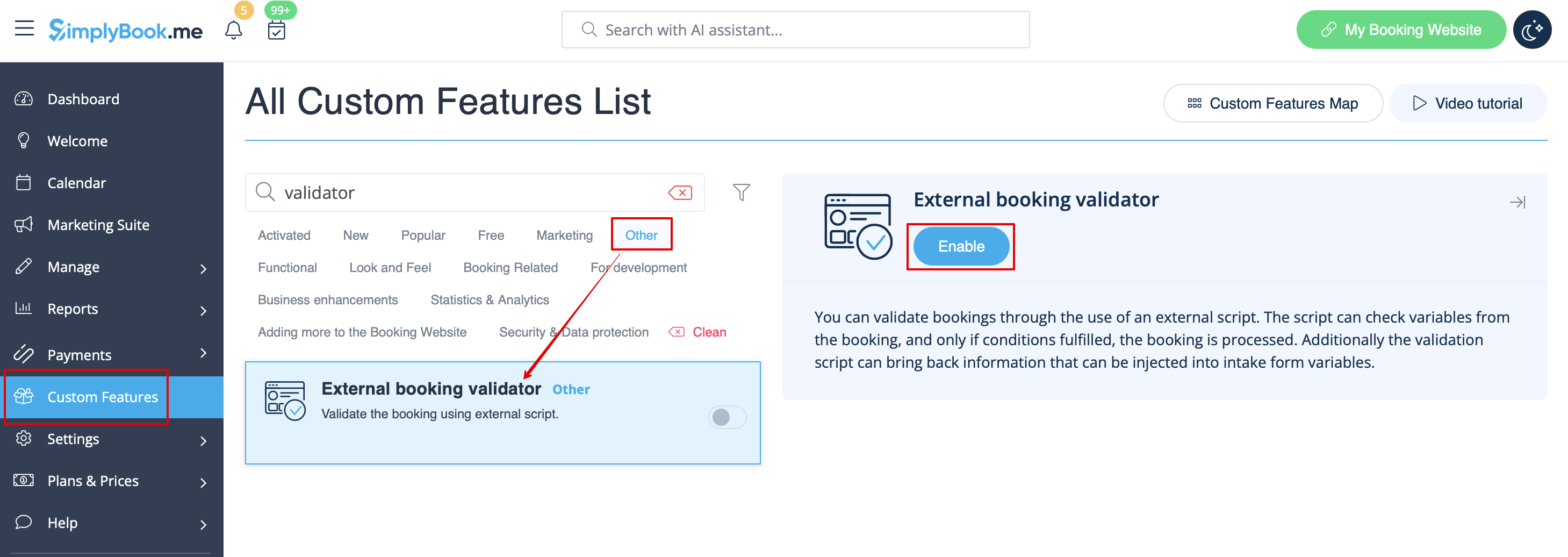
- 2. Opret dit eget valideringsscript med dine egne ønskede betingelser.
- Du kan f.eks. kræve bestemte svar fra kunden på et eller flere indtastningsformularer, før bookingen kan sendes til dit system.
- 3. Indsæt dit script i indstillingerne for denne funktion på siden Brugerdefinerede funktioner, og gem.
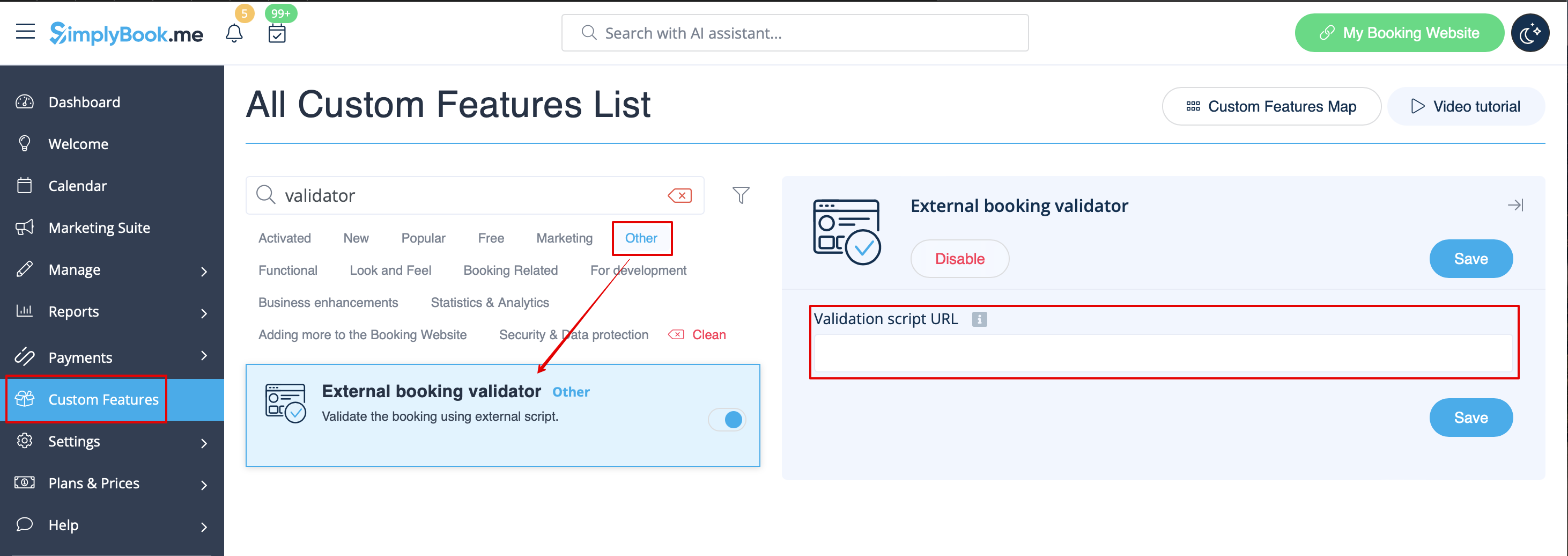
- Et eksempel på et script findes her.
