From SimplyBook.me
Importing a new version from external source |
Importing a new version from external source |
||
| Line 6: | Line 6: | ||
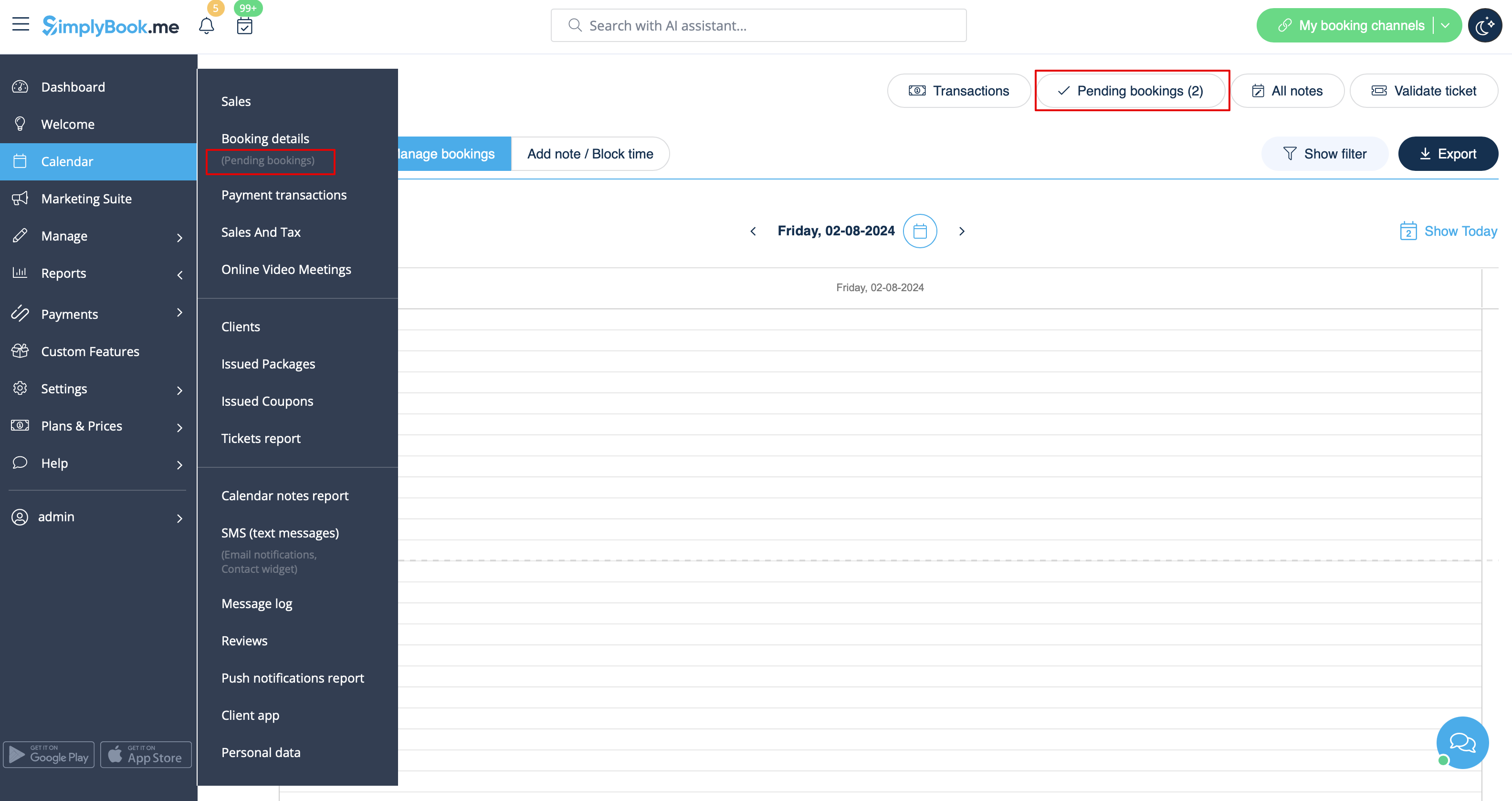
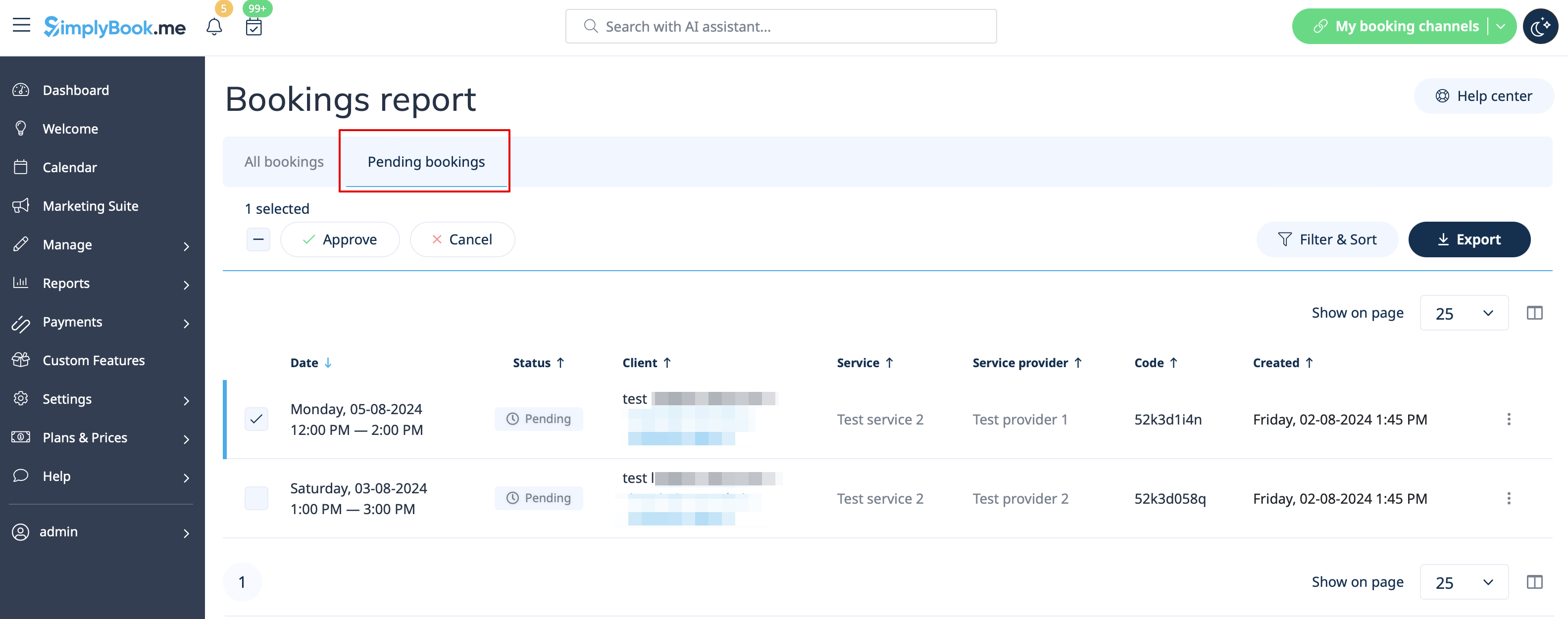
:2. Navigate to Calendar//Pending bookings to check the bookings waiting for approval and accept or decline them. | :2. Navigate to Calendar//Pending bookings to check the bookings waiting for approval and accept or decline them. | ||
:The client will receive the confirmation email only after your approval. | :The client will receive the confirmation email only after your approval. | ||
:If you decline the booking | :If you decline the booking the client will receive the standard booking cancellation email. | ||
[[File:Pending bookings report path redesigned.png|1200px|center|link=https://help.simplybook.me/images/c/c7/Pending_bookings_report_path_redesigned.png]]<br><br> | [[File:Pending bookings report path redesigned.png|1200px|center|link=https://help.simplybook.me/images/c/c7/Pending_bookings_report_path_redesigned.png]]<br><br> | ||
[[File:Pending bookimgs report overview redesigned.png|1200px | center|link=https://help.simplybook.me/images/9/97/Pending_bookimgs_report_overview_redesigned.png]] | [[File:Pending bookimgs report overview redesigned.png|1200px | center|link=https://help.simplybook.me/images/9/97/Pending_bookimgs_report_overview_redesigned.png]] | ||
<br><br> | <br><br> | ||
Latest revision as of 09:13, 23 April 2026
- How to use
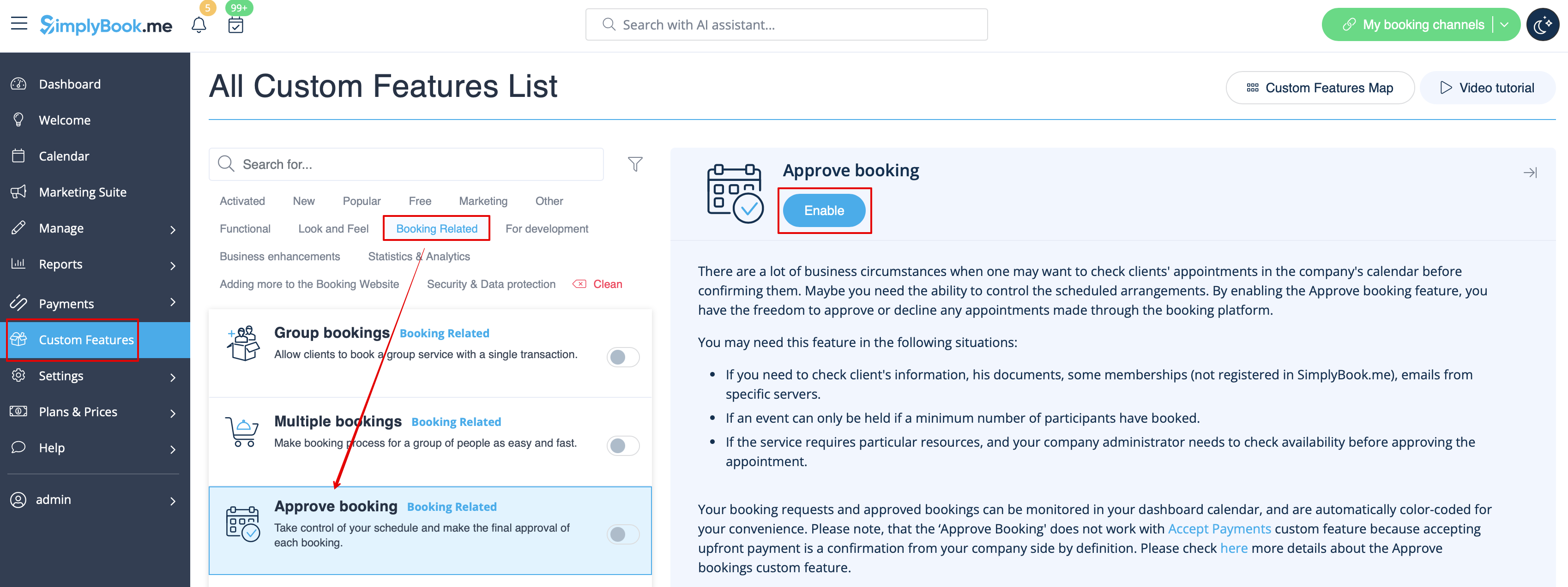
- 1. Enable Approve bookings custom feature in your Custom features section.
- 2. Navigate to Calendar//Pending bookings to check the bookings waiting for approval and accept or decline them.
- The client will receive the confirmation email only after your approval.
- If you decline the booking the client will receive the standard booking cancellation email.