From SimplyBook.me
Created page with "<br><br> ;Hoe gebruik je ' :' 1. Schakel de aangepaste functie 'Boekingen goedkeuren' in in je sectie 'Aangepaste functies'. 1200px| center|link=https://help.simplybook.me/images/b/b8/Approve_bookings_enable_path_redesigned.png <br><br> :2. Ga naar Agenda//In afwachting van boekingen om de boekingen die op goedkeuring wachten te controleren en ze te accepteren of te weigeren. :De klant ontvangt de bevestigingsmail pas..." |
No edit summary |
||
| Line 6: | Line 6: | ||
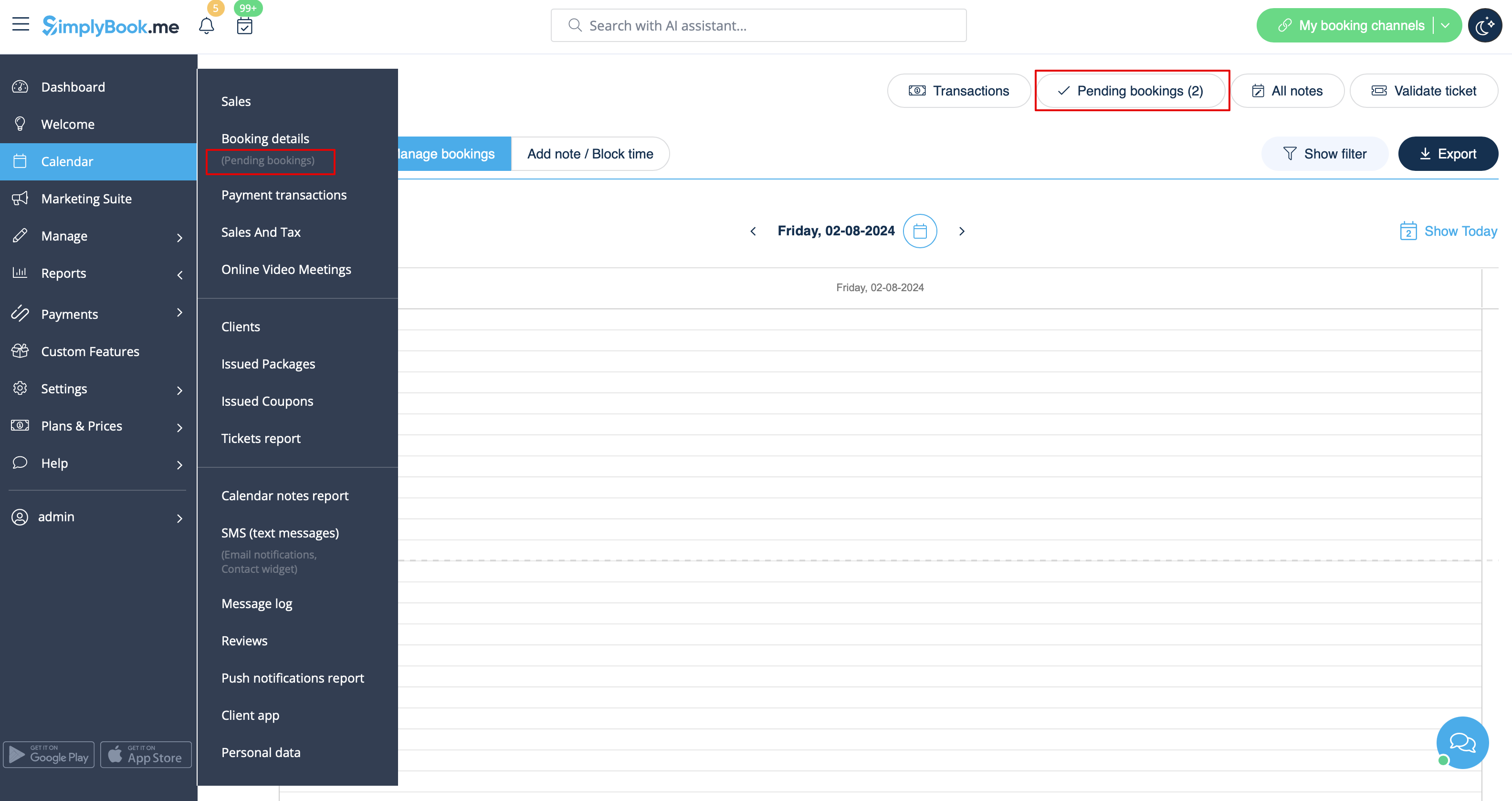
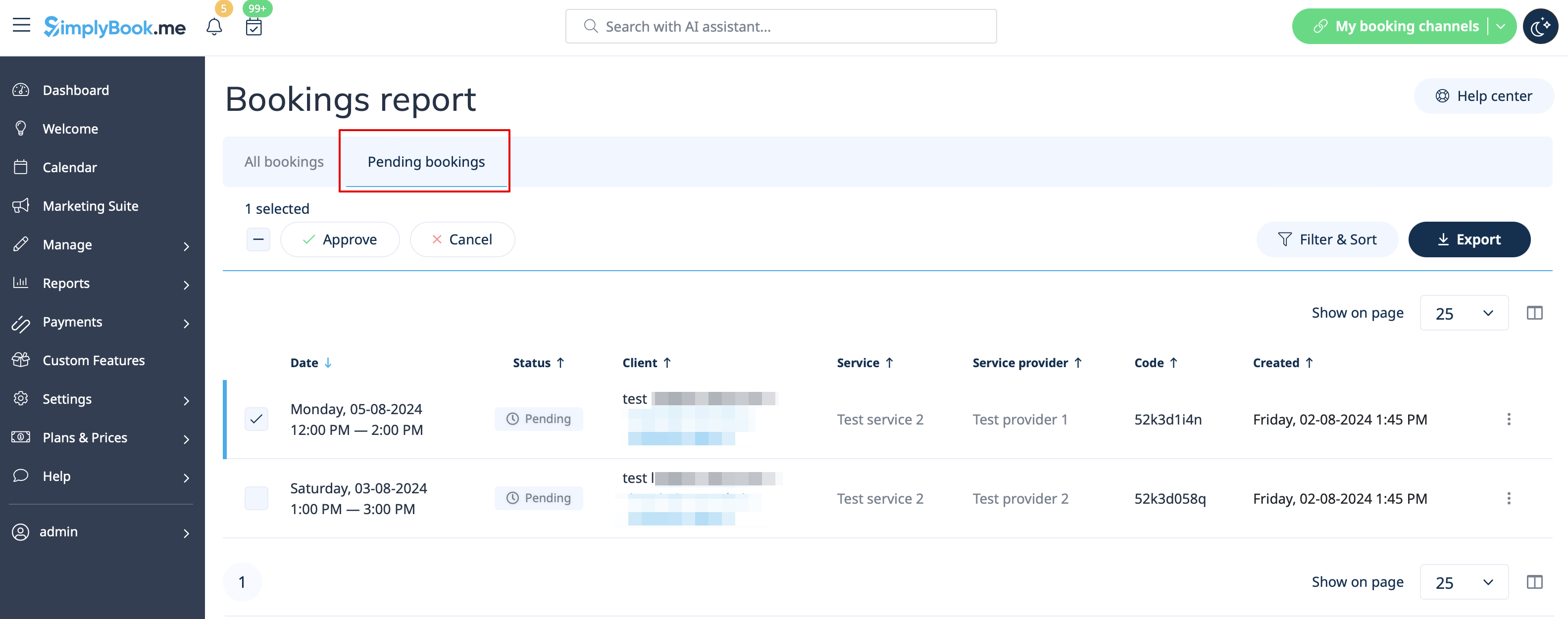
:2. Ga naar Agenda//In afwachting van boekingen om de boekingen die op goedkeuring wachten te controleren en ze te accepteren of te weigeren. | :2. Ga naar Agenda//In afwachting van boekingen om de boekingen die op goedkeuring wachten te controleren en ze te accepteren of te weigeren. | ||
:De klant ontvangt de bevestigingsmail pas na jouw goedkeuring. | :De klant ontvangt de bevestigingsmail pas na jouw goedkeuring. | ||
:Als | :Als u de boeking weigert, ontvangt de klant de standaard annuleringsmail. | ||
[[File:Pending bookings report path redesigned.png|1200px|center|link=https://help.simplybook.me/images/c/c7/Pending_bookings_report_path_redesigned.png]]<br><br> | [[File:Pending bookings report path redesigned.png|1200px|center|link=https://help.simplybook.me/images/c/c7/Pending_bookings_report_path_redesigned.png]]<br><br> | ||
[[File:Pending bookimgs report overview redesigned.png|1200px | center|link=https://help.simplybook.me/images/9/97/Pending_bookimgs_report_overview_redesigned.png]] | [[File:Pending bookimgs report overview redesigned.png|1200px | center|link=https://help.simplybook.me/images/9/97/Pending_bookimgs_report_overview_redesigned.png]] | ||
<br><br> | <br><br> | ||
Latest revision as of 09:15, 23 April 2026
- Hoe gebruik je '
- ' 1. Schakel de aangepaste functie 'Boekingen goedkeuren' in in je sectie 'Aangepaste functies'.
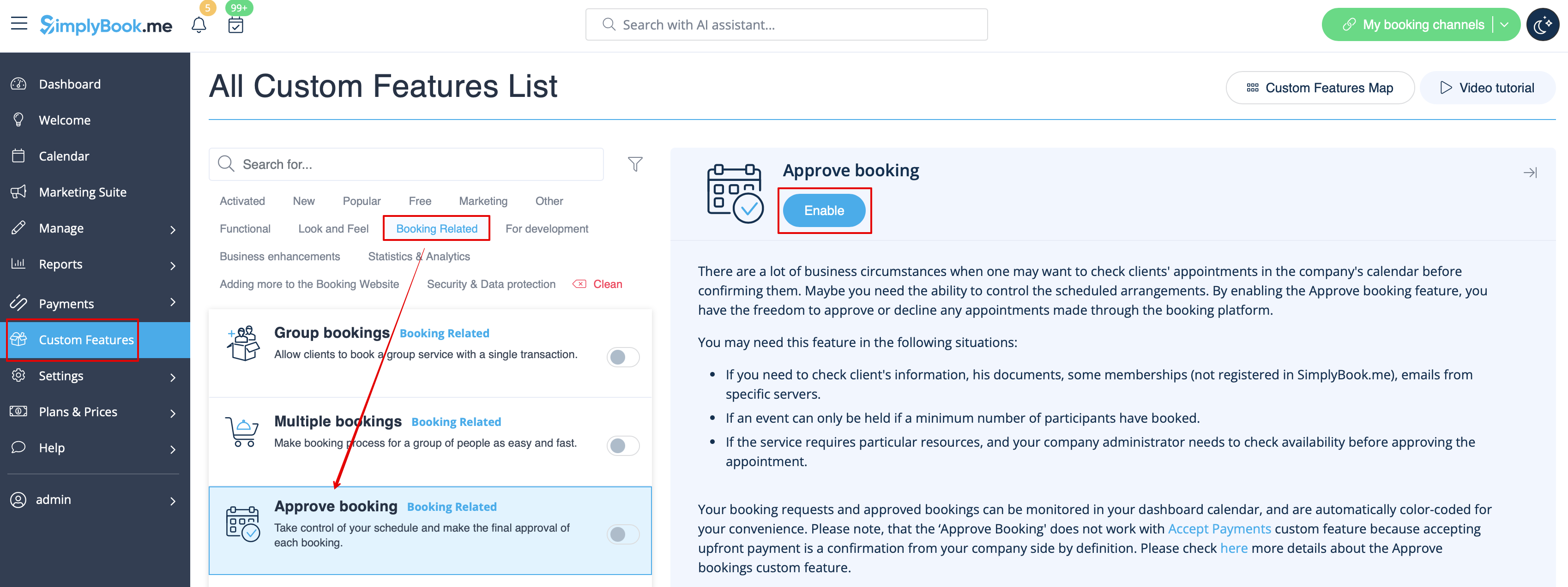
- 2. Ga naar Agenda//In afwachting van boekingen om de boekingen die op goedkeuring wachten te controleren en ze te accepteren of te weigeren.
- De klant ontvangt de bevestigingsmail pas na jouw goedkeuring.
- Als u de boeking weigert, ontvangt de klant de standaard annuleringsmail.