| Line 163: | Line 163: | ||
==Using PRO version features== | ==Using PRO version features== | ||
Please check if <span style="background-color:#d4f8e5; padding:5px; border-radius:5px;">PRO</span> version or SBPay.me is enabled on <span style="background-color:#cdeffc; padding:5px; border-radius:5px;">Accept payments</span> settings page to get access to the list of additional options like vaulted payments, refunds and payment links. | Please check if <span style="background-color:#d4f8e5; padding:5px; border-radius:5px;">PRO</span> version or SBPay.me is enabled on <span style="background-color:#cdeffc; padding:5px; border-radius:5px;">Accept payments</span> settings page to get access to the list of additional options like vaulted payments, refunds and payment links. | ||
[[File:Sbpayme pro enabled.png|1200px|center|link=https://help.simplybook.me/images/b/be/Sbpayme_pro_enabled.png]] | [[File:Sbpayme pro enabled.png|1200px|center|link=https://help.simplybook.me/images/b/be/Sbpayme_pro_enabled.png]] | ||
| Line 212: | Line 211: | ||
[[File:Refund notification settings.png|1200px|center|link=https://help.simplybook.me/images/b/b5/Refund_notification_settings.png]] | [[File:Refund notification settings.png|1200px|center|link=https://help.simplybook.me/images/b/b5/Refund_notification_settings.png]] | ||
<br><br> | <br><br> | ||
==SBPay.me Invoices== | ==SBPay.me Invoices== | ||
You can now easily adjust the invoices settings to your needs and send them to your customers after any purchase. | You can now easily adjust the invoices settings to your needs and send them to your customers after any purchase. | ||
Revision as of 13:09, 13 February 2023
SBPay.me is the payment management feature by SimplyBook.me that lets you accept and manage payments via multiple payment providers, whilst simplifying online and offline payments, sending payment links, charging saved cards and making refunds.
See video tutorial 
The list of currently supported payment processors:
| Supported payment system | Recurring | Rebilling |
|---|---|---|
| Stripe(SCA) | ✔ |
− |
| ECPay | − |
− |
| PayPal | ✔ |
✔ |
| SafeCharge | ✔ |
✔ |
| 2Checkout | − |
− |
| Mollie | ✔ |
✔ |
| Authorize | ✔ |
✔ |
| Squareup (Square) | ✔ |
✔ |
| Worldpay | ✔ |
✔ |
| Adyen | ✔ |
✔ |
| LiqPay | ✔ |
✔ |
| Skrill | ✔ |
✔ |
| Asiapay | ✔ |
✔ |
| Borgun | ✔ |
✔ |
| Paytabs | ✔ |
✔ |
| Rapyd | ✔ |
✔ |
| Payfast | ✔ |
✔ |
| PayULatam | − |
− |
| Paymentasia | − |
− |
| Newebpay | − |
− |
| PinPayments | ✔ |
✔ |
| Swish | − |
− |
| Braintree | ✔ |
✔ |
| TapPay | ✔ |
✔ |
| Line Pay | ✔ |
✔ |
| TwoCheckout [Verifone] | − |
− |
| CCAvenue | − |
− |
| Revolut | ✔ |
✔ |
How to set and use it with SimplyBook.me
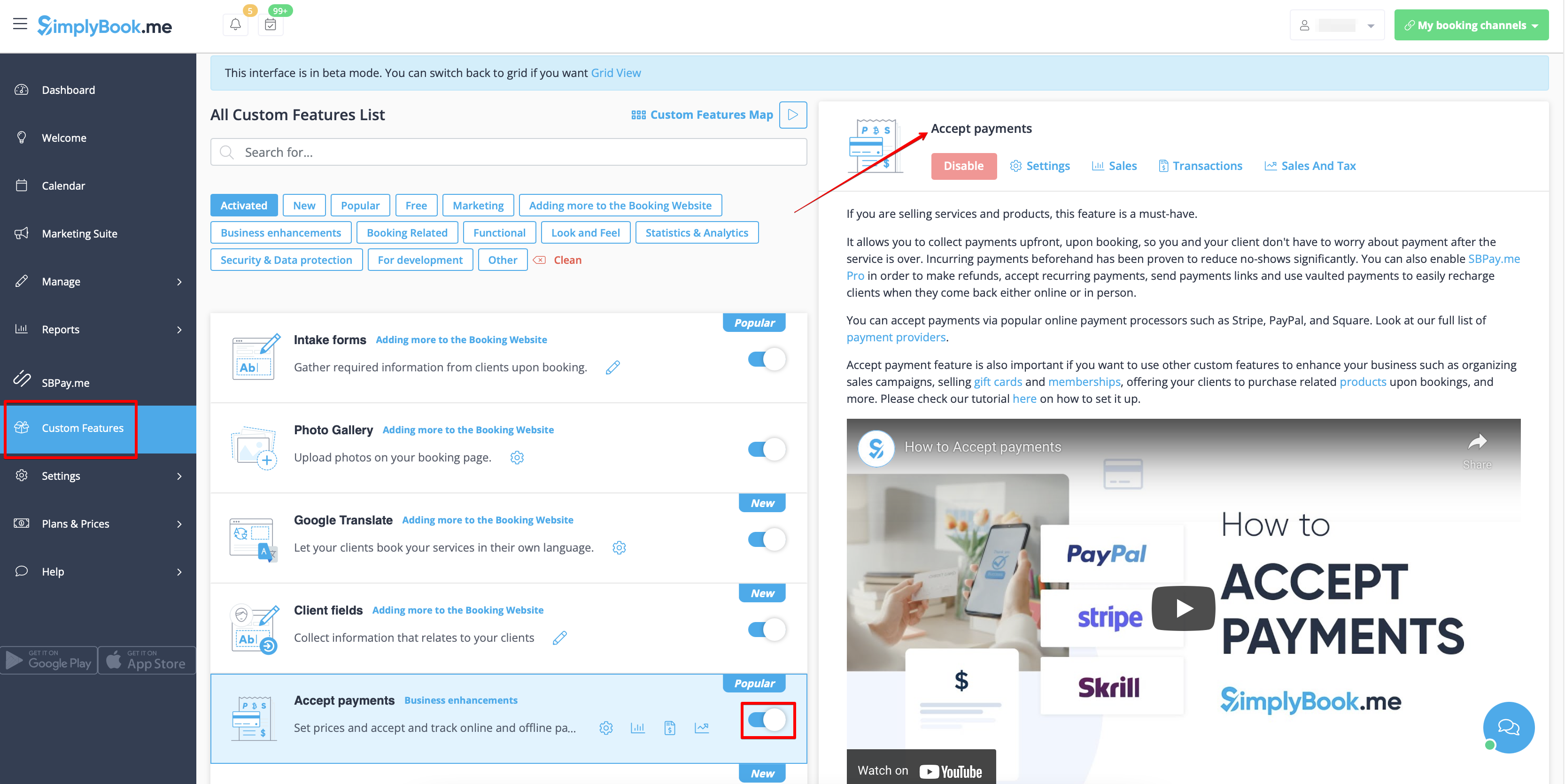
- 1. First of all, as you plan to work with online payment, you need to have Accept Payments custom feature enabled in your SimplyBook.me account.
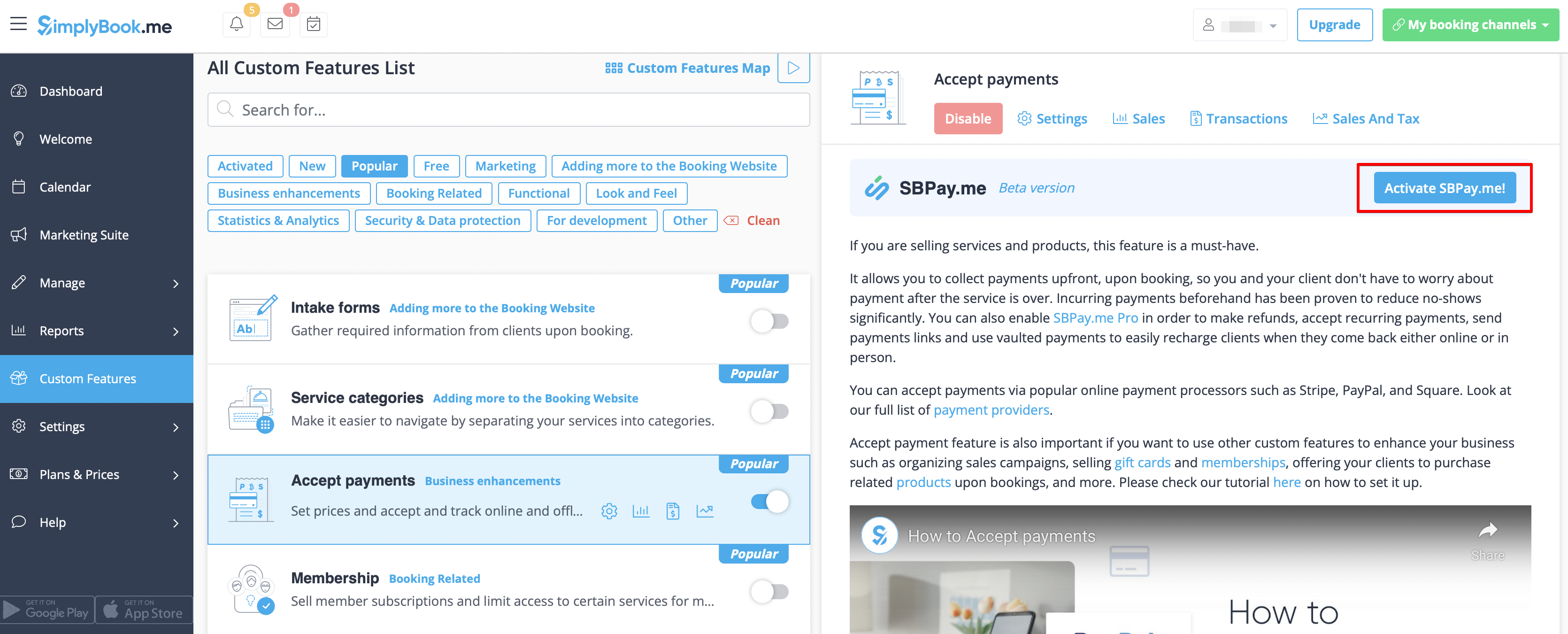
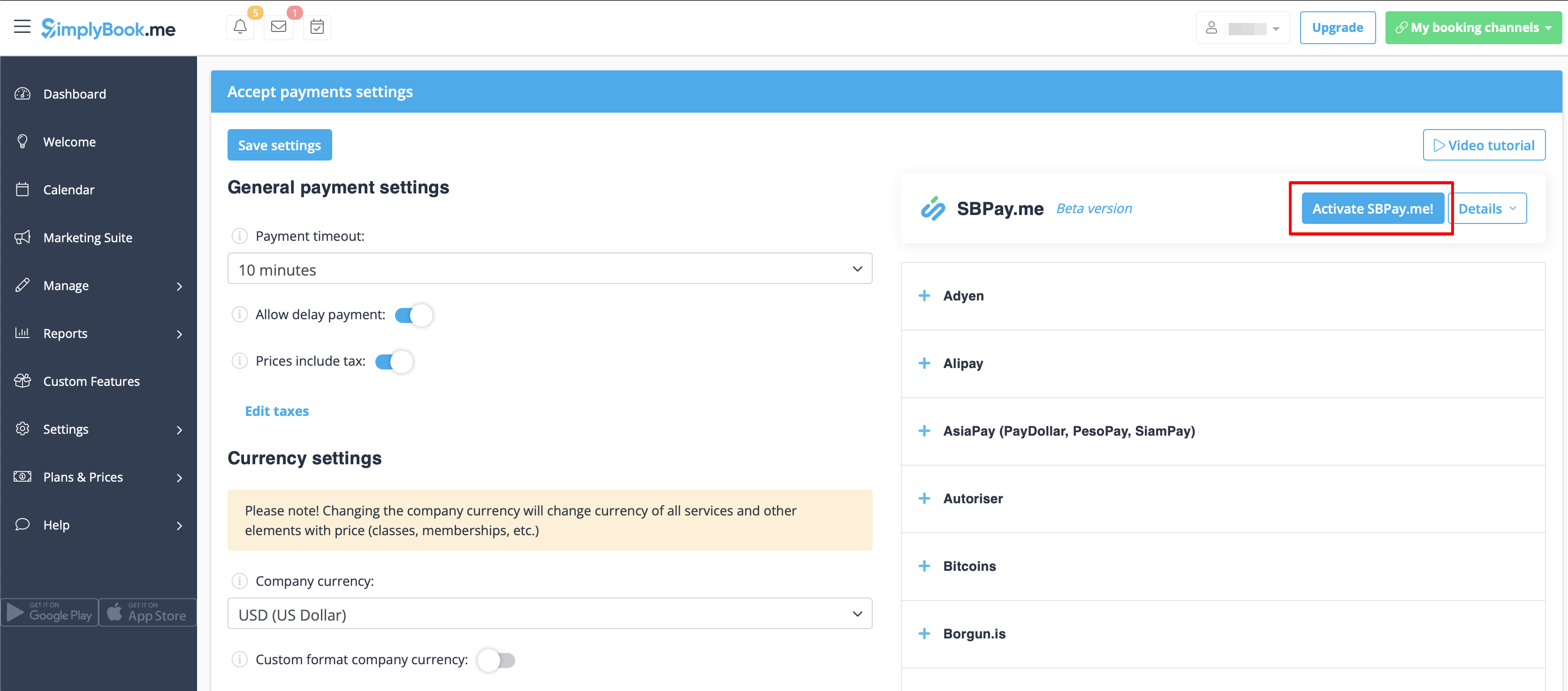
- 2. Click on Activate SBPay.me button on the custom features page or inside the Accept Payments feature settings.
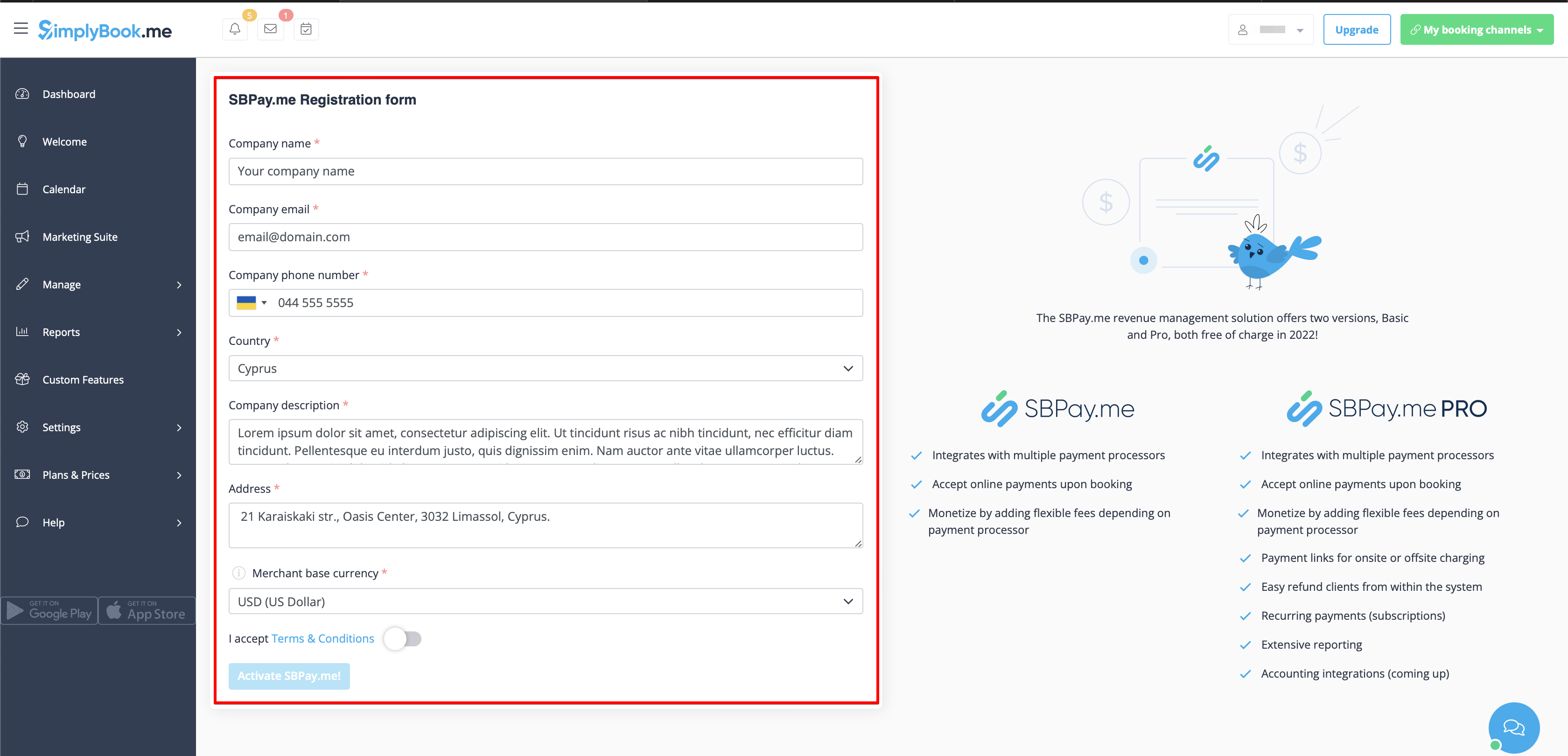
- 3. Adjust your company information in the registration form if necessary.
- (It will be autocompleted with the company details that you already have in your system).
- Click on Activate SBPay.me button below.
- Congratulations! Your SBPay.me account is created!
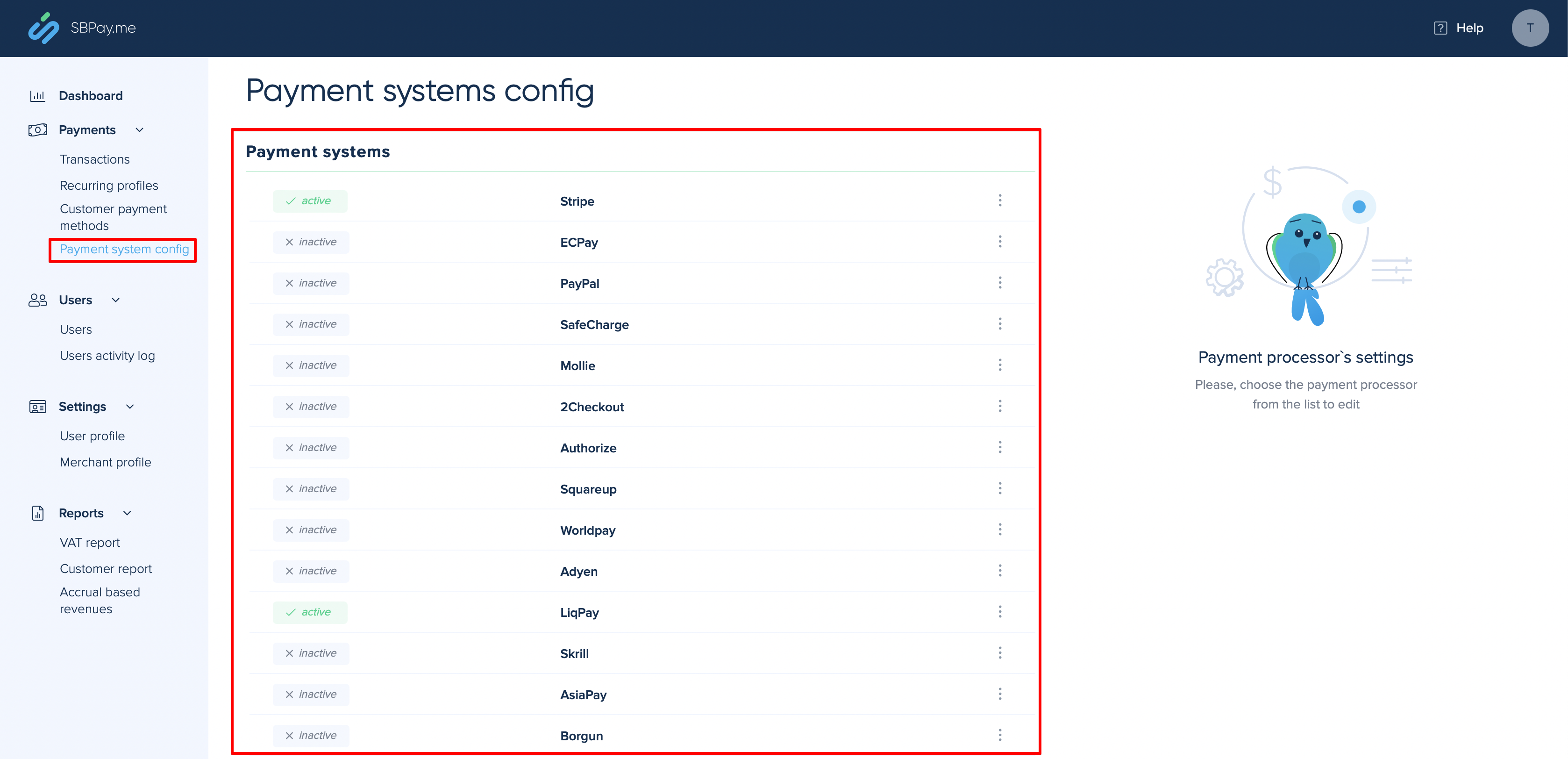
- 4. Navigate to the Payment system settings and add the credentials of the payment gateway that you plan to use for online payments.
- If you had some payment system details before enabling SBPay.me integration it may have been copied to SBPay.me side, but there may be some changes in the payment flow so you will need to check if all the settings are added there for the smooth online payments operation.
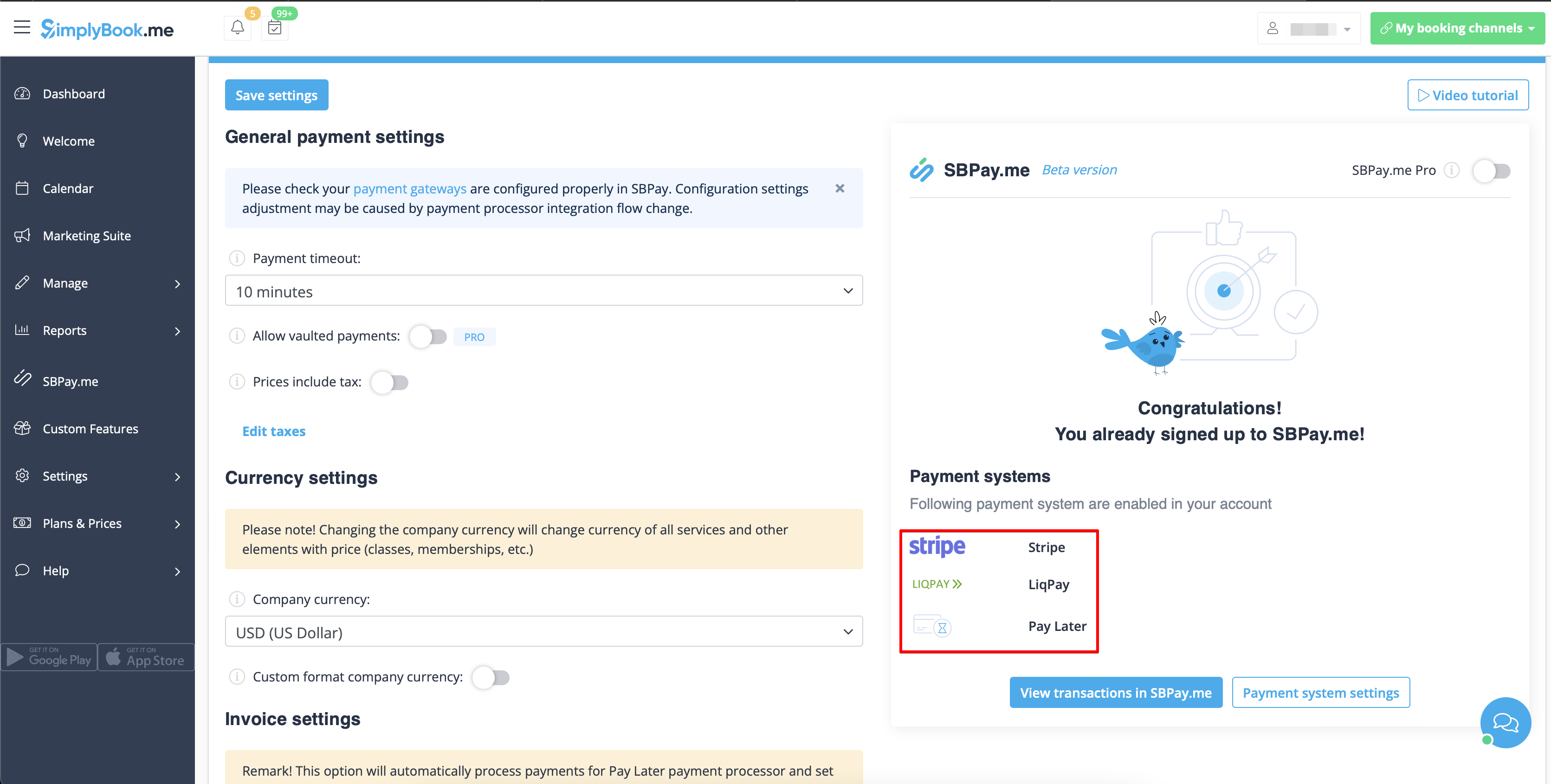
- 5. Once you have set the payment processors up you will be able to see the active ones on the SimplyBook.me side as well.
- 6. Set the prices for your services, classes, packages, memberships, gift cards, products or service add-ons in your SimplyBook.me account and you are ready to get payments online.
Using PRO version features
Please check if PRO version or SBPay.me is enabled on Accept payments settings page to get access to the list of additional options like vaulted payments, refunds and payment links.
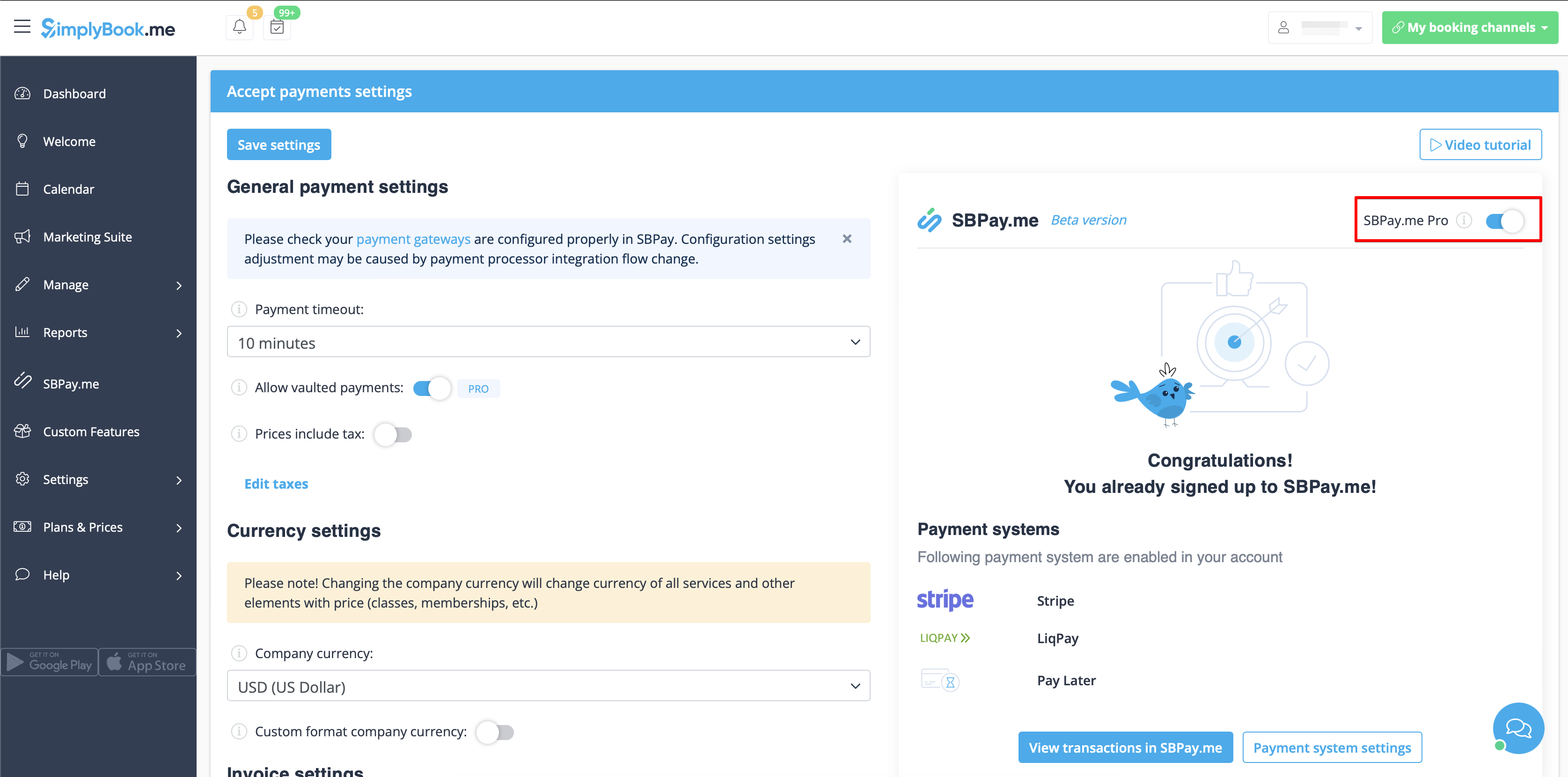
In case you do not plan to use the additional options listed below you can easily disable the "PRO" version by turning the switch off.
Vaulted payments
Please note!
- It requires Client login custom feature to be enabled to use this functionality.
- Not all the payment gateways support this feature. Please check the availability of such an option in the table and/or by contacting your payment gateway support as it may require some adjustments on their side.
- 1. Enable the option Allow vaulted payments on your Accept payments settings page.
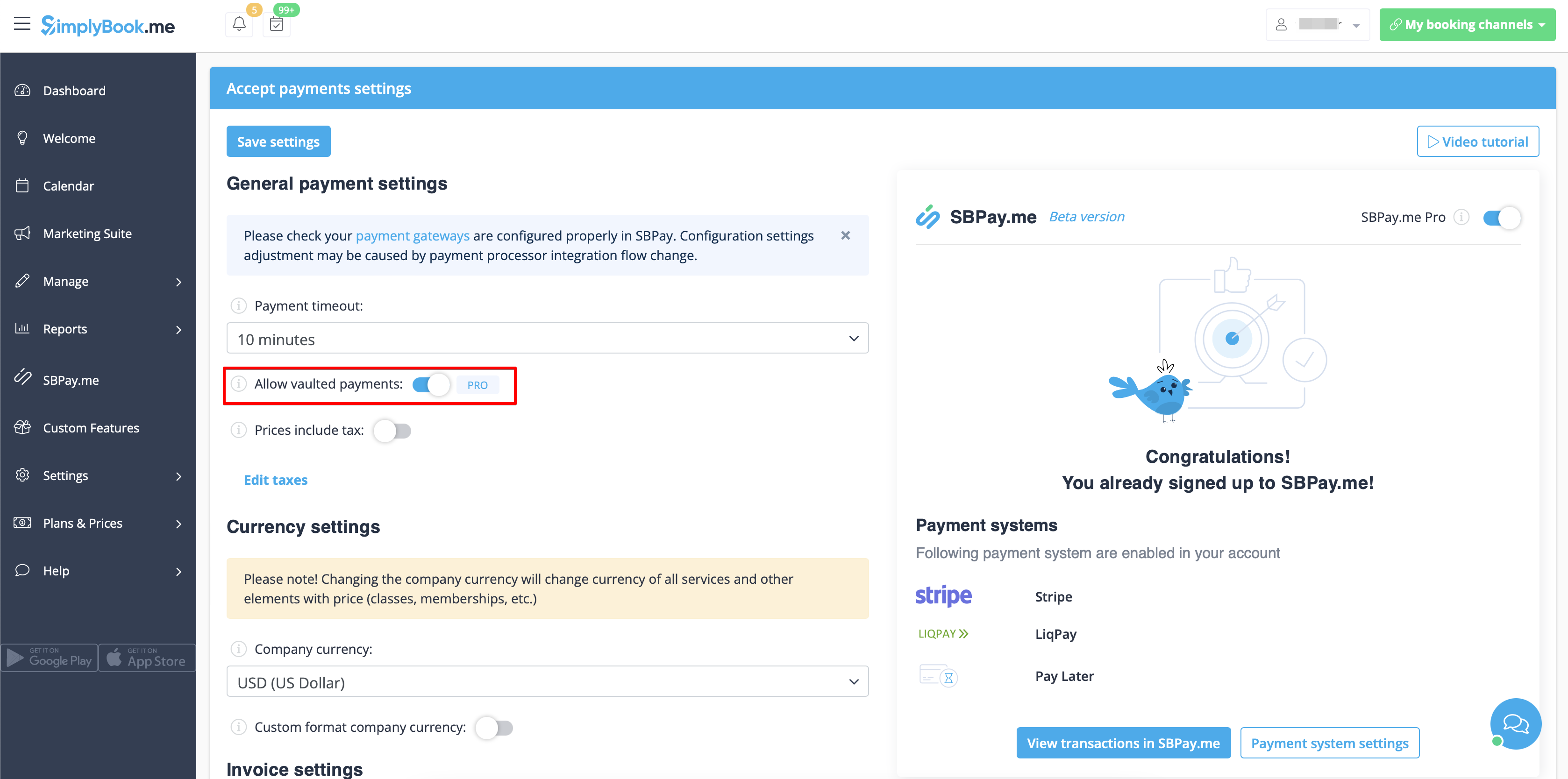
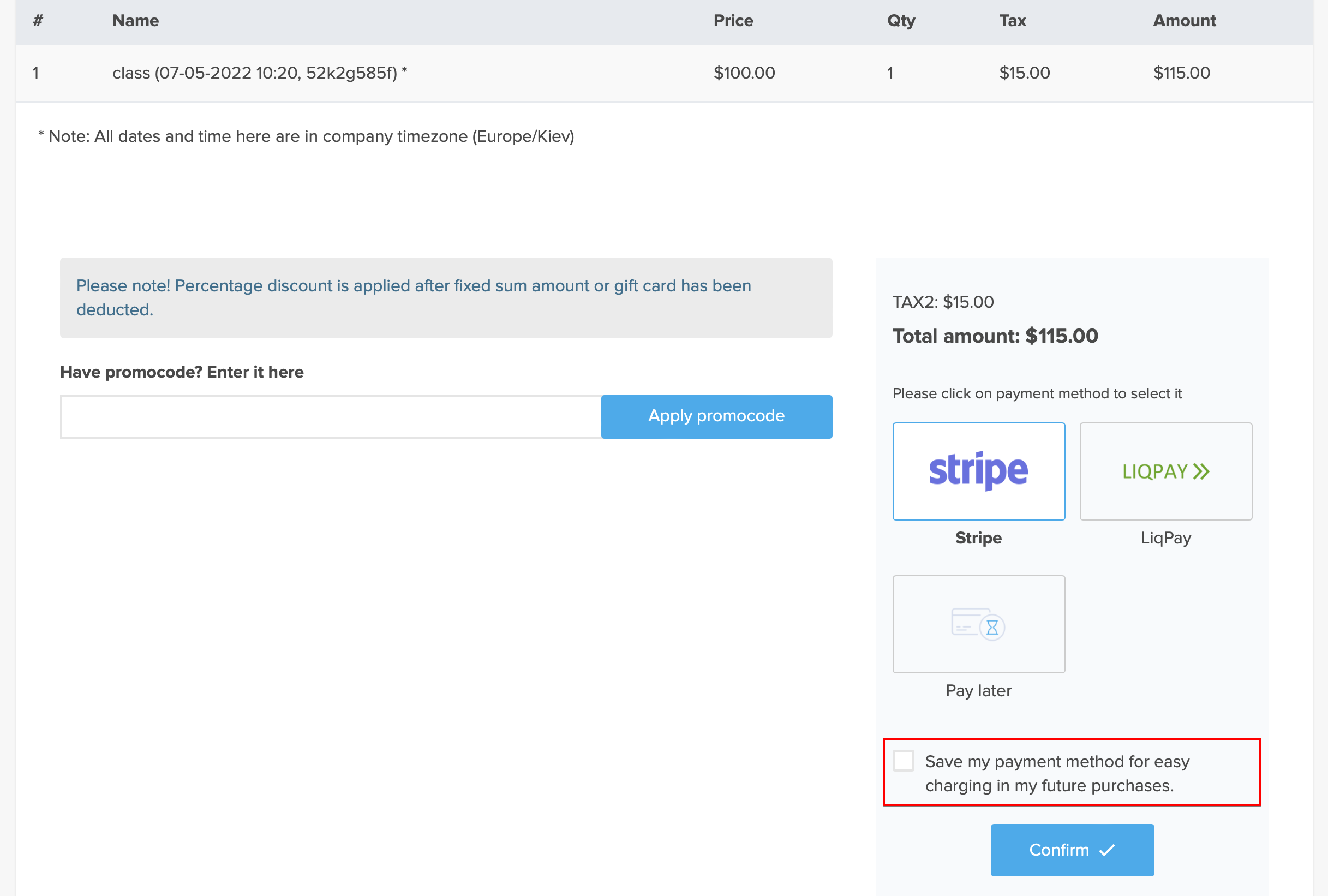
- 2. As the result the client will be able to tick the checkbox Save my payment method for easy charging in my future purchases at checkout on the booking website and his/her payment details will be attached to the client profile.
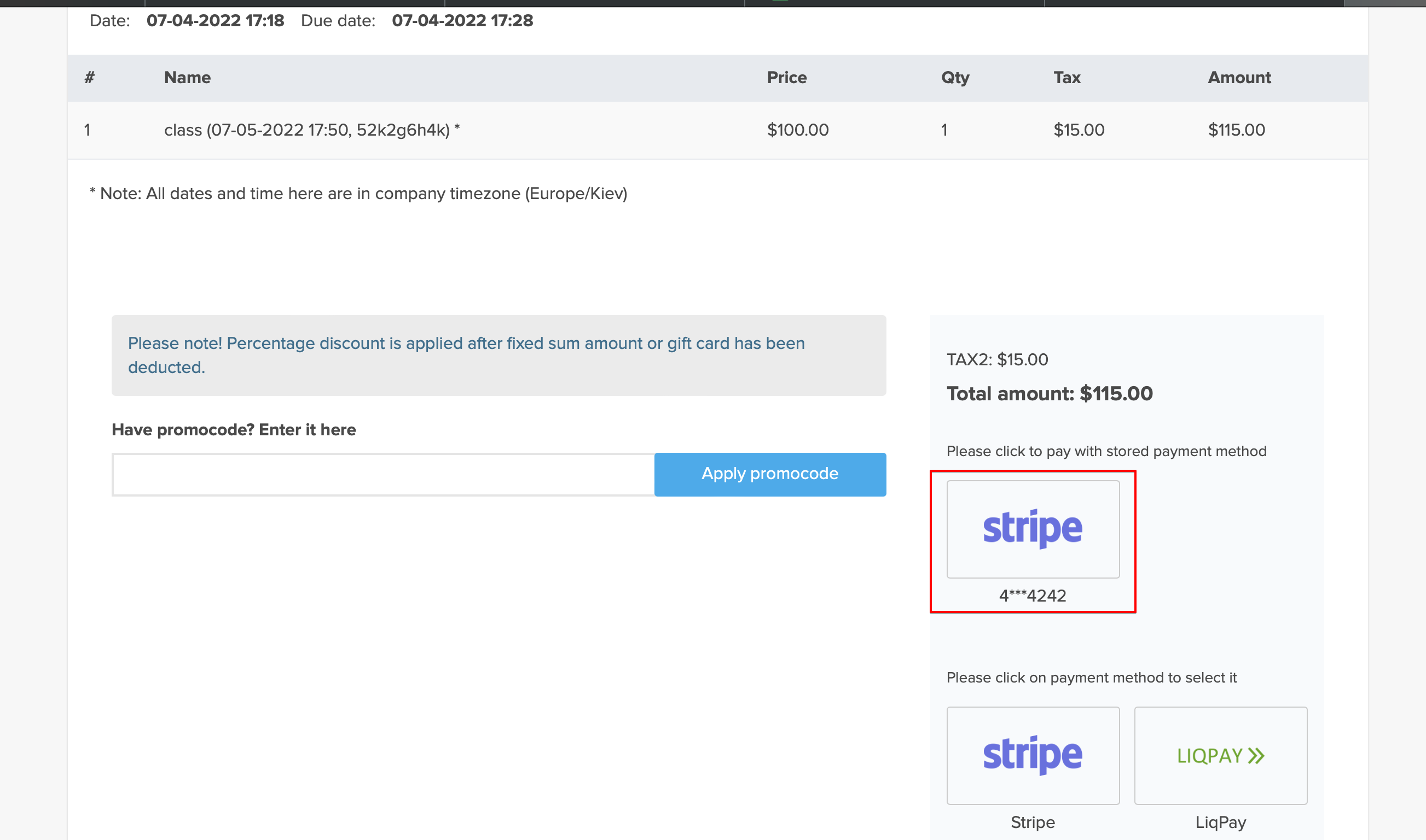
- 3. During the next purchase or booking on the client side he/she can decide whether to confirm the order with the already saved payment method or to choose the new option.
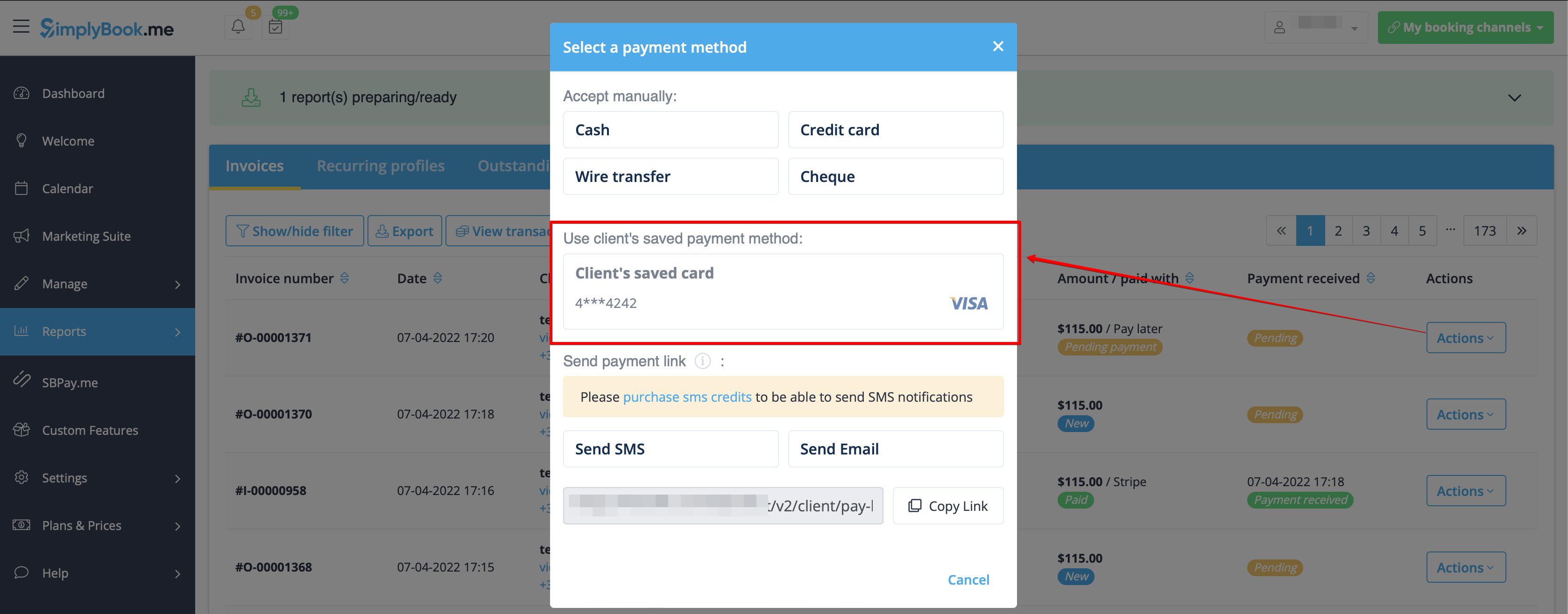
- 4. During the payment approval on the admin side Payment transactions report or sale management inside the POS interface you will also be able to use the client's saved payment method.

Payment links
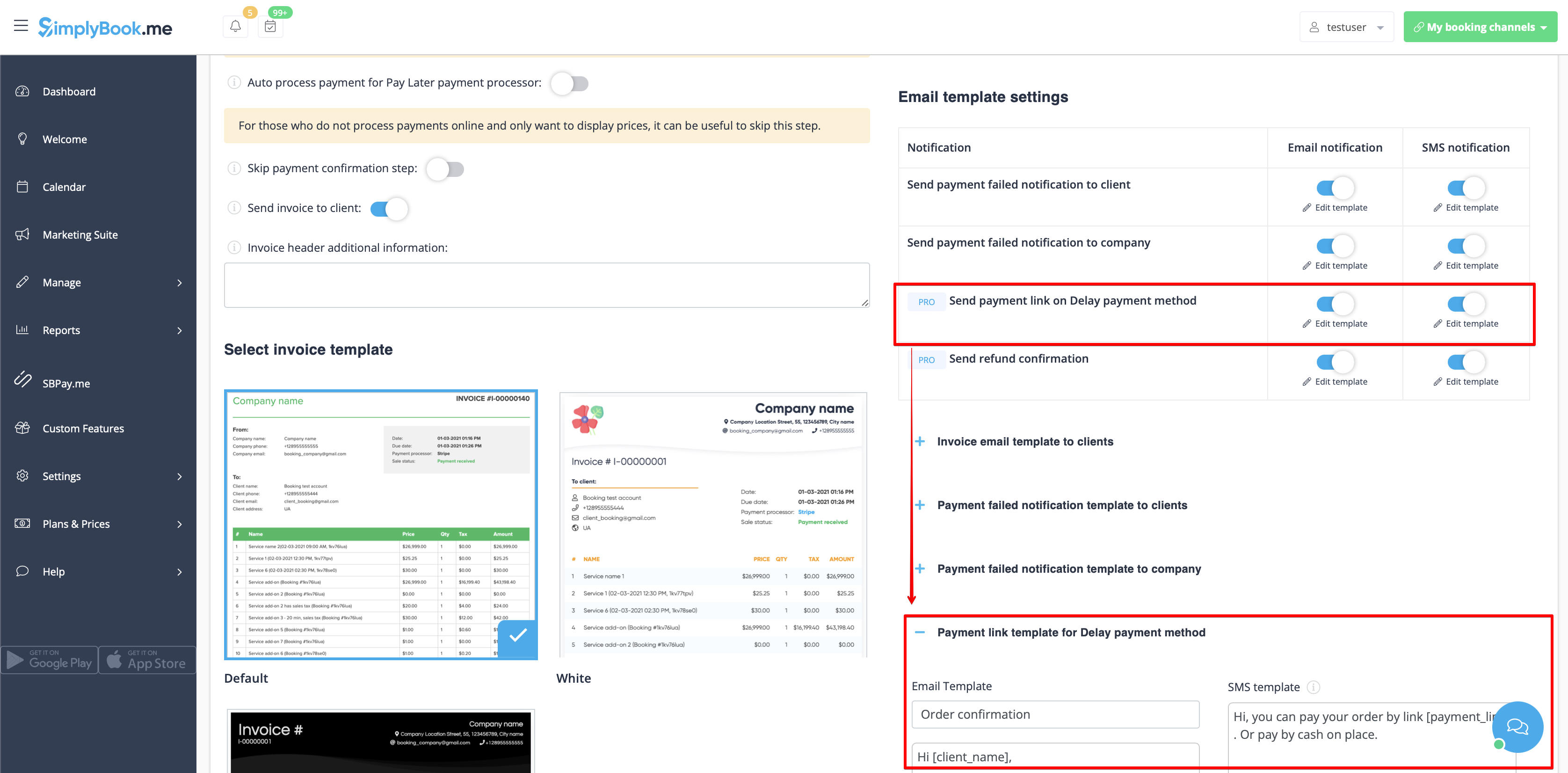
- 1. Enable Send payment link on Delay payment method in the settings of Accept payments custom feature, inside the Email template settings block and adjust the template to your needs.
- Please do not forget to add [payment_link] variable for the client to easily navigate to the payment.
- 2. After you create the order from admin side or from POS interface with Pay later selected as the payment method, or if the client selects Pay later at the checkout step on the booking website, the system will automatically send the email/SMS with the link to pay for the sale (saved payment methods can also be used in this case).
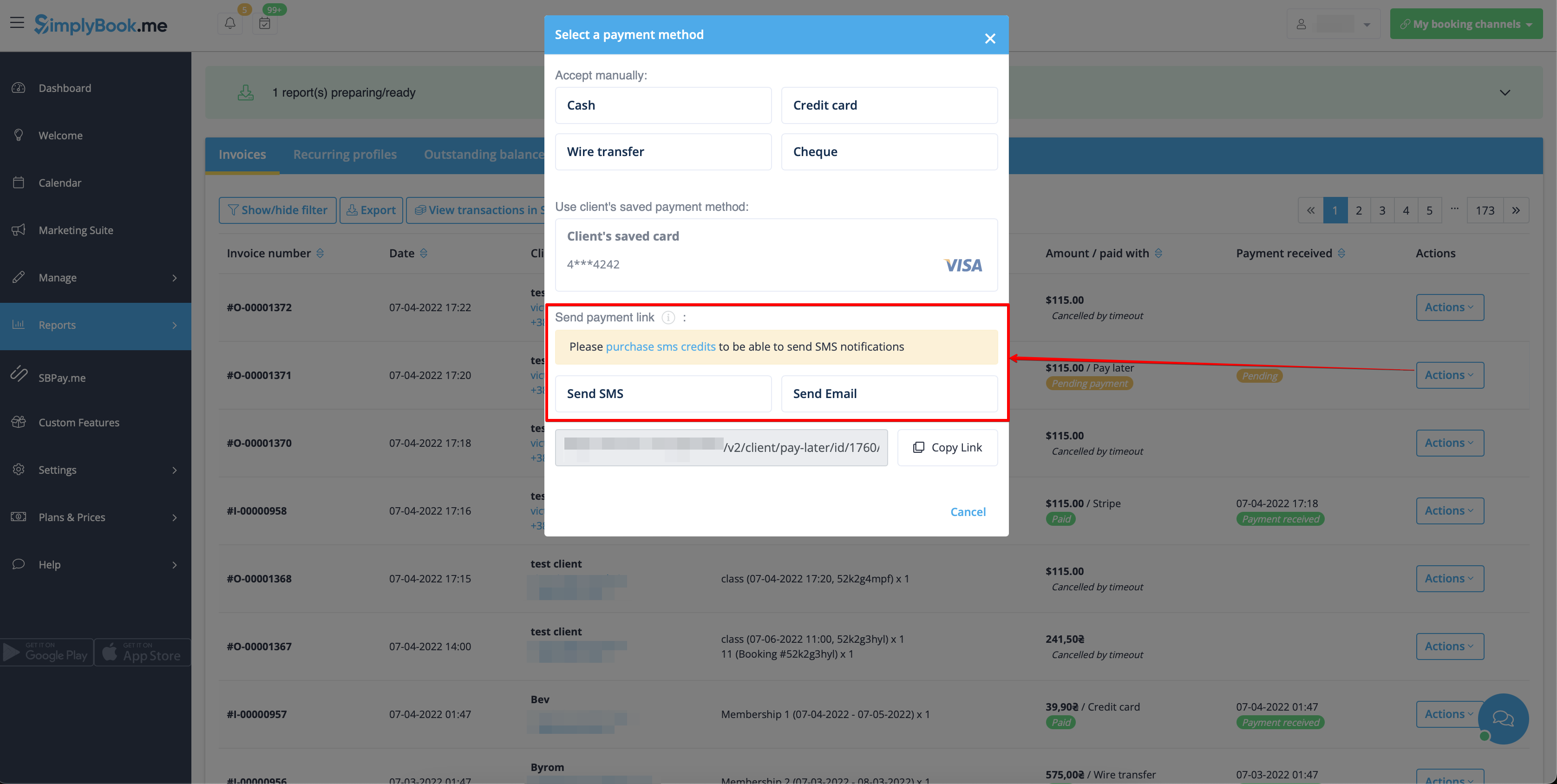
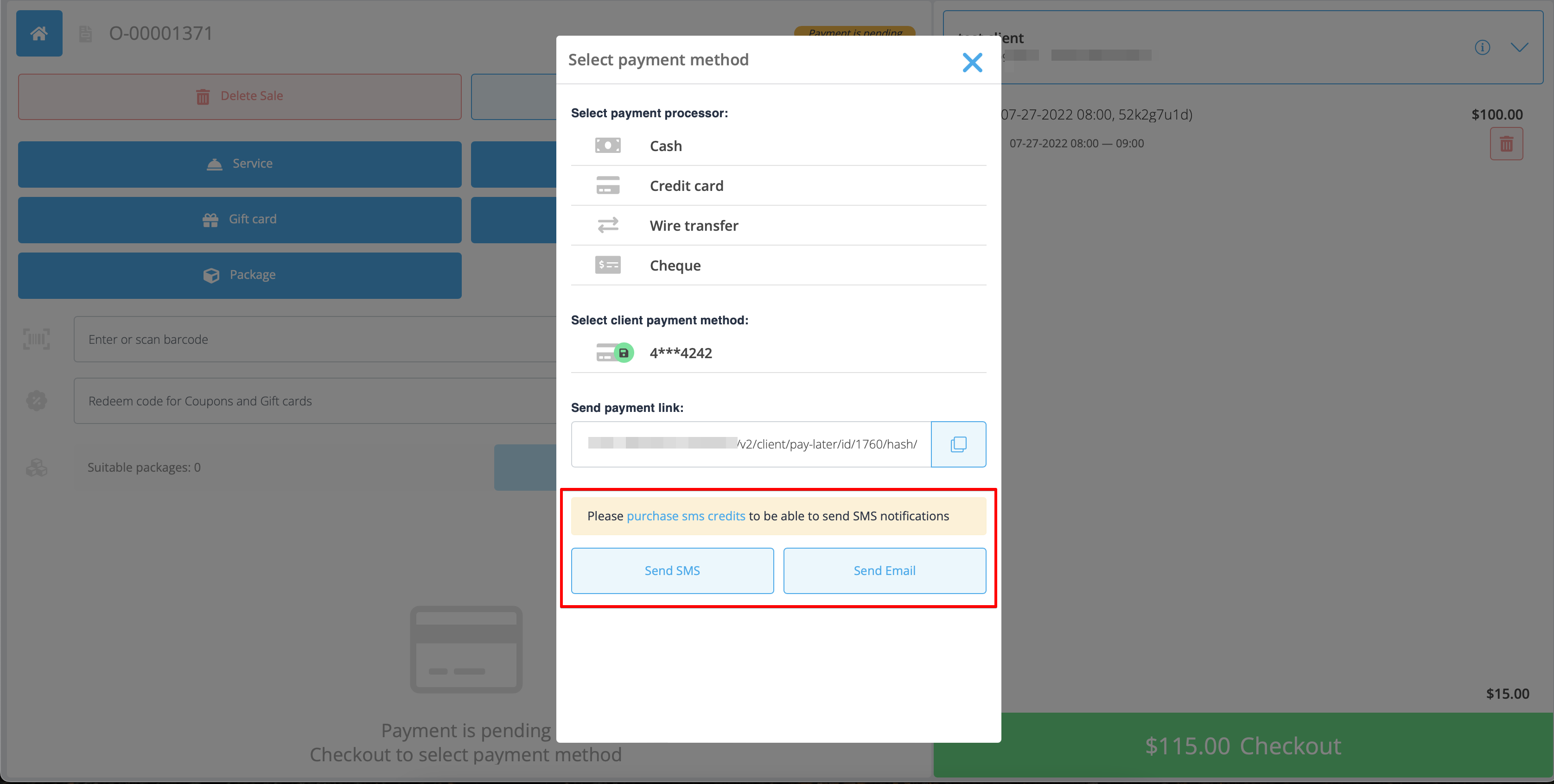
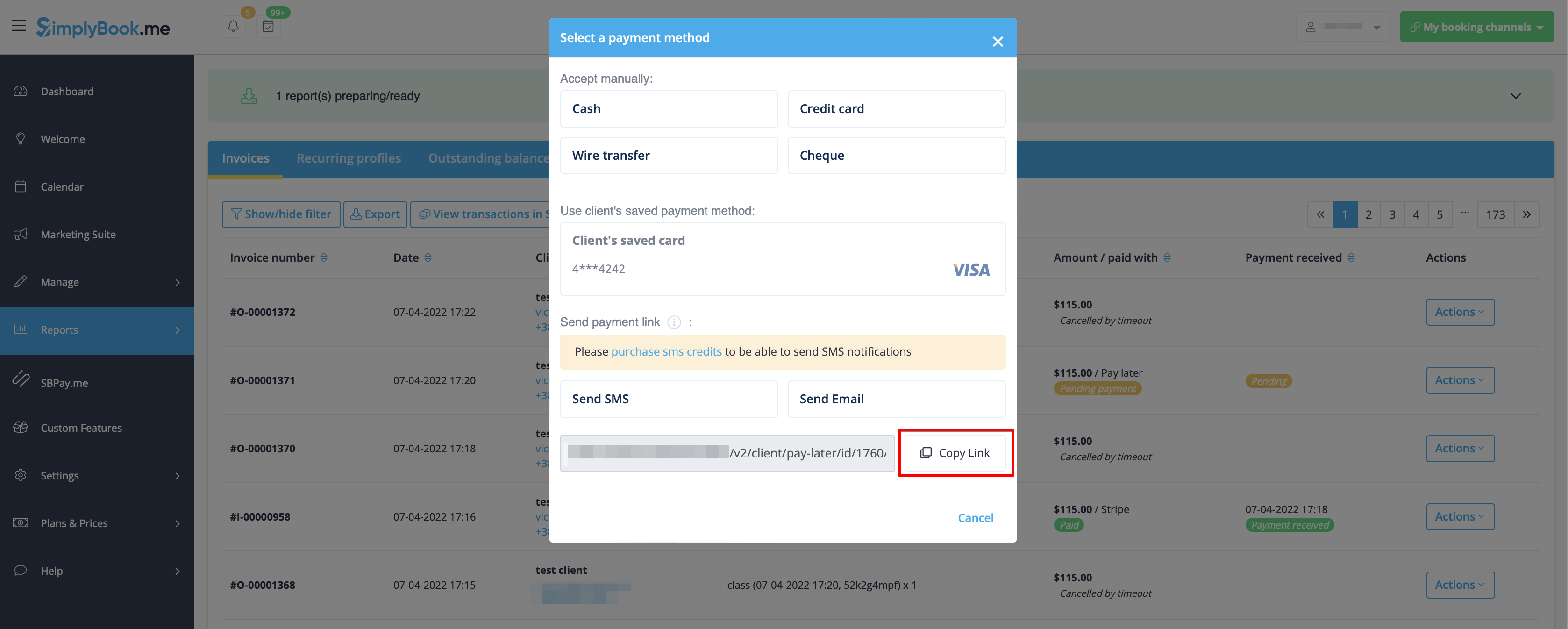
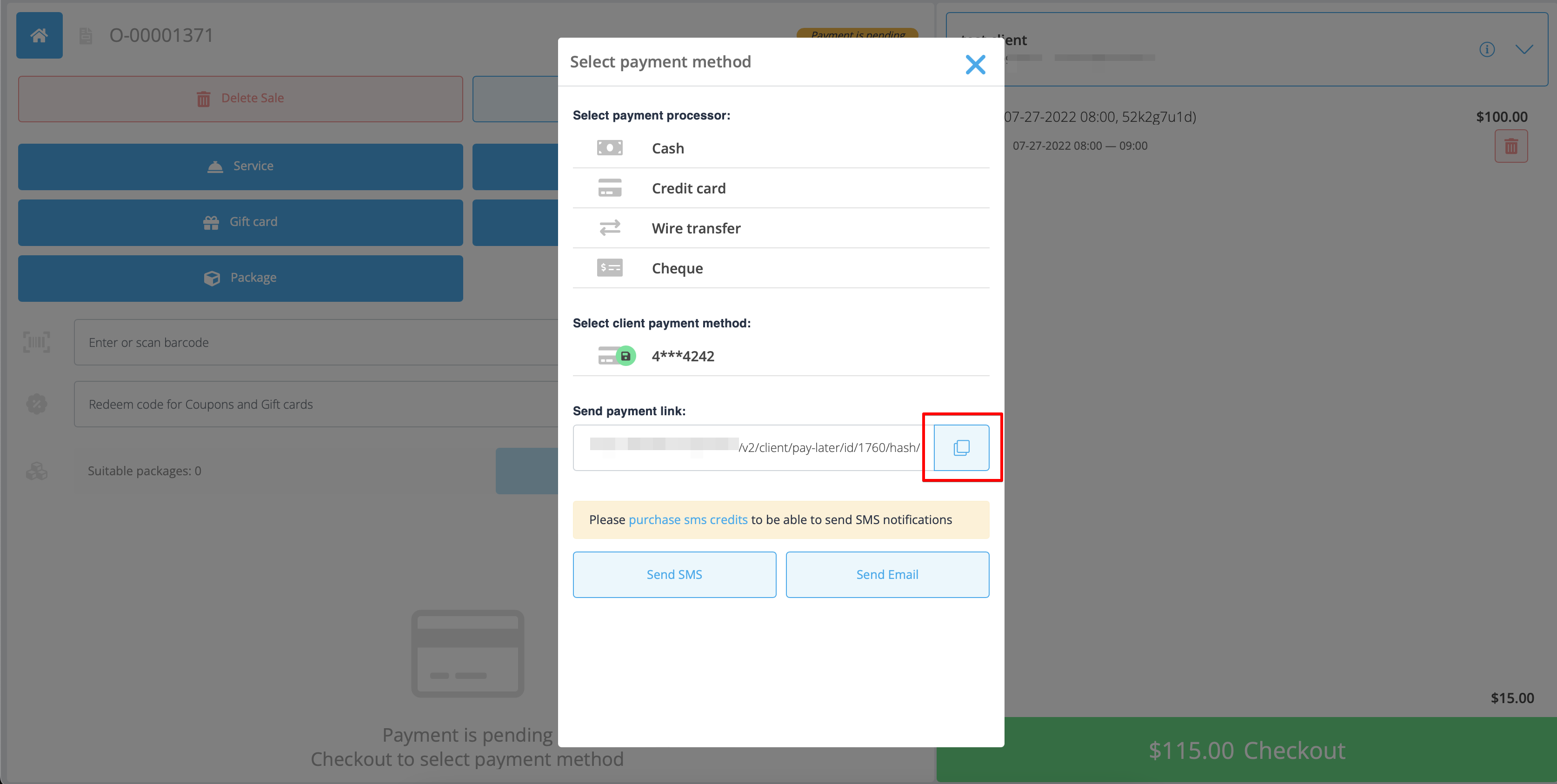
- 3. You can also trigger sending payment link from Payment transactions report or POS interface or simply copy the payment link per the specific order there and send it to your client using own communication channels.
Refunds
It may happen that you need to return the money back to your customer due to some reason and now it is possible to easily manage such cases with SBPay.me PRO integration.
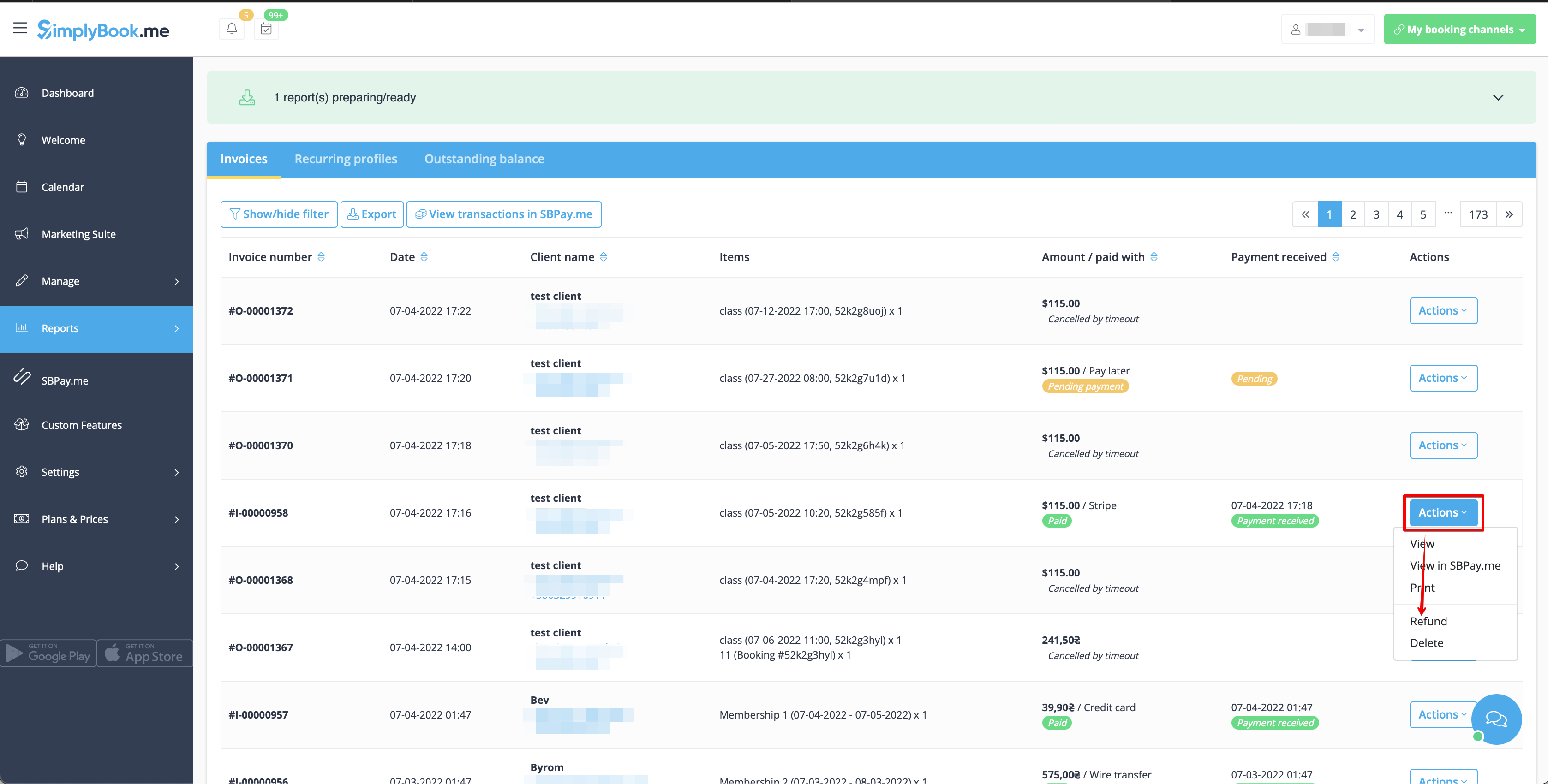
- 1. After you activate SBPay.me integration in your SimplyBook.me account you can simply navigate to Reports -> Payment transactions -> find the necessary invoice -> click on Actions and select Refund from the drop down menu. Confirm the action and the refund will be automatically made to the corresponding client's account.
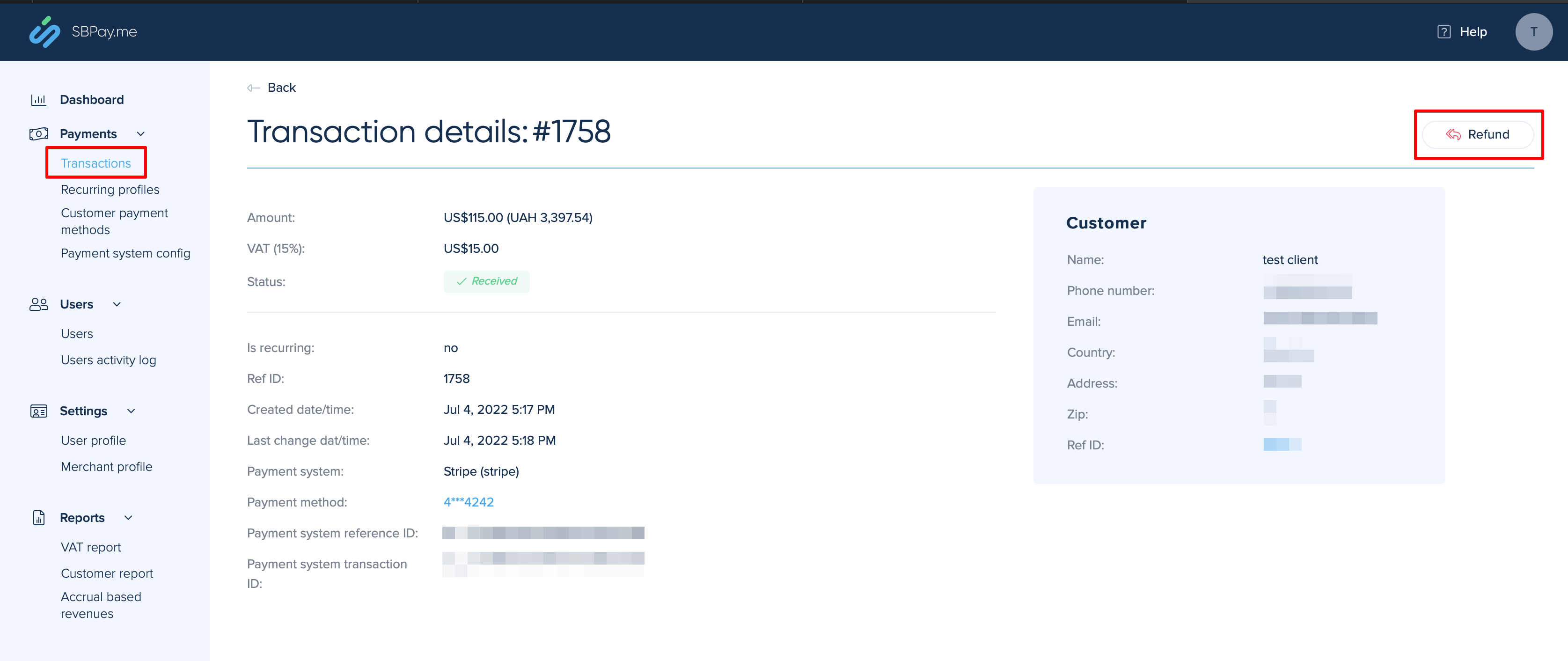
- 2. Or you can go directly to the SBPay.me interface -> Transactions -> open the necessary record and select Refund.
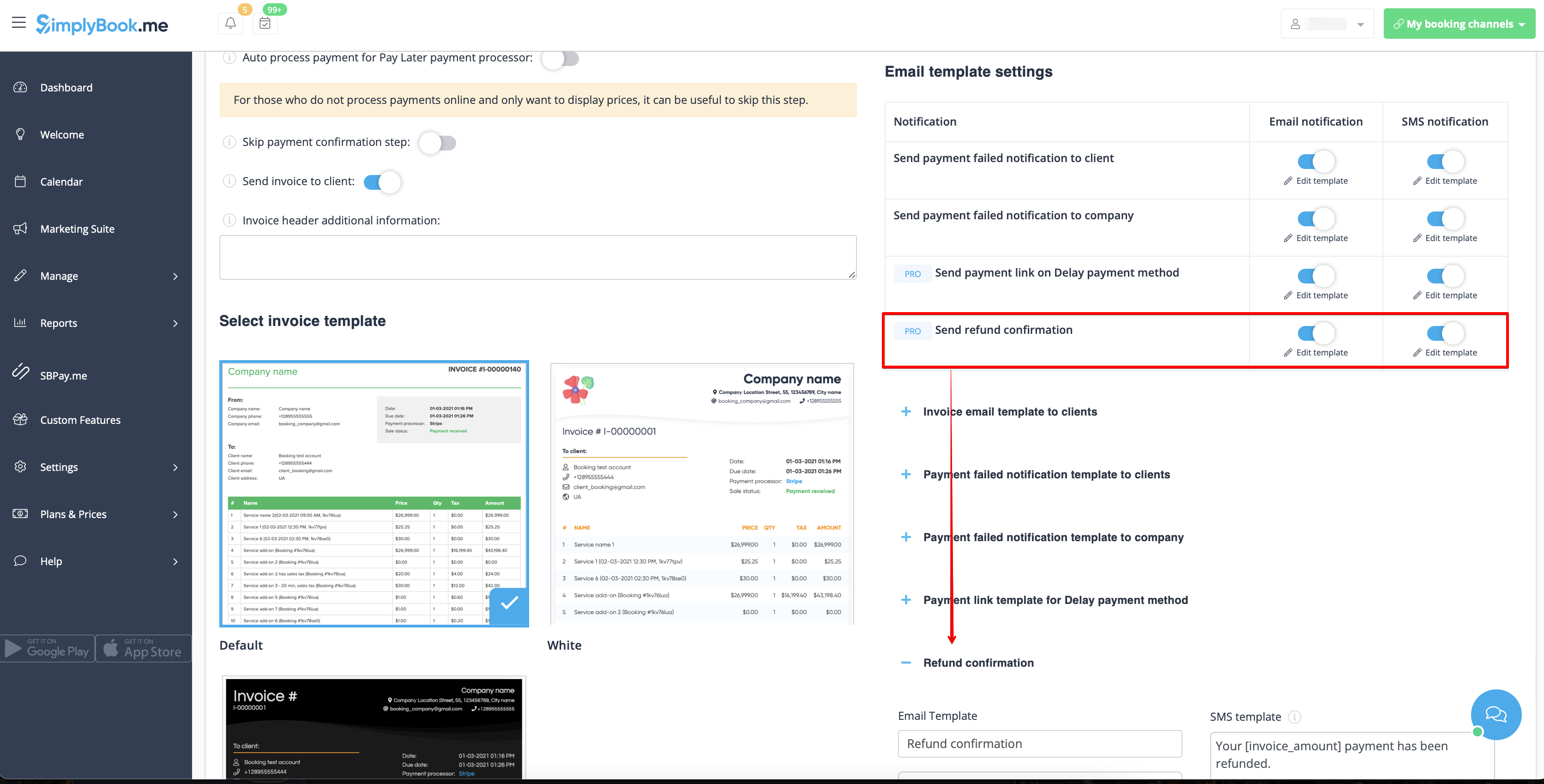
- 3. In the Accept payments custom feature settings you can also enable Send refund confirmation option and adjust the templates to automatically notify your clients via email and/or sms about the refunds.
SBPay.me Invoices
You can now easily adjust the invoices settings to your needs and send them to your customers after any purchase.
- How to use
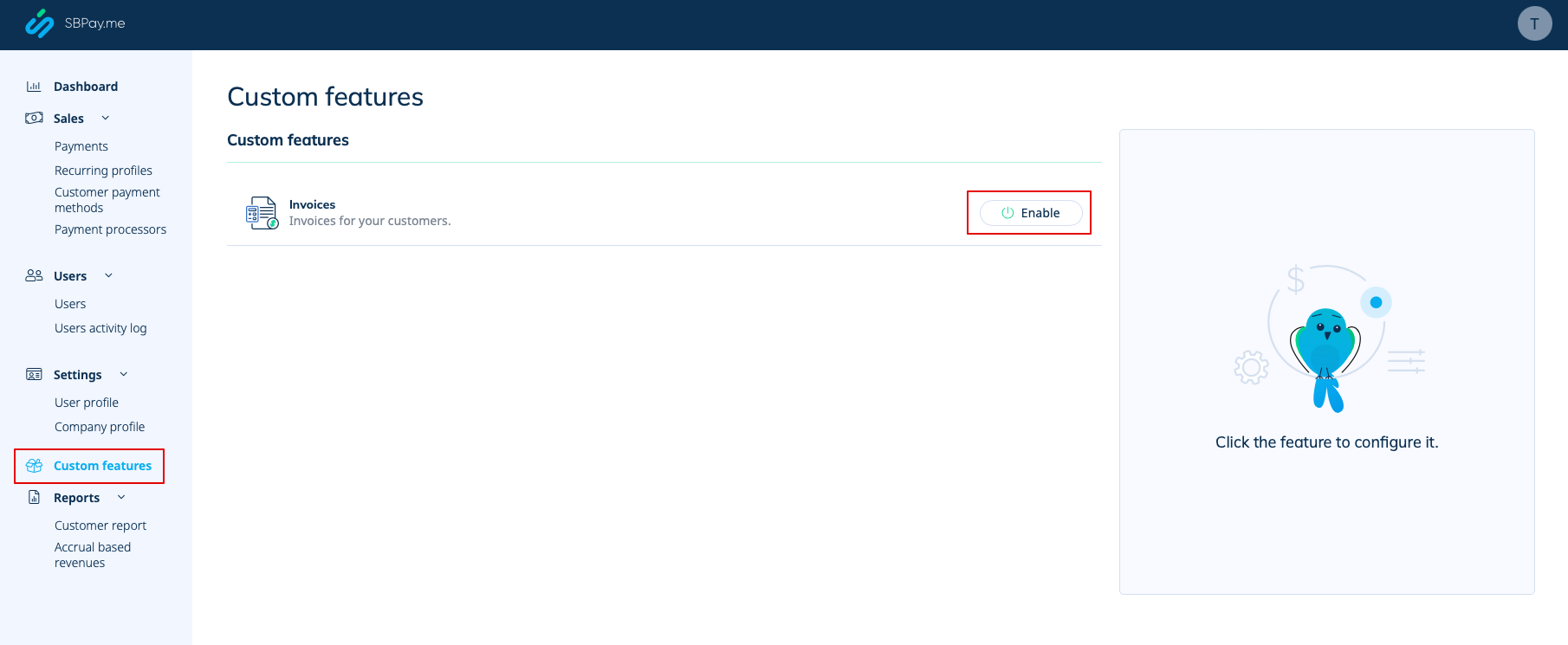
- 1. Enable the corresponding option on your "Custom features" page.
- 2. Adjust the general settings to your needs: the invoice and credit note numbering format, add notes, link to your Terms and Conditions and footer information if necessary.
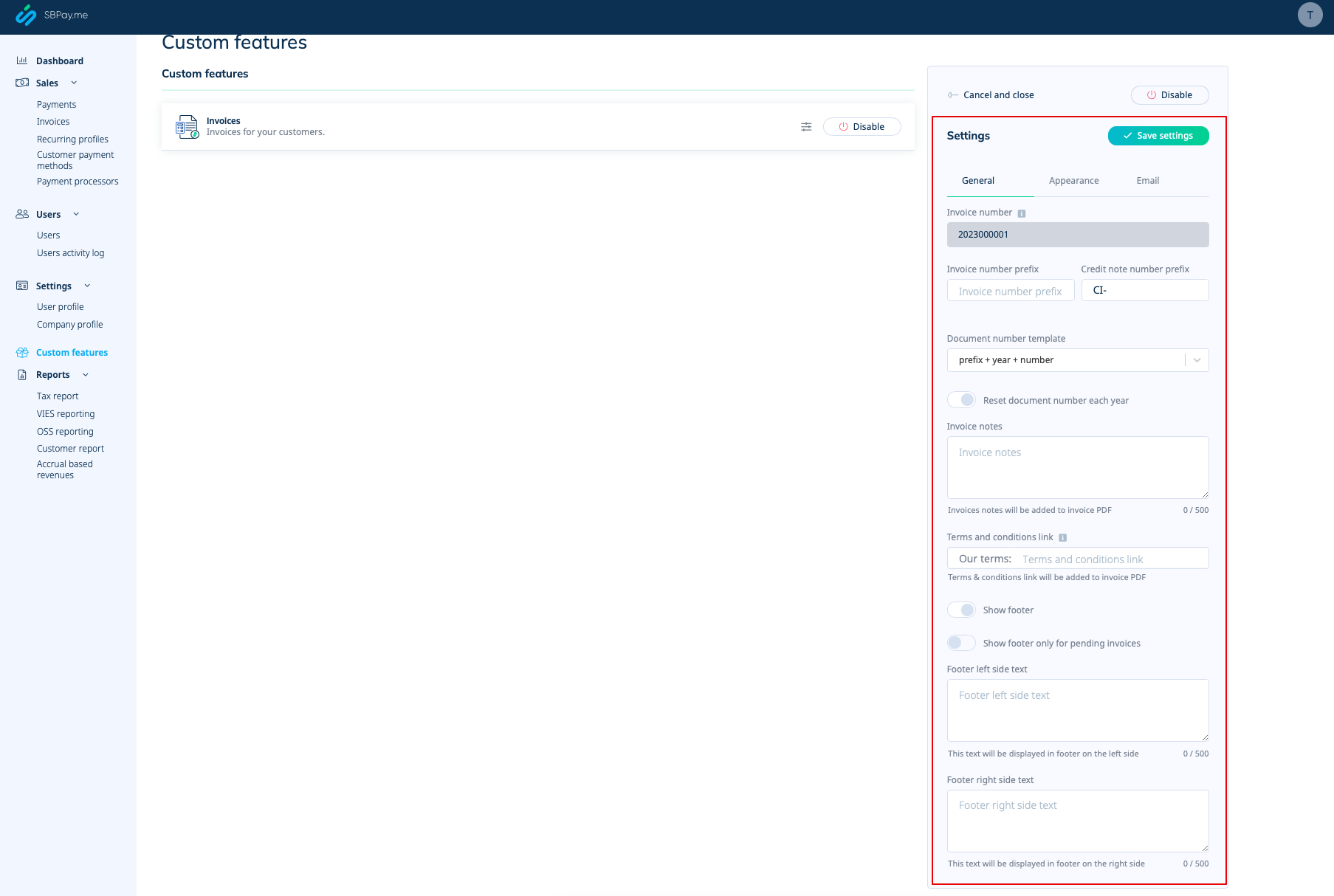
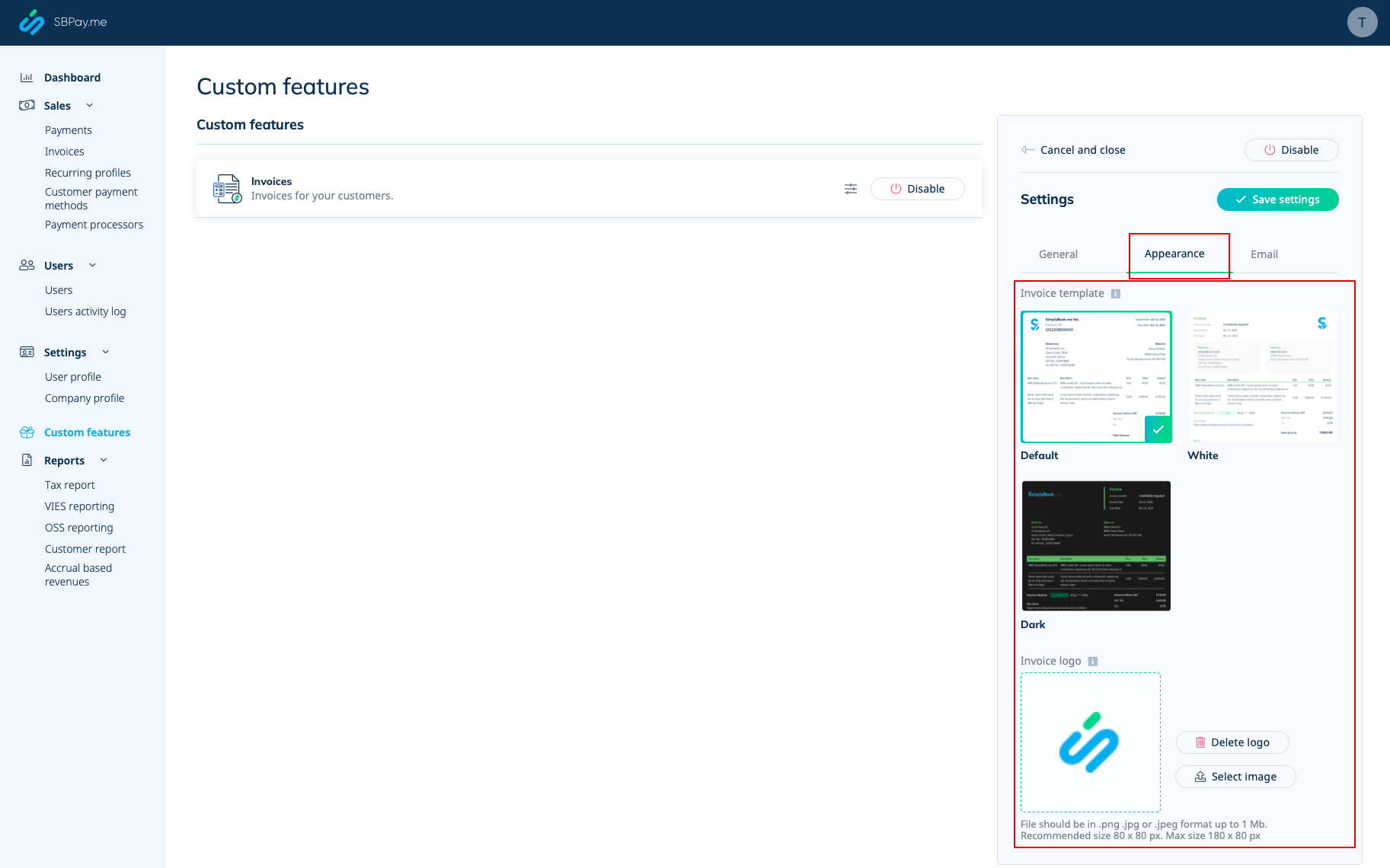
- 3. Set the desired look in "Appearance" tab, upload your company logo.
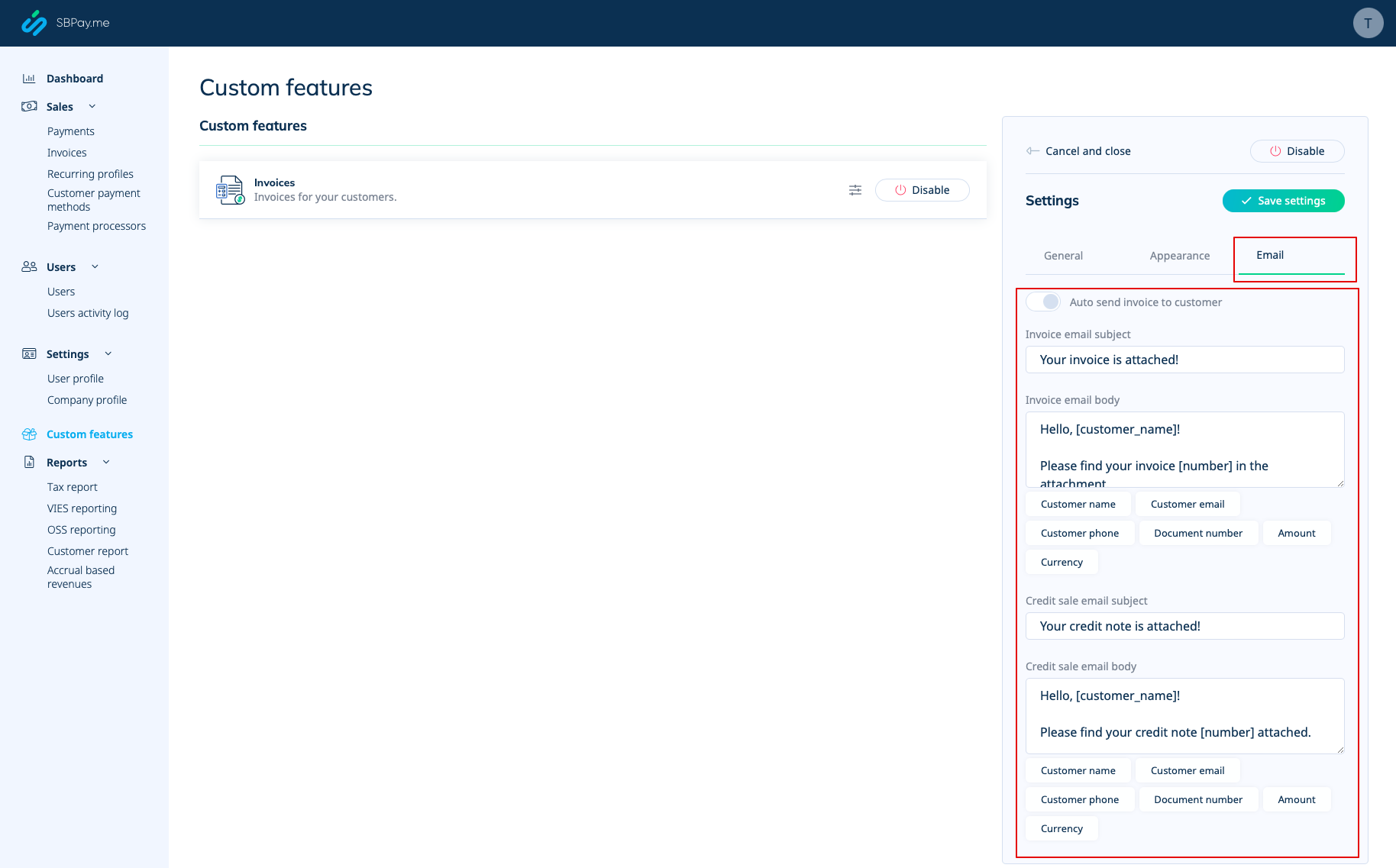
- 4. Switch to the third, "Email", tab and set the notifications templates. You can use several variables mentioned below the form. save your settings.
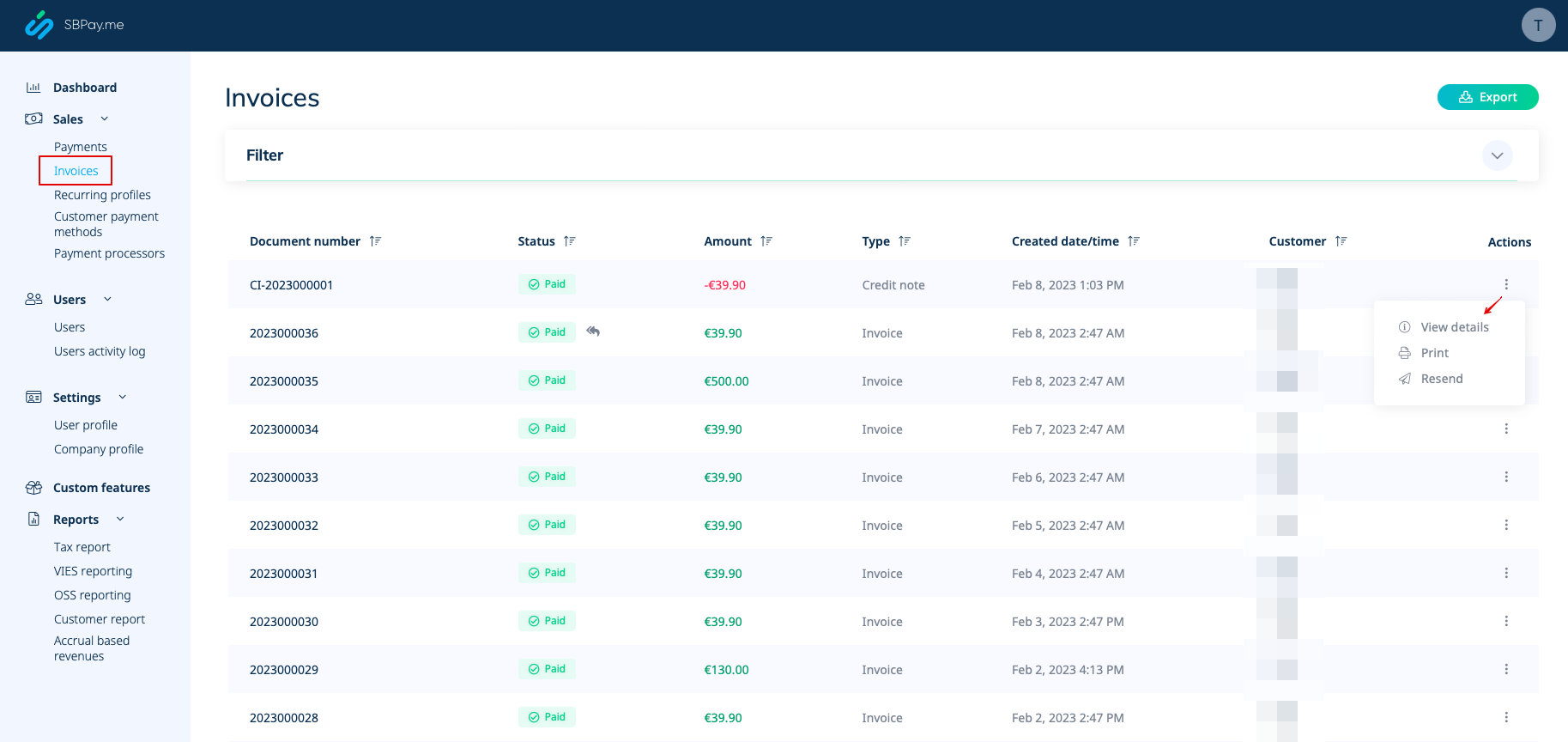
- 5. In the Sales -> Invoices you can see the list of created invoices and credits notes. You can resend them to the clients when needed, issue credit notes, print or simply view the details.
- 6. Here is the example of how print invoice version can look like.
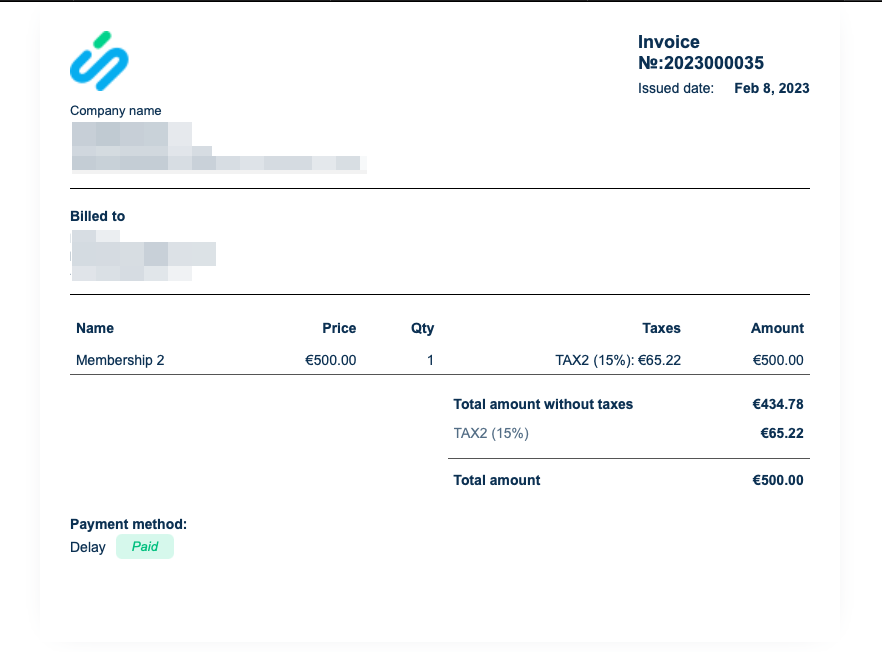
- 7. You can also print the invoices directly from the SimplyBook.me system, Reports -> Payment transactions, by selecting the corresponding action per record.
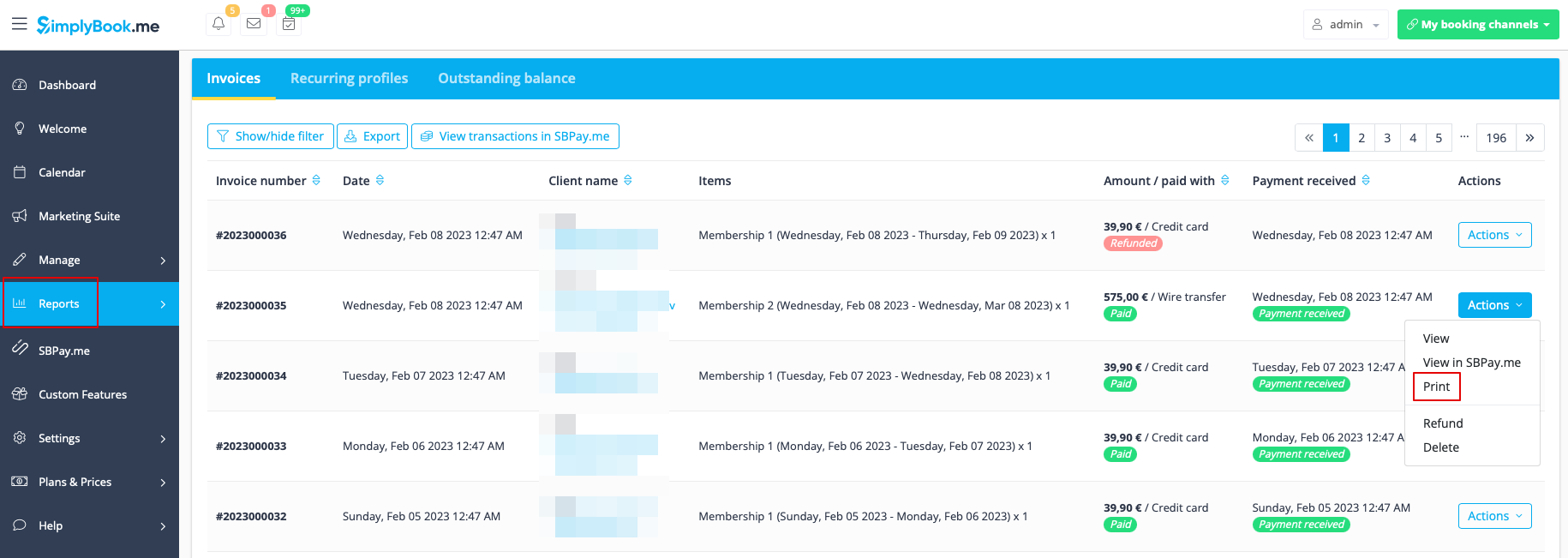
SBPay.me Reports
SBPay.me is just starting but already has several useful reports that you can use to track your payments:
- 1. Dashboard - contains currencies, revenues, payment systems and tags charts.
- 2. Payments - allows to view, confirm or refund orders.
- 3. Invoices - appears when the corresponding custom feature is enabled and allows to view, resend invoices, issue credit notes.
- 4. Recurring profiles - contains the information on memberships recurring profiles. You can easily view, prolong or cancel profiles on that page.
- 5. Customers payment methods - allows you to view the list of saved payment methods of your clients, check the list of related payments and disable the profiles if necessary.
- 6. Tax report - allows to view the taxes related information.
- 7. VIES report - displays how much is sold to another EU company.
- 8. OSS report - shows the local VAT collected from your sales in each EU country
- 9. Customer report - contains the information about your clients who have been making payments after you have enabled the integration and the related statistics.
- 10. Accrual based revenue - is related to the revenue earned/recognized by a business for which the invoice is yet to be billed to the customer.
More features coming!
