Події (послуги в конкретні дати)
From SimplyBook.me
- Відеоурок про події та особливі дні доступний за посиланням

Варіант 1 (як послуга з власним розкладом)
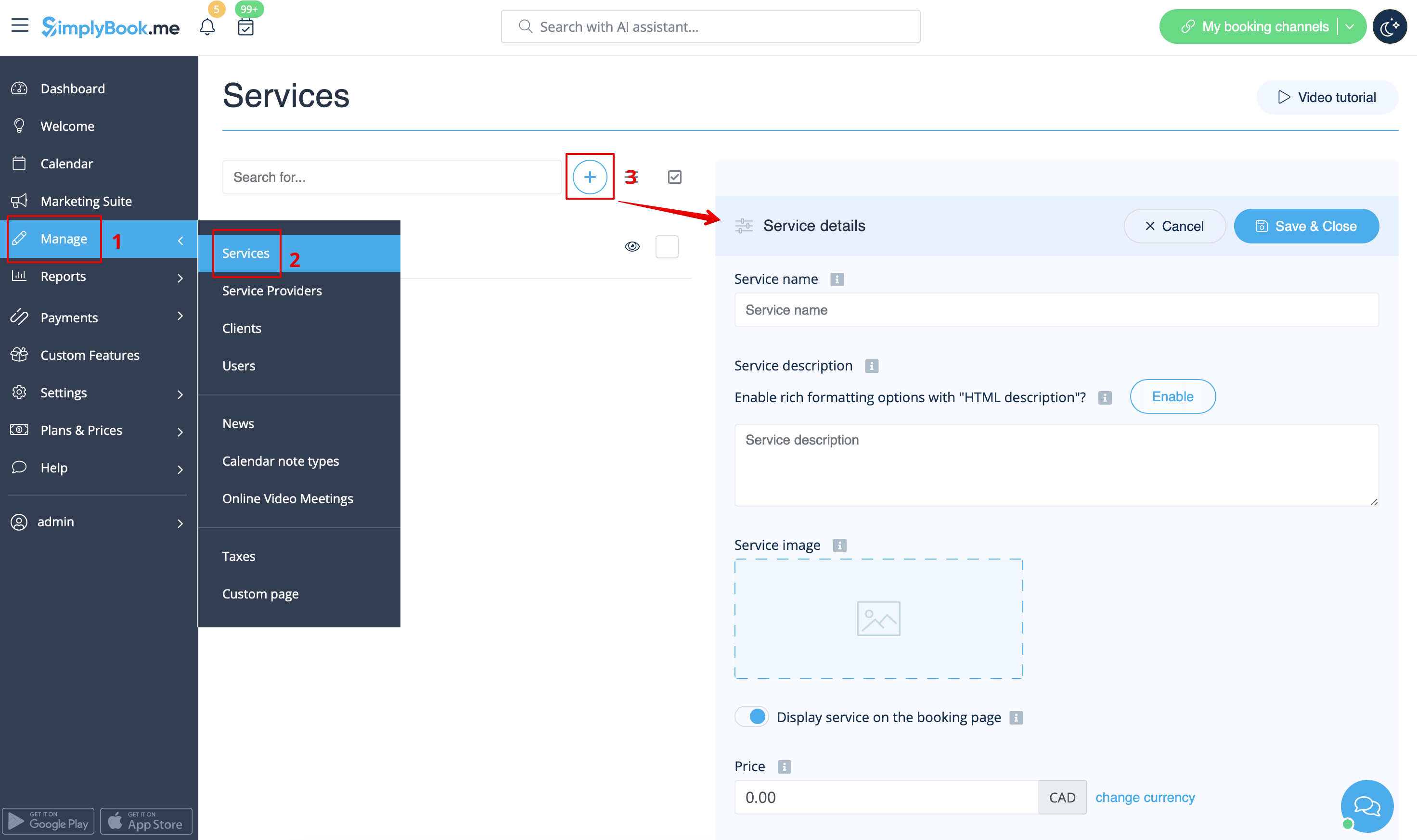
- 1. У розділі «Управління//Послуги» натисніть на значок «+», щоб створити нову послугу.
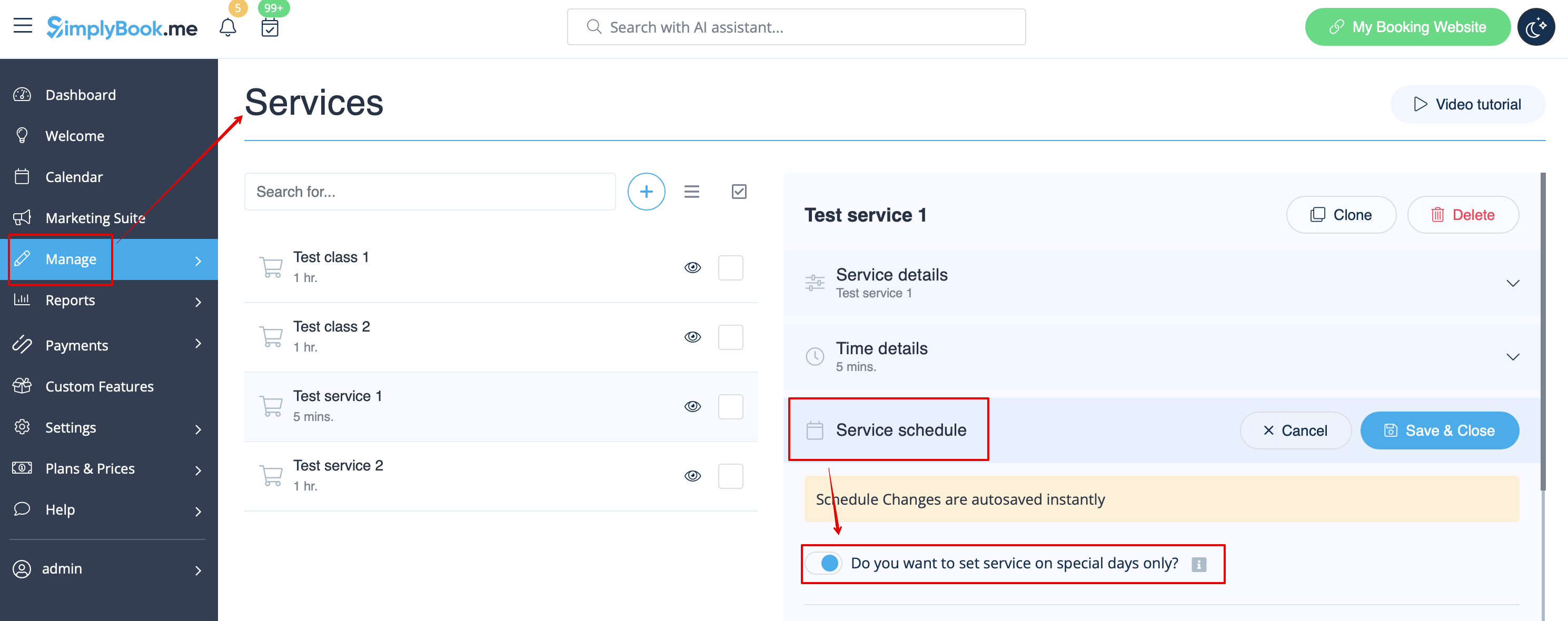
- 2. У розділі «Управління//Послуги» виберіть вкладку «Розклад послуг» для новоствореної послуги та увімкніть опцію «Чи хочете ви встановити послугу тільки в особливі дні?».
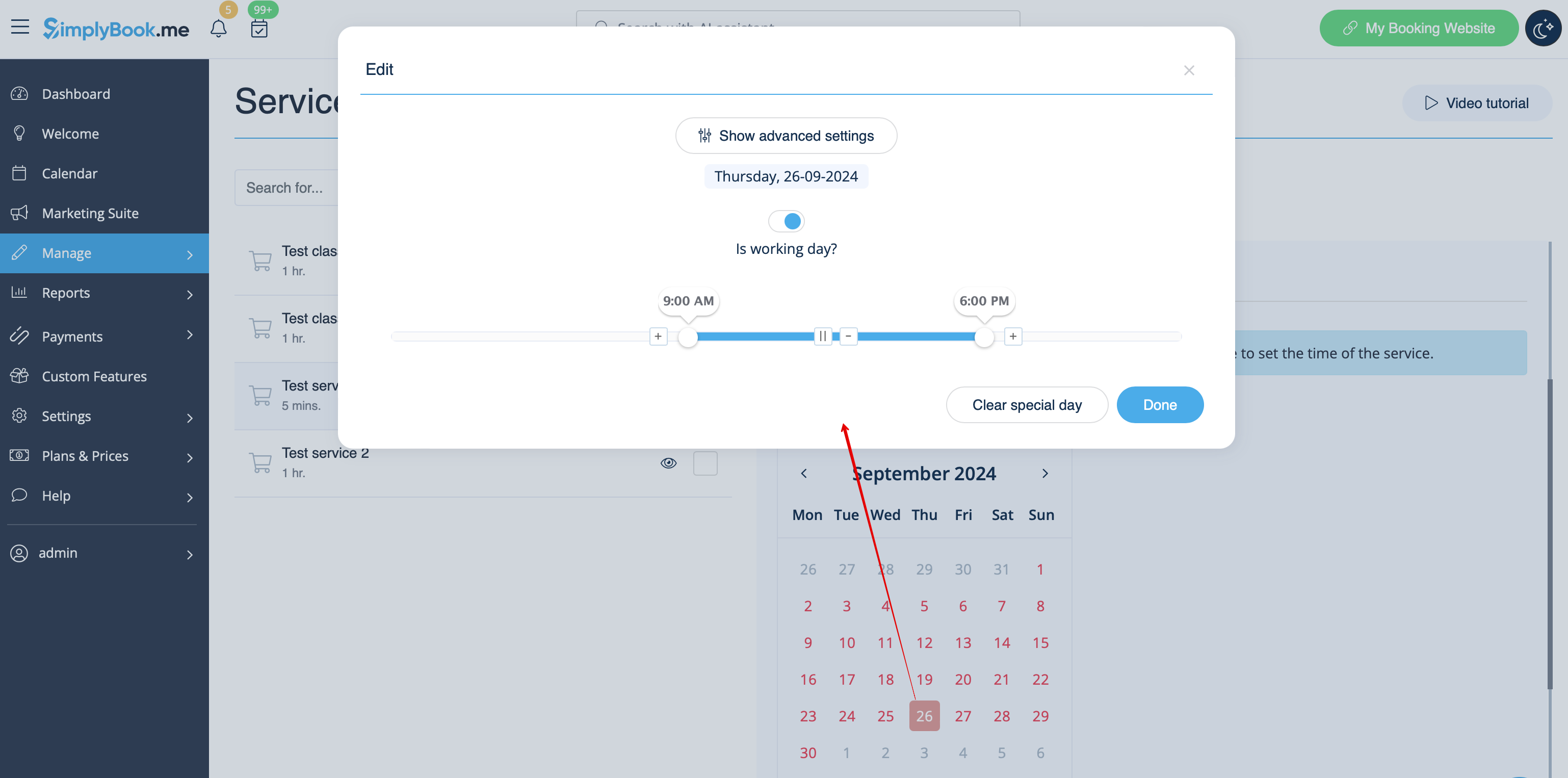
- 3. Потім скористайтеся календарем, натисніть на дати, які ви хочете відкрити, і встановіть розклад для цих дат, переміщуючи повзунки (яскраво-синя зона — це вільний час).
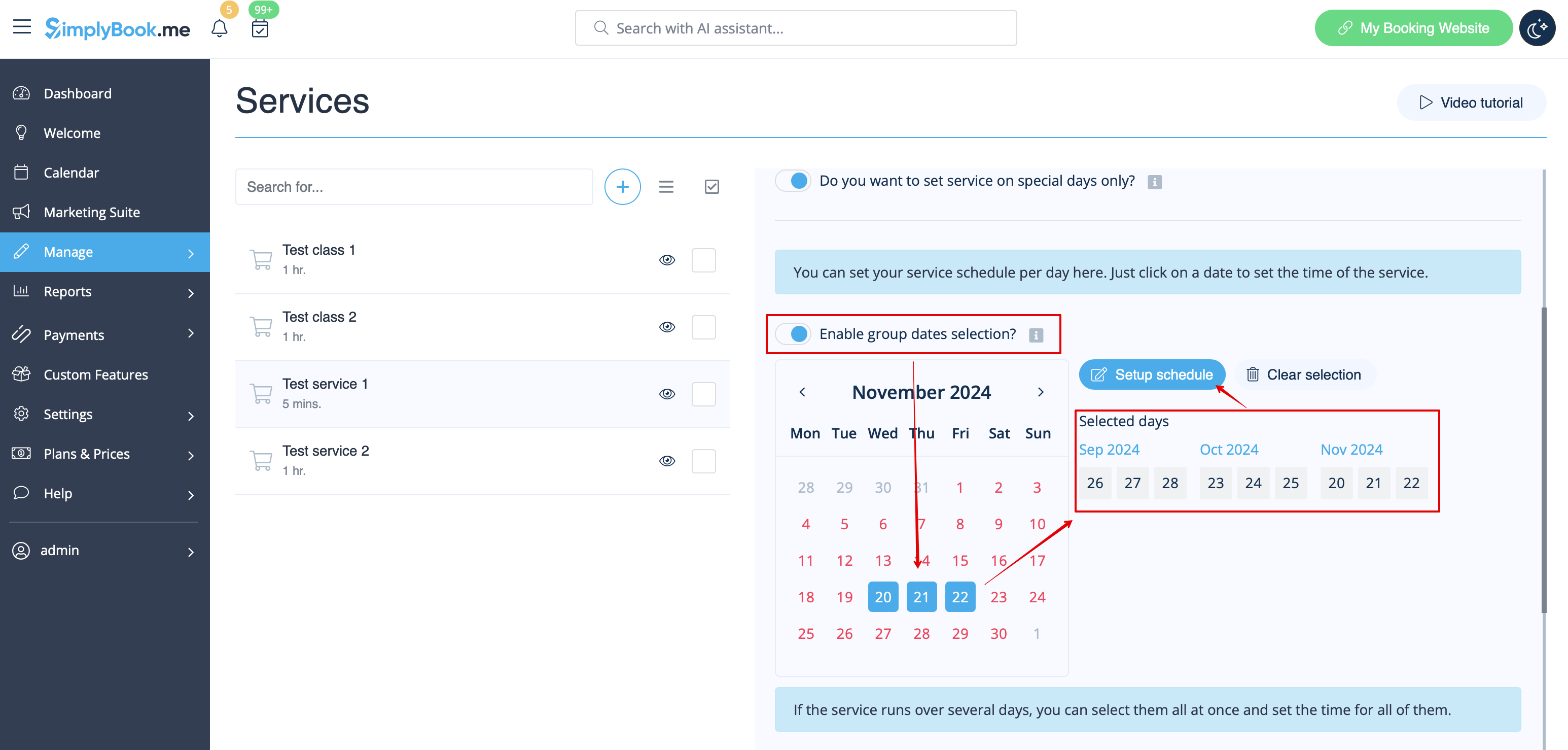
- Якщо вам потрібно вибрати кілька дат одночасно, увімкніть «Увімкнути вибір груп дат?», виберіть дати для редагування та натисніть «Налаштувати розклад», щоб встановити час.
- 4. Connect service to necessary provider in "Service providers" tab.
Option 2 (as Event with the help of Classes custom feature)
- 1. Enable Classes custom feature on your Custom features page.
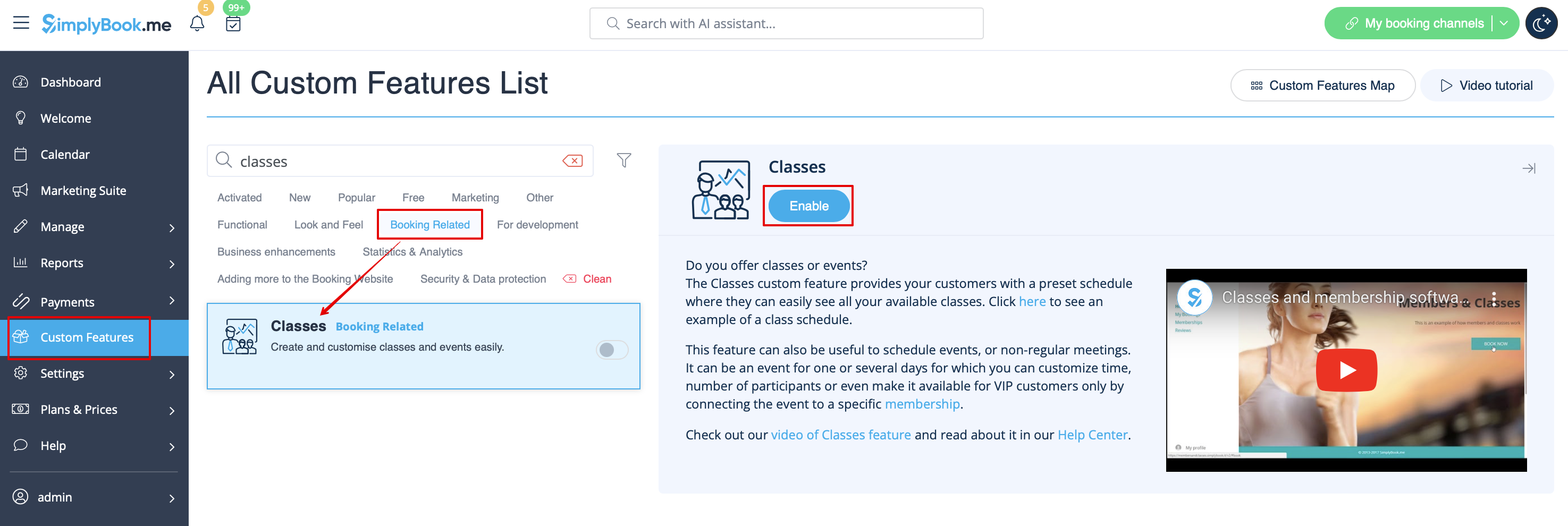
- 2. Navigate to Manage//Classes page and create a new class.
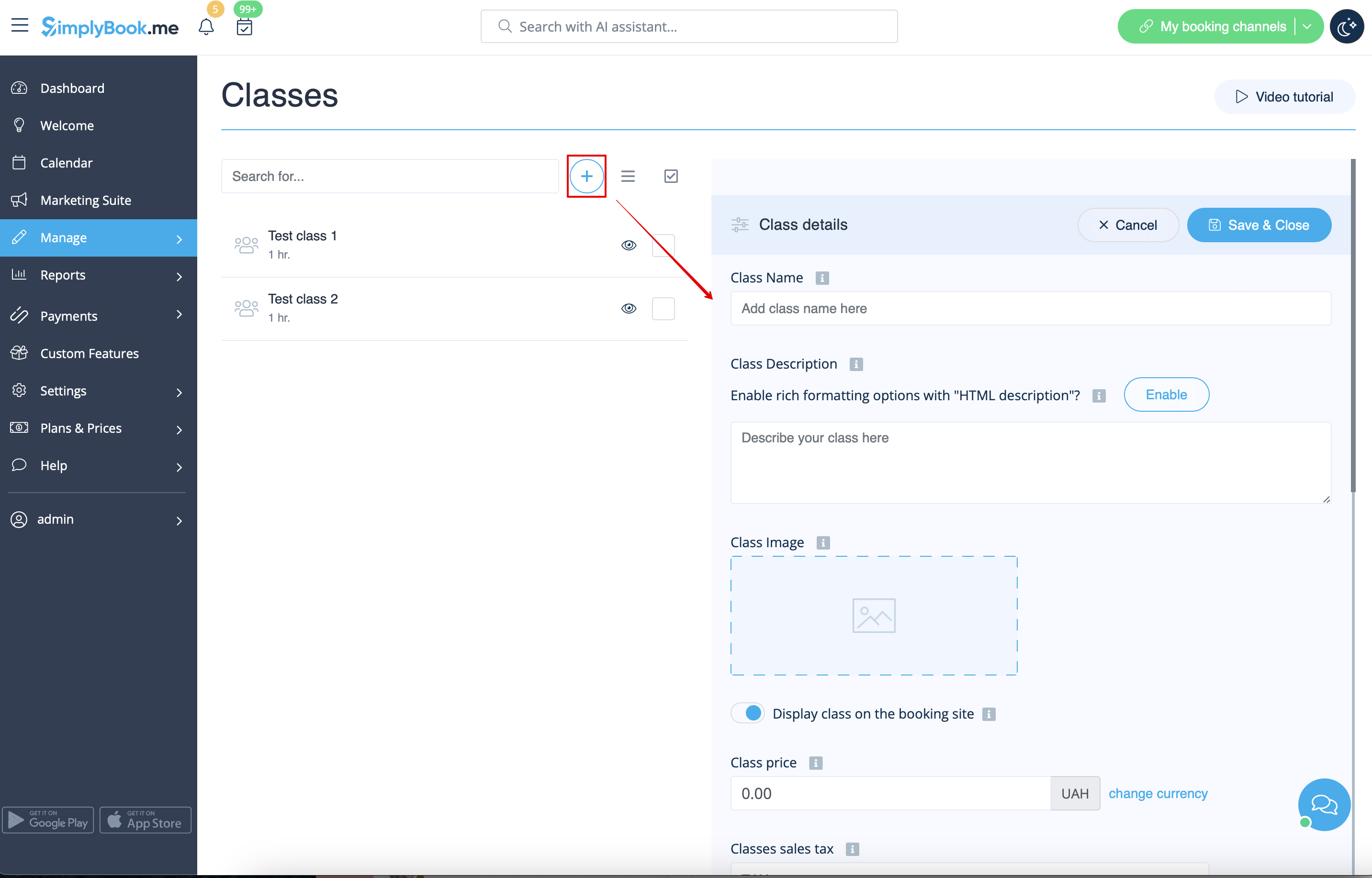
- 3. Choose "Class schedule" tab on the newly created class and switch on the option "Do you want to set service on special days only?"
- 4. Then use the calendar, click on the dates that you want to open and set the schedule for these dates by moving the sliders(bright blue zone is open time).
- How events(classes) work
The general logic of event(class) is creating Service + Provider related to it with dates selected in the settings of the event(class) as special days. When you use Classes custom feature the event creates service+provider related to it with identical name. In order to preserve proper functioning of the event on the dates needed, you should not delete provider with identical name related to event (but you can easily change his/her name) and should not disconnect provider from the event.

Events only
Video available
If you plan to have 1 event or several events without regular services you should do the following:
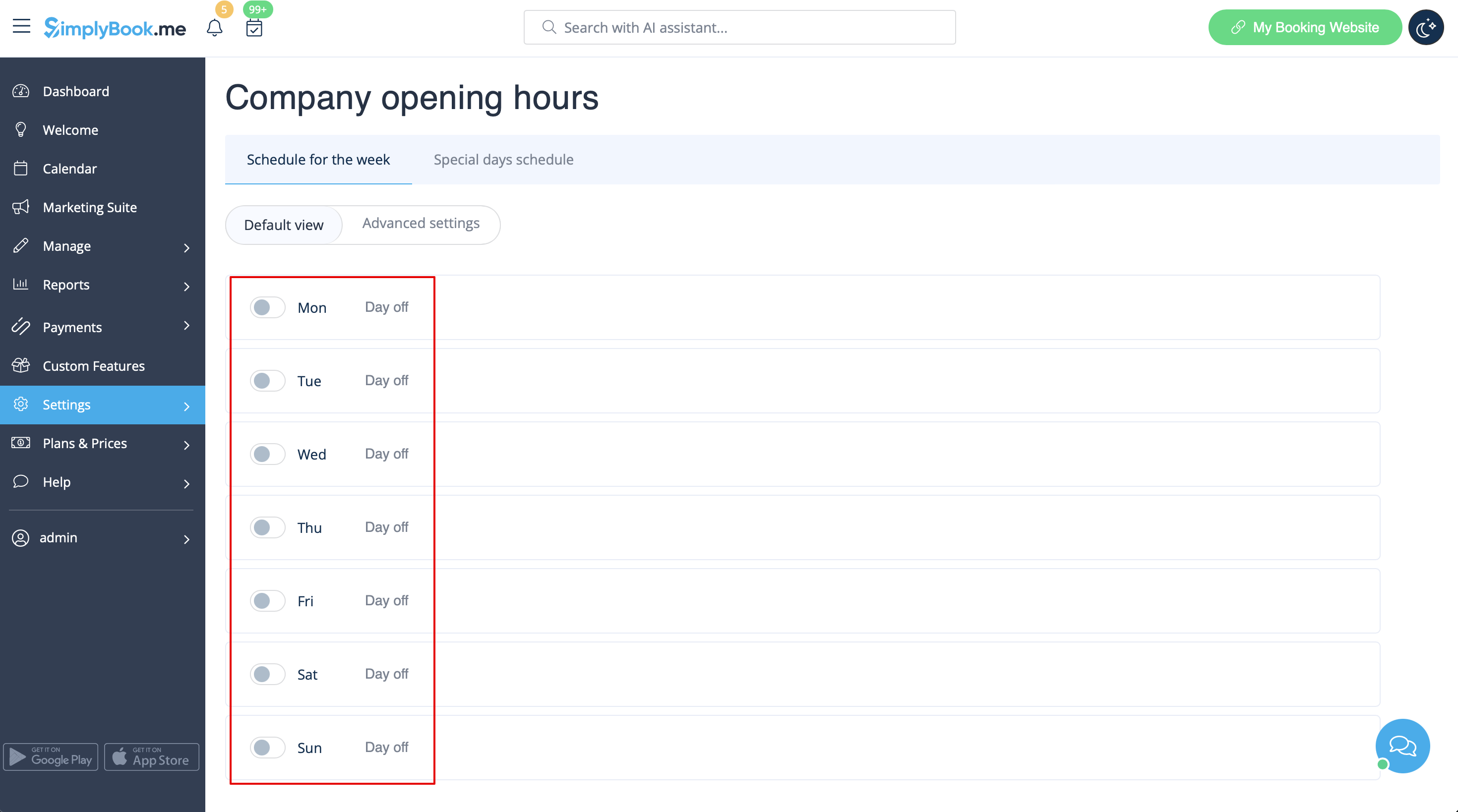
- 1. Close all company opening hours in Settings // Company opening hours - use switcher to set it to off position
- 2. Create events you need in Manage // Services // "+". See detailed tutorial about services here.
