Aangepaste interval voor reservering van diensten (aangepaste functie)

Met deze nieuwe functie kunnen gebruikers voor elke dienst of klasse aangepaste minimale en maximale tijdsintervallen instellen voordat ze een boeking maken. Deze functie geeft de gebruiker meer controle over zijn boekingsschema en stelt hem in staat zijn diensten aan te passen aan zijn specifieke behoeften.
- Hoe te gebruiken
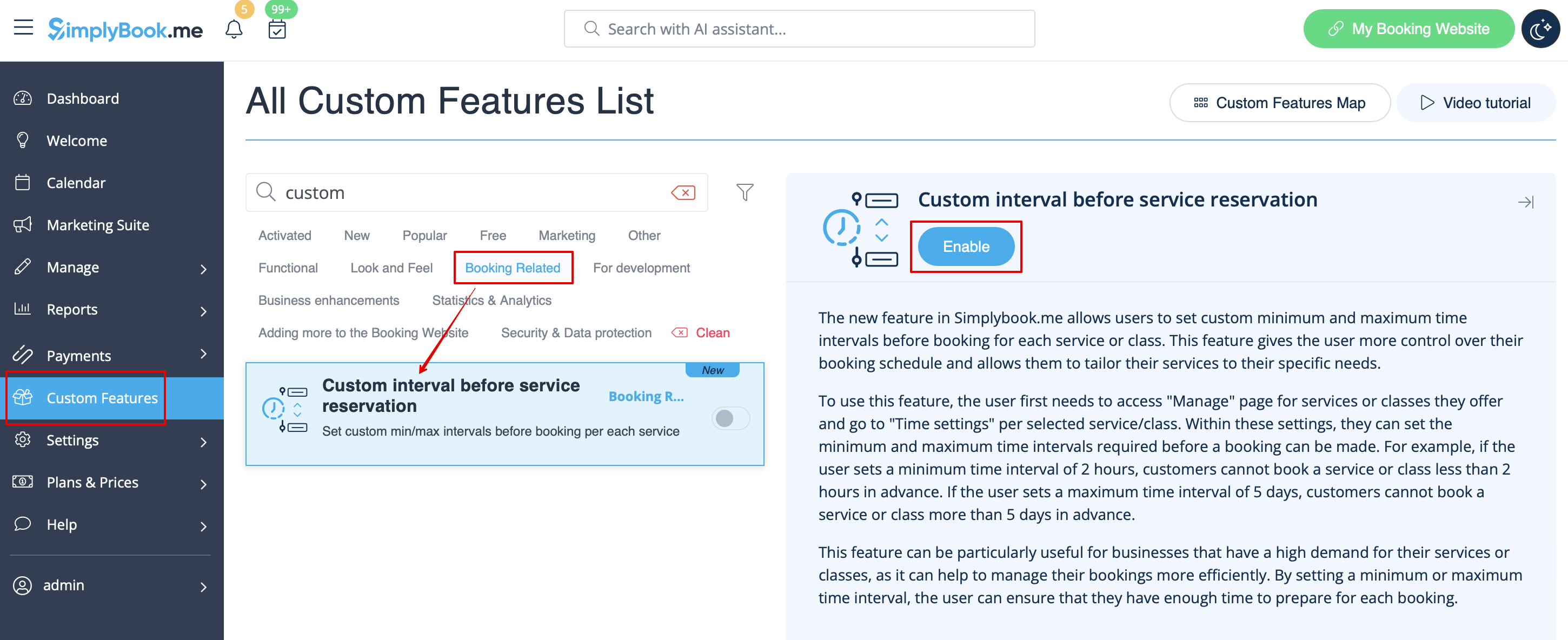
1. Schakel de aangepaste functie 'Aangepast interval vóór reservering van dienst' in in het gedeelte 'Aangepaste functies' -> 'Gerelateerd aan reserveringen'.
2. Go to Manage -> Services and choose the service you wish to adjust. Click on Time details tab and within these settings, you can set the minimum and maximum time intervals required before a booking can be made.
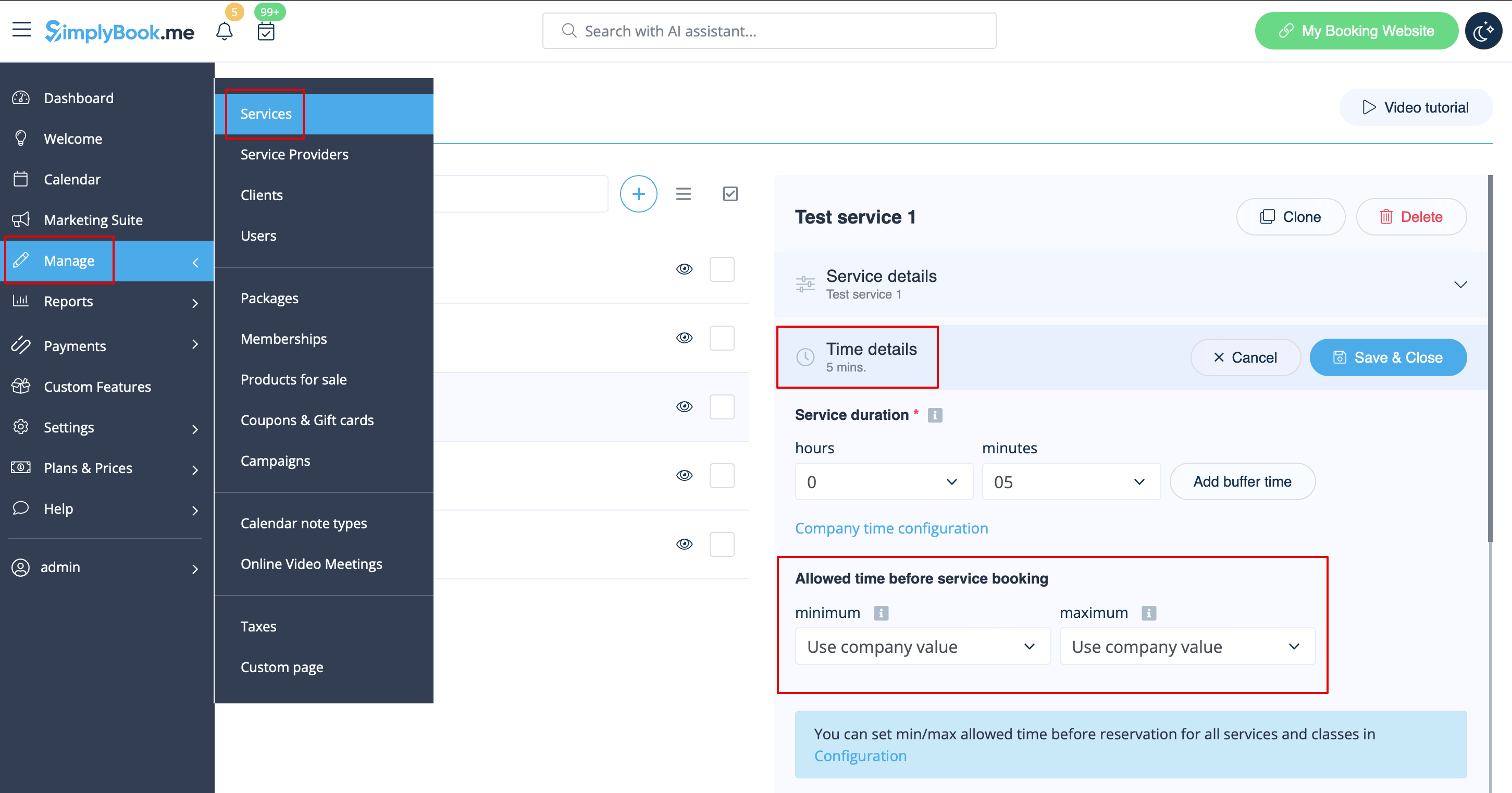
For example, if you set a minimum time interval of 2 hours, your customers cannot book a service or class less than 2 hours in advance. If you set a maximum time interval of 5 days, your customers cannot book a service or class more than 5 days in advance.
3. After all adjustments done, click on Save&Close button.
This feature can be particularly useful for businesses that have a high demand for their services or classes, as it can help to manage their bookings more efficiently. By setting a minimum or maximum time interval, the user can ensure that they have enough time to prepare for each booking.