Translations:Accept payments custom feature/4/en
From SimplyBook.me
- 1. Enable Accept Payments custom feature in Custom Features section.
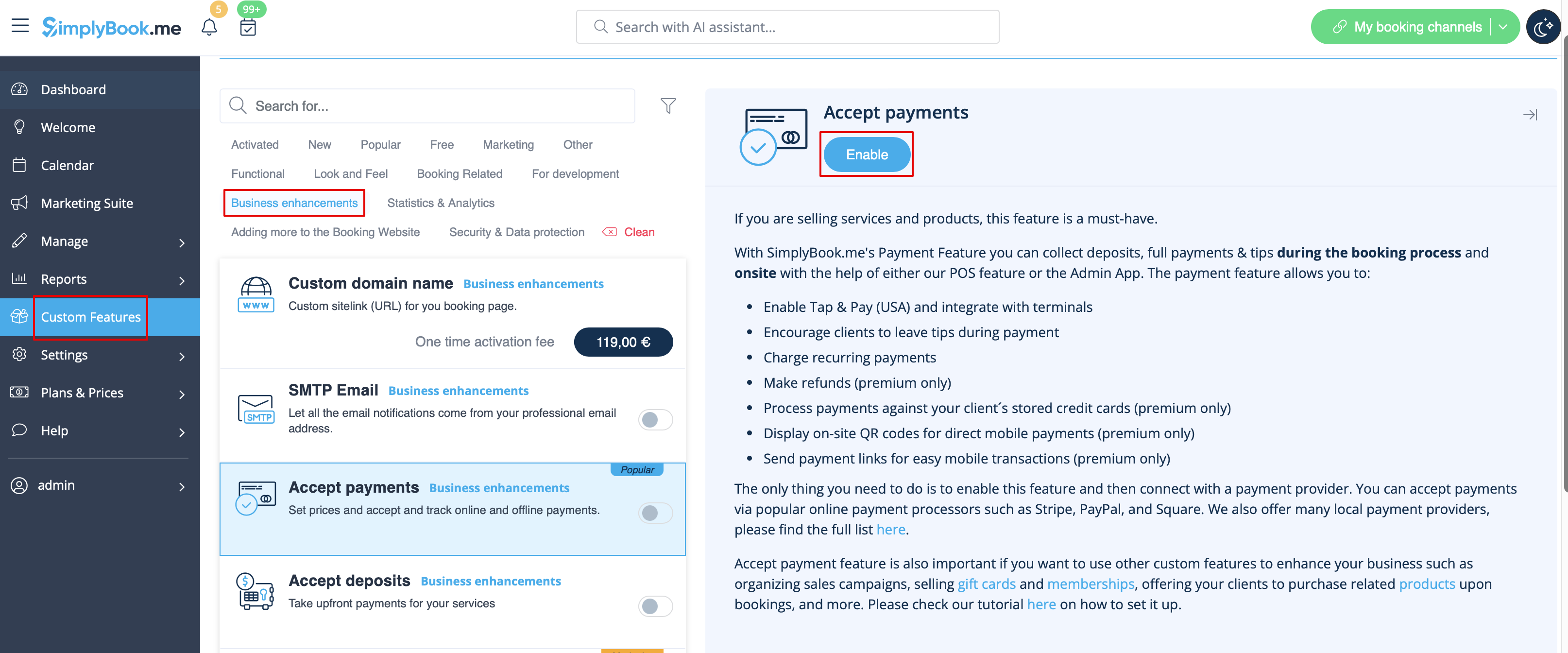
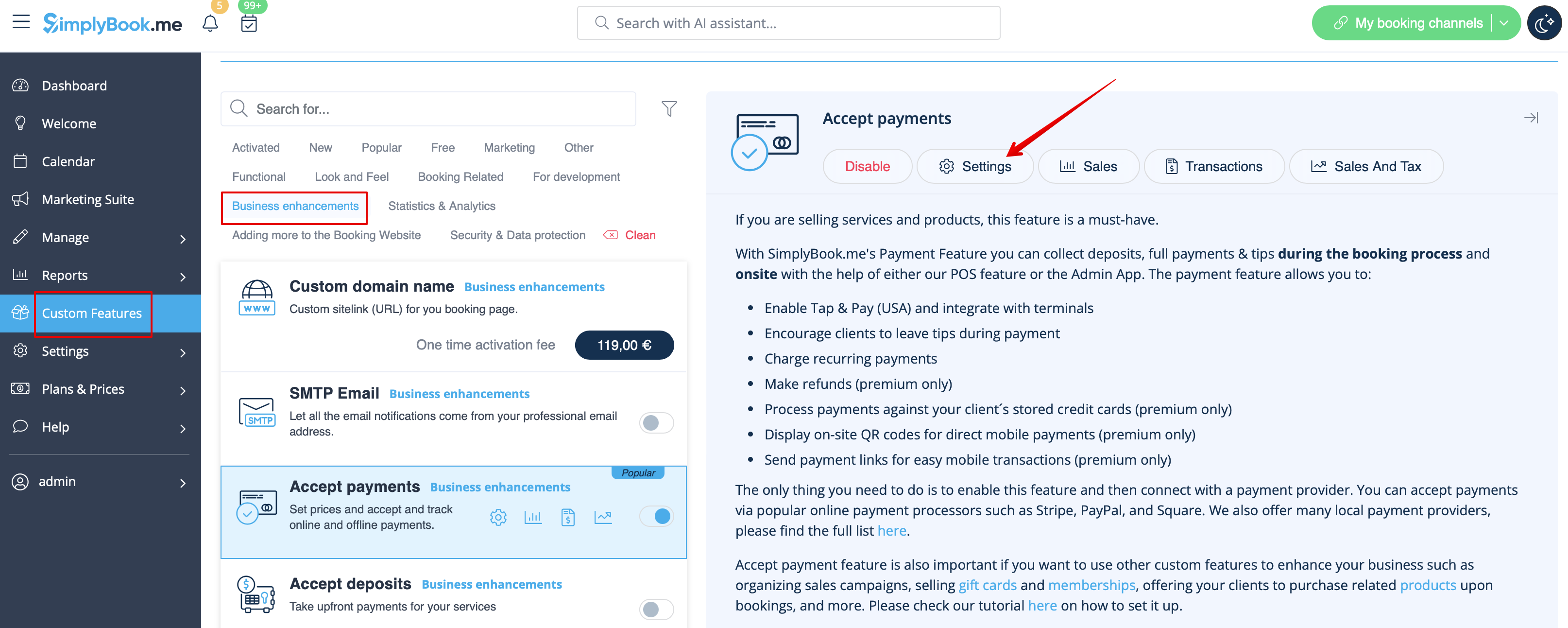
- 2. Once enabled, click on the Settings button.
- 3. Adjust your company information in the following form if necessary.
- (It will be autocompleted with the company details that you already have in your system).
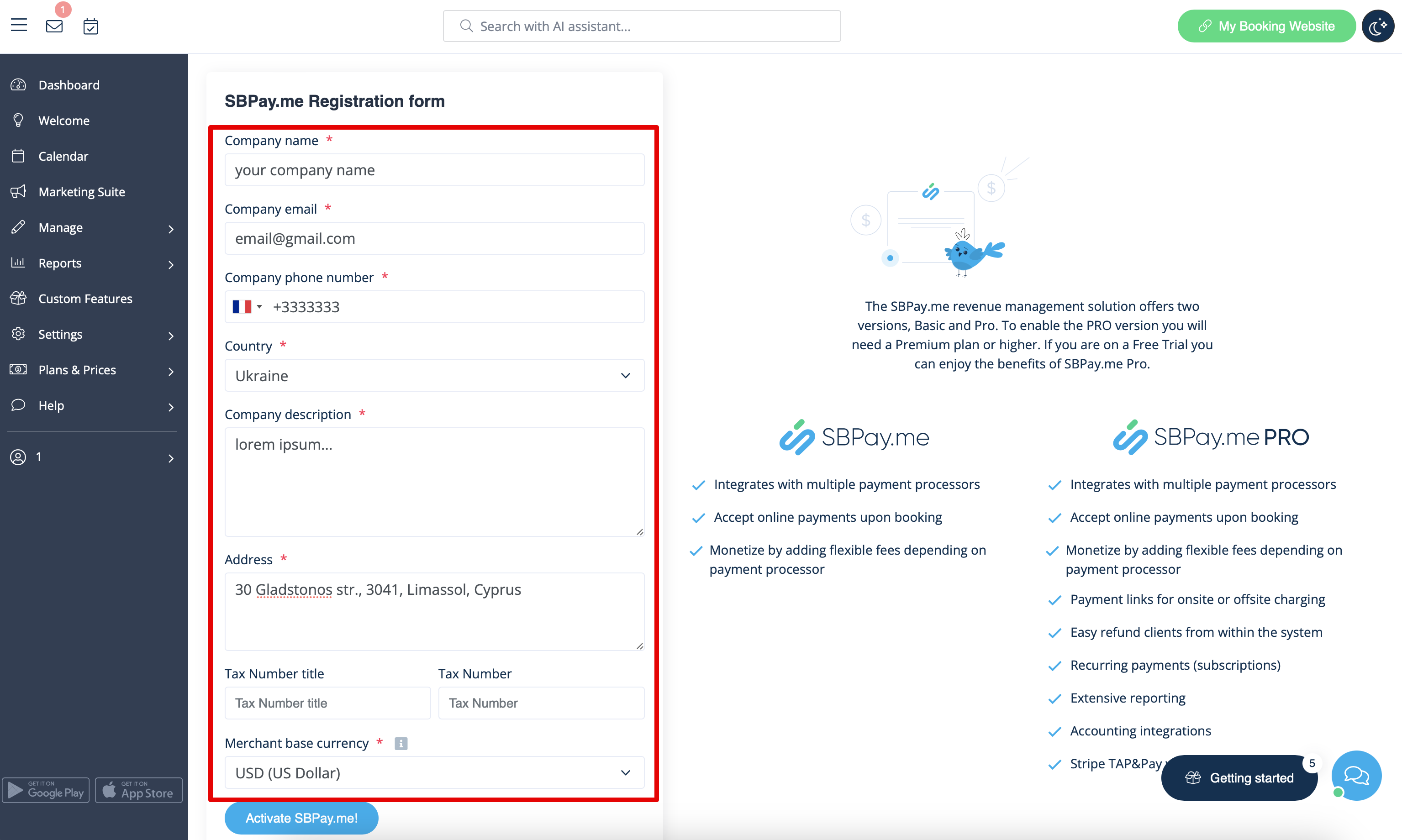
- 4. Click on the Activate SBPay.me button.
- Please note! The majority of your payment-related settings and configurations will be managed through SBPay.me, which becomes accessible upon enabling the Accept Payments feature through Payments item in the navigation menu. Please check more information here.
