Juster din terminologi/dit sprog
.
Ændring af tekster kun på klientsiden
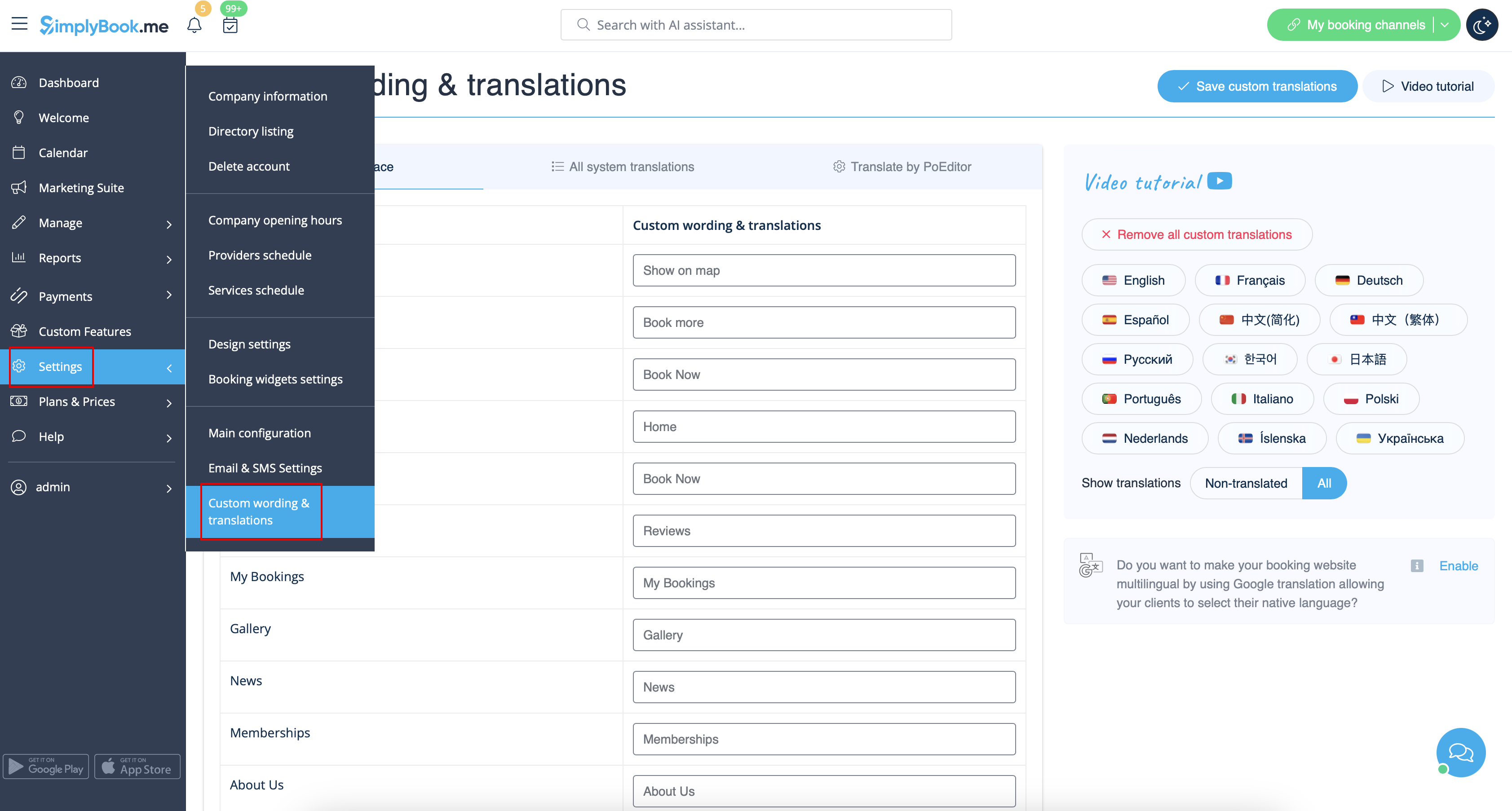
Hvis du har brug for at justere tekster på din bookingside (f.eks. ændre Medarbejder til Terapeut, Træner eller Værelse), kan du gøre det i Indstillinger -> Brugerdefinerede formuleringer og oversættelser.
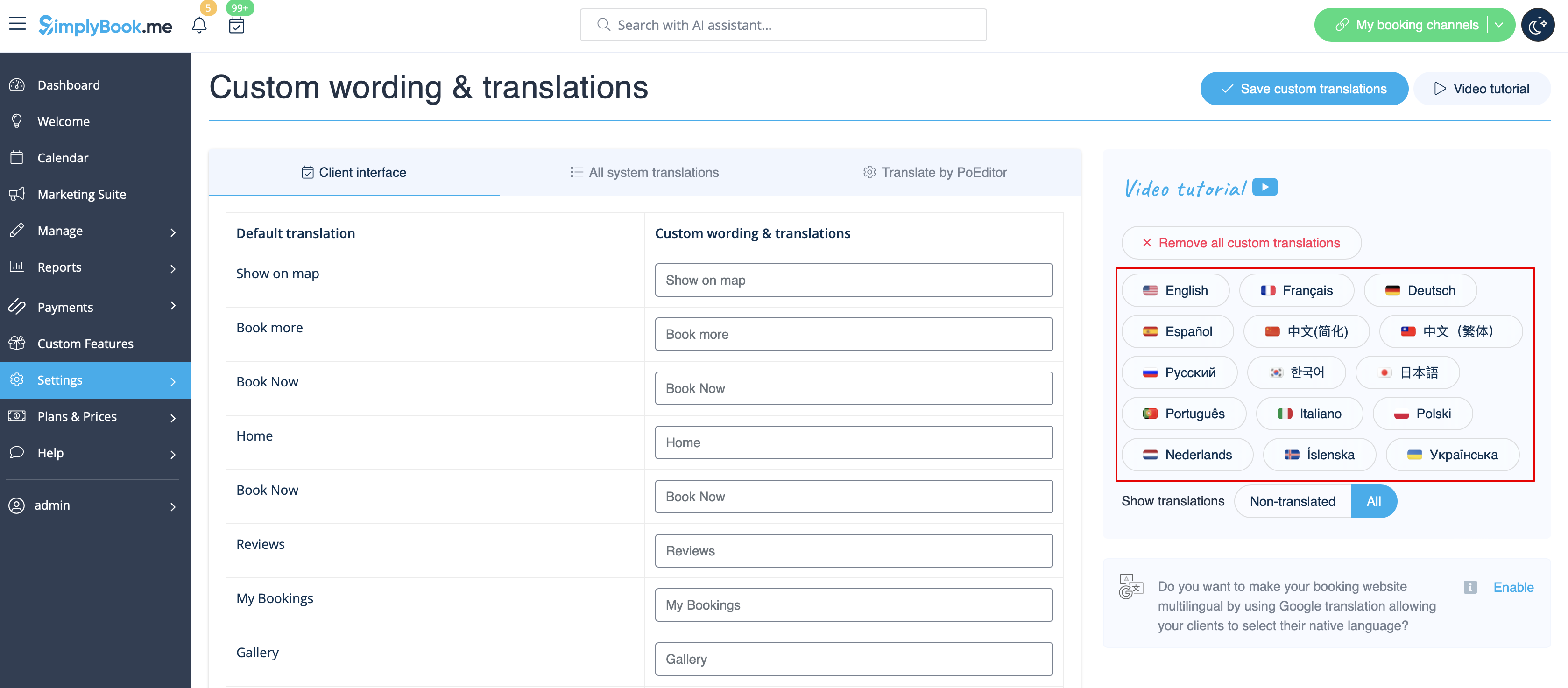
Der kan du også ændre sproget på din bookingside ved at klikke på den tilsvarende knap i højre side og trykke på Save custom translations. Hvis dit sprog ikke er på listen, kan du selv oversætte systemet.
.
Hvis du har brug for at vise bookingsiden på flere sprog, kan du bruge den brugerdefinerede funktion Google Translate.
Changing language/wording for the whole system (without notifications templates)
Settings -> Custom wording & translations also allows you to adjust the language of the whole system. Please select All system translations tab to change all system wording.
Please note! It is not possible to have fully separate languages for admin and client sides as some of the texts are used for both sides. So you may have client side fully translated to one language and have admin side in a different one, but with some words form the client side language.
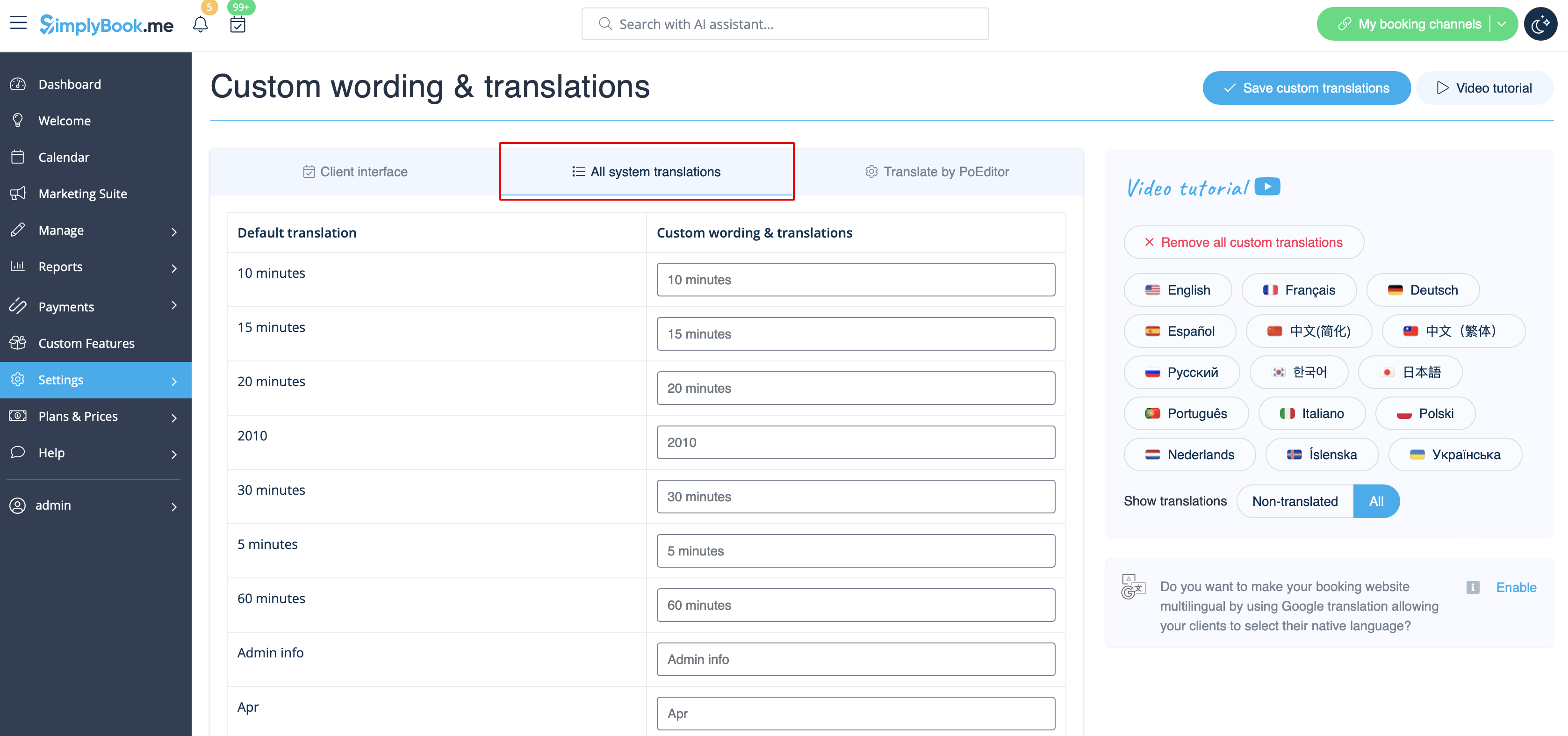
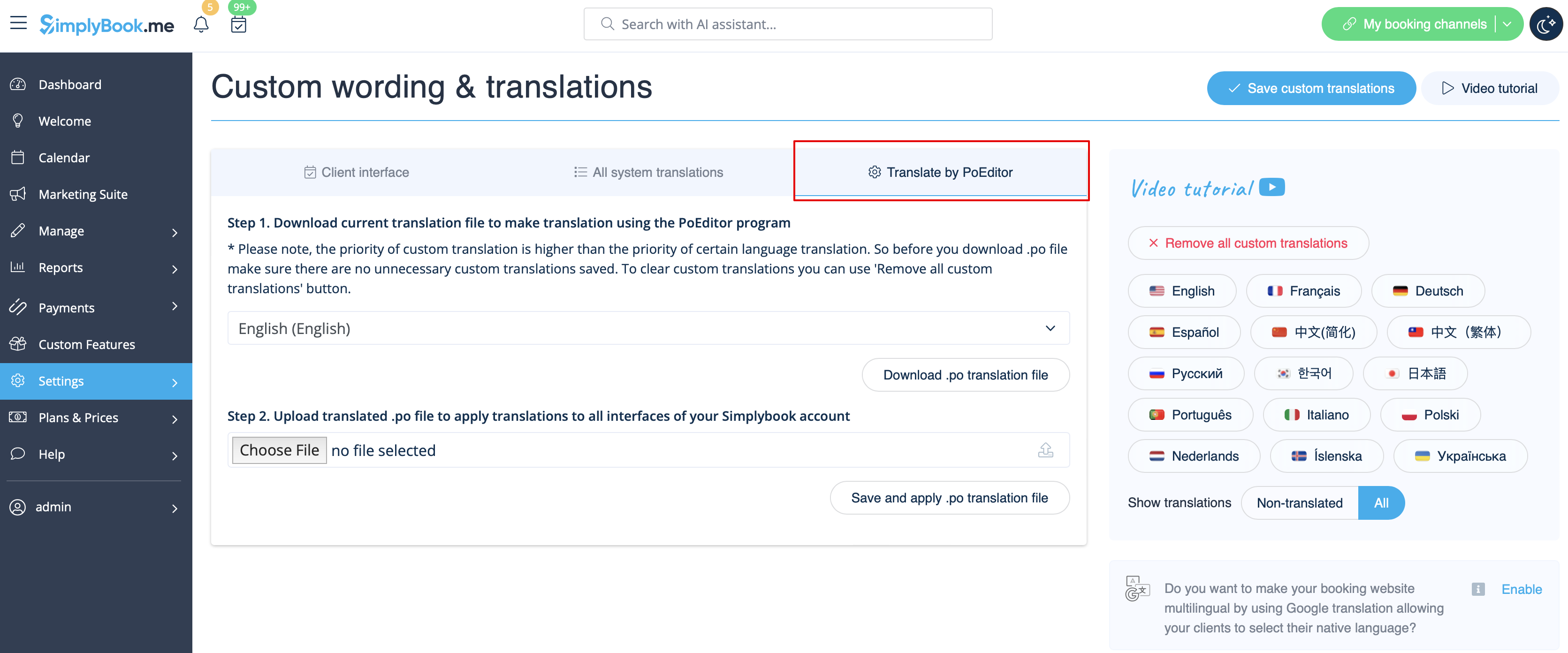
The system as well allows to download .po file, translate it with PoEditor software, upload the texts and apply to your system.
Changing language/wording for the whole system (with notifications templates)
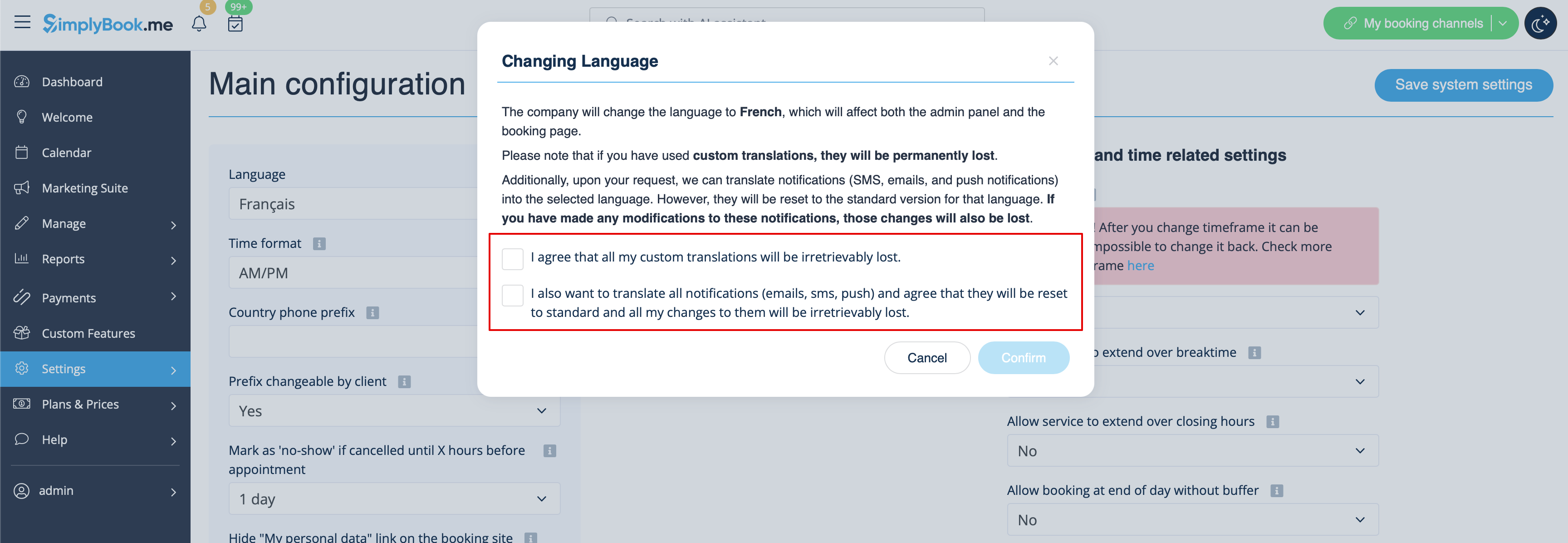
If you need to change the language for all the interfaces, including the notifications templates:
- Please navigate to Settings -> Main Configuration -> Language.
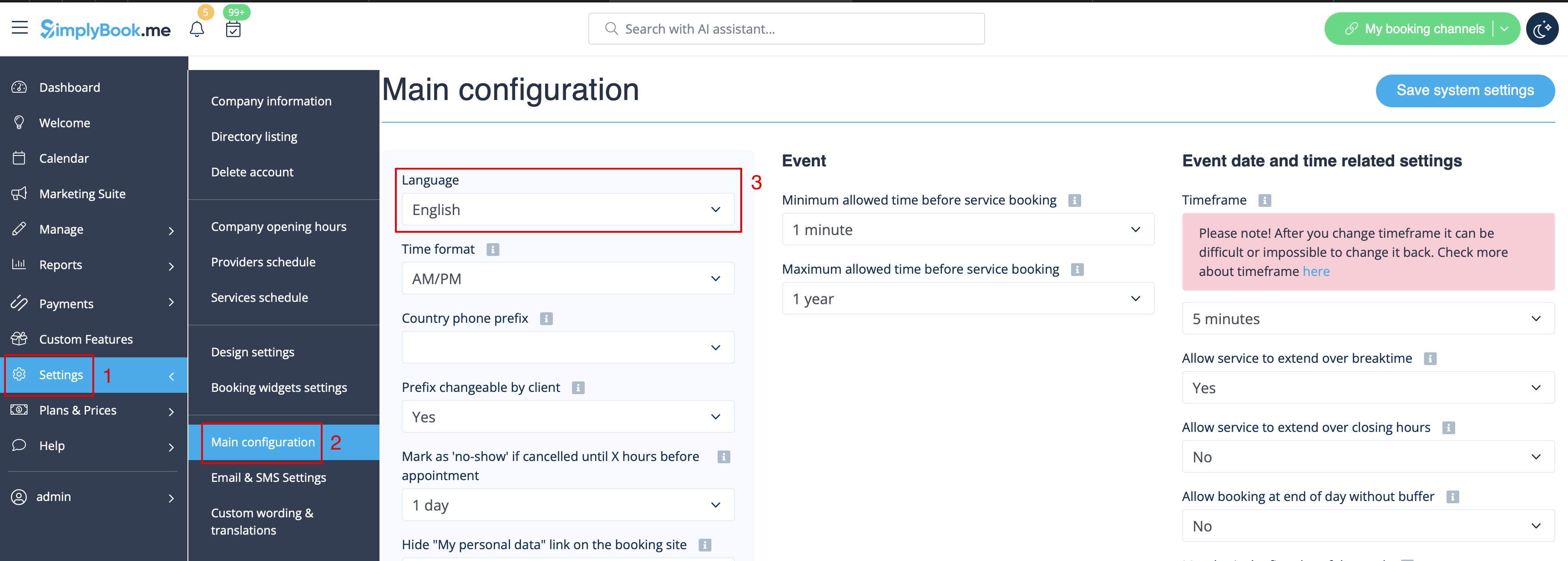
- Select the desired language from the drop-down menu.
- Confirm the selections (and whether you also need to change the language for the notifications templates)
Please note! If you have used custom translations/custom emails/sms templates texts, they will be permanently lost. You will need to add custom wording in Settings -> Custom translations after the new language has been applied.