Sådan tilføjes Google Meet-links til aftaler
From SimplyBook.me
- Nu har vi muligheden for at håndtere online møder via Google Meet.
- Det kræver kun tre enkle trin, og så er du klar.
- Sådan indstiller du
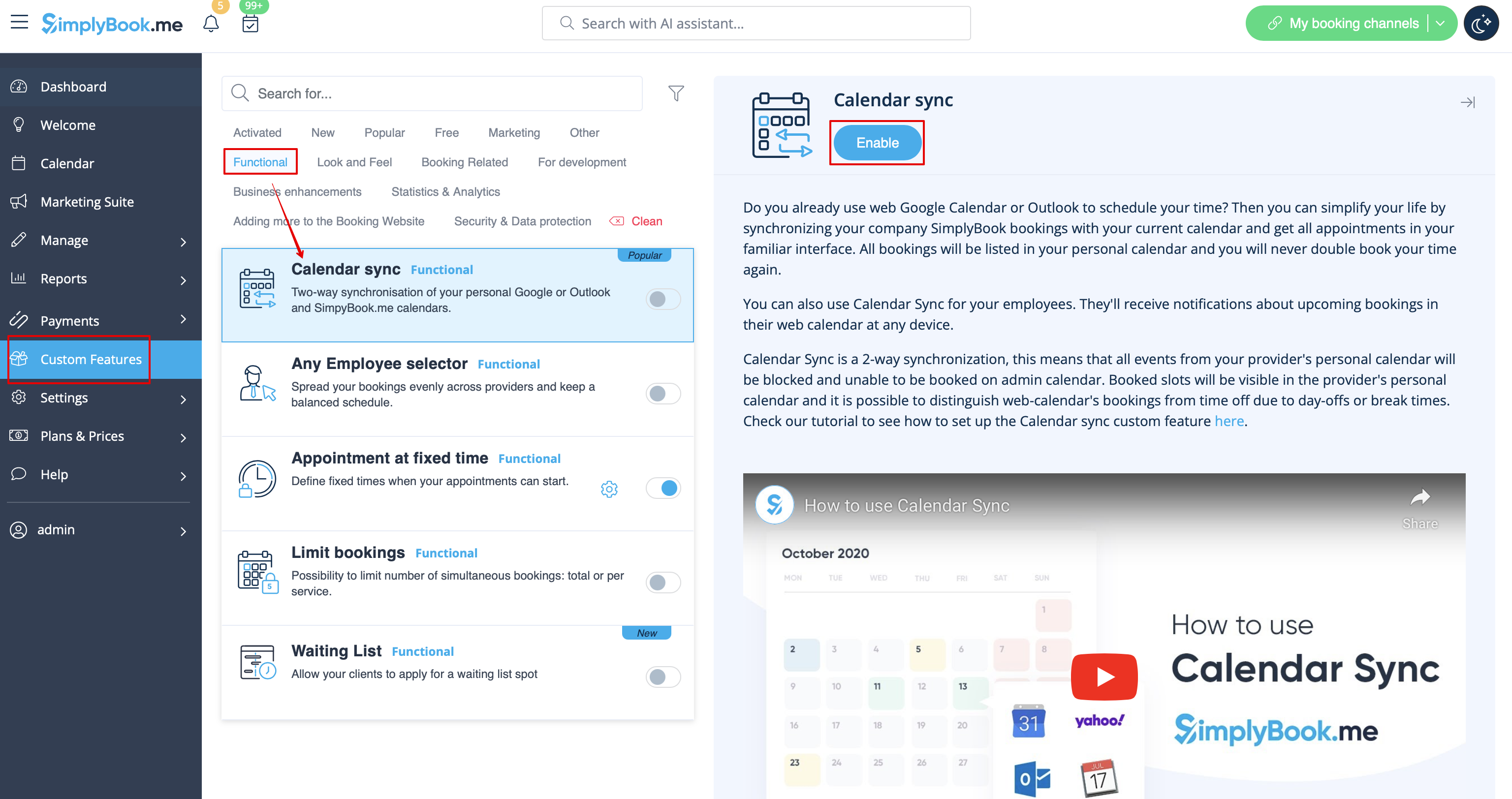
- 1. Aktivér den tilpassede funktion Kalendersynkronisering på siden Tilpassede funktioner i afsnittet Funktioner.
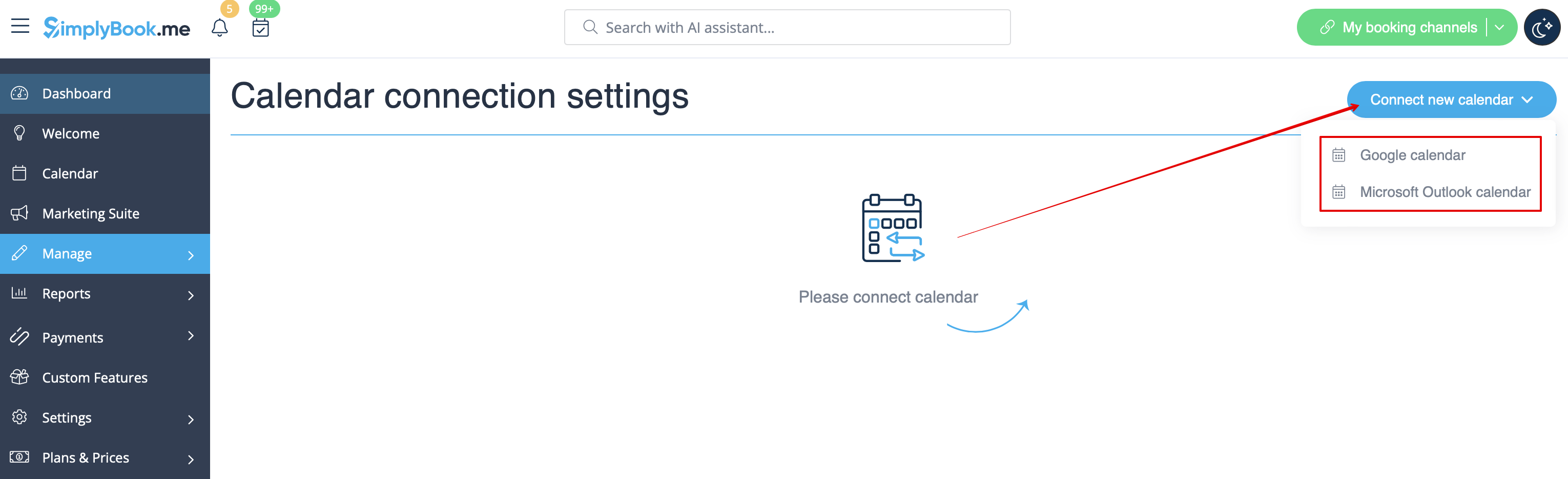
- 2. Forbind Google Kalender, og tilknyt derefter den eller de ønskede udbydere i denne funktionsindstilling.
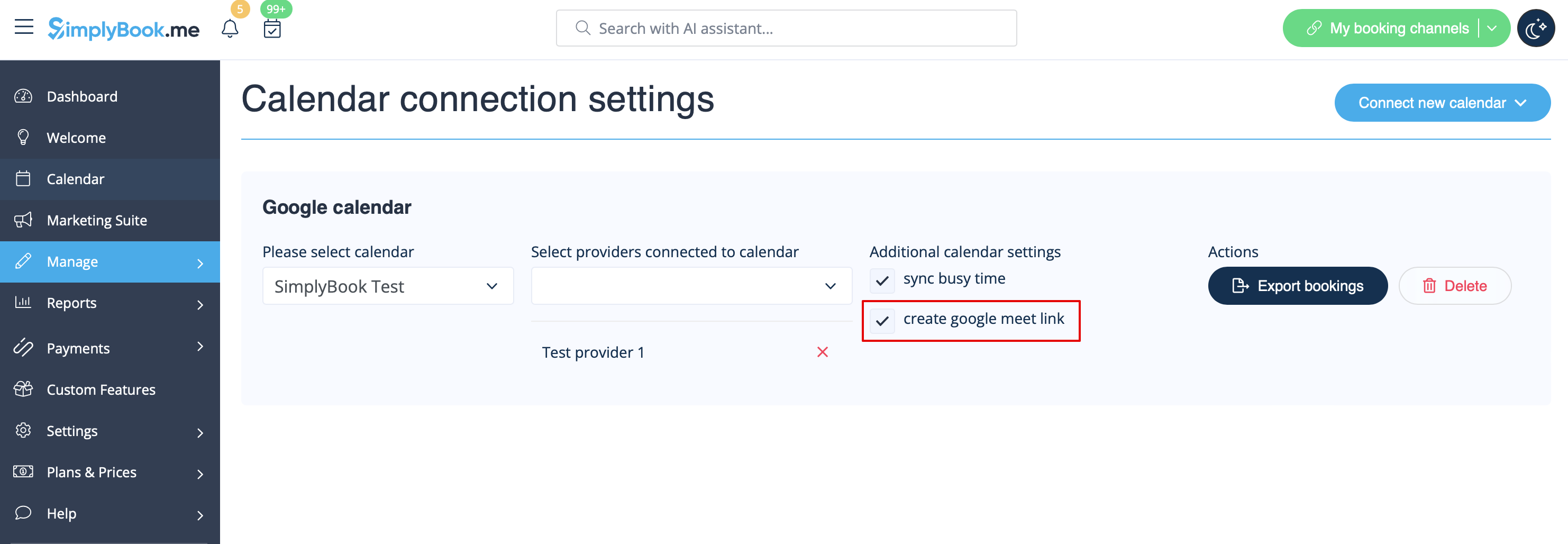
- 3. Markér afkrydsningsfeltet Opret Google Meet-link, og gem indstillingerne.
- How it works
- 1. In addition to usual appointment confirmation the client will get an invite to Google event to accept and add to own calendar.

- 2. For provider the event will be added to hir/her Google calendar, that is connected to the system with the help of Calendar sync feature and will contain meeting link to follow when the meeting time comes.

- 3. In case you are using Group bookings custom feature and the client books several participants the meeting link will be generated for the first appointment from the batch and one invite will be sent to client.
- That is why please be careful with rescheduling or cancellation of the appointments related to such batches to not influence the one with the meeting link if it is not planned.
- 4. If the booking was created before you checked the box create google meet link, but you have been using Calendar sync as such, you will need to manually add meeting link and send the invite to client on the Google calendar side.
