Google Meet-links toevoegen aan afspraken
- Nu hebben we de mogelijkheid om online vergaderingen via Google Meet af te handelen.
- In slechts drie eenvoudige stappen bent u klaar.
- Hoe stel ik '
- ' in? 1. Schakel de aangepaste functie 'Agendasynchronisatie' in op de pagina 'Aangepaste functies', onder 'Functioneel '.
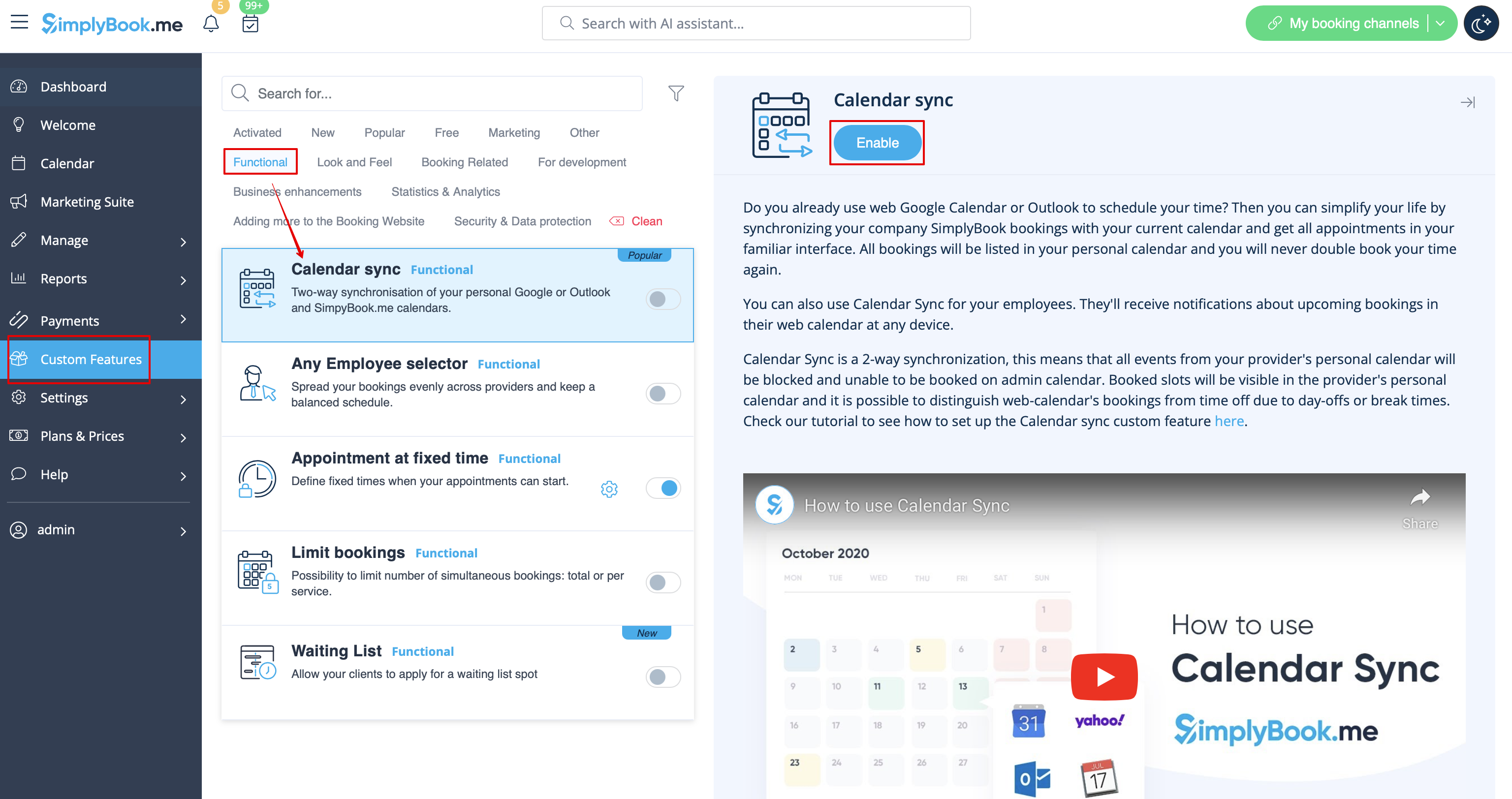
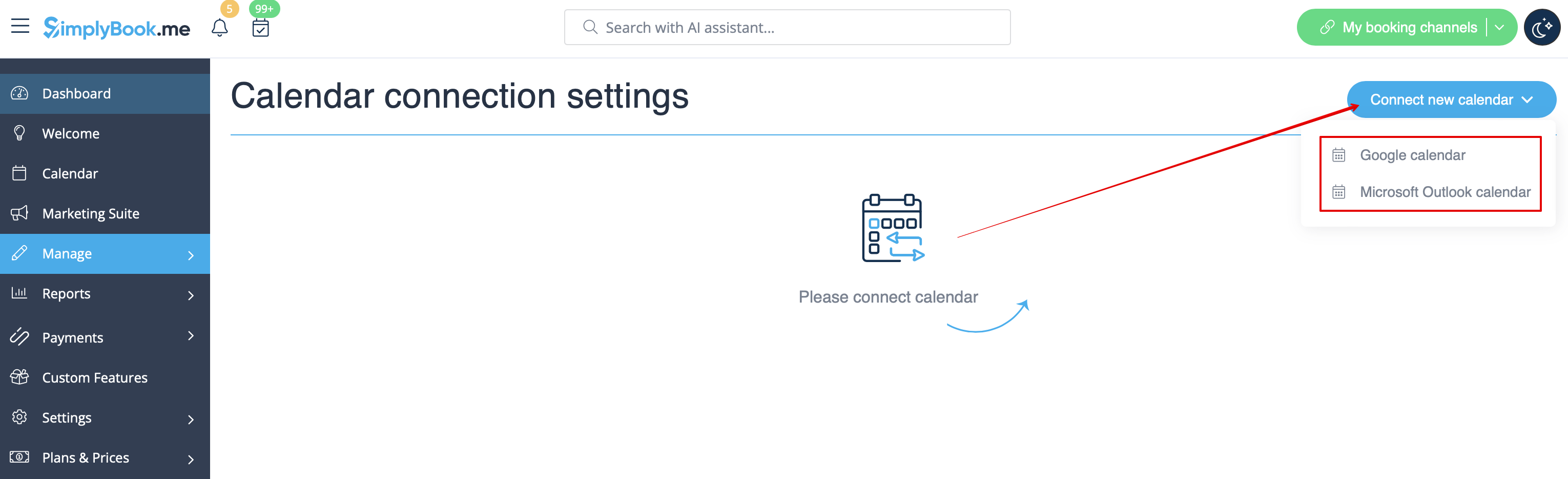
- 2. Koppel Google Agenda en koppel vervolgens de gewenste provider(s) hieraan in de instellingen van deze functie.
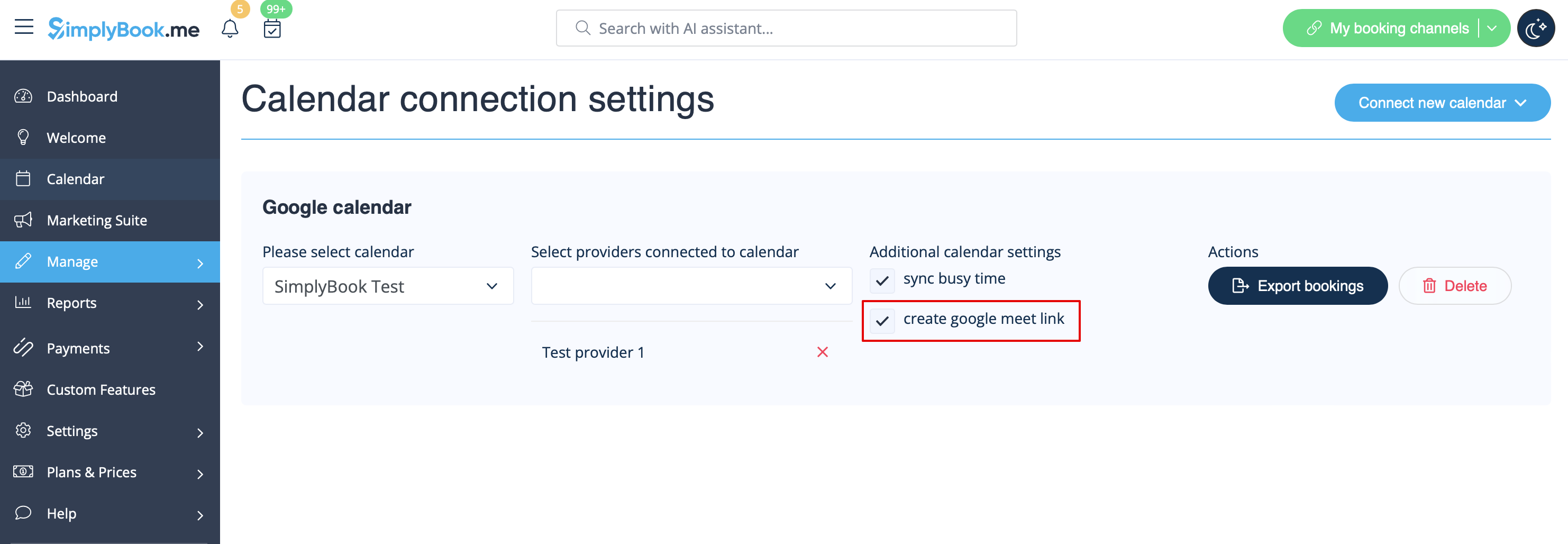
- 3. Schakel het selectievakje 'Google Meet-link maken' in en sla de instellingen op.
- How it works
- 1. In addition to usual appointment confirmation the client will get an invite to Google event to accept and add to own calendar.

- 2. For provider the event will be added to hir/her Google calendar, that is connected to the system with the help of Calendar sync feature and will contain meeting link to follow when the meeting time comes.

- 3. In case you are using Group bookings custom feature and the client books several participants the meeting link will be generated for the first appointment from the batch and one invite will be sent to client.
- That is why please be careful with rescheduling or cancellation of the appointments related to such batches to not influence the one with the meeting link if it is not planned.
- 4. If the booking was created before you checked the box create google meet link, but you have been using Calendar sync as such, you will need to manually add meeting link and send the invite to client on the Google calendar side.