Aangepaste functie van Google AdWords en Analytics
Gebruik de aangepaste functie van Google Analytics om te zien hoeveel klanten uw site dagelijks en tijdens promotiecampagnes bezoeken. Gebruik AdWords Analytics om te tellen hoeveel mensen daadwerkelijk boeken nadat ze op een AdWords-advertentie hebben geklikt.
Integratiegids voor Analytics-tools

- Hoe te gebruiken
- 1. Schakel de functie "Google AdWords en Analytics" in op uw pagina Aangepaste functies.
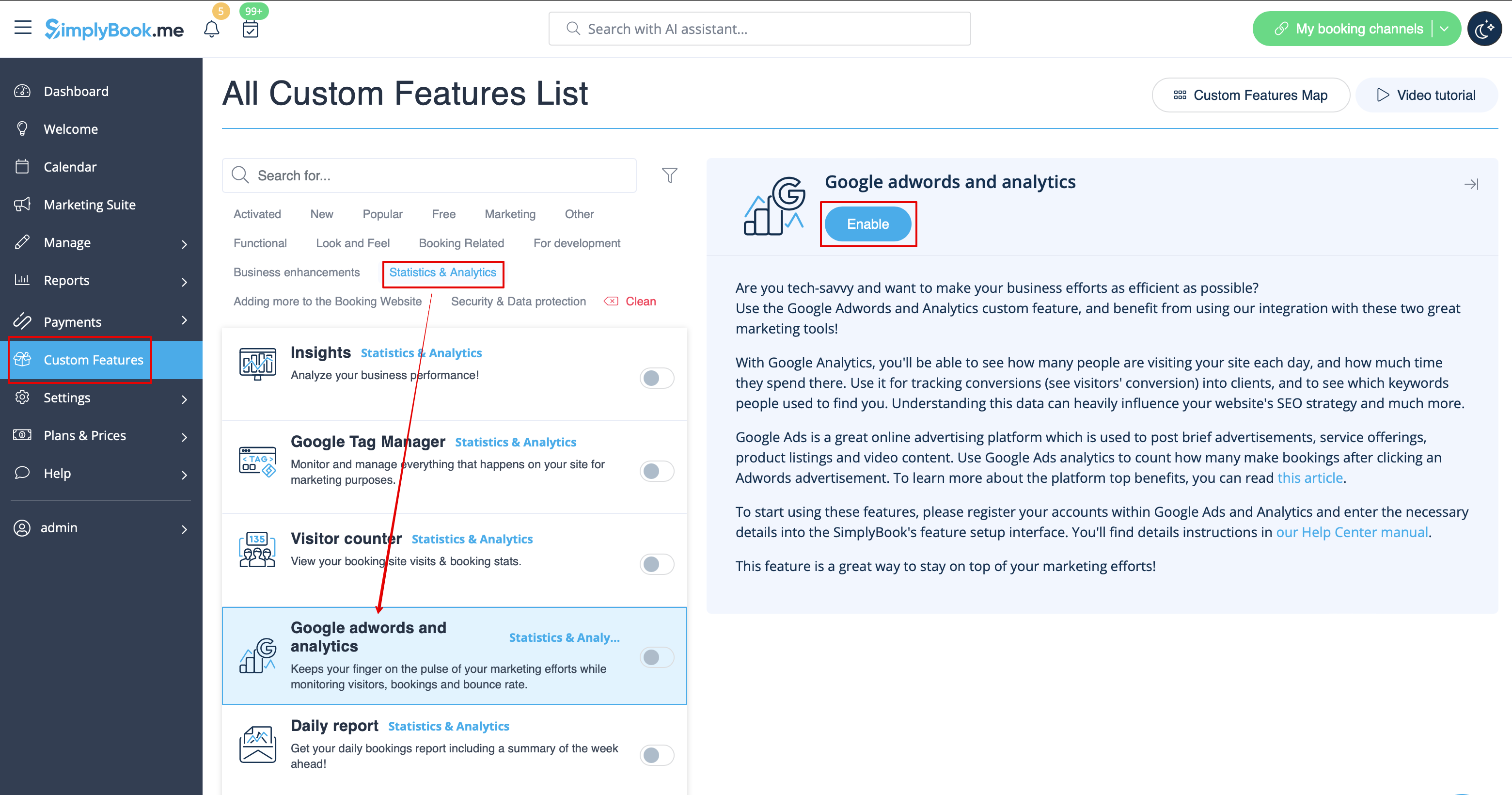
- 2. Navigeer naar de instellingen aan de rechterkant.
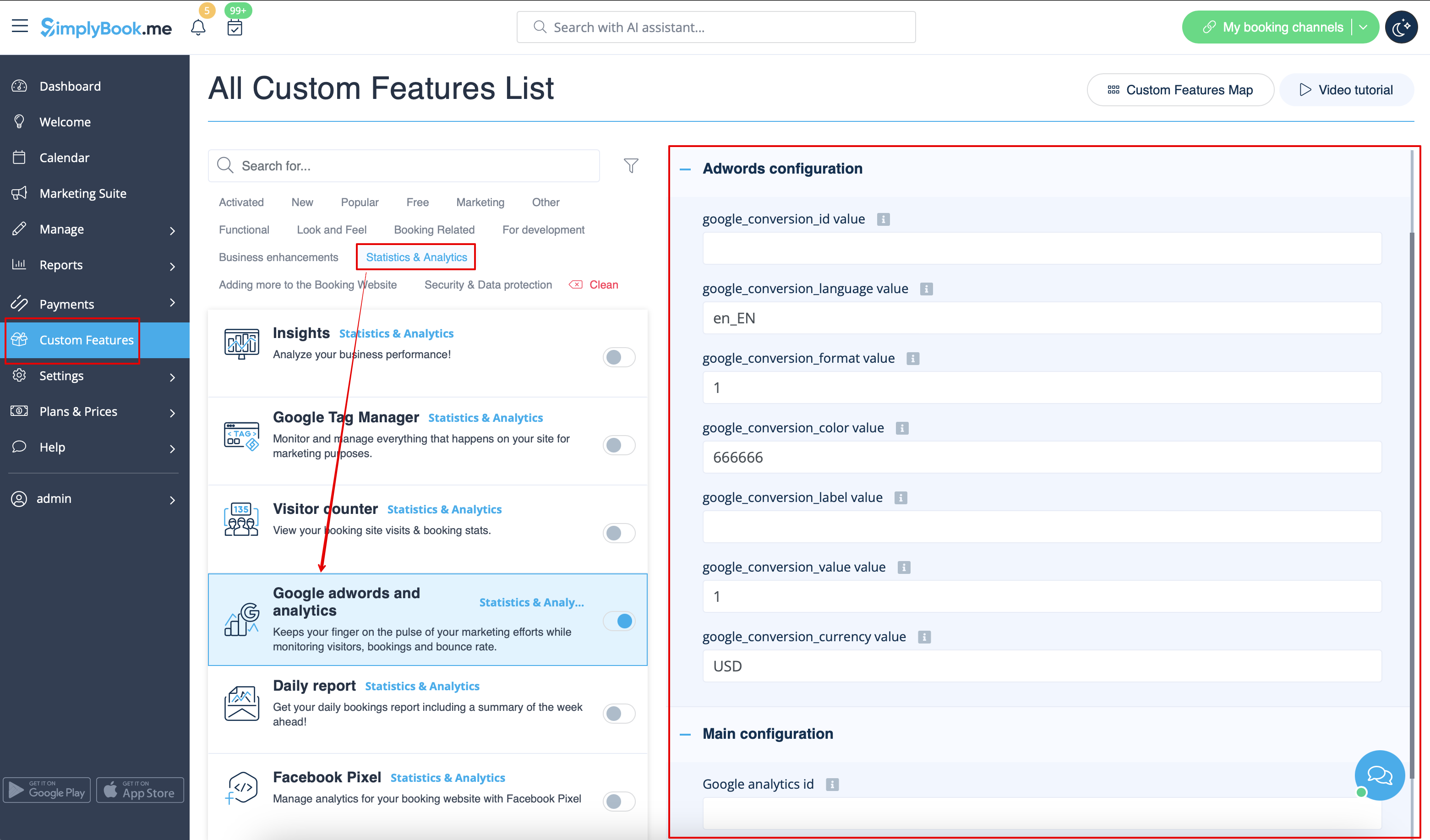
- 3. Vul de velden in met de bijbehorende informatie.
waar vindt u de details
- 1. De Google Analytics-ID vindt u in uw Google Analytics-accounts.
- Ga naar de startpagina van Analytics en klik linksboven op 'Alle websitegegevens'.

- 2. In het pop-upvenster ziet u uw Analytics
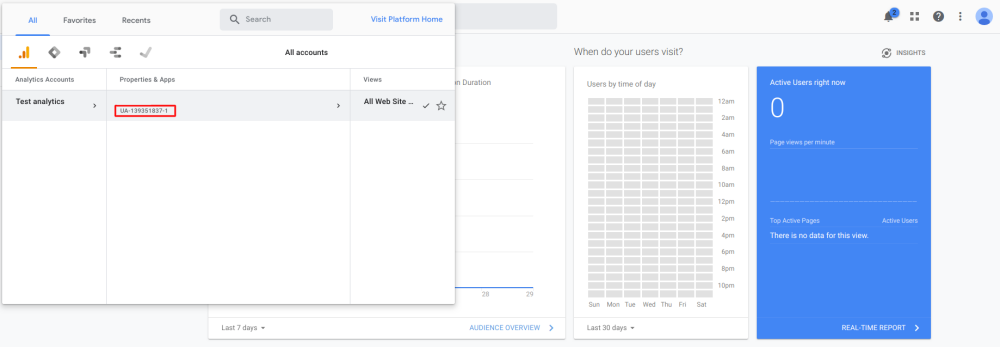

- Deze moet de volgende indeling hebben: UA-XXXXXXXX-X, waarbij XXXXXXX-X een getal is.
- Een voorbeeld van deze ID is: UA-70295750-1
- Om bezoekers te volgen, hoeft u alleen uw Analytics-account-id in te stellen.
However to track results of an adwords campaign you need to set up an adwords campaign conversion id and insert this id into the SimplyBook.me Custom Feature.
- 1. Sign in to your Ads account at https://ads.google.com
- 2. Click Tools and select Conversions

- 3. Click + to create conversions and select Website conversions.

- 4. Set up the options.

Google conversion value is the conversion value that you give to a client that hits your target. It can, for example, be set as 20 for $20 per conversion if the average price of your service is $20. We set it default to 1, which could mean $1 value per conversion but you should change this to the right value for you.
- 5. Select to insert the Tag yourself.

- 6. Then you will see a code like this:

<!- Event snippet for Testing conversion page ->

<script>

gtag('event', 'conversion', {'send_to': 'AW-XXXXXXXXX/YYYYYYYY-YYYYYYYYYYY'});

</script>
where XXXXXXXXX is your conversion id(google_conversion_id value) and
YYYYYYYY-YYYYYYYYYYY is conversion label(google_conversion_label value)
- 7. Use these details to add to the corresponding fields of this custom feature settings.
Useful links: