Захист від шахрайства/спаму Налаштування
Це функція захисту від шахрайства/спаму. Вона дозволяє адміністраторам обмежити кількість бронювань, які можна зробити з однієї електронної адреси, телефону та IP-адреси. Функція надає різні опції, такі як встановлення максимальної кількості бронювань, визначення періоду, протягом якого можна робити ці бронювання, а також можливість блокувати або позначати підозрілі шахрайські дії. Ця функція допомагає запобігти шахрайським або спам-бронювання та захищає цілісність системи, забезпечуючи безперебійний та надійний досвід бронювання для законних клієнтів.

- Як користуватися
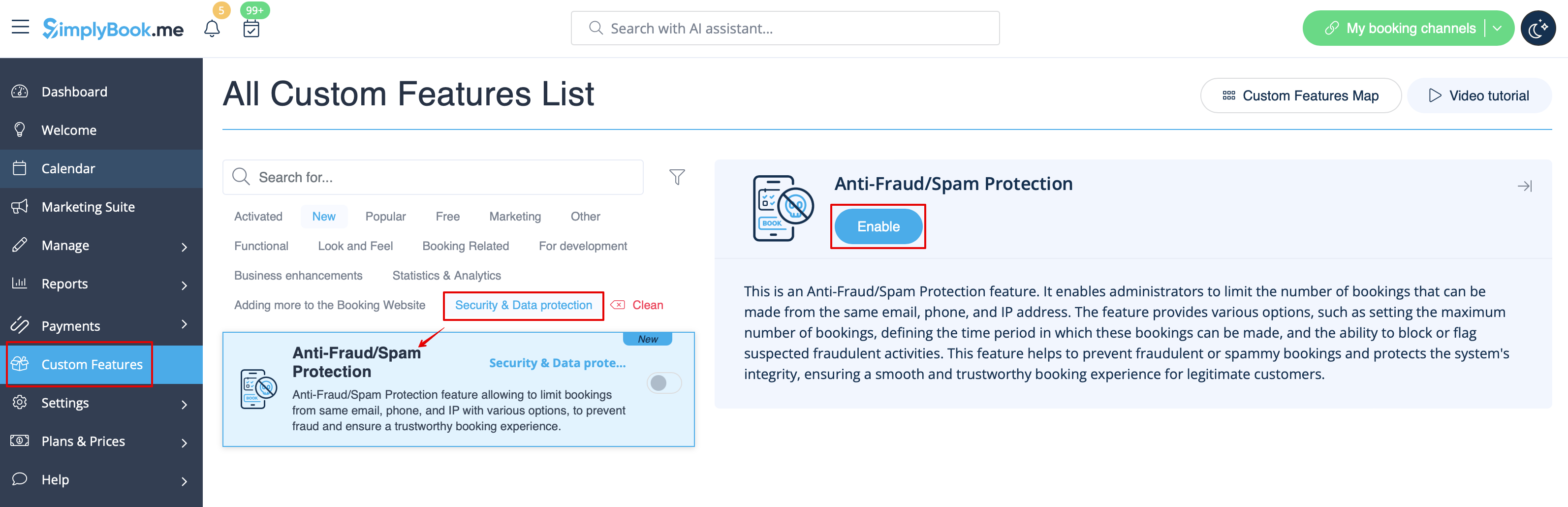
1. Enable Anti-Fraud/Spam Protection on your Custom features page -> Security & Data protection section.
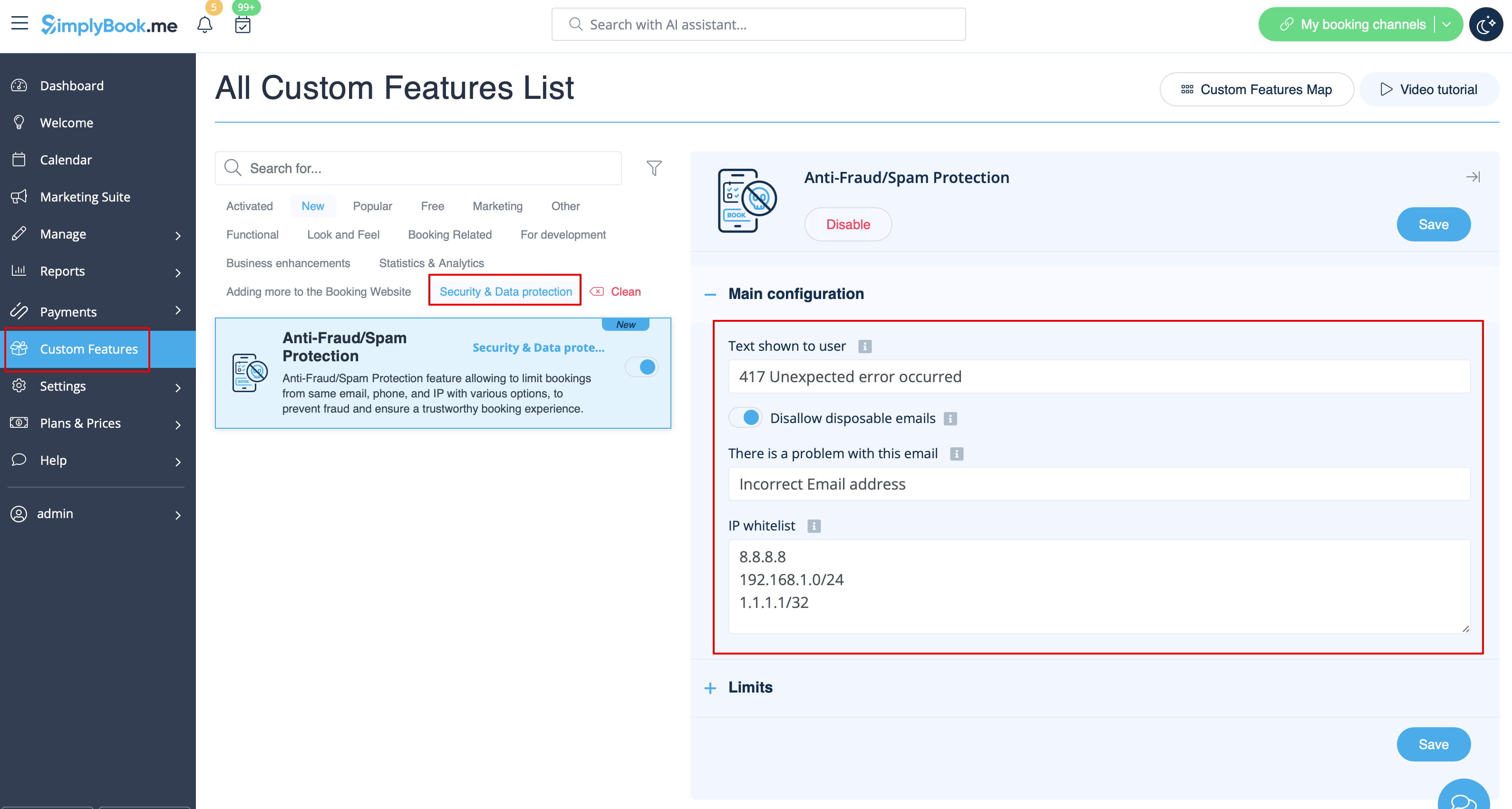
2. In the first Main configuration section you can decide on the error message text that will be shown on the client side if the limit is reached, enable Disallow disposable emails option if you would like to prohibit the use of such emails, add IP addresses that should be always allowed to book from(in case you plan to use limits by IP).
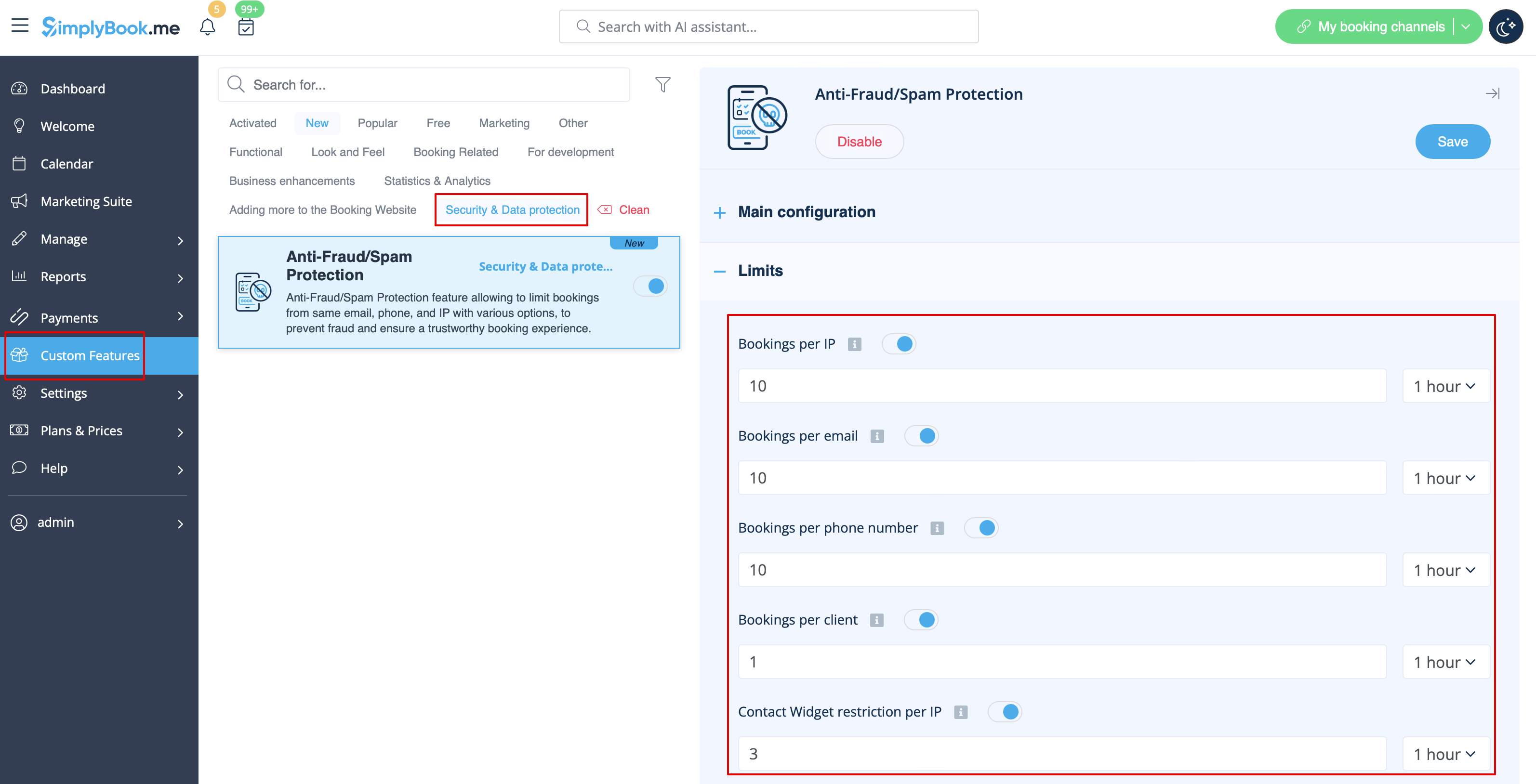
3. The next section Limits allows you to set the specific limits by client(available with Client Login custom feature enabled only), by IP address, by email address or phone number. You can use any option or several of them at the same time.
Please note! If you have some IP addresses as whitelisted, the other limitations(by email, phone or client if they are set) will still apply for such client.
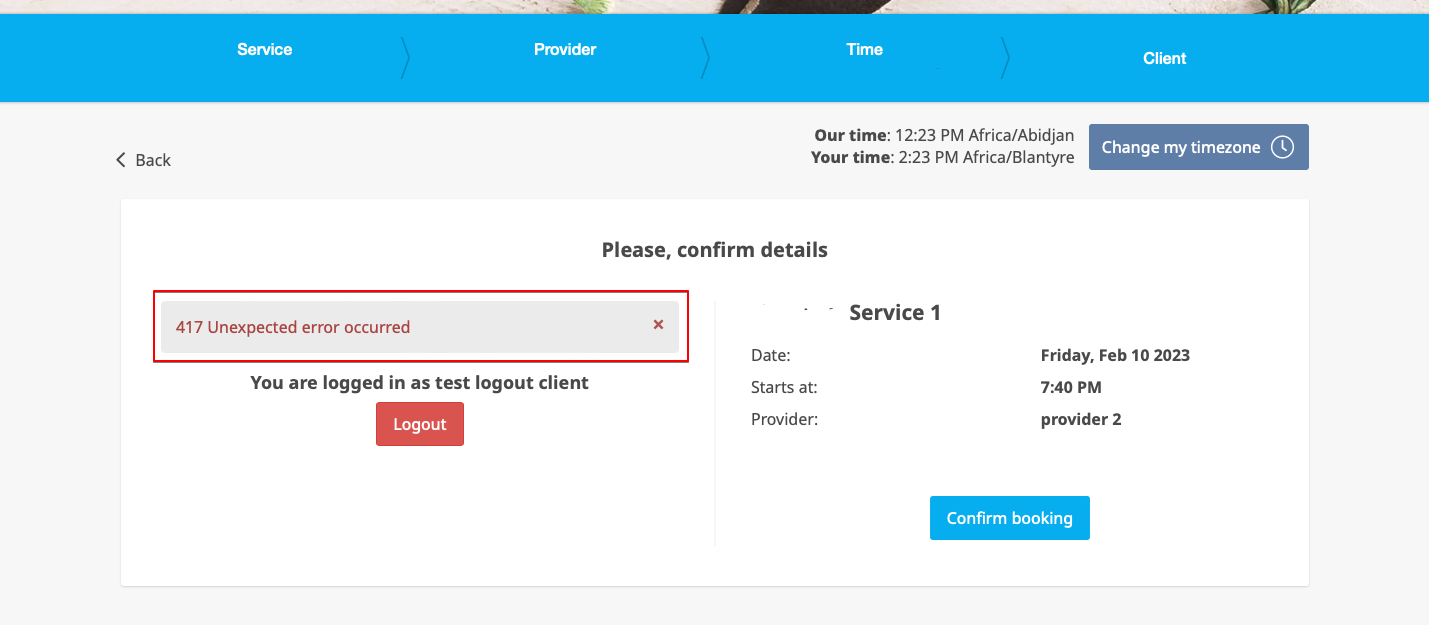
4. When the limit is reached there will be the error message shown on the client side.
(default text used in the example below)