Skräddarsydd funktion för bedrägeri- och skräppostskydd

Detta är en funktion för skydd mot bedrägeri och spam. Den gör det möjligt för administratörer att begränsa antalet bokningar som kan göras från samma e-postadress, telefonnummer och IP-adress. Funktionen erbjuder olika alternativ, såsom att ställa in maximalt antal bokningar, definiera tidsperioden under vilken dessa bokningar kan göras och möjligheten att blockera eller flagga misstänkta bedrägliga aktiviteter. Denna funktion hjälper till att förhindra bedrägliga eller skräppostbokningar och skyddar systemets integritet, vilket garanterar en smidig och pålitlig bokningsupplevelse för legitima kunder.
- How to use
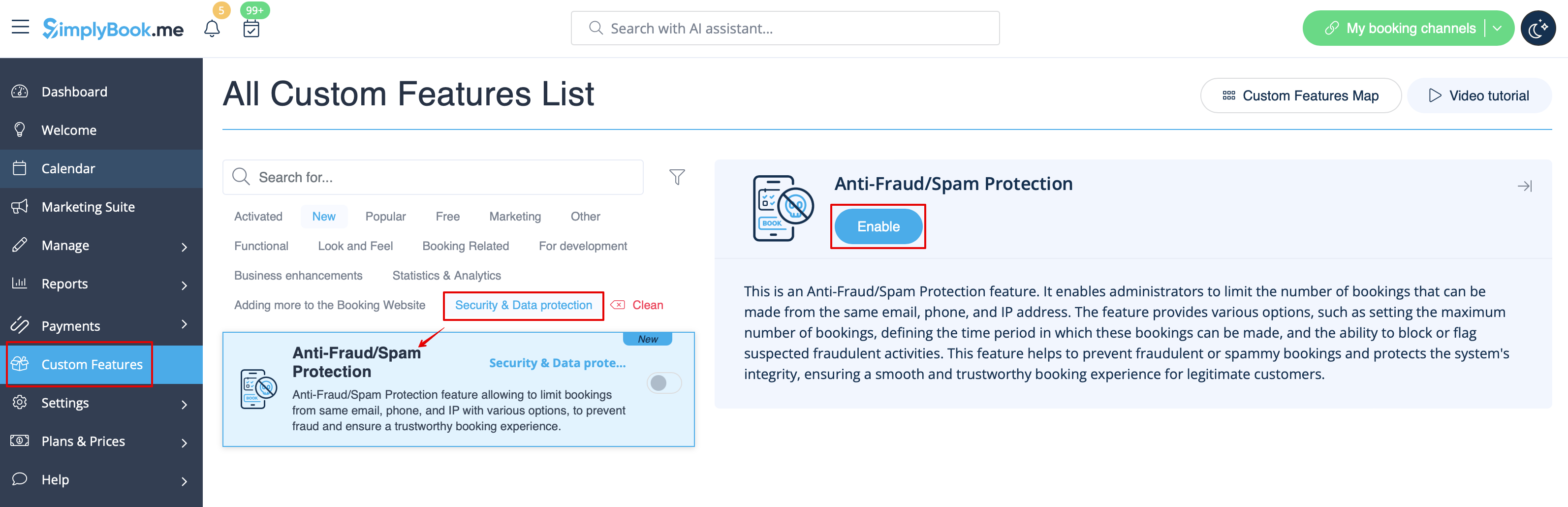
1. Enable Anti-Fraud/Spam Protection on your Custom features page -> Security & Data protection section.
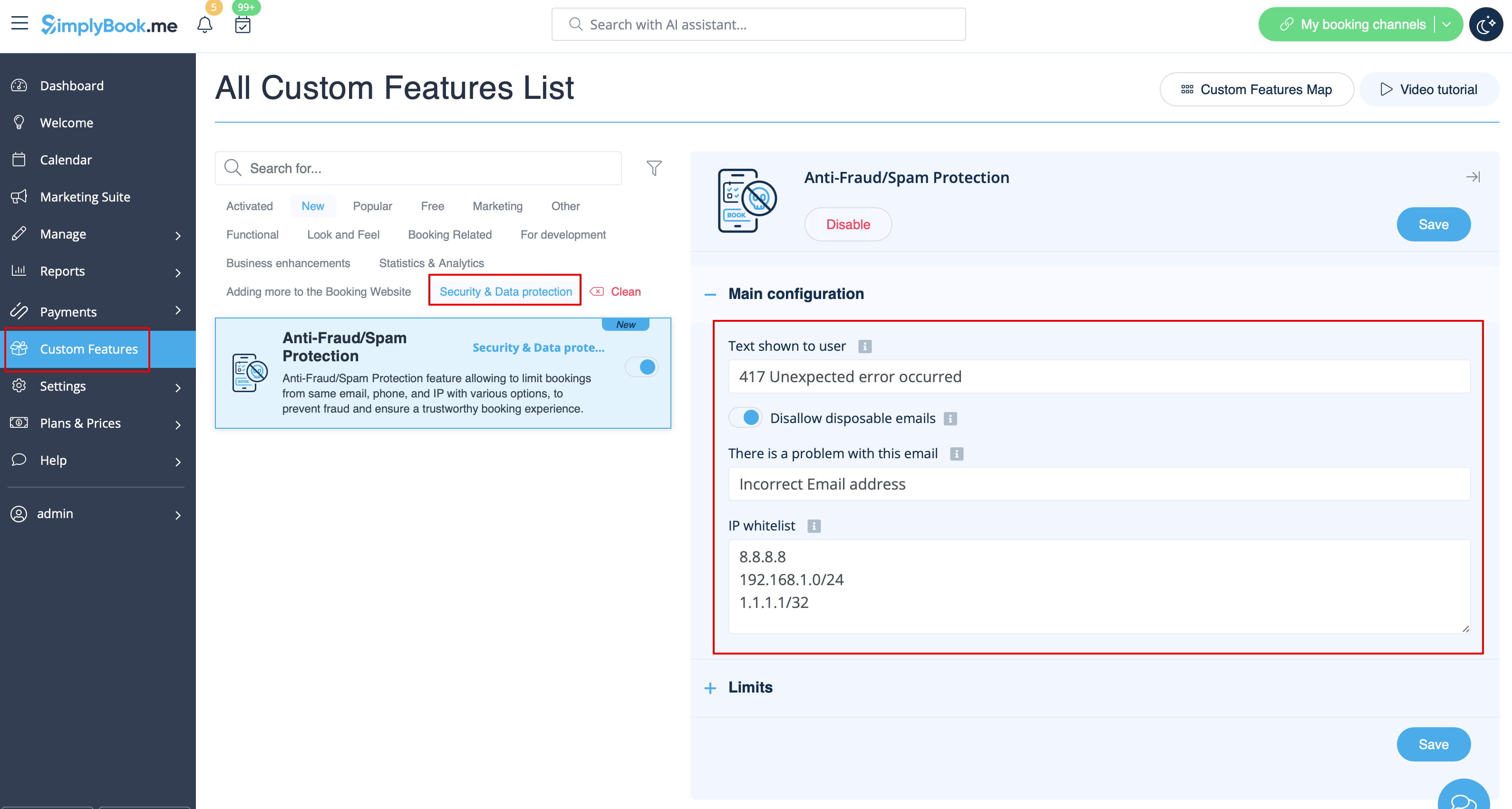
2. In the first Main configuration section you can decide on the error message text that will be shown on the client side if the limit is reached, enable Disallow disposable emails option if you would like to prohibit the use of such emails, add IP addresses that should be always allowed to book from(in case you plan to use limits by IP).
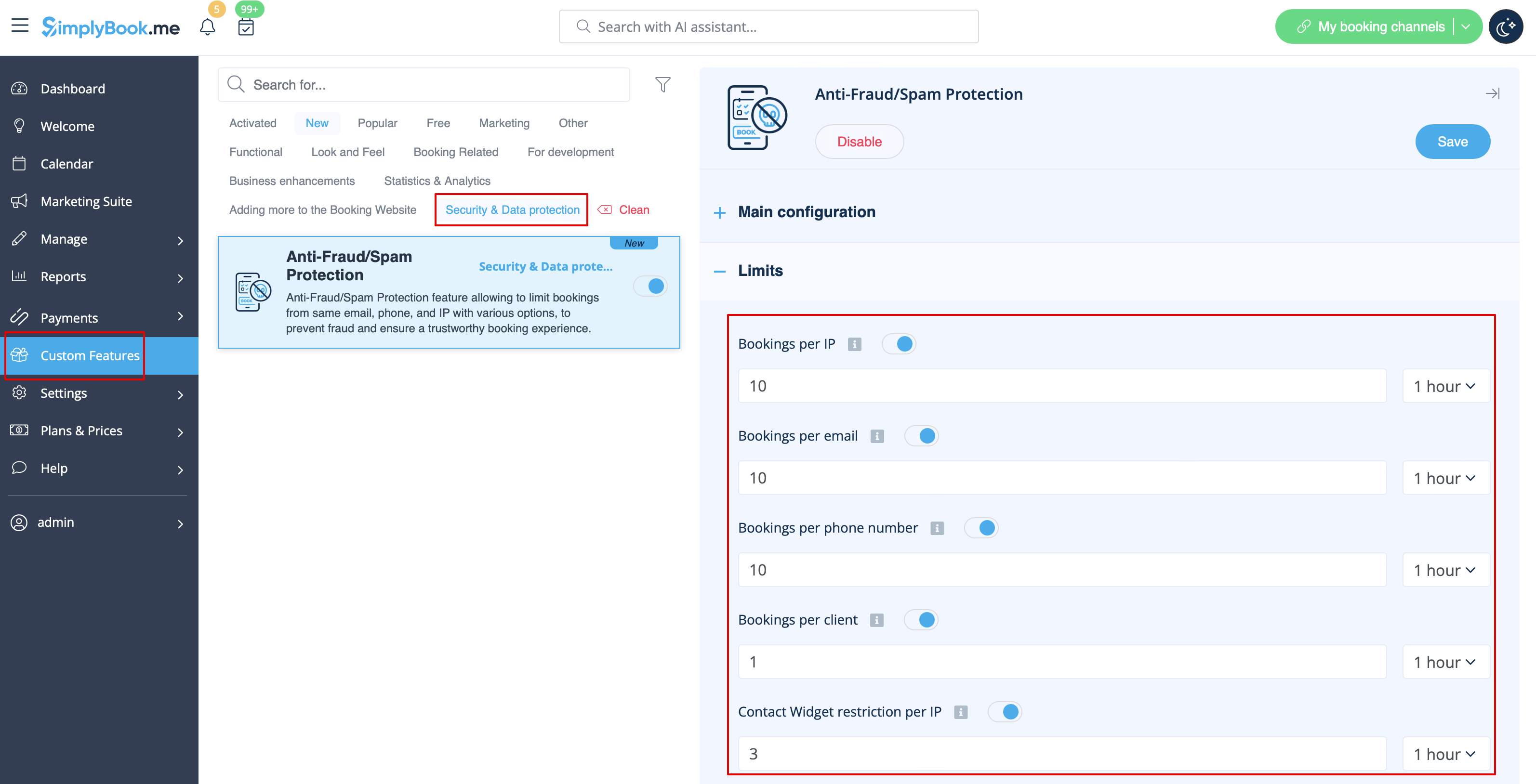
3. The next section Limits allows you to set the specific limits by client(available with Client Login custom feature enabled only), by IP address, by email address or phone number. You can use any option or several of them at the same time.
Please note! If you have some IP addresses as whitelisted, the other limitations(by email, phone or client if they are set) will still apply for such client.
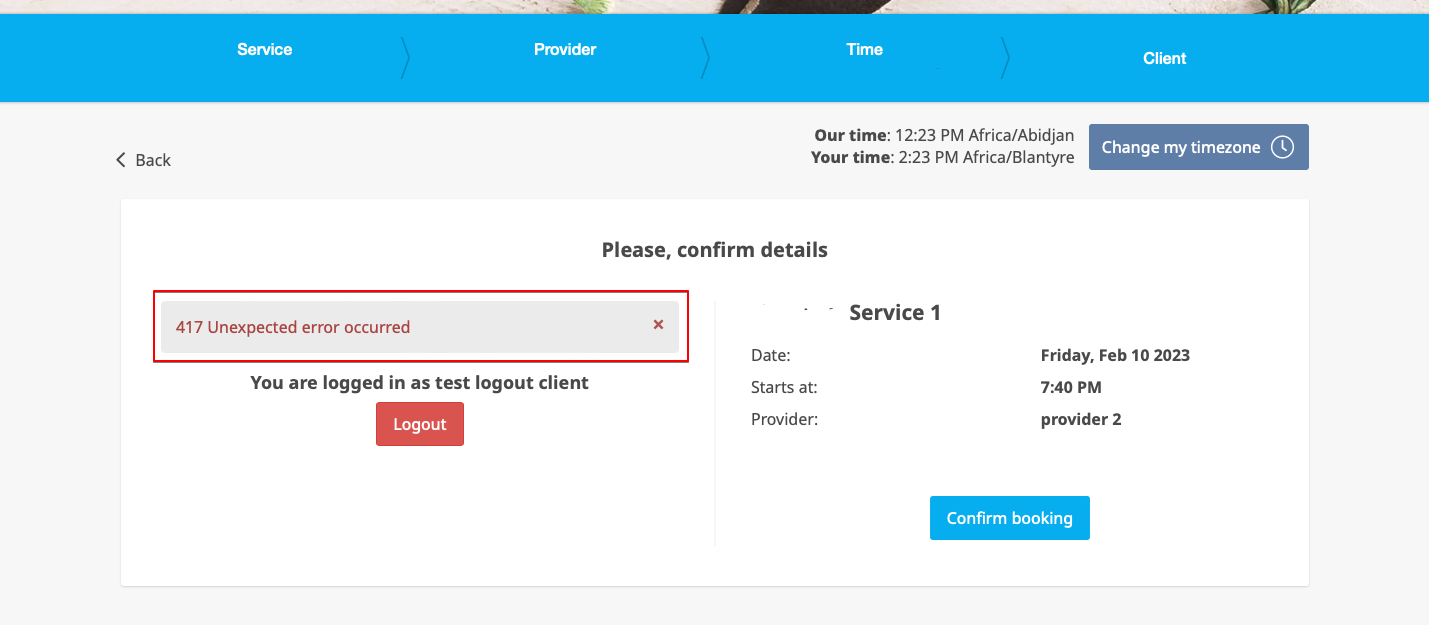
4. When the limit is reached there will be the error message shown on the client side.
(default text used in the example below)