Aangepaste functie voor bescherming tegen fraude/spam

Dit is een functie voor fraudebestrijding en spambeveiliging. Hiermee kunnen beheerders het aantal boekingen beperken dat vanaf hetzelfde e-mailadres, telefoonnummer en IP-adres kan worden gemaakt. De functie biedt verschillende opties, zoals het instellen van het maximale aantal boekingen, het definiëren van de periode waarin deze boekingen kunnen worden gemaakt en de mogelijkheid om verdachte frauduleuze activiteiten te blokkeren of te markeren. Deze functie helpt frauduleuze of spamachtige boekingen te voorkomen en beschermt de integriteit van het systeem, waardoor een soepele en betrouwbare boekingservaring voor legitieme klanten wordt gegarandeerd.
- How to use
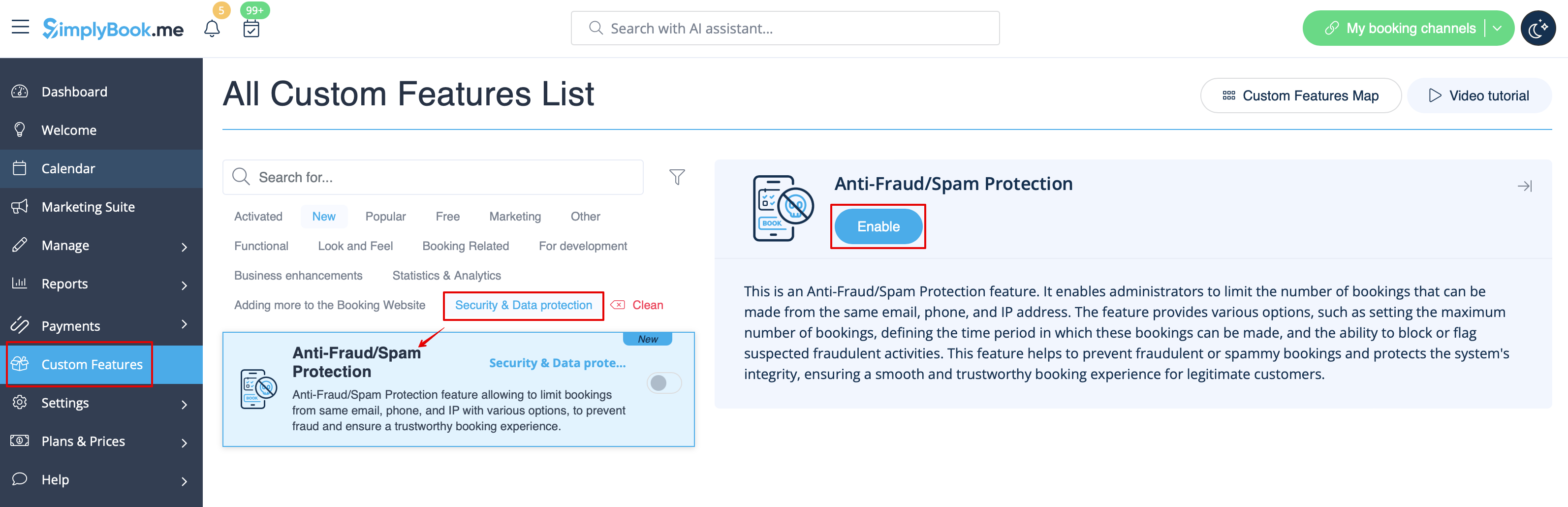
1. Enable Anti-Fraud/Spam Protection on your Custom features page -> Security & Data protection section.
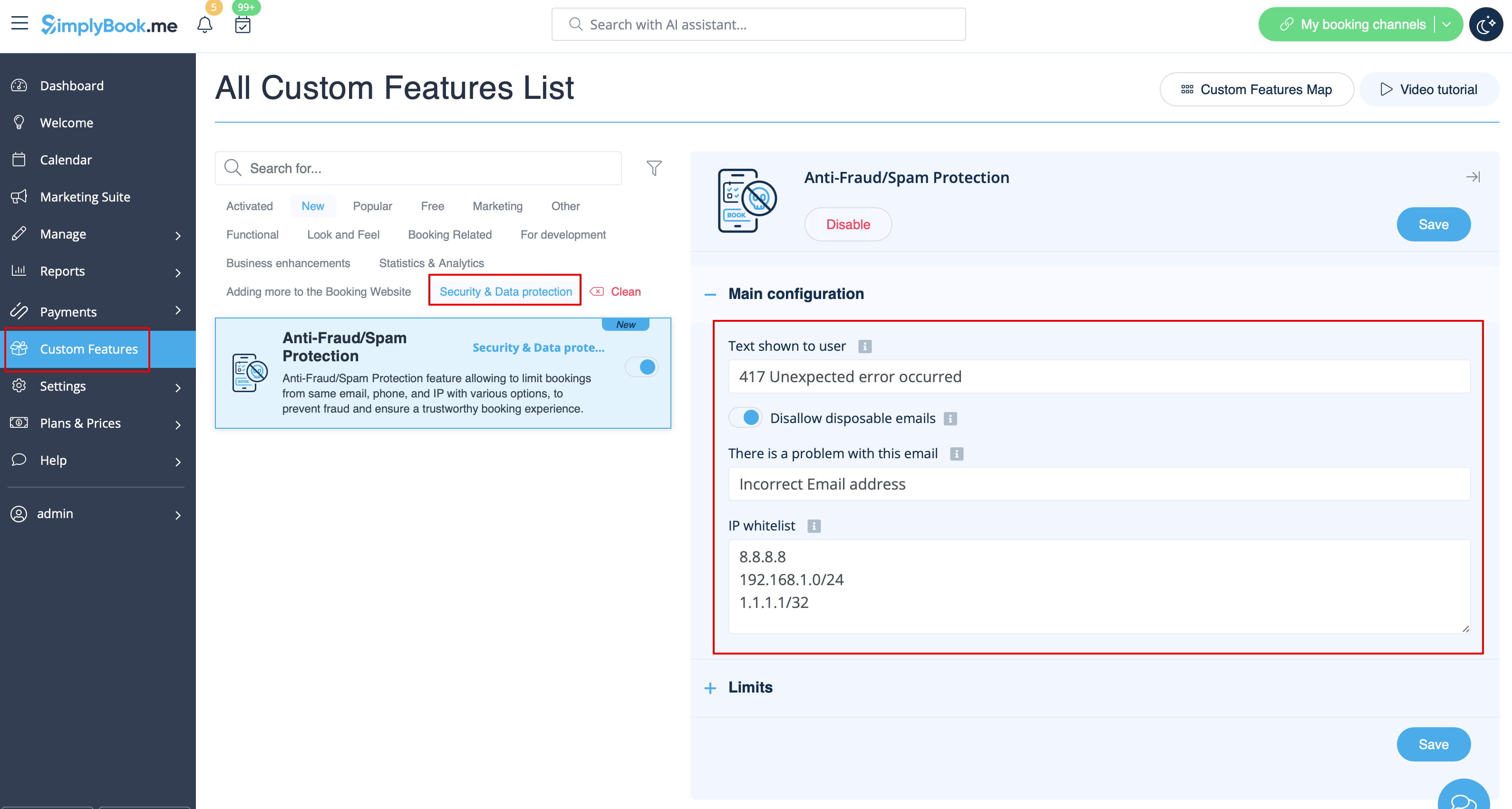
2. In the first Main configuration section you can decide on the error message text that will be shown on the client side if the limit is reached, enable Disallow disposable emails option if you would like to prohibit the use of such emails, add IP addresses that should be always allowed to book from(in case you plan to use limits by IP).
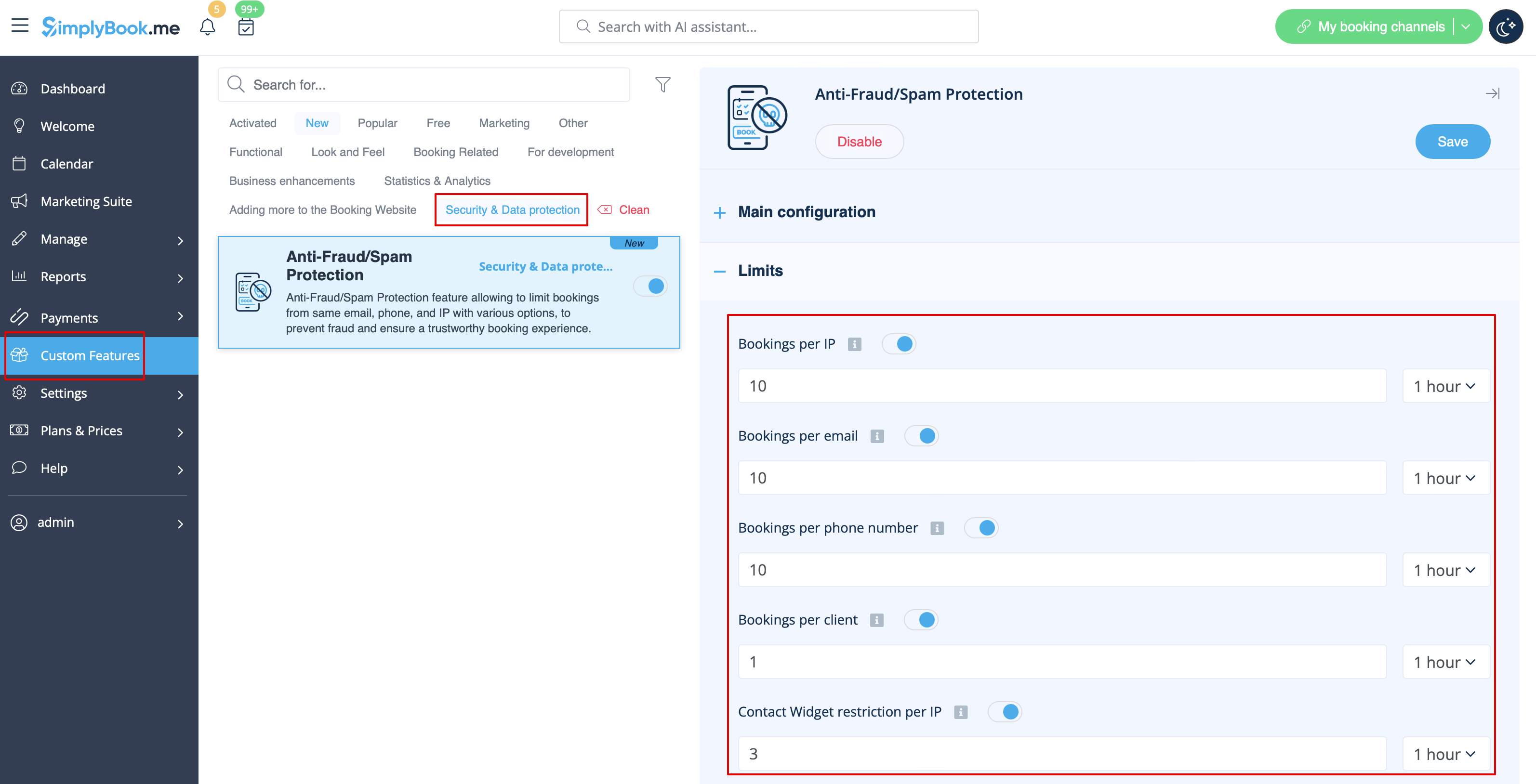
3. The next section Limits allows you to set the specific limits by client(available with Client Login custom feature enabled only), by IP address, by email address or phone number. You can use any option or several of them at the same time.
Please note! If you have some IP addresses as whitelisted, the other limitations(by email, phone or client if they are set) will still apply for such client.
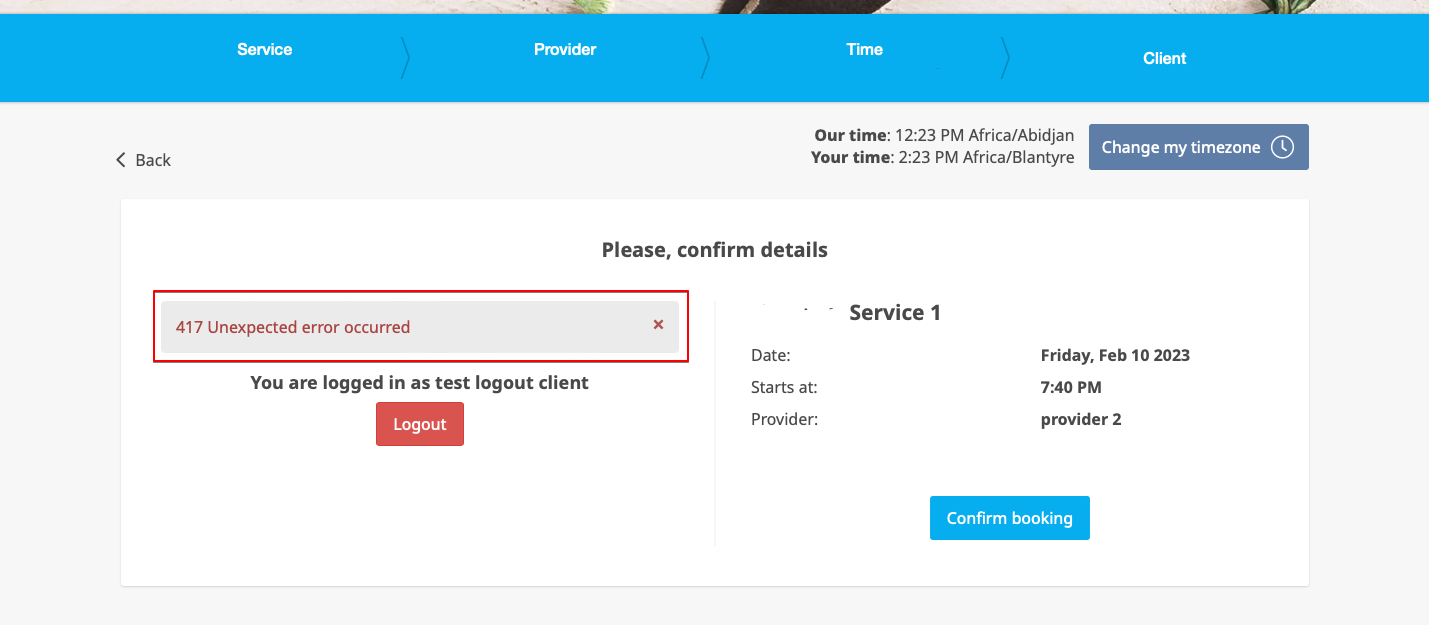
4. When the limit is reached there will be the error message shown on the client side.
(default text used in the example below)