Часові слоти не можна забронювати
From SimplyBook.me
За певних умов може статися так, що певний проміжок часу виглядає як доступний на адміністративній сторінці вашої компанії, але ці часові слоти не відображаються на веб-сайті бронювання і, отже, не можуть бути заброньовані.
Це особливість системи, і наразі немає можливості змінити її роботу.
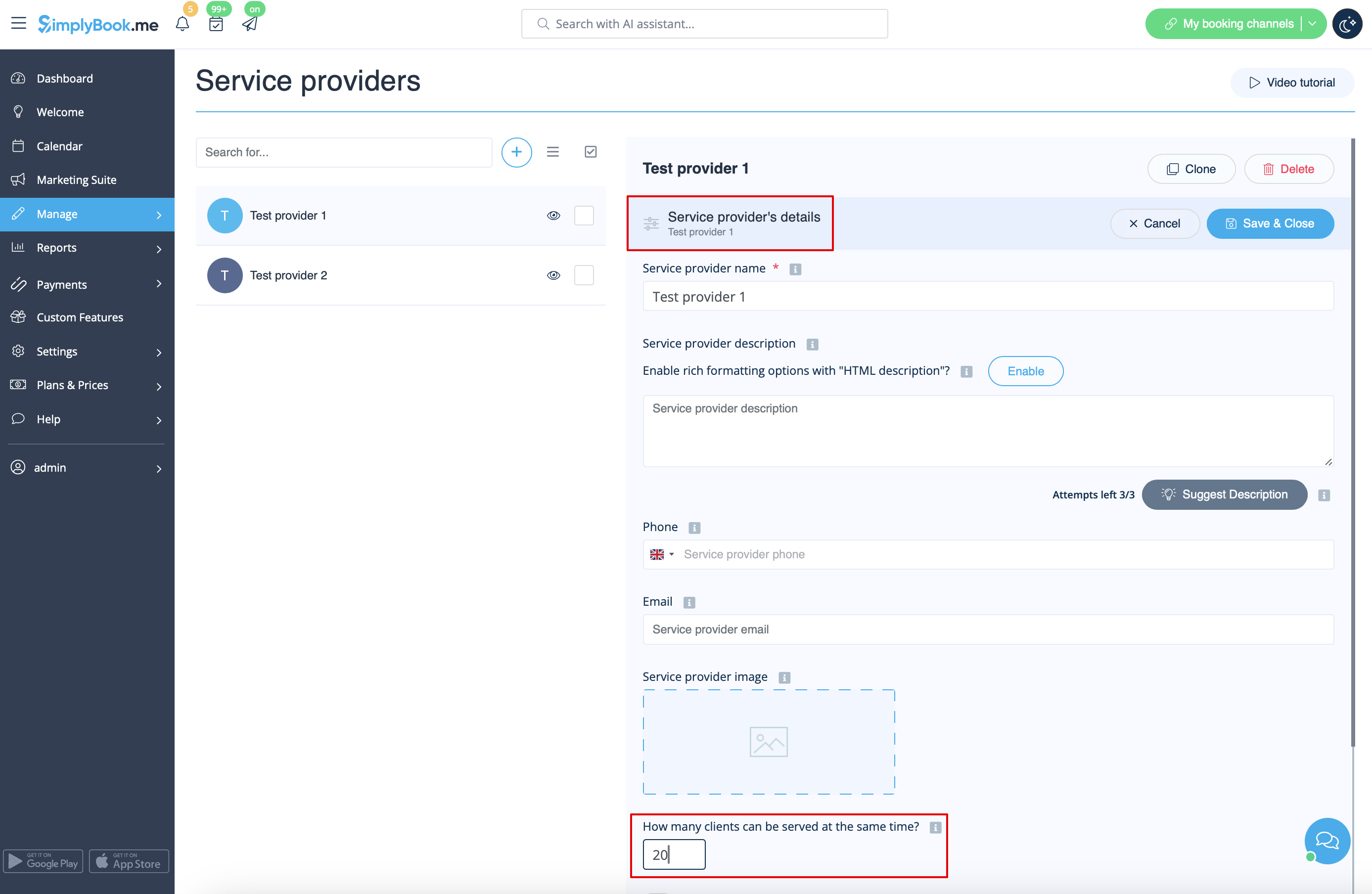
- 2. Timeframe period selected in the system is less than service duration.
- For example, you have selected 10mins timeframe and set 30mins service duration.
- (If these two periods are equal this case cannot happen).
- Case example
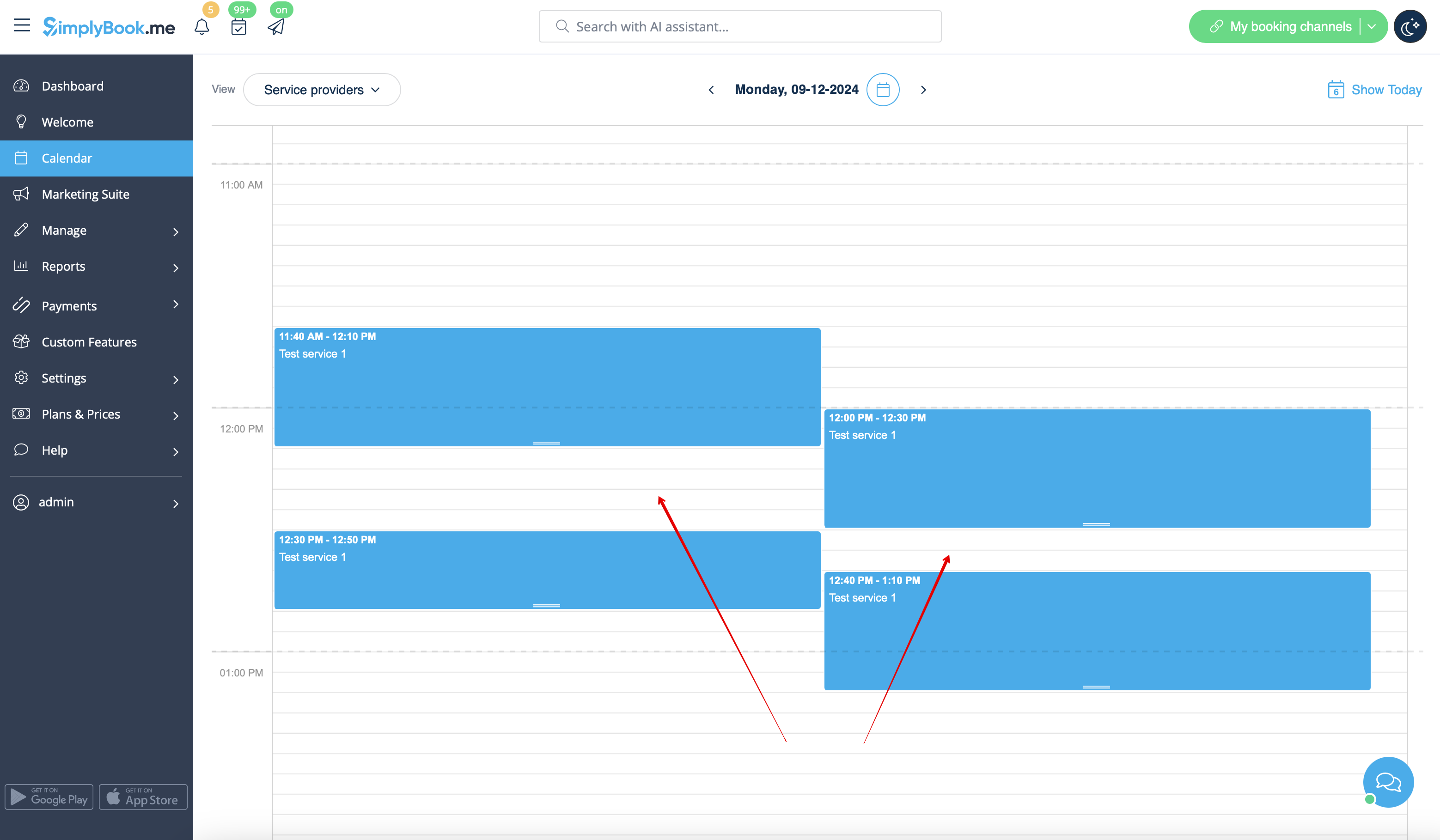
- Slots are booked at 12:00-12:30 and 12:40-13:10
- Slots are booked at 11:40-12:10 and 12:30-12:50
- So it may seem that the period 12:10 - 12:40 is free, but in reality it is represented by two independent timeslots: 12:10-12:30 and 12:30-12:40 so 30mins service cannot be booked there.
- How to avoid the risk of such cases
- 1. Try to have service duration equal to timeframe if possible
- 2. Use modern calendar layout for the booking website and Appointment at fixed time custom feature to restrict the timeslots shifting and avoid possible gaps in-between.
