Anpassa funktionen "Gör mig upptagen"
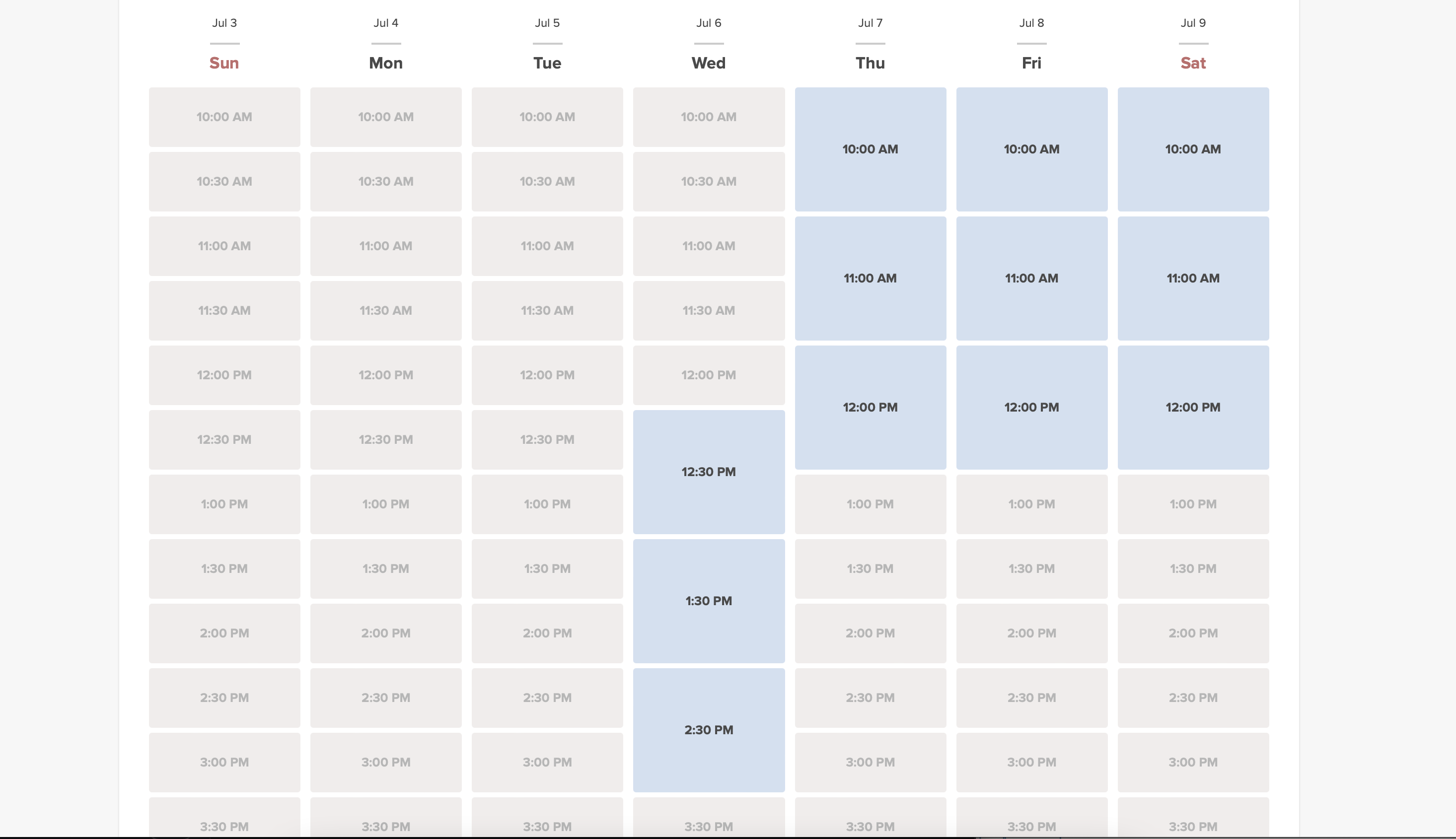
Denna funktion gör att tiderna ser upptagna ut när kunder besöker din webbplats, samtidigt som tillgängliga tider fortfarande visas så att de kan hitta något att boka. Du kan själv bestämma hur många tider som ska vara tillgängliga varje dag.

Observera!
- Denna funktion är inte kompatibel med följande kalendertyp: flexibel, flexibel vecka och flexibel leverantör.
- Om du har aktiverat visning av bokningswebbplatsen i kundens tidszon och den skiljer sig från företagets tidszon, kan det leda till att fler tider visas per dag än vad som är inställt i dessa anpassade funktionsinställningar.
- How to use
- 1. Enable this feature on your Custom Features page -> Booking Related section.
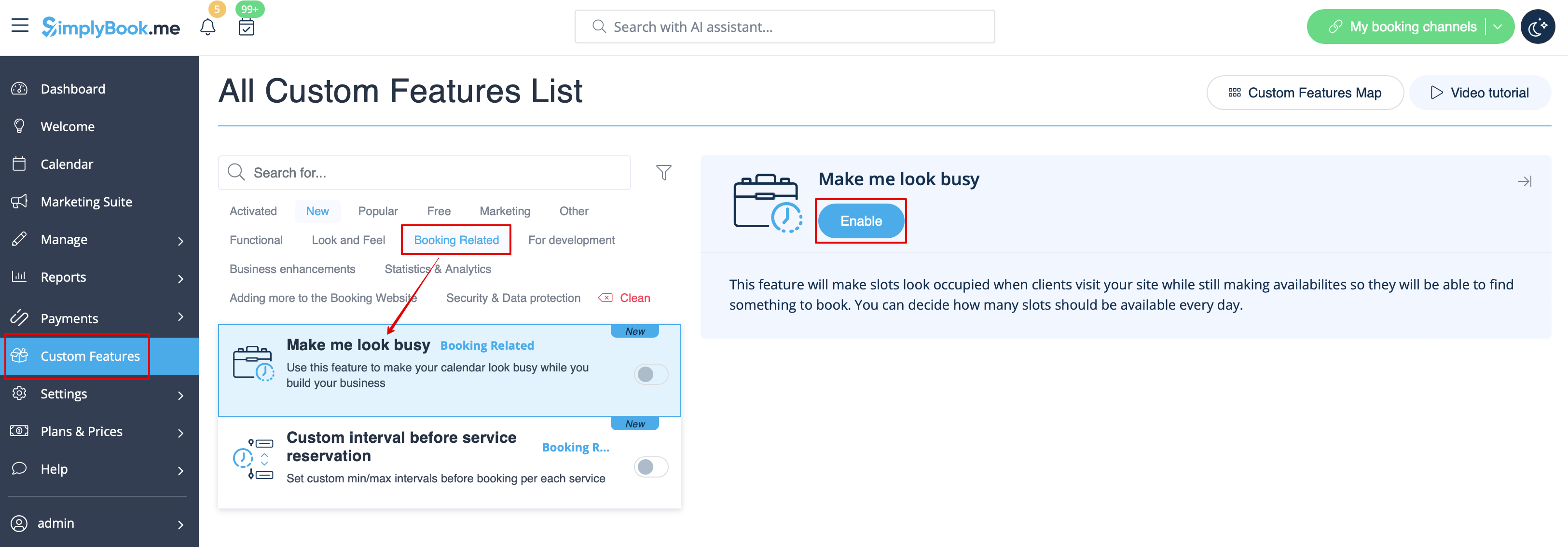
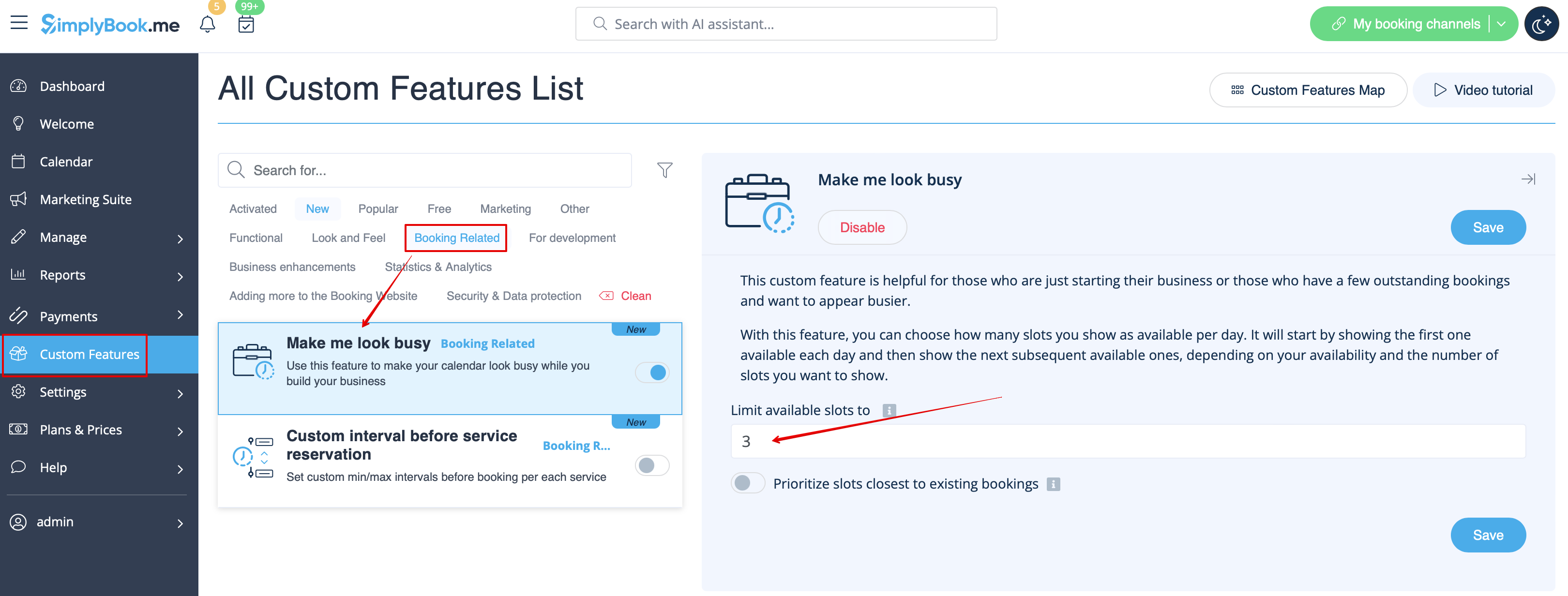
- 2. Indicate the number of timeslots you would like to show as available on your booking website per day.
- It is the number of timeslots to be shown per date per each service + provider pair.
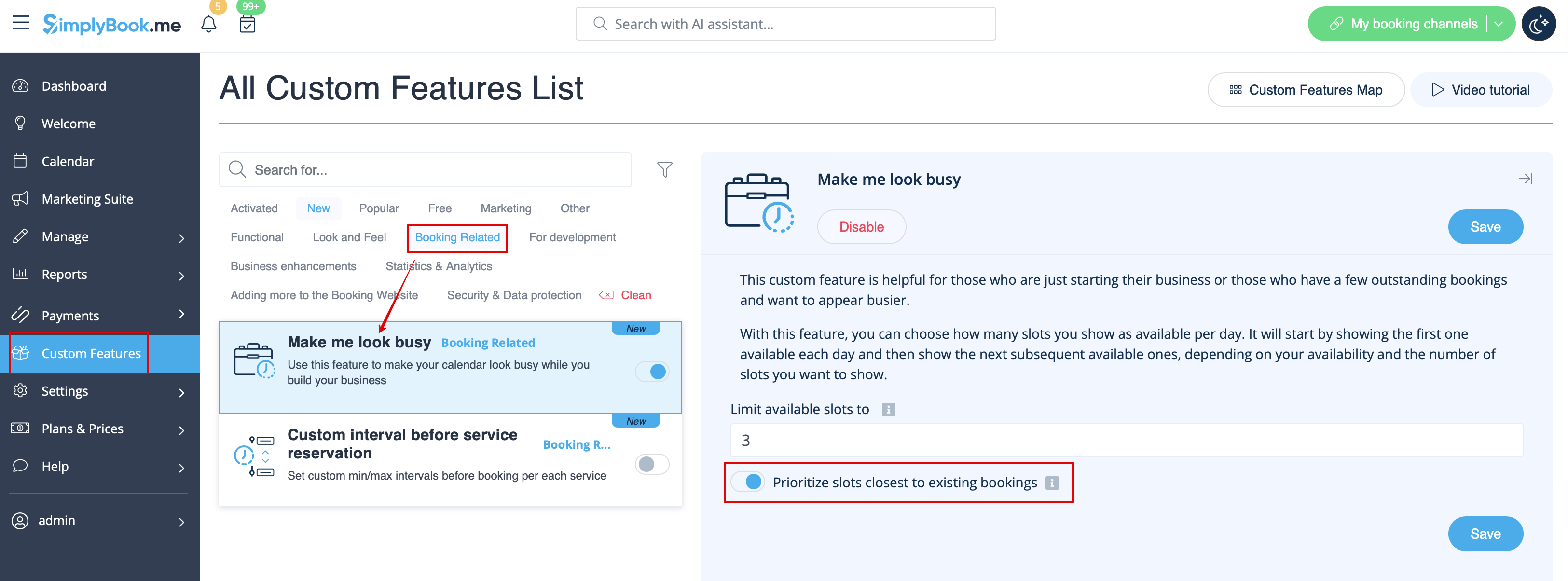
- 3. If you wish to show the timeslots that are close to the already booked times you can enable "Prioritize slots closest to existing bookings" option.
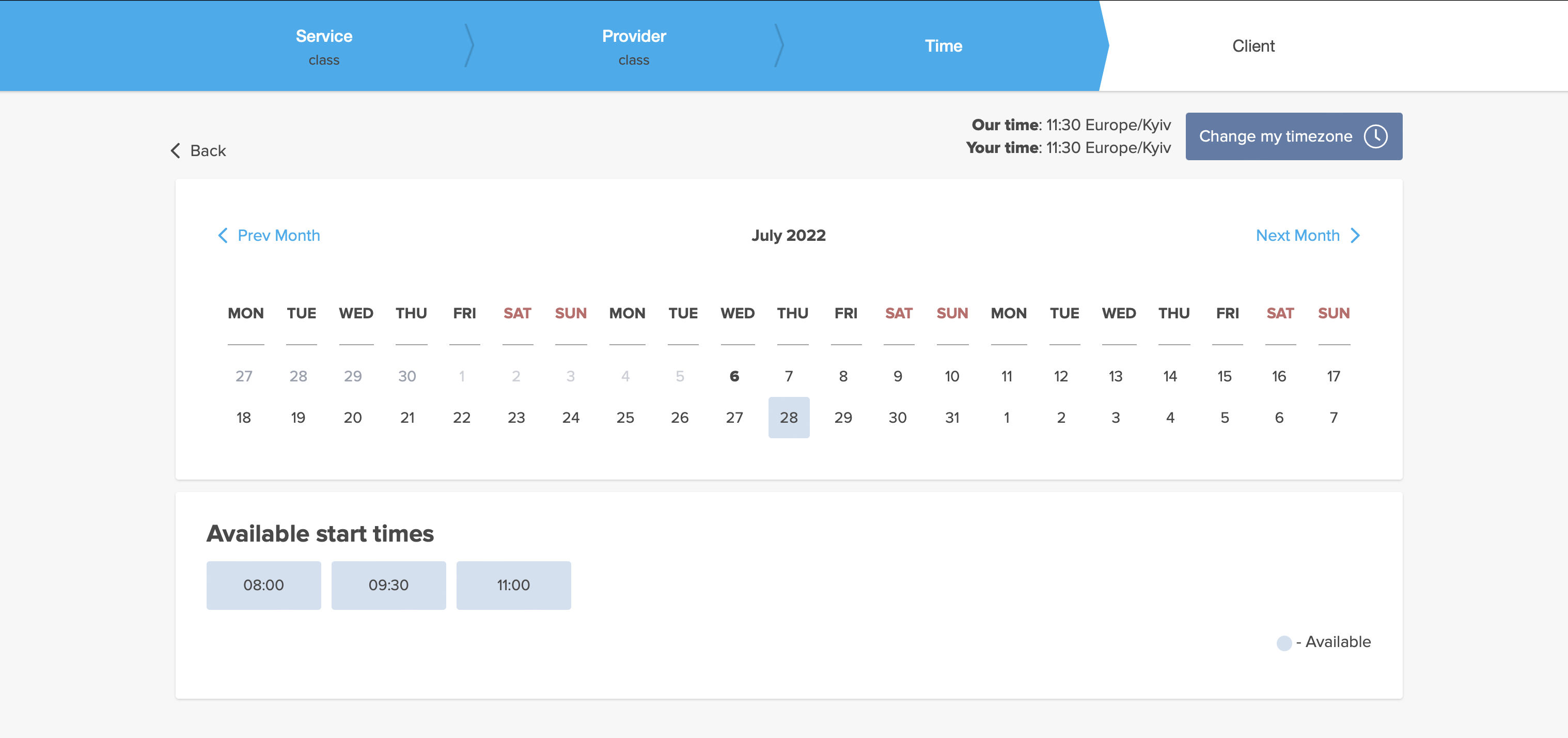
- 4. Here are some examples of how it may look on the client side.
- When some timeslot is booked the system will automatically open the next one depending on the scheduled that you have set in your account.
- modern calendar layout:
- slots weekly calendar layout: