Giv andre personer adgang til systemet
Du kan oprette en separat bruger til den person, der skal have adgang til din administrationsside i Administrer -> Brugere og tildele vedkommende de relevante rettigheder.
Se listen over tilgængelige brugerroller her.
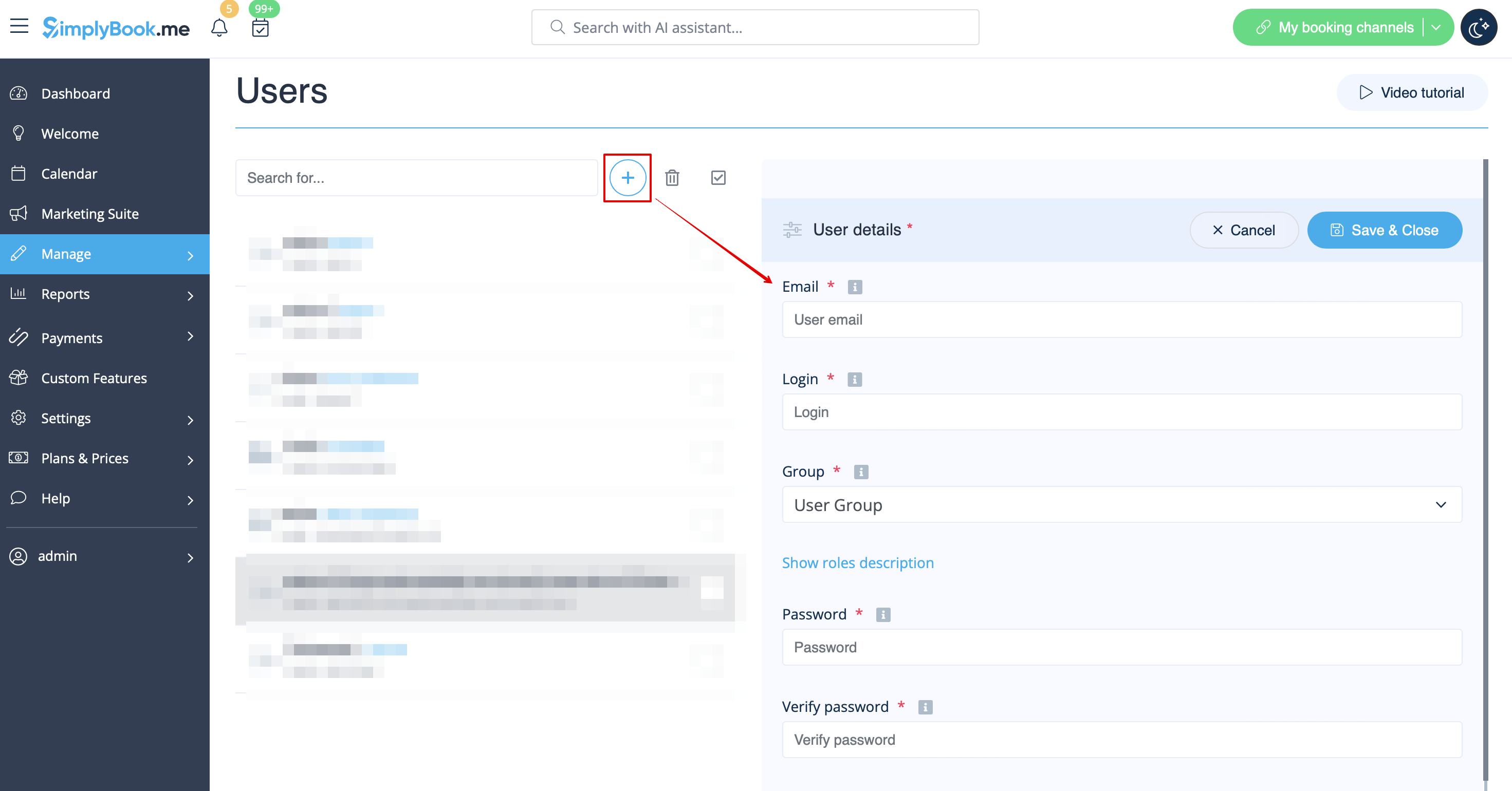
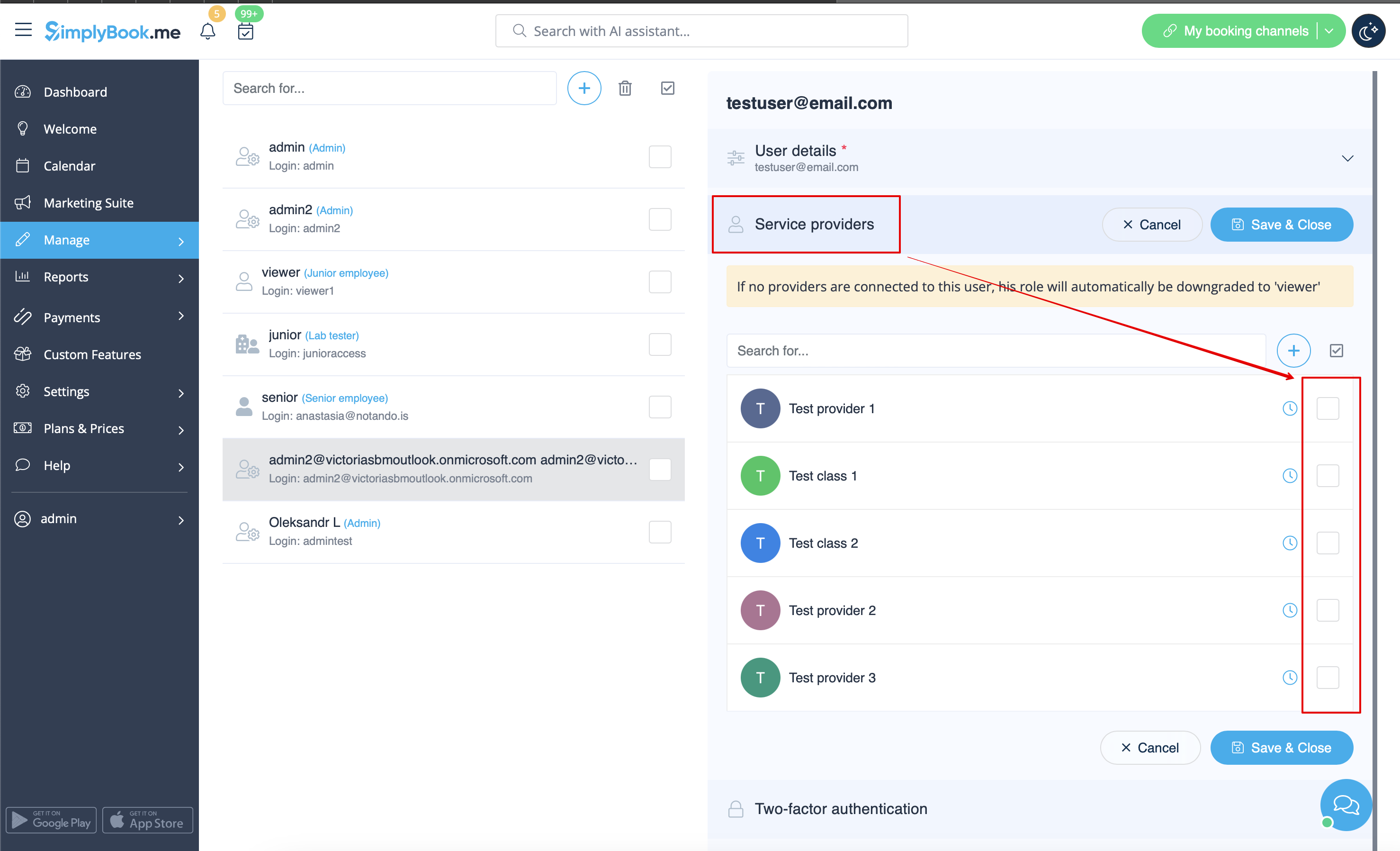
When adding new user details just enable the switch Send login information to user and save the user record.
The system will automatically send the email with the login credentials according to the template you have set in Settings -> Email and SMS Settings -> New user login notification.
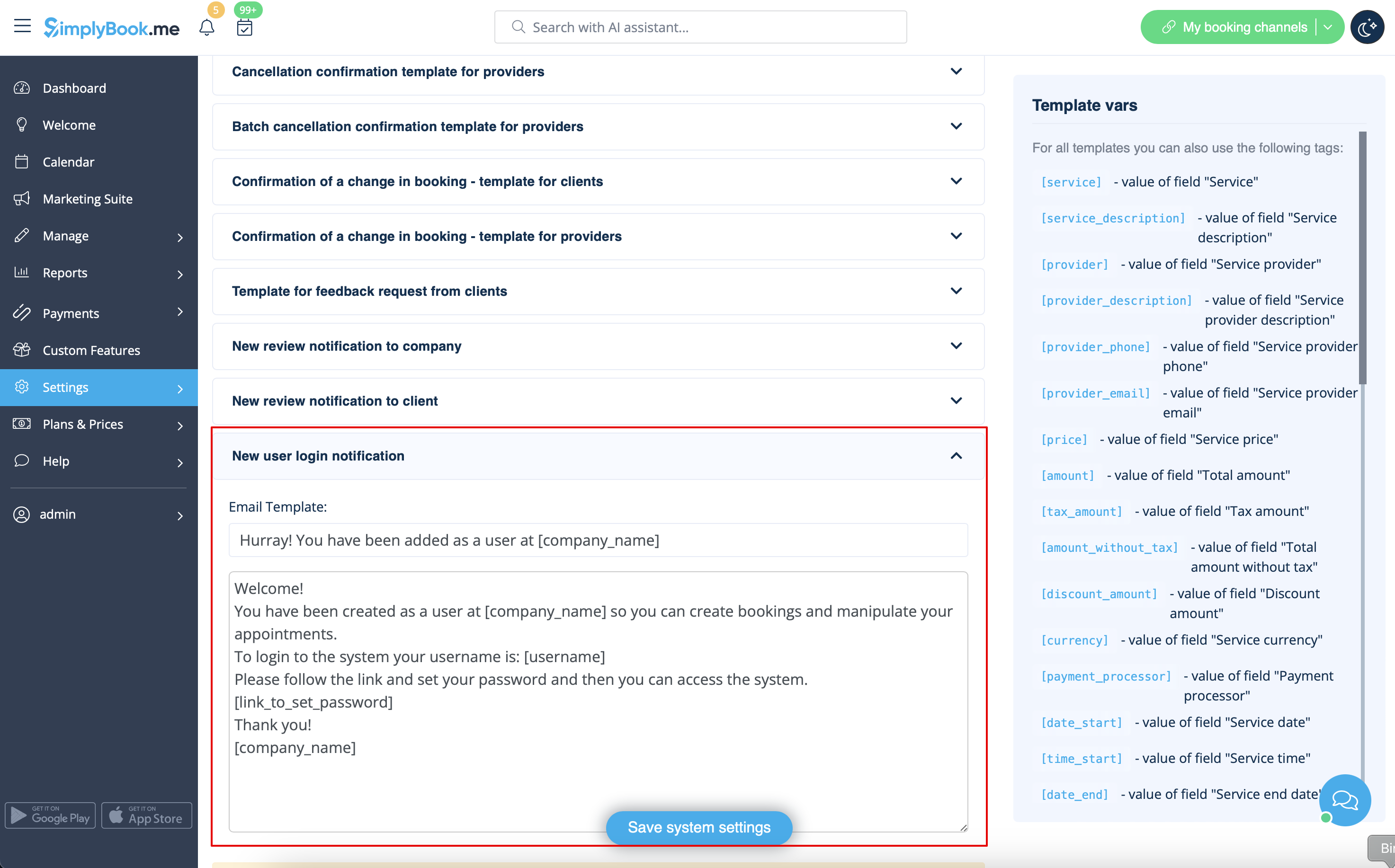
Or you can manually send login and password to your users along with the link to your admin page after saving the user.