Toegang tot het systeem verlenen aan andere personen
From SimplyBook.me
U kunt een aparte gebruiker aanmaken voor de persoon die toegang moet hebben tot uw beheerpagina in Beheer -> Gebruikers en hem/haar de juiste rechten toewijzen.
Bekijk hier de lijst met beschikbare gebruikersrollen .
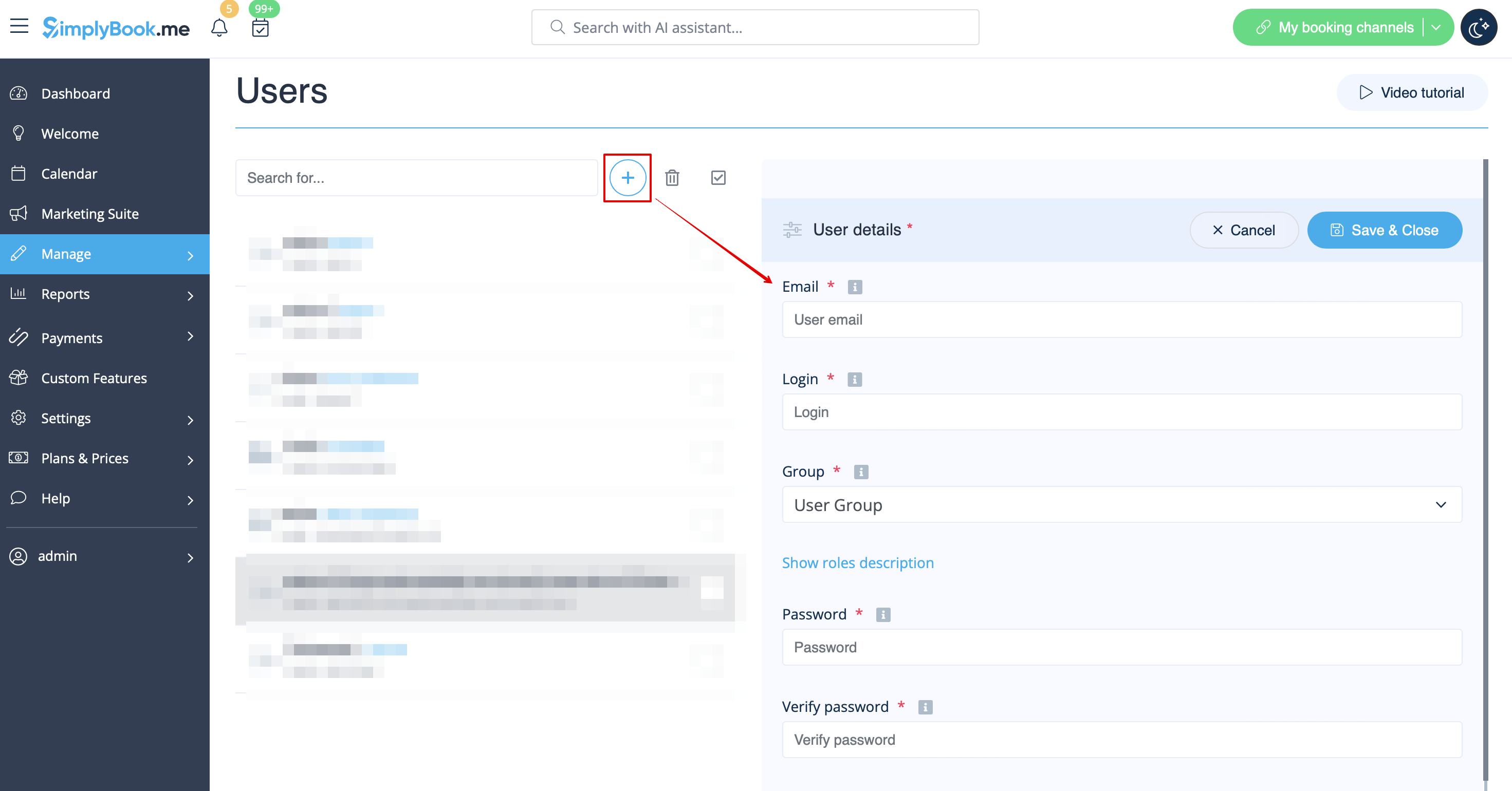
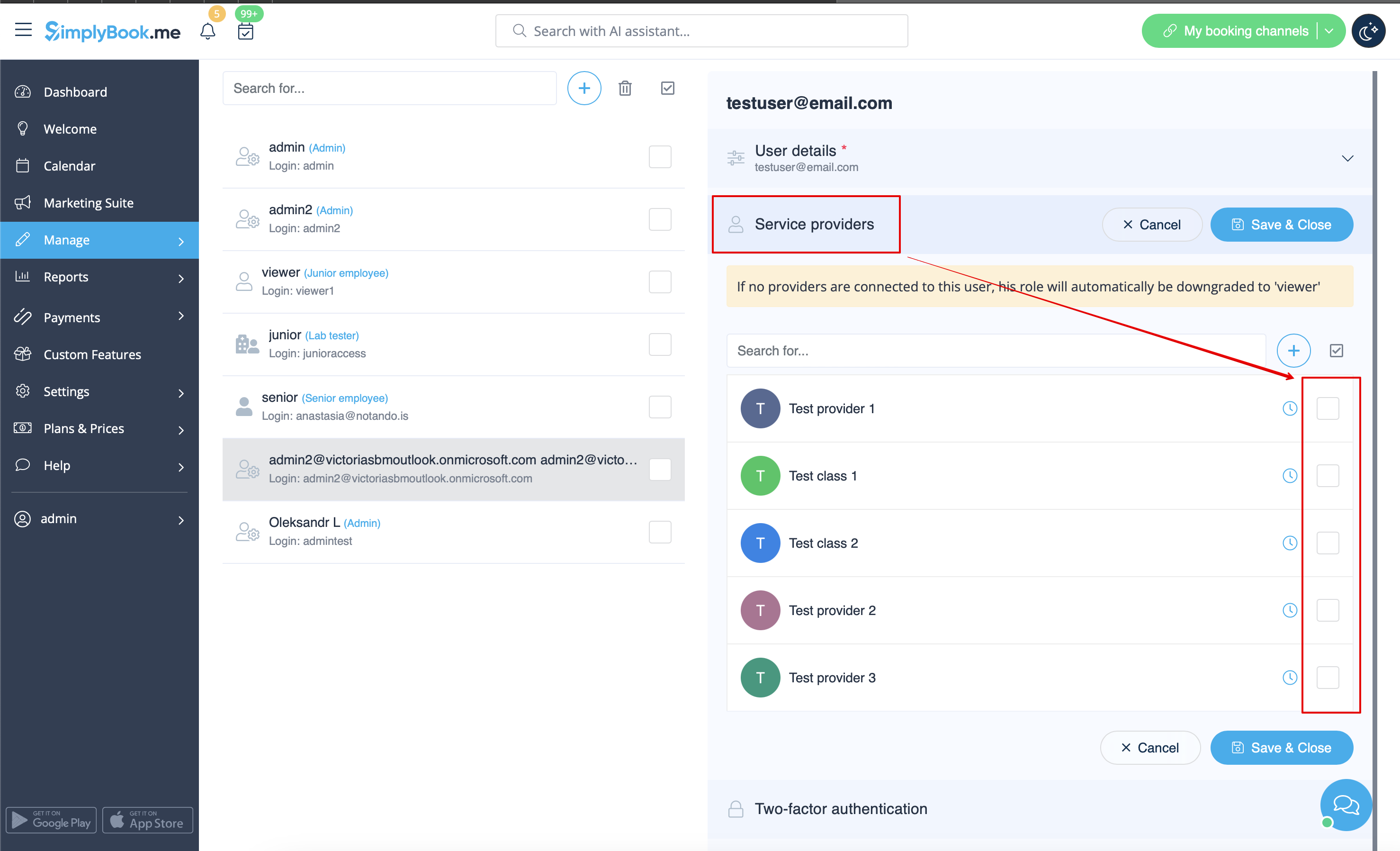
When adding new user details just enable the switch Send login information to user and save the user record.
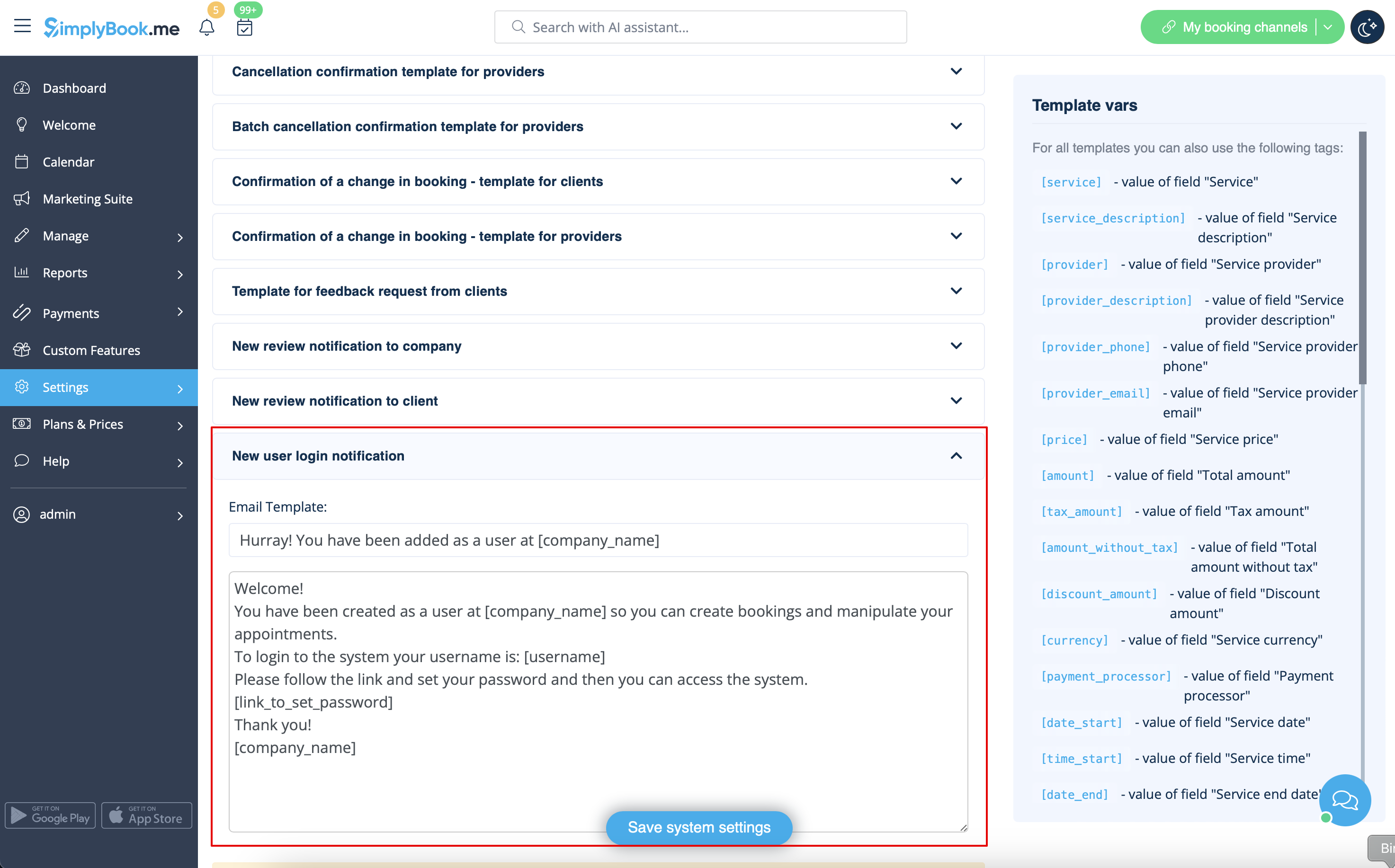
The system will automatically send the email with the login credentials according to the template you have set in Settings -> Email and SMS Settings -> New user login notification.
Or you can manually send login and password to your users along with the link to your admin page after saving the user.
